
Deckpress
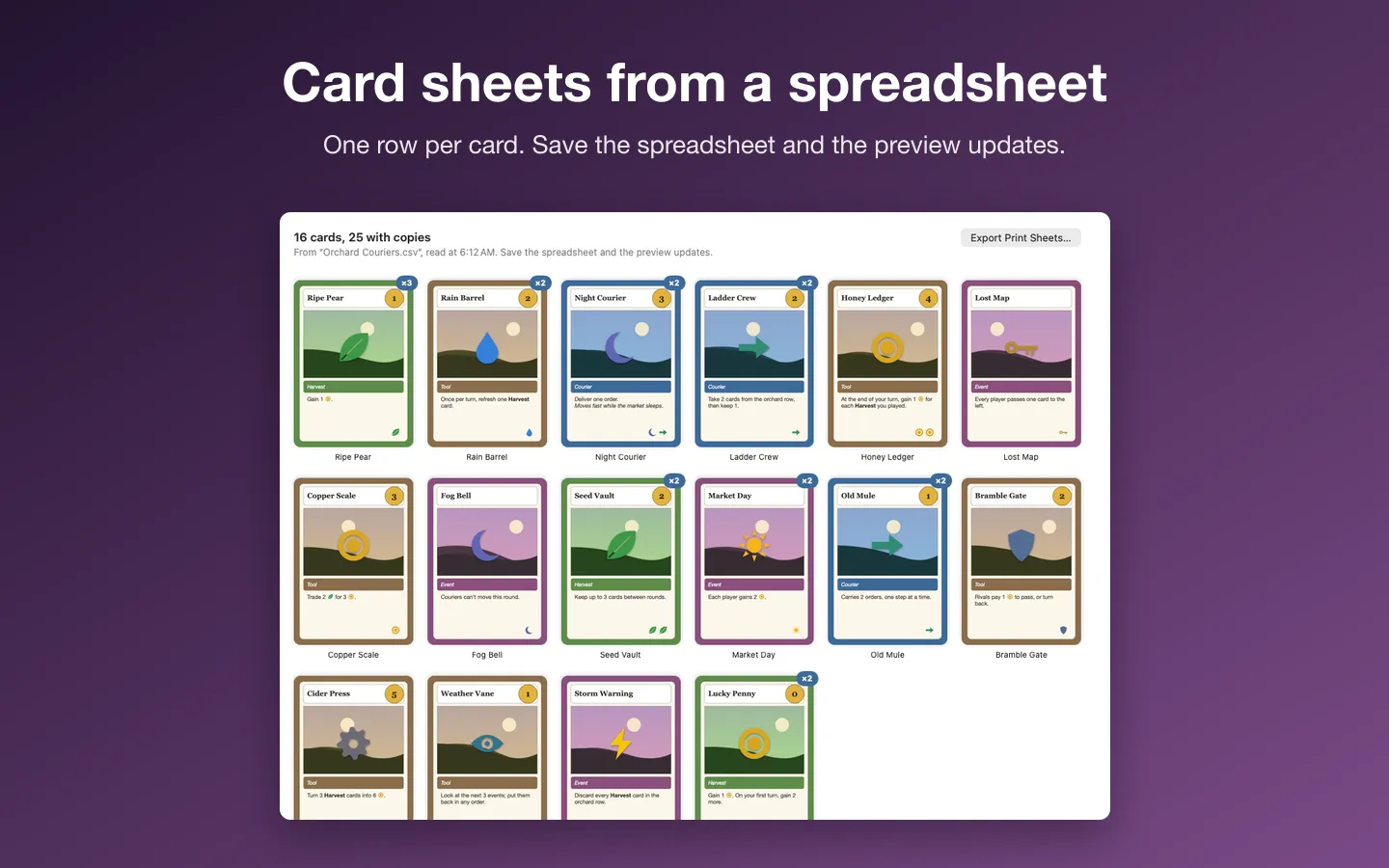
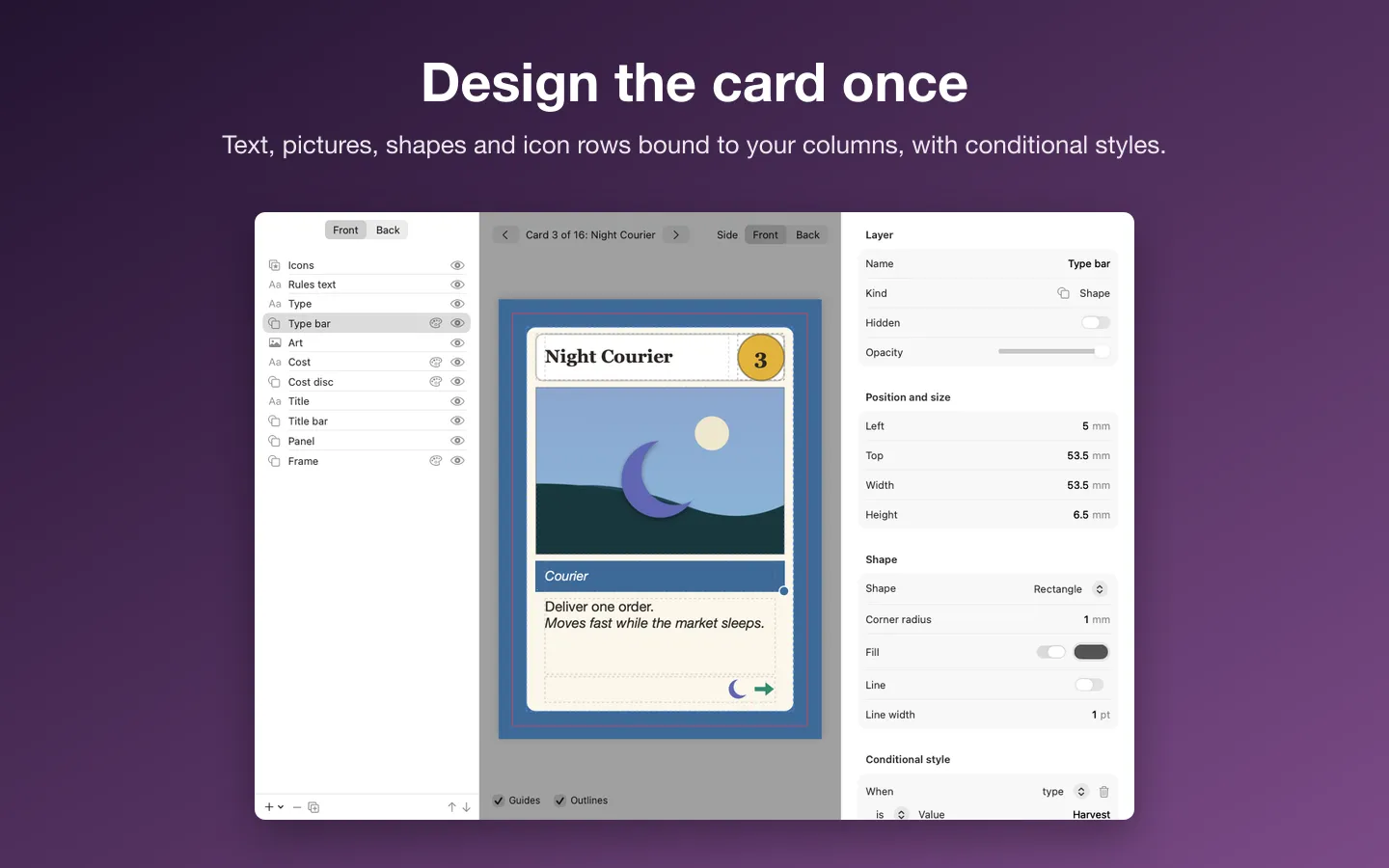
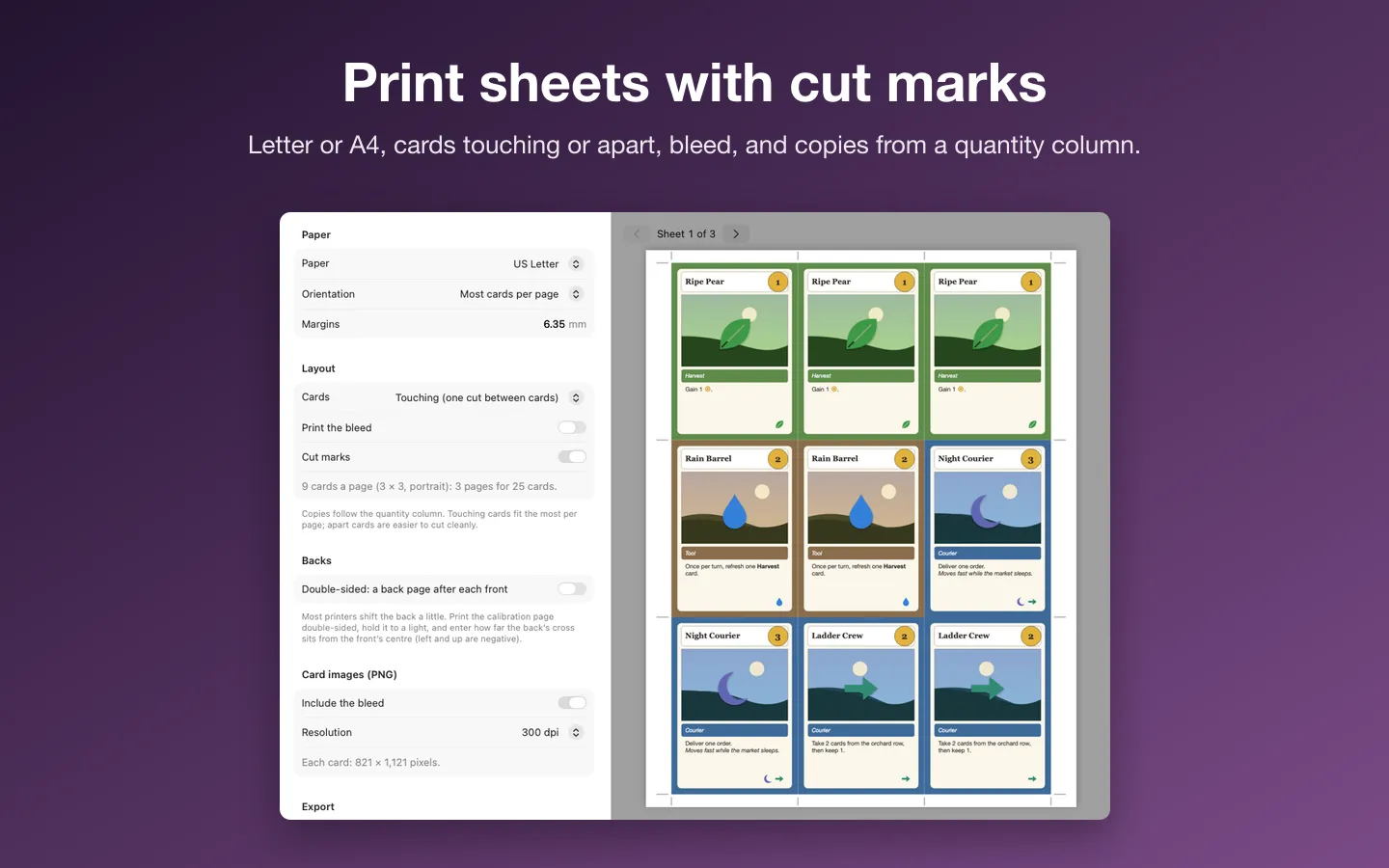
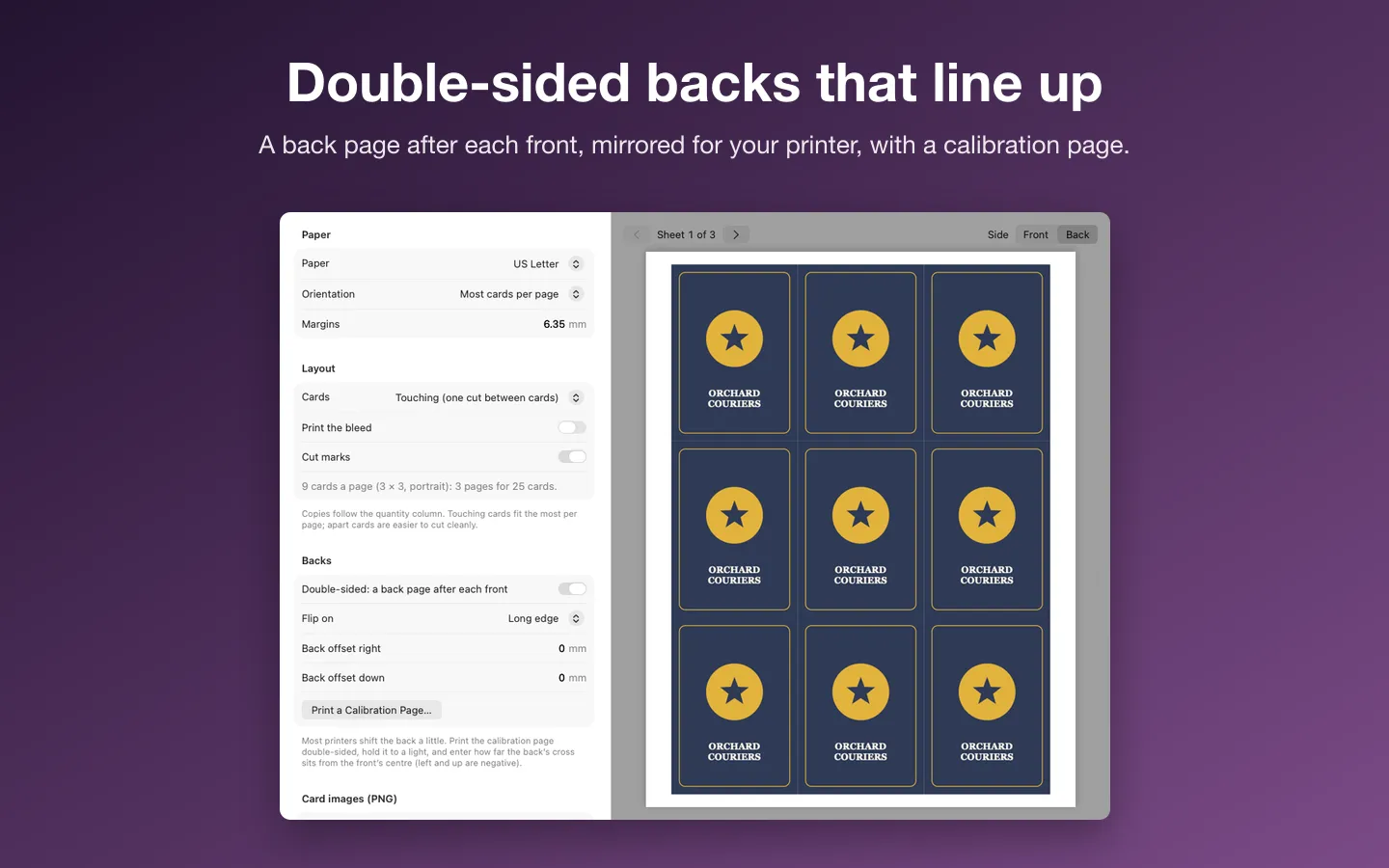
Deckpress turns a spreadsheet of cards into print-ready card sheets for board and card game designers. One row per card: design the card once in the template editor, then print sheets with cut marks and double-sided backs, or export card images and Tabletop Simulator deck sheets. Save the spreadsheet in Excel or Numbers and the cards update.
Free to use without a key: every feature, printing and exporting the first 18 cards of each deck (copies count).
Buy a license key to unlock Pro: print and export decks of any size.
macOS 14 Sonoma or later · Version 1.0 · 3.3 MB disk image · Notarized by Apple
One-time $19.99 for the app with Pro: print and export decks of any size. No subscription. One license key works on up to 3 of your Macs.
Download: The download (a signed, notarized .dmg) comes with your purchase in your Gumroad receipt, together with your license key. Updates install from inside the app.
Buy now opens Gumroad's checkout on this page; Gumroad is the seller and handles payment, sales tax and your receipt.
Features
- CSV, TSV and Excel (.xlsx); Numbers files exported as CSV
- Columns matched to fields by name, and any column usable in a layer
- A quantity column for copies; bold, italic and inline icons in the cells
- Live reload: the preview follows the spreadsheet as you save it
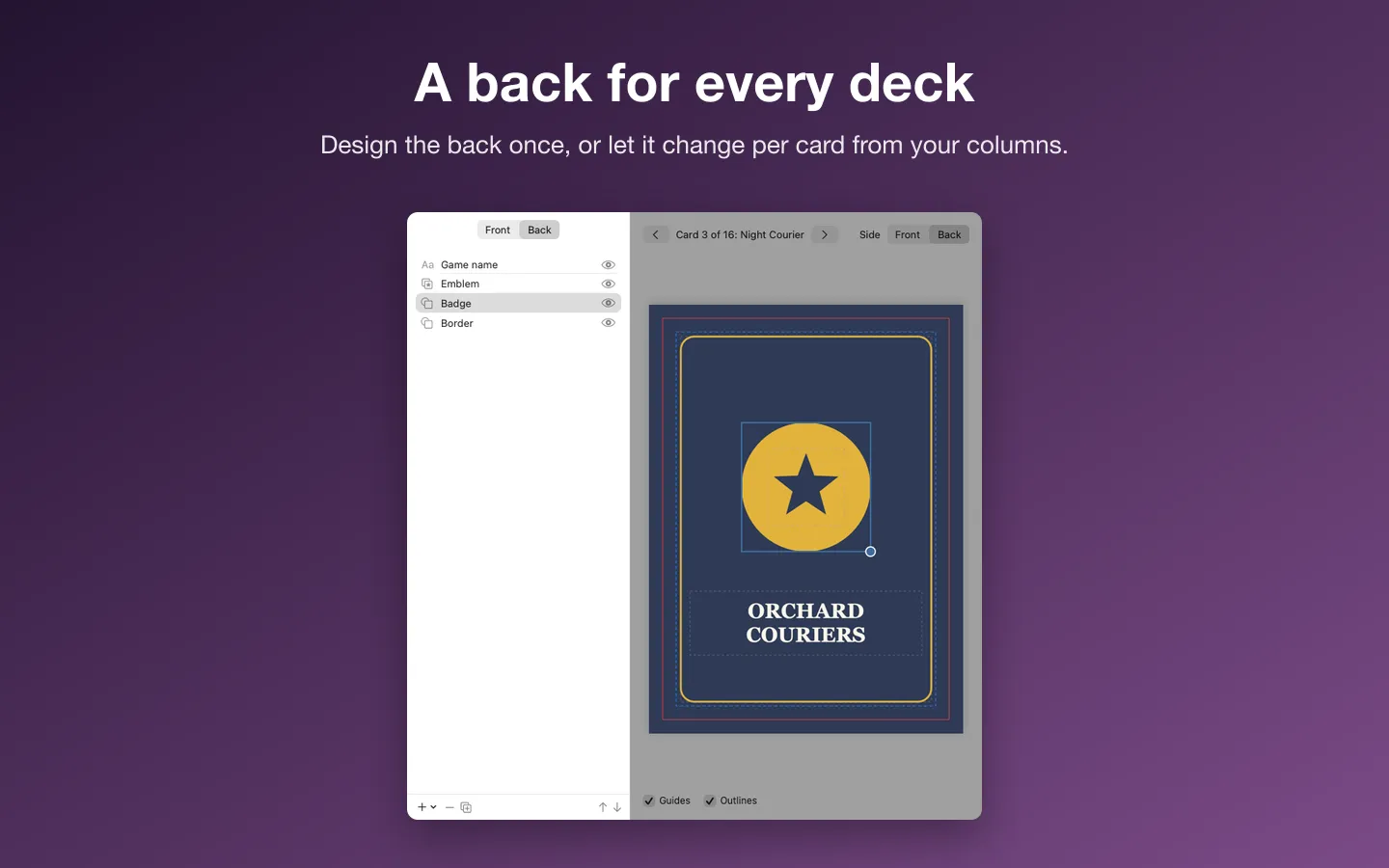
- A template editor with text, pictures, shapes and icon rows, front and back
- Conditional styles: change colors or hide a layer when a field matches
- Poker, bridge, tarot, mini, square or custom sizes, with bleed and safe-zone guides
- Letter or A4 sheets with cut marks; double-sided backs with a calibration page
- Card images at 300 or 600 dpi, and Tabletop Simulator deck sheets
- 20 original icons built in, a sample deck, English and Spanish
Requirements
macOS 14 Sonoma or later. Apple silicon and Intel. Tabletop Simulator is a trademark of its owner; Deckpress isn't affiliated with it. Current version: 1.0.
Privacy
Your cards never leave your Mac. Deckpress opens only the spreadsheets and folders you choose and saves only where you choose. The only network requests are the license check with Gumroad and checking for updates.
Questions about your purchase or license key? Reply to your Gumroad receipt or contact us.