Keyhabit
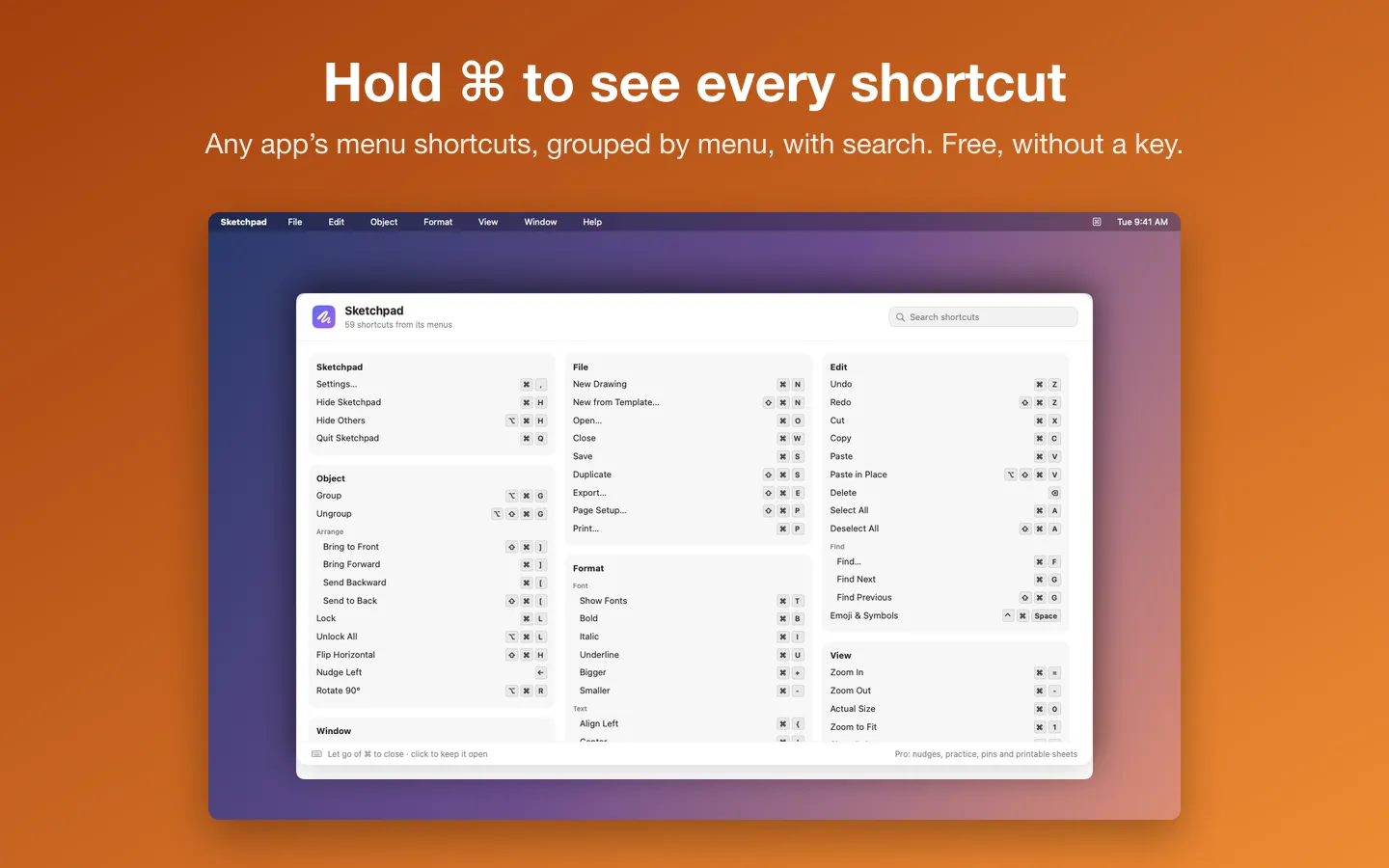
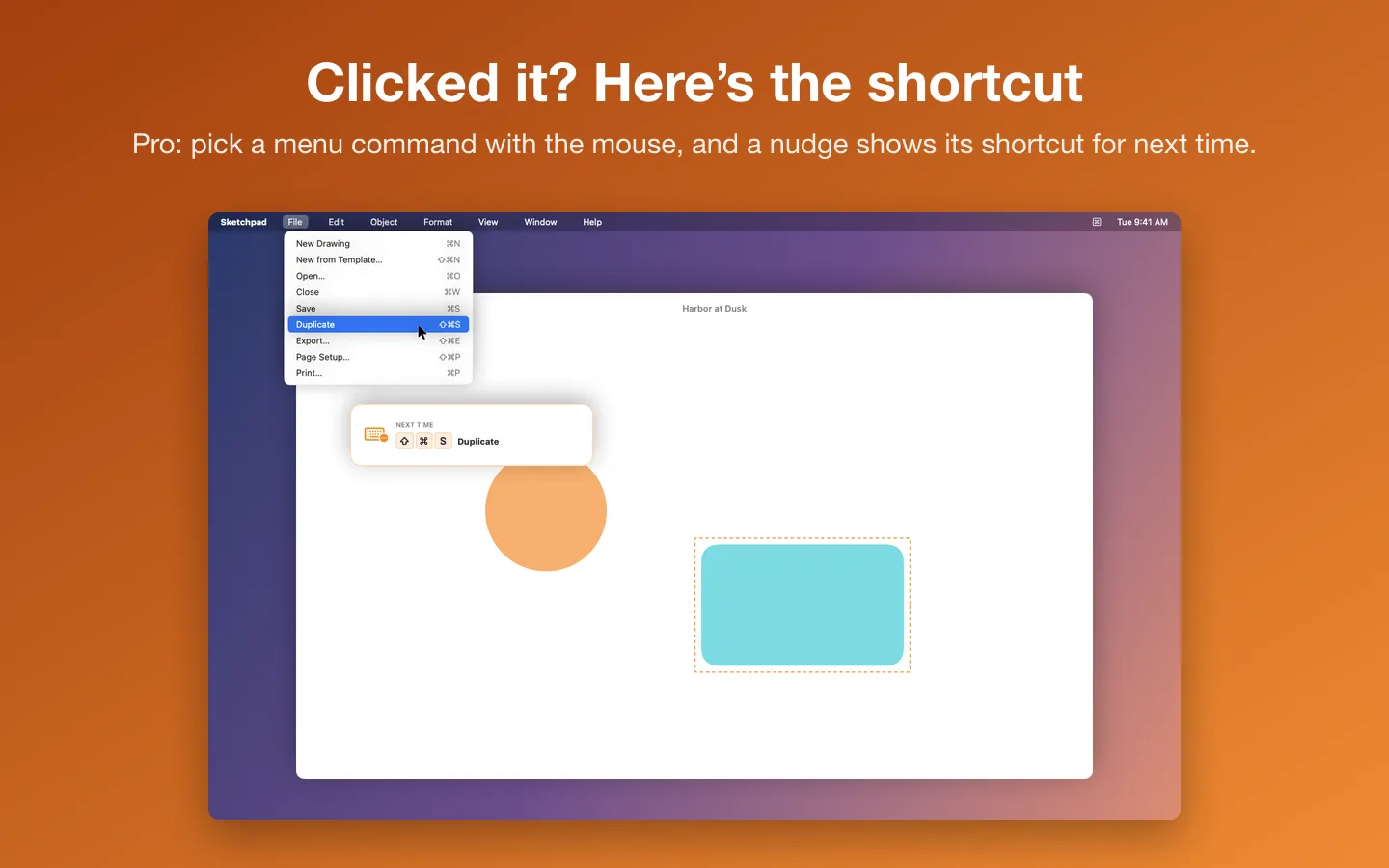
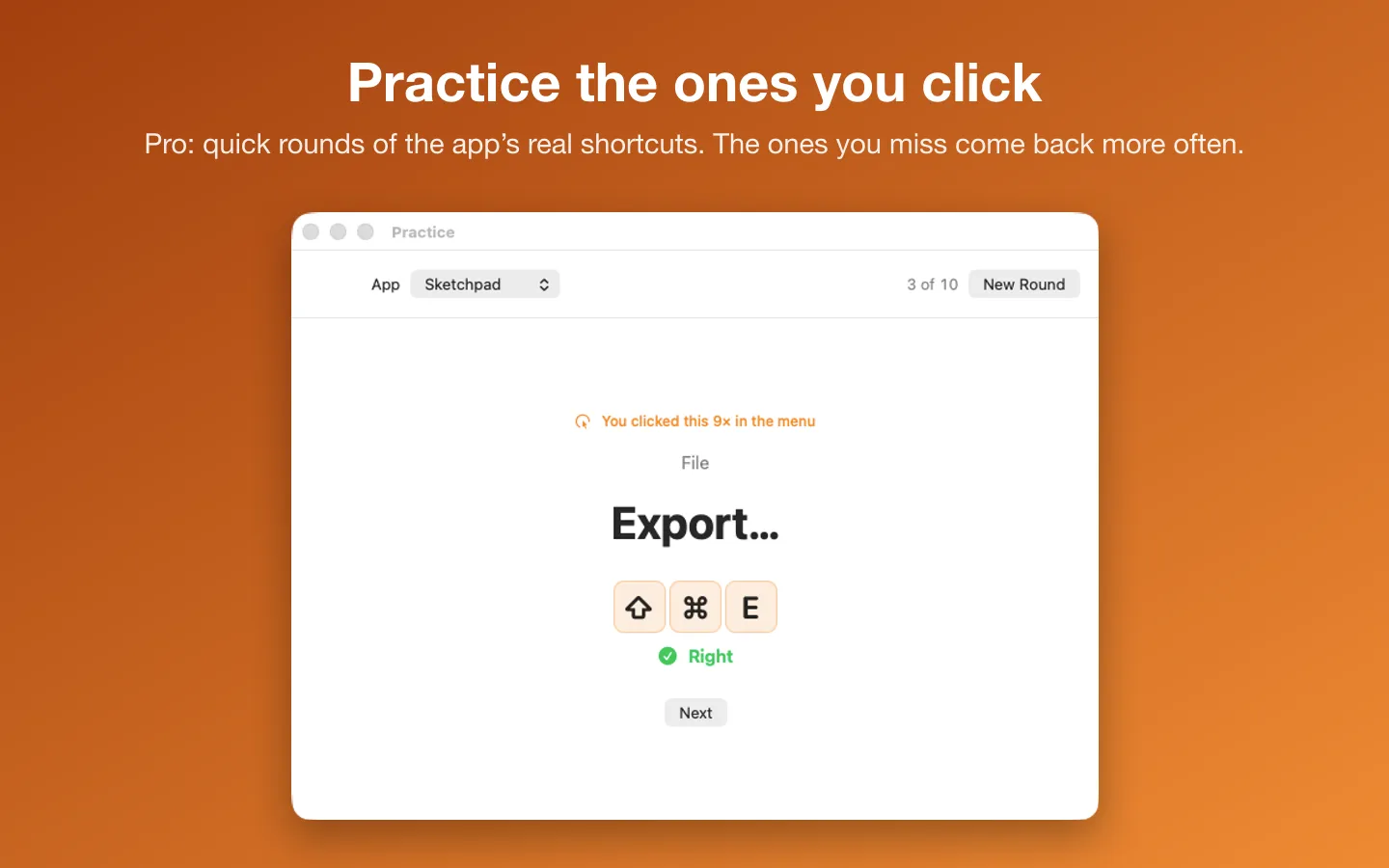
A shortcut coach for your Mac. Hold ⌘ in any app and its keyboard shortcuts appear, read from its own menus, with search. Pro teaches them: pick a menu command with the mouse and a small nudge shows the shortcut for next time, and quick practice rounds drill the ones you keep clicking.
Free to use without a key: hold ⌘ (or ⌥ or ⌃) in any app for every shortcut in its menus, grouped by menu, with search.
Buy a license key to unlock Pro: click nudges, practice rounds, pins and notes, the Library, and cheat sheets as a PDF, a printout or Markdown.
macOS 14 Sonoma or later · Version 1.0 · 2.9 MB disk image · Notarized by Apple
One-time $9.99 for the app with Pro: click nudges, practice rounds, pins and notes, the Library and printable cheat sheets. No subscription. One license key works on up to 3 of your Macs.
Download: The download (a signed, notarized .dmg) comes with your purchase in your Gumroad receipt, together with your license key. Updates install from inside the app.
Buy now opens Gumroad's checkout on this page; Gumroad is the seller and handles payment, sales tax and your receipt.
Features
- Hold ⌘ in any app for every shortcut in its menus, grouped by menu, with submenus
- Search by name or by keys: “dup”, “shift cmd s” or “⇧⌘S”
- Click nudges: pick a menu command with the mouse and a small note near the pointer shows its shortcut
- Nudges stop once you type a shortcut more than you click it, and you can mute any one
- Practice rounds of 10 with the app’s real shortcuts; the ones you miss or keep clicking come back more often
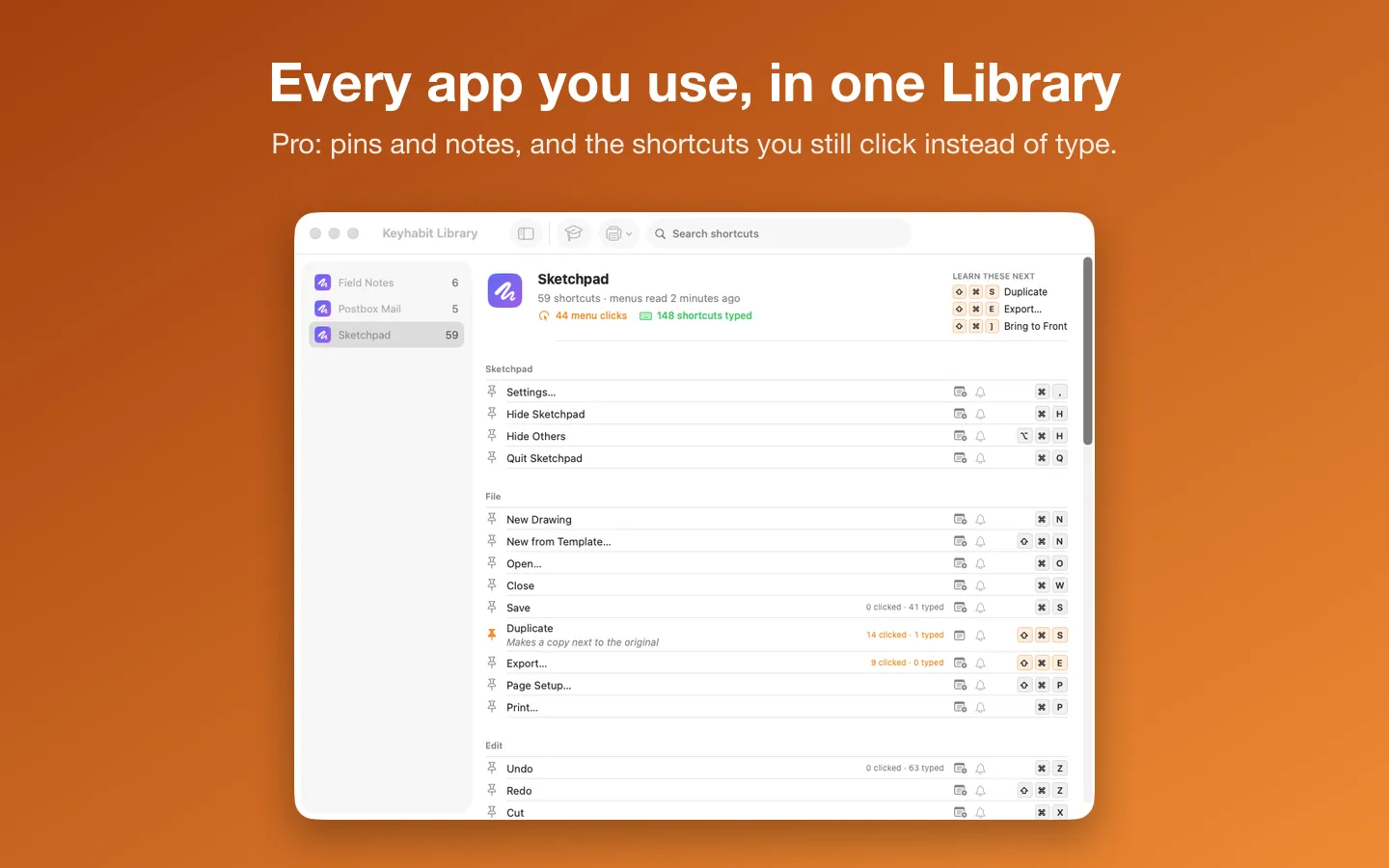
- Pins and notes at the top of the overlay, and “clicked 14×” marks on the shortcuts you still click
- The Library: every app Keyhabit has read, with what you click versus type
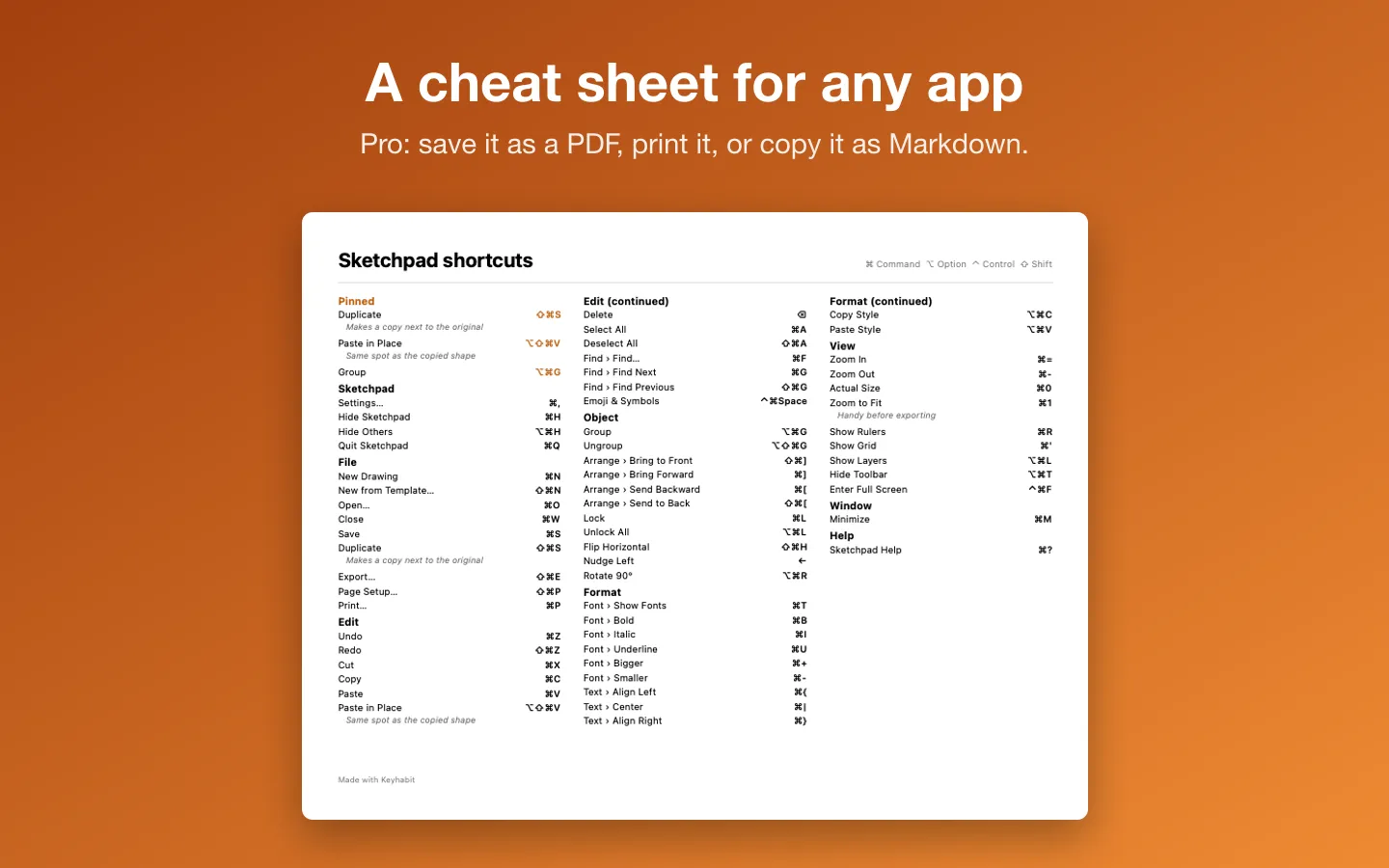
- A cheat sheet for any app as a PDF, a printout or Markdown
- One permission, Accessibility, explained on the first run; holding ⌘ needs none
Requirements
macOS 14 Sonoma or later. Apple silicon and Intel. Needs the Accessibility permission (System Settings › Privacy & Security › Accessibility). Current version: 1.0.
Privacy
Keyhabit reads the front app’s menus through macOS’s Accessibility permission and keeps the menus, counts, practice results, pins and notes on your Mac. It never records what you type; it only counts shortcuts that match a menu. No analytics. The only network requests are the license check with Gumroad and checking for updates.
Questions about your purchase or license key? Reply to your Gumroad receipt or contact us.