TalkShadow
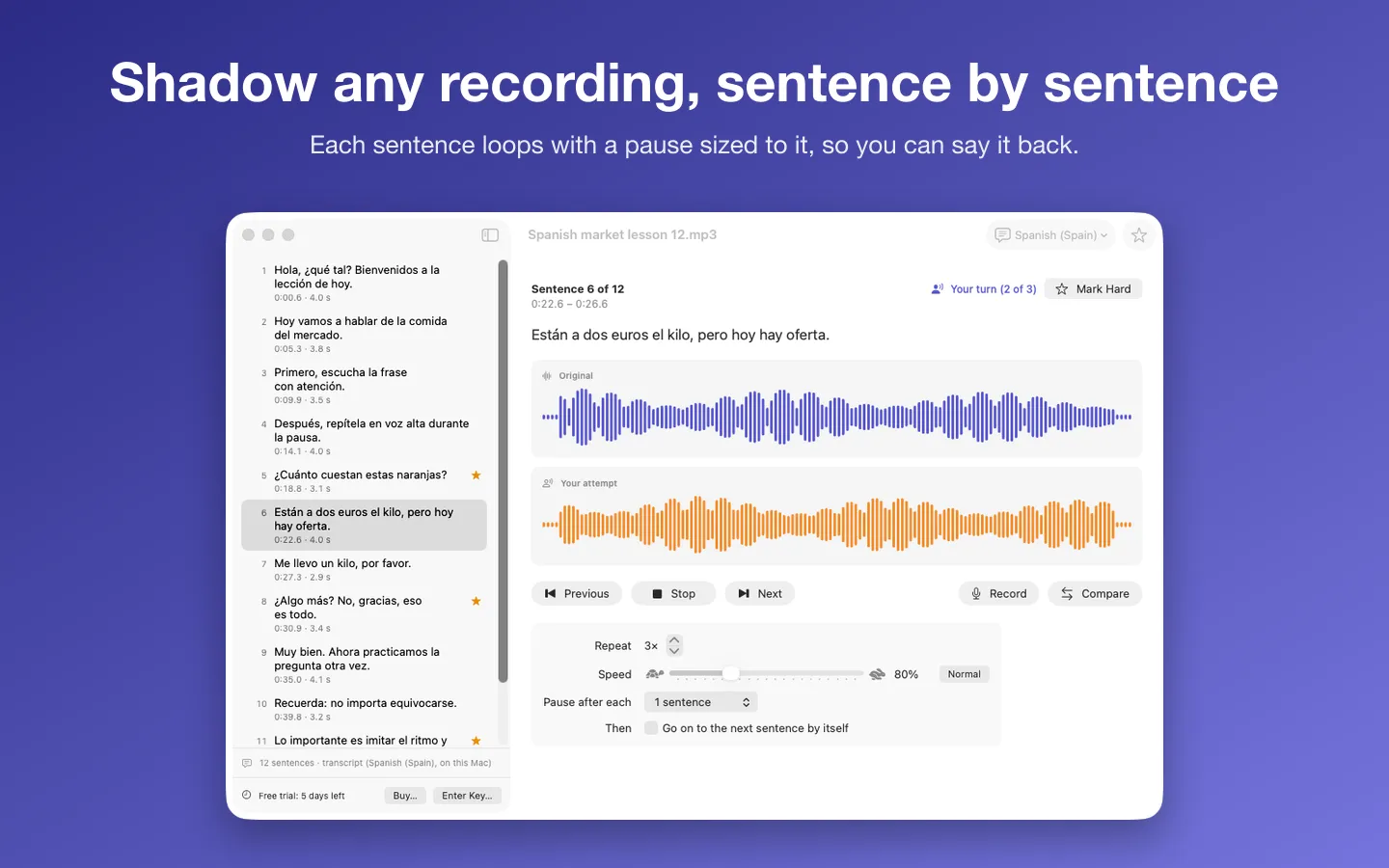
A shadowing player for language learners. Open any audio or video file on your Mac; TalkShadow splits it into sentences, loops each one with a pause sized to it so you can say it back, slows it down without changing the pitch, and records your attempt to play right after the original. Files, recordings and speech recognition stay on your Mac.
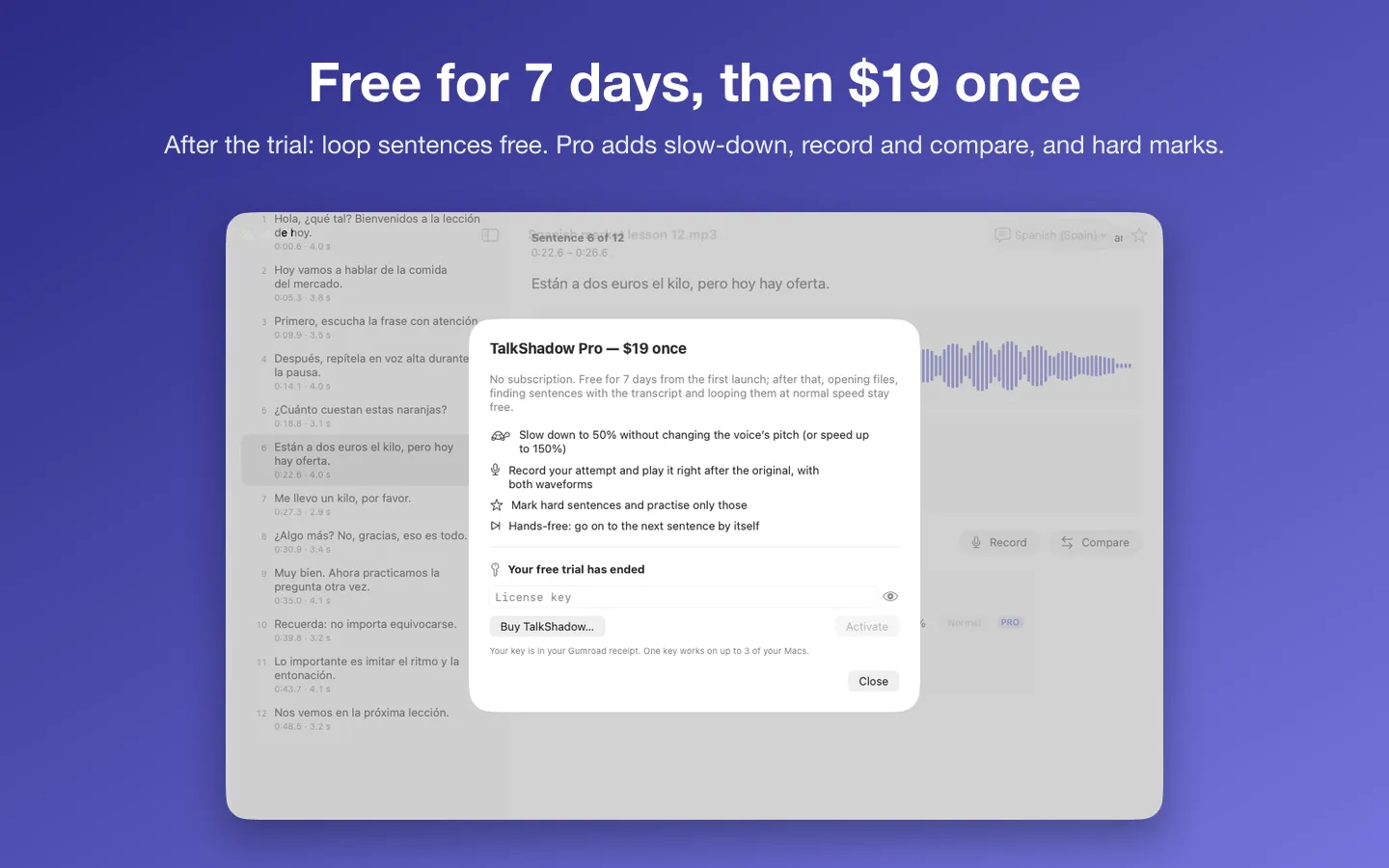
Free for 7 days from the first time you open it, then free to keep using without a key: open files, find sentences with the transcript, and loop at normal speed with pauses.
Buy a license key to unlock Pro: slow down without changing the pitch, record and compare, hard marks, and going on to the next sentence by itself.
macOS 14 Sonoma or later · Version 1.0 · 2.5 MB disk image · Notarized by Apple
One-time $19 for the app with Pro: slow-down, record and compare, hard marks and hands-free next sentence. No subscription. One license key works on up to 3 of your Macs.
Download: The download (a signed, notarized .dmg) comes with your purchase in your Gumroad receipt, together with your license key. Updates install from inside the app.
Buy now opens Gumroad's checkout on this page; Gumroad is the seller and handles payment, sales tax and your receipt.
Features
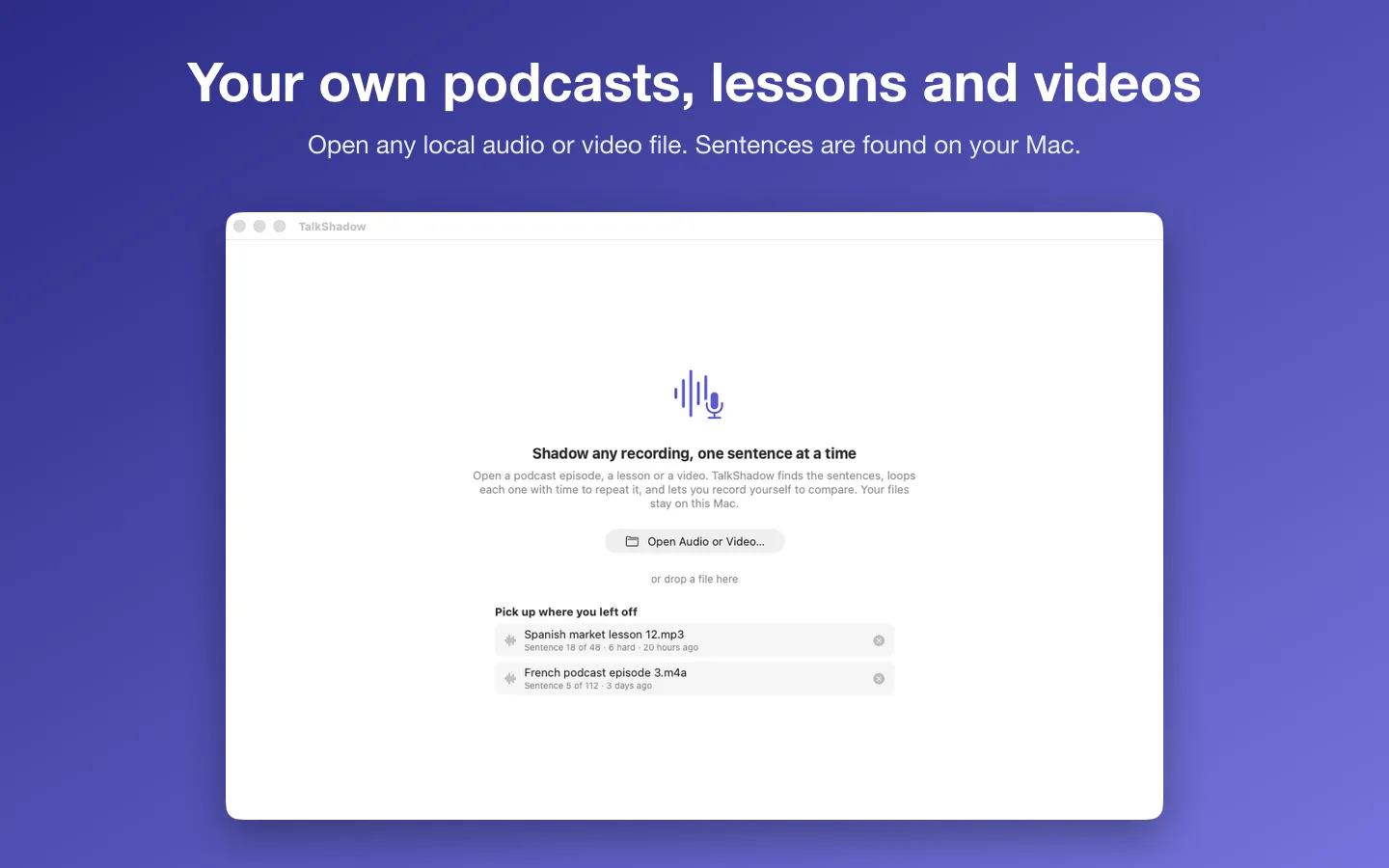
- Open any local audio or video file: a podcast episode, a lesson or a video course
- Sentences found at the pauses, then with on-device speech recognition for a transcript
- Loop each sentence 1 to 20 times, with a pause after each sized to the sentence
- Slow down to 50% (or speed up to 150%) without changing the pitch
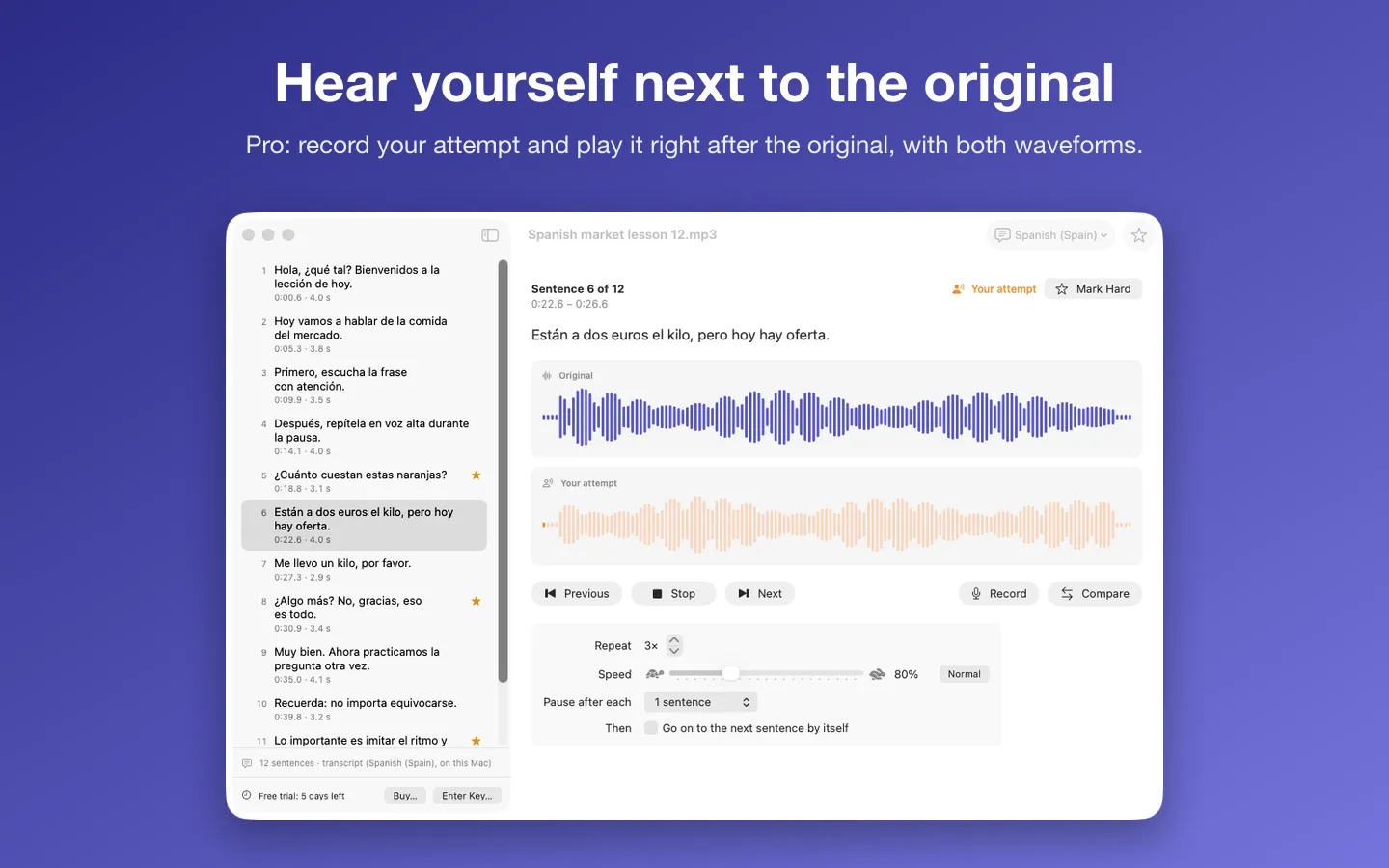
- Record your attempt and play it right after the original, with both waveforms
- Mark hard sentences and practice only those; hands-free mode goes on to the next sentence by itself
- Your place, marks and settings saved per file
Requirements
macOS 14 Sonoma or later. Apple silicon and Intel. Asks for Speech Recognition (to find sentences) and the Microphone (to record). Transcripts need an on-device speech model for the file’s language. Only the sound of a video plays. Current version: 1.0.
Privacy
Speech recognition runs on your Mac. Your files, transcripts and recordings stay on your Mac and are never uploaded. The only network requests are the license check with Gumroad and checking for updates.
Questions about your purchase or license key? Reply to your Gumroad receipt or contact us.