
Commit Builder for Git
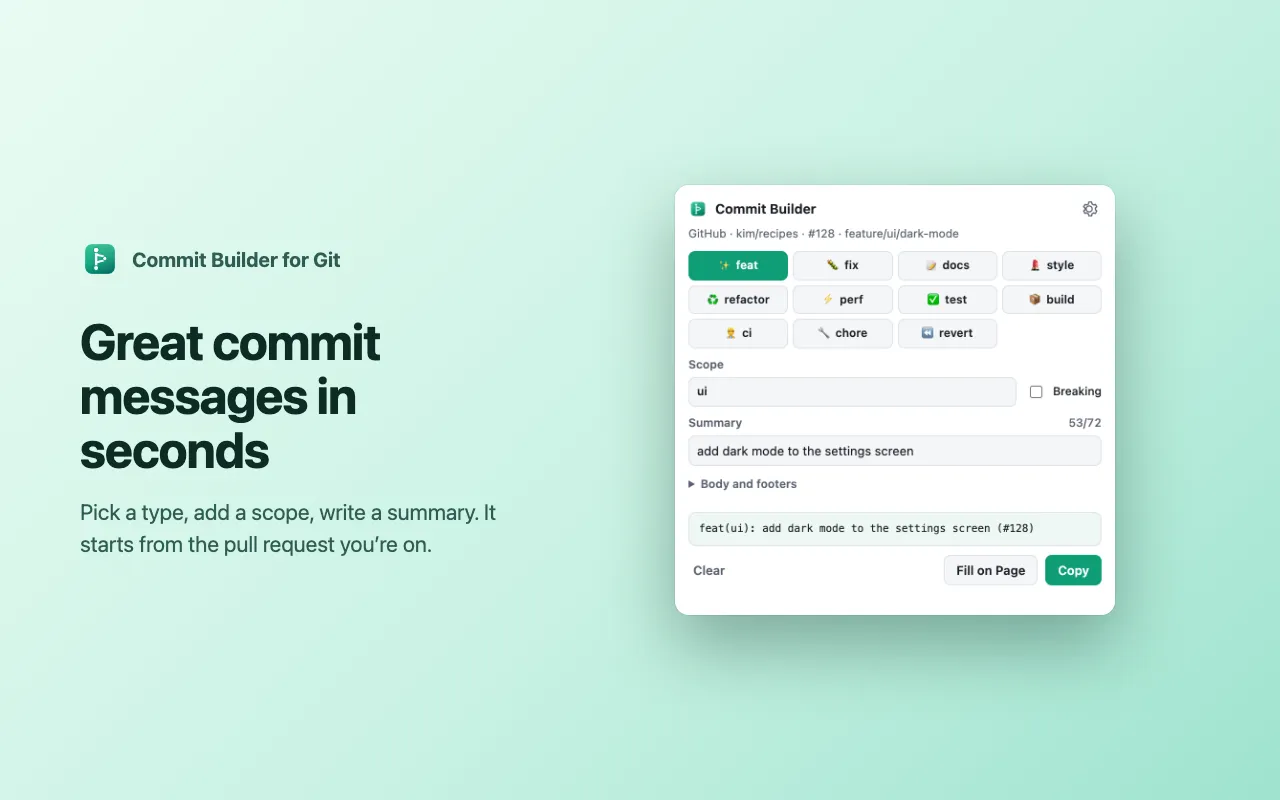
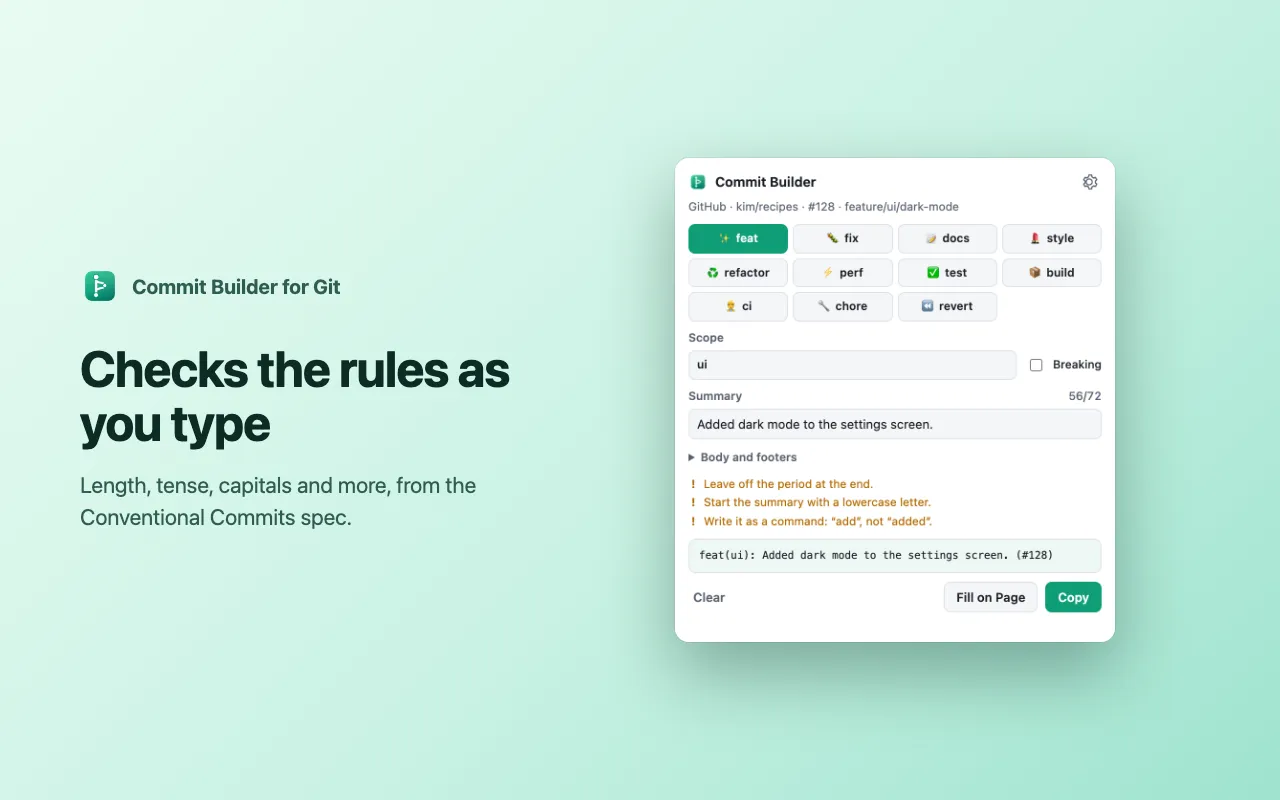
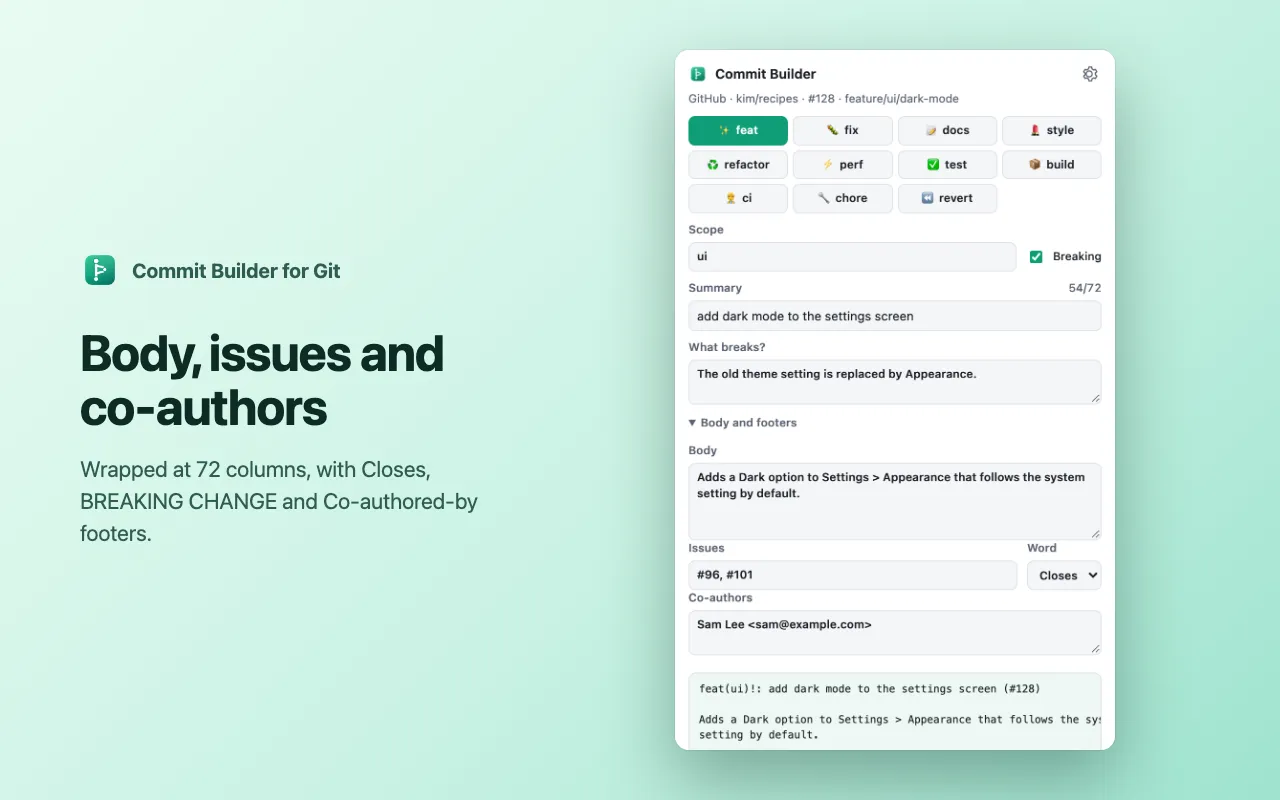
What it does: Conventional commits, checked as you type
Screenshots
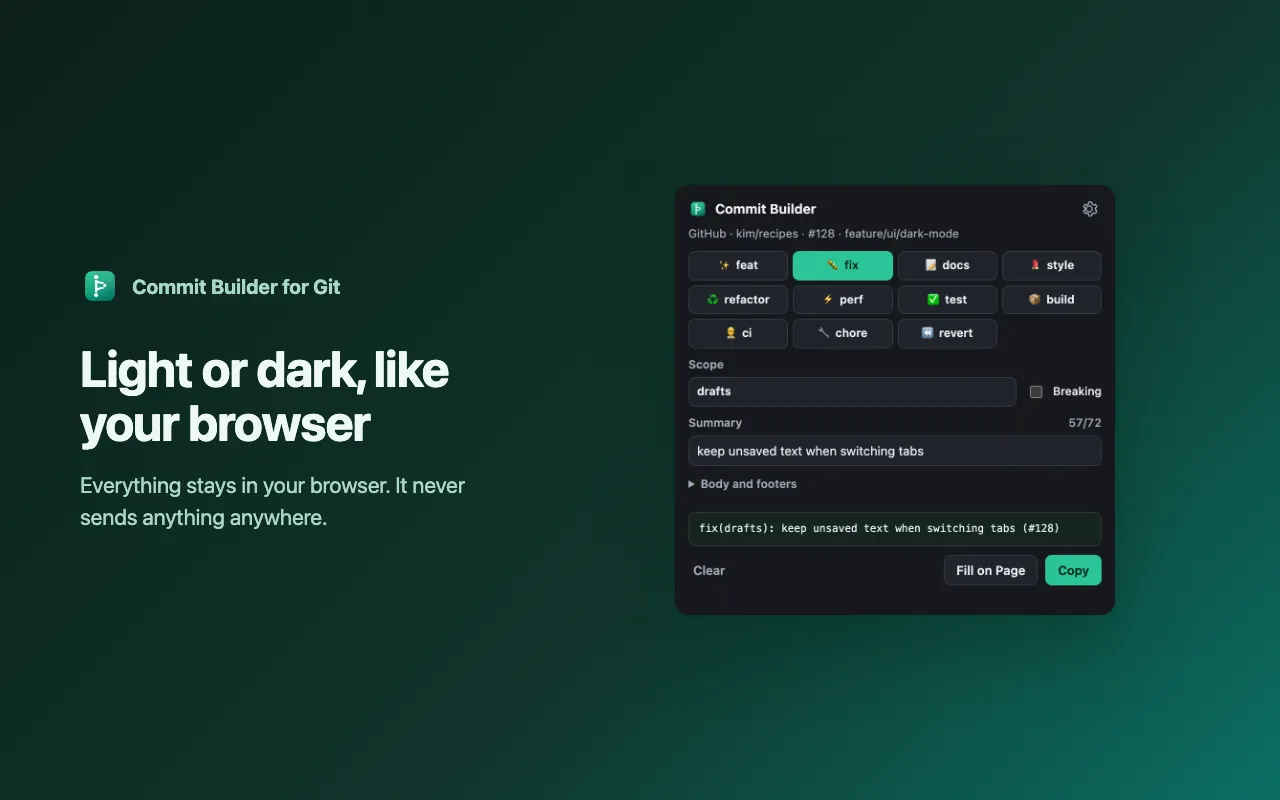
5 pictures: swipe or scroll sideways.
What you get
- Free to install from the Chrome Web Store or Firefox Add-ons
- Works in Chrome and Firefox
Questions
Where does it work?
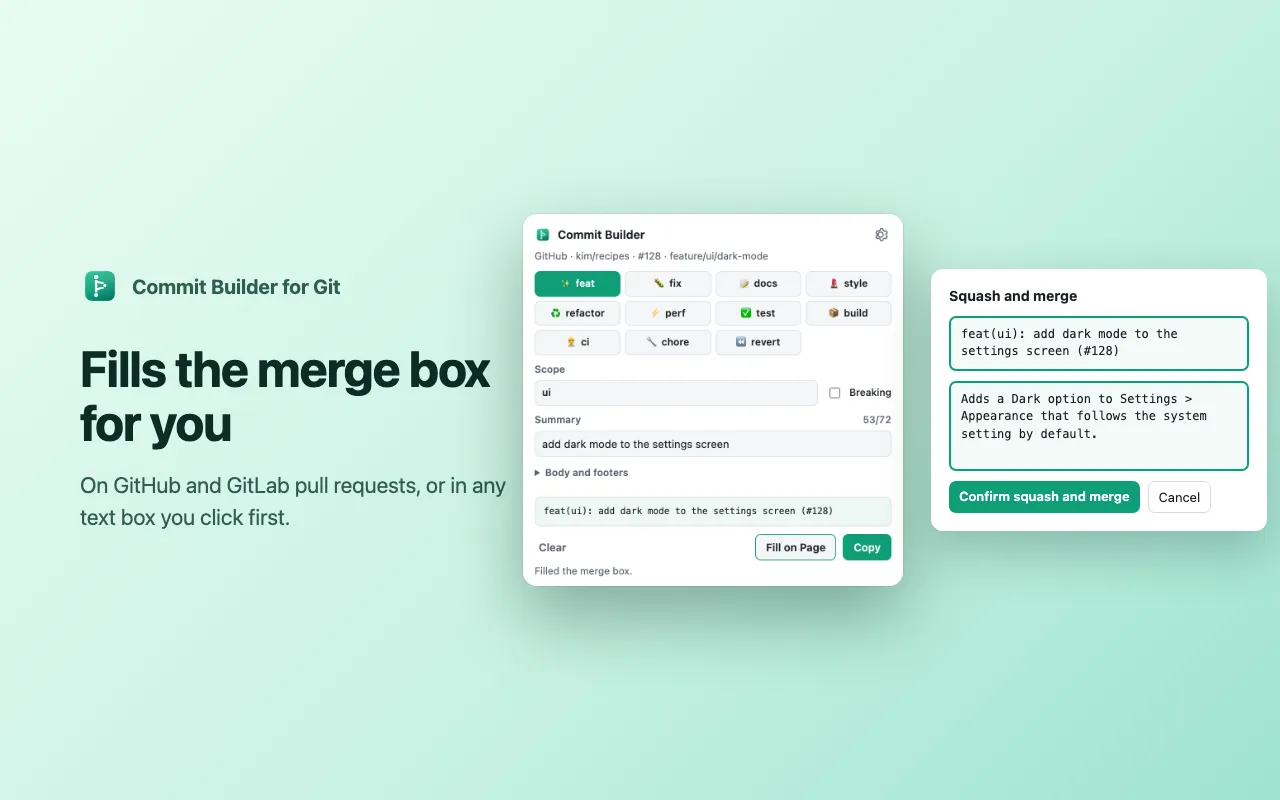
Anywhere you can type a commit message. On GitHub pull requests and GitLab merge requests it starts from the page’s title, branch and labels and fills the squash-merge box. Anywhere else, click the text box first, then open Commit Builder and click Fill on Page, or press Enter to copy the message.
What are Conventional Commits?
A simple format for commit messages, “type(scope): summary”, that tools use to write changelogs and pick version numbers. See conventionalcommits.org.
Fill on Page didn’t work
On GitHub, click Squash and merge first so the message box is showing. Chrome doesn’t let extensions change some pages (like the Chrome Web Store); copy the message there instead.
Can I add my own types?
Yes, in Settings: add types like “security” and the scopes you use most.
Does it send my code or messages anywhere?
No. It makes no network requests, and everything it keeps stays in your browser.
Is it made by Git, GitHub or GitLab?
No. Commit Builder for Git isn’t affiliated with or endorsed by them. Git is a trademark of Software Freedom Conservancy; GitHub and GitLab are trademarks of their owners.
From the Commit Builder for Git help page.
Support
Questions, a bug, or an idea? Contact us and mention Commit Builder for Git. We usually reply within one business day. Installing, license keys and refunds: Help and FAQ.
Help page for Commit Builder for Git