
SEO Desk
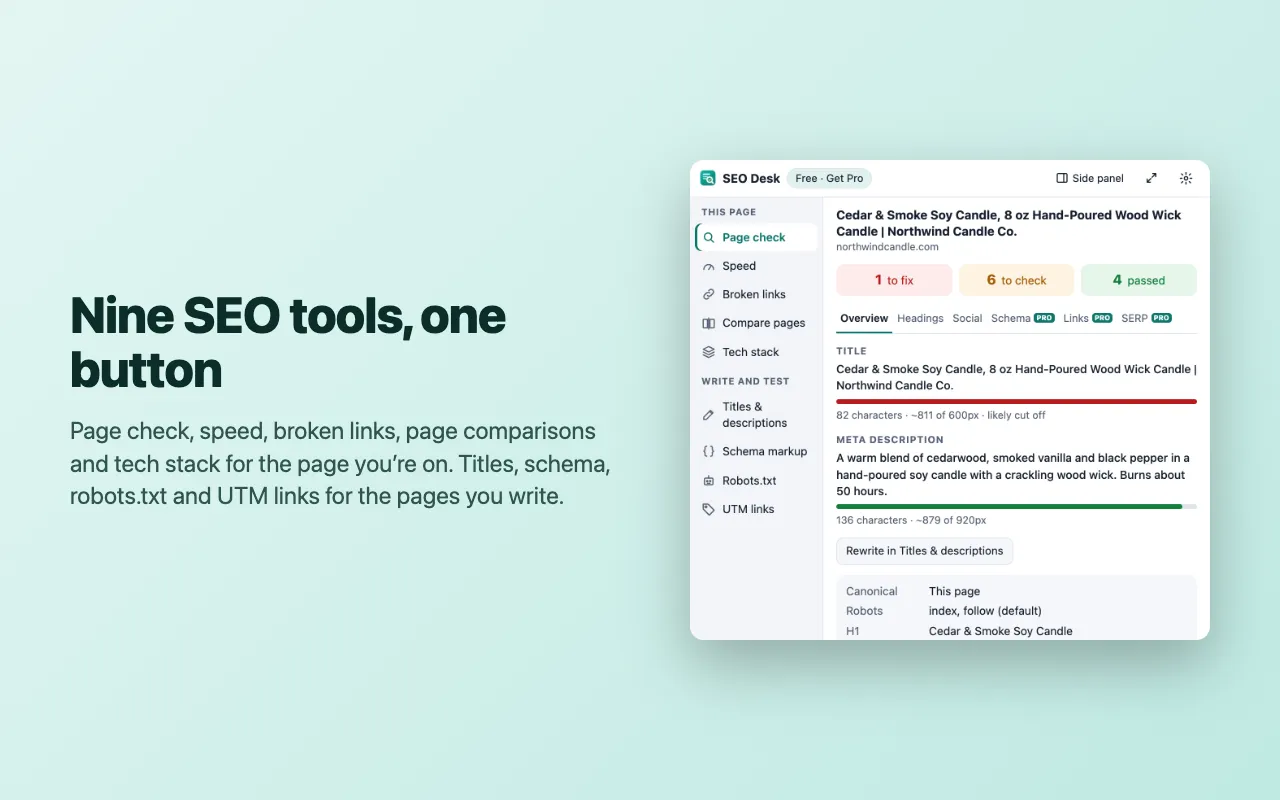
What it does: SEO checks for the page you're on and the pages you write: tags, speed, links, schema, robots.txt, snippets and UTMs.
Screenshots
4 pictures: swipe or scroll sideways.
What you get
- Free to install from the Chrome Web Store or Firefox Add-ons
- Works in Chrome and Firefox
- Every tool has a free version; Pro is an optional upgrade inside the extension
Free vs Pro
| Feature | Free | Pro |
|---|---|---|
| Page check | Every finding, title and description pixel widths, the heading outline, social tags with the share card, link counts; paginated category and blog pages: canonical, noindex and next-page links | Structured data checks, hreflang, the full link list with CSV, a search result preview, Markdown and CSV reports, a client PDF report with your name and logo, snapshots to compare after changes |
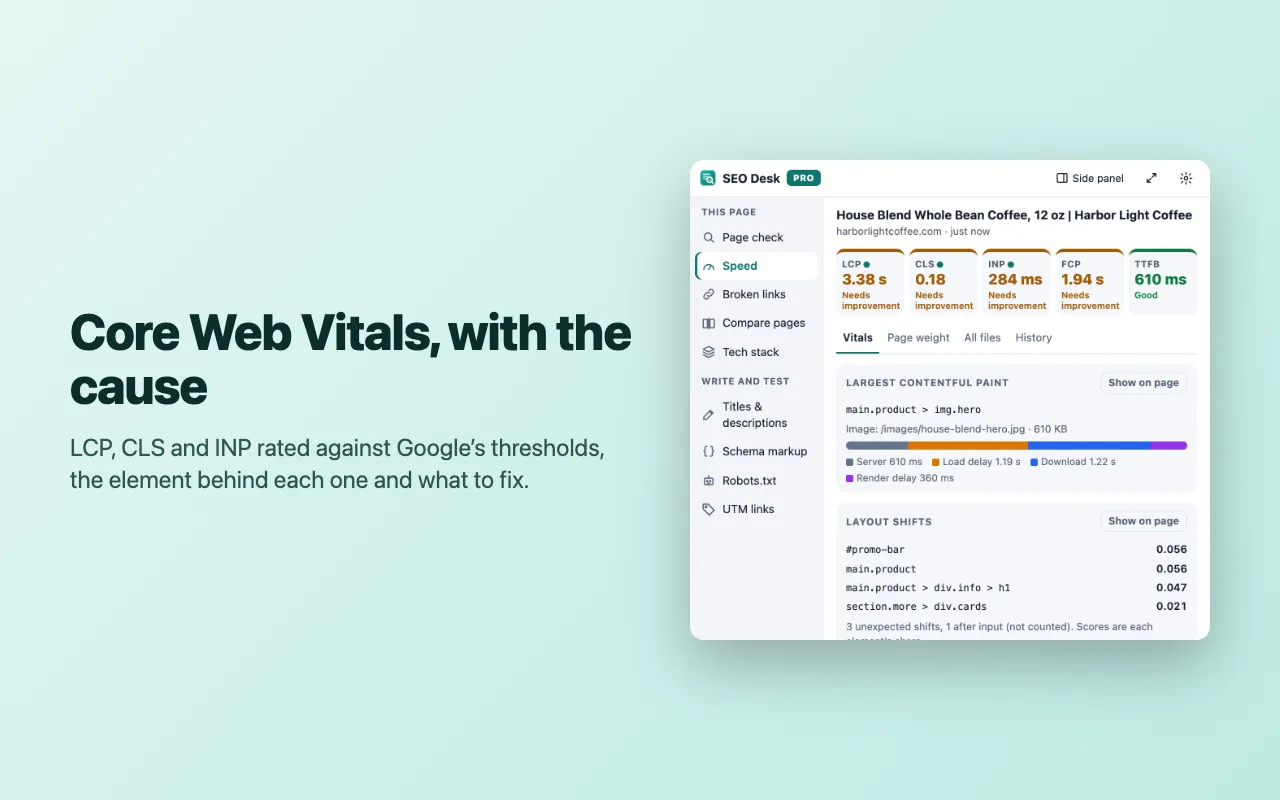
| Speed | All five metrics with their causes, load timing, page weight, the 5 largest files and every fix | Reload and measure (cold cache), outlines on the page, every file with CSV, history with before and after, an HTML report |
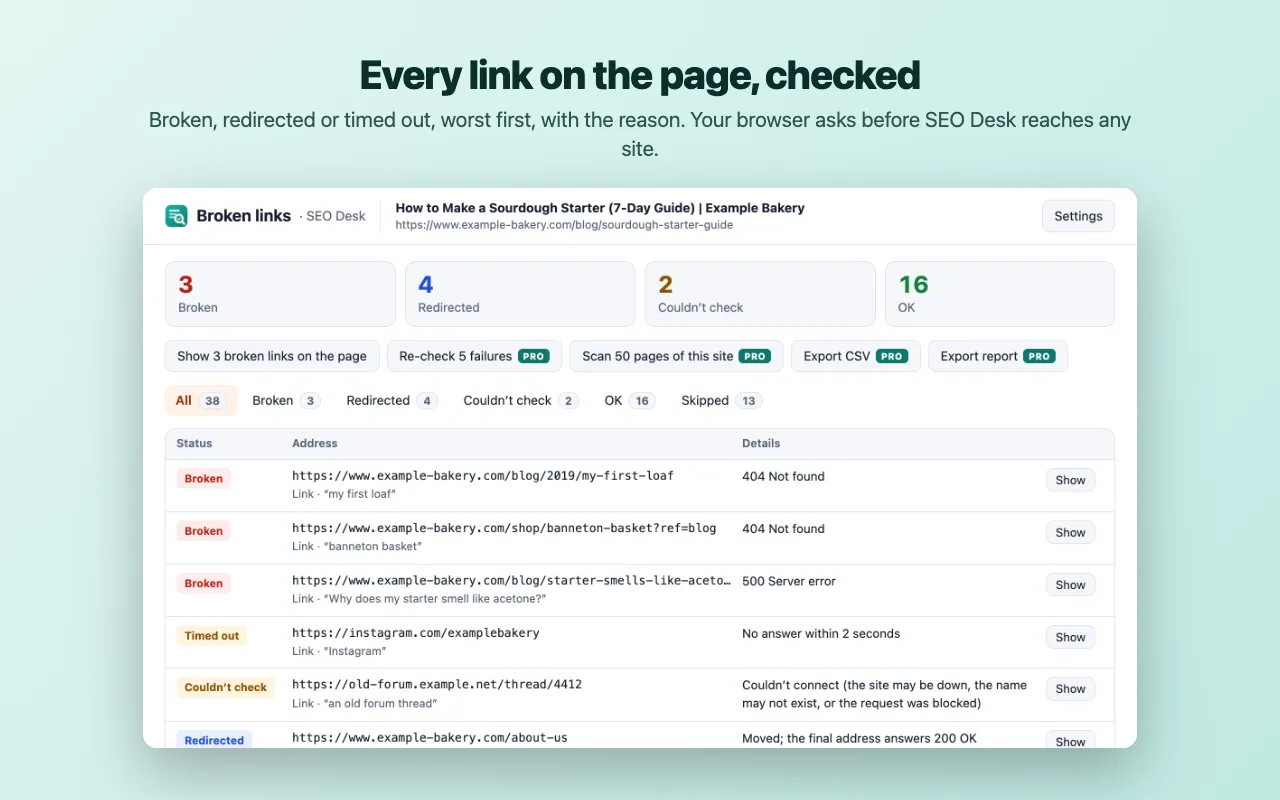
| Broken links | Up to 100 links per page: OK, redirected, broken or timed out, outlined on the page | Every link plus images, scripts and stylesheets, #anchor checks, a 50-page crawl of your site, CSV and HTML export, ignore patterns |
| Compare pages | Text and SEO tag changes with warnings (noindex appeared, a canonical pointing at a test server, lost description) | Link, image and heading changes, ignore rules, saved snapshots, Markdown, HTML and CSV export |
| Tech stack | Every technology found, by category, with versions and the signals that matched | History of sites you checked with notes, compare two sites, CSV, JSON and Markdown export, your own detection rules |
| Titles & descriptions | One project of 10 pages with every count, check and the preview | Unlimited pages and projects, CSV import and export, brand suffix templates, find and replace, client reports |
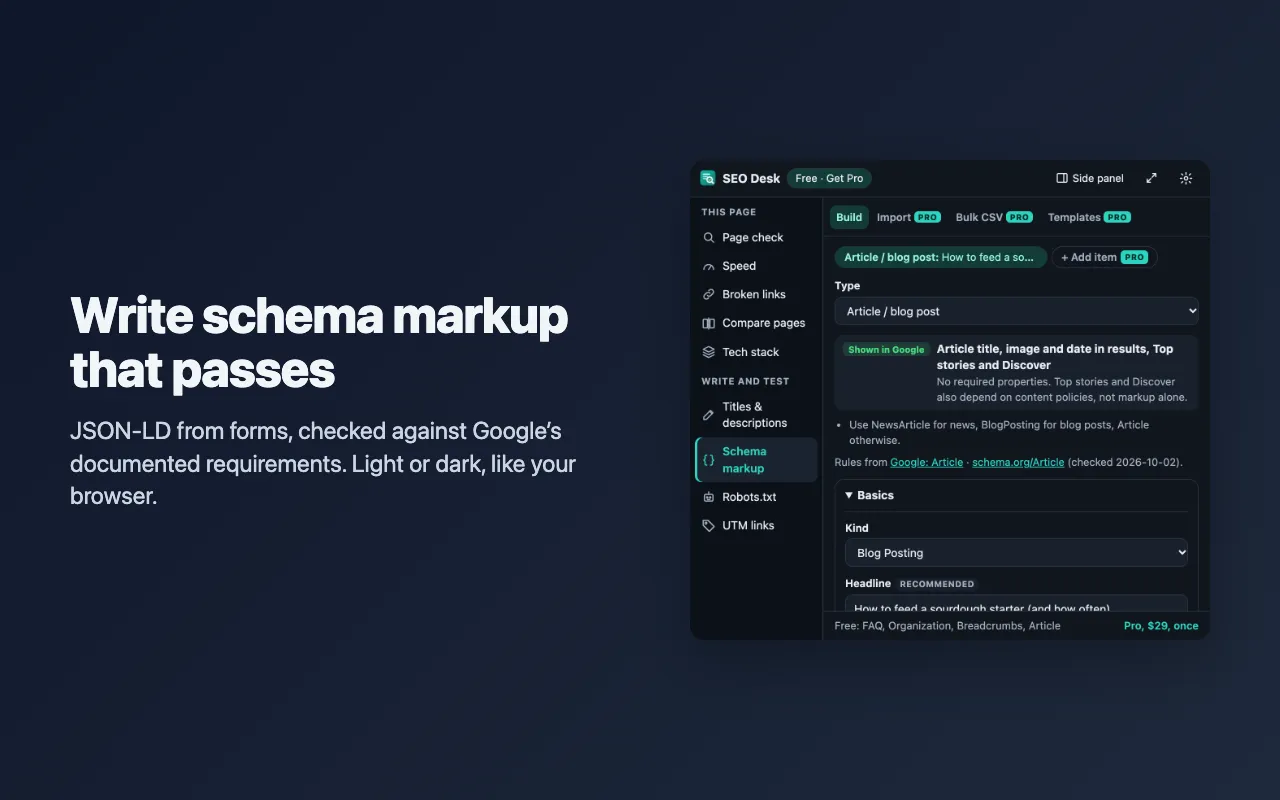
| Schema markup | FAQ, Organization, Breadcrumbs and Article markup, checked and ready to copy | All 14 types, several items linked in one @graph, templates per site, bulk JSON-LD from CSV, import existing markup |
| Robots.txt | 20 addresses and 3 crawlers at a time, explanations and the full lint | Fetch the live robots.txt, unlimited addresses, every crawler as a matrix, the AI crawler view, compare two versions, saved tests, CSV |
| UTM links | Build and copy links, custom parameters, 3 presets, naming rules and a QR code | Unlimited presets, required fields and allowed values, QR download as PNG or SVG, link history with CSV, shared presets |
Questions
Install
Add it from your browser's store (the Chrome Web Store, or Microsoft Edge Add-ons and Firefox Add-ons where it's listed), then pin it. In Chrome or Edge: click the puzzle-piece (Extensions) icon in the toolbar and the pin next to SEO Desk. In Firefox: click the Extensions button and choose “Pin to Toolbar”.
Buy
Open SEO Desk's settings (right-click its icon → Options) and click Buy Pro. It's $14.99 once, not a subscription.
One key, every tool
Pro unlocks all 9 tools at once; every tool also has a free version.
Try Pro free
Open SEO Desk's settings and click Start the free trial in the Pro box (or Try Pro free for 7 days when a Broken links check reaches the free limit). Every Pro tool in all 9 tools is on for 7 days, in that browser, with no key, no account and no card. The top bar shows the days left. When it ends, SEO Desk goes back to the free version and everything you saved stays. Each browser gets the trial once.
Activate
Paste the license key from your purchase email into the settings and click Activate. Chrome asks once to let SEO Desk reach the license server.
Lost your key
Search your email for "Gumroad", or find the purchase in your Gumroad library (gumroad.com/library) if you have a Gumroad account.
From the SEO Desk help page.
Support
Questions, a bug, or an idea? Contact us and mention SEO Desk. We usually reply within one business day. Installing, license keys and refunds: Help and FAQ.
Help page for SEO Desk