Email Proof
Part of the FitzTopPicks security family: Latchwise for your Mac, Email Proof for your inbox. Get both in the Mac Security Bundle for $49.
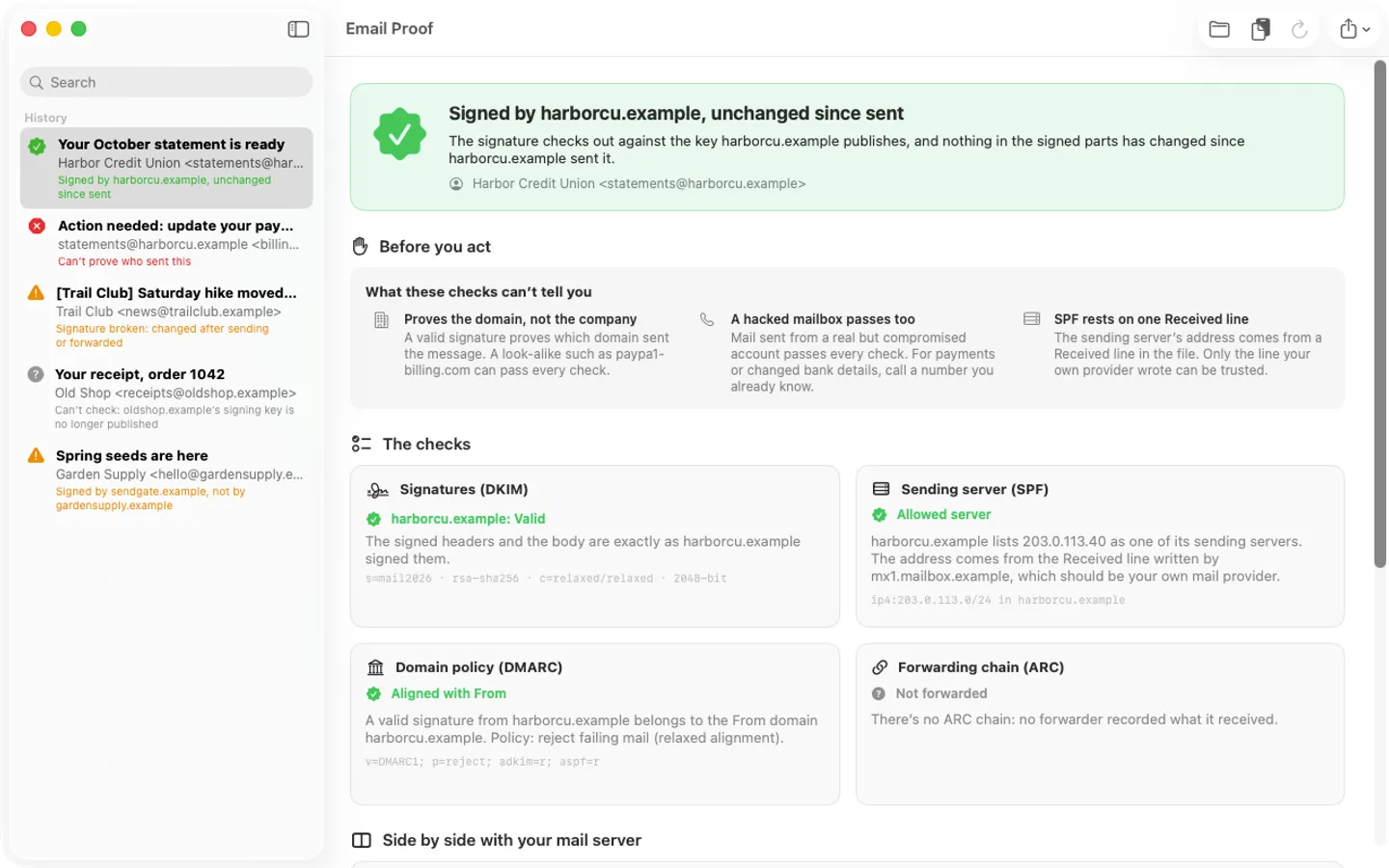
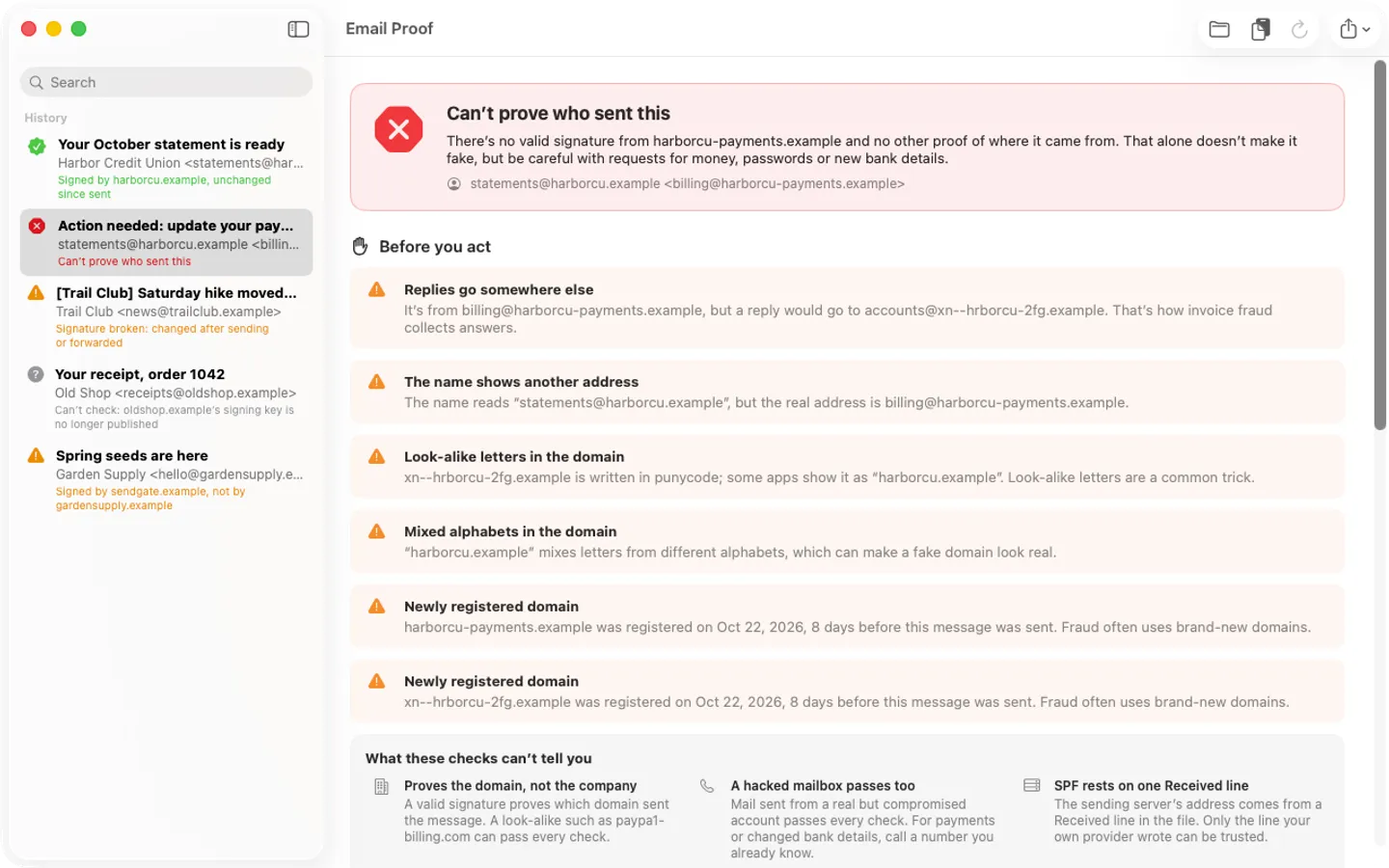
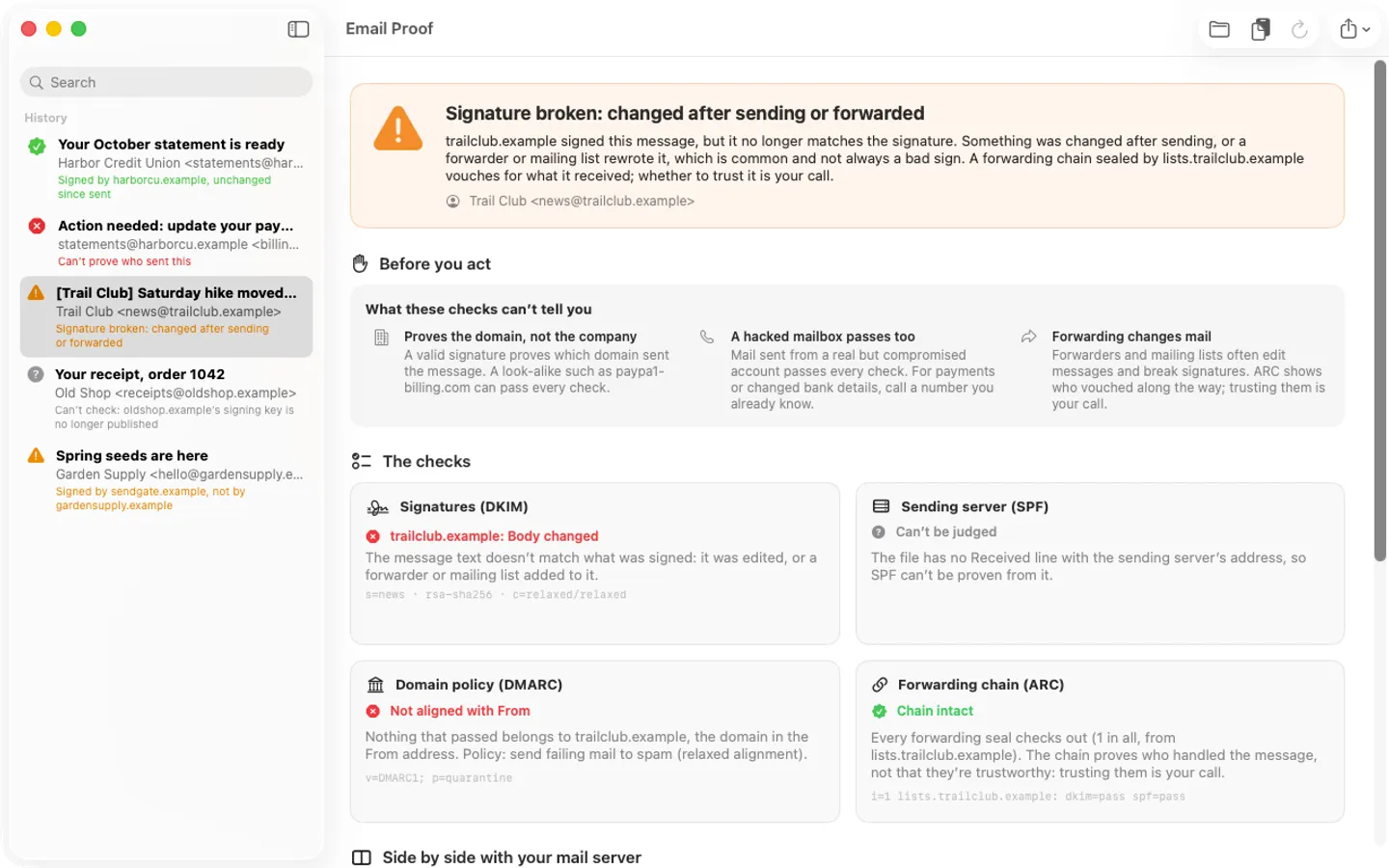
What it does: Email Proof checks an email's DKIM signatures itself, on your Mac, against the keys the sender publishes, and tells you in plain words who it can prove sent it and whether it changed since. With look-alike warnings and honest limits. A FitzTopPicks security tool: its companion, Latchwise, is the security checkup, alarms and backup proof for your Mac, and the two come together as the Latchwise Pro + Email Proof bundle on Gumroad.
- Checkout by Gumroad
- Notarized by Apple
- No FitzTopPicks account needed
Free to use without a key: check one message at a time, with the full verdict, every check and the warning signs, for good.
Buy a license key to unlock Pro: check many messages at once, keep a history, and export reports as PDF or text.
macOS 14 Sonoma or later · Version 1.0 · 3.4 MB disk image · Notarized by Apple
One-time $19 for Pro. No subscription. One license key works on up to 3 of your Macs.
Download: The download (a signed, notarized .dmg) comes with your purchase in your Gumroad receipt, together with your license key. Updates install from inside the app.
Buy now opens Gumroad's checkout on this page; Gumroad is the seller and handles payment, sales tax and your receipt.
Screenshots
4 pictures: swipe or scroll sideways.
What you get
- Email Proof for Mac: macOS 14 Sonoma or later
- The signed, notarized .dmg download and your license key, in your Gumroad receipt
- One license key for up to 3 of your Macs
- Updates that install from inside the app
- A one-time price: no subscription
Features
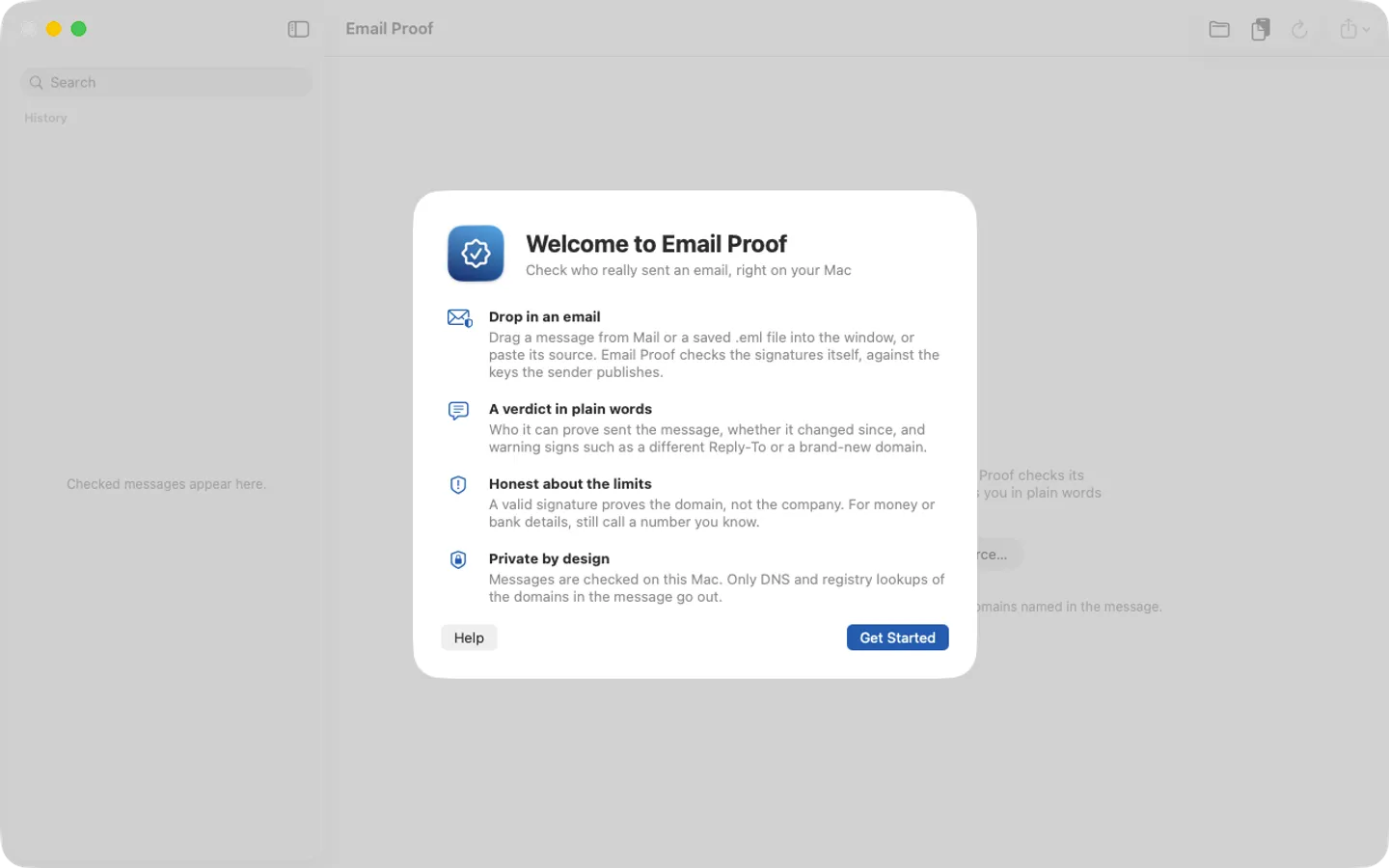
- Drop in a message from Mail or a saved .eml file, or paste the source
- Re-verifies DKIM signatures itself (rsa-sha256 and ed25519-sha256), body included
- SPF from the Received line, DMARC alignment and the ARC forwarding chain
- Your mail server's own Authentication-Results, side by side
- Look-alike warnings: different Reply-To, misleading display names, punycode, brand-new domains
- Honest limits: a valid signature proves the domain, not the company
- Pro: batch checks, history and PDF or text reports
- Companion to Latchwise, the Mac security checkup (bundle: Latchwise Pro + Email Proof)
- English and Spanish
Free vs Pro
| Feature | Free | Pro |
|---|---|---|
| What you can do | Check one message at a time, with the full verdict, every check and the warning signs, for good | Everything free, plus check many messages at once, keep a history, and export reports as PDF or text |
| Price | Free download | $19 one-time |
Questions
How do I check a message?
Drag it from Mail into the Email Proof window, drop a saved.eml file on it, or choose File › Paste Message Source and paste the raw source (in Mail: View › Message › Raw Source; in Gmail: Show original).
It says the signing key is no longer published. Is the message fake?
Not necessarily. Senders replace their keys, so older mail often can’t be checked any more. That is different from a broken signature.
The signature is valid. Is the message safe?
A valid signature proves which domain sent it, not that the domain is the company you think, and a hacked mailbox passes too. Check the warning signs, and for payments or changed bank details call a number you already know.
What’s free, and what does a key add?
Without a key you can check one message at a time, with the full verdict, every check and the warning signs, for as long as you like. A key adds batch checks of many messages, a history on your Mac and PDF or text reports, on up to 3 Macs. It’s a one-time purchase on Gumroad, with no subscription.
Where do I enter my license key?
Choose Email Proof › Settings…, open the Pro tab, paste the key from your Gumroad receipt and click Activate.
What is Latchwise?
Email Proof is a FitzTopPicks security tool. Its companion, Latchwise, is the security checkup, alarms and backup proof for your Mac (sold separately, or together as the Latchwise Pro + Email Proof bundle).
From the Email Proof help page.
Requirements
- macOS
- macOS 14 Sonoma or later
- Processor
- Apple silicon and Intel
- Languages
- English, Spanish
- Download
- 3.4 MB disk image
- Version
- 1.0
Privacy
Email Proof checks messages on your Mac; their text, addresses and attachments are never uploaded. The only lookups are DNS over HTTPS (Cloudflare, then Google) for the keys and policies of the domains named in the message, and the domain registry (RDAP) for the sender's domain age, which can be turned off. Your license key is kept in your Keychain; the license check with Gumroad and update checks at fitztoppicks.com are the other internet requests.
Questions about your purchase or license key? Reply to your Gumroad receipt or contact us.