FunBound
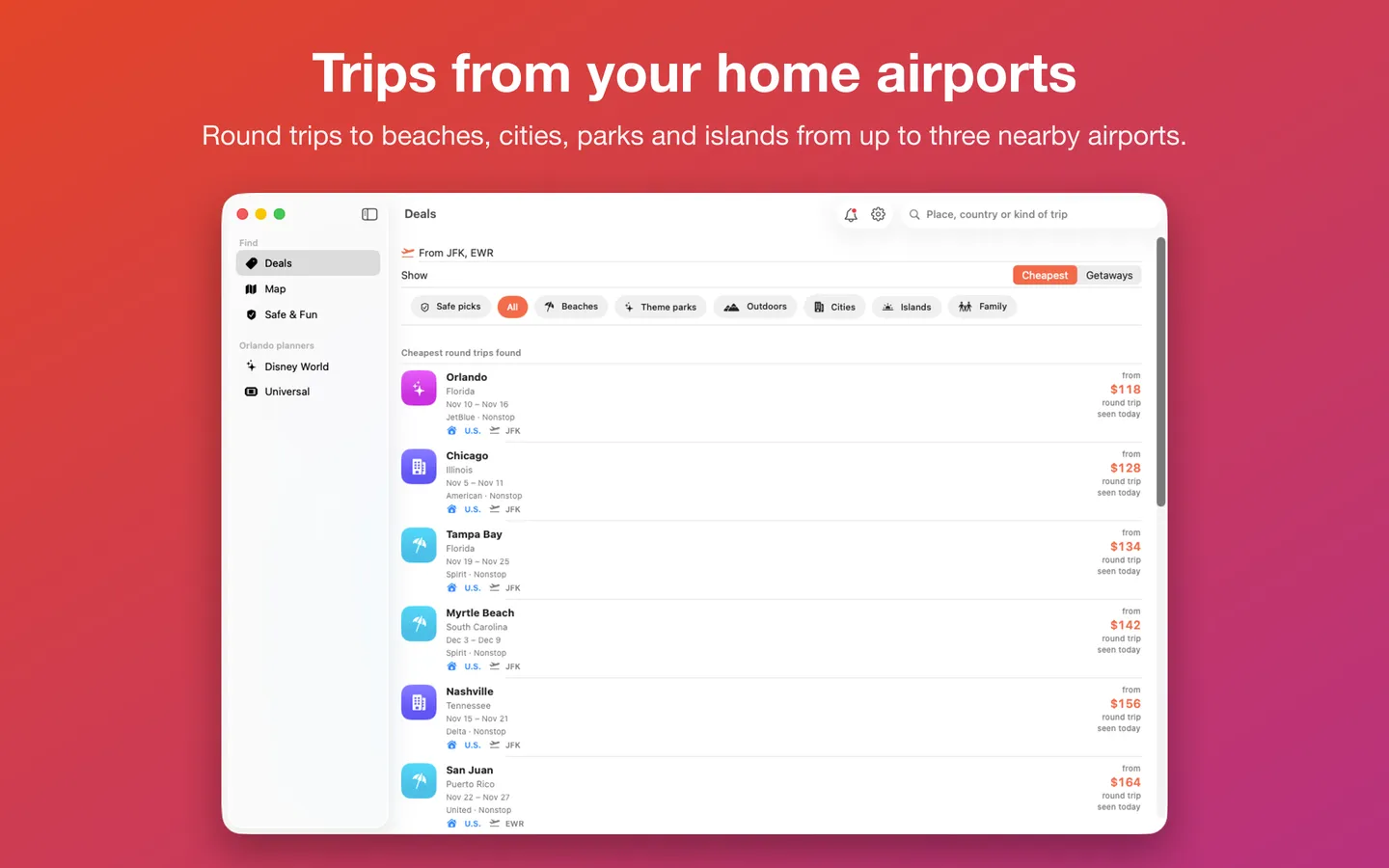
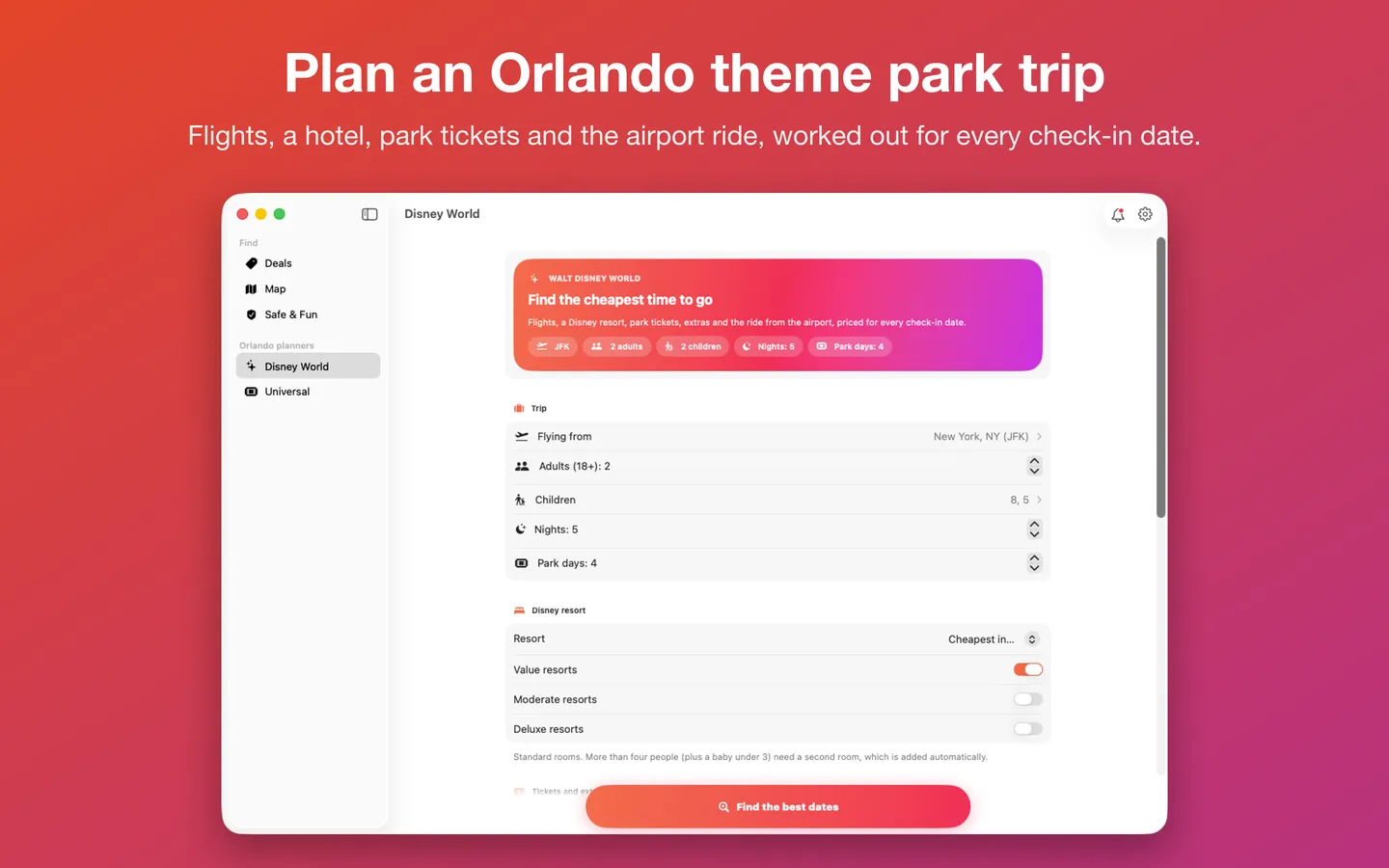
What it does: Pick up to three home airports and see the cheapest round trips found to beaches, cities, national parks and islands, each day's fare on a calendar, and every place on a map with a budget slider. Watch the trips you care about, and price a whole Walt Disney World or Universal Orlando trip for every check-in date. Fares come from the official Travelpayouts data feed and change often; the booking site shows the live price.
- Checkout by Gumroad
- Notarized by Apple
- No FitzTopPicks account needed
Free to use without a key: every feature, for up to three home airports.
Nothing to unlock. If FunBound helps you find a trip, a tip at ko-fi.com/fitztoppicks is welcome.
macOS 14 Sonoma or later · Version 1.0 · 4.2 MB disk image · Notarized by Apple
Free: download it on Gumroad for $0, or pay what you want. Tips at ko-fi.com/fitztoppicks keep it going. No subscription, no account. FunBound earns a small commission when you book a flight through its links, at no extra cost to you.
Download: The download (a signed, notarized .dmg) comes with your purchase in your Gumroad receipt, together with your license key. Updates install from inside the app.
Buy now opens Gumroad's checkout on this page; Gumroad is the seller and handles payment, sales tax and your receipt.
Screenshots
5 pictures: swipe or scroll sideways.
What you get
- FunBound for Mac: macOS 14 Sonoma or later
- The signed, notarized .dmg download and your license key, in your Gumroad receipt
- Updates that install from inside the app
- A one-time price: no subscription
Features
- Deals: the cheapest round trips found from up to three home airports, to beaches, cities, national parks and islands
- Getaways: pick a trip length, weekends or a holiday long weekend
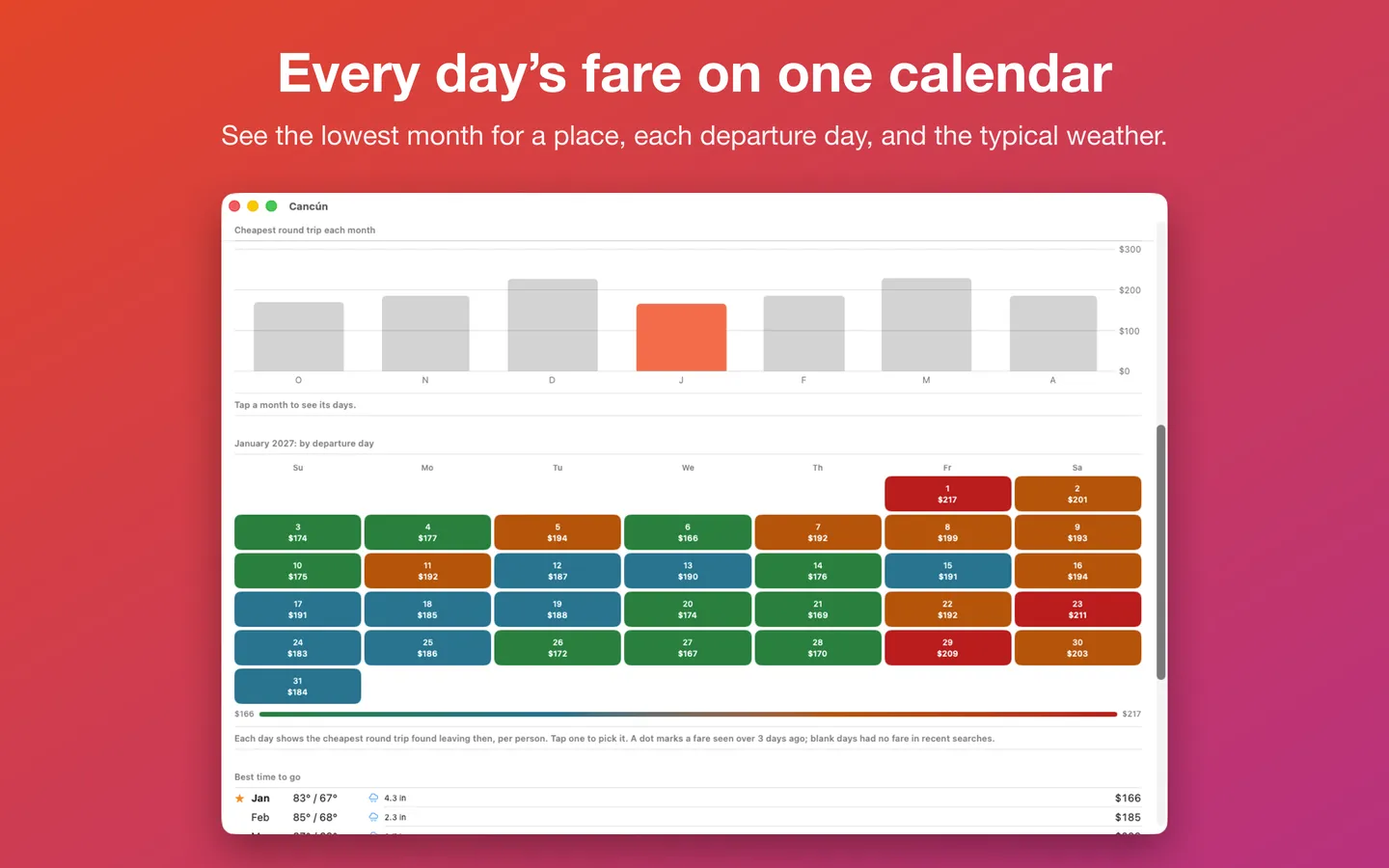
- Price calendar: each departure day's fare for a place, the lowest month, and each month's typical weather (NOAA data)
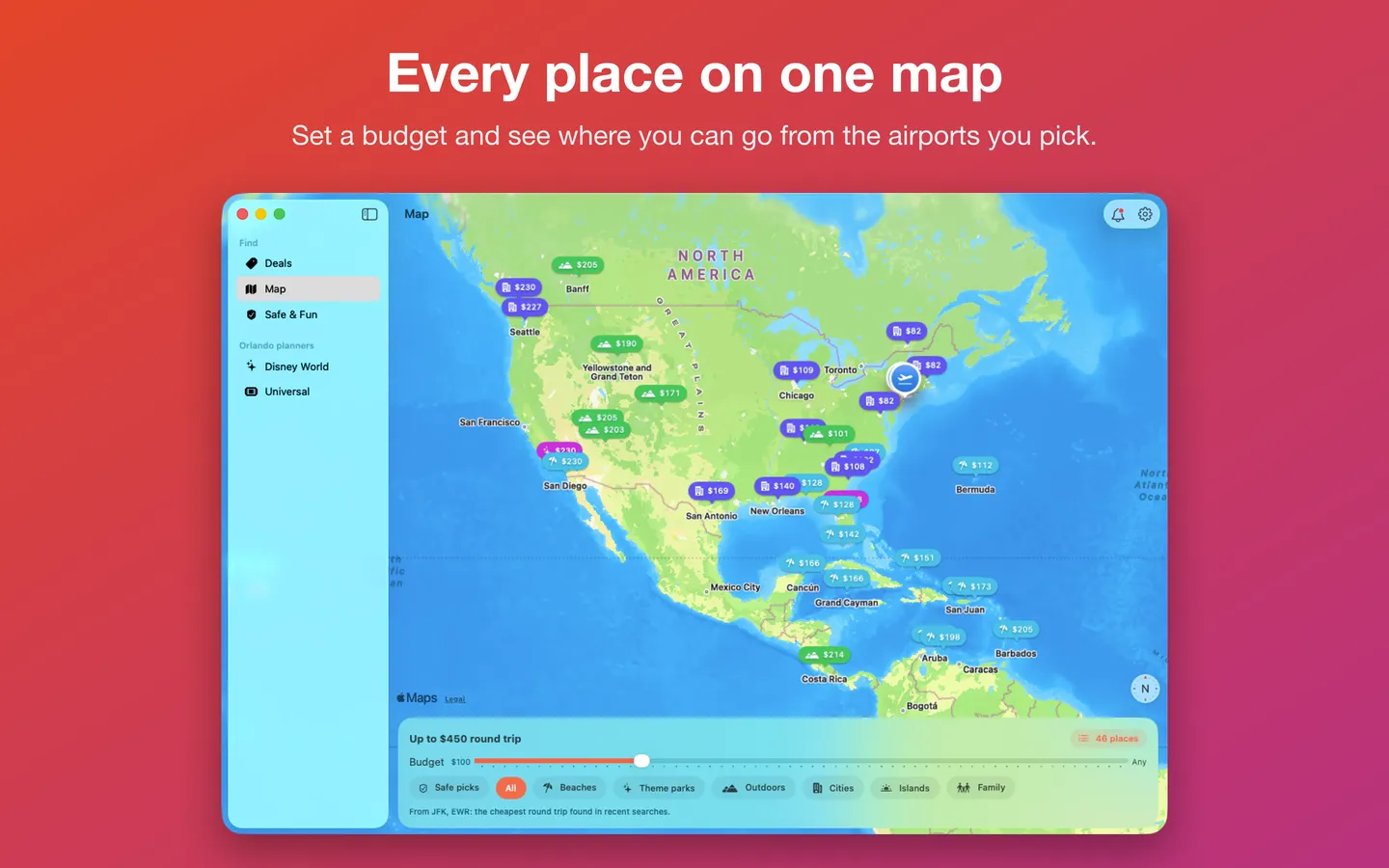
- Map: every destination with its fare, and a budget slider
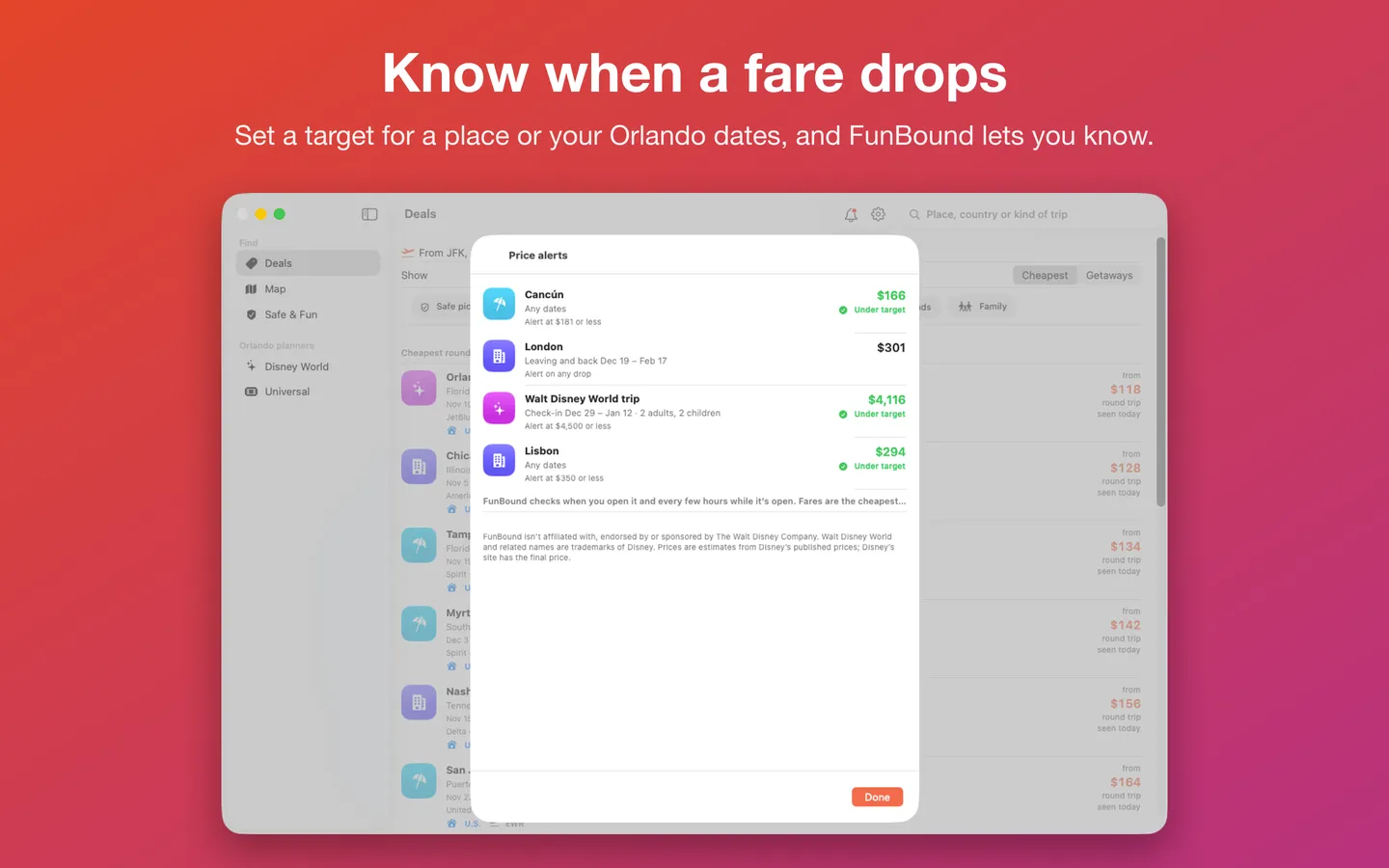
- Price alerts: watch a place or Walt Disney World dates with a target or any drop; FunBound checks when you open it and every few hours while it's open
- Walt Disney World and Universal Orlando planners: flights, a hotel, park tickets, add-ons and the airport ride for every check-in date
- Safe & Fun: places filtered by the U.S. State Department's travel advisory levels
- Trip checklist: entry basics, a passport reminder and a packing list
- Keyboard shortcuts: Deals to Universal with Command-1 to 5, Refresh Fares with Command-R
- Fares are the cheapest found in recent searches (Travelpayouts / Aviasales data) and change often; Disney and Universal prices are estimates from their published prices
Free vs With a license key
| Feature | Free | With a license key |
|---|---|---|
| What you can do | Every feature, for up to three home airports | Nothing to unlock. If FunBound helps you find a trip, a tip at ko-fi.com/fitztoppicks is welcome. |
| Price | Free download | Free one-time |
Questions
Where do the fares come from?
From Aviasales, through the Travelpayouts partner program’s official data feed: the cheapest fares travelers found in recent searches, collected each night for the busiest U.S. airports. Fares change often, so they’re a guide; the booking site shows the live price.
Why are today’s fares not there yet?
The fares are collected overnight, but some mornings the update doesn’t arrive until late morning Eastern time (the nightly job can start late). Until then FunBound shows the previous night’s fares with the day each was seen. On the Mac choose Trips › Refresh Fares (⌘R) to check again; on iPhone and iPad, pull down on Deals.
Why is my airport missing from Deals?
FunBound follows fares from the busiest U.S. airports. Pick a nearby one in Settings (up to three), or use the Disney World and Universal Orlando planners, which estimate typical fares for any airport.
What does the dot on a calendar day mean?
That fare was last seen more than three days ago, so it may have changed. Fares seen more than a week ago aren’t shown.
How do price alerts work?
Open a place and choose Watch this price (or Watch prices around these dates on a Disney World trip), then pick a target price or any drop. FunBound compares the watch with each night’s fares on your device and sends a notification when the price falls. The bell at the top of every screen (Trips › Price Alerts…, ⇧⌘A on the Mac) lists your watches.
I don’t get price alert notifications.
On the Mac, check System Settings › Notifications › FunBound; FunBound checks while it’s open (at launch, when you bring it forward and every few hours), not while it’s quit. On iPhone and iPad, check Settings › Notifications › FunBound and turn on Background App Refresh so it can check while it’s closed.
From the FunBound help page.
Requirements
- macOS
- macOS 14 Sonoma or later
- Processor
- Apple silicon and Intel
- Languages
- English, Spanish
- Download
- 4.2 MB disk image
- Version
- 1.0
An internet connection for the nightly fares.
What's new
Version 1.0
- First release: price a whole Walt Disney World or Universal Orlando trip for every check-in date and find the cheapest time to go, plus cheap flights from up to three home airports, price calendars, price alerts, a Home Screen widget and official safety levels. In English and Spanish.
From FunBound's release notes. Updates install from inside the app.
Privacy
FunBound collects no data: no account, no ads, no analytics. It downloads the nightly fare files for the airports you pick (the same files for everyone), the Disney World and Universal price guides and the State Department's advisories, and checks for updates. Your airports, watches and plans stay on your Mac. Booking links carry FunBound's partner code and nothing about you.
Questions about your purchase or license key? Reply to your Gumroad receipt or contact us.