Rewindwise
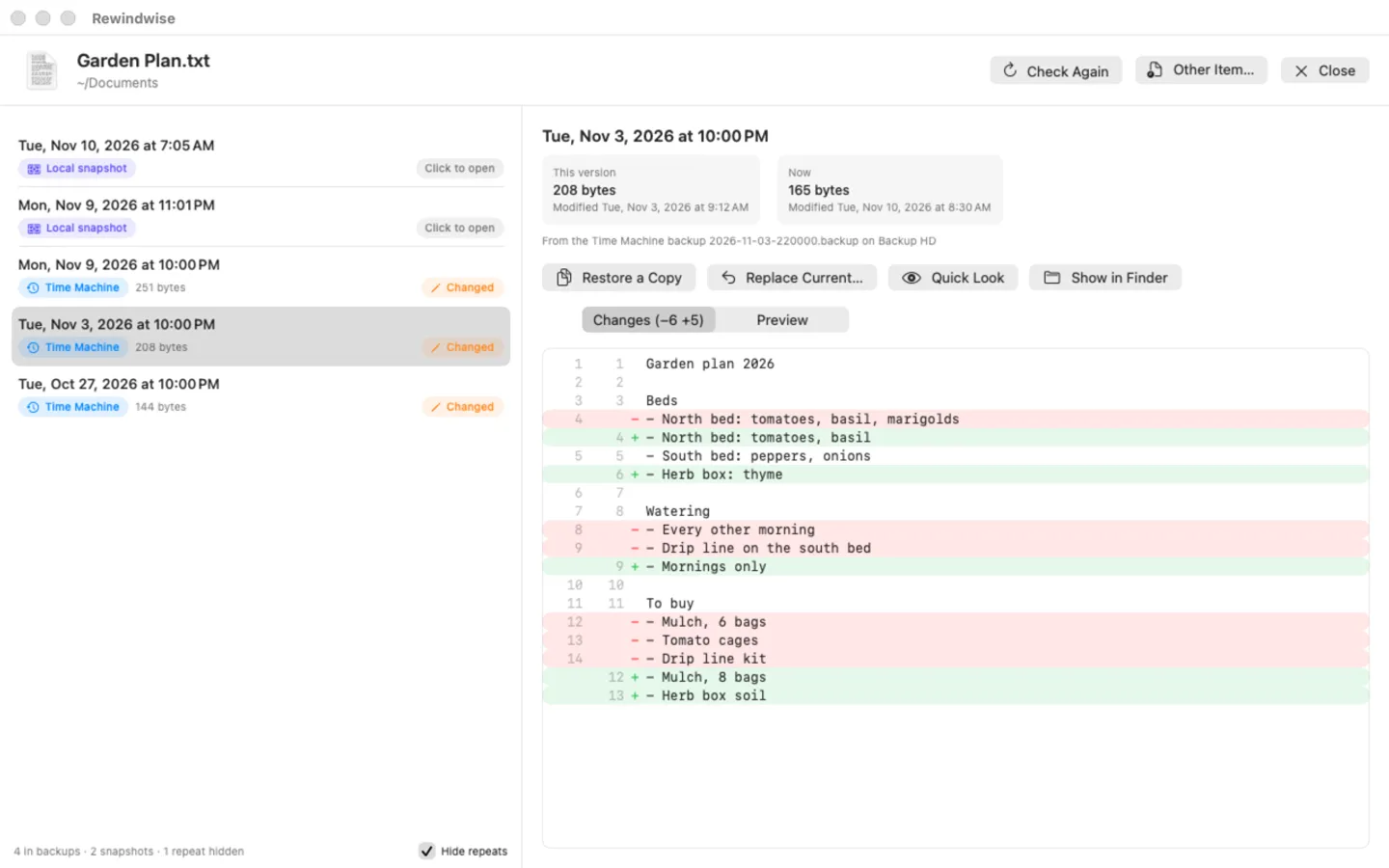
What it does: Rewindwise lists every earlier copy of a file or folder from Time Machine backups and local snapshots, shows what changed since, and restores one next to the original or in its place, with Undo. Right-click in Finder › Services › Previous Versions… Everything stays on your Mac.
- Checkout by Gumroad
- Notarized by Apple
- No FitzTopPicks account needed
Free for 7 days from the first time you open it: every feature, nothing held back.
Buy a license key to unlock restoring after the trial. Without a key you can still list, compare and preview every version and open it in Finder.
macOS 14 Sonoma or later · Version 1.0 · 3.1 MB disk image · Notarized by Apple
One-time $14.99. No subscription. One license key works on up to 3 of your Macs.
Download: The download (a signed, notarized .dmg) comes with your purchase in your Gumroad receipt, together with your license key. Updates install from inside the app.
Buy now opens Gumroad's checkout on this page; Gumroad is the seller and handles payment, sales tax and your receipt.
Screenshots
5 pictures: swipe or scroll sideways.
What you get
- Rewindwise for Mac: macOS 14 Sonoma or later
- The signed, notarized .dmg download and your license key, in your Gumroad receipt
- One license key for up to 3 of your Macs
- Updates that install from inside the app
- A one-time price: no subscription
Features
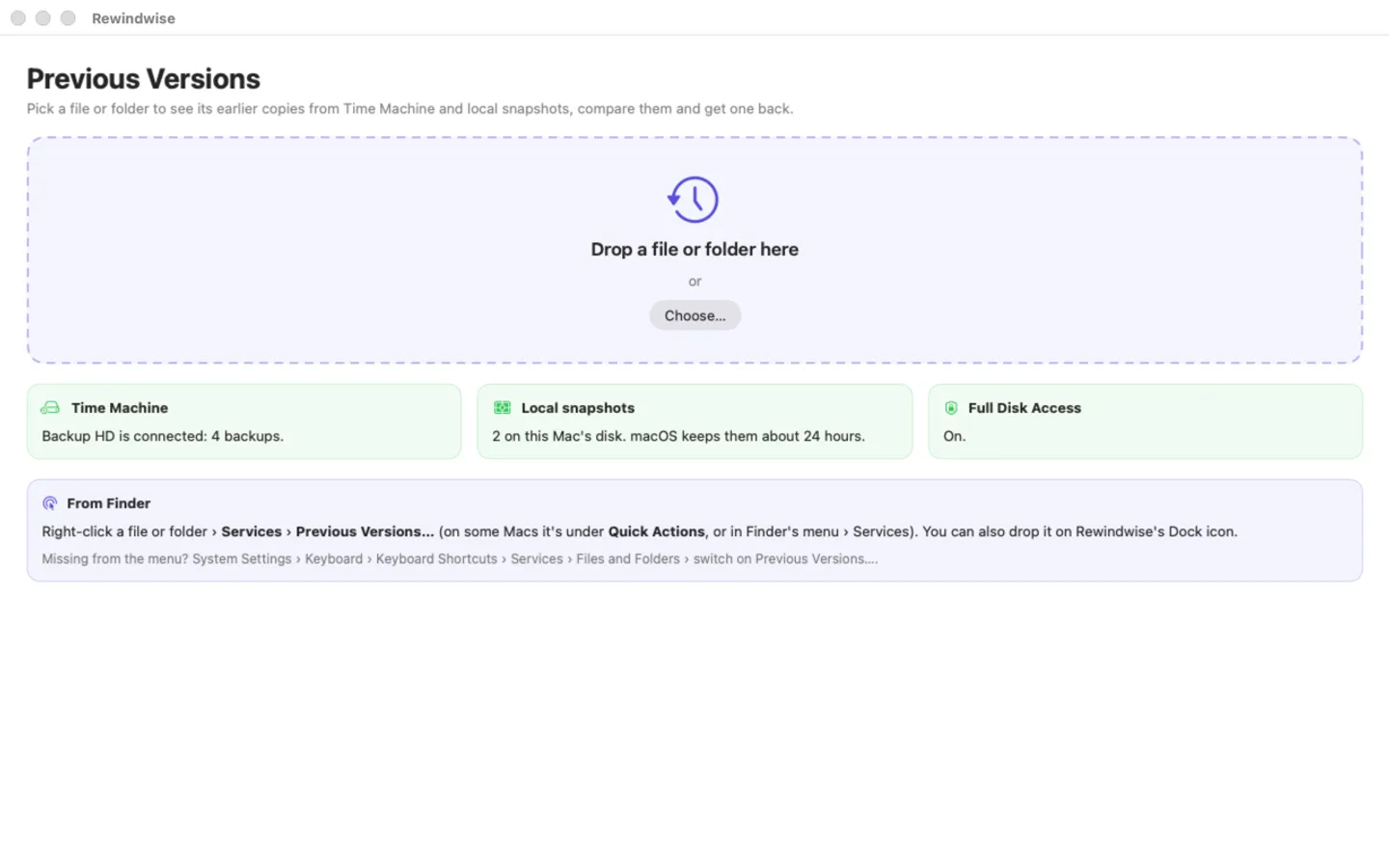
- Finder right-click › Services › Previous Versions…, drop on the window or the Dock icon, or File › Open
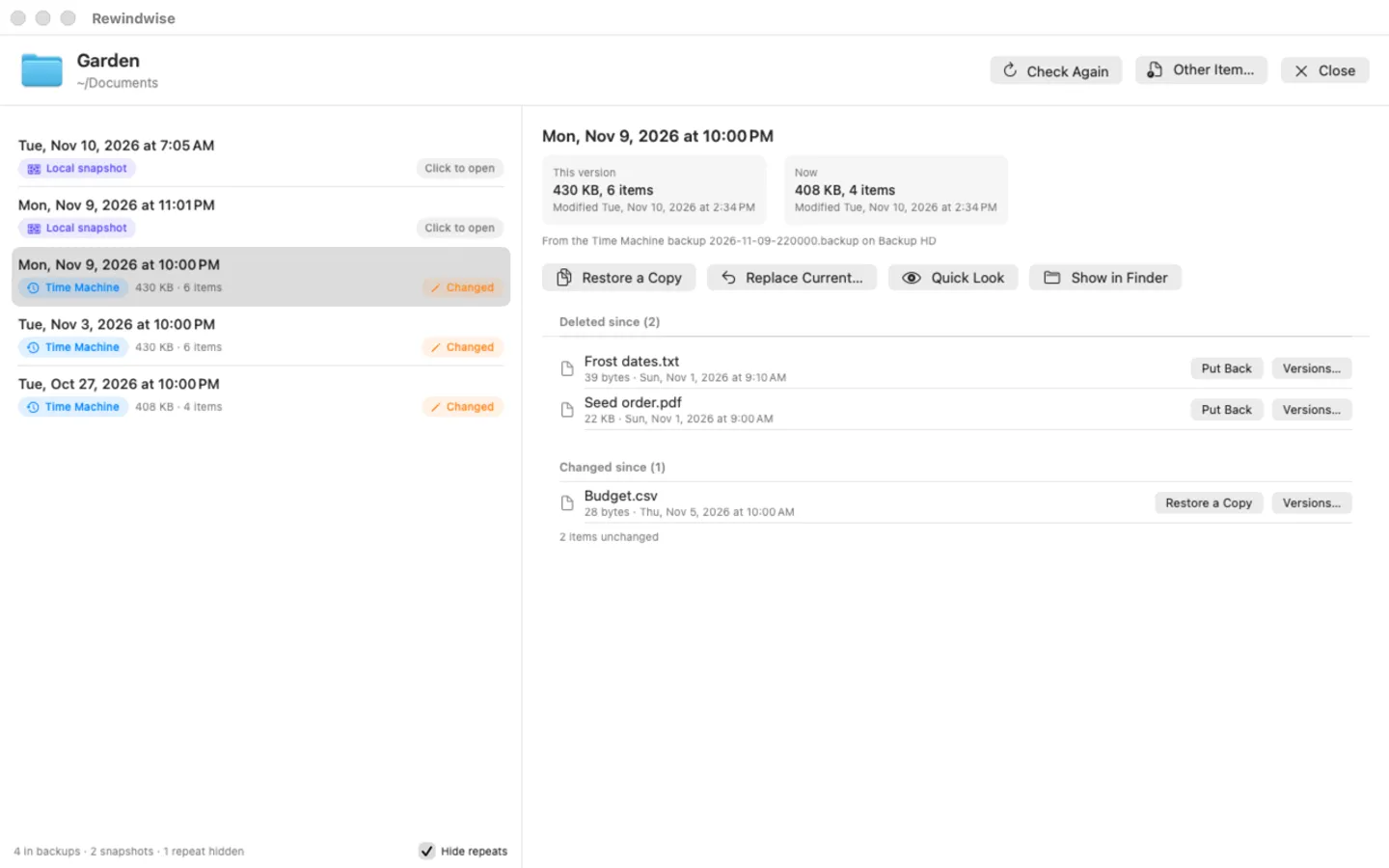
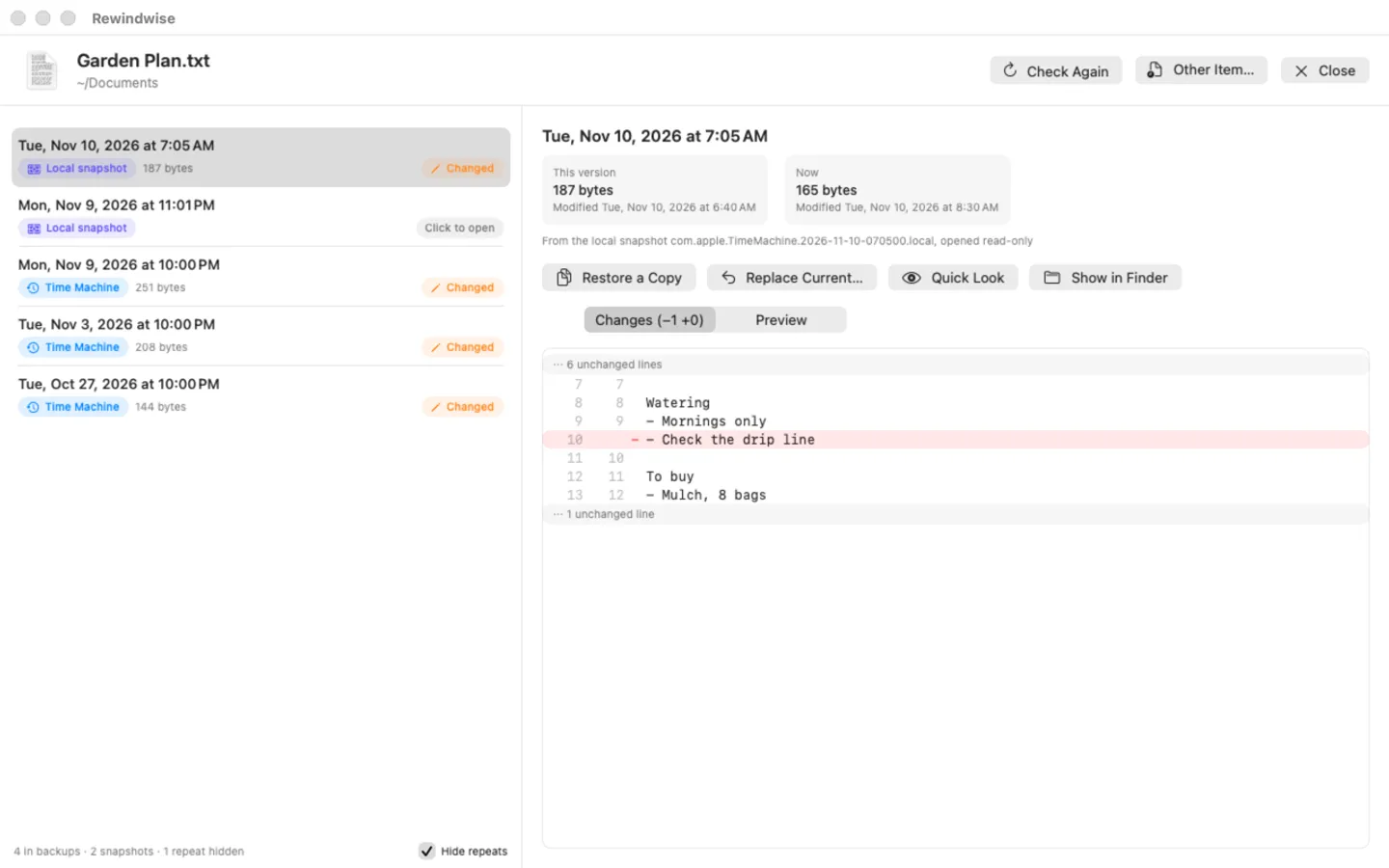
- Every earlier copy from Time Machine backups and local snapshots in one list, newest first
- Same as now, Changed or Deleted since, with sizes; repeats hidden
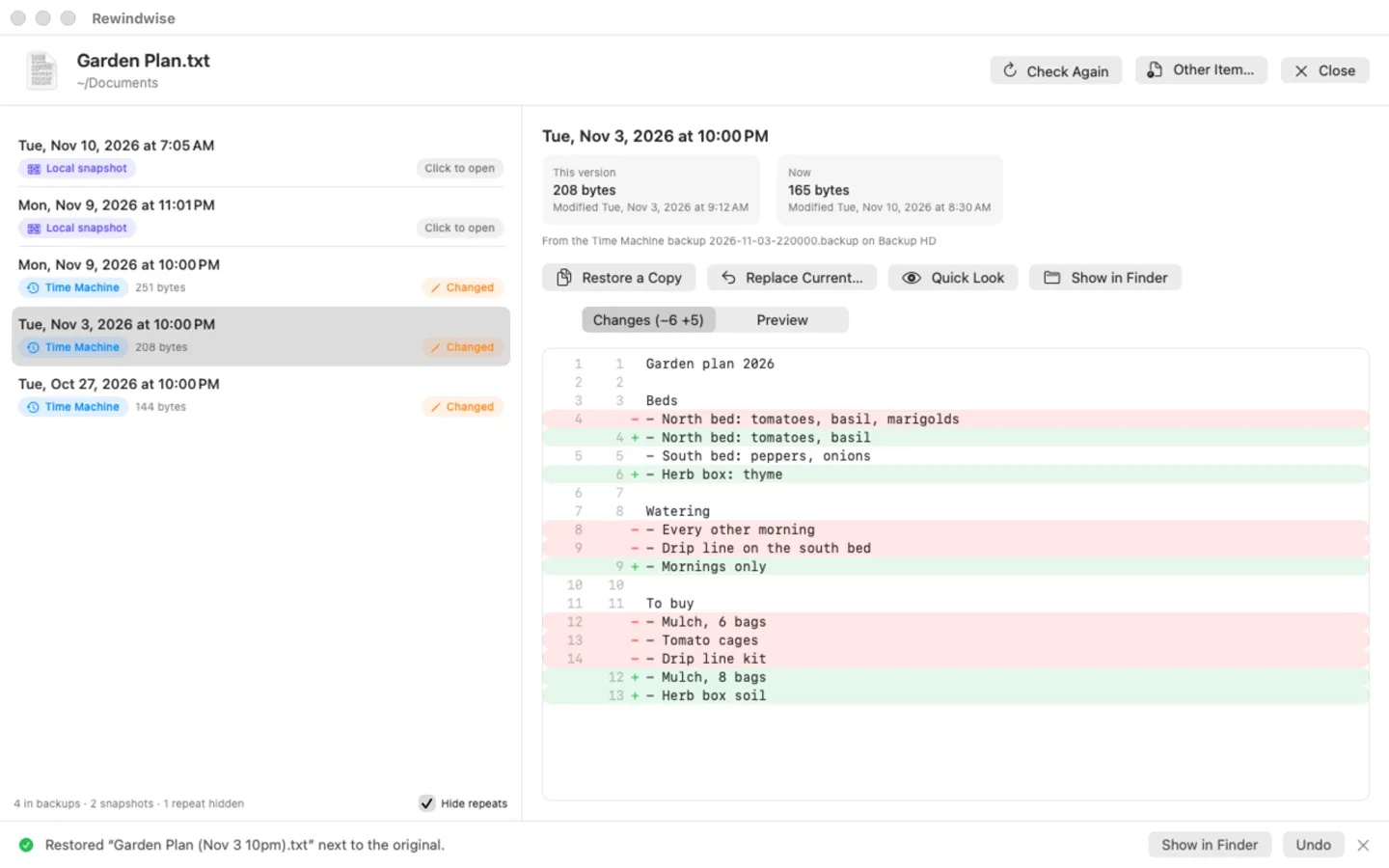
- Text files: a line-by-line view of what changed since that version
- Preview and Quick Look for photos, PDFs and everything else
- Folders: what was deleted, changed or added since, with Put Back
- Restore a Copy next to the original (“Plan (Nov 9 3pm).txt”), or Replace Current with Undo
- Read-only with backups and snapshots: it never writes into them
Free trial vs With a license key
| Feature | Free trial | With a license key |
|---|---|---|
| What you can do | Every feature, nothing held back | Buy a license key to unlock restoring after the trial. Without a key you can still list, compare and preview every version and open it in Finder. |
| Price | Free to try | $14.99 one-time |
Questions
How do I see a file’s earlier versions?
In Finder, right-click the file or folder › Services › Previous Versions… (on some Macs it’s under Quick Actions). You can also drop it on the Rewindwise window or Dock icon, or use File › Open.
It says Time Machine isn’t set up, or the list is empty.
Rewindwise shows the copies Time Machine keeps. Set up a backup disk in System Settings › General › Time Machine, or connect the one you have. Without a backup disk, macOS keeps local snapshots for only about 24 hours.
It says Full Disk Access is needed.
Open System Settings › Privacy & Security › Full Disk Access and switch on Rewindwise (or click + and pick it in Applications), then click Check Again. macOS keeps backups and snapshots private without it.
Previous Versions… isn’t in the right-click menu.
System Settings › Keyboard › Keyboard Shortcuts… › Services › Files and Folders › switch on Previous Versions…. A new install can take a moment, or a log out, to appear.
Is there a free trial?
Yes: every feature for 7 days from the first time you open it. After that, a one-time license key from Gumroad keeps restoring on up to 3 Macs, with no subscription.
What still works if I don’t buy?
Listing an item’s versions, comparing them with now, Preview, Quick Look, Show in Finder and Undo of an earlier restore. Only Restore a Copy, Replace Current and Put Back need a key.
From the Rewindwise help page.
Setting it up
How to open a newly downloaded Mac app the first time
Step by step, with what to do if your Mac asks a question.
Requirements
- macOS
- macOS 14 Sonoma or later
- Processor
- Apple silicon and Intel
- Languages
- English
- Download
- 3.1 MB disk image
- Version
- 1.0
Needs a Time Machine backup or local snapshots (without Time Machine there are no earlier copies to show) and Full Disk Access (the app shows how to turn it on).
Privacy
Rewindwise reads your Time Machine backups and local snapshots on your Mac and writes only the copies you restore, next to the originals; it never writes into a backup or snapshot. It has no account or tracking, and nothing about your files is sent anywhere. Your license key is kept in your Keychain. The only internet requests are the license check with Gumroad (when you enter a key and about once a week) and checking for updates at fitztoppicks.com.
Questions about your purchase or license key? See Help and FAQ, reply to your Gumroad receipt or contact us.