Cutwright
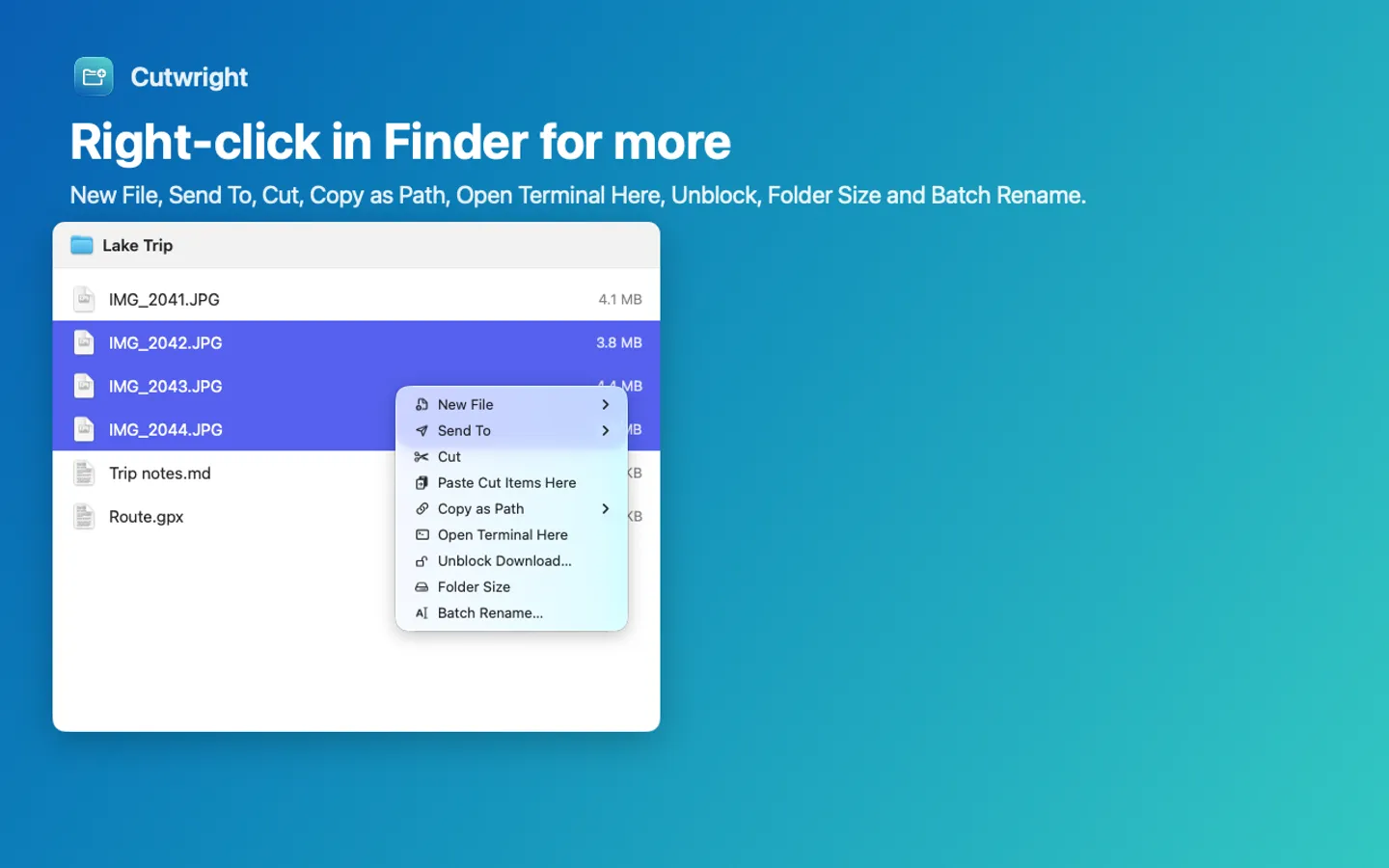
What it does: Cutwright adds the Windows File Explorer habits Finder lacks: ⌘X and ⌘V to move files, a right-click menu with New File, Send To, Copy as Path, Open Terminal Here, Unblock, Folder Size and Batch Rename, and a ⌘L address bar. Everything stays on your Mac.
- Checkout by Gumroad
- Notarized by Apple
- No FitzTopPicks account needed
Free for 7 days from the first time you open it: every feature, nothing held back.
Buy a license key to unlock the Finder menu, Cut and Paste and ⌘L after the trial. Finder itself is never blocked, and Undo History can always take back a change Cutwright made.
macOS 15 Sequoia or later · Version 1.0 · 3.5 MB disk image · Notarized by Apple
One-time $14.99. No subscription. One license key works on up to 3 of your Macs.
Download: The download (a signed, notarized .dmg) comes with your purchase in your Gumroad receipt, together with your license key. Updates install from inside the app.
Buy now opens Gumroad's checkout on this page; Gumroad is the seller and handles payment, sales tax and your receipt.
Screenshots
5 pictures: swipe or scroll sideways.
What you get
- Cutwright for Mac: macOS 15 Sequoia or later
- The signed, notarized .dmg download and your license key, in your Gumroad receipt
- One license key for up to 3 of your Macs
- Updates that install from inside the app
- A one-time price: no subscription
Features
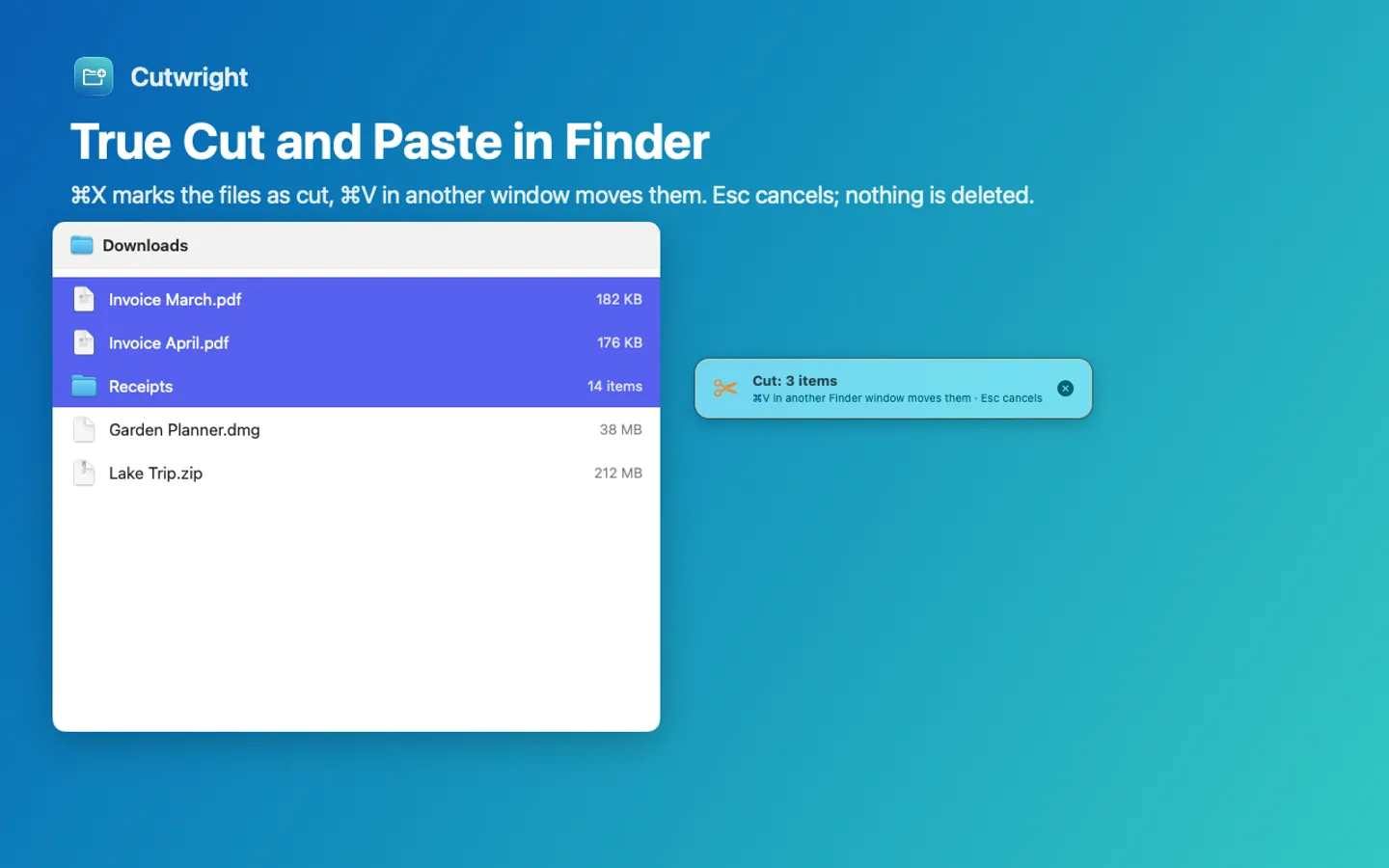
- True Cut and Paste: ⌘X marks files as cut, ⌘V in another Finder window moves them; Esc cancels
- New File in the right-click menu: text, Markdown, Word, Excel, PowerPoint, CSV, HTML, scripts or your own templates
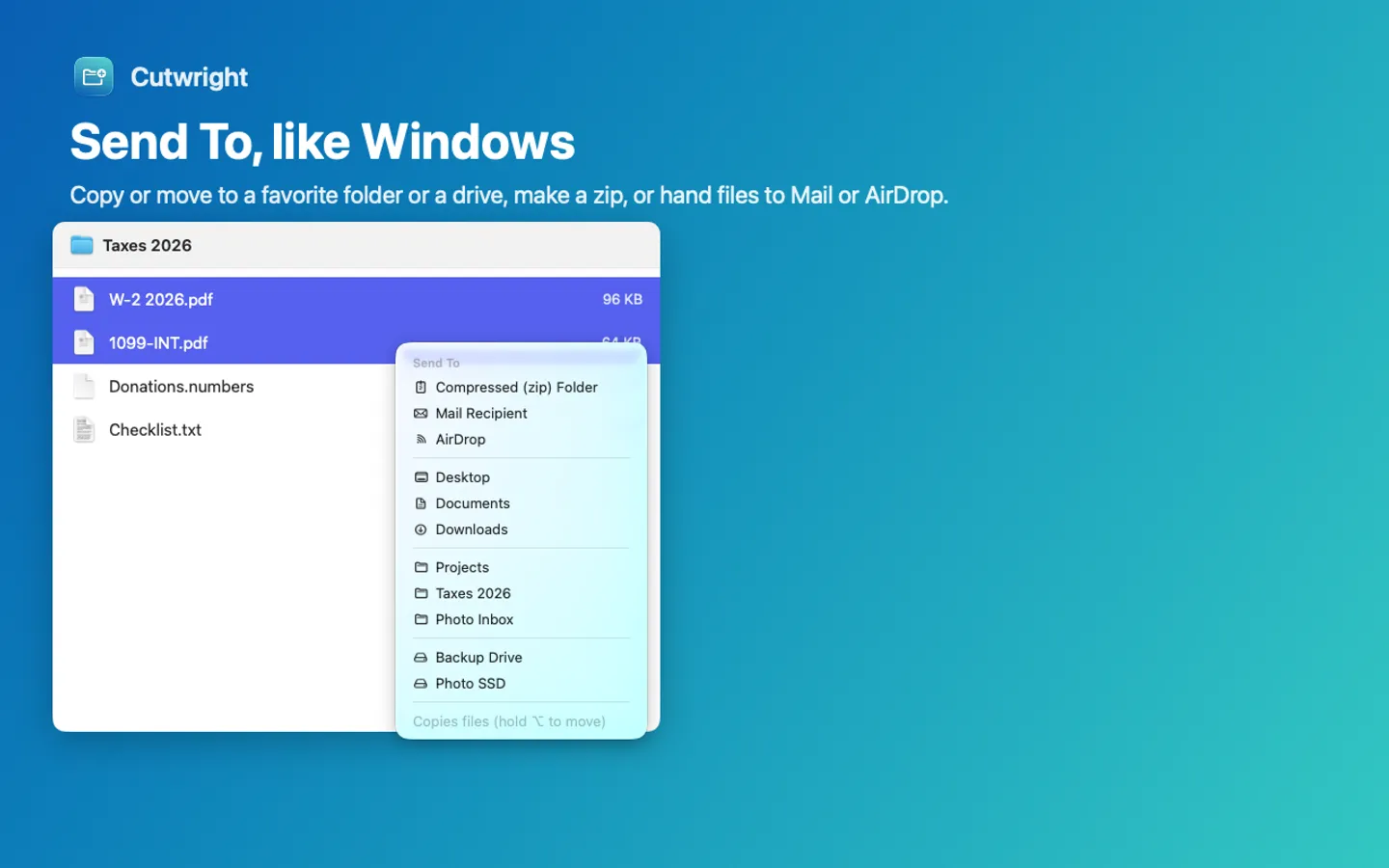
- Send To: favorite folders, Desktop, Documents, Downloads, connected drives, a zip, Mail or AirDrop
- Copy as Path (plain, ~, quoted for Terminal, file URL or name) and Open Terminal Here
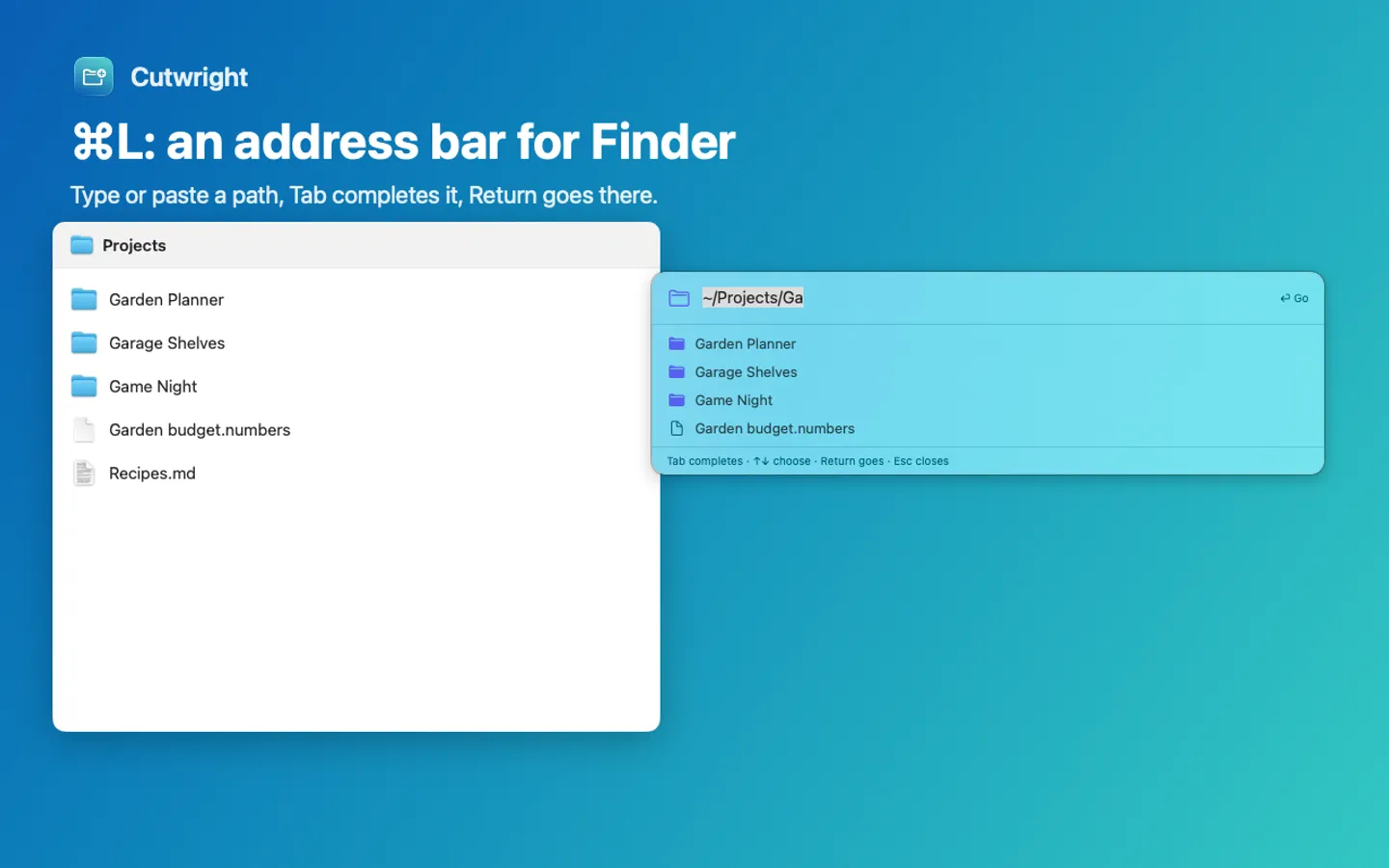
- ⌘L Go to Path: an address bar for Finder with Tab completion
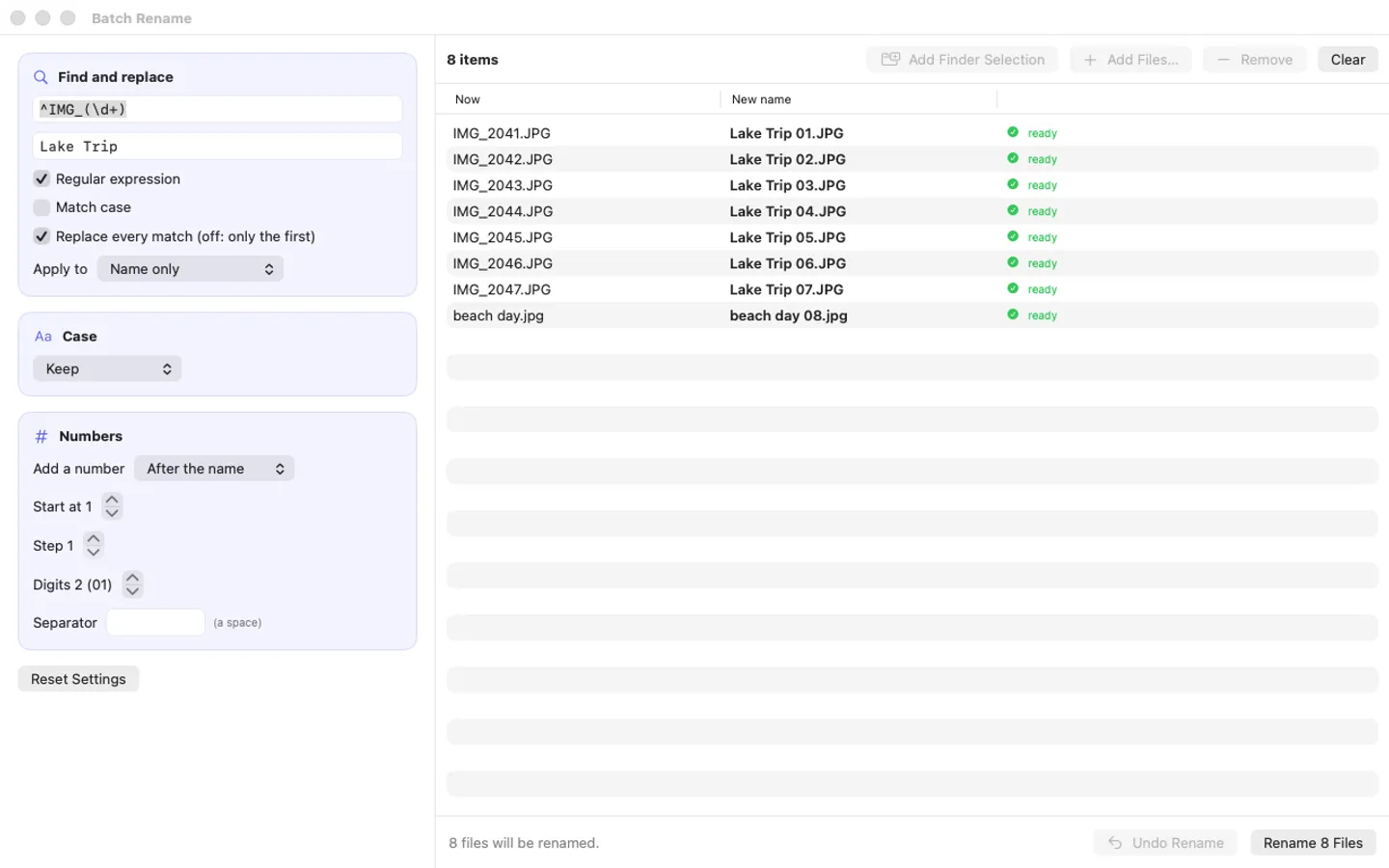
- Unblock downloads, Folder Size and Batch Rename with regular expressions and numbering
- Undo History for every change it makes; it never deletes anything
Free trial vs With a license key
| Feature | Free trial | With a license key |
|---|---|---|
| What you can do | Every feature, nothing held back | Buy a license key to unlock the Finder menu, Cut and Paste and ⌘L after the trial. Finder itself is never blocked, and Undo History can always take back a change Cutwright made. |
| Price | Free to try | $14.99 one-time |
Questions
⌘X and ⌘V don’t do anything.
Open Setup in Cutwright and switch it on under System Settings › Privacy & Security › Accessibility. If it still doesn’t react after an update, remove Cutwright from the Accessibility list with the minus button and add it back.
The right-click menu doesn’t show Cutwright’s items.
In Setup, click Open Extension Settings and switch Cutwright on under Finder extensions. Still missing? Hold Option, right-click Finder in the Dock and choose Relaunch.
Can it lose my files?
No: Cutwright never deletes anything. Cut and Paste uses Finder’s own Move Item Here (⌘Z in Finder moves them back), a taken name gets “ 2” instead of replacing a file, and Undo History takes back new files, copies, renames and unblocks.
Is there a free trial?
Yes: every feature for 7 days from the first time you open it. After that, a one-time license key from Gumroad keeps it working on up to 3 Macs, with no subscription.
What happens if I don’t buy?
Cutwright’s Finder menu, Cut and Paste and ⌘L stop and show a short note; Finder itself works exactly as before, and Undo History can still take back anything Cutwright changed.
Where do I enter my license key?
Choose License… from Cutwright’s menu bar menu (or License in the window’s sidebar), paste the key from your Gumroad receipt and click Activate.
From the Cutwright help page.
Setting it up
How to open a newly downloaded Mac app the first time
Step by step, with what to do if your Mac asks a question.
Requirements
- macOS
- macOS 15 Sequoia or later
- Processor
- Apple silicon and Intel
- Languages
- English
- Download
- 3.5 MB disk image
- Version
- 1.0
Accessibility permission and the Finder extension switched on (the app explains both and opens the right place).
Privacy
Cutwright works on the files you point it at, on your Mac; it has no account or tracking, watches ⌘X, ⌘V, ⌘L and Esc only while Finder is in front and never records what you type. Your license key is kept in your Keychain. The only internet requests are the license check with Gumroad (when you enter a key and about once a week) and checking for updates at fitztoppicks.com.
Questions about your purchase or license key? See Help and FAQ, reply to your Gumroad receipt or contact us.