Hostwright
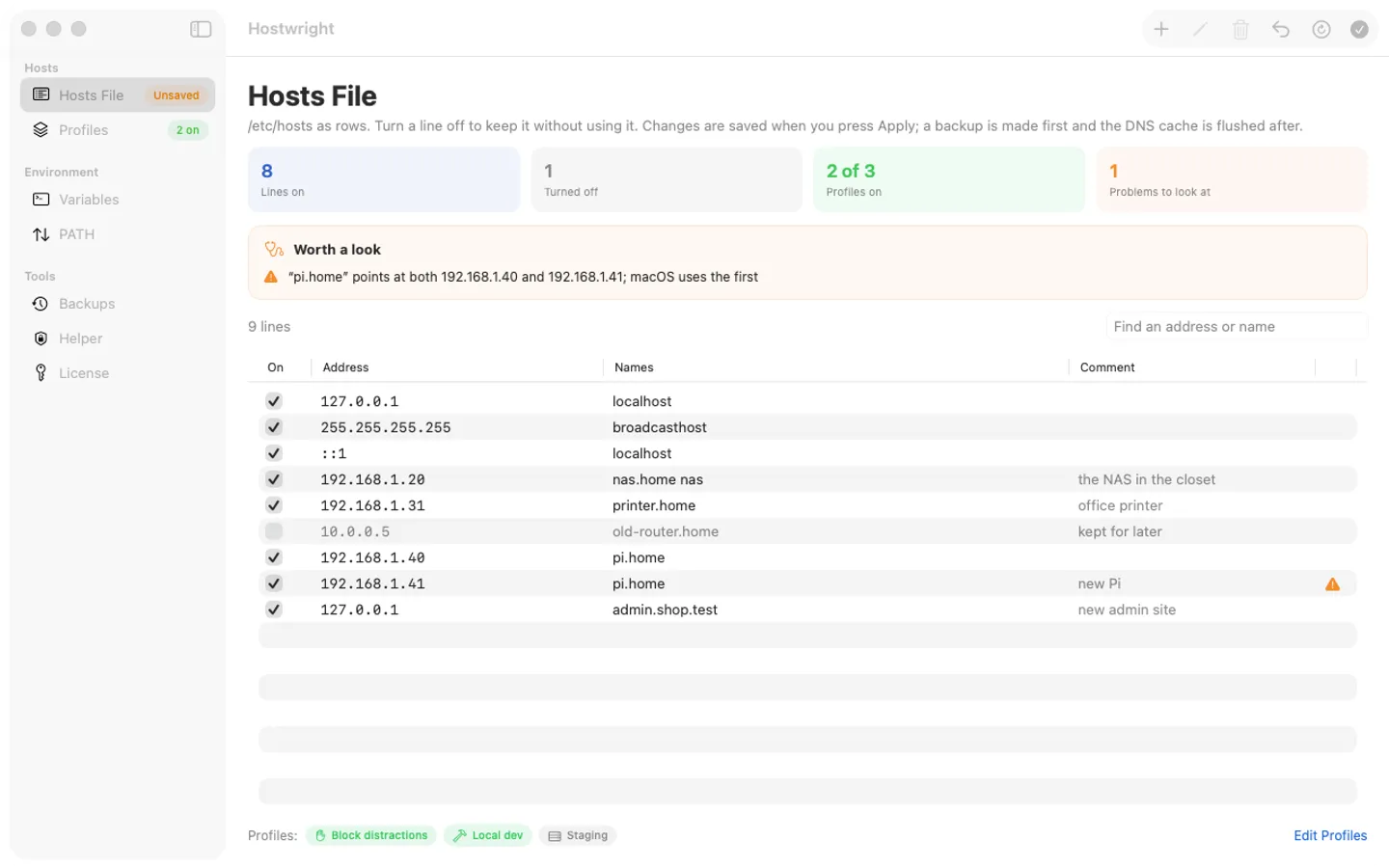
What it does: Hostwright turns /etc/hosts into rows and profiles you switch on and off from the menu bar, checks every line before it saves, and sets environment variables and PATH once for both Terminal and the apps you open from the Dock. Backups and undo come with every change.
- Checkout by Gumroad
- Notarized by Apple
- No FitzTopPicks account needed
Free for 7 days from the first time you open it: every feature, nothing held back.
Buy a license key to unlock adding and changing hosts entries and variables after the trial. Switching things off, restoring Apple's default hosts file or a backup, undo and turning the helper off always work, with or without a key.
macOS 15 Sequoia or later · Version 1.0 · 3.6 MB disk image · Notarized by Apple
One-time $9.99. No subscription. One license key works on up to 3 of your Macs.
Download: The download (a signed, notarized .dmg) comes with your purchase in your Gumroad receipt, together with your license key. Updates install from inside the app.
Buy now opens Gumroad's checkout on this page; Gumroad is the seller and handles payment, sales tax and your receipt.
Screenshots
5 pictures: swipe or scroll sideways.
What you get
- Hostwright for Mac: macOS 15 Sequoia or later
- The signed, notarized .dmg download and your license key, in your Gumroad receipt
- One license key for up to 3 of your Macs
- Updates that install from inside the app
- A one-time price: no subscription
Features
- /etc/hosts as rows: switch a line off without deleting it; untouched lines are written back exactly
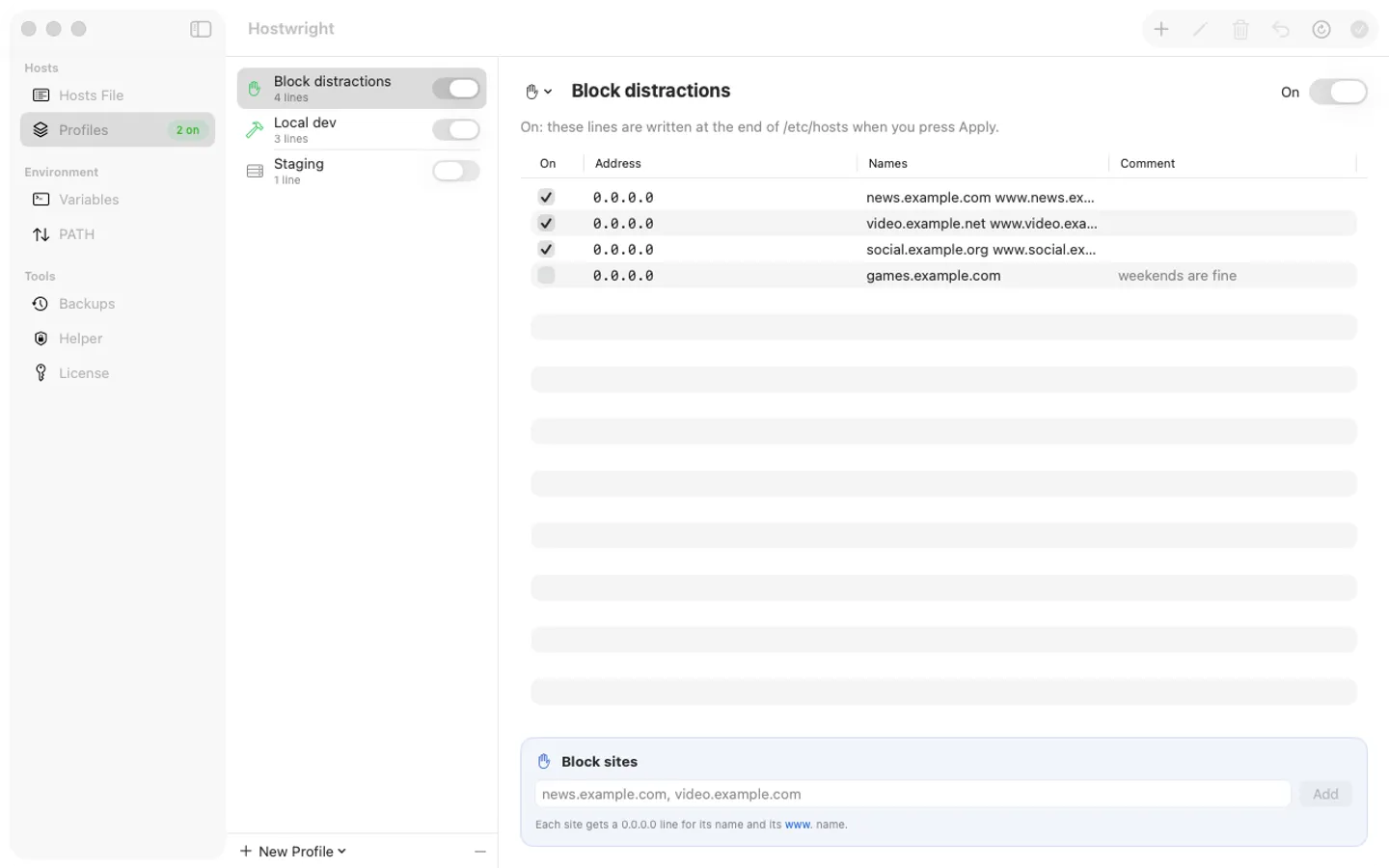
- Profiles (Local dev, Staging, Block distractions) you switch on and off from the menu bar
- Block sites: one 0.0.0.0 line for each name and its www. form
- Checks bad addresses, names a resolver won't take, a name pointed at two addresses and a missing localhost
- A backup before every write, Restore Apple's Default, and the DNS cache flushed for you
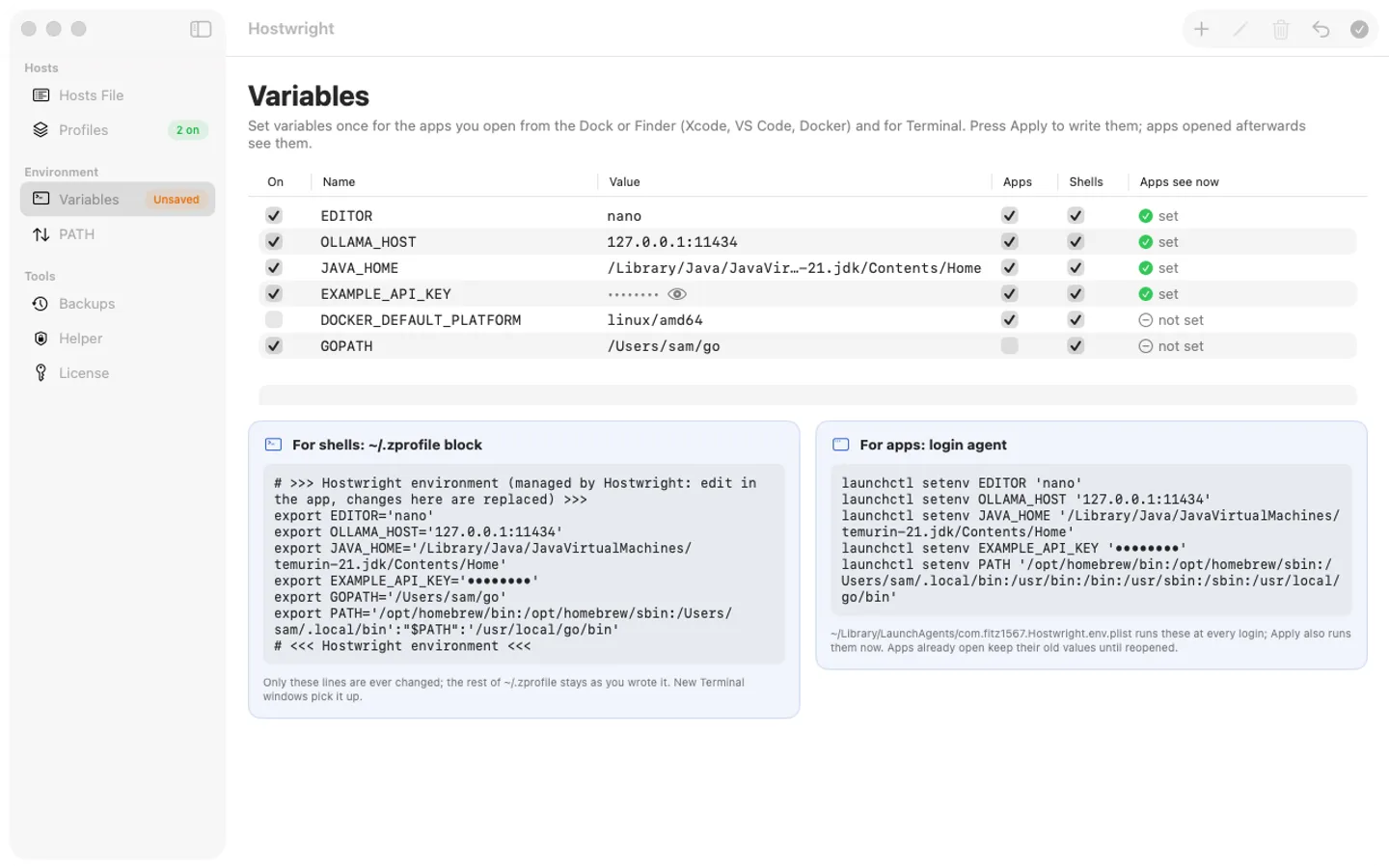
- Environment variables for Dock apps (a login agent) and for Terminal (~/.zprofile), with Undo
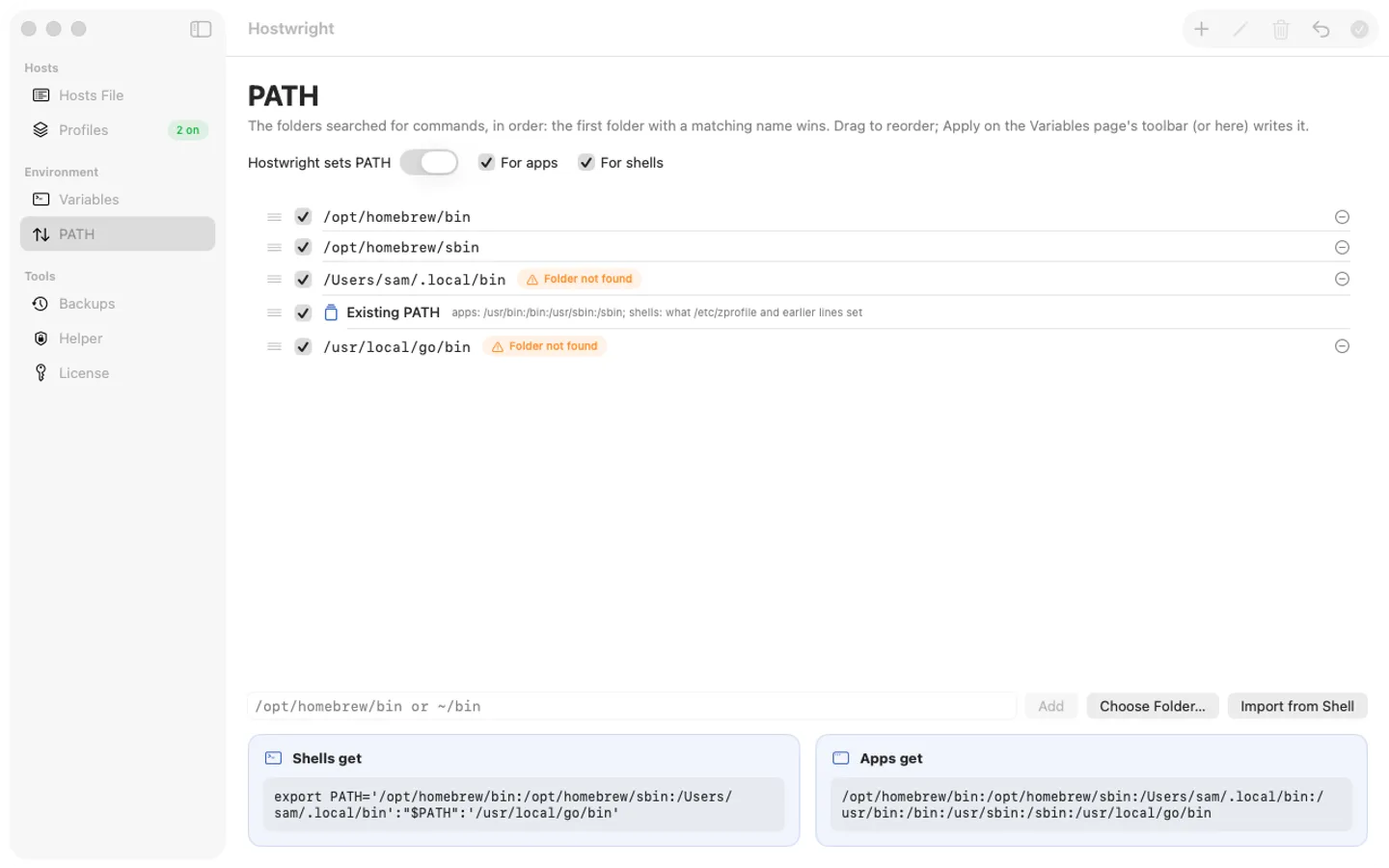
- A PATH editor: drag folders into order, with warnings for folders that don't exist
Free trial vs With a license key
| Feature | Free trial | With a license key |
|---|---|---|
| What you can do | Every feature, nothing held back | Buy a license key to unlock adding and changing hosts entries and variables after the trial. Switching things off, restoring Apple's default hosts file or a backup, undo and turning the helper off always work, with or without a key. |
| Price | Free to try | $9.99 one-time |
Questions
Apply says it needs Hostwright Helper.
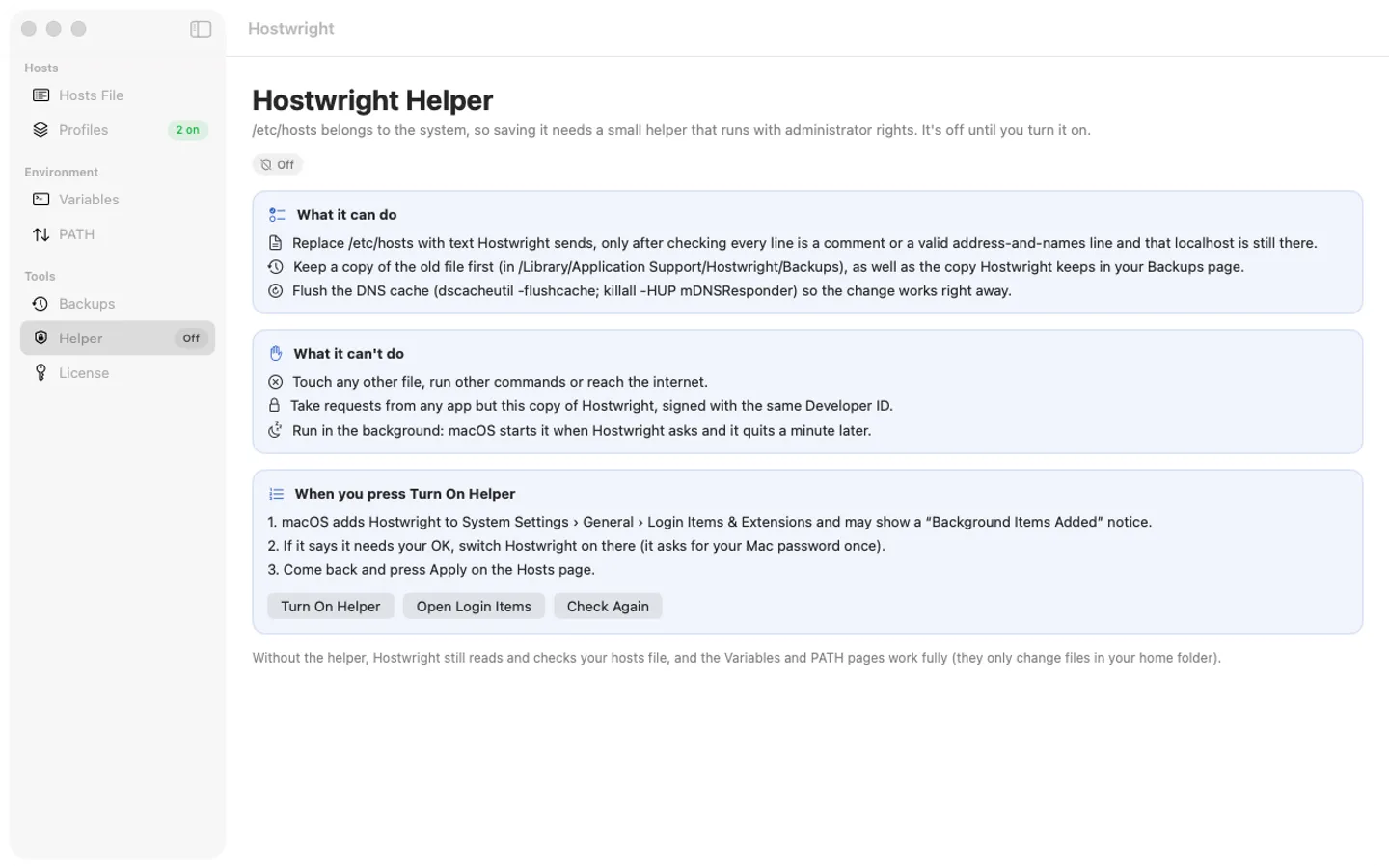
/etc/hosts belongs to the system, so saving it needs the helper. Open the Helper page, press Turn On Helper, then switch Hostwright on in System Settings › General › Login Items & Extensions if macOS asks. Come back and press Apply.
I changed the hosts file but the site still opens the old way.
Hostwright flushes macOS's DNS cache after every save, but browsers keep their own cache for a minute or two. Close and reopen the tab, or wait a moment.
An app doesn't see my variable.
Apps read variables when they start: quit and reopen the app after Apply. Terminal windows opened after Apply get the new ~/.zprofile block.
How do I take everything out?
Restore Apple's Default (Hosts menu or Backups page), Turn Everything Off on the Backups page, then Turn Off Helper on the Helper page. All three work with or without a license key.
Is there a free trial?
Yes: every feature for 7 days from the first time you open it. After that, a one-time license key from Gumroad keeps adding and changing entries and variables on up to 3 Macs, with no subscription.
What still works if I don't buy?
Reading and checking your hosts file, switching lines and profiles off, restoring Apple's default hosts file or a backup, Undo Last Apply, Turn Everything Off and turning the helper off. Only adding or changing entries and variables needs a key.
From the Hostwright help page.
Setting it up
How to open a newly downloaded Mac app the first time
Step by step, with what to do if your Mac asks a question.
Requirements
- macOS
- macOS 15 Sequoia or later
- Processor
- Apple silicon and Intel
- Languages
- English
- Download
- 3.6 MB disk image
- Version
- 1.0
Saving /etc/hosts needs your OK for Hostwright Helper in System Settings › Login Items (the app explains it first); variables and PATH need no permission.
Privacy
Hostwright keeps your hosts profiles, variables and backups on your Mac; it has no account or tracking. Writing /etc/hosts goes through a small helper you turn on yourself, which accepts requests only from Hostwright and does nothing else. Your license key is kept in your Keychain. The only internet requests are the license check with Gumroad (when you enter a key and about once a week) and checking for updates at fitztoppicks.com.
Questions about your purchase or license key? See Help and FAQ, reply to your Gumroad receipt or contact us.