Drawerbook
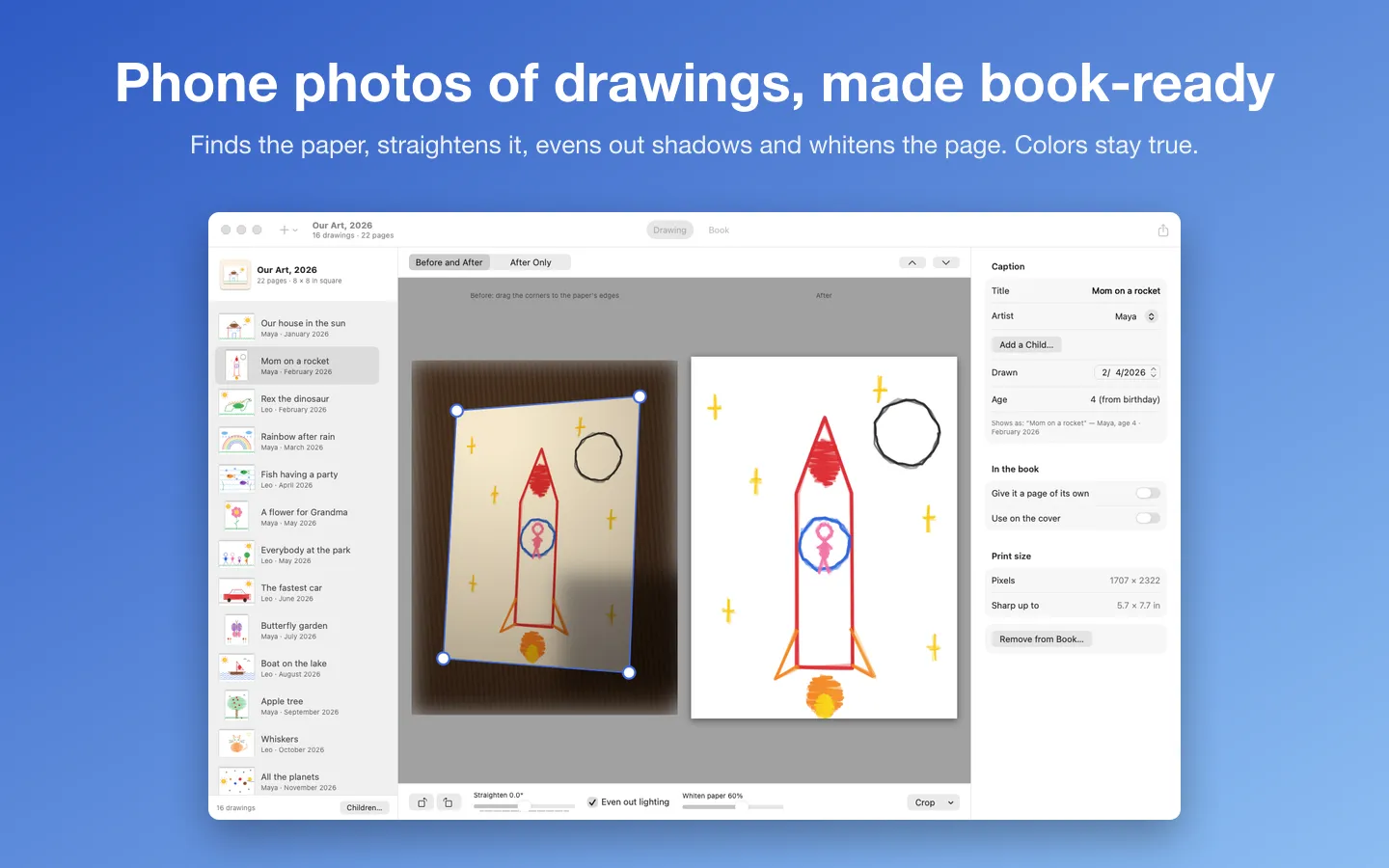
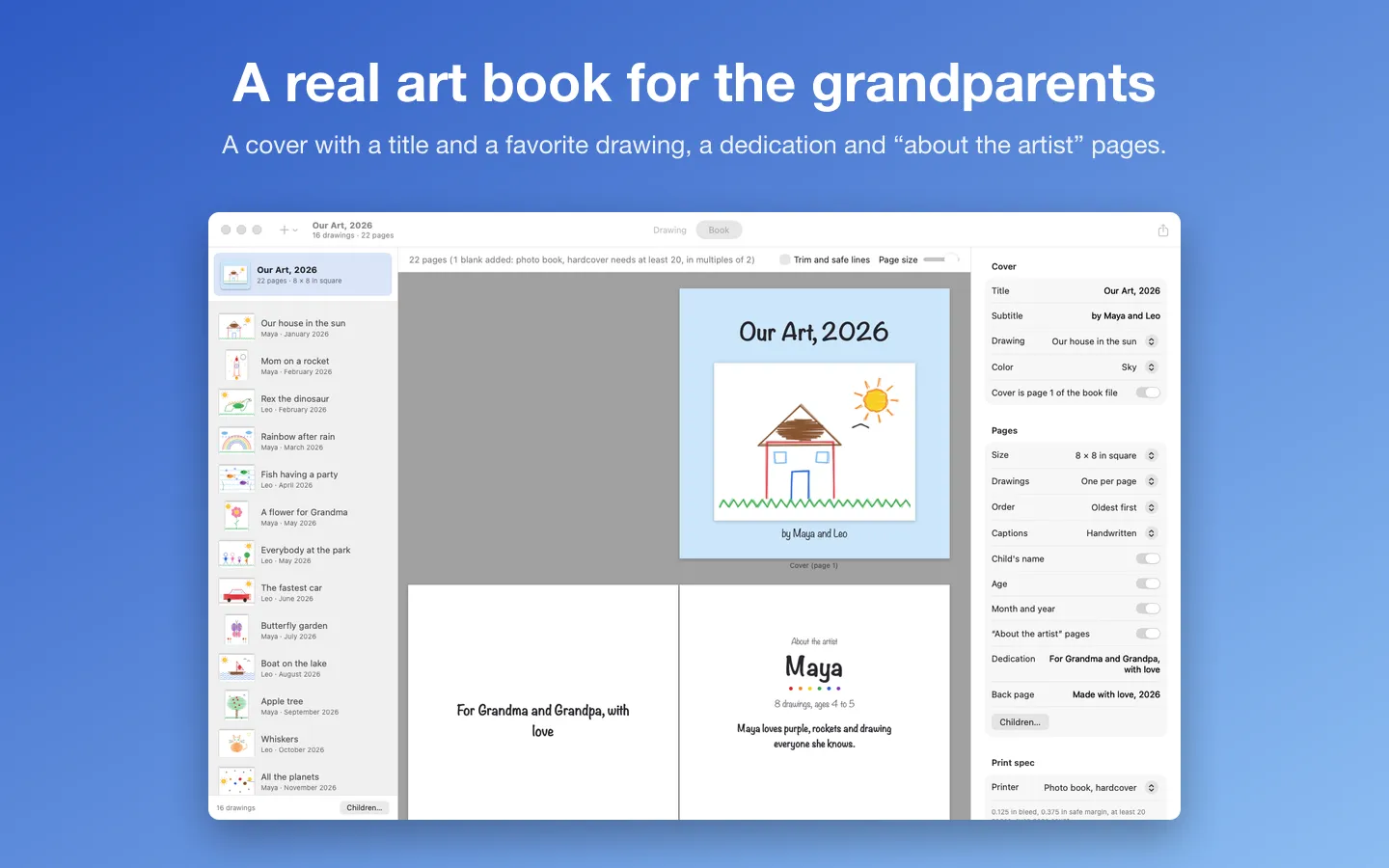
What it does: Drawerbook turns a year of your kids' drawings into an art book for the grandparents. Snap the drawings with your phone or scan them: it finds the paper, straightens it, evens out shadows and whitens the page while the colors stay true, then lays out a book with captions, a cover and "about the artist" pages, ready to print. A Calendar mode makes a 12-month calendar from the same pictures.
- Checkout by Gumroad
- Notarized by Apple
- No FitzTopPicks account needed
Free to use without a key: every feature, for books and calendars with up to 12 pictures, with a small "Made with Drawerbook" line on the back page.
Buy a license key to unlock Pro: any number of drawings, and no line on the back page.
macOS 14 Sonoma or later · Version 1.0 · 3.3 MB disk image · Notarized by Apple
One-time $19.99 for the app with Pro: books of any size, no back-page line. No subscription. One license key works on up to 3 of your Macs.
Download: The download (a signed, notarized .dmg) comes with your purchase in your Gumroad receipt, together with your license key. Updates install from inside the app.
Buy now opens Gumroad's checkout on this page; Gumroad is the seller and handles payment, sales tax and your receipt.
Screenshots
5 pictures: swipe or scroll sideways.
What you get
- Drawerbook for Mac: macOS 14 Sonoma or later
- The signed, notarized .dmg download and your license key, in your Gumroad receipt
- One license key for up to 3 of your Macs
- Updates that install from inside the app
- A one-time price: no subscription
Features
- Finds the paper's edges in a phone photo and straightens it, even when it was taken at an angle
- Evens out shadows and uneven light, and whitens the paper while crayon and marker colors stay true
- Rotate, straighten or drag the corners by hand, with before and after side by side
- Add from Photos, from files and folders, or from your iPhone's camera or document scanner (Continuity Camera)
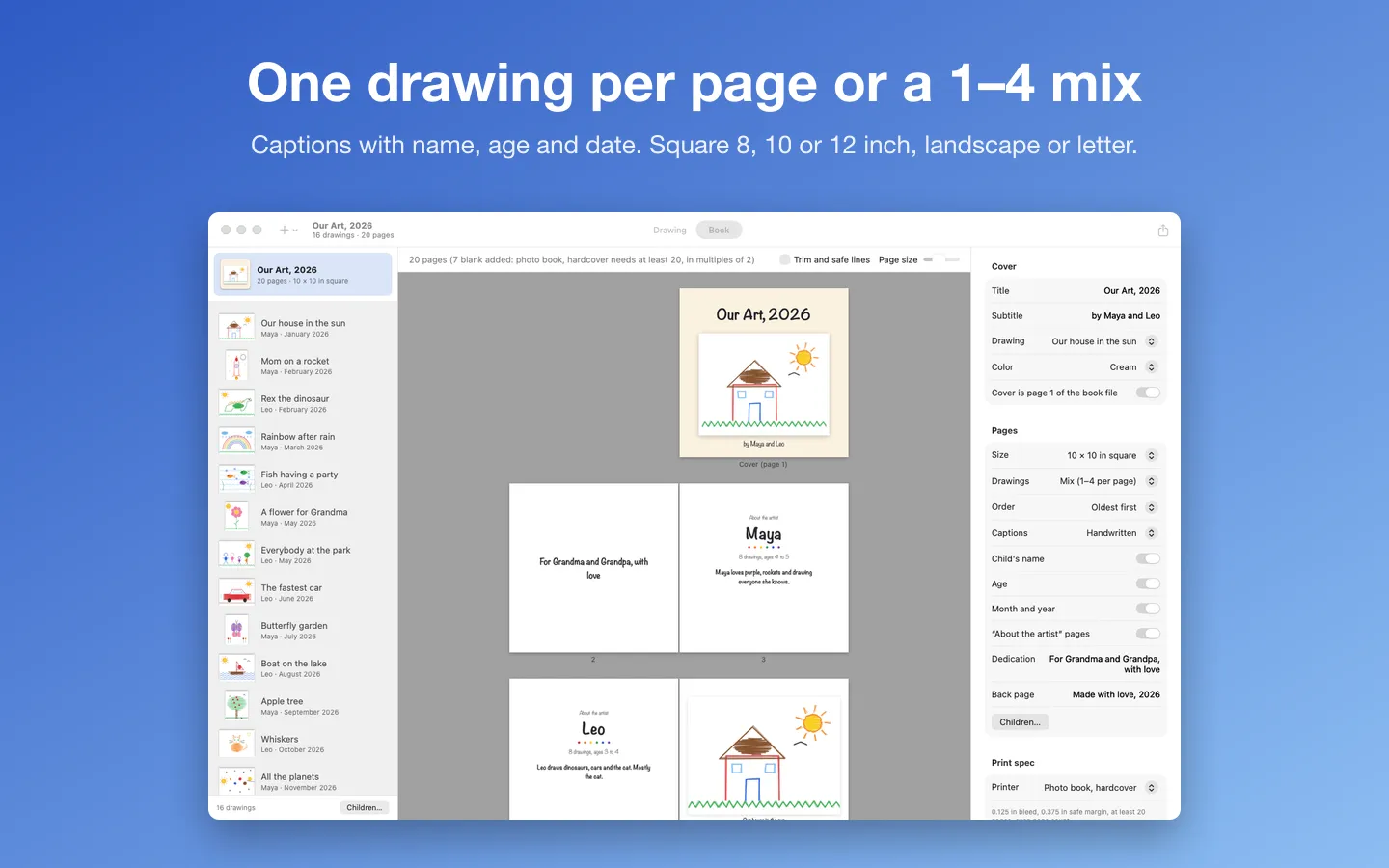
- A cover with a title and a favorite drawing, a dedication, and an "about the artist" page for each child
- Captions with the title, the child's name, age and date; several children in one book
- One drawing per page or a mix of 1 to 4, oldest first or by child
- Square 8, 10 or 12 inch, 11 × 8.5 landscape or letter
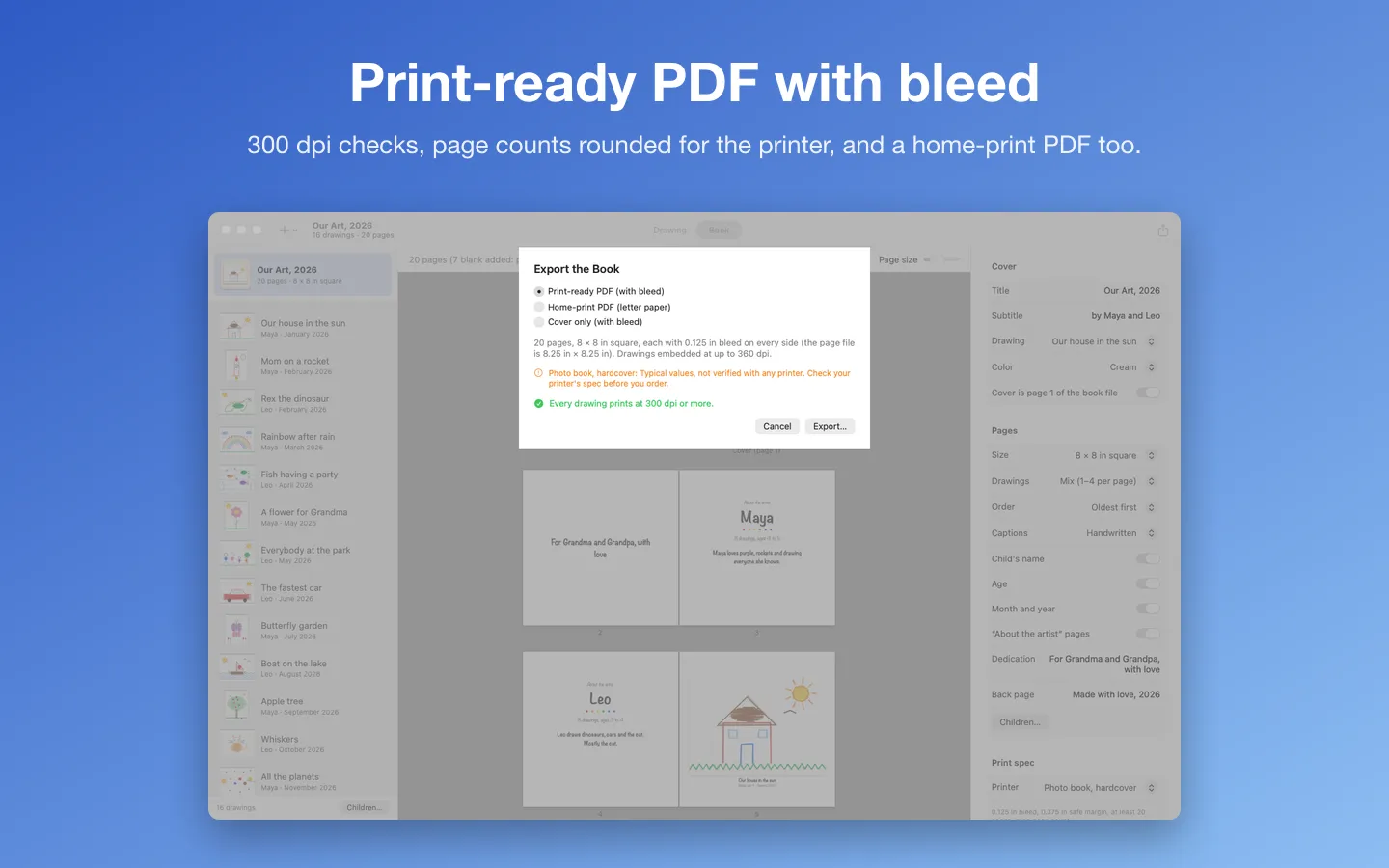
- A print-ready PDF with bleed and safe margins, with presets for common photo book specs (check your printer's spec) and the page count rounded for you
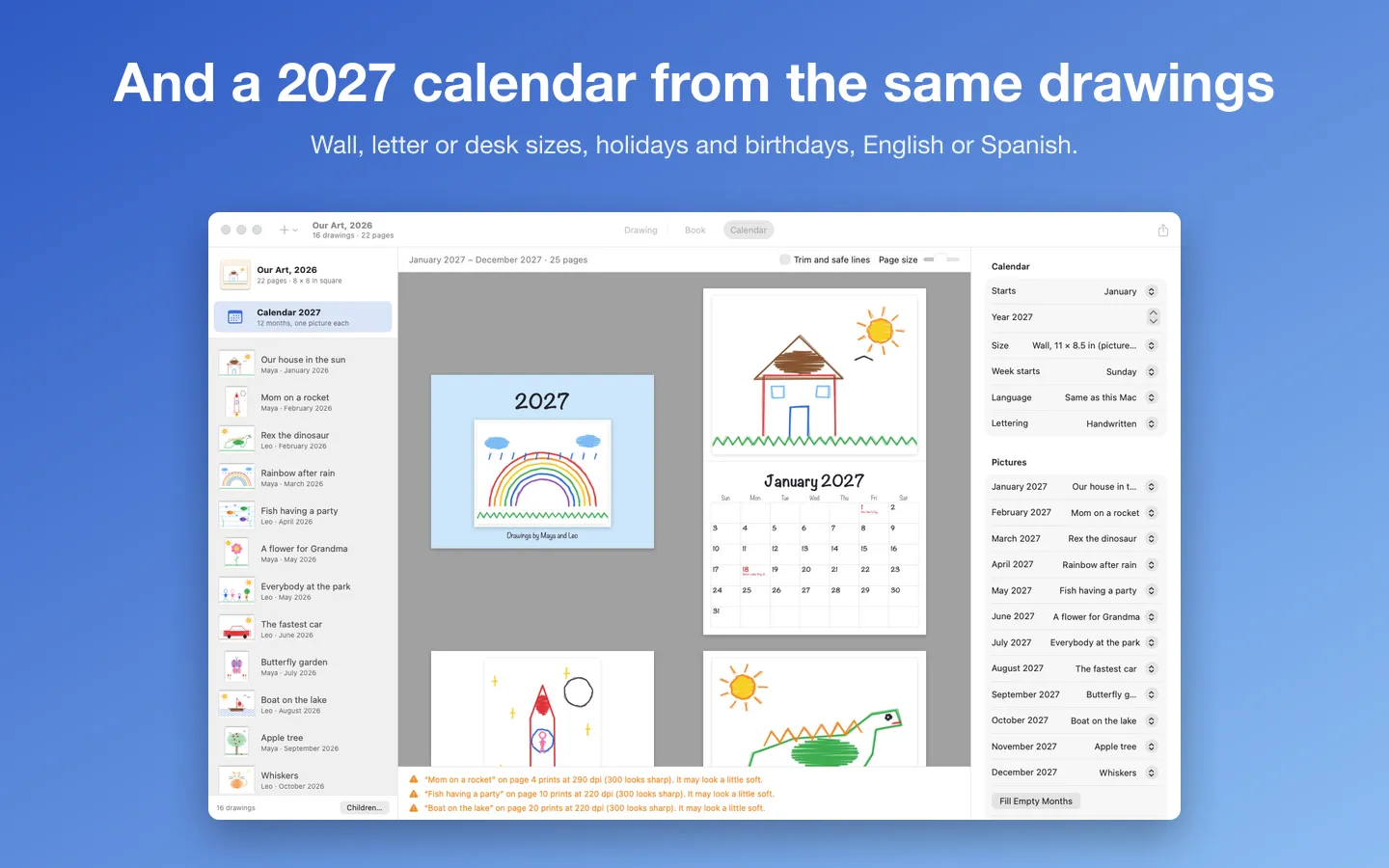
- A 12-month calendar (2027 or any start month): wall, letter or desk sizes, US holidays, birthdays and family dates, English or Spanish
- A 300 dpi check on every drawing, and a lighter home-print PDF on letter paper
Free vs Pro
| Feature | Free | Pro |
|---|---|---|
| What you can do | Every feature, for books and calendars with up to 12 pictures, with a small "Made with Drawerbook" line on the back page | Everything free, plus any number of drawings, and no line on the back page |
| Price | Free download | $19.99 one-time |
Questions
How should I photograph a drawing?
Lay it on a darker surface (a table or the floor) in even light, and fill most of the photo with the paper. Drawerbook finds the paper’s edges, straightens it and evens out shadows. For the sharpest prints, a scan or a photo from a recent phone gives 300 dpi at full-page size.
It cropped the wrong thing. How do I fix it?
Drag the four corners on the “Before” picture to the paper’s corners, or choose Drawing › Use the Whole Photo (best for flatbed scans).
Which printers take the PDF?
Any photo book service or print shop that accepts a PDF upload. The presets use typical page sizes, bleed, margins and page counts, but every printer is a little different: check your printer’s spec, and pick Custom to type its numbers.
Can it make a calendar?
Yes: choose Calendar (⌘3) for a 12-month calendar with one picture a month, in wall, letter or desk sizes. US holidays are worked out on your Mac (federal holidays on their actual dates), and birthdays come from the children’s birthdays you entered. Nothing is looked up online.
What’s free, and what does Pro add?
Everything works without a key for books of up to 12 drawings, with a small “Made with Drawerbook” line on the back page. Pro makes books of any size without the line. It’s a one-time purchase on Gumroad, with no subscription.
Where do I enter my license key?
Choose Drawerbook › Settings…, open the License tab, paste the key from your Gumroad receipt and click Activate.
From the Drawerbook help page.
Requirements
- macOS
- macOS 14 Sonoma or later
- Processor
- Apple silicon and Intel
- Languages
- English
- Download
- 3.3 MB disk image
- Version
- 1.0
Makes the PDF; it doesn't print or ship books.
Privacy
Your drawings never leave your Mac. Cleanup runs on your Mac, photos come through the Photos picker (only the ones you choose, read-only) or from your iPhone through Continuity Camera, and the originals are never changed. Drawerbook keeps its own copies of your drawings, the names and birthdays you enter and your license key (in your Keychain) only on your Mac. The only network requests are the license check with Gumroad (your license key, when you enter it and about once a week) and checking for updates at fitztoppicks.com; neither sends anything about your drawings or your children.
Questions about your purchase or license key? Reply to your Gumroad receipt or contact us.