Floorledger
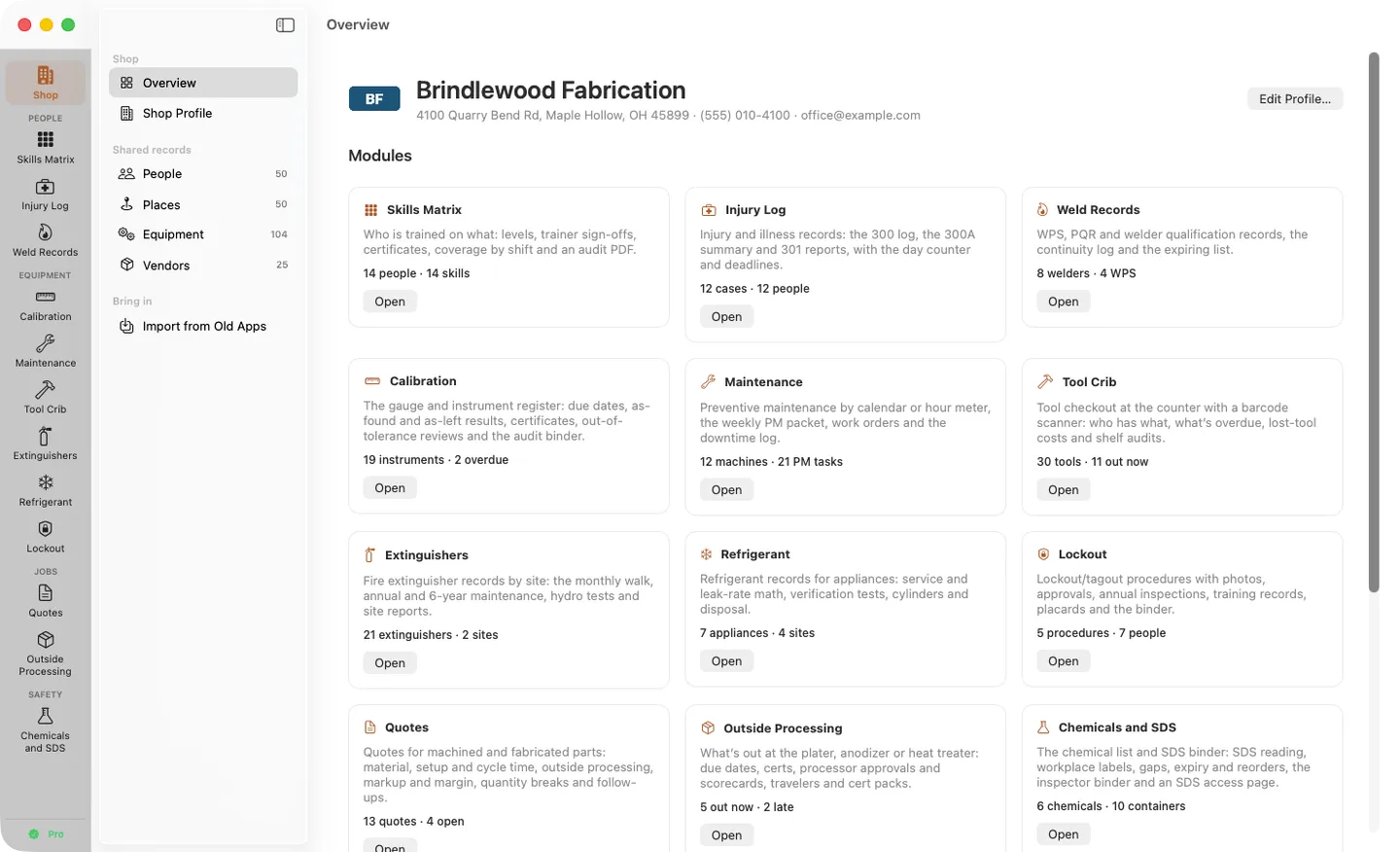
What it does: Floorledger: twelve modules for a small shop's records (people, equipment, jobs and safety) on one shared list of people, places, equipment and vendors. Everything stays on your Mac, with no account and no tracking.
- Checkout by Gumroad
- Notarized by Apple
- No FitzTopPicks account needed
Free to use without a key: the skills matrix for up to 8 people, and the shared shop records, for good.
Buy a license key to unlock Pro: all twelve modules, with no limits.
macOS 14 Sonoma or later · Version 1.0 · 29.8 MB disk image · Notarized by Apple
One-time $149.00 for Pro. No subscription. One license key works on up to 3 of your Macs.
Download: The download (a signed, notarized .dmg) comes with your purchase in your Gumroad receipt, together with your license key. Updates install from inside the app.
Buy now opens Gumroad's checkout on this page; Gumroad is the seller and handles payment, sales tax and your receipt.
Screenshots
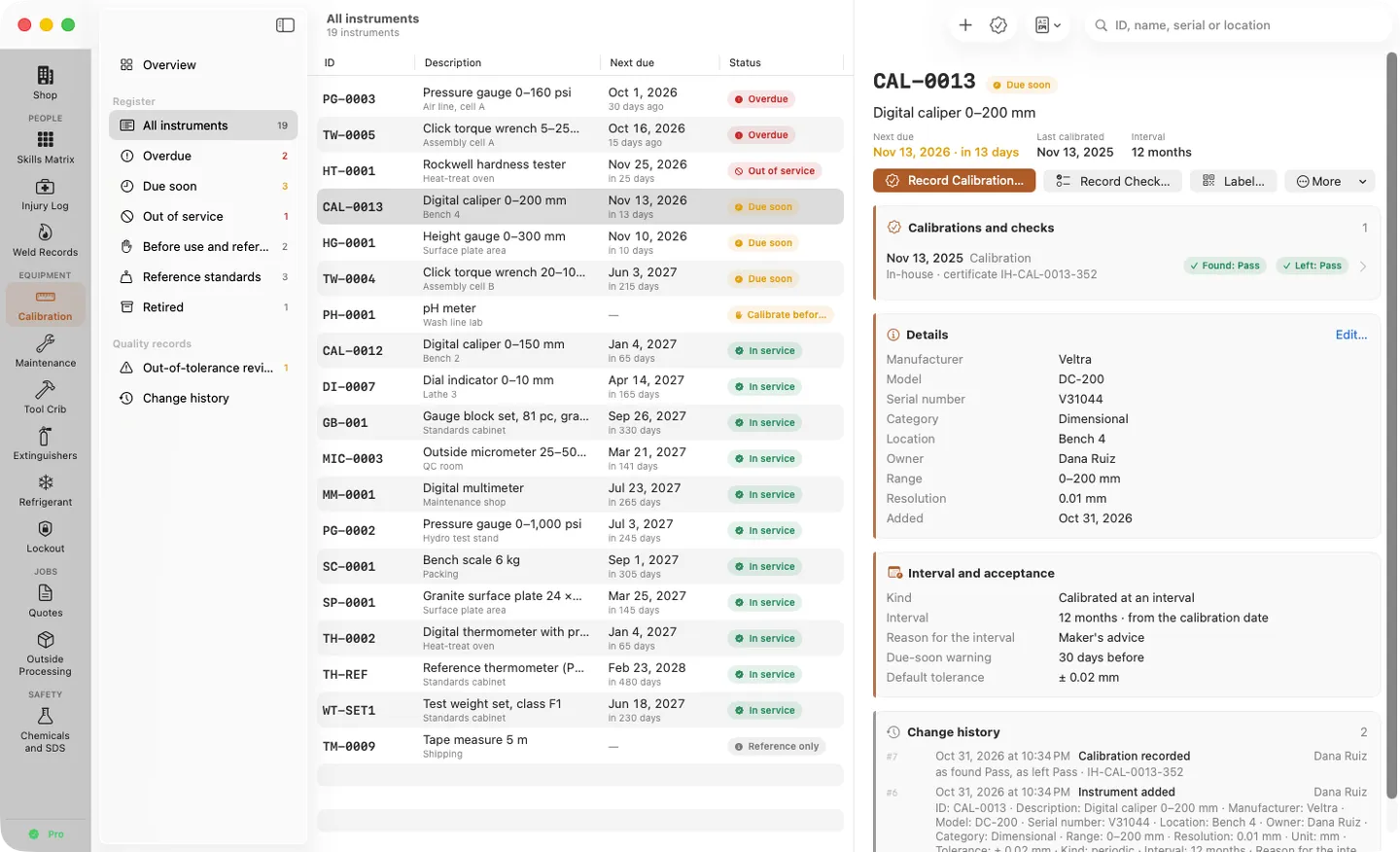
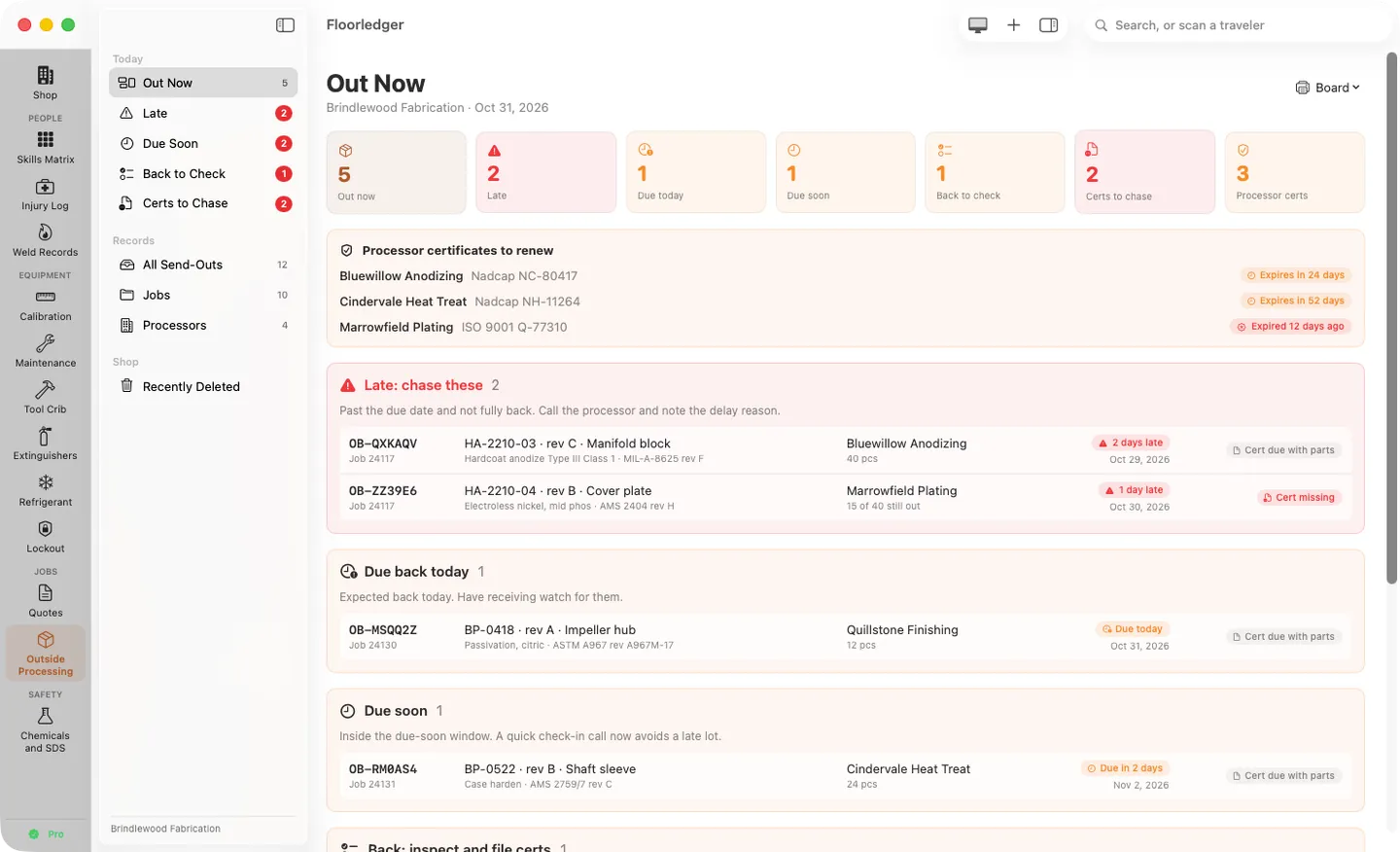
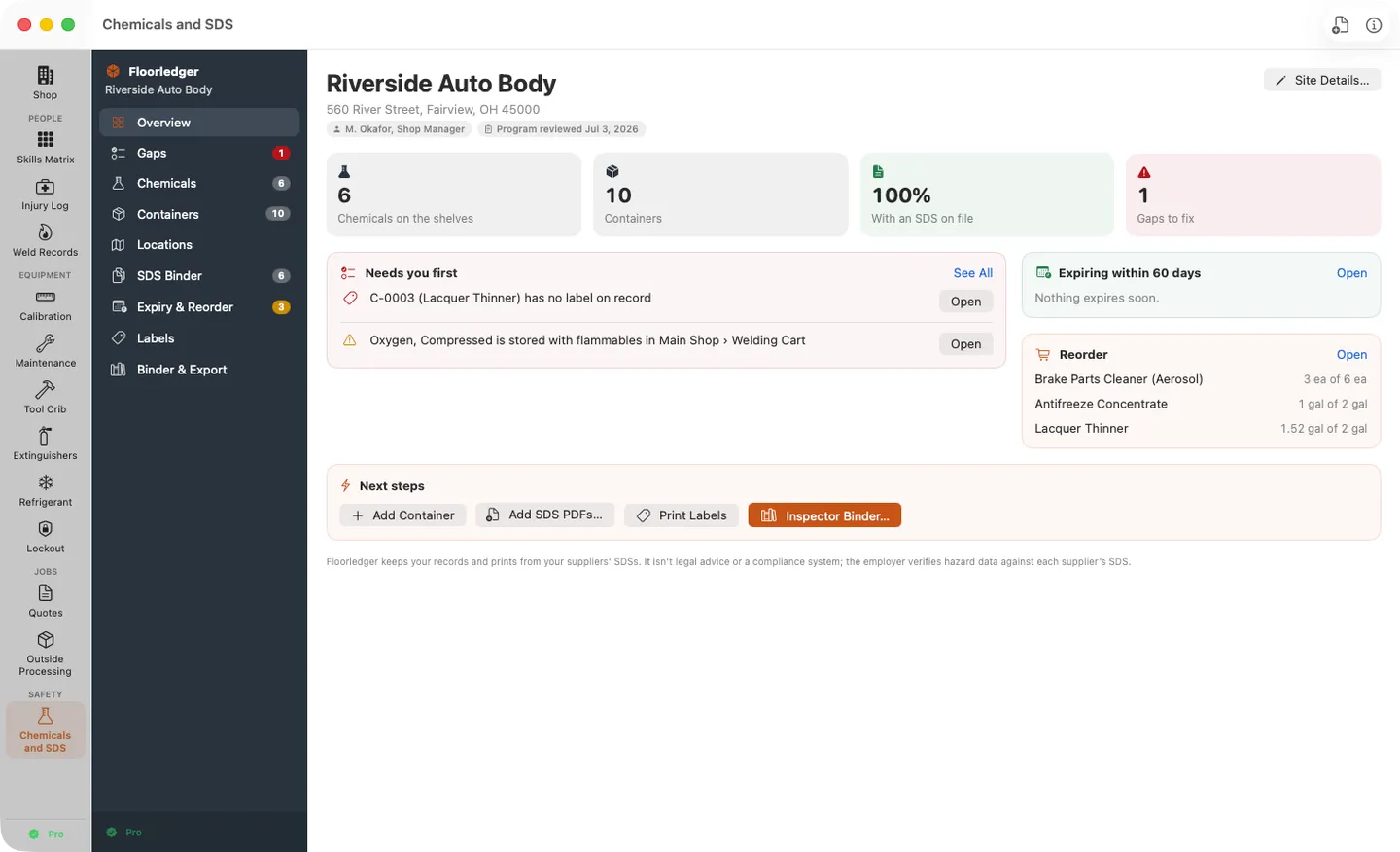
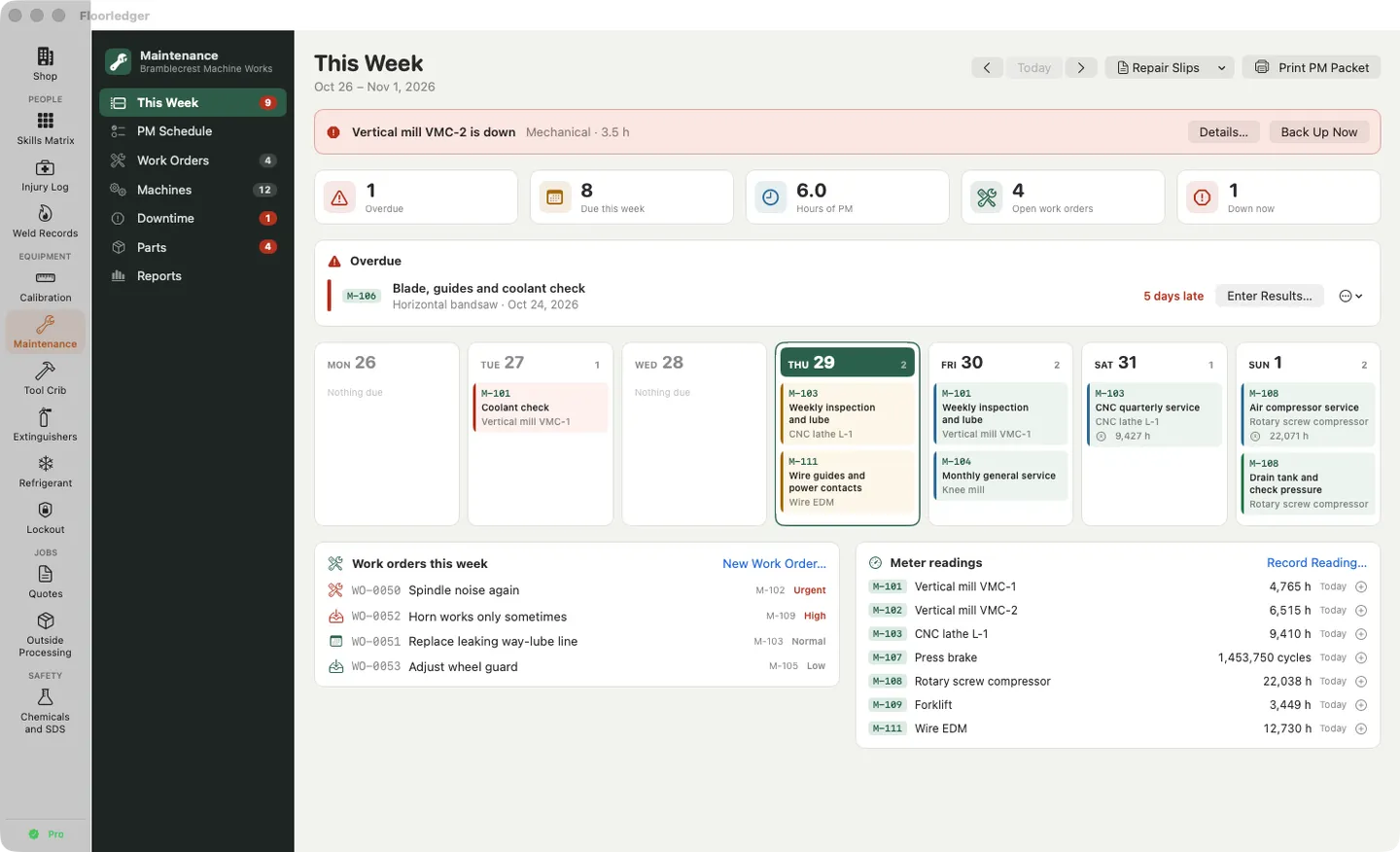
5 pictures: swipe or scroll sideways.
What you get
- Floorledger for Mac: macOS 14 Sonoma or later
- The signed, notarized .dmg download and your license key, in your Gumroad receipt
- One license key for up to 3 of your Macs
- Updates that install from inside the app
- A one-time price: no subscription
Features
- People: skills matrix with trainer sign-offs and certificates; OSHA 300, 300A and 301 injury records; weld procedure and welder continuity records
- Equipment: gauge calibration and the audit binder; preventive maintenance and the weekly PM packet; barcode tool crib; extinguisher inspections; refrigerant records; lockout/tagout procedures and placards
- Jobs: quotes for machined and fabricated parts; outside processing with due dates, certs, processor approvals and travelers; won quotes hand their outside operations to Outside Processing
- Safety: chemical list and SDS binder, SDS reading on your Mac, workplace labels, inspector binder and an offline SDS access page
- One list of people, places, equipment and vendors shared by every module; one shop profile and logo on every printout
- Import from the twelve separate shop apps (their files are only read); turn modules on or off; English and Spanish
Free vs Pro
| Feature | Free | Pro |
|---|---|---|
| What you can do | The skills matrix for up to 8 people, and the shared shop records, for good | Everything free, plus all twelve modules, with no limits |
| Price | Free download | $149.00 one-time |
Questions
Where are my records saved?
In the app’s folder on your Mac, saved as you work, one folder per module. Settings › General › Show Data Folder in Finder shows it.
Can I bring in what I kept in the separate shop apps?
Yes: Shop › Import from Old Apps finds Handsgrid, Calshelf, Wrenchweek, Tallyhatch, Tagroute, Quotebench and Offbench on this Mac, and Recordbench, Tackroll, Weighshelf, Lockbinder and Hazshelf files in a folder you choose. The old files are copied and only read.
How do quotes and outside processing work together?
When a quote is won, Send to Outside Processing hands its outside operations to the Outside Processing module, which shows them for a check before adding them as planned send-outs. Update from Outside Processing brings each processor’s approval and on-time rate into your quotes.
Can I hide the modules I don’t use?
Yes: Settings › Modules. A module that’s off is hidden with its menu; its records are kept.
What’s free, and what does a key add?
Without a key you can use the skills matrix for up to 8 people and the shared shop records, for as long as you like. A key opens all twelve modules with no limits, on up to 3 Macs. It’s a one-time purchase on Gumroad, with no subscription.
Where do I enter my license key?
Choose Floorledger › Settings…, open the Pro tab, paste the key from your Gumroad receipt and click Activate.
From the Floorledger help page.
Requirements
- macOS
- macOS 14 Sonoma or later
- Processor
- Apple silicon and Intel
- Languages
- English, Spanish
- Download
- 29.8 MB disk image
- Version
- 1.0
Privacy
Floorledger keeps your records on your Mac and has no account or tracking. Your license key is kept in your Keychain. The only internet requests are the license check with Gumroad (when you enter a key and about once a week) and checking for updates at fitztoppicks.com.
Questions about your purchase or license key? Reply to your Gumroad receipt or contact us.