Fundsheet
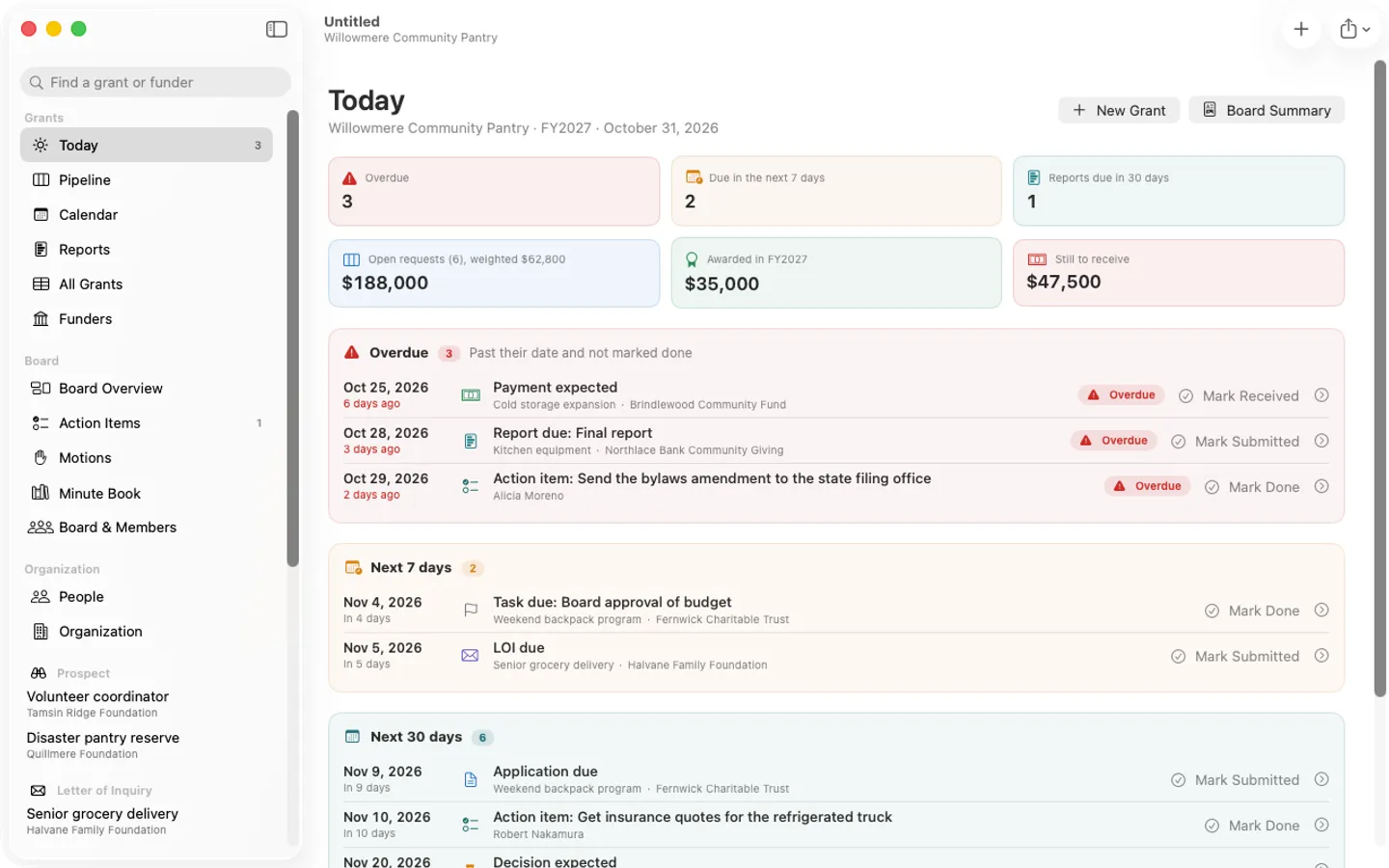
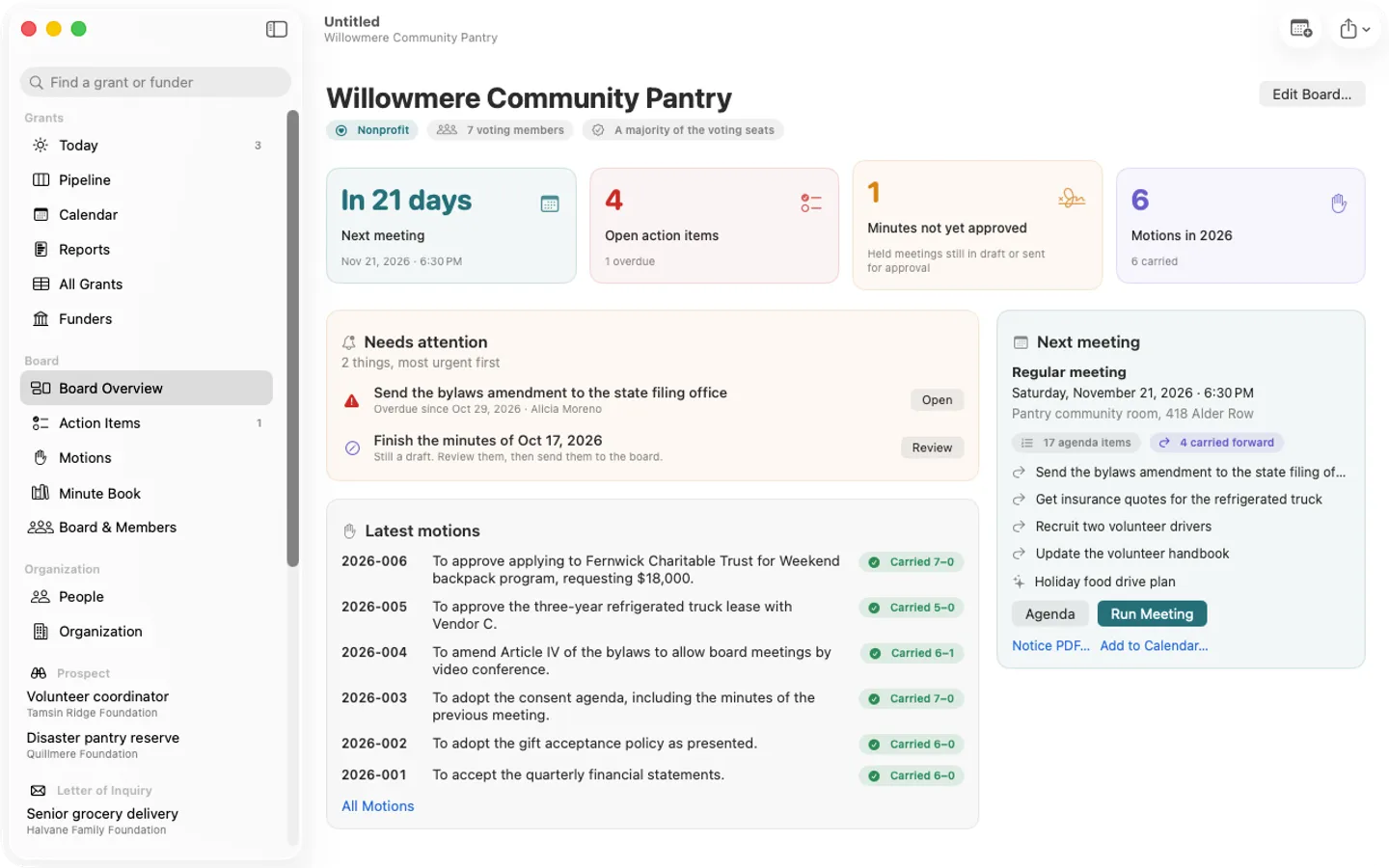
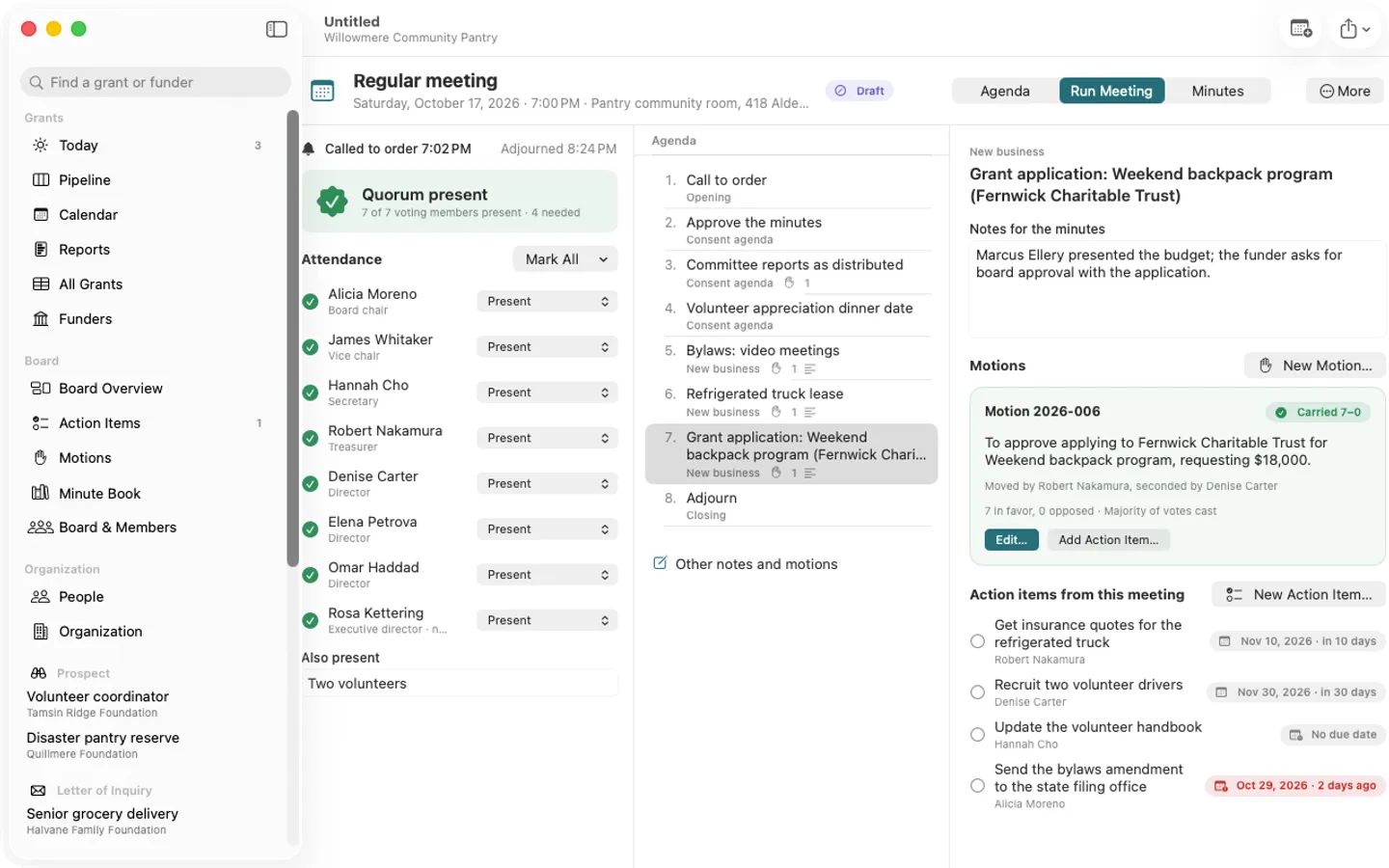
What it does: Fundsheet keeps a small nonprofit's grants and its board in one file: LOI, application and report deadlines with draft dates ahead of them, a pipeline with weighted totals, award payments, and the board's agendas, live minutes with a quorum count, motions and votes, action items and minute book. A board vote can approve a grant application, and Today shows grant deadlines and board action items together. Studio adds a Portfolio window across client files for grant writers.
- Checkout by Gumroad
- Notarized by Apple
- No FitzTopPicks account needed
Free to use without a key: everything, up to 5 grants and 3 board meetings per file, with a small “Made with Fundsheet” line on PDFs, for good.
Buy a license key to unlock Pro: unlimited grants and board meetings, the year’s Minute Book PDF and search, PDFs without the footer and your logo on grant PDFs. Studio adds the Portfolio window and a status report PDF per client.
macOS 14 Sonoma or later · Version 1.0 · 6.9 MB disk image · Notarized by Apple
One-time $49 for Pro, or $89 for Studio. No subscription. A Pro key works on up to 3 of your Macs, a Studio key on up to 5.
Download: The download (a signed, notarized .dmg) comes with your purchase in your Gumroad receipt, together with your license key. Updates install from inside the app.
Buy now opens Gumroad's checkout on this page; Gumroad is the seller and handles payment, sales tax and your receipt.
Screenshots
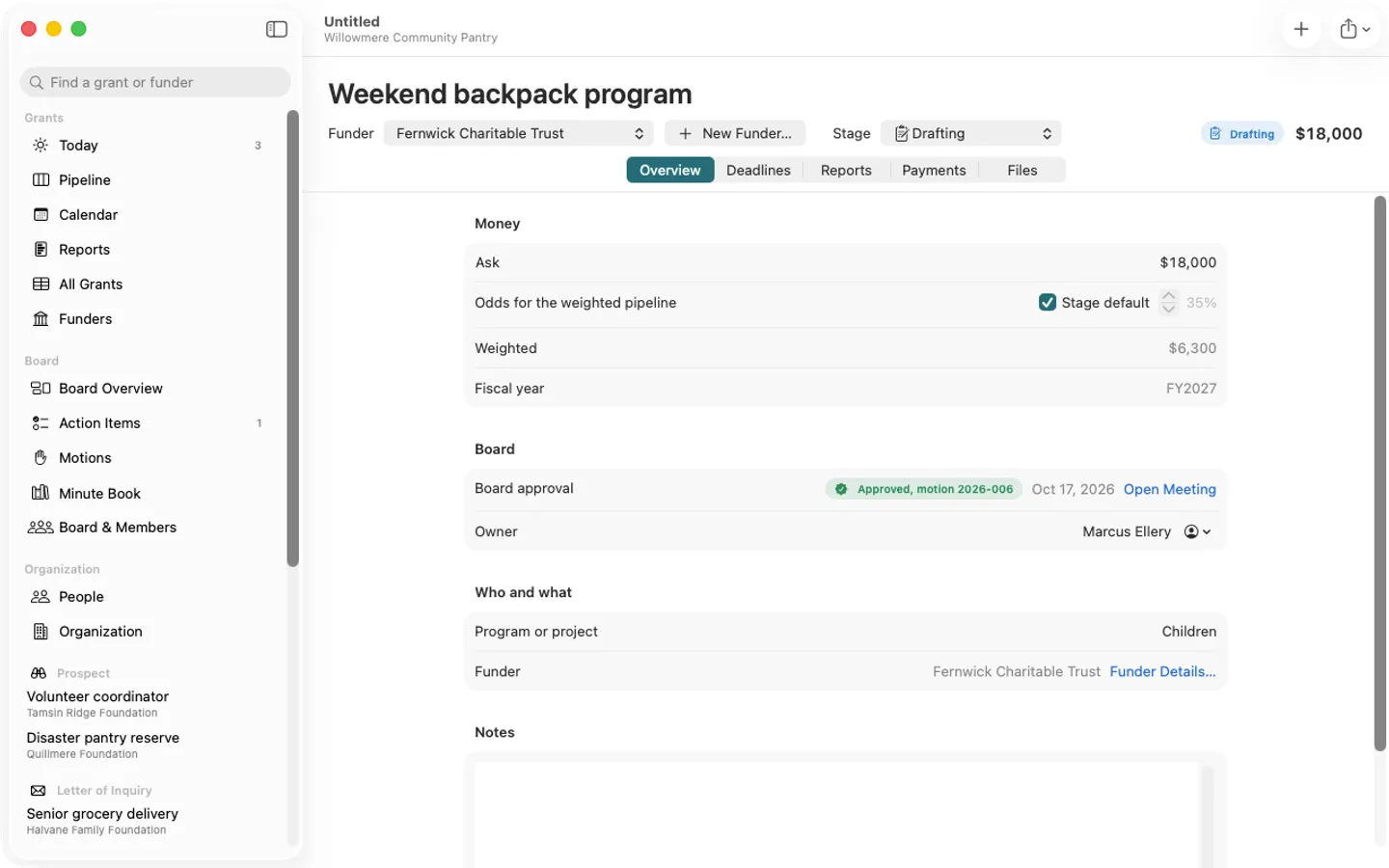
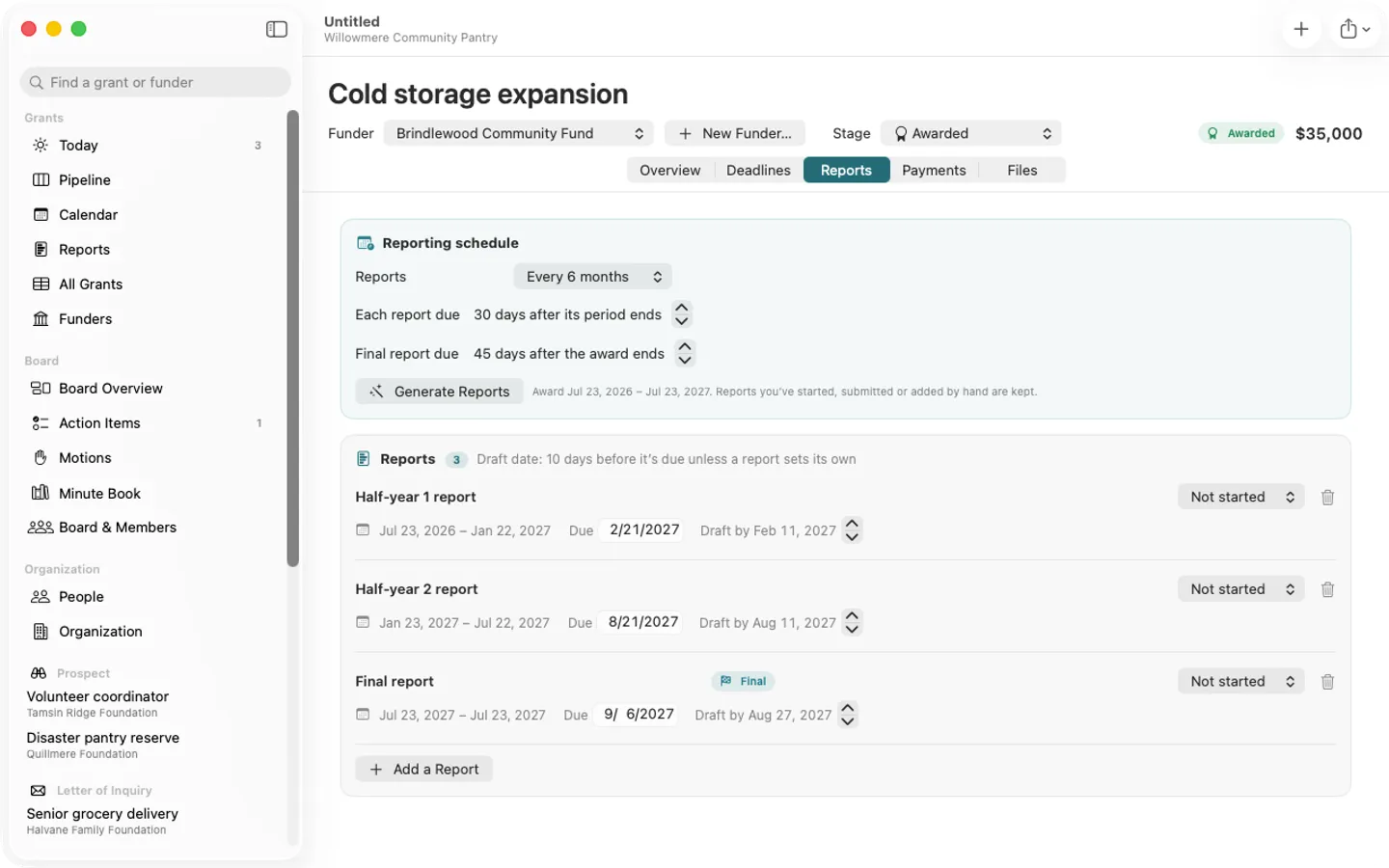
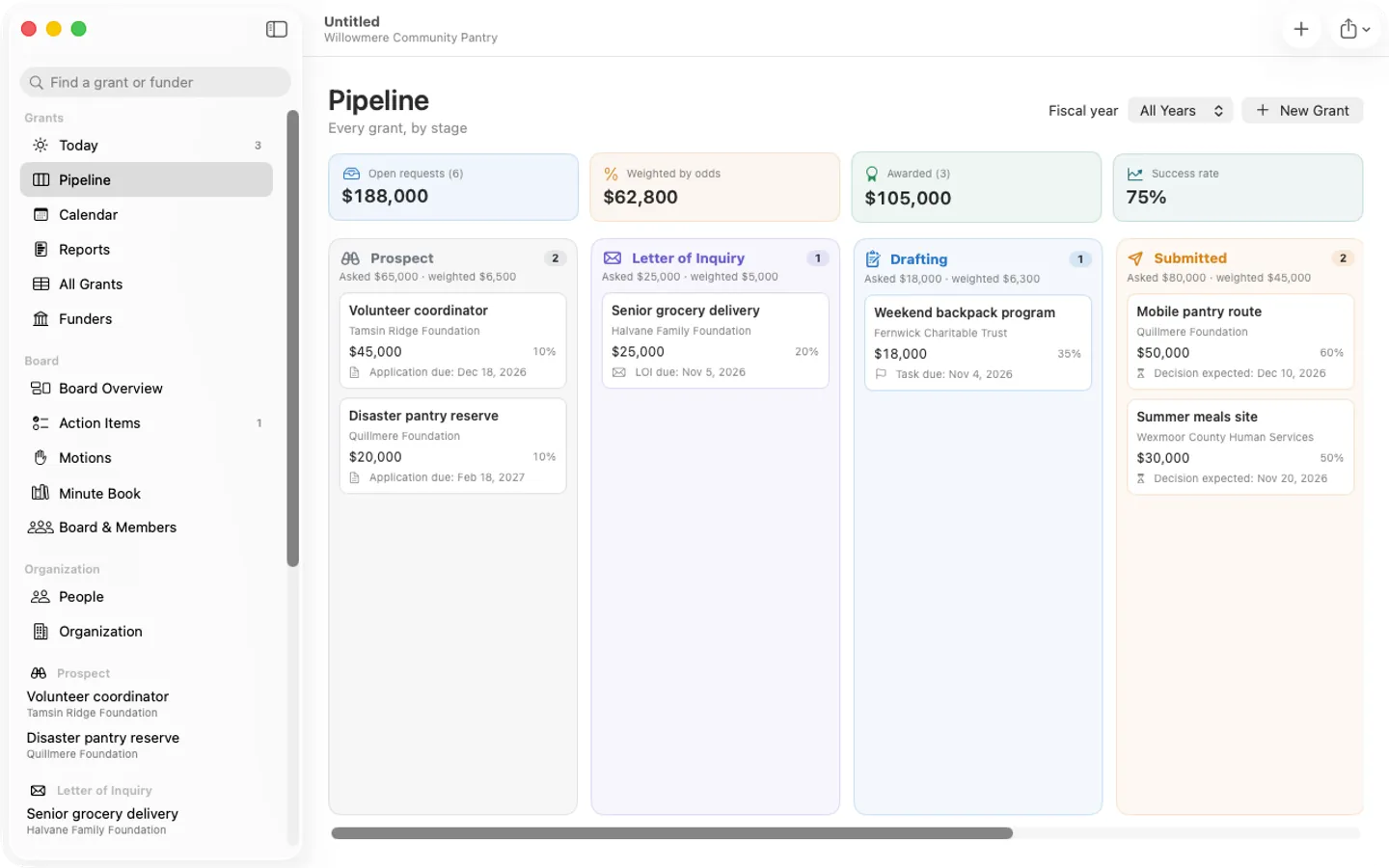
6 pictures: swipe or scroll sideways.
What you get
- Fundsheet for Mac: macOS 14 Sonoma or later
- The signed, notarized .dmg download and your license key, in your Gumroad receipt
- One license key for up to 3 of your Macs
- Updates that install from inside the app
- A one-time price: no subscription
Free
- Up to 5 grants and 3 board meetings per file, every feature
- Board summary, minutes, agenda and notice PDFs (with a small footer)
- CSV import and export, calendar files, reminders
Pro
- Reporting dates first: reports generated from the award period, each with a draft date ahead of it
- Today: grant deadlines, board action items and meetings in one list, most urgent first
- Pipeline board by stage with requested, weighted and awarded totals by fiscal year
- Board agendas from templates with open business carried forward, and a running quorum count during the meeting
- Numbered motions with counted or roll-call votes; a vote can approve a grant application
- Minutes PDF with a DRAFT mark until approved; action items that carry forward until done
- One people list: board members, staff and volunteers, program officers
- Import the grant spreadsheet you use now, or a Gavelkeep board file
- Studio: Portfolio window across client files and client status PDFs
- English and Spanish
Free vs Pro
| Feature | Free | Pro |
|---|---|---|
| What you can do | Everything, up to 5 grants and 3 board meetings per file, with a small “Made with Fundsheet” line on PDFs, for good | Everything free, plus unlimited grants and board meetings, the year’s Minute Book PDF and search, PDFs without the footer and your logo on grant PDFs. Studio adds the Portfolio window and a status report PDF per client |
| Price | Free download | $49 one-time |
Questions
Where are my grants and board records saved?
In the organization file you saved (File › Save), a single document you can back up, AirDrop or keep in iCloud Drive. Each file holds one organization: its grants and its board.
I used Gavelkeep. Can I bring my board in?
Yes: choose File › Import Gavelkeep Board… and pick the.gavelkeep file. Members, meetings, minutes, motions and action items all come in; the Gavelkeep file isn’t changed.
Can my team share a file?
Fundsheet is a one-Mac tool: one person edits at a time. Share the board summary PDF, or keep the file in iCloud Drive or a shared folder.
I deleted something by mistake.
Choose Edit › Undo right away, or File › Revert To to go back to an earlier version.
What’s free, and what do Pro and Studio add?
Without a key you can use everything with up to 5 grants and 3 board meetings per file; PDFs carry a small “Made with Fundsheet” line. Pro adds unlimited grants and meetings, the year’s Minute Book PDF and search, no footer and your logo on grant PDFs, on up to 3 Macs. Studio adds the Portfolio window and client status reports, on up to 5 Macs. Both are one-time purchases on Gumroad.
Where do I enter my license key?
Choose Fundsheet › Settings…, open the License tab, paste the key from your Gumroad receipt and click Activate.
From the Fundsheet help page.
Requirements
- macOS
- macOS 14 Sonoma or later
- Processor
- Apple silicon and Intel
- Languages
- English, Spanish
- Download
- 6.9 MB disk image
- Version
- 1.0
Privacy
Fundsheet keeps your grants and board records in files on your Mac and has no account, no tracking and no funder database. Your license key is kept in your Keychain. The only internet requests are the license check with Gumroad (when you enter a key and about once a week) and checking for updates at fitztoppicks.com.
Questions about your purchase or license key? Reply to your Gumroad receipt or contact us.