Wordledger
What it does: Wordledger turns a CAT analysis (Trados Studio, memoQ, Phrase), or the client's files counted on your Mac, into a weighted price by match band, a numbered invoice in the client's currency and the year's totals, with no subscription and no cloud.
- Checkout by Gumroad
- Notarized by Apple
- No FitzTopPicks account needed
Free to use without a key: the whole flow (CAT import, counting files, weighted quotes, invoices, credit notes, ECB rates, yearly totals, backups) for up to 3 clients and 10 jobs, with no watermark; counting any number of files, and quick quotes for up to 3 files.
Buy a license key to unlock Pro: unlimited clients and jobs, quick quotes and count CSVs of any size, the accountant CSV for each year, every record as CSV, and backups to a second folder.
macOS 14 Sonoma or later · Version 1.0 · 5.6 MB disk image · Notarized by Apple
One-time $49 for Pro. No subscription. One license key works on up to 3 of your Macs.
Download: The download (a signed, notarized .dmg) comes with your purchase in your Gumroad receipt, together with your license key. Updates install from inside the app.
Buy now opens Gumroad's checkout on this page; Gumroad is the seller and handles payment, sales tax and your receipt.
Screenshots
7 pictures: swipe or scroll sideways.
What you get
- Wordledger for Mac: macOS 14 Sonoma or later
- The signed, notarized .dmg download and your license key, in your Gumroad receipt
- One license key for up to 3 of your Macs
- Updates that install from inside the app
- A one-time price: no subscription
Features
- Import CAT analyses: Phrase TMS CSV, CSV_EXTENDED and JSON; memoQ CSV (three layouts); Trados Studio XML; any CSV by mapping its columns
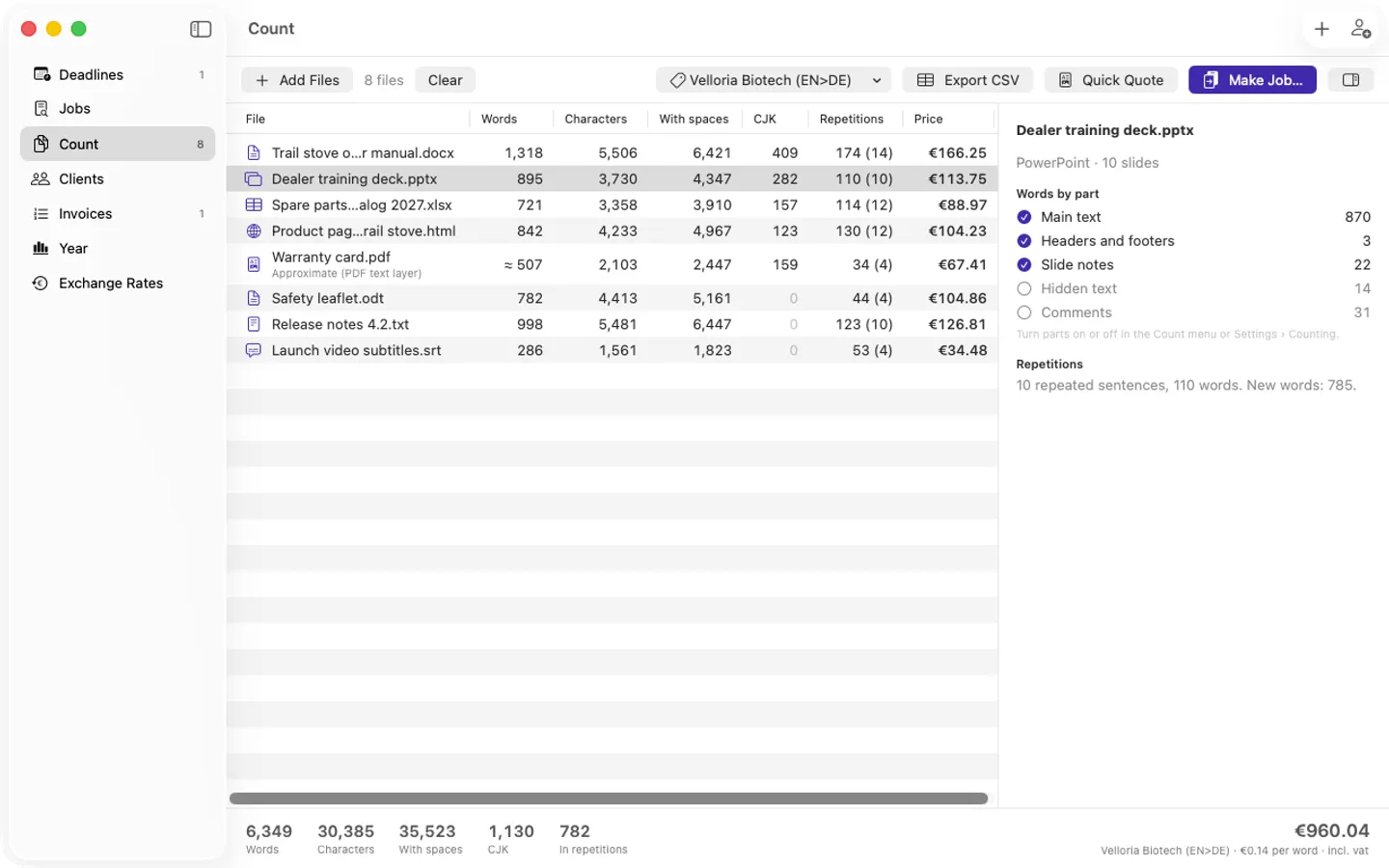
- No CAT report? Count Word, PowerPoint, Excel, OpenDocument, PDF, HTML, RTF, text and subtitle files: words, characters with and without spaces, CJK, repetitions, with document parts as options
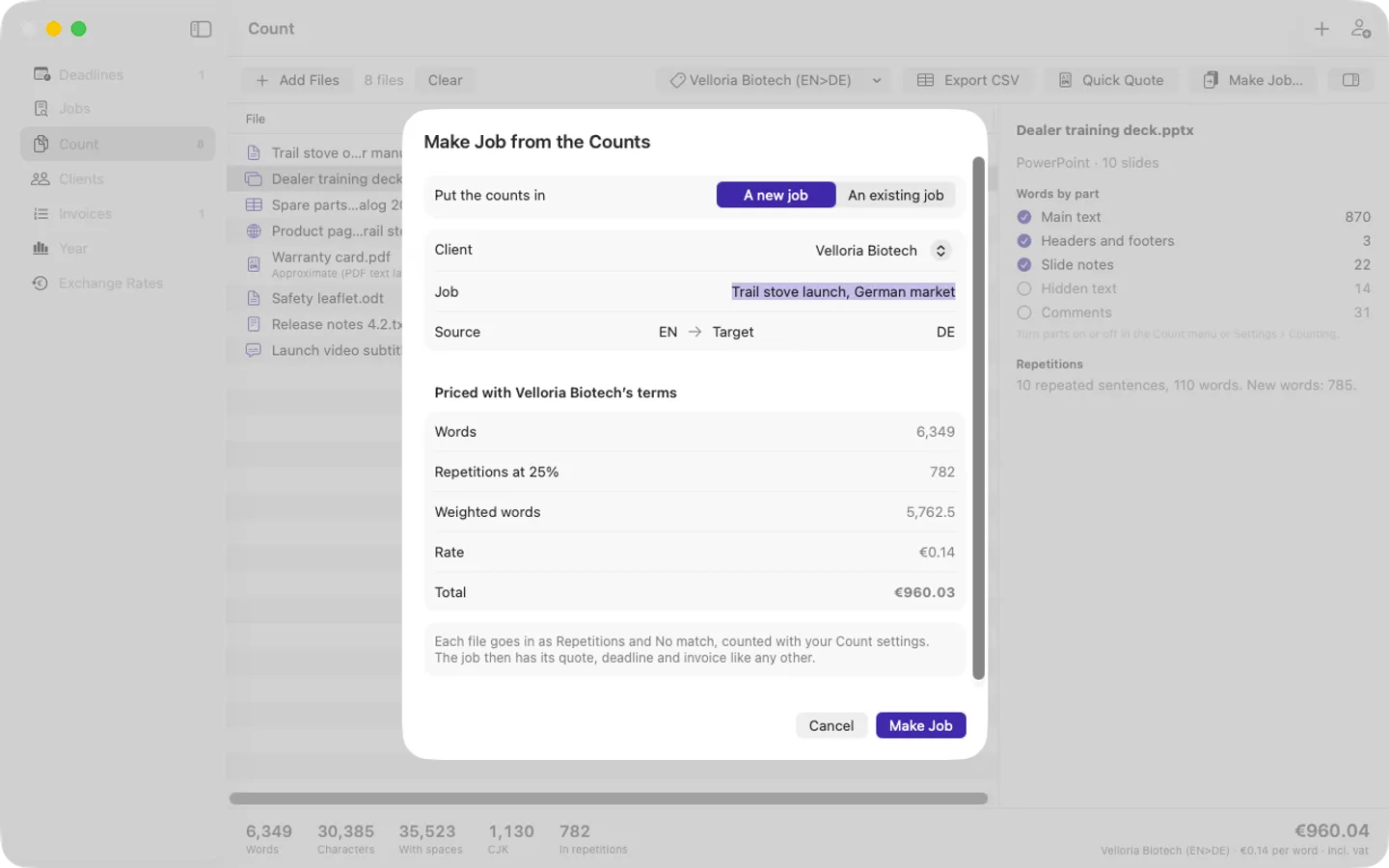
- Rate cards per word, per character or per standard line; a quick quote PDF with a line per file; CSV; Make Job turns the count into a job and on to the invoice
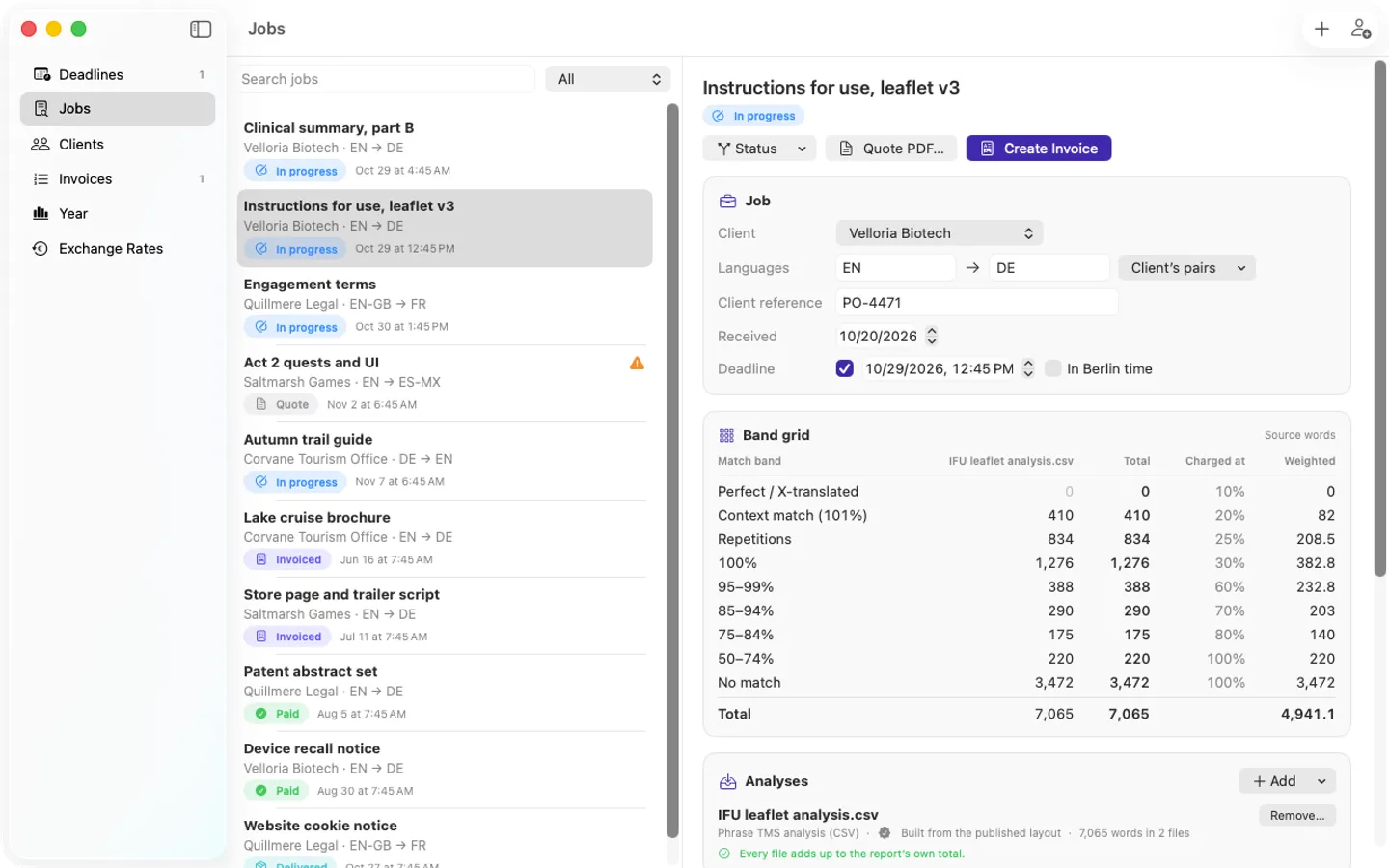
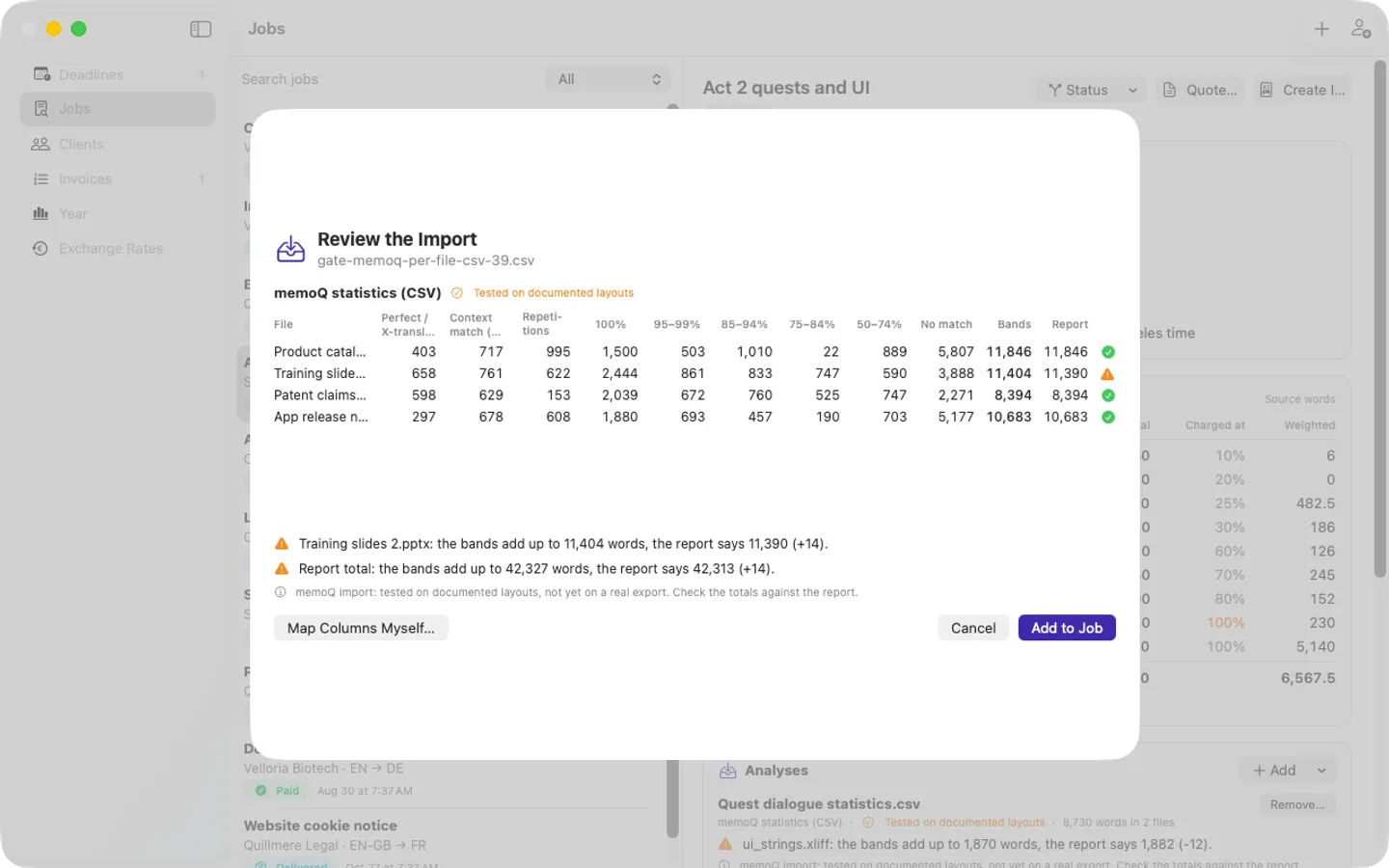
- Every file's bands checked against the report's own total; a mismatch is flagged, never corrected quietly
- Per-client rates by language pair, per word or per character, source or target basis, minimum fee, rush surcharge
- Weights by match band per client, with example presets and a 75% floor; no made-up "standard" table
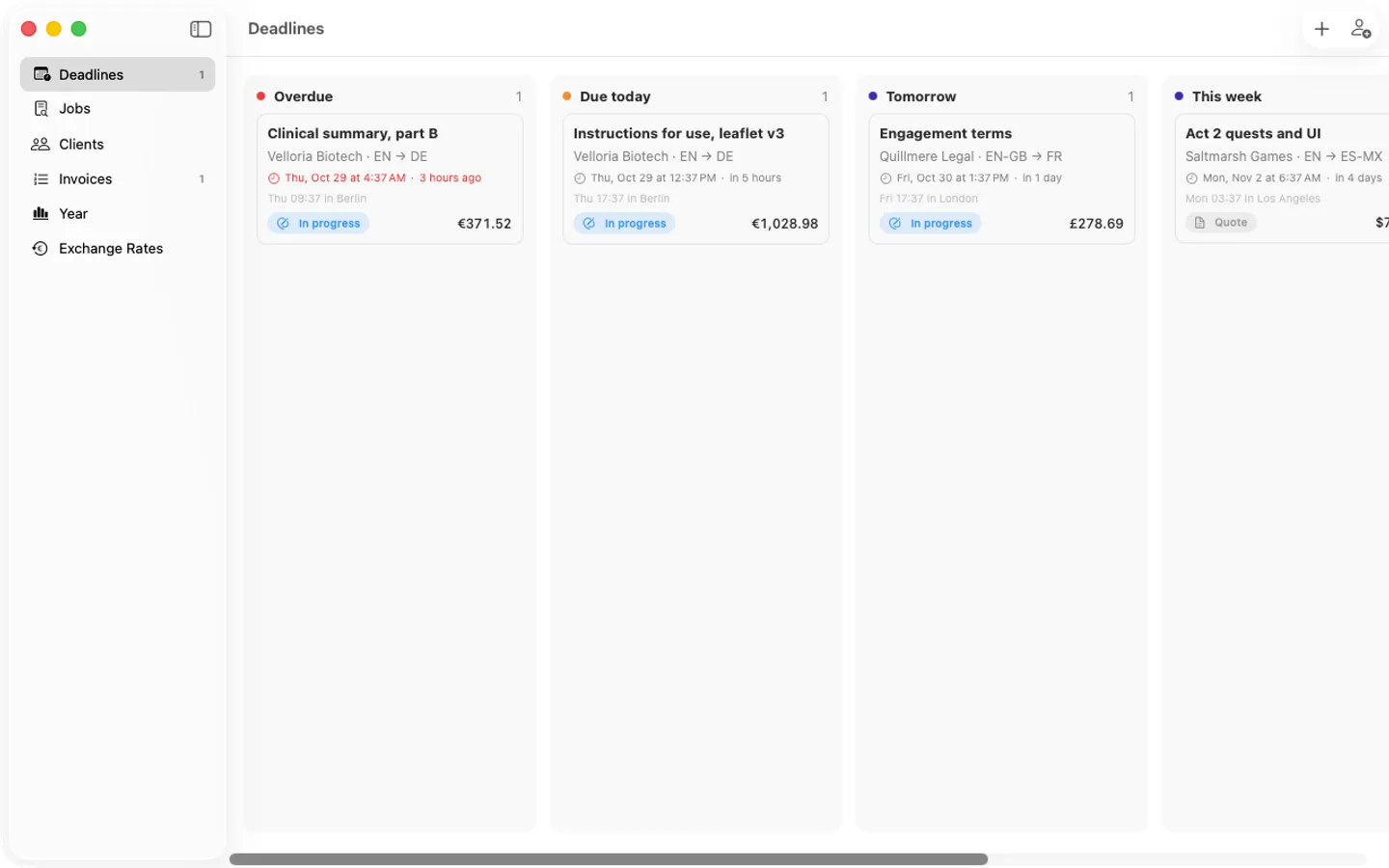
- Deadlines board with the client's time zone, and optional reminders
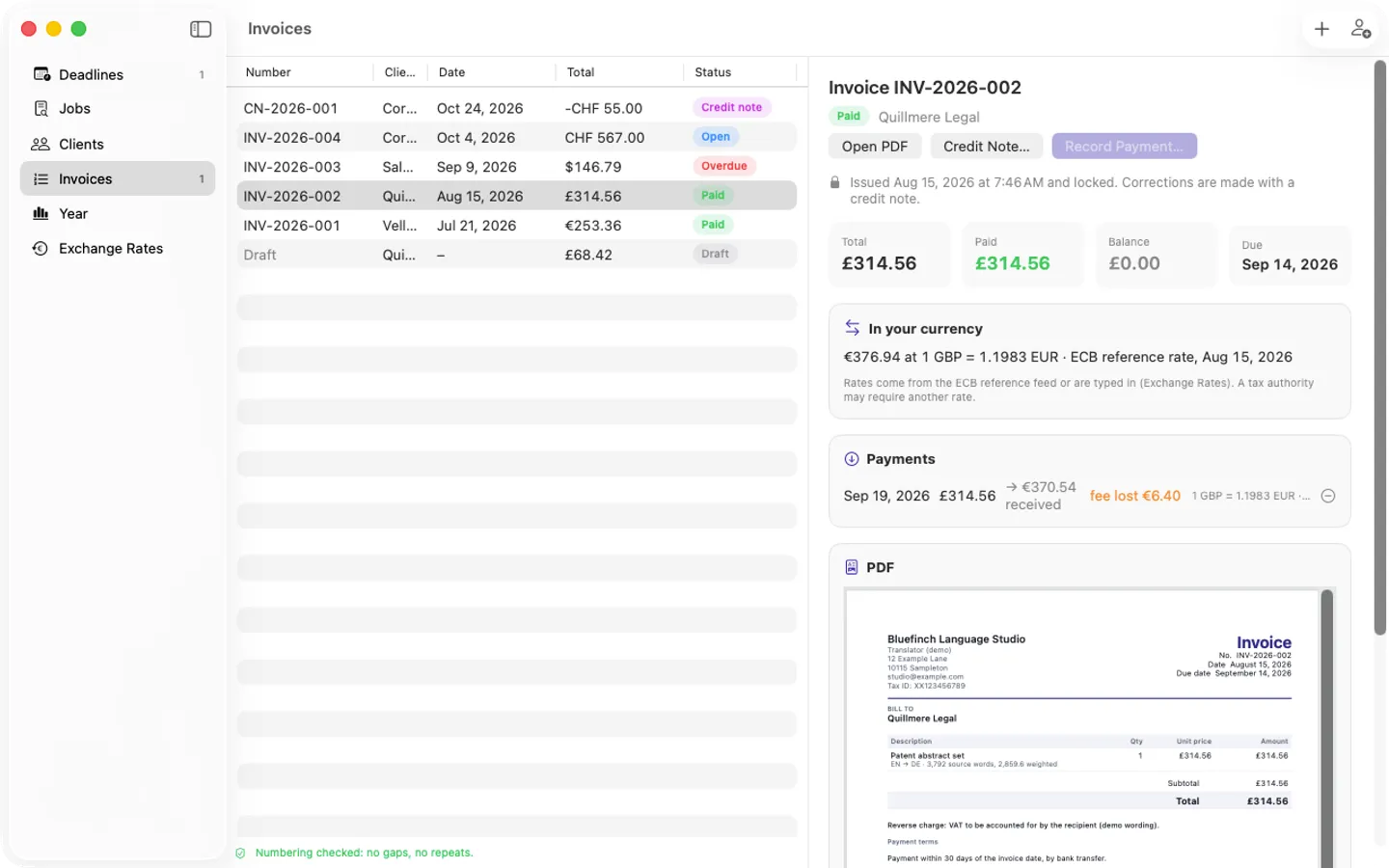
- Quote PDFs with the band grid; invoices with gap-free numbers, locked once issued, and credit notes
- Any currency, with ECB reference rates (fetched only when you ask) or your own, source and date on every rate
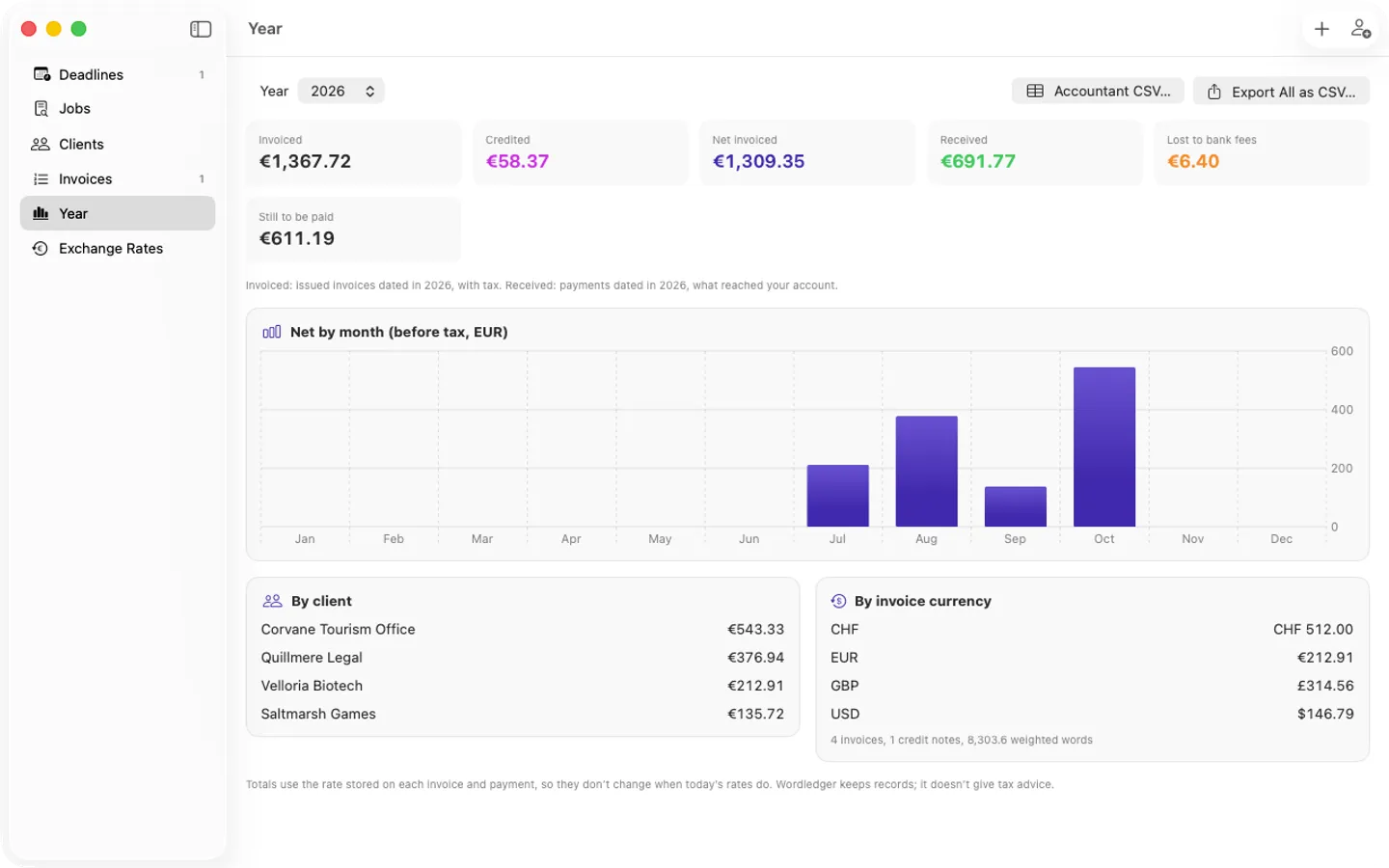
- Payments with what actually arrived and the bank fee lost; yearly totals that don't drift
- Daily dated backups and a full JSON export; Pro: accountant CSV and full CSV export
- English and Spanish, on screen and on your documents
Free vs Pro
| Feature | Free | Pro |
|---|---|---|
| What you can do | The whole flow (CAT import, counting files, weighted quotes, invoices, credit notes, ECB rates, yearly totals, backups) for up to 3 clients and 10 jobs, with no watermark; counting any number of files, and quick quotes for up to 3 files | Everything free, plus unlimited clients and jobs, quick quotes and count CSVs of any size, the accountant CSV for each year, every record as CSV, and backups to a second folder |
| Price | Free download | $49 one-time |
Questions
Where are my records saved?
In your library folder. Settings › Library › Show in Finder shows it; you can move it to any folder there.
Can I change an issued invoice?
No: an issued invoice is locked so your records stay honest. Make a credit note from the invoice to correct it.
Which CAT tools can I import from?
Phrase TMS (CSV, CSV_EXTENDED, JSON), memoQ (CSV) and Trados Studio (XML), plus any CSV by mapping its columns. memoQ and Trados imports are tested on documented layouts; send us a sample export if one doesn’t read right.
What’s free, and what does a key add?
Without a key you get the whole flow for up to 3 clients and 10 jobs, for as long as you like. A key adds unlimited clients and jobs, the accountant CSV for each year, every record as CSV, and backups to a second folder, on up to 3 Macs. It’s a one-time purchase on Gumroad, with no subscription.
Where do I enter my license key?
Choose Wordledger › Settings…, open the Pro tab, paste the key from your Gumroad receipt and click Activate.
How do I get updates?
Wordledger checks for updates on its own; you can also choose Check for Updates… from the Wordledger menu. Updates are free.
From the Wordledger help page.
How-to guide
How to count words in Word, PowerPoint and PDF files on a Mac for a translation quote
The free and built-in ways first, where they stop, and how Wordledger does it.
Requirements
- macOS
- macOS 14 Sonoma or later
- Processor
- Apple silicon and Intel
- Languages
- English, Spanish
- Download
- 5.6 MB disk image
- Version
- 1.0
Privacy
Wordledger keeps your clients, rates, jobs and invoices in a library folder on your Mac and has no account or tracking. Your license key is kept in your Keychain. The only internet requests are the license check with Gumroad (when you enter a key and about once a week), checking for updates at fitztoppicks.com, and the ECB's reference rates when you click Fetch ECB Rates.
Questions about your purchase or license key? Reply to your Gumroad receipt or contact us.