Hammerbook: Consignor books and settlements for auction houses
Free version Free to use without a key. What's free
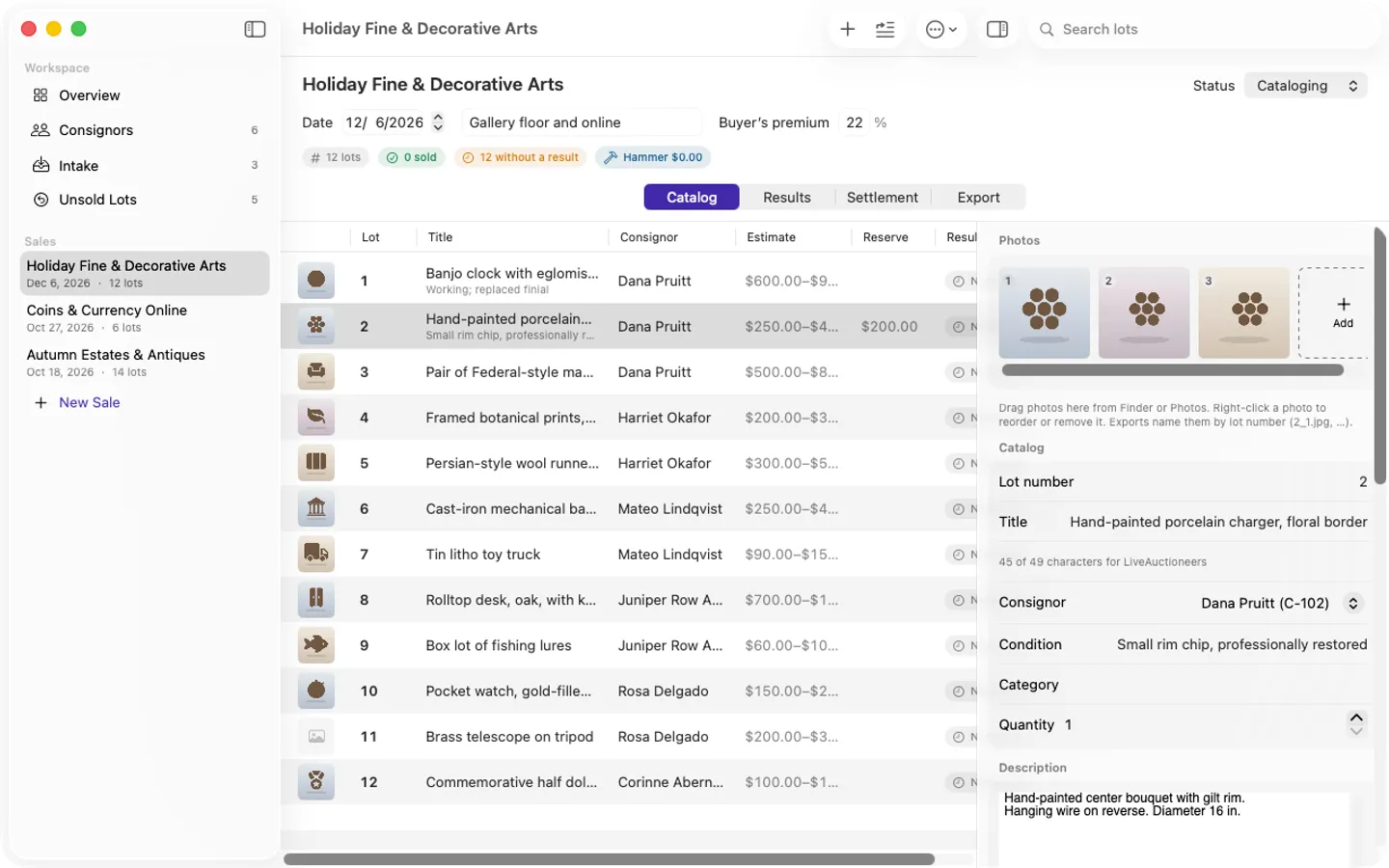
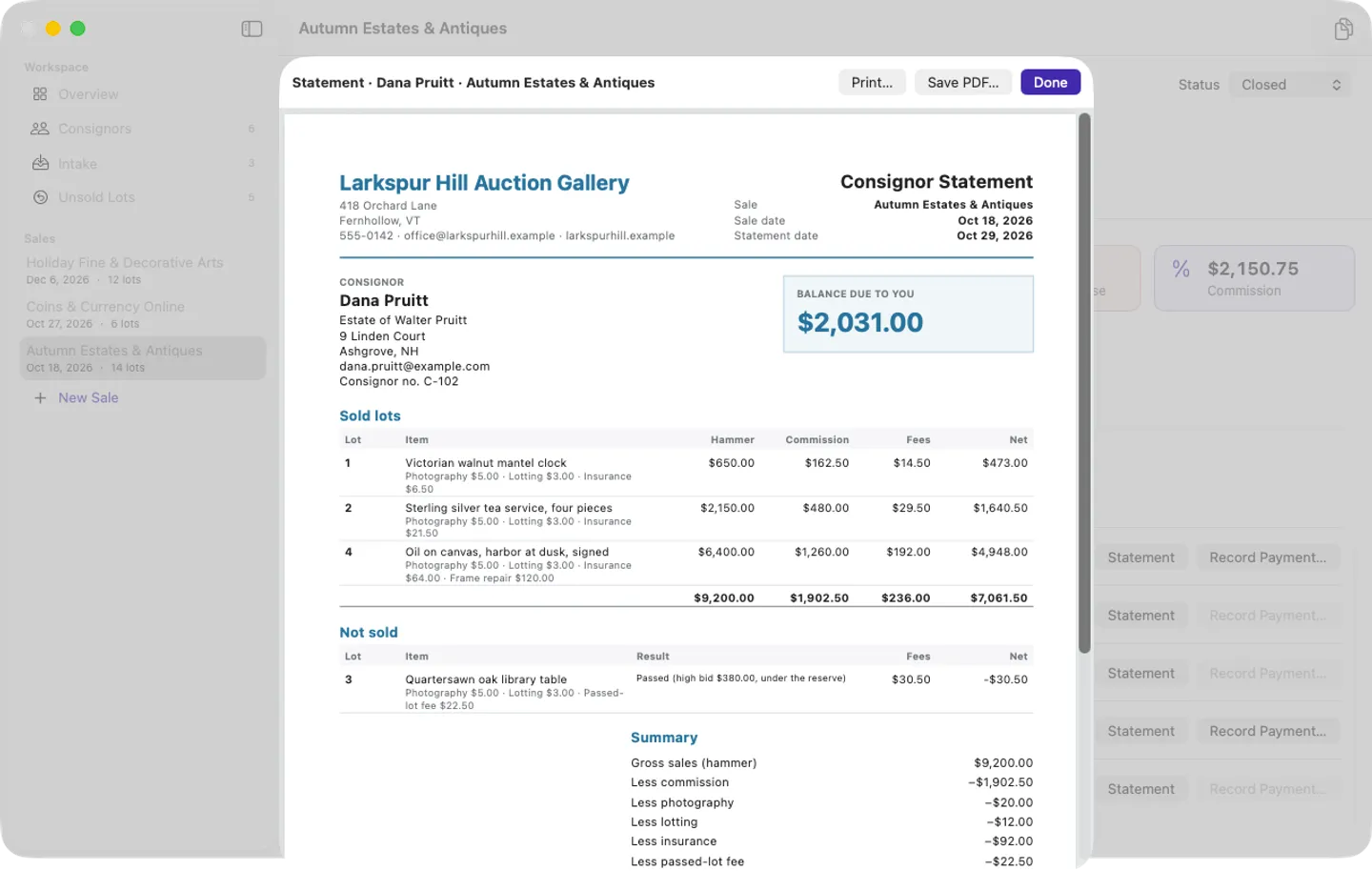
What it does: Hammerbook keeps the consignor side of your auctions on your Mac: consignors and their commission terms, numbered lots with photos, catalog files for your bidding platform, results, and a settlement statement for every consignor.
- Checkout by Gumroad
- Notarized by Apple
- No FitzTopPicks account needed
Free to use without a key: up to 50 lots with every feature, including statements and catalog exports.
Buy a license key to unlock Pro: no lot limit.
macOS 14 Sonoma or later · Version 1.0 · 4.8 MB disk image · Notarized by Apple
One-time $99.00 for Pro. No subscription. One license key works on up to 3 of your Macs.
Download: The download (a signed, notarized .dmg) comes with your purchase in your Gumroad receipt, together with your license key. Updates install from inside the app.
Buy now opens Gumroad's checkout on this page; Gumroad is the seller and handles payment, sales tax and your receipt.
Screenshots
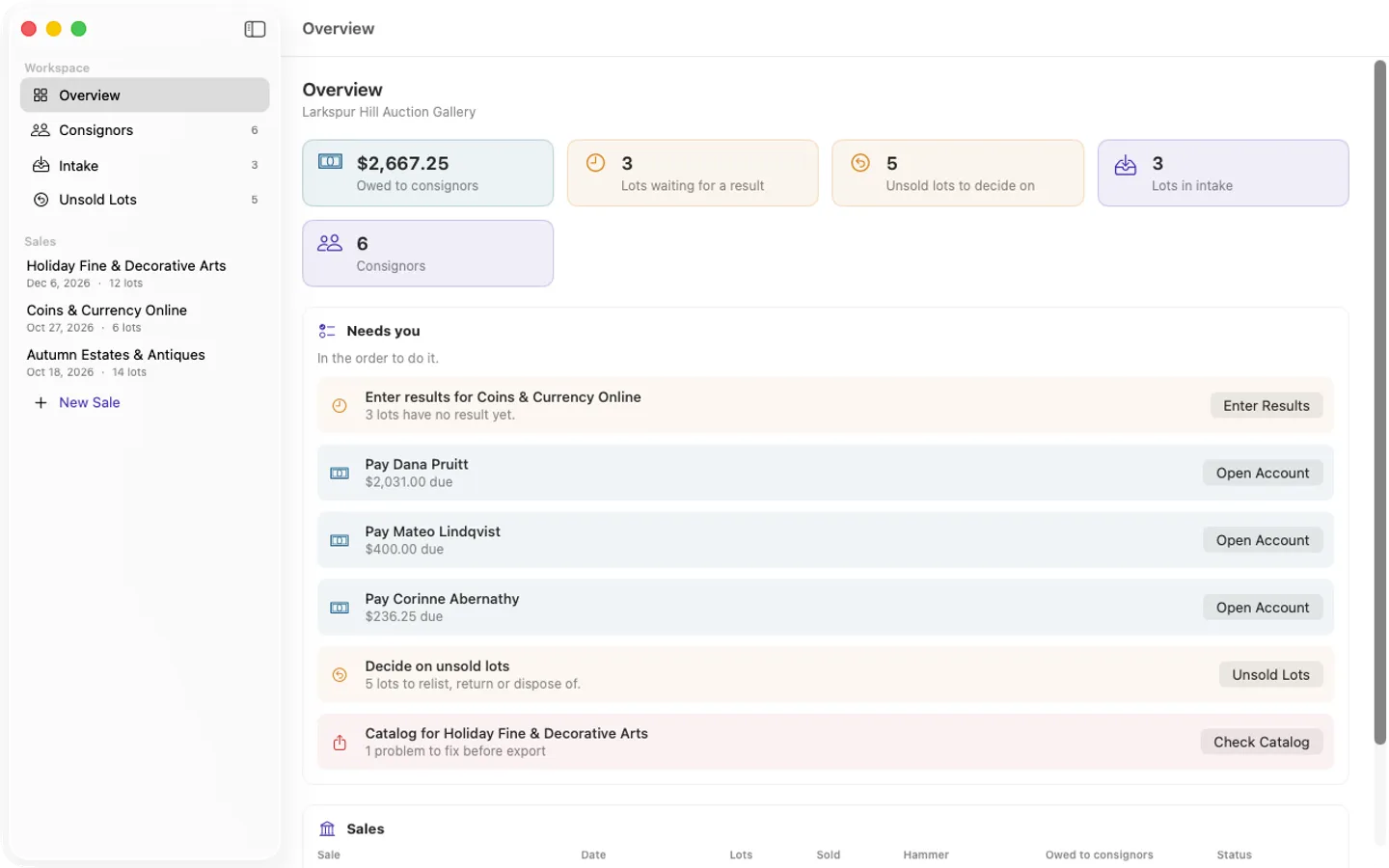
4 pictures: swipe or scroll sideways.
What you get
- Hammerbook for Mac: macOS 14 Sonoma or later
- The signed, notarized .dmg download and your license key, in your Gumroad receipt
- One license key for up to 3 of your Macs
- Updates that install from inside the app
- A one-time price: no subscription
Features
- Consignor contracts: percent, tiered or flat commission, minimums, photo, lotting, insurance, passed-lot and buy-back fees
- Lots with photos, estimates and reserves; lot numbering with 27A inserts and renumbering
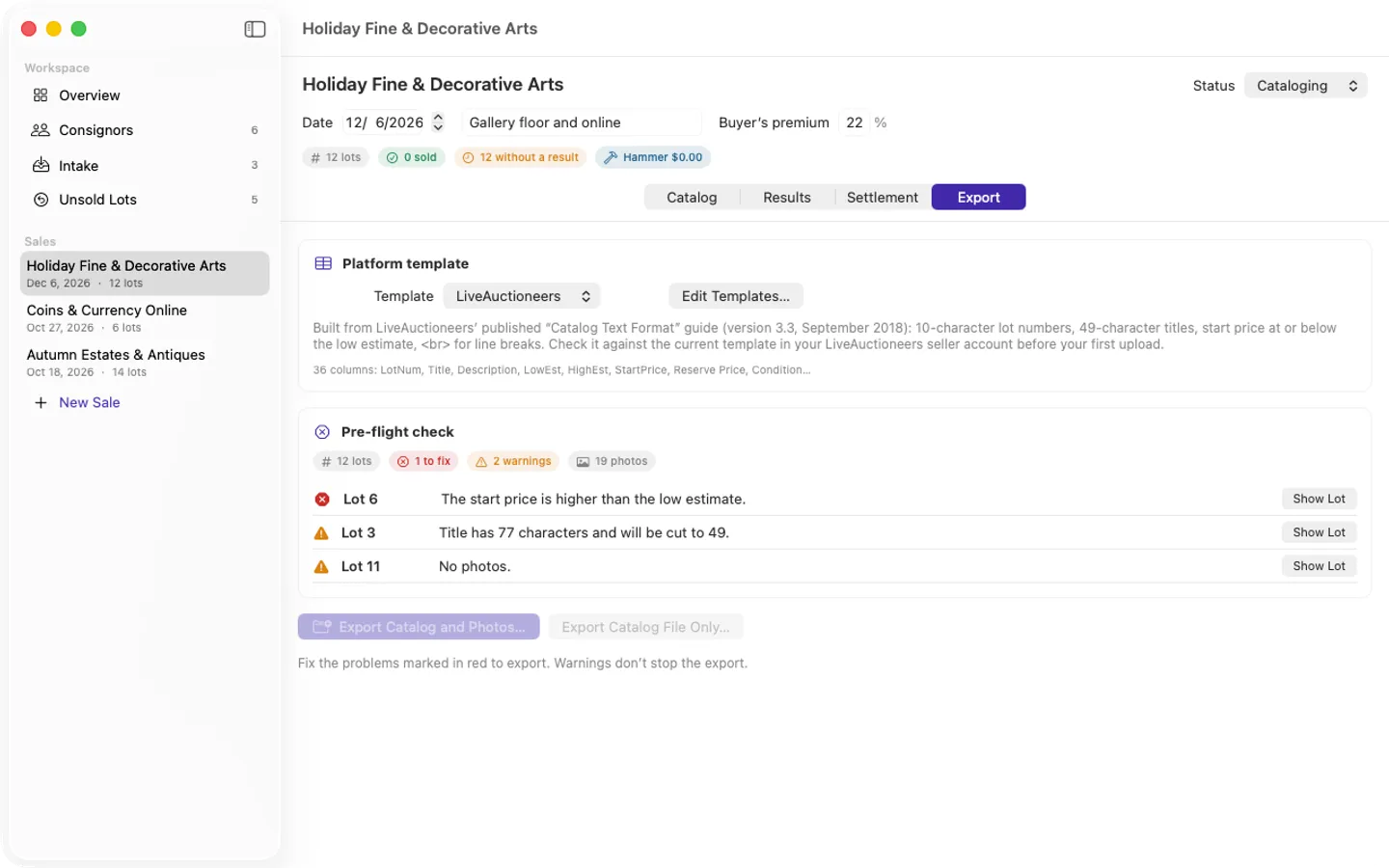
- Catalog export for LiveAuctioneers and Proxibid, a generic CSV and your own column templates, checked before export
- Results by quick entry or a CSV matched by lot number
- Consignor statements and consignment receipts as PDFs; payments and balances across sales
- CSV import from your spreadsheet, backups, English and Spanish
Free vs Pro
| Feature | Free | Pro |
|---|---|---|
| What you can do | Up to 50 lots with every feature, including statements and catalog exports | Everything free, plus no lot limit |
| Price | Free download | $99.00 one-time |
Questions
Where is my library saved?
In a folder on your Mac, saved as you work. Settings › Data › Show Data Folder in Finder shows it; Back Up Now… saves a copy wherever you choose.
I deleted something by mistake.
Choose Edit › Undo right away: it puts it back.
What’s free, and what does a key add?
Without a key you can keep up to 50 lots with every feature, for as long as you like. A key removes the limit, on up to 3 Macs. It’s a one-time purchase on Gumroad, with no subscription.
Where do I enter my license key?
Choose Hammerbook › Settings…, open the Pro tab, paste the key from your Gumroad receipt and click Activate.
How do I get updates?
Hammerbook checks for updates on its own; you can also choose Check for Updates… from the Hammerbook menu. Updates are free.
Do I have to pay again on another Mac?
No. One license key works on up to 3 of your Macs. Download the app again from your Gumroad receipt or library and enter the same key.
From the Hammerbook help page.
Setting it up
How to open a newly downloaded Mac app the first time
Step by step, with what to do if your Mac asks a question.
Requirements
- macOS
- macOS 14 Sonoma or later
- Processor
- Apple silicon and Intel
- Languages
- English, Spanish
- Download
- 4.8 MB disk image
- Version
- 1.0
Privacy
Hammerbook keeps your consignors, lots and amounts on your Mac and has no account or tracking. Your license key is kept in your Keychain. The only internet requests are the license check (when you enter a key, then each time the app opens and about once a week: Gumroad gets your key, and our license page, licence.fitztoppicks.com, gets a fingerprint of the key, not the key itself, to see whether it was reset; both get the app’s product ID) and checking for updates at fitztoppicks.com.
Questions about your purchase or license key? See Help and FAQ, reply to your Gumroad receipt or contact us.