Howwright
What it does: Howwright is a steps recorder for the Mac: do a task once and get a numbered how-to with a picture of each click, the spot circled and the caption written for you. Tidy it up and export Markdown, PDF or a web page. Everything stays on your Mac.
- Checkout by Gumroad
- Notarized by Apple
- No FitzTopPicks account needed
Free for 7 days from the first time you open it: every feature, nothing held back.
Buy a license key to unlock recording after the trial. Guides you already made stay openable, editable and exportable with or without a key.
macOS 15 Sequoia or later · Version 1.0 · 3.5 MB disk image · Notarized by Apple
One-time $14.99. No subscription. One license key works on up to 3 of your Macs.
Download: The download (a signed, notarized .dmg) comes with your purchase in your Gumroad receipt, together with your license key. Updates install from inside the app.
Buy now opens Gumroad's checkout on this page; Gumroad is the seller and handles payment, sales tax and your receipt.
Screenshots
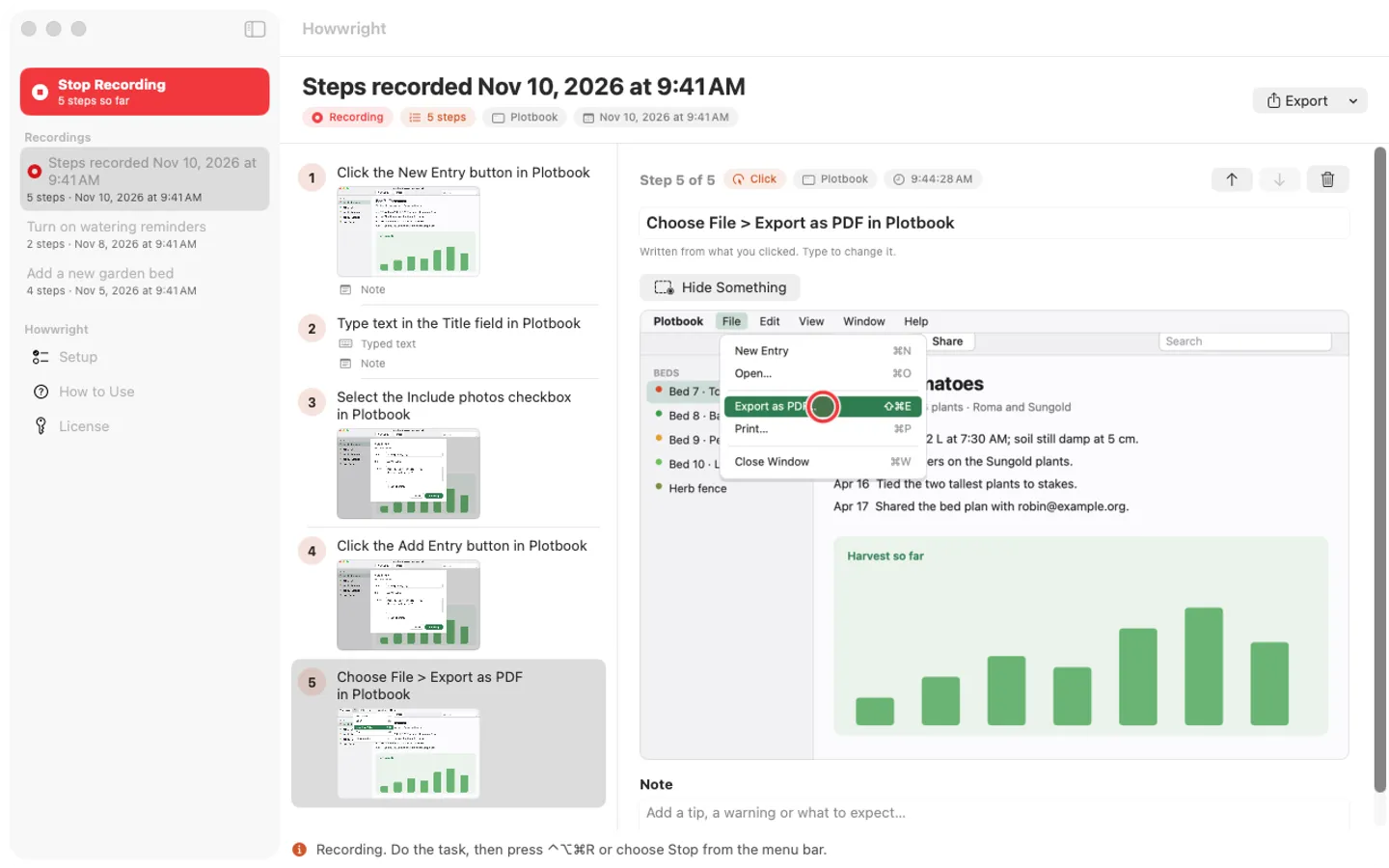
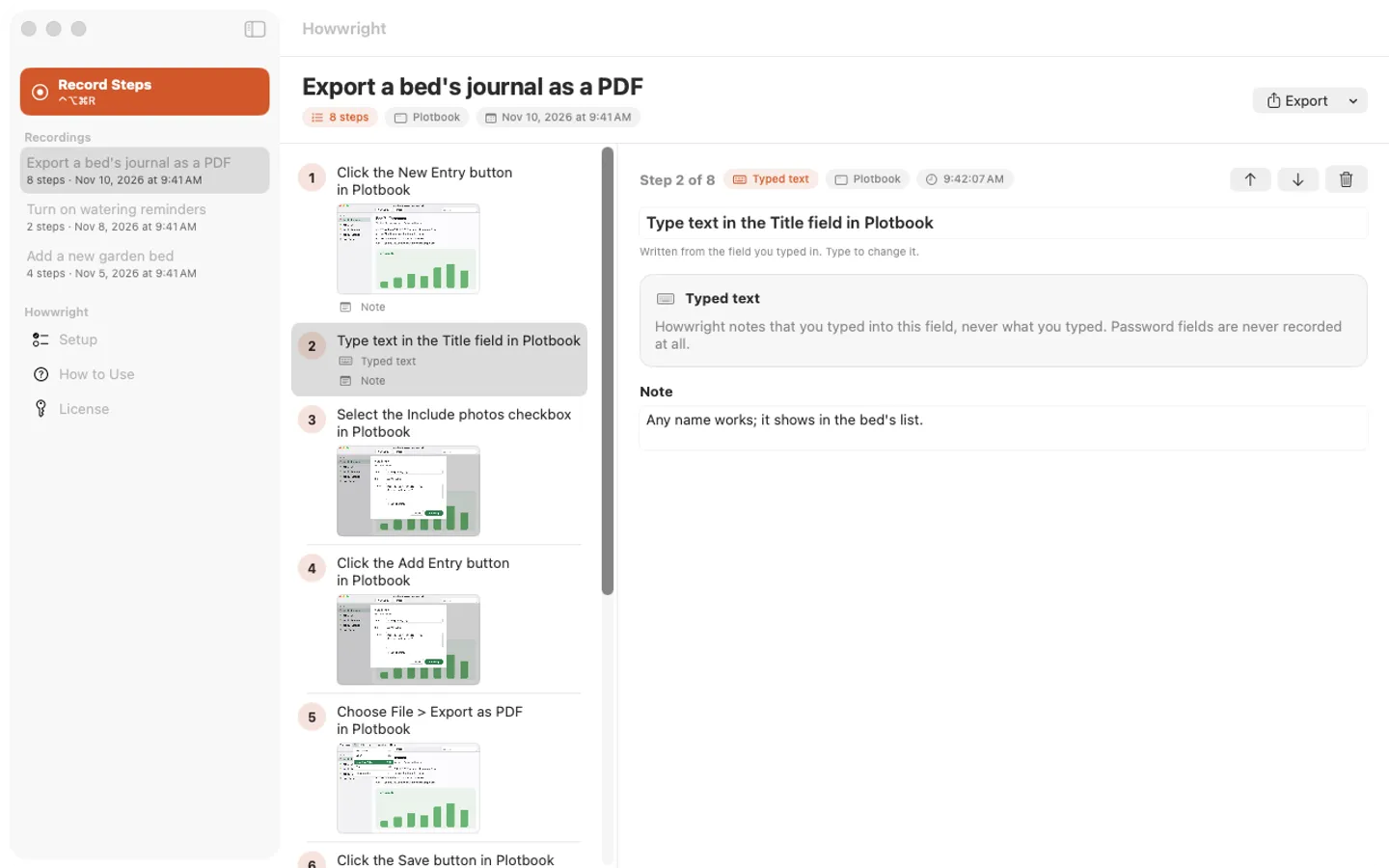
5 pictures: swipe or scroll sideways.
What you get
- Howwright for Mac: macOS 15 Sequoia or later
- The signed, notarized .dmg download and your license key, in your Gumroad receipt
- One license key for up to 3 of your Macs
- Updates that install from inside the app
- A one-time price: no subscription
Features
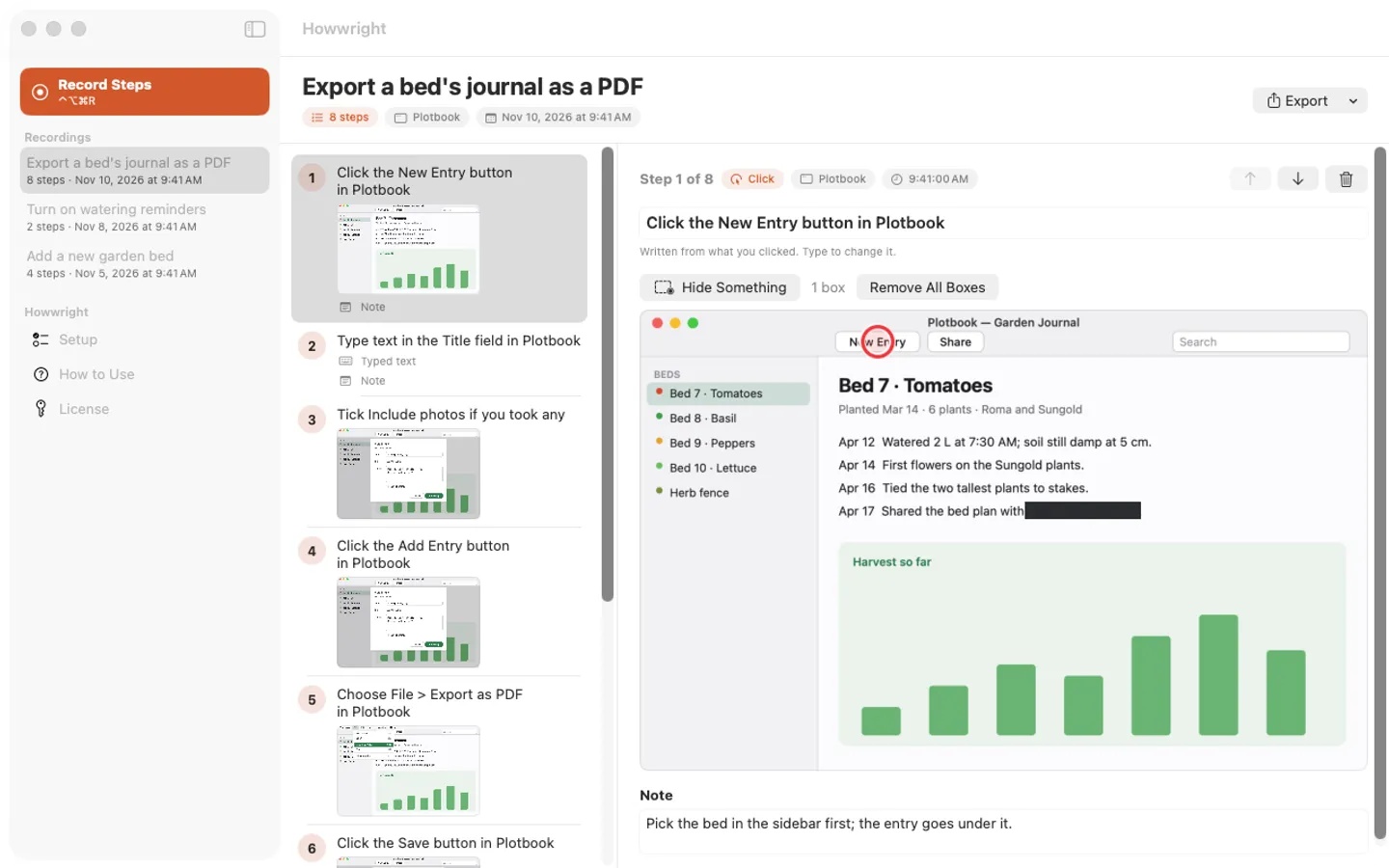
- Record with one button or ⌃⌥⌘R from anywhere; the menu bar shows a red dot and the step count
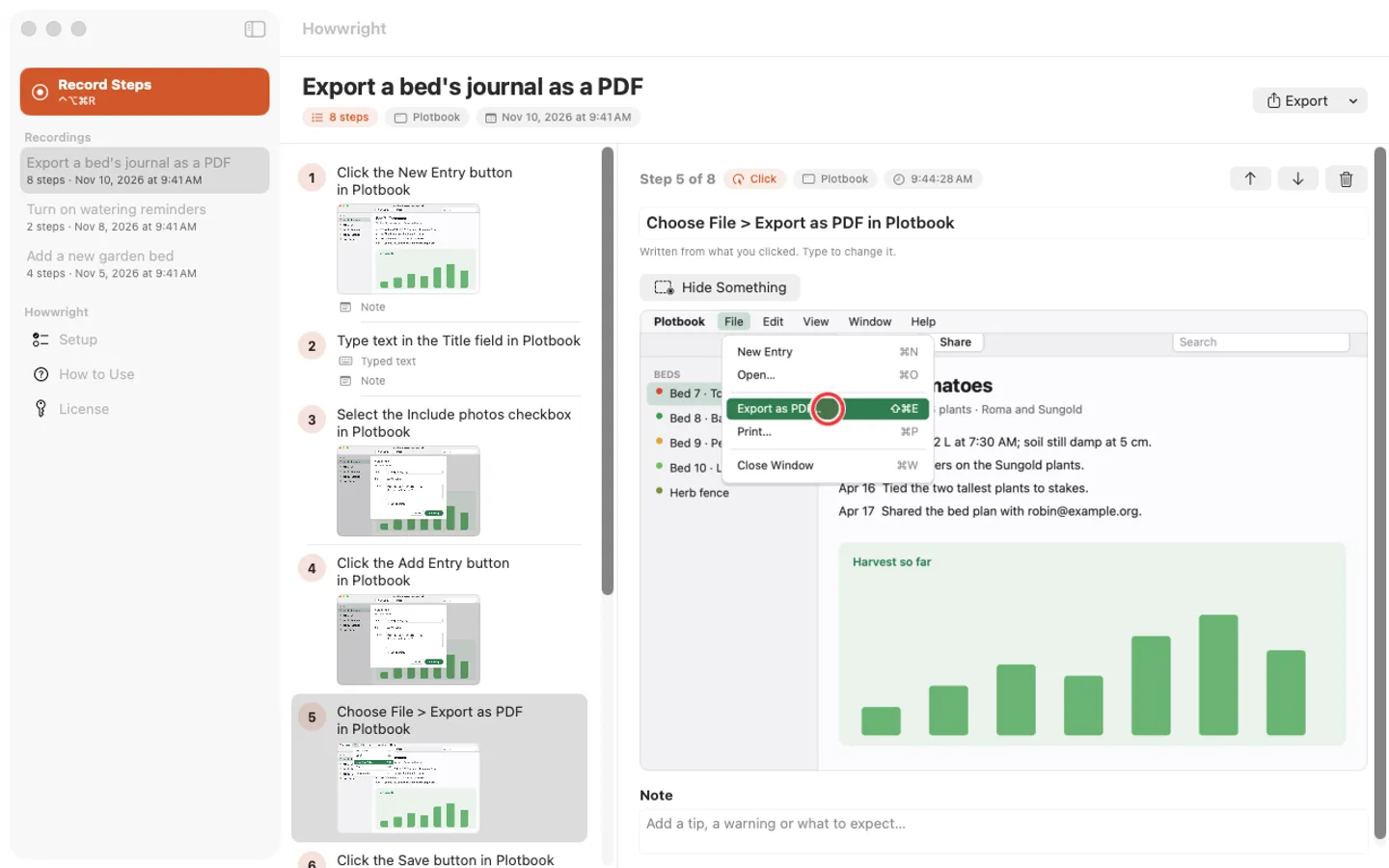
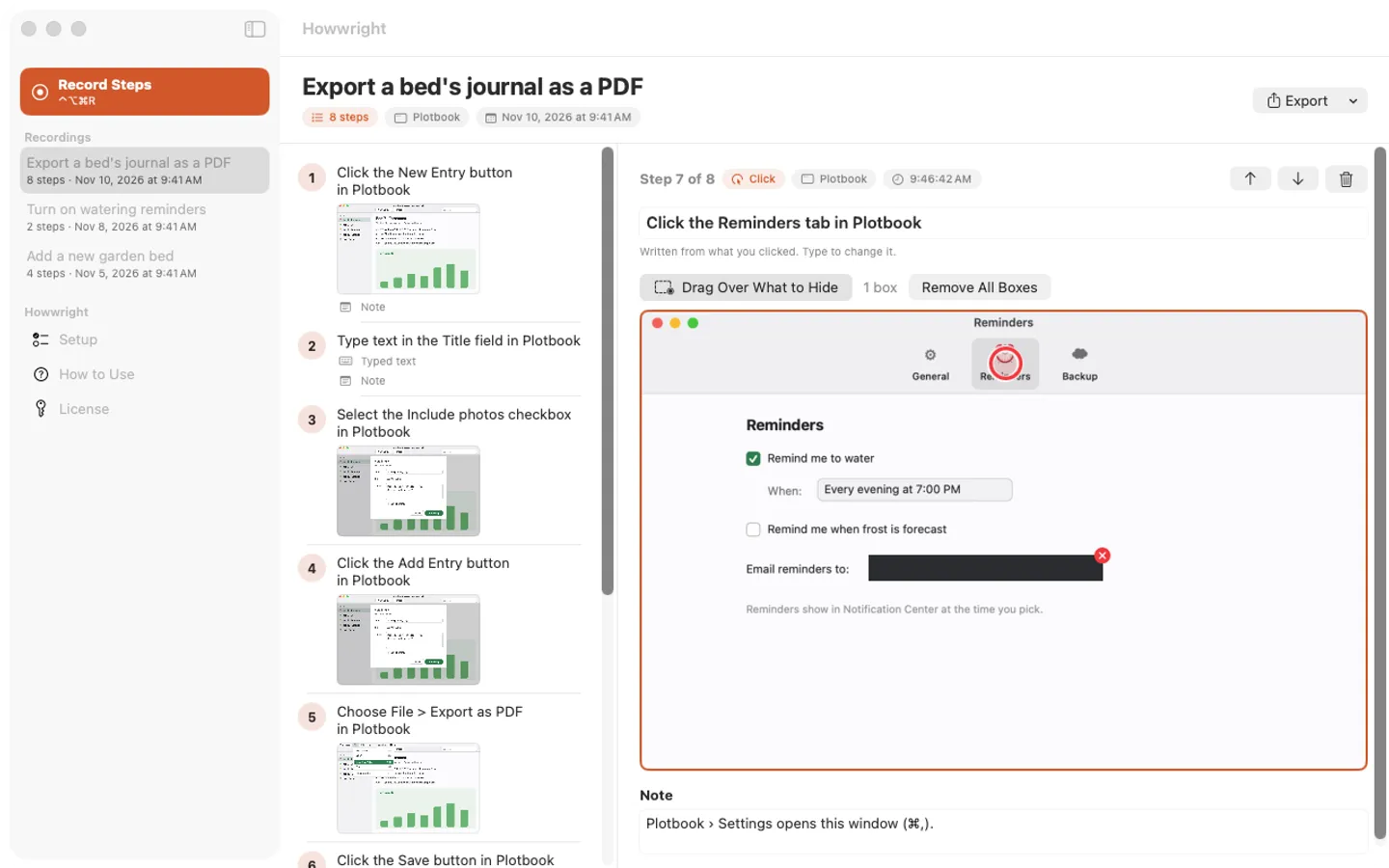
- A picture of the clicked window for every step, with the click circled in red
- Captions written from what you clicked: “Click the Save button”, “Choose File > Export as PDF”
- Typing becomes one “Typed text” step: never the keys, never in password fields
- Reorder, delete, rewrite captions and add notes
- Hide Something: solid boxes over names, emails or numbers before you share
- Export as Markdown with images, a PDF or one self-contained web page
Free trial vs With a license key
| Feature | Free trial | With a license key |
|---|---|---|
| What you can do | Every feature, nothing held back | Buy a license key to unlock recording after the trial. Guides you already made stay openable, editable and exportable with or without a key. |
| Price | Free to try | $14.99 one-time |
Questions
How do I record?
Press ⌃⌥⌘R anywhere (or Record Steps in the window, or Start Recording in the menu bar), do the task, then press the shortcut again. The editor opens on the new guide. You can change the shortcut in Setup.
It doesn’t see my clicks or the pictures are missing.
Open Setup in Howwright and allow both Accessibility and Screen Recording in System Settings › Privacy & Security. If it still misses clicks after an update, remove Howwright from the Accessibility list with the minus button and add it back.
A caption says “Click at the circled spot”.
Some apps (games, remote desktops, some web pages) don’t tell macOS what’s under the pointer. Click the caption and type a few words of your own.
Is there a free trial?
Yes: every feature for 7 days from the first time you open it. After that, a one-time license key from Gumroad keeps recording on up to 3 Macs, with no subscription.
What happens to my guides if I don’t buy?
Nothing: every recording you made still opens, edits and exports as Markdown, PDF or a web page. Only recording new steps needs a key.
Where do I enter my license key?
Choose License… from the Howwright menu (or License in the window’s sidebar), paste the key from your Gumroad receipt and click Activate.
From the Howwright help page.
Setting it up
How to open a newly downloaded Mac app the first time
Step by step, with what to do if your Mac asks a question.
Requirements
- macOS
- macOS 15 Sequoia or later
- Processor
- Apple silicon and Intel
- Languages
- English
- Download
- 3.5 MB disk image
- Version
- 1.0
Accessibility and Screen Recording permission (the app explains both first).
Privacy
Howwright records only while you say so and keeps every recording and picture on your Mac; it has no account or tracking and never records the keys you type or anything in password fields. Your license key is kept in your Keychain. The only internet requests are the license check with Gumroad (when you enter a key and about once a week) and checking for updates at fitztoppicks.com.
Questions about your purchase or license key? See Help and FAQ, reply to your Gumroad receipt or contact us.