Listing Shots
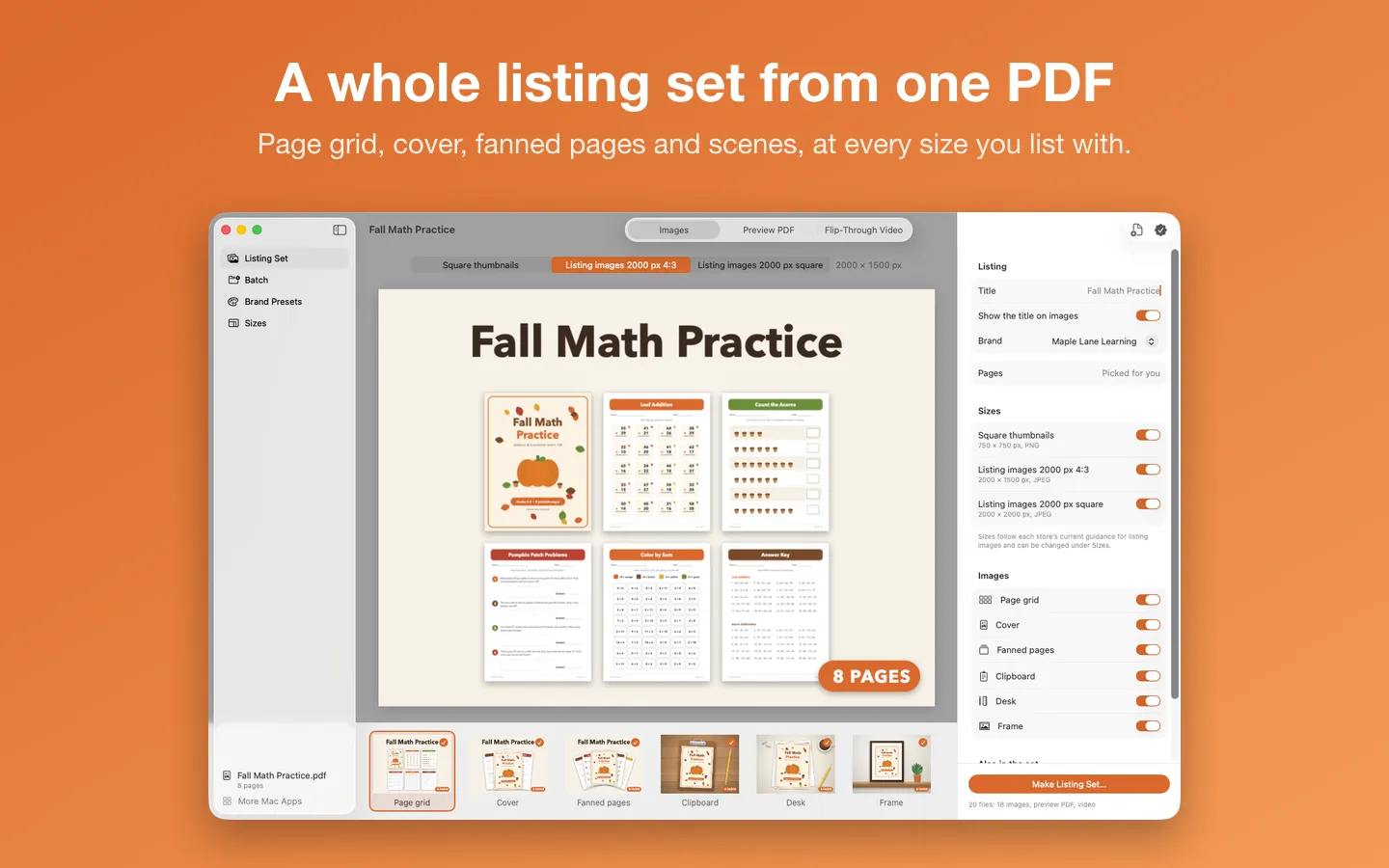
What it does: Open a worksheet pack, planner or activity pack and choose Make Listing Set: Listing Shots makes sized listing images, a watermarked preview PDF and a short flip-through video, each in its own folder, without placing pages into templates by hand. Everything happens on your Mac, and there’s no subscription.
- Checkout by Gumroad
- Notarized by Apple
- No FitzTopPicks account needed
Free to use without a key: the page grid at every size and the watermarked preview PDF, one PDF at a time. File › Open the Sample PDF draws a made-up worksheet pack so you can try everything first.
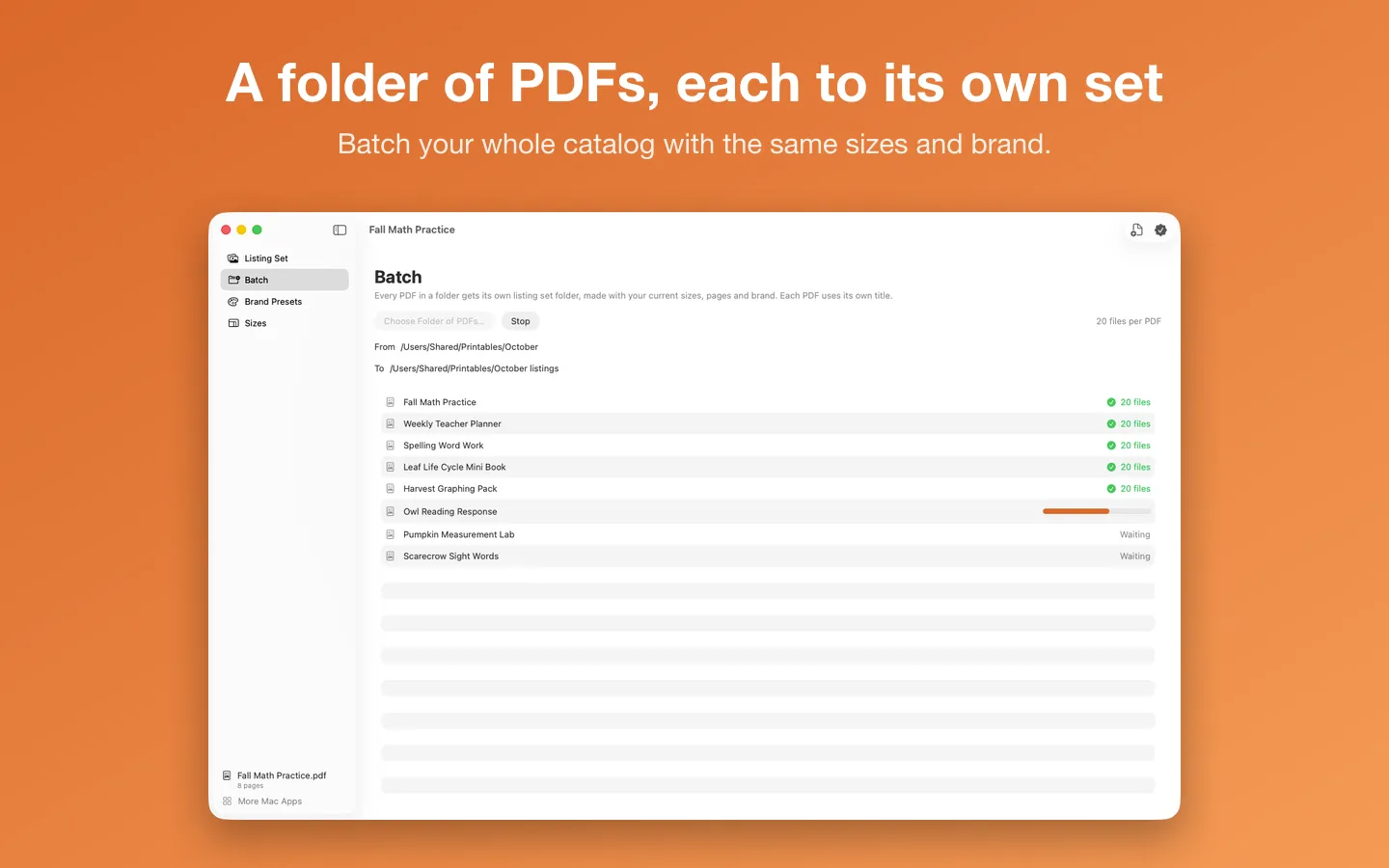
Buy a license key to unlock Pro: the cover, fanned pages and the clipboard, desk and frame scenes, the flip-through video, batch (a folder of PDFs, each to its own set) and brand presets.
macOS 14 Sonoma or later · Version 1.0 · 2.6 MB disk image · Notarized by Apple
One-time $15.99 for the app with Pro: the cover, fanned pages and scenes, the flip-through video, batch and brand presets. No subscription, no account. One license key works on up to 3 of your Macs.
Download: The download (a signed, notarized .dmg) comes with your purchase in your Gumroad receipt, together with your license key. Updates install from inside the app.
Buy now opens Gumroad's checkout on this page; Gumroad is the seller and handles payment, sales tax and your receipt.
Screenshots
5 pictures: swipe or scroll sideways.
What you get
- Listing Shots for Mac: macOS 14 Sonoma or later
- The signed, notarized .dmg download and your license key, in your Gumroad receipt
- One license key for up to 3 of your Macs
- Updates that install from inside the app
- A one-time price: no subscription
Features
- Page grid: your best pages laid out neatly under the title
- Cover and fanned pages: the cover in front of two more pages, or a hand of pages spread out
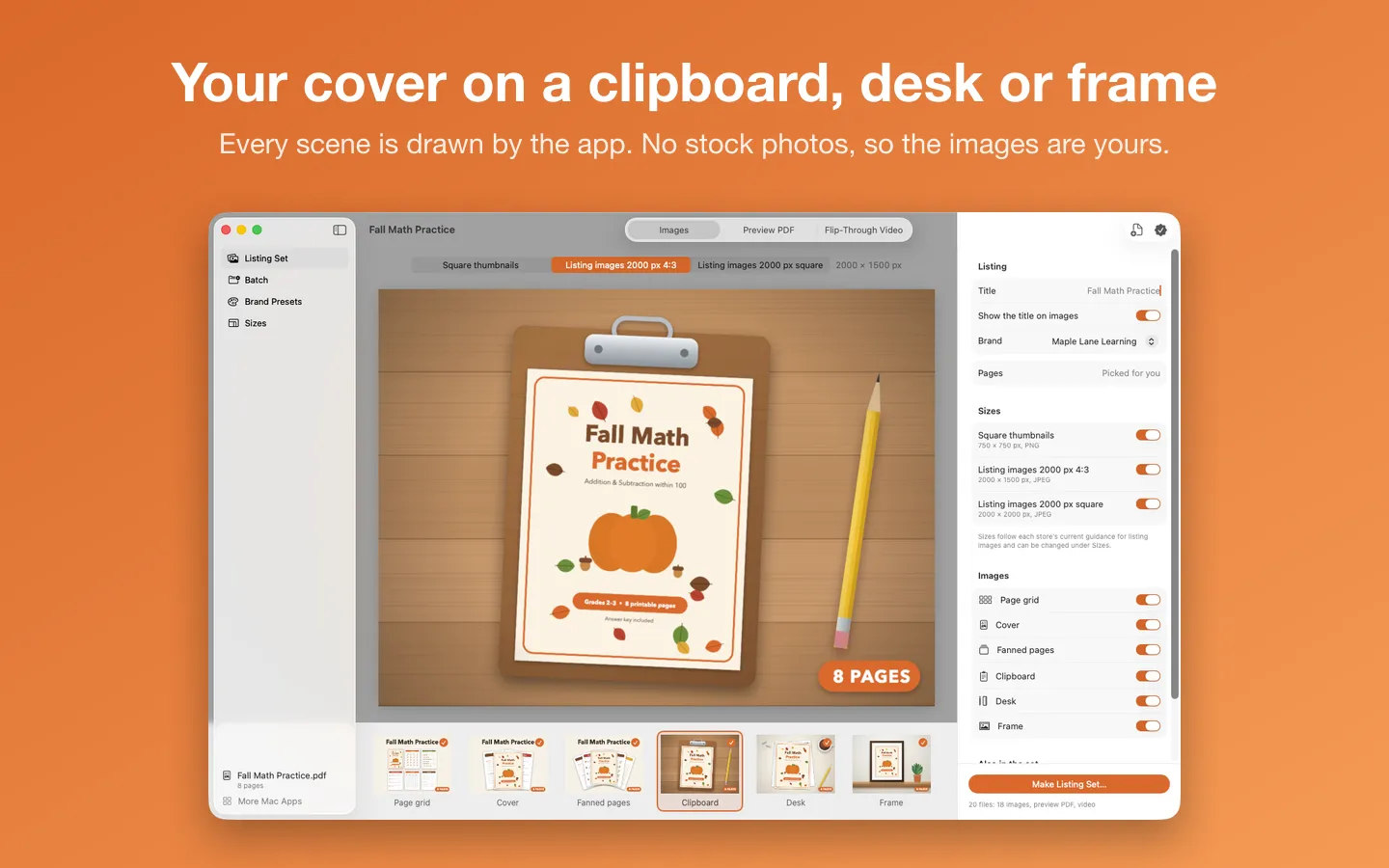
- Scenes: your cover on a clipboard, on a desk with a pencil and a mug, or framed on a shelf, all drawn by the app (no stock photos), so the images are yours to use
- Square thumbnails and 2000 px listing images in 4:3 and square; sizes follow each store’s current guidance and can all be changed
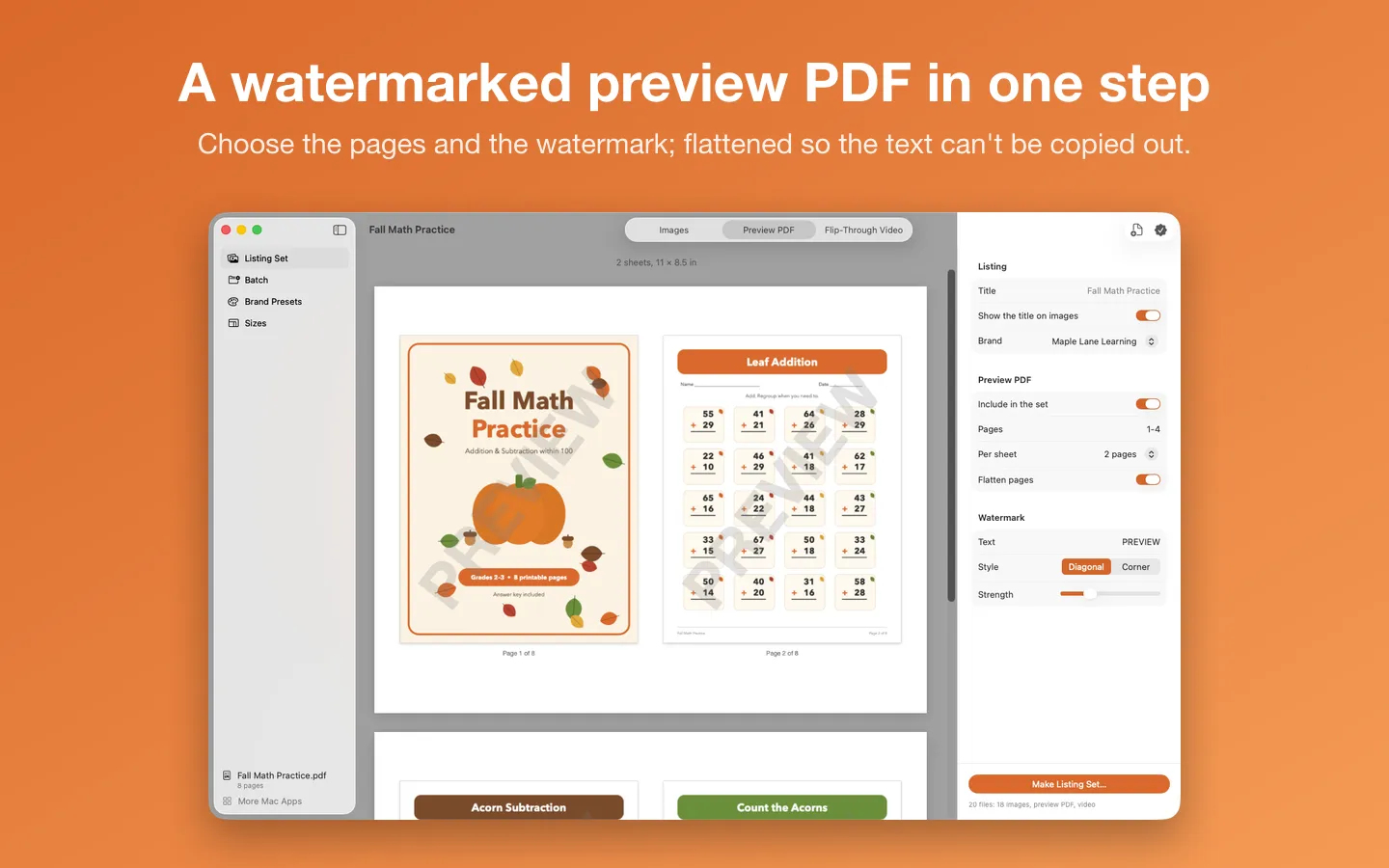
- A watermarked preview PDF: the pages you choose, one or two to a sheet, flattened so the text can’t be copied out
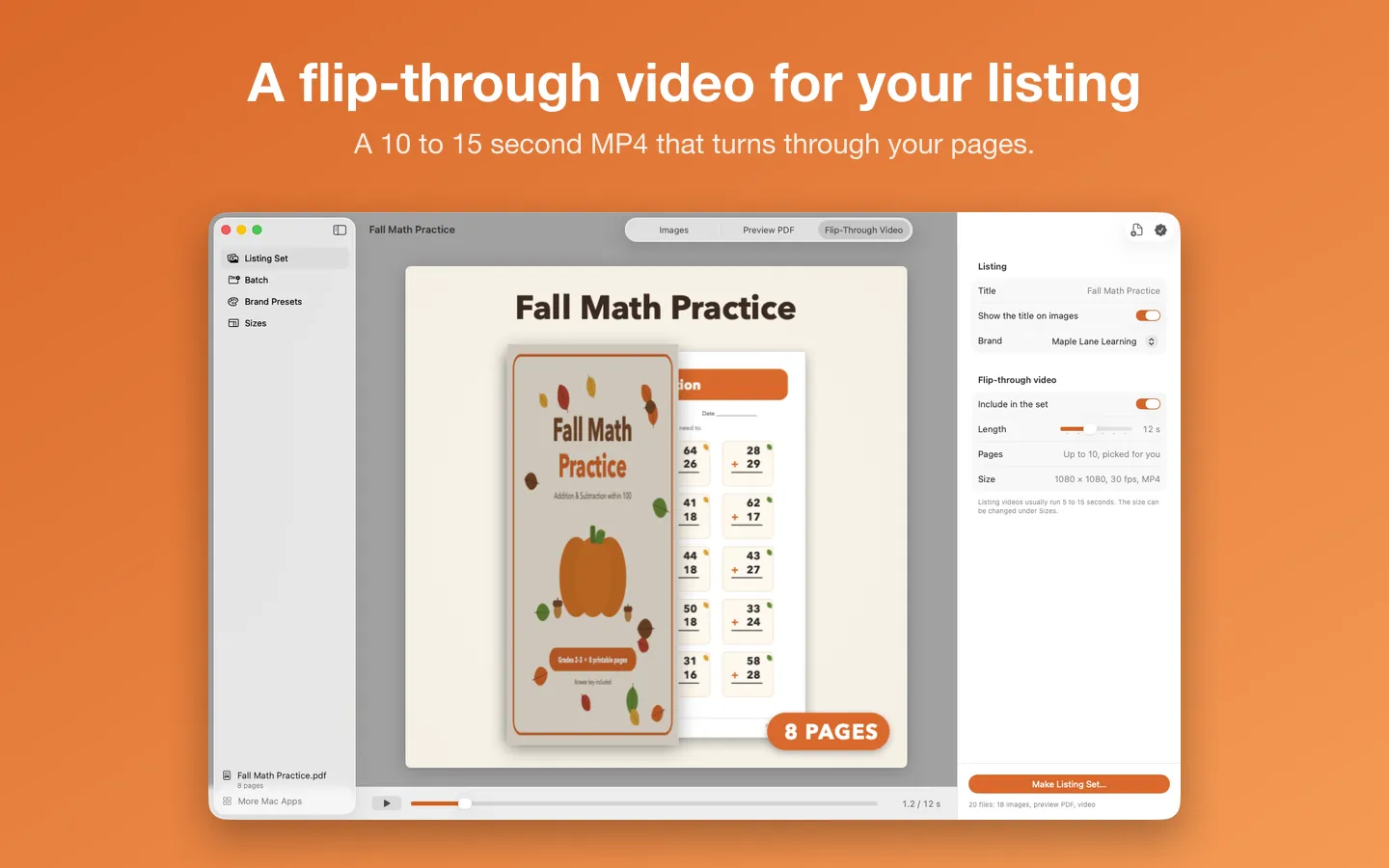
- A 10 to 15 second flip-through MP4 on your brand colors
- Brand presets: your font, colors and corner badge (“12 pages”, “No prep”), saved and reused
- Batch: a folder of PDFs, each to its own listing set folder
- Any PDF that isn’t password protected, portrait or landscape
Free vs Pro
| Feature | Free | Pro |
|---|---|---|
| What you can do | The page grid at every size and the watermarked preview PDF, one PDF at a time. File › Open the Sample PDF draws a made-up worksheet pack so you can try everything first | Everything free, plus the cover, fanned pages and the clipboard, desk and frame scenes, the flip-through video, batch (a folder of PDFs, each to its own set) and brand presets |
| Price | Free download | $15.99 one-time |
Questions
Which PDFs work?
Any PDF that isn’t password protected: worksheets, planners, activity packs, coloring pages, task cards. Portrait and landscape pages both work. If a PDF has a password, save a copy without it first.
Where do the files go?
Choose Make Listing Set, then a folder. Listing Shots makes a folder named after your product inside it, with a subfolder of images for each size, the preview PDF and the video.
Which pages are used?
Listing Shots picks pages spread through the PDF, starting with the cover. To choose them yourself, type page numbers like 1-6 or 1, 3, 5 in Pages. The preview PDF and the video each have their own Pages field.
Are the sizes right for my store?
The sizes follow each store’s current guidance for listing images, and you can change any of them under Sizes. Check your store’s help pages if its guidance changes.
Can buyers copy the text from my preview PDF?
Not with Flatten pages on (the default): each page becomes a picture with the watermark on top.
What does Pro add?
The cover, fanned pages and the clipboard, desk and frame scenes; the flip-through video; Batch; and Brand Presets. It’s a one-time purchase on Gumroad, with no subscription, and one license key works on up to 3 of your Macs. The page grid and the watermarked preview PDF are free without a key.
From the Listing Shots help page.
Requirements
- macOS
- macOS 14 Sonoma or later
- Processor
- Apple silicon and Intel
- Languages
- English
- Download
- 2.6 MB disk image
- Version
- 1.0
What's new
Version 1.0 ·
- First release, sold direct on Gumroad and fitztoppicks.com: turn a printable PDF into a full set of listing images, a watermarked preview PDF and a flip-through video. Worksheets, planners and activity packs, in one step.
- Listing images: page grid, cover, fanned pages and the clipboard, desk and frame scenes, as square thumbnails and 2000 px images in 4:3 and square. Every size can be changed.
- Brand presets (font, colors, corner badge) and Batch: a folder of PDFs, each to its own listing set.
- Free without a key: the page grid at every size and the watermarked preview PDF, one PDF at a time. A license key unlocks Pro on up to 3 Macs (Listing Shots › Listing Shots Pro).
- Updates install from inside the app (Listing Shots › Check for Updates…).
From Listing Shots's release notes. Updates install from inside the app.
Privacy
Your PDFs and everything made from them stay on your Mac and are never uploaded. Listing Shots opens only the PDFs you choose and saves only where you choose. The only network requests are the license check with Gumroad and checking for updates.
Questions about your purchase or license key? Reply to your Gumroad receipt or contact us.