Pastewright
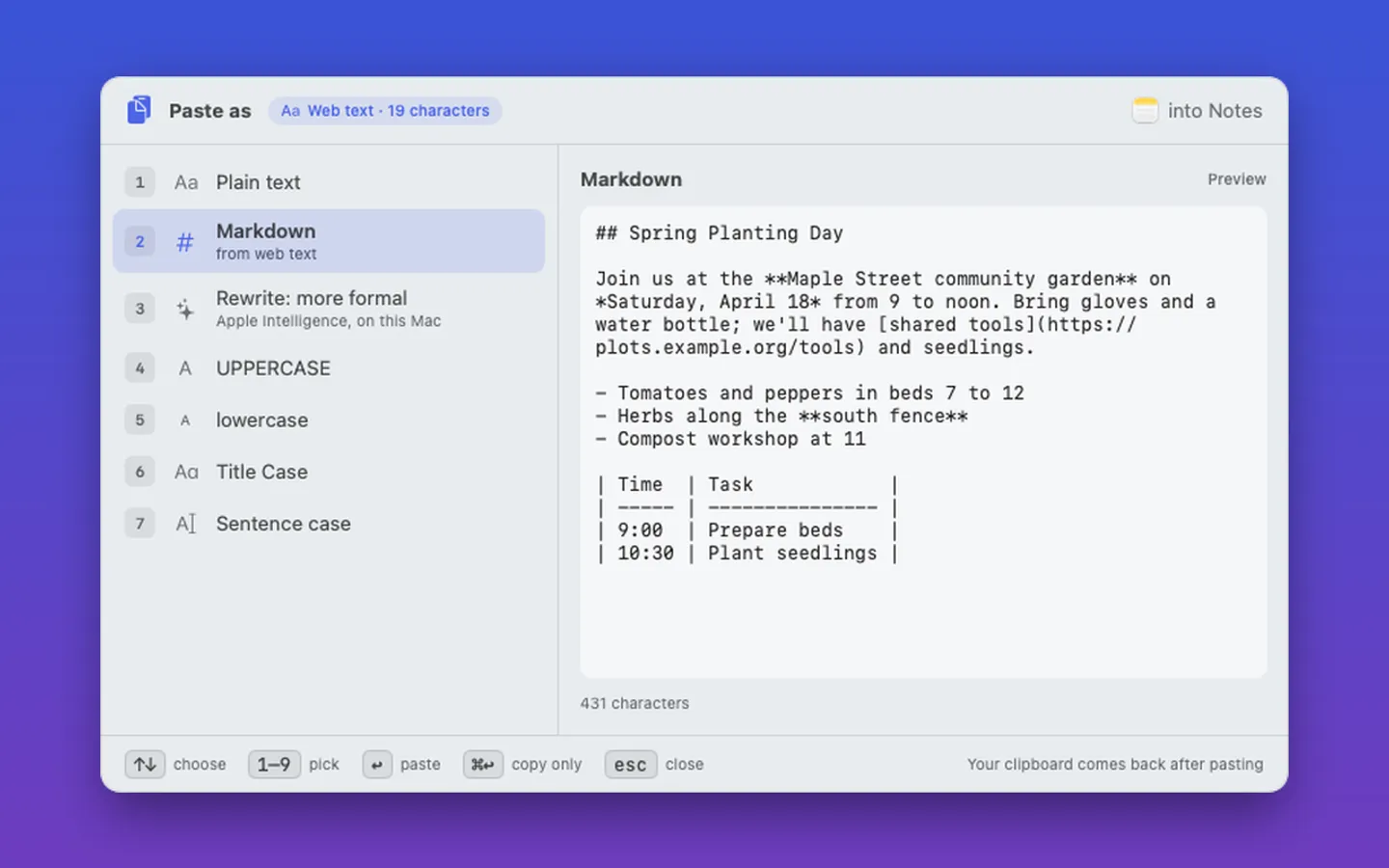
What it does: Pastewright brings Windows' Advanced Paste to the Mac: press ⌃⌥⌘V and paste what you copied as plain text, Markdown, pretty JSON or a table, with a live preview first. Your clipboard never leaves your Mac.
- Checkout by Gumroad
- Notarized by Apple
- No FitzTopPicks account needed
Free for 7 days from the first time you open it.
Buy a license key to unlock Pastewright for good after the 7 days.
macOS 15 Sequoia or later · Version 1.0 · 3.2 MB disk image · Notarized by Apple
One-time $14.99. No subscription. One license key works on up to 3 of your Macs.
Download: The download (a signed, notarized .dmg) comes with your purchase in your Gumroad receipt, together with your license key. Updates install from inside the app.
Buy now opens Gumroad's checkout on this page; Gumroad is the seller and handles payment, sales tax and your receipt.
Screenshots
5 pictures: swipe or scroll sideways.
What you get
- Pastewright for Mac: macOS 15 Sequoia or later
- The signed, notarized .dmg download and your license key, in your Gumroad receipt
- One license key for up to 3 of your Macs
- Updates that install from inside the app
- A one-time price: no subscription
Features
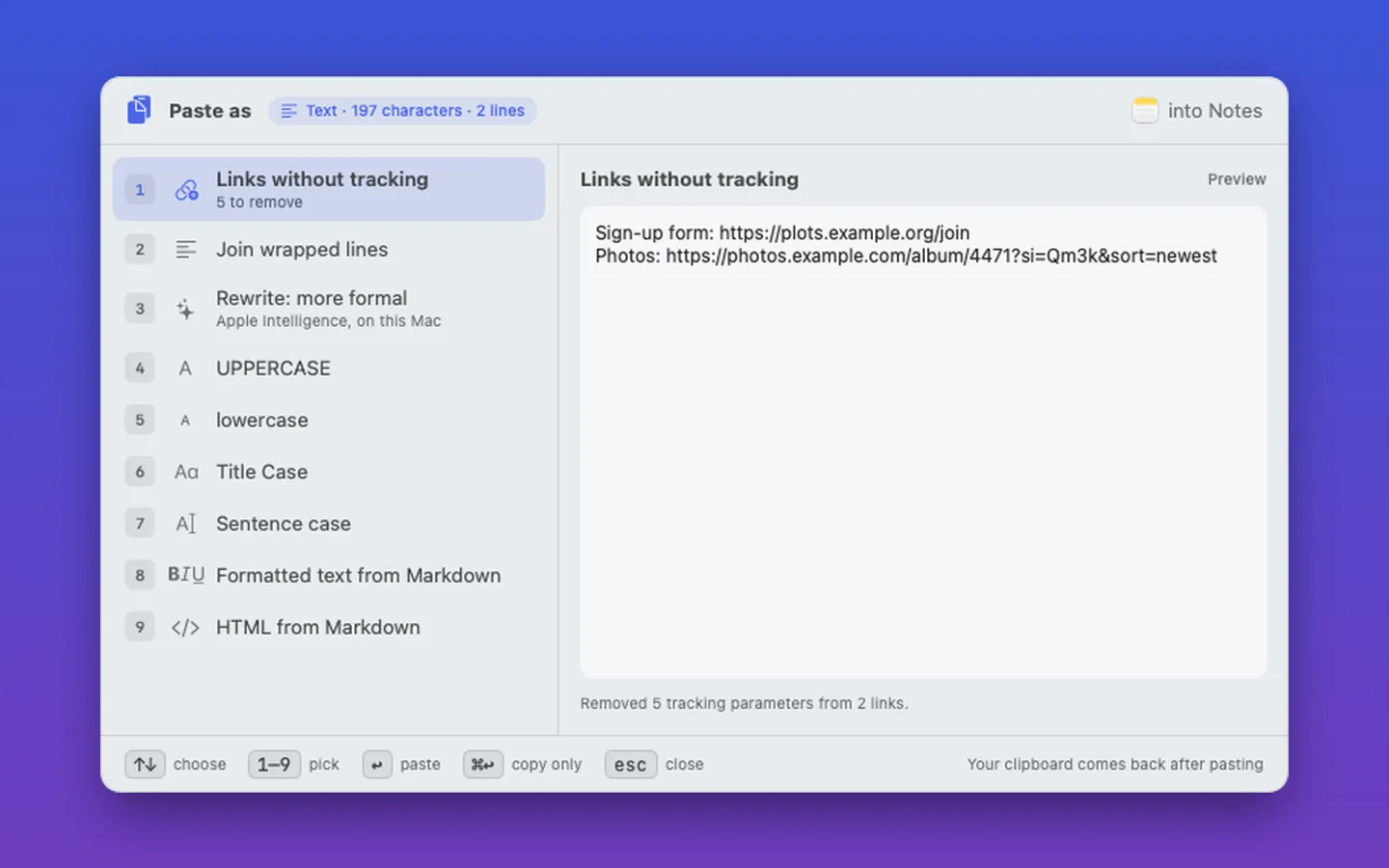
- ⌃⌥⌘V opens a palette next to the pointer with a live preview
- Web or rich text to plain text or Markdown; Markdown to formatted text or HTML
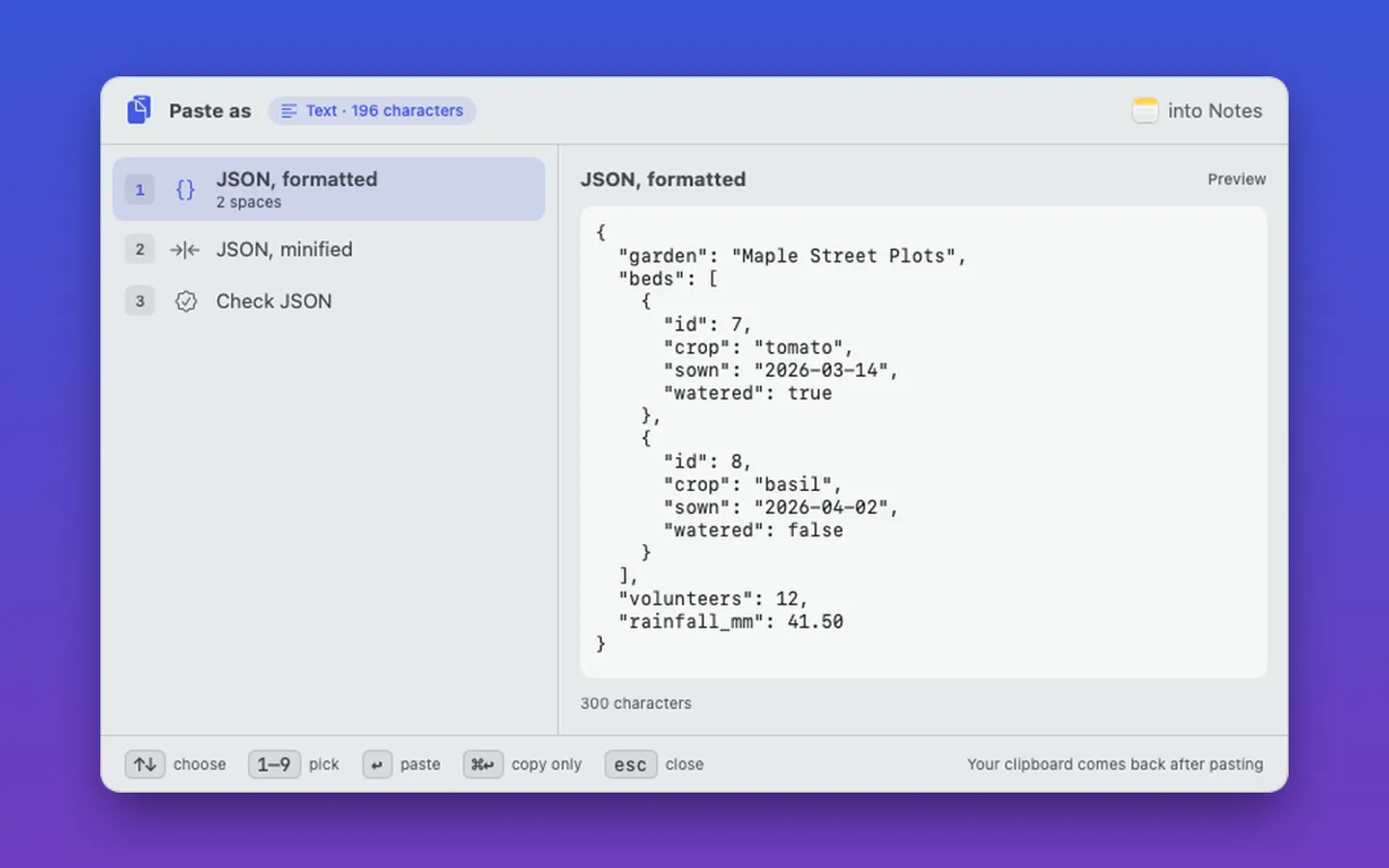
- JSON pretty, minify and Check JSON with the line and column of a mistake
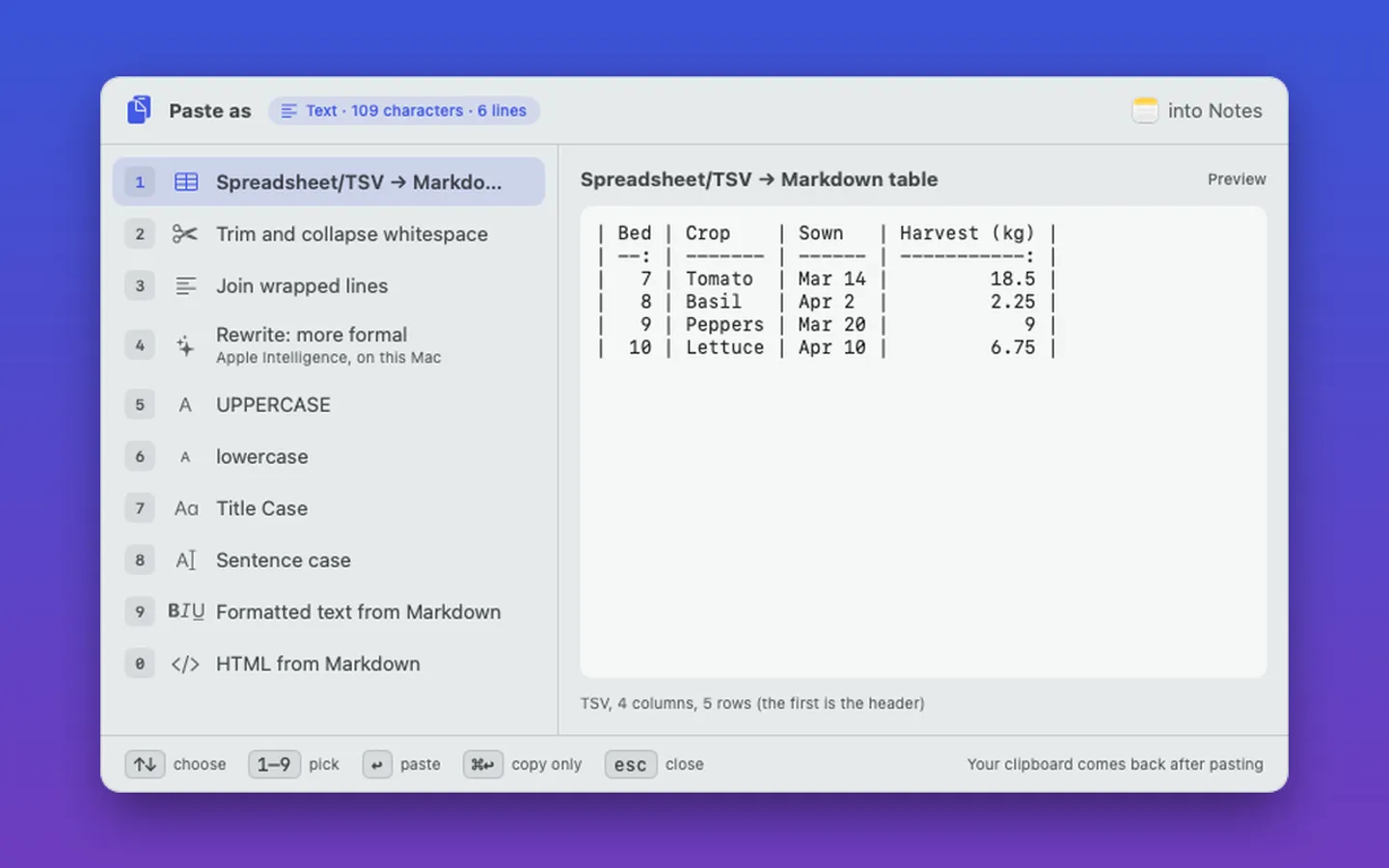
- Spreadsheet cells, CSV or TSV to a Markdown table and back
- Tracking stripped from copied links
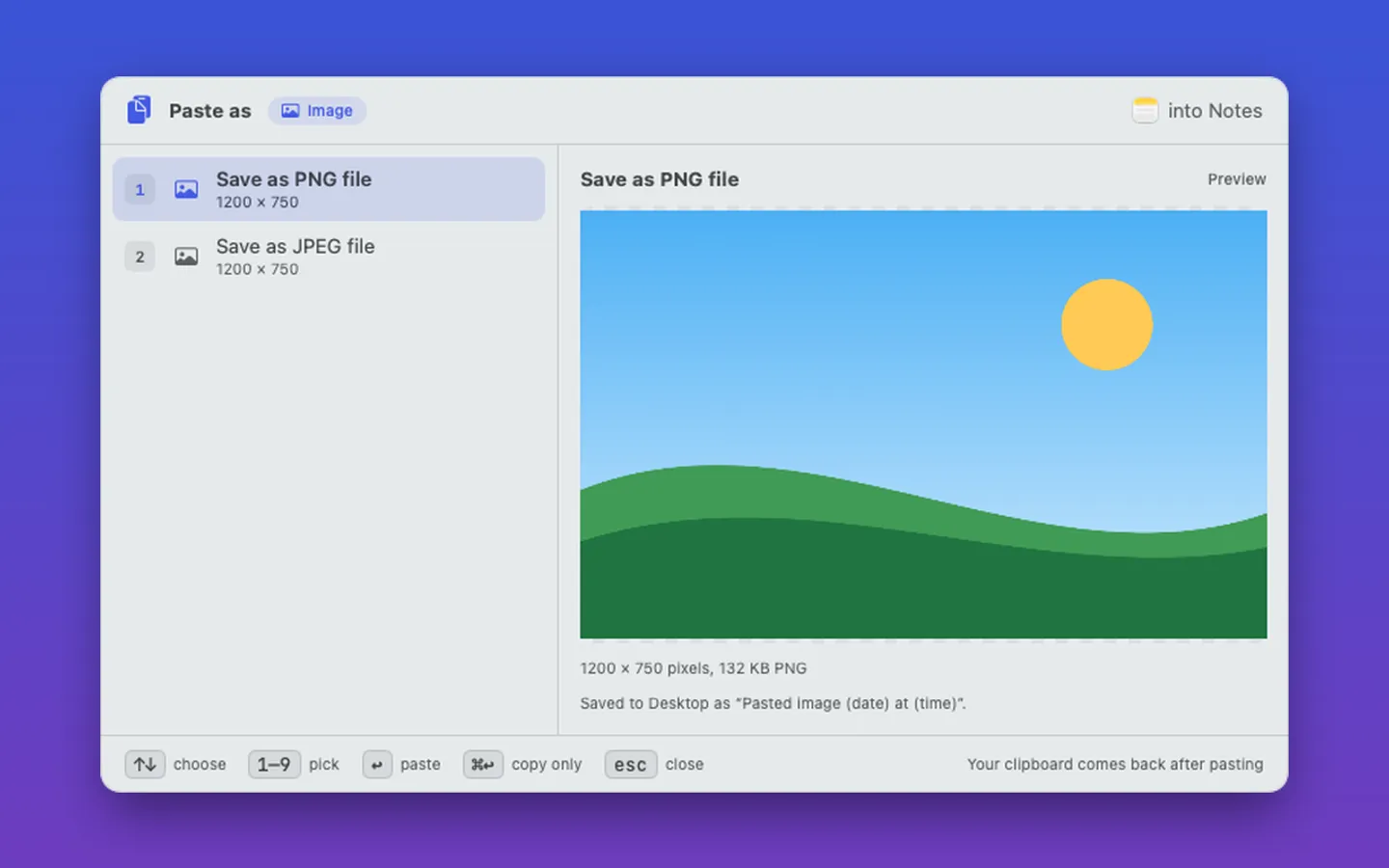
- A copied image pasted as a PNG or JPEG file; Finder files as paths
- Case and whitespace fixes, and on-device Rewrite with Apple Intelligence (macOS 26)
- Pastes into the app you were in, then puts your clipboard back
Free trial vs With a license key
| Feature | Free trial | With a license key |
|---|---|---|
| What you can do | Free for 7 days from the first time you open it. | Buy a license key to unlock Pastewright for good after the 7 days. |
| Price | Free to try | $14.99 one-time |
Questions
How do I open it?
Press ⌃⌥⌘V in any app. Pick a format with the arrow keys or 1–9 and press Return to paste. You can change the shortcut in Settings.
It copies the result but doesn’t paste.
Allow Pastewright in System Settings › Privacy & Security › Accessibility so it can press ⌘V for you, then try again.
Is there a free trial?
Yes: every feature for 7 days from the first time you open it. After that, a one-time license key from Gumroad keeps it working on up to 3 Macs, with no subscription.
Where do I enter my license key?
Choose License… from the Pastewright menu, paste the key from your Gumroad receipt and click Activate.
How do I get updates?
Pastewright checks for updates on its own; you can also choose Check for Updates… from its menu. Updates are free.
Do I have to pay again on another Mac?
No. One license key works on up to 3 of your Macs. Download the app again from your Gumroad receipt or library and enter the same key.
From the Pastewright help page.
Setting it up
How to open a newly downloaded Mac app the first time
Step by step, with what to do if your Mac asks a question.
Requirements
- macOS
- macOS 15 Sequoia or later
- Processor
- Apple silicon and Intel
- Languages
- English
- Download
- 3.2 MB disk image
- Version
- 1.0
Accessibility permission to paste for you (optional). Rewrite needs macOS 26 with Apple Intelligence.
Privacy
Your clipboard never leaves this Mac. History is kept in memory only, and password-manager copies are never listed. Your license key is kept in your Keychain. The only internet requests are the license check with Gumroad (when you enter a key and about once a week) and checking for updates at fitztoppicks.com.
Questions about your purchase or license key? See Help and FAQ, reply to your Gumroad receipt or contact us.