
Framesheet: Turn job photos into a PDF photo report
Free version Free to use without a key. What's free
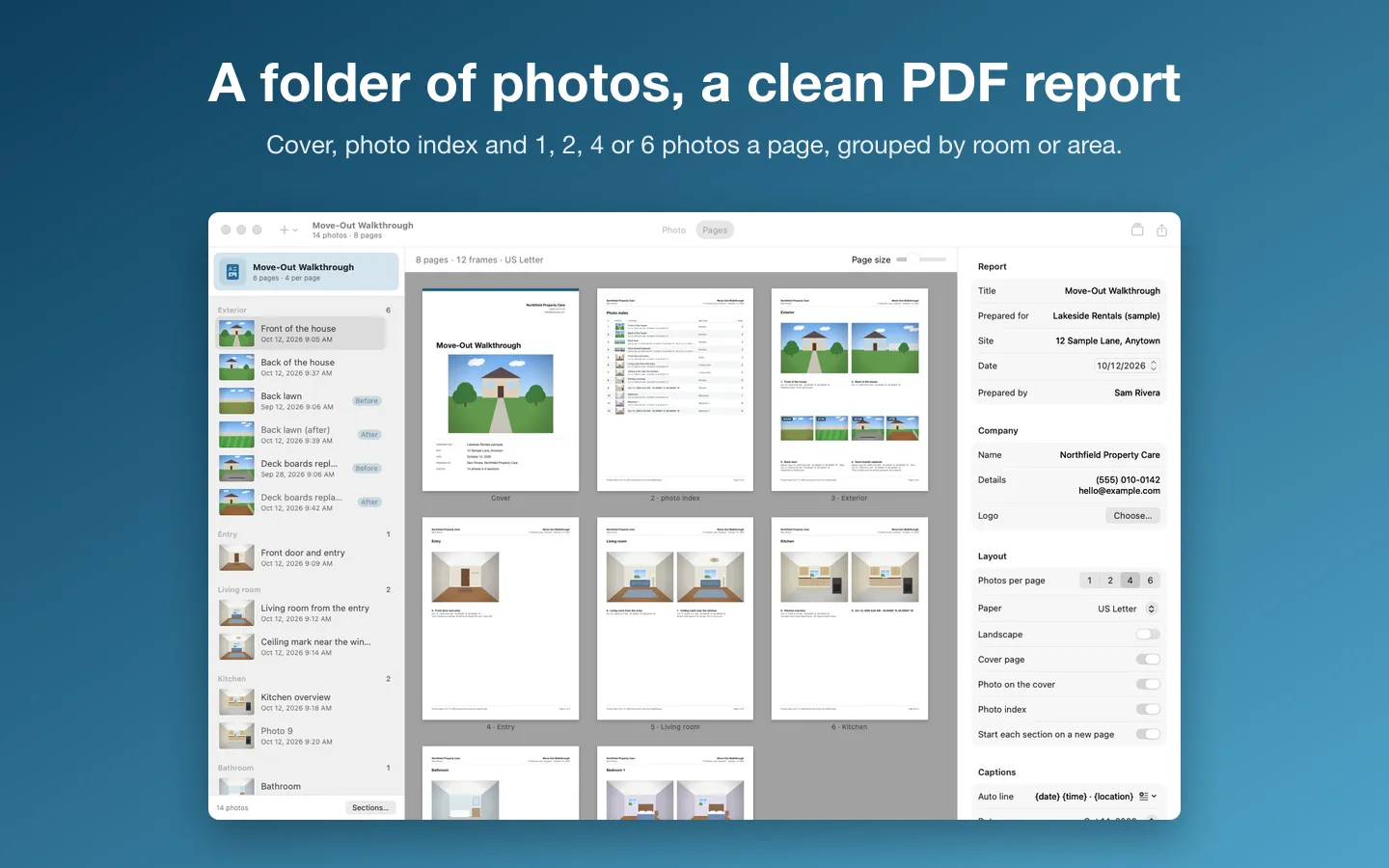
What it does: Framesheet turns a folder of photos into a clean, captioned PDF photo report for contractors, property managers, landscapers, cleaners and movers. Drop in the photos from a walkthrough, job or site visit: each one gets the date, time and place it was taken, photos are grouped by room or area, and the report gets a cover with your logo, a photo index and page numbers, ready to send.
- Checkout by Gumroad
- Notarized by Apple
- No FitzTopPicks account needed
Free to use without a key: every feature, for reports of up to 8 photos.
Buy a license key to unlock Pro: reports with any number of photos.
macOS 14 Sonoma or later · Version 1.0 · 3.5 MB disk image · Notarized by Apple
One-time $29 for the app with Pro: reports with any number of photos. No subscription. One license key works on up to 3 of your Macs.
Download: The download (a signed, notarized .dmg) comes with your purchase in your Gumroad receipt, together with your license key. Updates install from inside the app.
Buy now opens Gumroad's checkout on this page; Gumroad is the seller and handles payment, sales tax and your receipt.
Screenshots
5 pictures: swipe or scroll sideways.
What you get
- Framesheet for Mac: macOS 14 Sonoma or later
- The signed, notarized .dmg download and your license key, in your Gumroad receipt
- One license key for up to 3 of your Macs
- Updates that install from inside the app
- A one-time price: no subscription
Features
- Add a folder, single photos, or photos from your library (the Photos picker); subfolders become sections
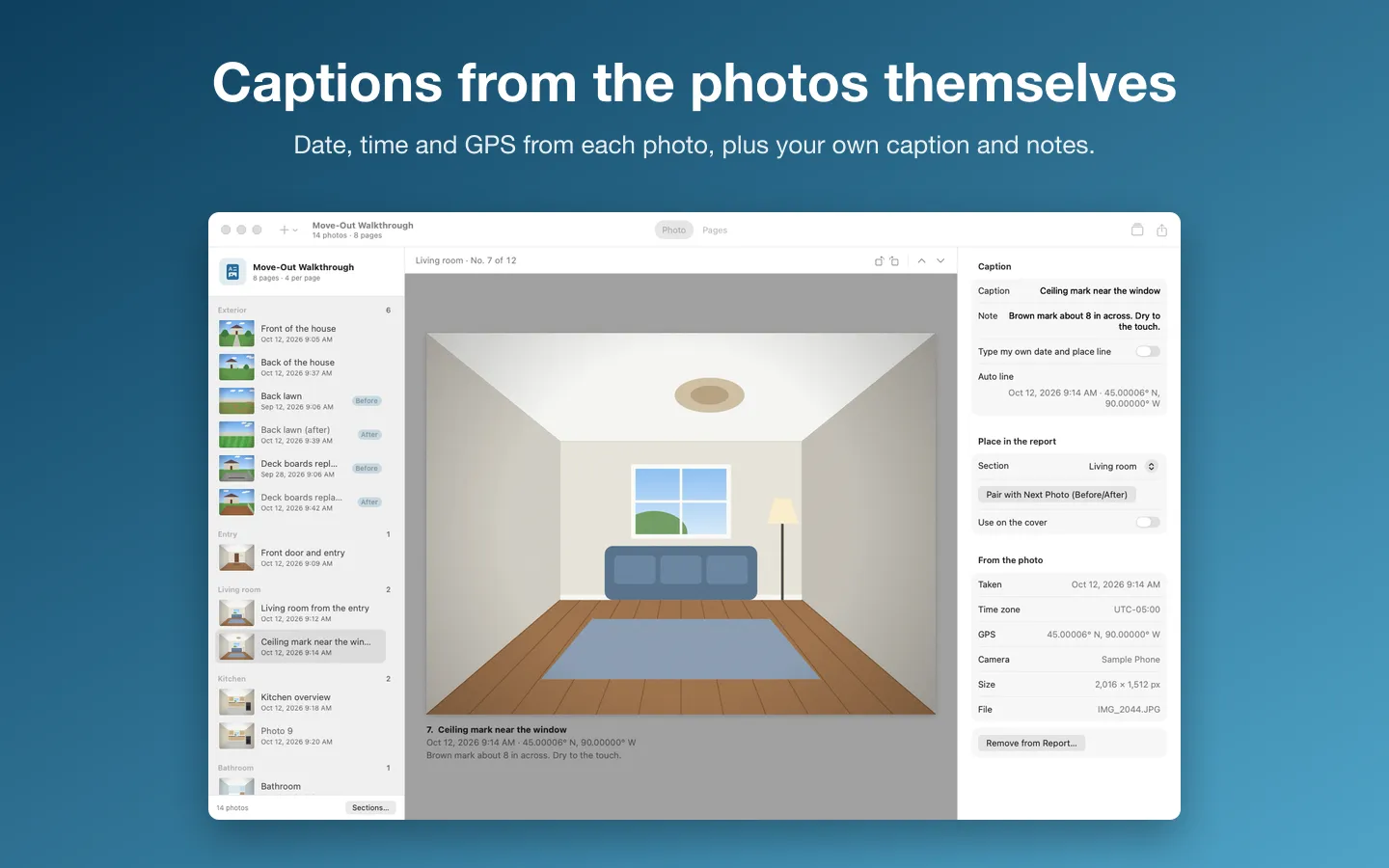
- Captions from each photo's own date, time and GPS, with a template you choose; street addresses only if you turn them on
- Your own caption and notes for any photo; sections for rooms, areas or stages; drag to reorder
- 1, 2, 4 or 6 photos a page, US Letter or A4, portrait or landscape
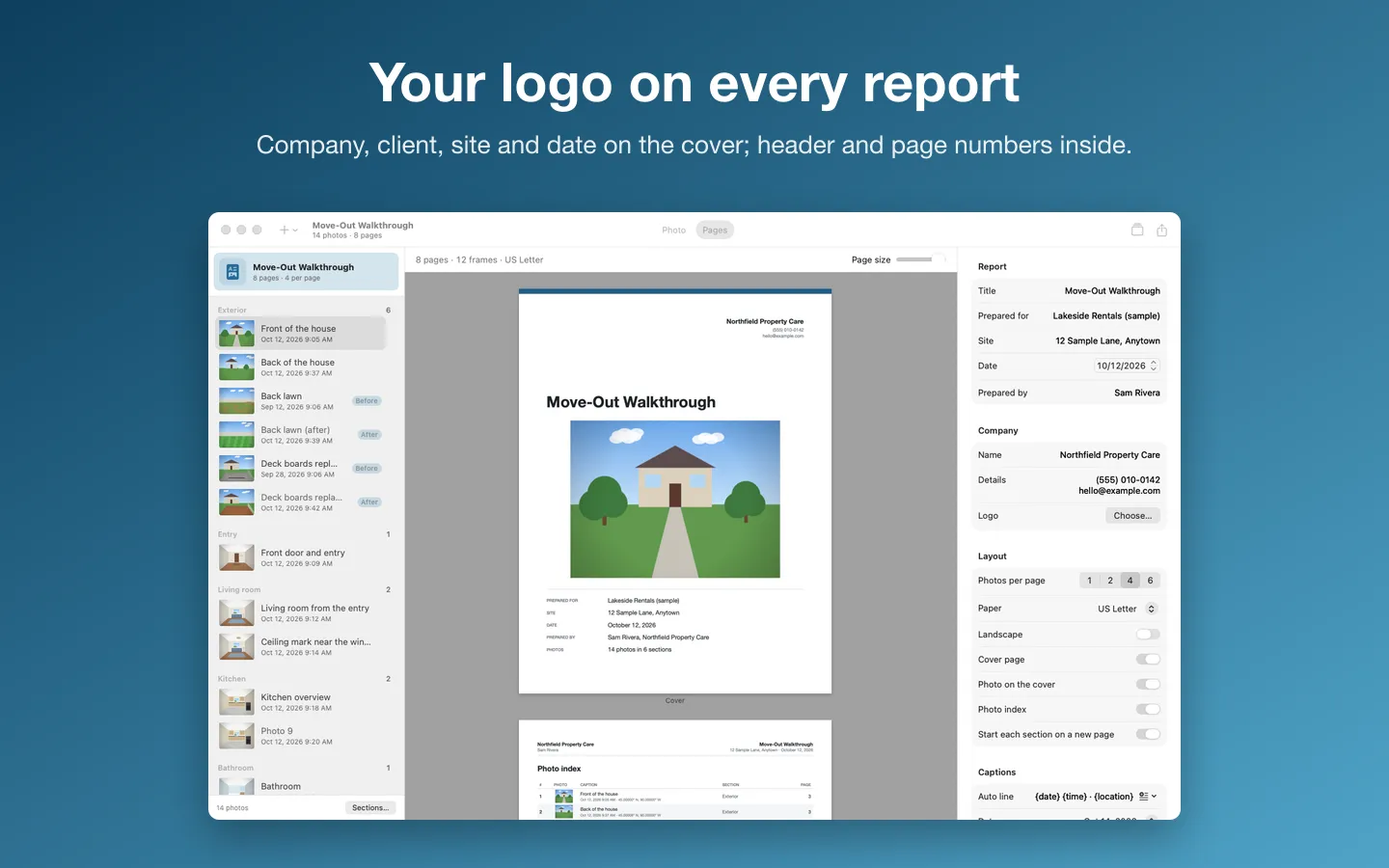
- A cover with your logo, company, client, site, date and title; a header and page numbers on every page; a photo index
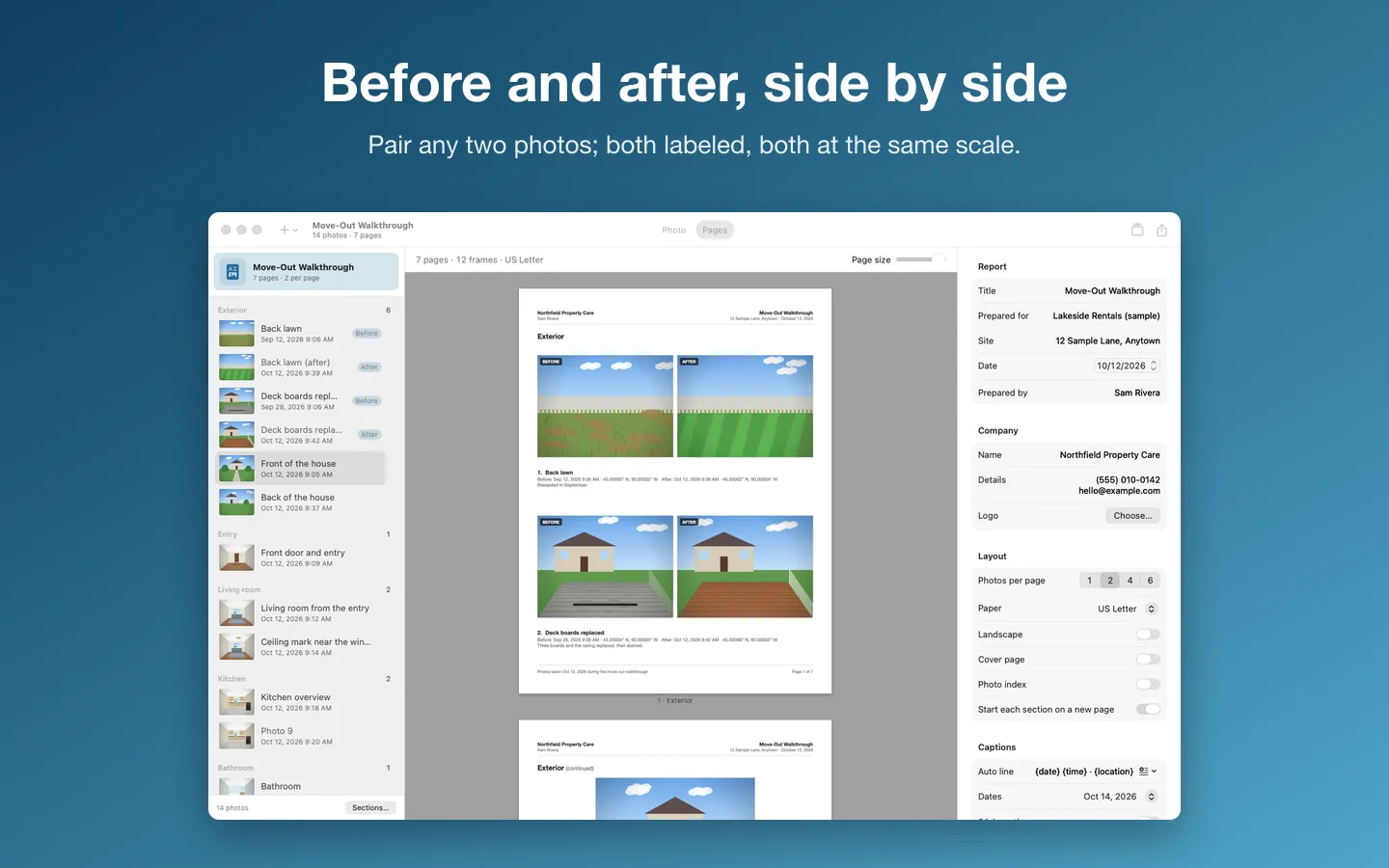
- Before/after pairs side by side, labeled and at the same scale
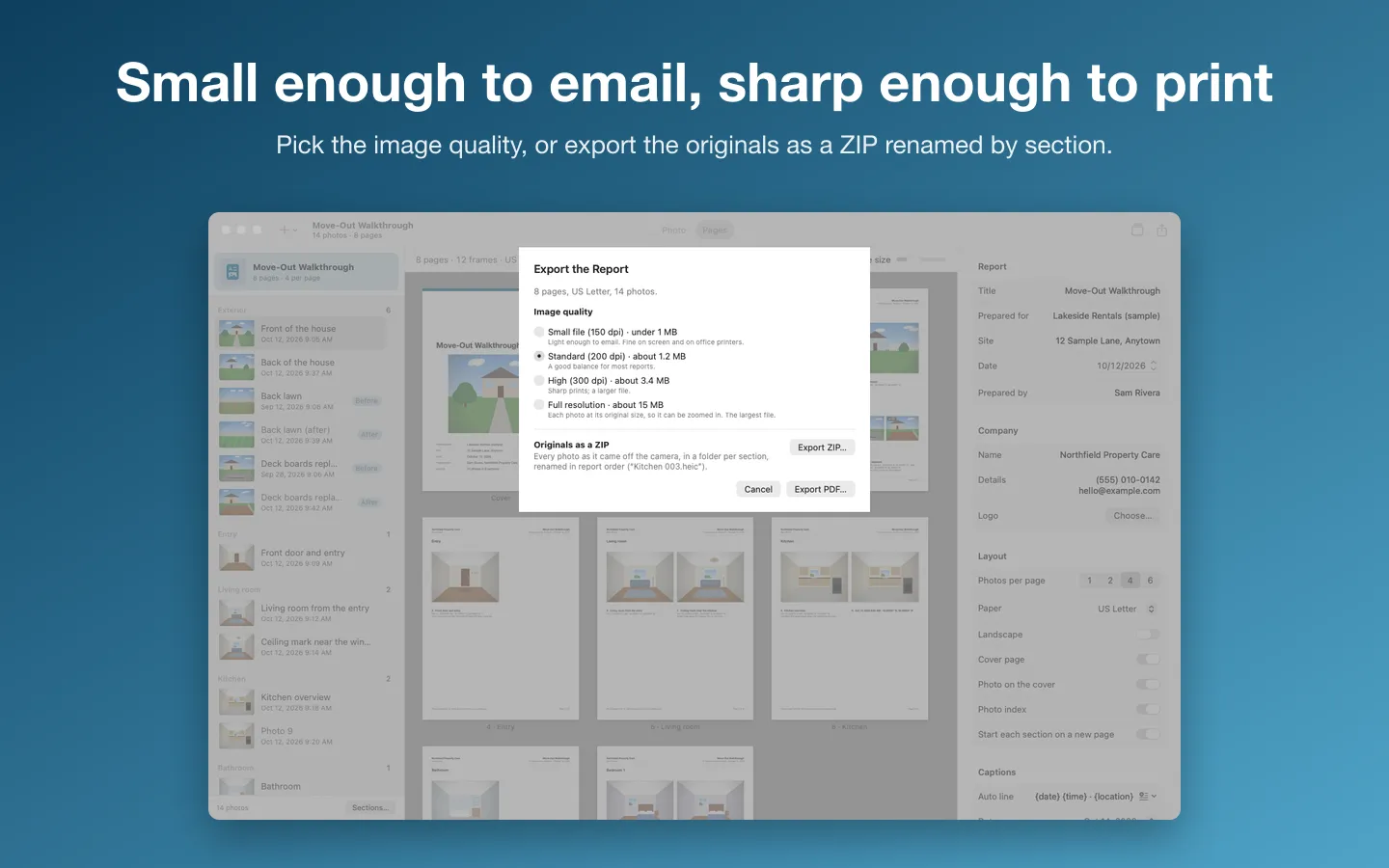
- A PDF at the image quality you pick, from small enough to email to full resolution
- A ZIP of the original photos, in a folder per section, renamed in report order
- Templates: Move-out and Move-in walkthrough, Job progress, Before/After, Site visit, Cleaning checklist, or your own
- Light and Dark mode, VoiceOver labels and keyboard shortcuts
Free vs Pro
| Feature | Free | Pro |
|---|---|---|
| What you can do | Every feature, for reports of up to 8 photos | Everything free, plus reports with any number of photos |
| Price | Free download | $29 one-time |
How it compares
| How it compares | Framesheet | PhotoSheet Reports Pro | CompanyCam | Pages / Word templates |
|---|---|---|---|---|
| Price | $29 one-time | $50 one-time | See its site | Free |
| How you pay | Free version, then one-time | One-time purchase | Subscription | Free |
| Folder of photos to captioned PDF in minutes | Yes | Yes | Yes | No |
| Captions from each photo's date, time and GPS | Yes | Partly | Yes | No |
| Before/after pairs side by side at the same scale | Yes | Partly | Partly | No |
| Mac app, no subscription, nothing uploaded | Yes | No | No | Yes |
Prices and features are from each app's own website or store listing on the date checked; "No" means we didn't find it listed there. Prices change, so check each site before you buy. Names belong to their owners.
Sources: PhotoSheet Reports Pro () · CompanyCam () · Pages / Word templates ()
Questions
How do I make sections?
Put the photos in subfolders (Kitchen, Bathroom, Exterior…) and add the folder: each subfolder becomes a section. You can also add, rename and reorder sections in Report › Sections… and move photos between them.
Where do the dates and places come from?
From each photo’s own metadata (EXIF): the date and time the camera recorded, and its GPS position if location was on. Framesheet prints the time as the camera recorded it. If a photo has no date or location, that part of the caption is left out.
How do I pair before and after photos?
Select two photos (⌘-click) and choose Photo › Pair as Before and After (⌘B), or use the Before/After template, which pairs photos in order. Photos named “… before” and “… after” can be paired by name.
The PDF is too big to email.
In the export window, pick Small file: photos are embedded at 150 dpi. Full resolution keeps every photo at its original size, for zooming in.
What’s free, and what does Pro add?
Everything works without a key for reports of up to 8 photos. Pro makes reports with any number of photos. It’s a one-time purchase on Gumroad, with no subscription.
Where do I enter my license key?
Choose Framesheet › Settings…, open the License tab, paste the key from your Gumroad receipt and click Activate.
From the Framesheet help page.
Setting it up
How to open a newly downloaded Mac app the first time
Step by step, with what to do if your Mac asks a question.
Requirements
- macOS
- macOS 14 Sonoma or later
- Processor
- Apple silicon and Intel
- Languages
- English
- Download
- 3.5 MB disk image
- Version
- 1.0
A layout tool: it arranges and captions the photos you already have; it doesn't take photos or upload anything.
Privacy
Your photos never leave your Mac. Framesheet works only with the photos and folders you add, keeps its own copies on your Mac and never changes the originals; photos from your library come through the Photos picker (only the ones you choose, read-only). Your reports, company details, logo, templates and your license key (in your Keychain) are kept on your Mac. The only network requests are the license check (when you enter a key, then each time the app opens and about once a week: Gumroad gets your key, and our license page, licence.fitztoppicks.com, gets a fingerprint of the key, not the key itself, to see whether it was reset; both get the app’s product ID), checking for updates at fitztoppicks.com, downloading the list of our other Mac apps from fitztoppicks.com when you open it (at most once a day; the same file for everyone) and, only if you turn on street addresses, each photo’s GPS position sent to Apple’s map service.
Questions about your purchase or license key? See Help and FAQ, reply to your Gumroad receipt or contact us.