Tabbound: Indexed, paginated PDF bundles and binders
Free version Free to use without a key. What's free
What it does: Tabbound turns a pile of PDFs, scans and photos into one professional bundle: a cover page, an index with page numbers that link to each document, divider and tab sheets, a page number on every page and bookmarks. For court and hearing bundles, exhibit binders, real-estate closing binders, grant applications and construction submittals. A formatting aid, not legal advice.
- Checkout by Gumroad
- Notarized by Apple
- No FitzTopPicks account needed
Free to use without a key: every feature, for bundles of up to 3 documents.
Buy a license key to unlock Pro: bundles with any number of documents and pages.
macOS 14 Sonoma or later · Version 1.0 · 3.3 MB disk image · Notarized by Apple
One-time $49 for the app with Pro: bundles of any size. No subscription. One license key works on up to 3 of your Macs.
Download: The download (a signed, notarized .dmg) comes with your purchase in your Gumroad receipt, together with your license key. Updates install from inside the app.
Buy now opens Gumroad's checkout on this page; Gumroad is the seller and handles payment, sales tax and your receipt.
Screenshots
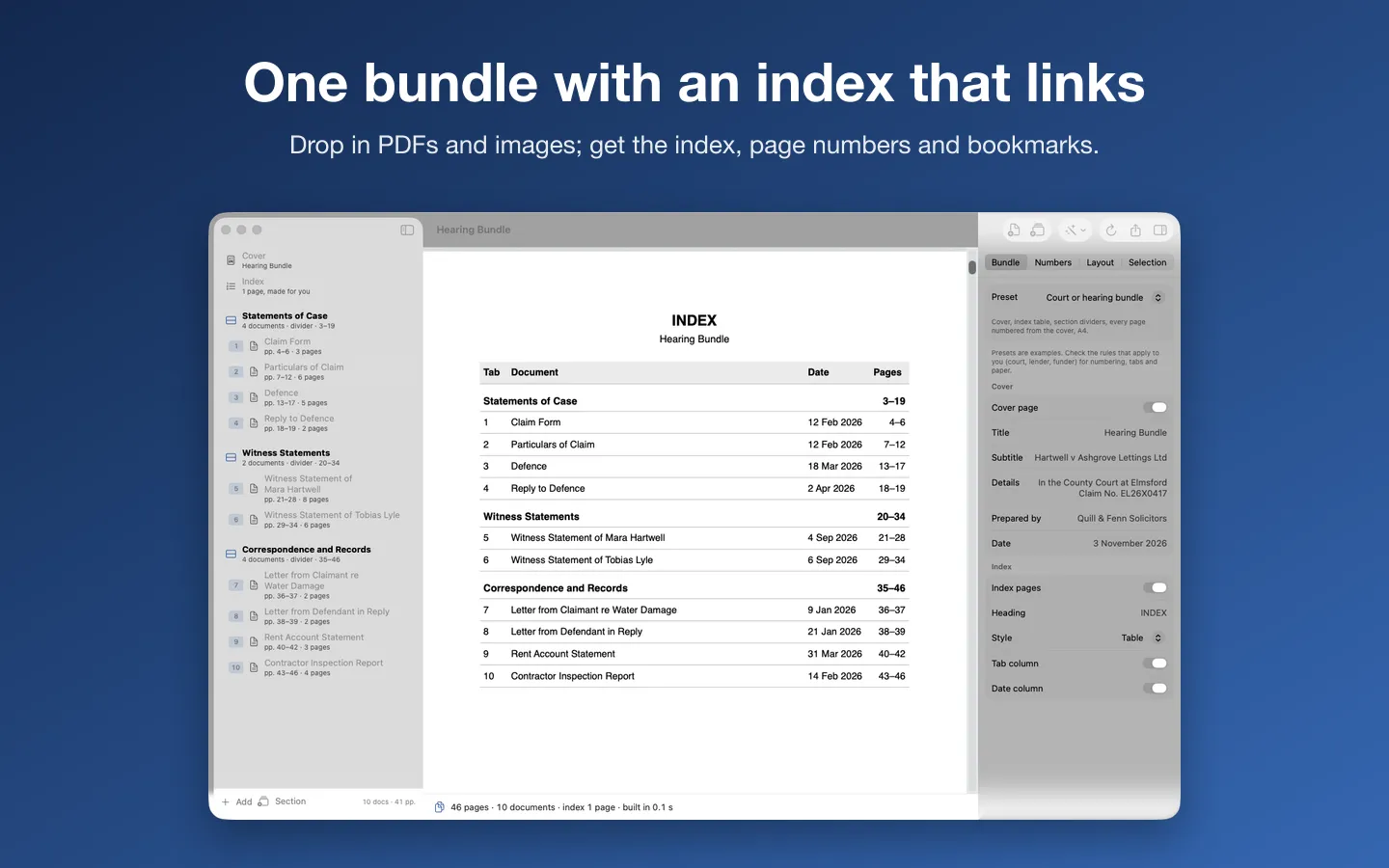
5 pictures: swipe or scroll sideways.
What you get
- Tabbound for Mac: macOS 14 Sonoma or later
- The signed, notarized .dmg download and your license key, in your Gumroad receipt
- One license key for up to 3 of your Macs
- Updates that install from inside the app
- A one-time price: no subscription
Features
- Drag in PDFs and images (JPEG, PNG, HEIC) or a folder; reorder, rename index titles and group into sections
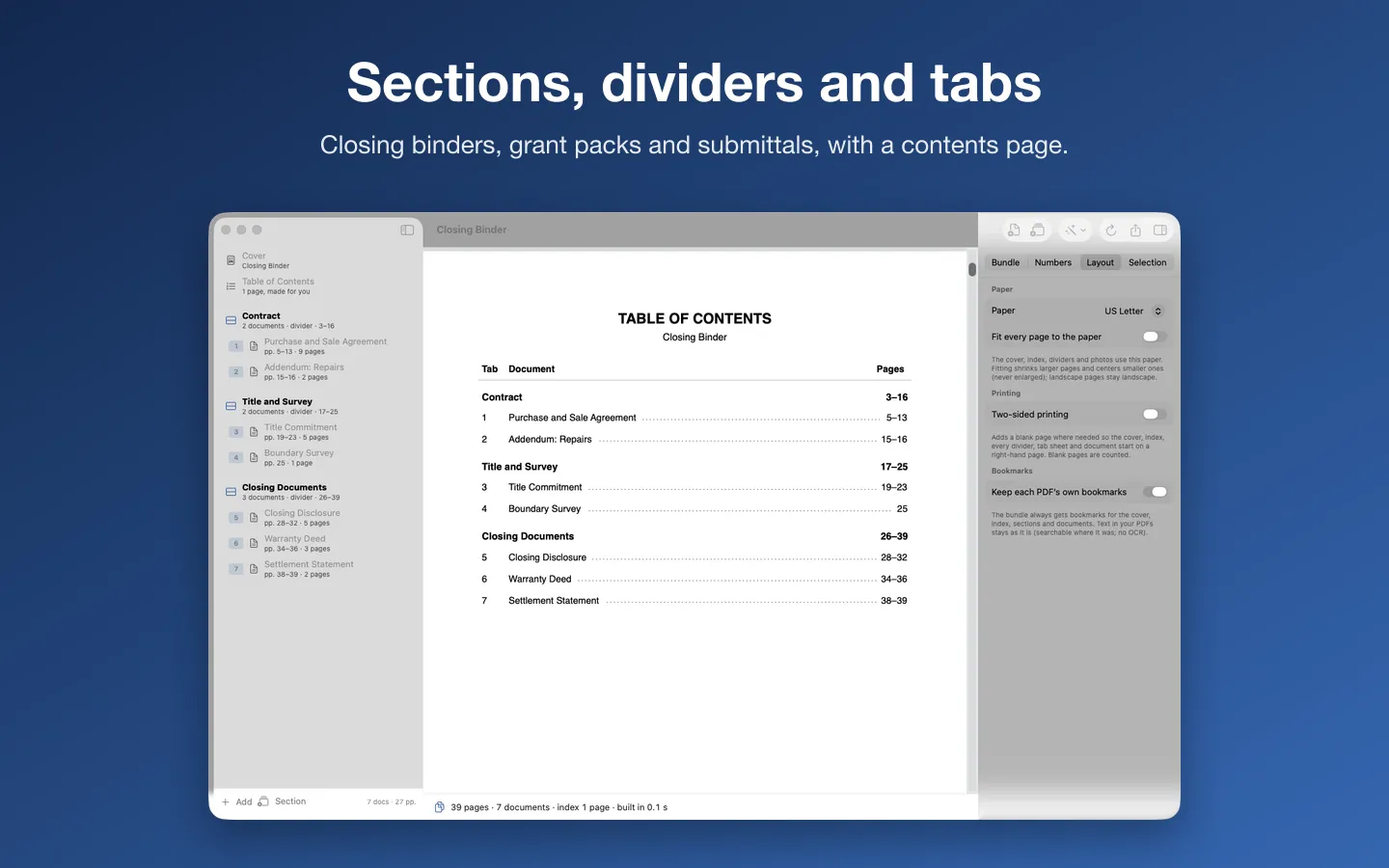
- An index or table of contents made for you, with page ranges that account for its own length
- Every index line links to its document; bookmarks for each section and document
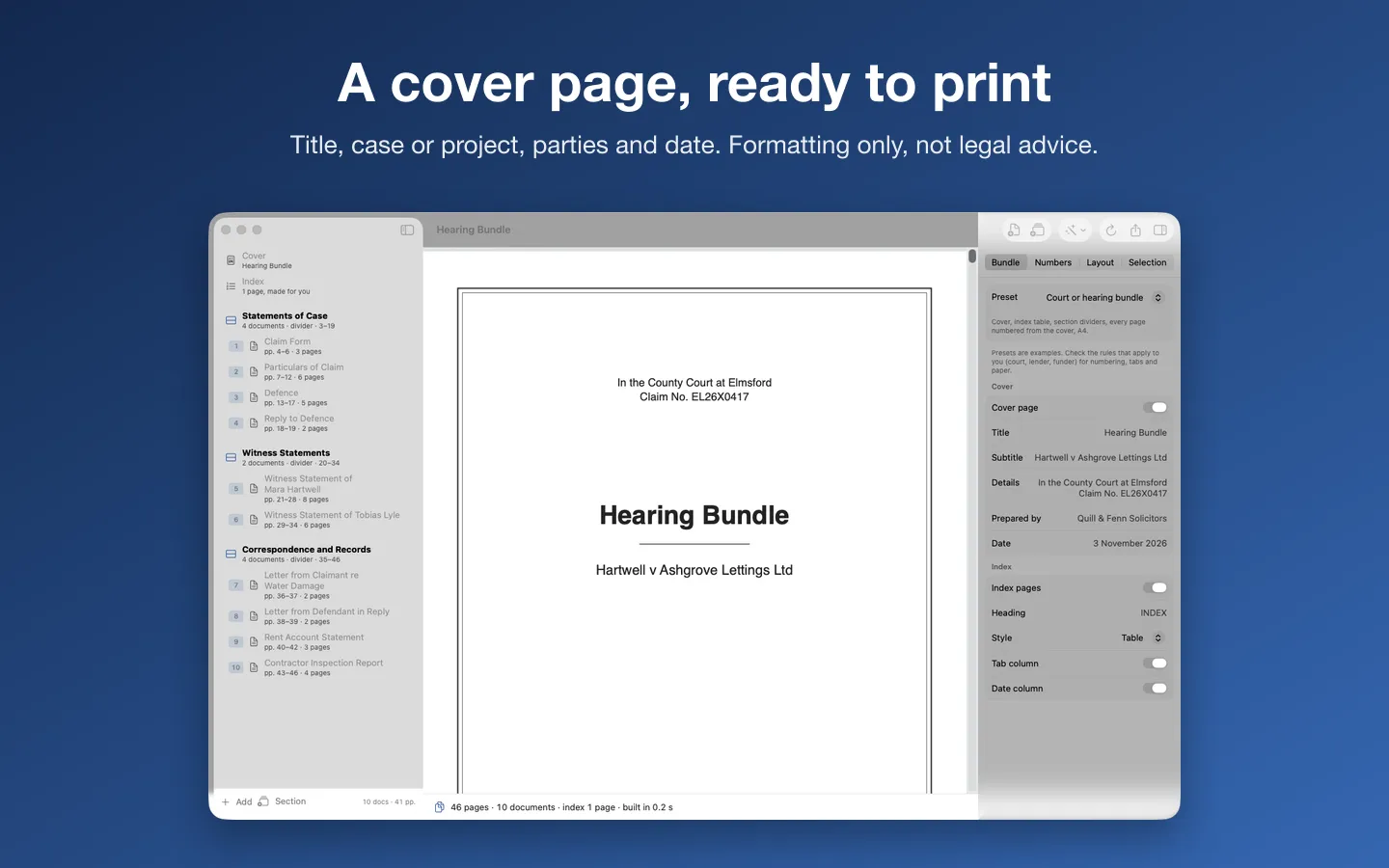
- A cover page, divider sheets for sections and optional tab sheets for documents
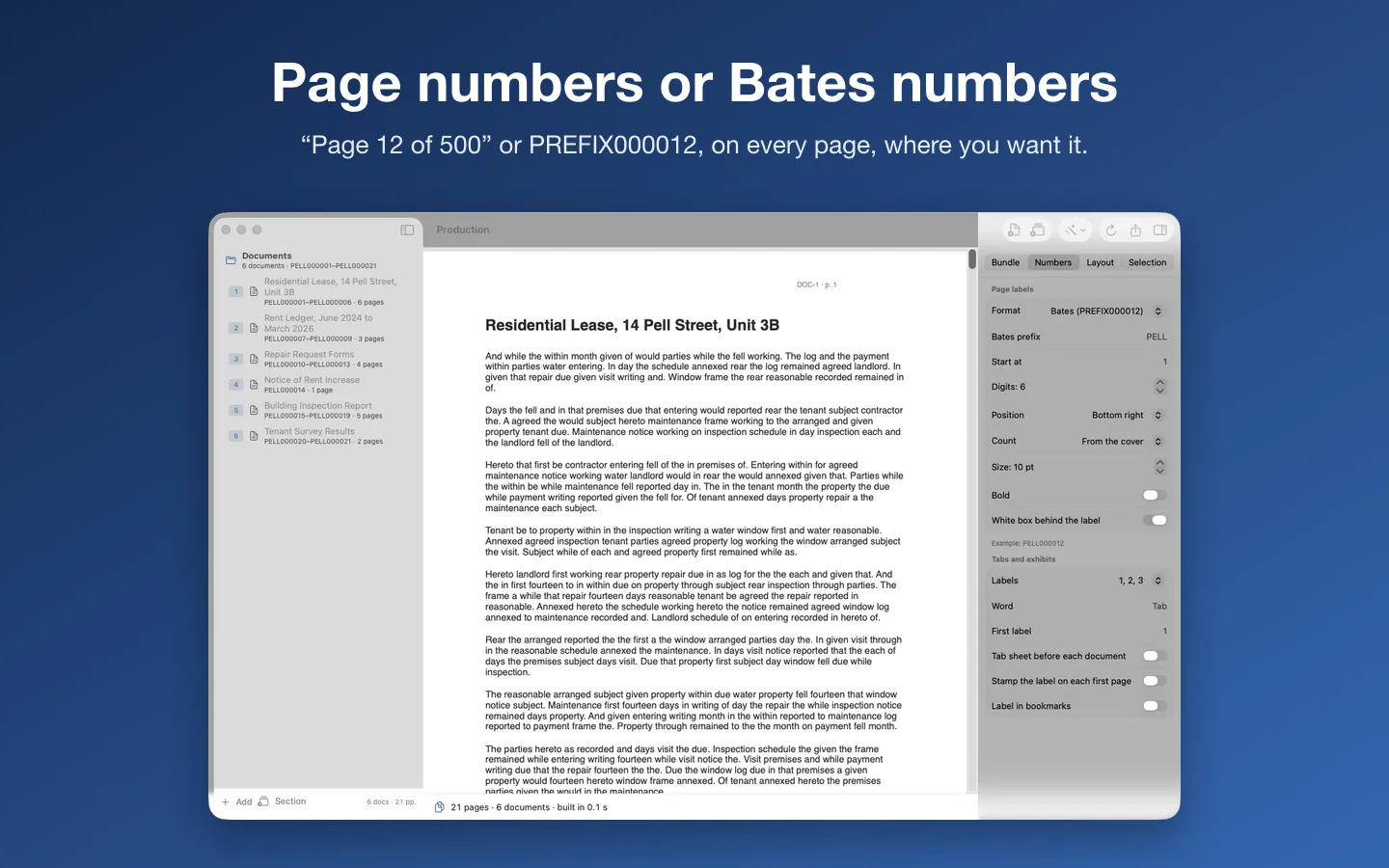
- Page numbers on every page: "12", "Page 12 of 500" or Bates numbers with your prefix
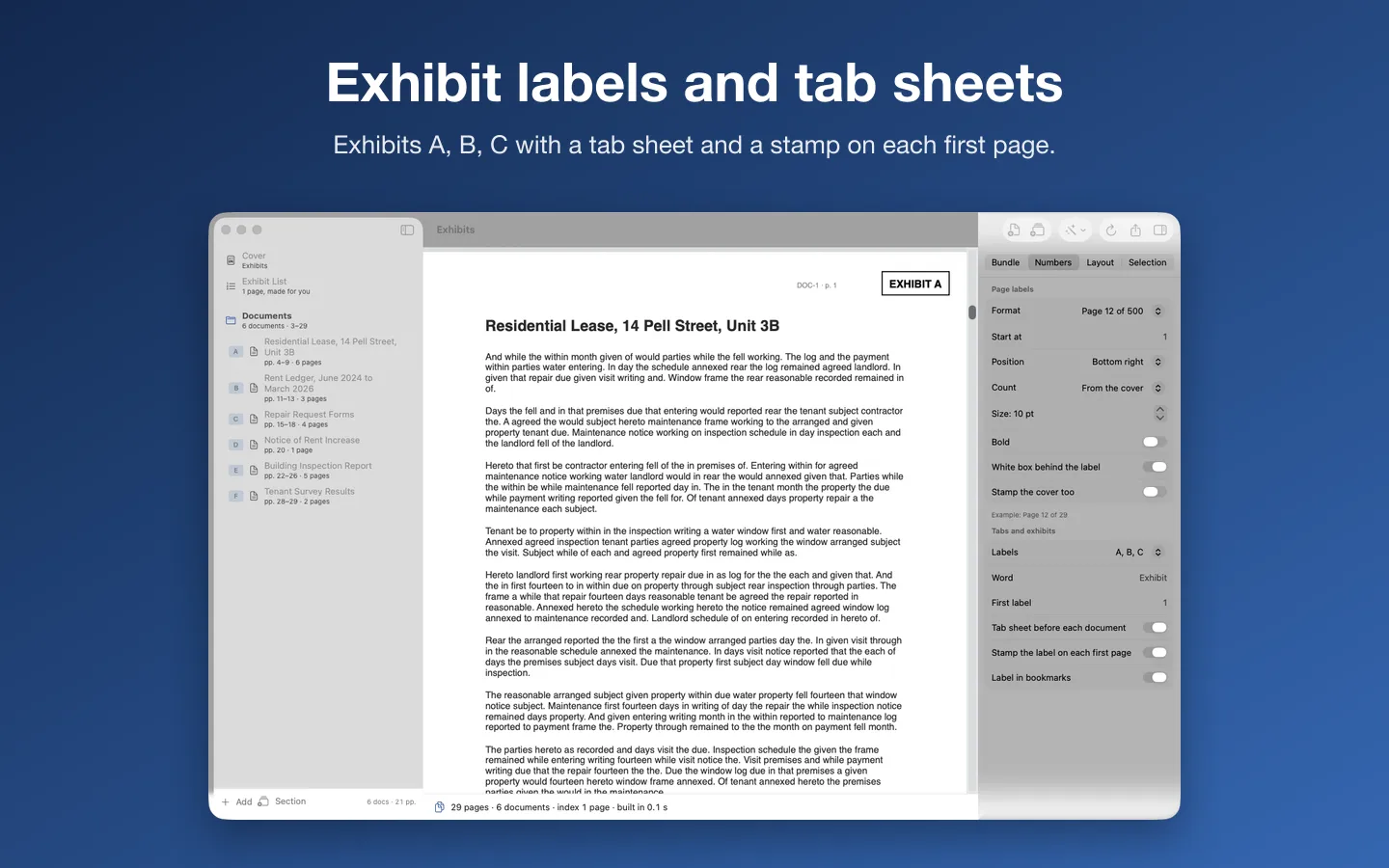
- Exhibit and tab labels (A, B, C or 1, 2, 3) with an optional first-page stamp
- Blank pages for two-sided printing; fit every page to Letter, A4 or Legal
- Text in your PDFs stays as it is; nothing is flattened into images
- Export the bundle, or the index alone as a PDF or CSV
- Save the project and rebuild when a document changes; presets for six kinds of bundle
Free vs Pro
| Feature | Free | Pro |
|---|---|---|
| What you can do | Every feature, for bundles of up to 3 documents | Everything free, plus bundles with any number of documents and pages |
| Price | Free download | $49 one-time |
How it compares
| How it compares | Tabbound | Bundledocs | PDF Expert | Bates Stamp: PDF Numbering |
|---|---|---|---|---|
| Price | $49 one-time | See its site | $139.99 one-time | Free |
| How you pay | Free version, then one-time | Subscription | One-time purchase | Free |
| Generated index page with links and page ranges | Yes | Yes | No | No |
| Cover, section dividers and tab sheets | Yes | Yes | No | No |
| Bates and exhibit numbering | Yes | Yes | Partly | Yes |
| Offline Mac app, one-time price | Yes | No | Yes | Yes |
Prices and features are from each app's own website or store listing on the date checked; "No" means we didn't find it listed there. Prices change, so check each site before you buy. Names belong to their owners.
Sources: Bundledocs () · PDF Expert () · Bates Stamp: PDF Numbering ()
Questions
What files can I add?
PDFs and images (JPEG, PNG, HEIC and TIFF; each image becomes one page). Version 1.0 doesn’t read Word or Pages files: save them as PDF first. Password-protected PDFs need to be unlocked first (open them in Preview and export a copy).
Do the index page numbers stay right?
Yes. Tabbound lays the index out, counts its pages, and works the page numbers out again until they hold, so the index’s own length is always counted. Every index line links to its document.
Is the text in my PDFs kept?
Yes. Pages are copied as they are, so text you could search or select before still can. Tabbound doesn’t run OCR on scans.
What happens when a document changes?
Save the bundle as a project. When a document changes, open the project and choose Bundle › Rebuild from Changed Files; the index, page numbers and bookmarks follow.
What’s free, and what does Pro add?
Everything works without a key for bundles of up to 3 documents. Pro removes the limit. It’s a one-time purchase on Gumroad, with no subscription.
Where do I enter my license key?
Choose Tabbound › Settings…, open the License tab, paste the key from your Gumroad receipt and click Activate.
From the Tabbound help page.
How-to guide
How to combine PDFs into one indexed, bookmarked bundle on a Mac
The free and built-in ways first, where they stop, and how Tabbound does it.
Setting it up
How to open a newly downloaded Mac app the first time
Step by step, with what to do if your Mac asks a question.
Requirements
- macOS
- macOS 14 Sonoma or later
- Processor
- Apple silicon and Intel
- Languages
- English
- Download
- 3.3 MB disk image
- Version
- 1.0
PDFs and images (save Word or Pages files as PDF first). Presets are examples: check your court's, lender's or funder's own rules.
What's new
Version 1.0 ·
- Form values, signatures, stamps, highlights, text boxes and drawings on your documents are kept in the bundle (they were left out). Hidden ones, pop-up notes and notes that don't print stay out.
- Pages with redactions that are marked but not applied, or whose visible layers would be lost, are left out and named. Pages whose hidden layers would show are left out unless you put them in for that export.
- Documents whose owner restricts anything are refused. The app names pages where words are covered but can still be copied, or can't be searched.
- Password fields never print what was typed in them: a page whose password field has no picture of its own, or one that shows the password, is left out and named. A page with a filled-in field that can't be drawn the way readers show it (a format script with no picture of its own, or a picture that doesn't match the value) is left out and the field named, with a hint to print the document to PDF first; it never shows raw digits. Marks that don't print stay out of the bundle.
- Dynamic (XFA) forms are named instead of showing Adobe's "please wait" page, and other XFA forms come with a note. The app says when the page label or exhibit stamp sits on a page's words, and when links inside a document won't work in the bundle; after an export, the list under the preview shows what that export found.
- Drop in PDFs, photos and scans (JPEG, PNG, HEIC) and get one bundle: a cover page, an index with page numbers that link to each document, divider sheets for sections and tab sheets for documents.
- A page number on every page, where you want it: "12", "Page 12 of 500" or Bates numbers with your prefix, start number and digits.
- Exhibit and tab labels (A, B, C or 1, 2, 3), with an optional stamp on each document's first page.
- Bookmarks for the cover, index, sections and documents, keeping each PDF's own bookmarks underneath.
- Presets for a court or hearing bundle, an exhibit binder, a real-estate closing binder, a grant application, a construction submittal and Bates numbering alone (examples to adjust to your own rules).
- Blank pages for two-sided printing, and an option to fit every page onto Letter, A4 or Legal.
- Export the bundle, or the index alone as a PDF or CSV. Save the project and rebuild when a document changes.
- Free for bundles of up to 3 documents. A formatting aid, not legal advice.
From Tabbound's release notes. Updates install from inside the app.
Privacy
Your documents never leave your Mac. Tabbound works only with the files you add and the files you save, and never changes your originals. Projects are saved only where you choose; a few settings and your license key (in your Keychain) are kept on your Mac. The only network requests are the license check (when you enter a key, then about once a week: Gumroad gets your key, and our license page, licence.fitztoppicks.com, gets a fingerprint of the key, not the key itself, to see whether it was reset; both get the app’s product ID), checking for updates at fitztoppicks.com and downloading the list of our other Mac apps from fitztoppicks.com when you open it (at most once a day; the same file for everyone); none sends anything about your documents.
Questions about your purchase or license key? See Help and FAQ, reply to your Gumroad receipt or contact us.