Remountwise
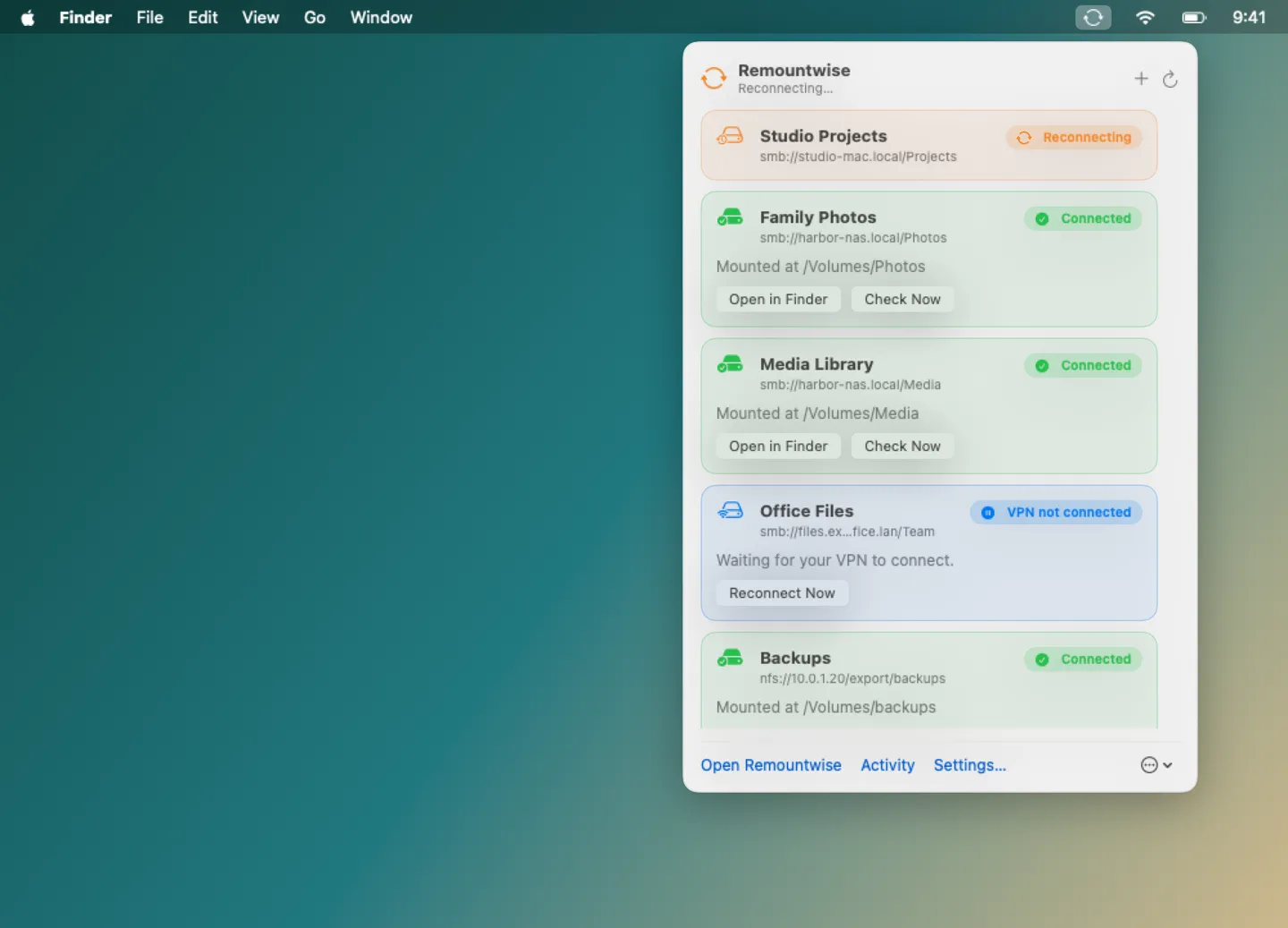
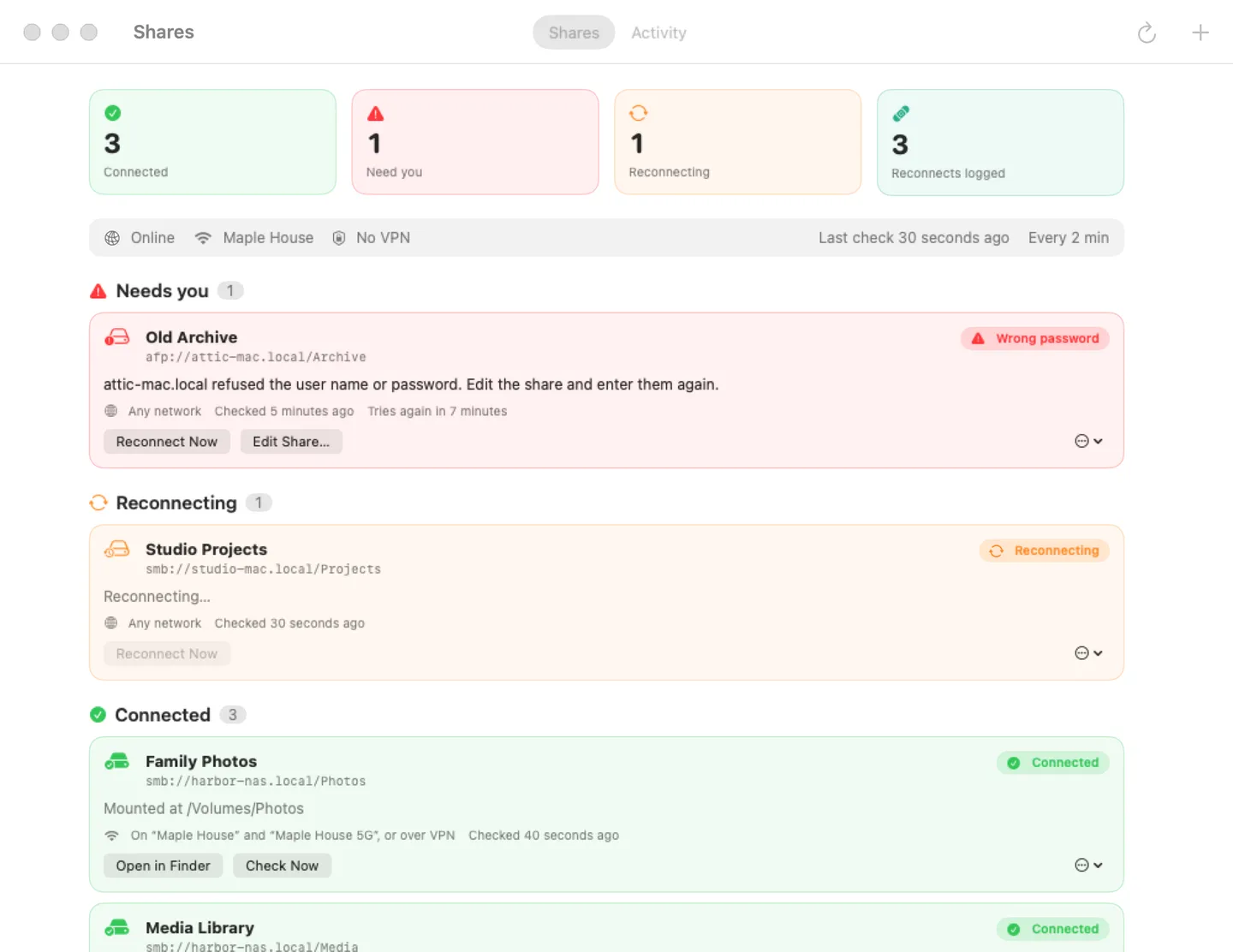
What it does: A menu bar app that keeps your NAS and network shares mounted: it finds frozen connections after sleep, clears them and reconnects, and says in plain words when it can't.
- Checkout by Gumroad
- Notarized by Apple
- No FitzTopPicks account needed
Free to use without a key: one share kept connected, with plain reasons and the activity log, for good. Every Pro feature is free for the first 14 days.
Buy a license key to unlock Pro: any number of shares, Wi-Fi and VPN rules, notifications, and checks as often as every minute.
macOS 14 Sonoma or later · Version 1.0 · 3.1 MB disk image · Notarized by Apple
One-time $12.99 for Pro. No subscription. One license key works on up to 3 of your Macs.
Download: The download (a signed, notarized .dmg) comes with your purchase in your Gumroad receipt, together with your license key. Updates install from inside the app.
Buy now opens Gumroad's checkout on this page; Gumroad is the seller and handles payment, sales tax and your receipt.
Screenshots
4 pictures: swipe or scroll sideways.
What you get
- Remountwise for Mac: macOS 14 Sonoma or later
- The signed, notarized .dmg download and your license key, in your Gumroad receipt
- One license key for up to 3 of your Macs
- Updates that install from inside the app
- A one-time price: no subscription
Features
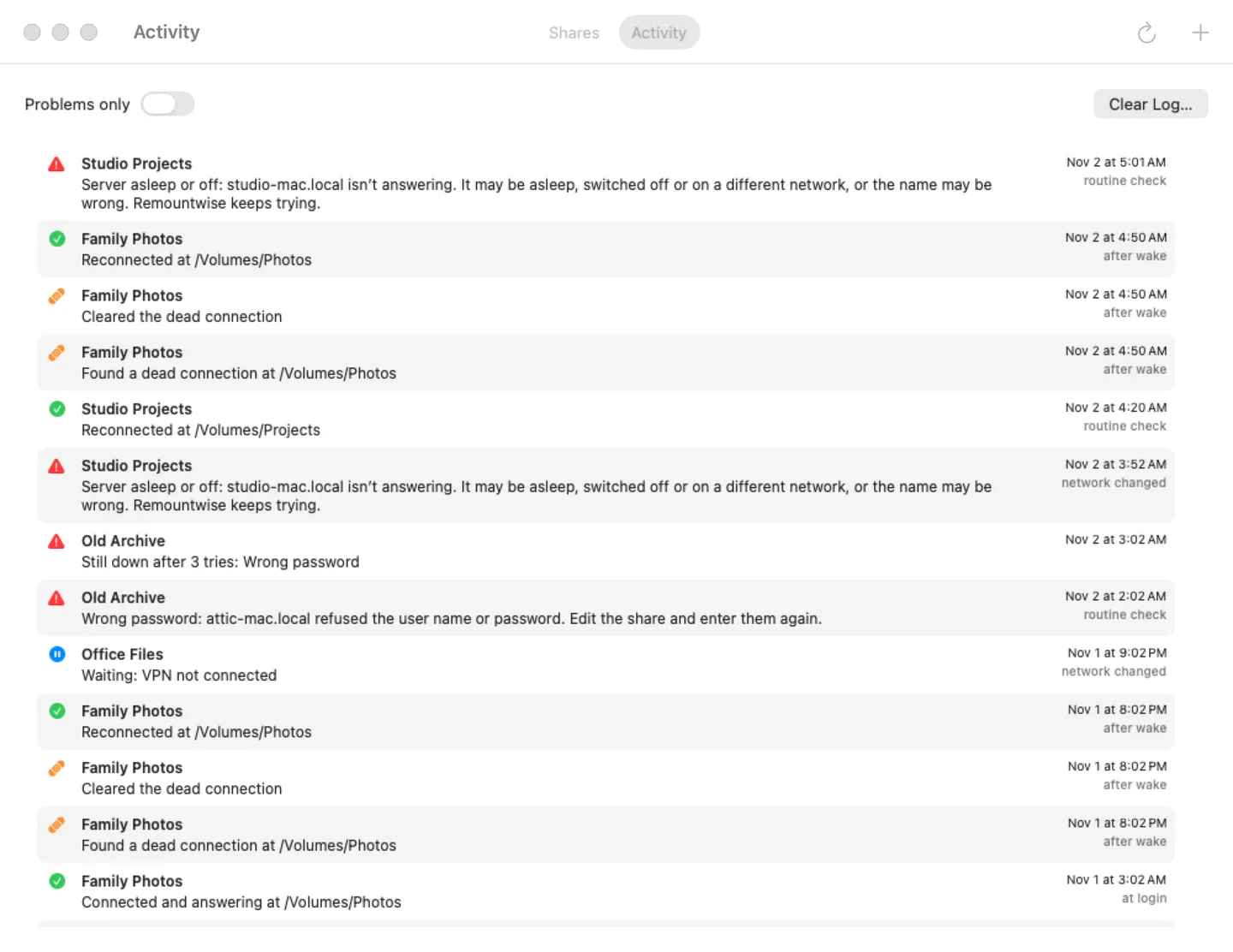
- Reconnects shares at login, after wake, when the network changes and every few minutes
- Finds dead connections with a timed check, force-unmounts and remounts them
- Plain reasons: server asleep, wrong password, not on your home Wi-Fi
- SMB, NFS and AFP through macOS's own NetFS; passwords in your Keychain
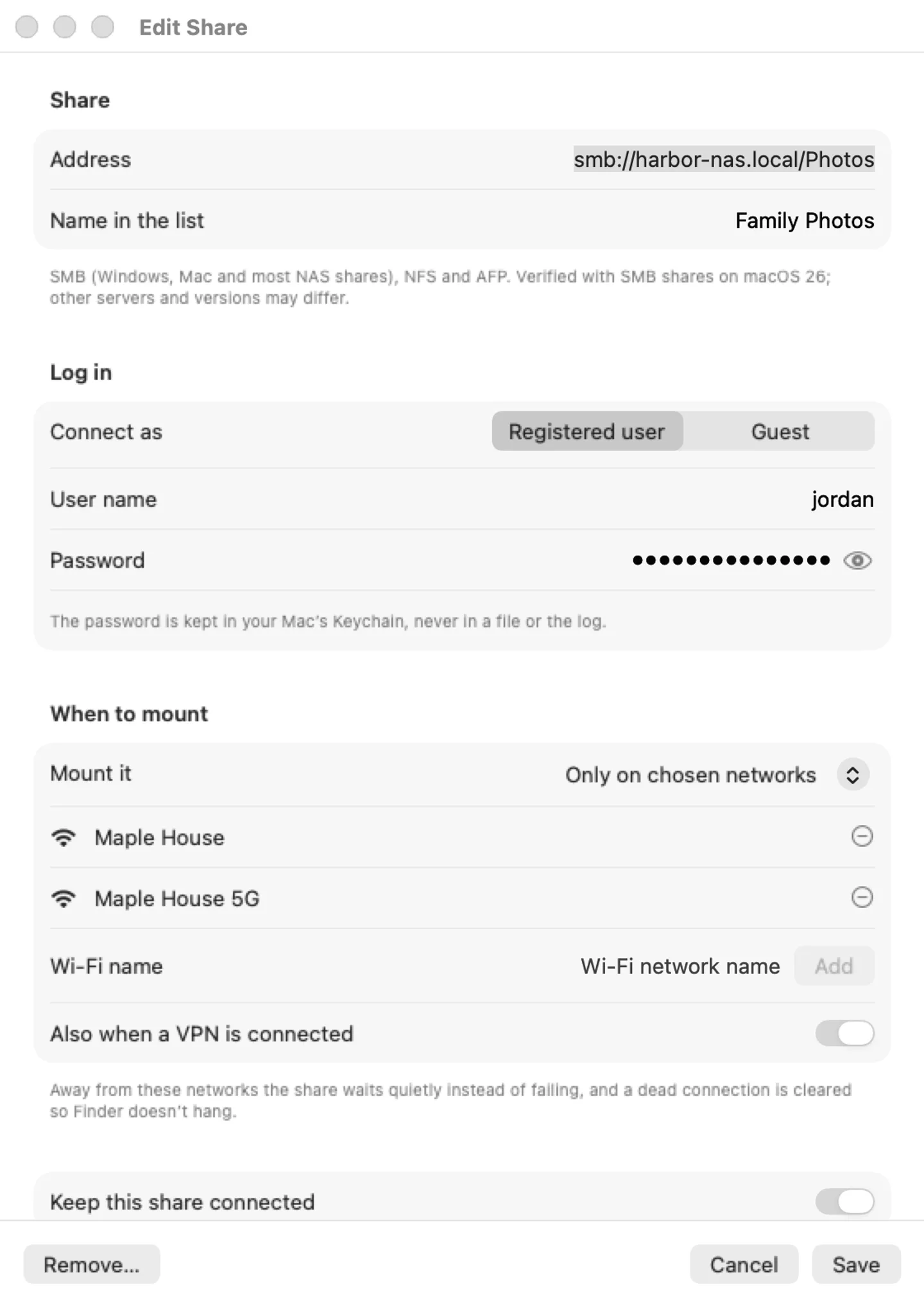
- Pro: any number of shares, Wi-Fi and VPN rules, notifications
- English and Spanish
Free vs Pro
| Feature | Free | Pro |
|---|---|---|
| What you can do | One share kept connected, with plain reasons and the activity log, for good. Every Pro feature is free for the first 14 days | Everything free, plus any number of shares, Wi-Fi and VPN rules, notifications, and checks as often as every minute |
| Price | Free download | $12.99 one-time |
Questions
Which servers does it work with?
SMB (Windows, Mac and most NAS boxes), NFS and AFP shares, through the same NetFS that Finder’s Connect to Server uses. It’s verified with SMB shares on macOS 26; every NAS is a little different, so tell us if yours misbehaves.
Why does it unmount a share?
Only when the share has stopped answering (a check with a 5-second timeout). Clearing it is what lets it be mounted again and stops Finder from hanging. A file that was open on it with unsaved changes can lose them.
A share says “Wrong password”.
Edit the share in Remountwise and enter the user name and password again; they’re saved in your Keychain.
What’s free, and what does a key add?
The first 14 days have every Pro feature. After that, without a key, Remountwise keeps one share connected, with plain reasons and the activity log, for as long as you like. A key adds any number of shares, Wi-Fi and VPN rules, notifications and checks as often as every minute, on up to 3 Macs. It’s a one-time purchase on Gumroad, with no subscription.
Where do I enter my license key?
Click the Remountwise icon in the menu bar, choose Settings…, open the Pro tab, paste the key from your Gumroad receipt and click Activate.
How do I get updates?
Remountwise checks for updates on its own; you can also choose Check for Updates… from the … menu in its menu bar panel. Updates are free.
From the Remountwise help page.
Requirements
- macOS
- macOS 14 Sonoma or later
- Processor
- Apple silicon and Intel
- Languages
- English, Spanish
- Download
- 3.1 MB disk image
- Version
- 1.0
Verified with SMB shares on macOS 26.
Privacy
Remountwise keeps your share list and its activity log on your Mac; passwords and the license key are in your Keychain. No account, no tracking. The only internet requests are the license check with Gumroad (when you enter a key and about once a week) and checking for updates at fitztoppicks.com. Wi-Fi rules need Location Services to read the network's name; your location is never read.
Questions about your purchase or license key? Reply to your Gumroad receipt or contact us.