Textfolio
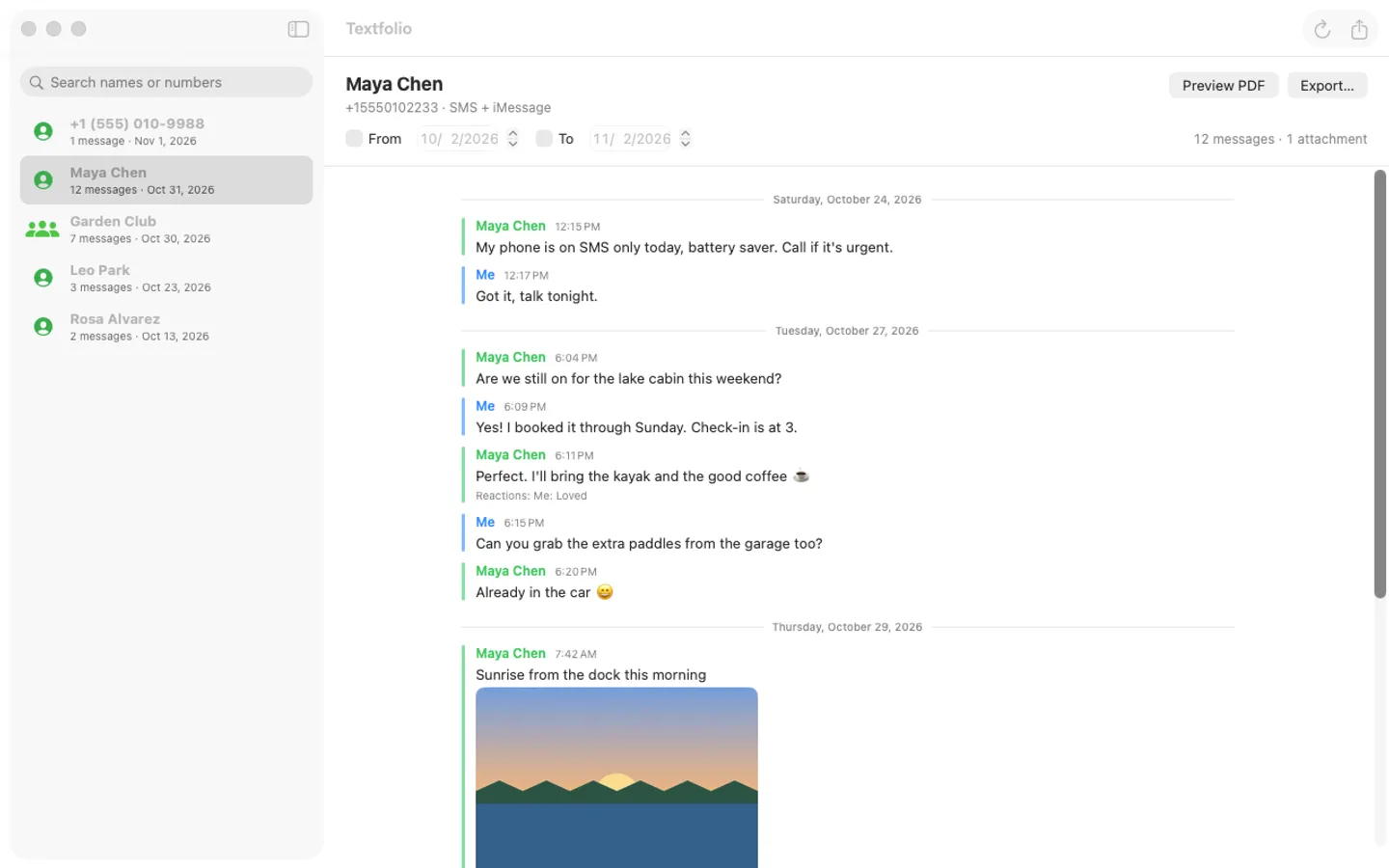
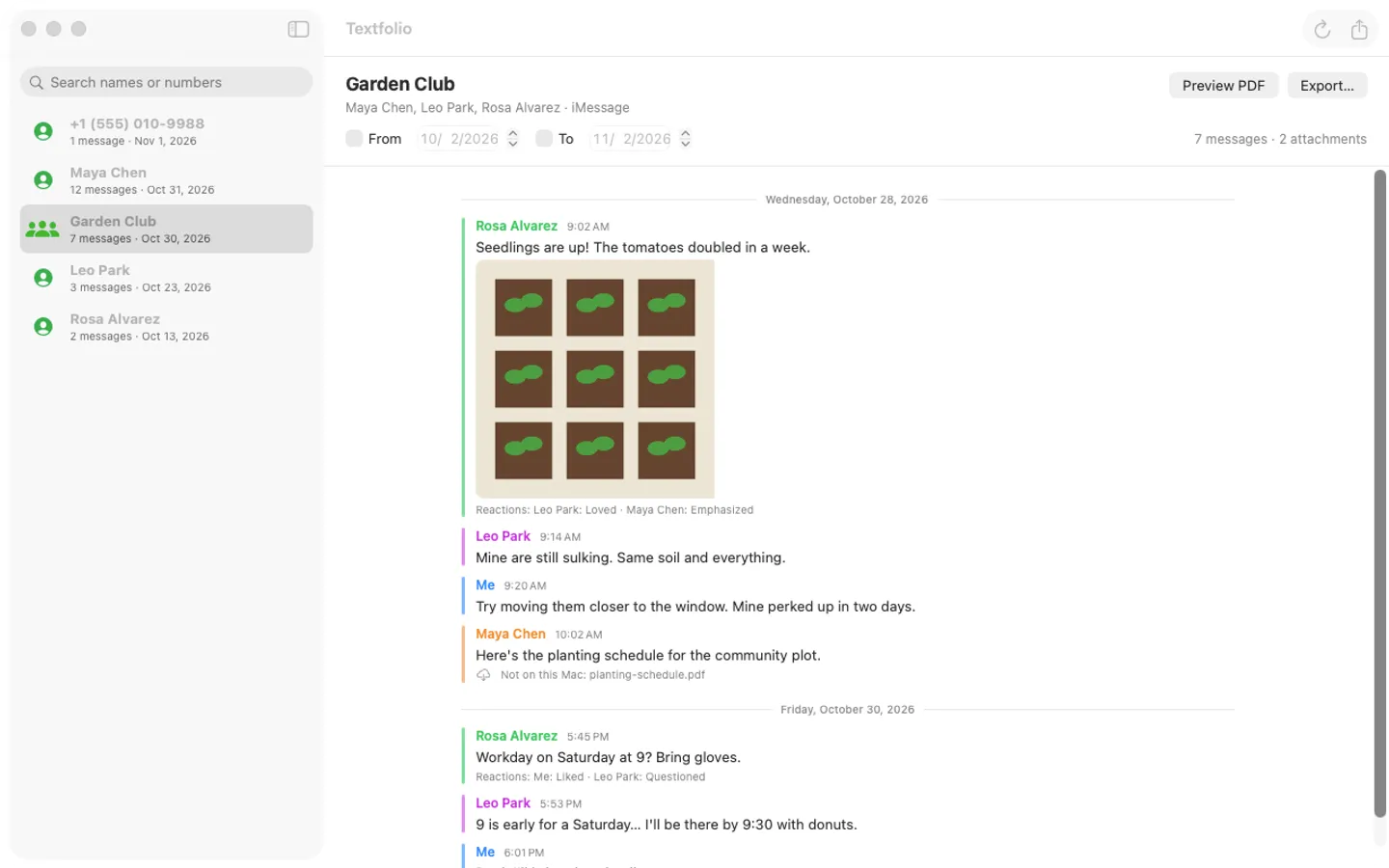
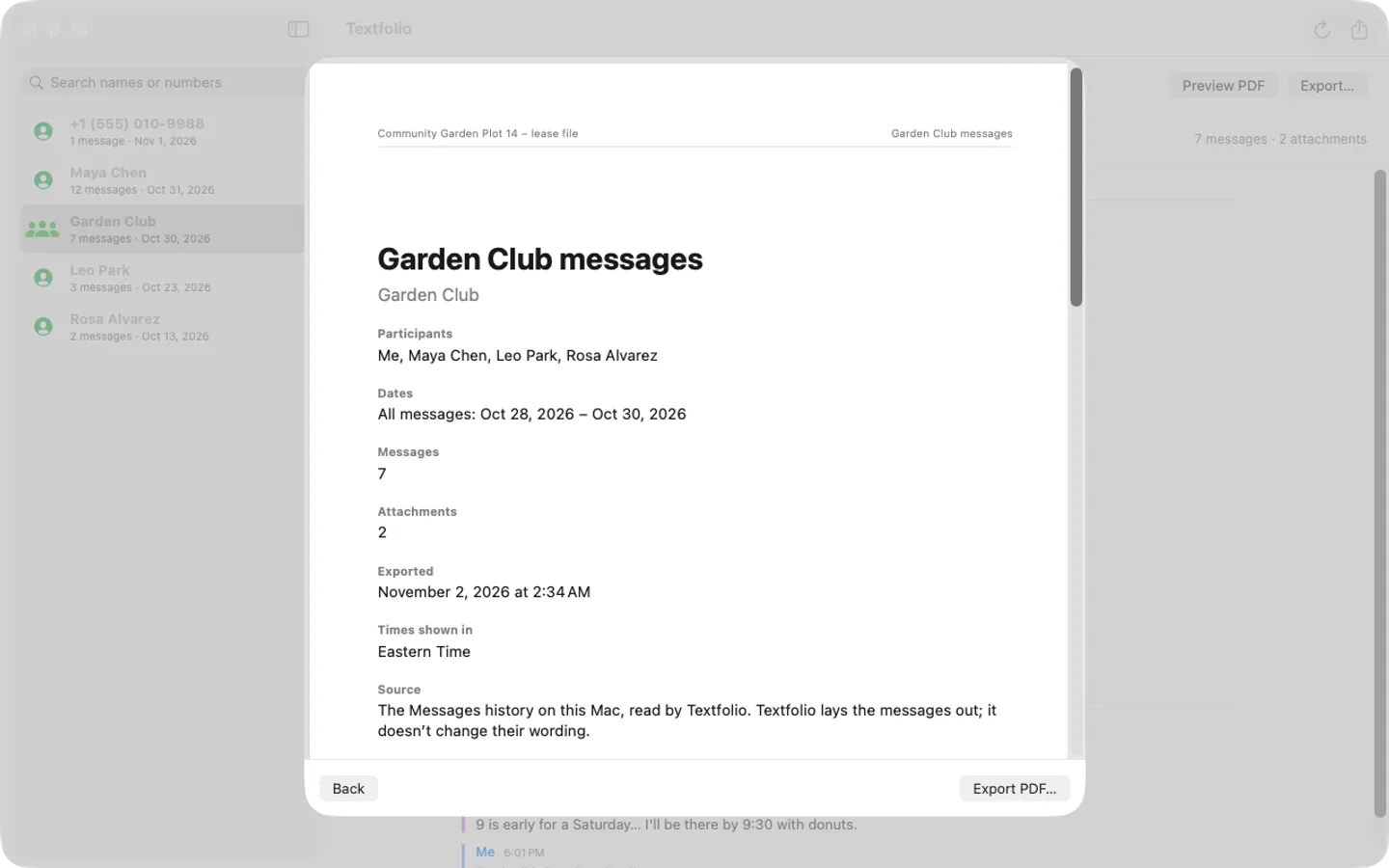
What it does: Textfolio exports your Mac’s Messages conversations to clean PDFs and CSV: labeled senders, times, photos inline, reactions, page numbers and optional Bates-style numbers. Everything stays on your Mac; nothing is uploaded.
- Checkout by Gumroad
- Notarized by Apple
- No FitzTopPicks account needed
Free to use without a key: preview any conversation, and export PDFs of the first 50 messages with a watermark. Every feature is free for the first 14 days.
Buy a license key to unlock whole conversations without a watermark, and CSV export.
macOS 14 Sonoma or later · Version 1.0 · 3.1 MB disk image · Notarized by Apple
One-time $14.99. No subscription. One license key works on up to 3 of your Macs.
Download: The download (a signed, notarized .dmg) comes with your purchase in your Gumroad receipt, together with your license key. Updates install from inside the app.
Buy now opens Gumroad's checkout on this page; Gumroad is the seller and handles payment, sales tax and your receipt.
Screenshots
5 pictures: swipe or scroll sideways.
What you get
- Textfolio for Mac: macOS 14 Sonoma or later
- The signed, notarized .dmg download and your license key, in your Gumroad receipt
- One license key for up to 3 of your Macs
- Updates that install from inside the app
- A one-time price: no subscription
Features
- Pick a person or group, set a date range, preview, export
- Labeled senders and times; photos inline (iPhone HEIC photos become JPEG)
- Reactions shown as text under each message
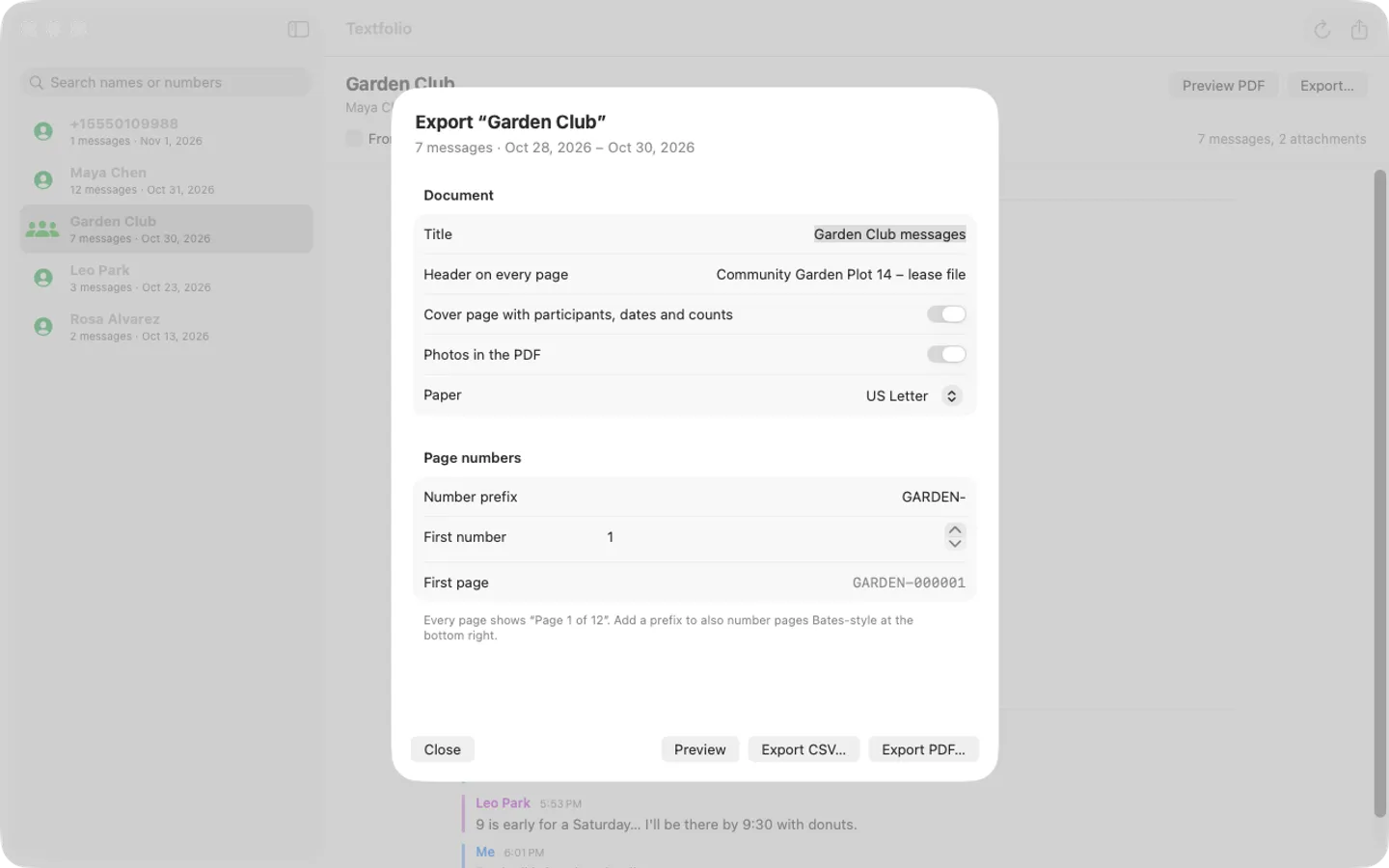
- Cover page, “Page n of N”, an optional header and Bates-style page numbers
- CSV export for Numbers or Excel
- Names from Contacts; search by name or number
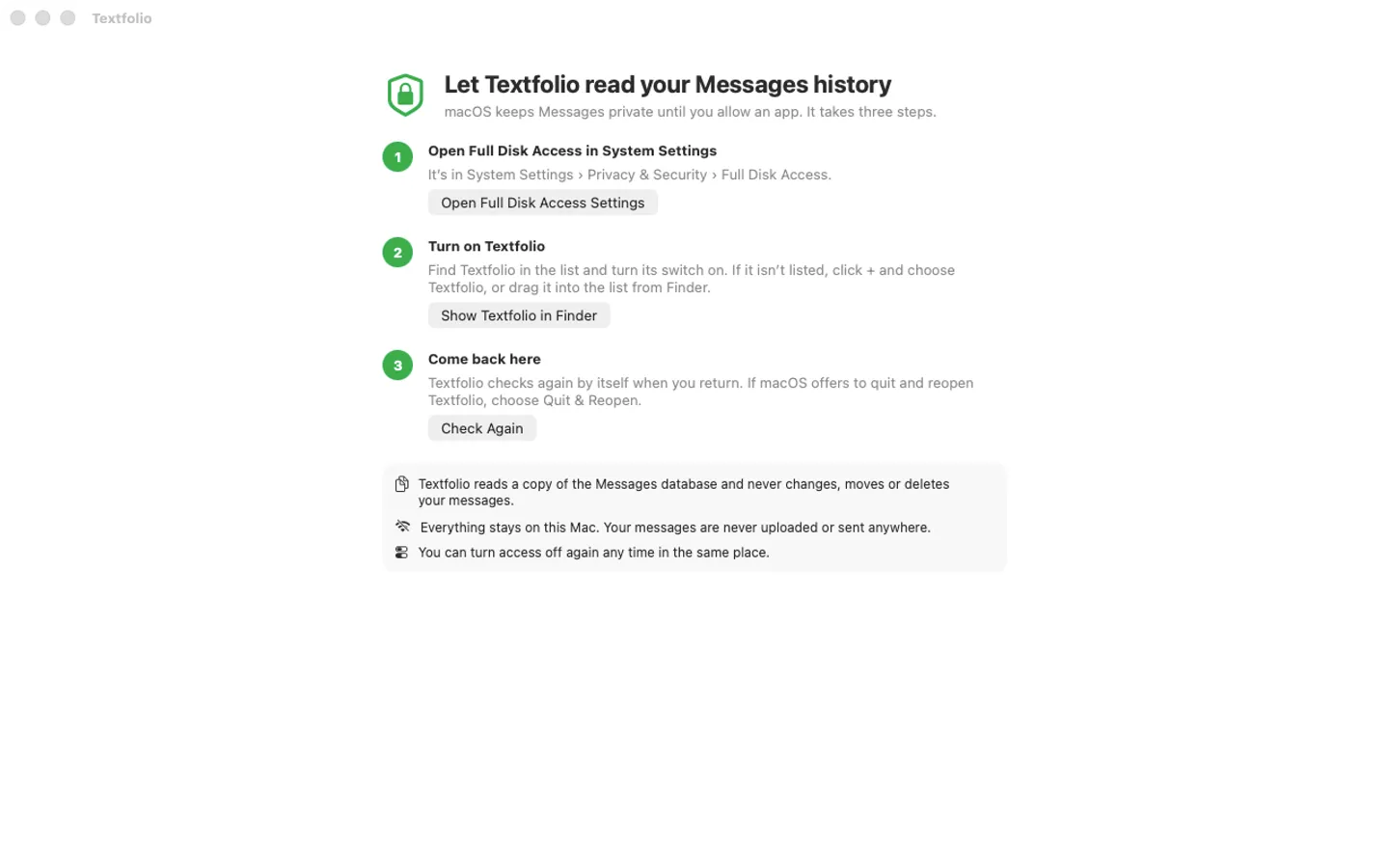
- A guided Full Disk Access step; reads a copy, never changes Messages
- English and Spanish
Free vs With a license key
| Feature | Free | With a license key |
|---|---|---|
| What you can do | Preview any conversation, and export PDFs of the first 50 messages with a watermark. Every feature is free for the first 14 days | Buy a license key to unlock whole conversations without a watermark, and CSV export. |
| Price | Free download | $14.99 one-time |
Questions
Why does it need Full Disk Access?
MacOS keeps Messages private: only apps you allow in System Settings › Privacy & Security › Full Disk Access can read it. Textfolio shows the steps the first time you open it.
A conversation or some photos are missing.
Textfolio reads what Messages has on this Mac. Turn on Messages in iCloud (Messages › Settings › iMessage), let it download, then choose File › Reload Messages.
Will a court accept the PDF?
Textfolio formats your messages and doesn’t change their wording, with page numbers and optional Bates-style numbers. Whether a printout is accepted is up to the court or office: ask them.
What’s free, and what does a key add?
Everything works for 14 days. After that, without a key you can preview any conversation, and PDF exports keep the first 50 messages with a watermark. A key adds whole conversations without a watermark and CSV export, on up to 3 Macs. It’s a one-time purchase on Gumroad, with no subscription.
Where do I enter my license key?
Choose Textfolio › Settings…, open the License tab, paste the key from your Gumroad receipt and click Activate.
How do I get updates?
Textfolio checks for updates on its own; you can also choose Check for Updates… from the Textfolio menu. Updates are free.
From the Textfolio help page.
Requirements
- macOS
- macOS 14 Sonoma or later
- Processor
- Apple silicon and Intel
- Languages
- English, Spanish
- Download
- 3.1 MB disk image
- Version
- 1.0
Privacy
Textfolio reads a copy of the Messages history on your Mac (after you turn on Full Disk Access) and deletes the copy when you quit. Your messages and contacts are never uploaded or sent anywhere. Your license key is kept in your Keychain. The only internet requests are the license check with Gumroad and checking for updates at fitztoppicks.com.
Questions about your purchase or license key? Reply to your Gumroad receipt or contact us.