Bubble Batch
Free version Free to use without a key. What's free
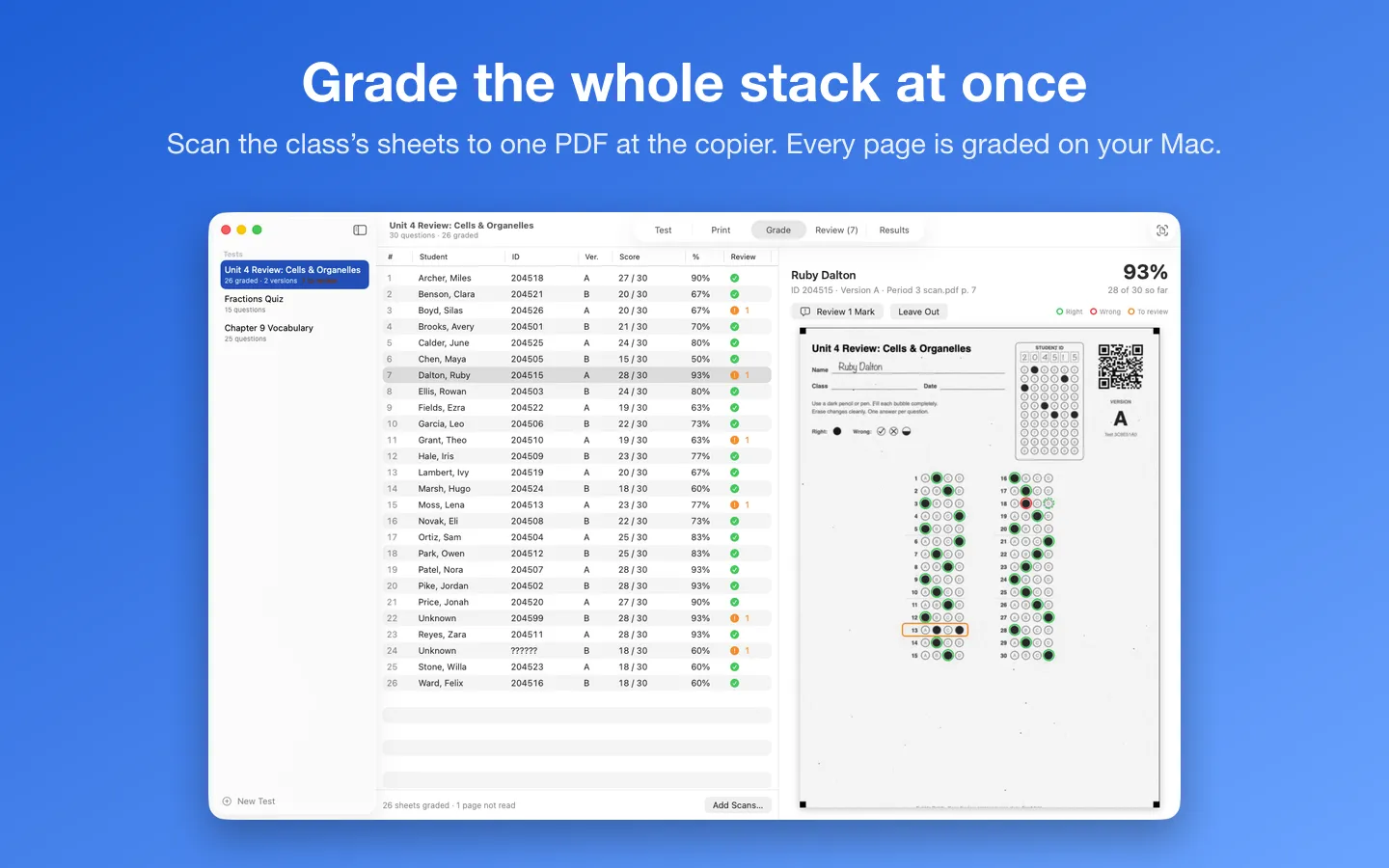
What it does: Print bubble sheets for your own multiple-choice tests, scan the class’s stack to one PDF at the copier, and Bubble Batch grades every page on your Mac. Unclear marks wait for you in Review, beside the scanned bubbles. Nothing is uploaded, and there’s no subscription.
Black Friday: $6.99 with code BFMAC30, Nov 27–30 (New York time). The whole sale
Black Friday: $6.99 through November 30 (New York time); normally $9.99. Buy now carries the code BFMAC30. The whole sale
- Checkout by Gumroad
- Notarized by Apple
- No FitzTopPicks account needed
Free to use without a key: one test, its printed sheets, and grading, review and scores for up to 40 sheets. Help › Try the Sample Class grades a made-up class before you print anything.
Buy a license key to unlock Pro: unlimited tests and sheets, versions B to D, the item analysis on screen and as a PDF, and the gradebook CSV.
macOS 14 Sonoma or later · Version 1.3.2 · 4.3 MB disk image · Notarized by Apple
One-time $9.99 for the app with Pro: unlimited tests and sheets, versions B to D, the item analysis and the gradebook CSV. No subscription, no account. One license key works on up to 3 of your Macs.
Download: The download (a signed, notarized .dmg) comes with your purchase in your Gumroad receipt, together with your license key. Updates install from inside the app.
Buy now opens Gumroad's checkout on this page; Gumroad is the seller and handles payment, sales tax and your receipt.
Screenshots
5 pictures: swipe or scroll sideways.
What you get
- Bubble Batch for Mac: macOS 14 Sonoma or later
- The signed, notarized .dmg download and your license key, in your Gumroad receipt
- One license key for up to 3 of your Macs
- Updates that install from inside the app
- A one-time price: no subscription
Features
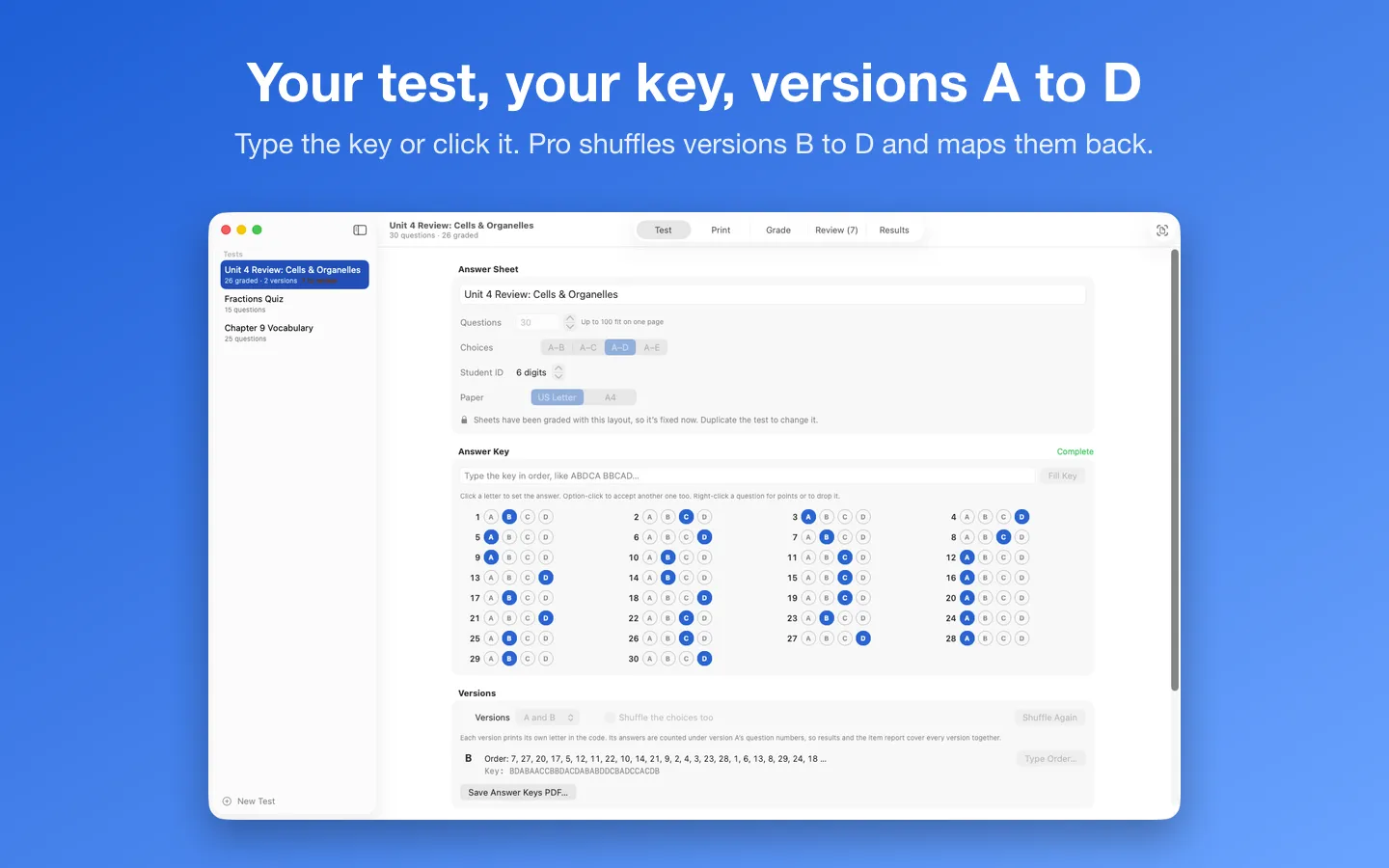
- Its own answer sheet: corner squares, a code with the test, version and page, and student-ID bubbles
- Up to 100 questions a page (200 a test), A–B to A–E, on US Letter or A4
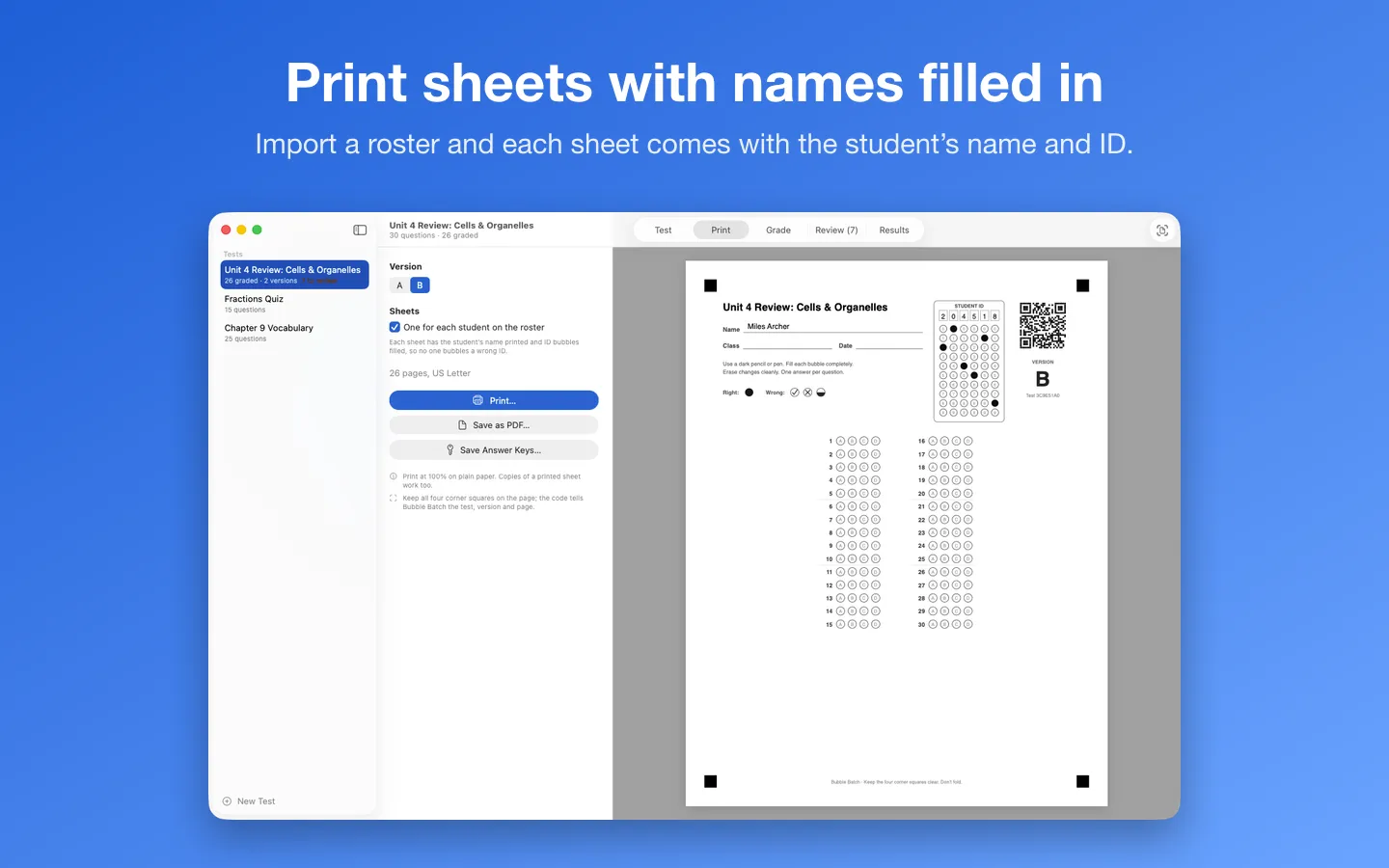
- Import a roster and each sheet is printed with the student’s name and ID already filled in
- 214 Starter Quizzes: ready-made 10-question quizzes for grades 3 to 8 in math, ELA and science, with the answer key filled in and question sheets to print
- Scan the whole stack to one PDF, in any order and even upside down; every page is read on your Mac
- No scanner? Import from iPhone › Scan Documents (Continuity Camera), or drop photos
- Scan the answer key instead of typing it, and check the key it reads before it's used
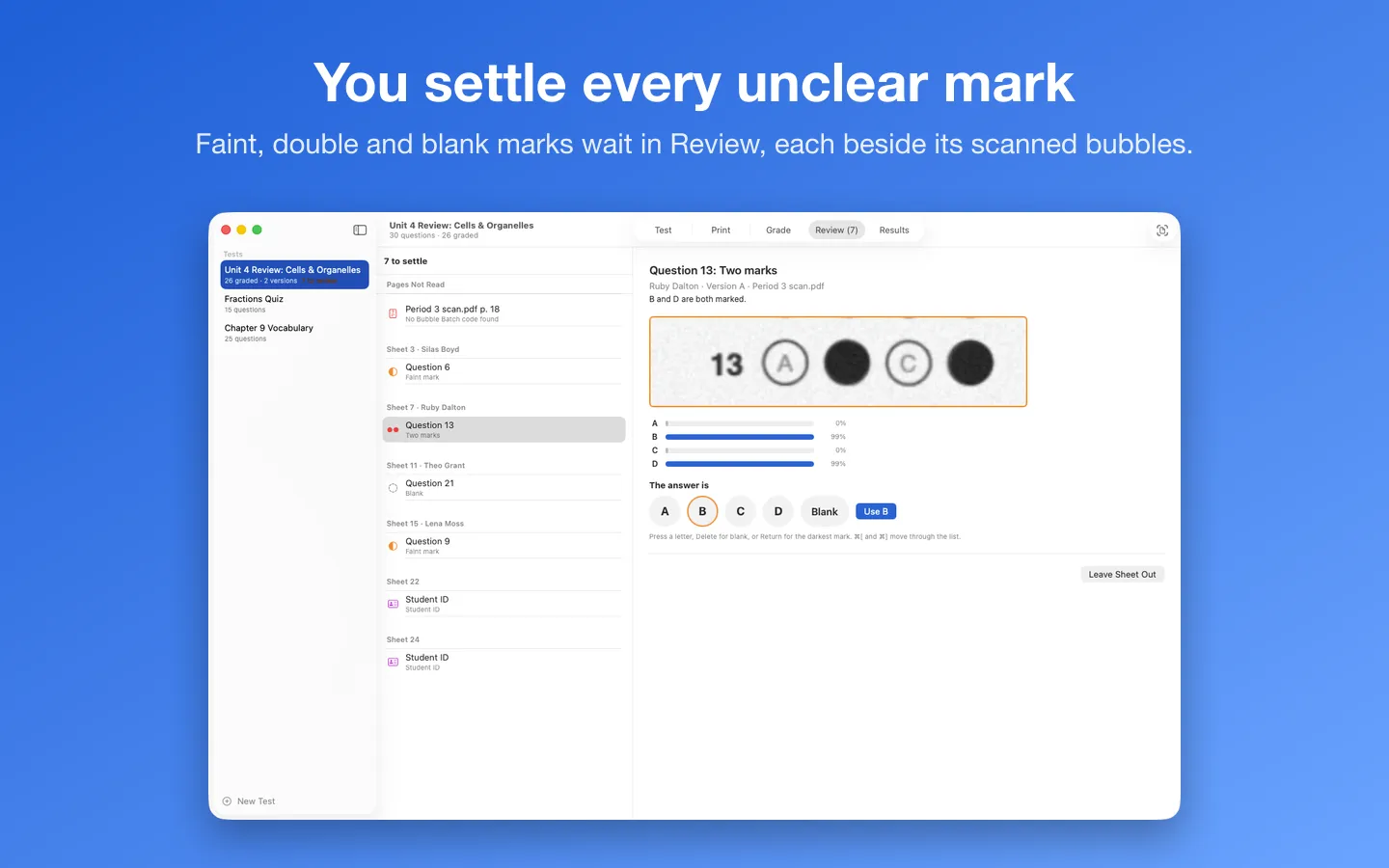
- Blank, faint, double and check-mark answers, unclear IDs and missing pages wait in Review, each beside its scanned bubbles
- Rescan one student's sheet without regrading the class; answers you already settled carry over
- Reads the handwritten name on each sheet and suggests roster students when an ID is missing or unclear; you pick the student
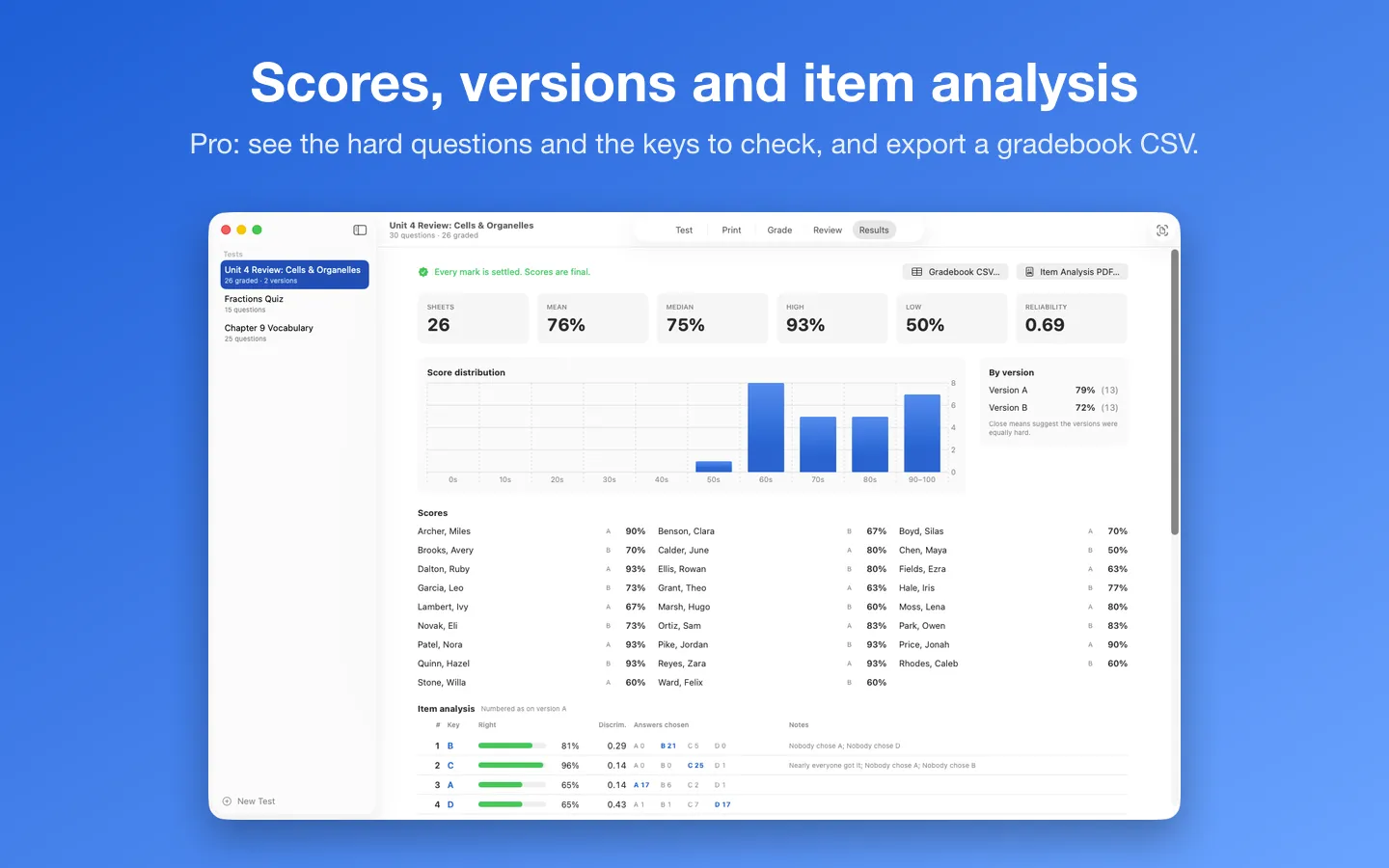
- Scores, mean and median, reliability (KR-20), a histogram and means by version
- Pro: versions A to D, the item analysis (on screen and PDF) and a gradebook CSV in roster order
- Pro: student result slips with each student's score and every missed question, with their answer and the right one
- Reads only the sheets it prints, not other answer forms
Free vs Pro
| Feature | Free | Pro |
|---|---|---|
| What you can do | One test, its printed sheets, and grading, review and scores for up to 40 sheets. Help › Try the Sample Class grades a made-up class before you print anything | Everything free, plus unlimited tests and sheets, versions B to D, the item analysis on screen and as a PDF, and the gradebook CSV |
| Price | Free download | $9.99 one-time |
How it compares
| How it compares | Bubble Batch | ZipGrade | ScanToGrade | Gradient by GradeCam |
|---|---|---|---|---|
| Price | $9.99 one-time | $6.99 a year | $79.95 a year | $150 a year |
| How you pay | Free version, then one-time | Free version, subscription upgrade | Subscription | Subscription |
| Grades a multi-page scanner PDF on your Mac | Yes | Partly | Yes | No |
| Prints its own sheets with roster names | Yes | Yes | Yes | Yes |
| Versions A-D mapped to one key | Yes | Partly | Yes | Partly |
| One-time price, nothing uploaded | Yes | No | No | No |
Prices and features are from each app's own website or store listing on the date checked; "No" means we didn't find it listed there. Prices change, so check each site before you buy. Names belong to their owners.
Sources: ZipGrade () · ScanToGrade () · Gradient by GradeCam ()
Questions
How do I make a test?
Click New Test, give it a title, and set the number of questions, the choices, the student-ID digits and the paper size. Type the key in order (like ABDCA BBCAD) and click Fill Key, or click each answer. Option-click a letter to accept a second answer, and right-click a question to change its points or drop it.
How should I print the sheets?
Print at 100% on plain paper, or print one sheet and photocopy it. Keep all four black corner squares and the code on the page, since they tell Bubble Batch which test, version and page it’s reading.
Can each sheet have a student’s name on it?
Yes. In the Test step, choose Import Roster CSV… with a CSV that has the students’ IDs and names (Bubble Batch finds the columns by their headers). Then check One for each student on the roster in the Print step, and each sheet is printed with the name and the ID bubbles already filled in.
How do I scan the sheets?
Scan the whole stack to one PDF at the copier, at 200 to 300 dpi, in grayscale if the copier offers it (black and white can drop light pencil marks; Bubble Batch tells you when pages were scanned that way). Pages can be in any order and even upside down. For two-page tests, scan each student’s pages one after the other.
What does Pro add?
Unlimited tests and sheets (free keeps one test and grades up to 40 sheets on it), versions B to D, the item analysis on screen and as a PDF, and the gradebook CSV. It’s a one-time purchase on Gumroad, with no subscription, and the license key works on up to 3 of your Macs. Without a key, Bubble Batch keeps working as the free version.
Do I have to pay again on another Mac?
No. One license key works on up to 3 of your Macs. Download the app again from your Gumroad receipt or library and enter the same key.
From the Bubble Batch help page.
How-to guide
How to grade multiple-choice bubble sheets without a Scantron machine
The free and built-in ways first, where they stop, and how Bubble Batch does it.
Setting it up
How to open a newly downloaded Mac app the first time
Step by step, with what to do if your Mac asks a question.
Requirements
- macOS
- macOS 14 Sonoma or later
- Processor
- Apple silicon and Intel
- Languages
- English
- Download
- 4.3 MB disk image
- Version
- 1.3.2
A printer, and a copier or scanner that scans to PDF (or an iPhone with Continuity Camera).
What's new
Version 1.3.2 ·
- More Mac Apps… in the app menu and on the Pro page opens a short list of our other Mac apps. The list is built into the app, so opening it sends nothing.
Version 1.3.1 ·
- Licence checks are stricter, so Pro stays tied to a real licence key. Nothing changes for buyers with a key.
Version 1.3 ·
- Starter Quizzes: 214 ready-made 10-question quizzes for grades 3 to 8 in math, ELA and science, one standard each. Pick one (File › New Test from Starter Quiz…, ⇧⌘N, or Starter Quizzes… under the tests) and Make Test fills in the answer key in one click.
- Question sheets: a test made from a starter quiz prints its questions too (Print step › Question Sheet), numbered and lettered to match each version's answer sheet, or saves them as a PDF, with an optional teacher copy that ends in an answer key page.
From Bubble Batch's release notes. Updates install from inside the app.
Privacy
Scans, rosters and scores stay on your Mac and are never uploaded. Bubble Batch opens only the files you choose and keeps your tests, rosters, results and a smaller copy of each scan in its own folder on your Mac until you delete the test. Importing from an iPhone uses Apple’s Continuity Camera. The only network requests are the license check (when you enter a key, then each time the app opens and about once a week: Gumroad gets your key, and our license page, licence.fitztoppicks.com, gets a fingerprint of the key, not the key itself, to see whether it was reset; both get the app’s product ID) and checking for updates at fitztoppicks.com; neither sends anything about your tests, students or scans.
Questions about your purchase or license key? See Help and FAQ, reply to your Gumroad receipt or contact us.
More Mac apps
Printables that go with it
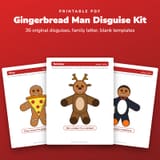 Gingerbread Man Disguise Kit: 36 Disguises and Family LetterPrintable PDF · $2.99
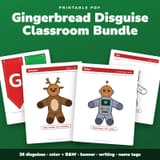 Gingerbread Man Disguise Classroom Bundle: Banner, Writing, Name TagsPrintable PDF · $3.99
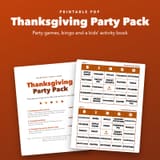 Thanksgiving Party Pack: Games, Bingo and Kids Activity BookPrintable PDF · $4.49
 Christmas Party Pack: Games, Bingo and Kids Activity BookPrintable PDF · $3.49