Inkdelta: Compare two versions of a Word file, PDF or spreadsheet
Free version Free to use without a key. What's free
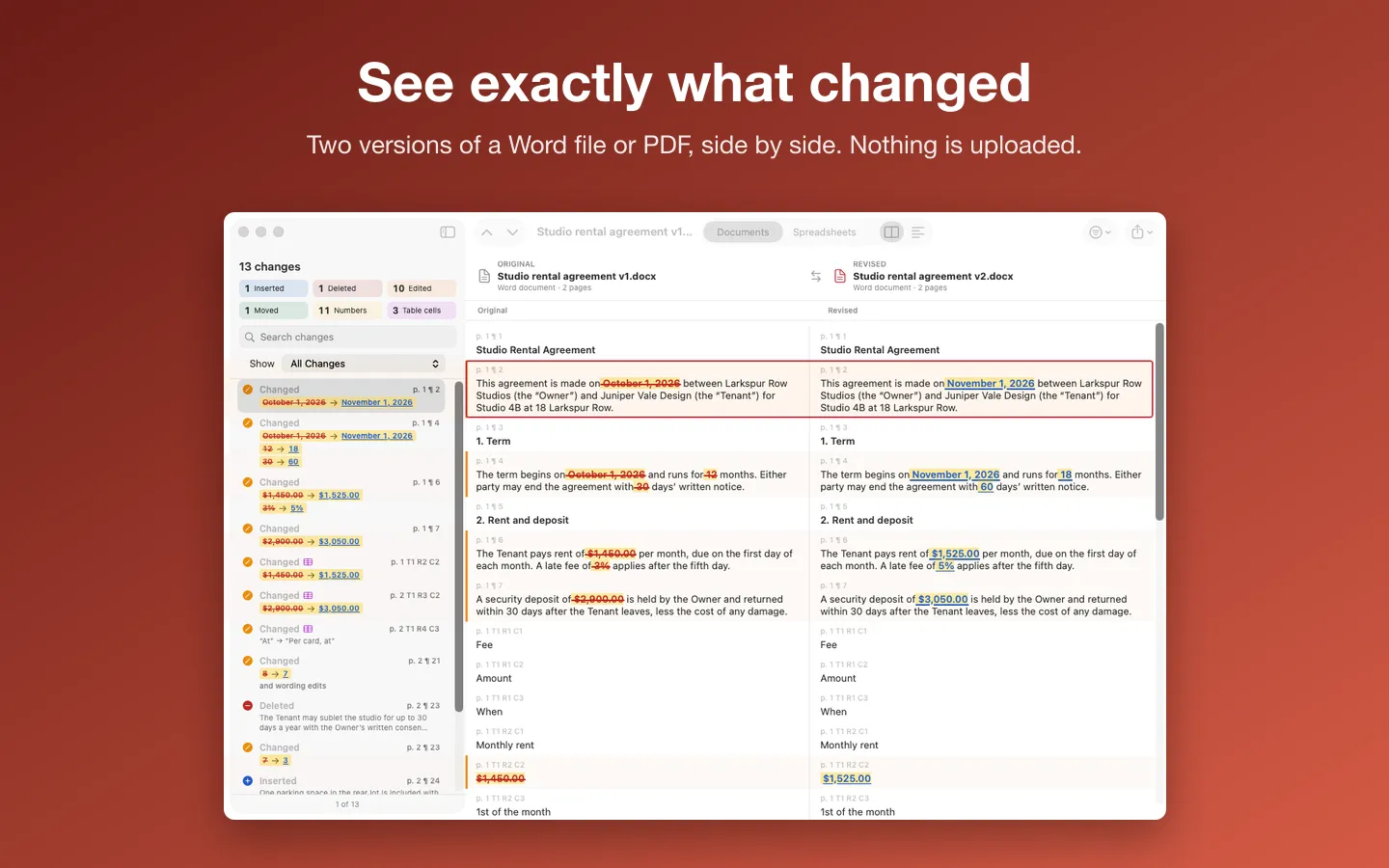
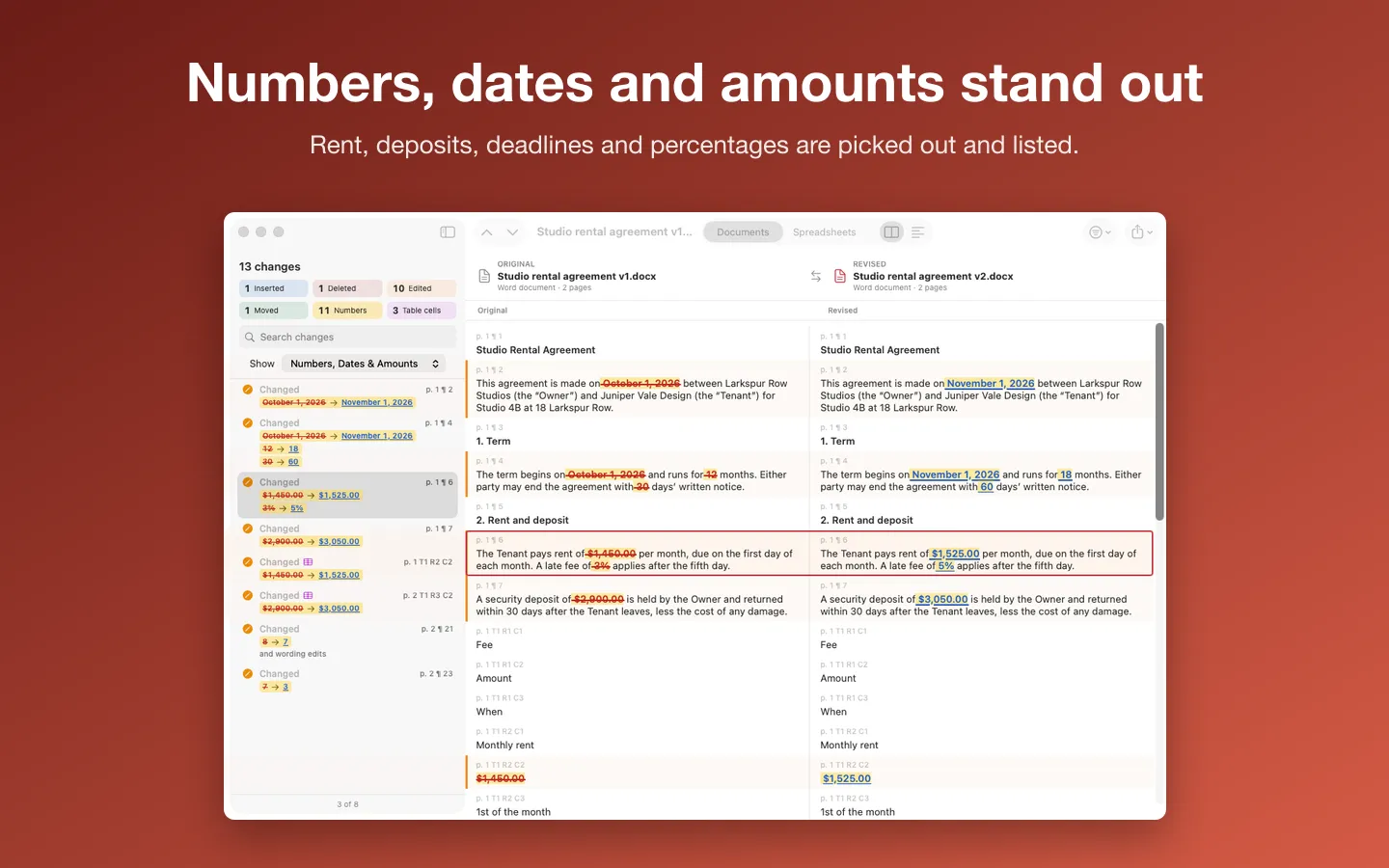
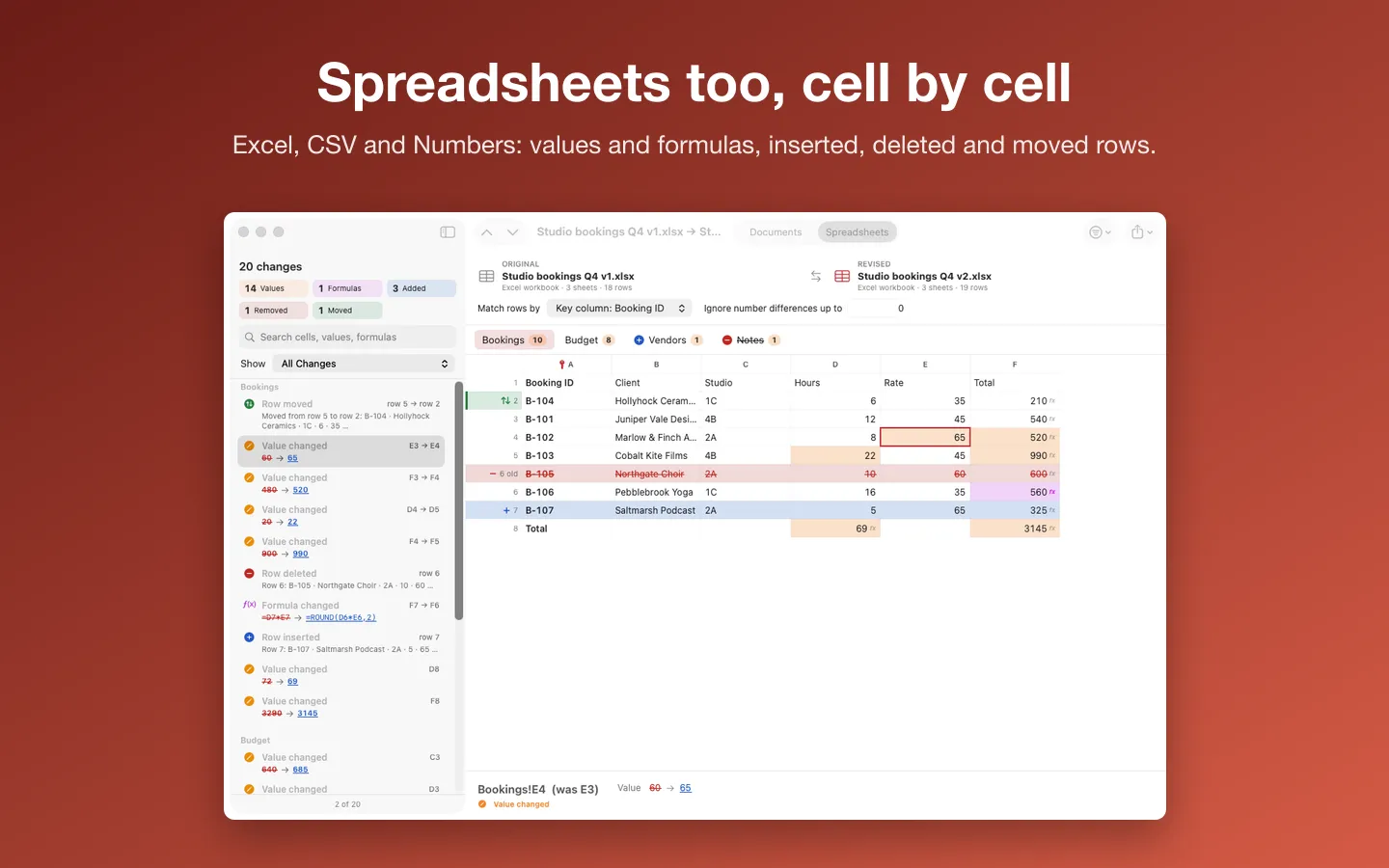
What it does: Inkdelta compares two versions of a document and shows a redline: what was added, removed, reworded or moved. Word (.docx) and PDF files in any mix, side by side or inline, with changed numbers, dates and amounts picked out. Spreadsheet mode compares Excel (.xlsx), CSV and Numbers workbooks cell by cell. Everything happens on your Mac; nothing is uploaded.
- Checkout by Gumroad
- Notarized by Apple
- No FitzTopPicks account needed
Free to use without a key: every view, filter, export and the change report, for documents up to 5 pages each and spreadsheets up to 250 rows per sheet.
Buy a license key to unlock Pro: compare documents of any length and spreadsheets of any size.
macOS 14 Sonoma or later · Version 1.0 · 3.6 MB disk image · Notarized by Apple
One-time $29.99 for the app with Pro: documents of any length and spreadsheets of any size. No subscription. One license key works on up to 3 of your Macs.
Download: The download (a signed, notarized .dmg) comes with your purchase in your Gumroad receipt, together with your license key. Updates install from inside the app.
Buy now opens Gumroad's checkout on this page; Gumroad is the seller and handles payment, sales tax and your receipt.
Screenshots
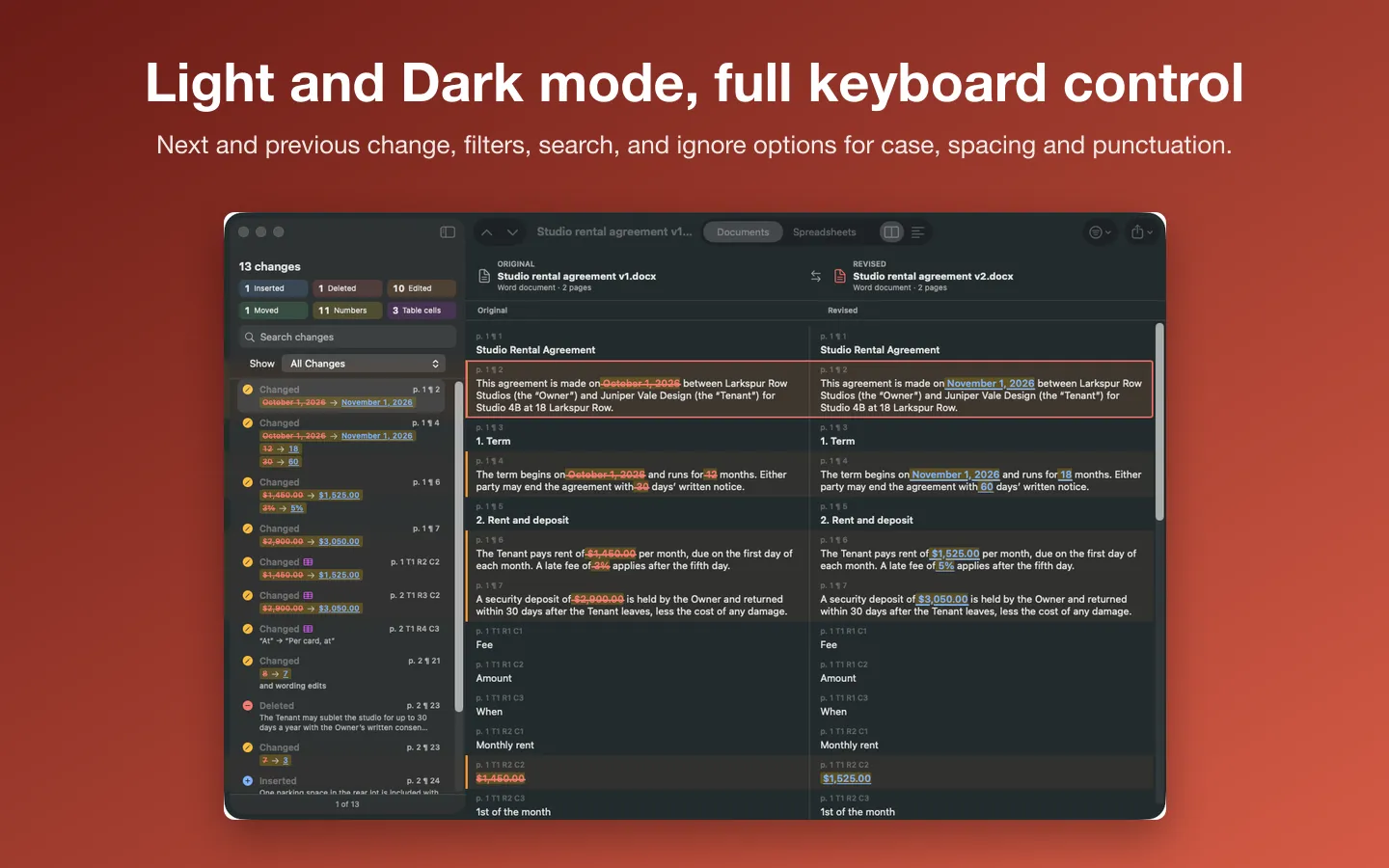
6 pictures: swipe or scroll sideways.
What you get
- Inkdelta for Mac: macOS 14 Sonoma or later
- The signed, notarized .dmg download and your license key, in your Gumroad receipt
- One license key for up to 3 of your Macs
- Updates that install from inside the app
- A one-time price: no subscription
Features
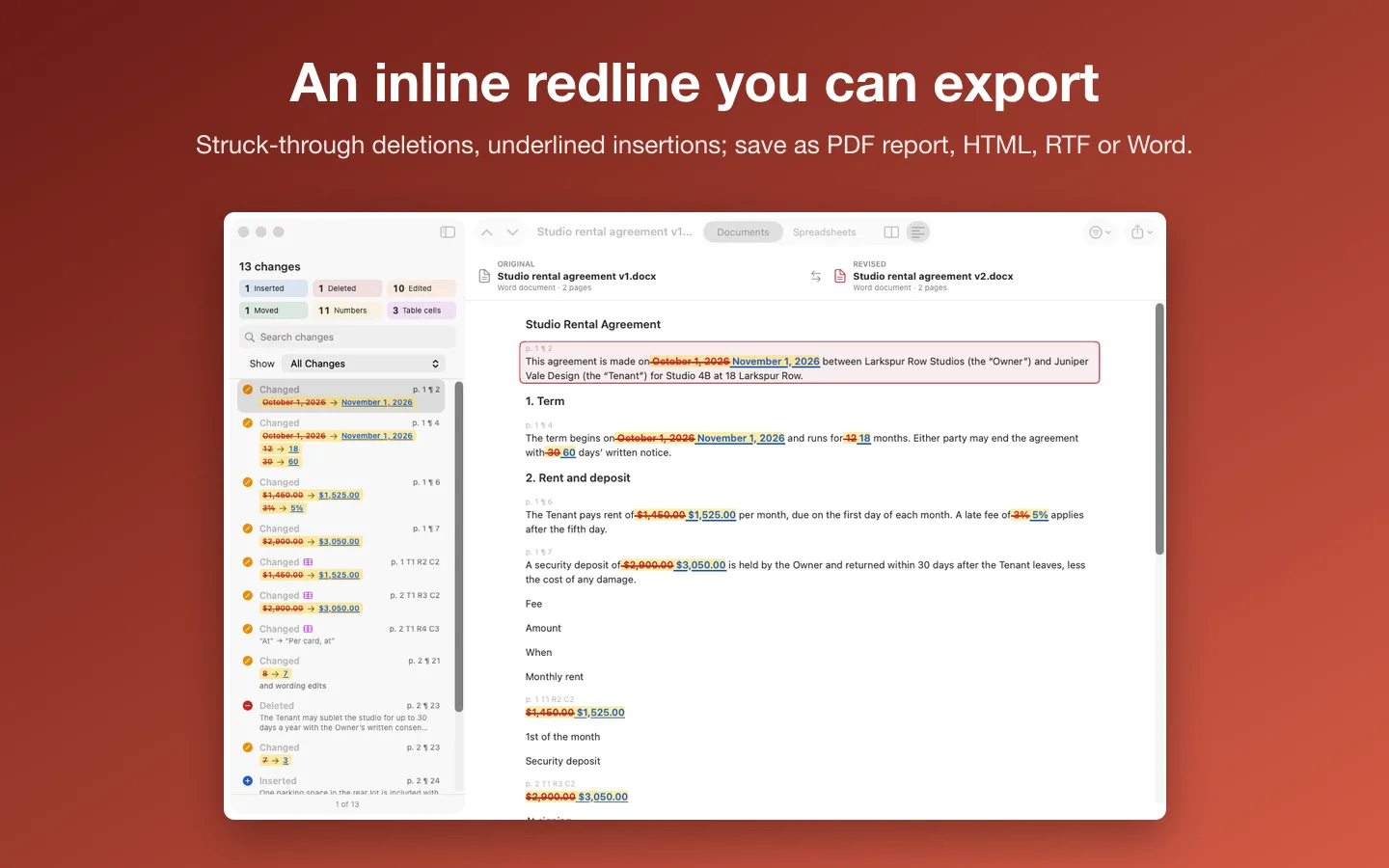
- Side by side (original and revised lined up paragraph by paragraph) or an inline redline
- Word-level differences inside each changed paragraph
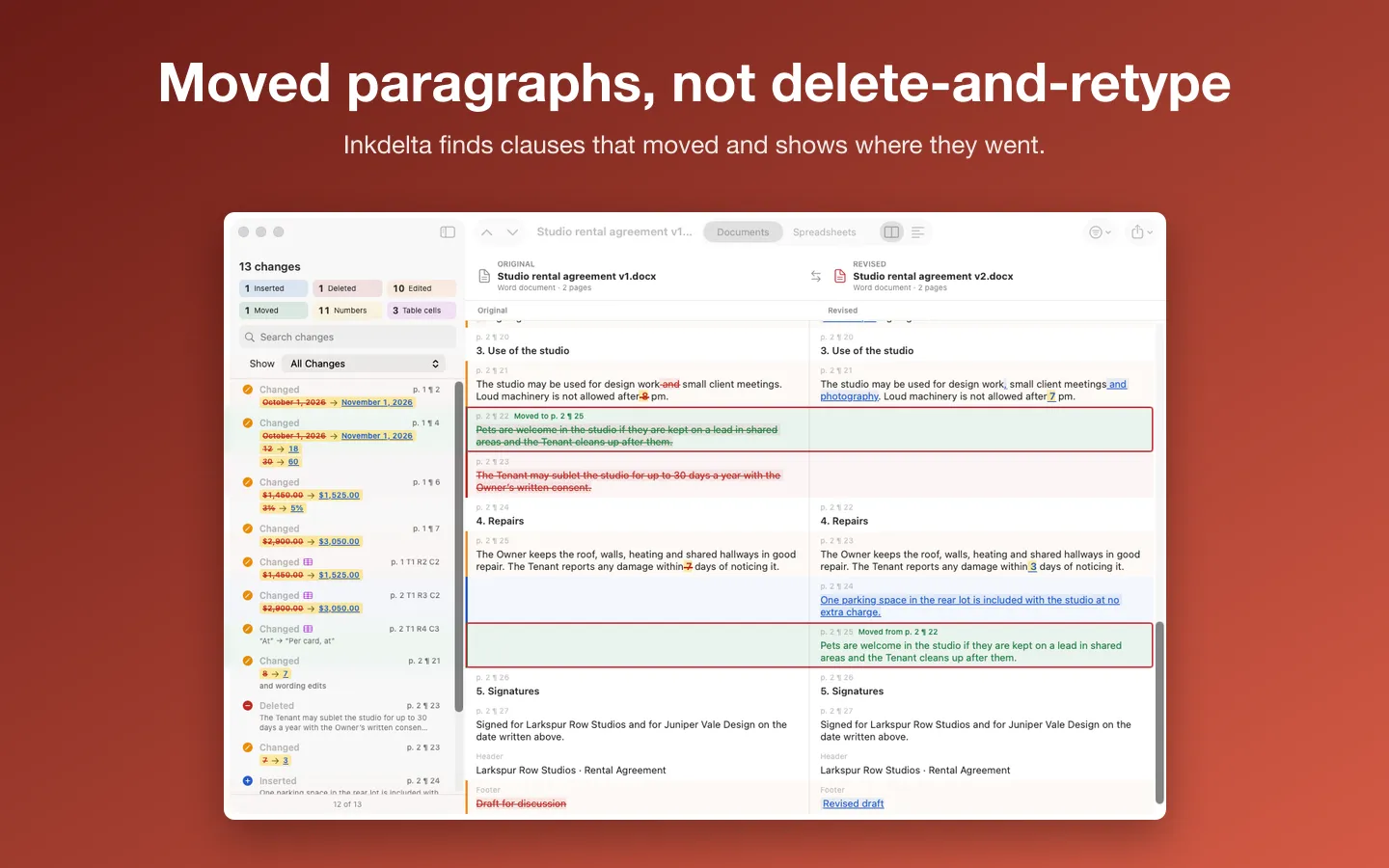
- Moved paragraphs shown as moves, with where they came from
- Changed numbers, dates, amounts and percentages highlighted and listed on their own
- Table cells compared cell by cell; headers and footers too
- A change list with next and previous, filters by kind, and search
- Ignore case, spacing, punctuation or headers and footers
- Scanned PDF pages read with OCR and marked so you can double-check them
- A printable change report (PDF) with every change's page and paragraph
- Export the redline as HTML, RTF or a Word file; Light and Dark mode; full keyboard control
- Spreadsheet mode: Excel (.xlsx), CSV/TSV and Numbers files compared cell by cell, values and formulas separately, with inserted, deleted and moved rows and columns (free: sheets up to 250 rows)
Free vs Pro
| Feature | Free | Pro |
|---|---|---|
| What you can do | Every view, filter, export and the change report, for documents up to 5 pages each and spreadsheets up to 250 rows per sheet | Everything free, plus compare documents of any length and spreadsheets of any size |
| Price | Free download | $29.99 one-time |
How it compares
| How it compares | Inkdelta | Draftable | Microsoft Word Compare | DocCompare: PDF & Word Compare |
|---|---|---|---|---|
| Price | $29.99 one-time | See its site | See its site | Free |
| How you pay | Free version, then one-time | Subscription | Subscription | Free |
| Compares Word and PDF side by side with word-level redline | Yes | Yes | Partly | Partly |
| Spreadsheet compare (xlsx, CSV, Numbers) cell by cell | Yes | No | No | No |
| Detects moved paragraphs and changed numbers/dates | Yes | Partly | Partly | No |
| Mac-native, offline, one-time price | Yes | No | No | Yes |
Prices and features are from each app's own website or store listing on the date checked; "No" means we didn't find it listed there. Prices change, so check each site before you buy. Names belong to their owners.
Sources: Draftable () · Microsoft Word Compare () · DocCompare: PDF & Word Compare ()
Questions
Which files can it compare?
Word documents (.docx) and PDFs, in any mix: two PDFs, two Word files, or a PDF against a Word file. Older.doc files need to be saved as.docx first. Password-protected PDFs need to be unlocked in Preview first. In Spreadsheet mode it compares Excel (.xlsx), CSV and TSV and Numbers files cell by cell, values and formulas separately; Numbers files are exported to Excel by Numbers itself, so Numbers needs to be installed. Old.xls files need to be saved as.xlsx first.
What does it compare?
The text: paragraphs, table cells, headers and footers. Page layout, images and formatting (bold, fonts, colors) aren’t compared. Changed numbers, dates, amounts and percentages are picked out and listed on their own.
What does “OCR” mean on a page?
That page had no text in it (it was scanned), so Inkdelta read it with on-device text recognition. OCR can misread a character, so check changes on those pages against the original.
Why does a PDF show changes I didn’t make?
PDFs don’t always keep text in reading order, especially with columns or text boxes. Try Ignore Spacing and Ignore Headers and Footers, and compare the Word files when you have them.
What’s free, and what does Pro add?
Everything works without a key for documents up to 5 pages each and spreadsheets up to 250 rows per sheet. Pro removes both limits. It’s a one-time purchase on Gumroad, with no subscription.
Where do I enter my license key?
Choose Inkdelta › Settings…, open the Pro tab, paste the key from your Gumroad receipt and click Activate.
From the Inkdelta help page.
How-to guide
How to compare two Word documents or PDFs on a Mac
The free and built-in ways first, where they stop, and how Inkdelta does it.
Setting it up
How to open a newly downloaded Mac app the first time
Step by step, with what to do if your Mac asks a question.
Requirements
- macOS
- macOS 14 Sonoma or later
- Processor
- Apple silicon and Intel
- Languages
- English
- Download
- 3.6 MB disk image
- Version
- 1.0
Compares the text of .docx files and PDFs; page layout, images and formatting aren't compared. Spreadsheets: .xlsx, CSV/TSV, and Numbers files when Numbers is installed; old .xls files need saving as .xlsx.
Privacy
Your documents never leave your Mac. Inkdelta works only with the files you open and save and never changes the originals. For a Numbers file, macOS asks once to let Inkdelta control Numbers (it asks Numbers to export an Excel copy); you can decline and export it yourself. Your settings and your license key (in your Keychain) are kept on your Mac. The only network requests are the license check (when you enter a key, then each time the app opens and about once a week: Gumroad gets your key, and our license page, licence.fitztoppicks.com, gets a fingerprint of the key, not the key itself, to see whether it was reset; both get the app’s product ID) and checking for updates at fitztoppicks.com; neither sends anything about your documents.
Questions about your purchase or license key? See Help and FAQ, reply to your Gumroad receipt or contact us.