Resale Ready
What it does: Test a Mac you're selling (or buying) from top to bottom: keyboard, trackpad, display, speakers, headphone jack, microphones, cameras, USB and Ethernet ports, storage and battery, plus serial number and device management. Every result goes into one condition report and an honest listing write-up.
- Checkout by Gumroad
- Notarized by Apple
- No FitzTopPicks account needed
Free to use without a key: every test, the results on screen, the report preview and the check at pickup.
Buy a license key to unlock Pro: the PDF and printed report, copy as text, history and reports from more than one Mac.
macOS 14 Sonoma or later · Version 1.1.3 · 3.1 MB disk image · Notarized by Apple
One-time $4.99 for the app with Pro: the PDF and printed report, copy as text, history and reports from more than one Mac. No subscription. One license key works on up to 3 of your Macs.
Download: The download (a signed, notarized .dmg) comes with your purchase in your Gumroad receipt, together with your license key. Updates install from inside the app.
Buy now opens Gumroad's checkout on this page; Gumroad is the seller and handles payment, sales tax and your receipt.
Screenshots
4 pictures: swipe or scroll sideways.
What you get
- Resale Ready for Mac: macOS 14 Sonoma or later
- The signed, notarized .dmg download and your license key, in your Gumroad receipt
- One license key for up to 3 of your Macs
- Updates that install from inside the app
- A one-time price: no subscription
Features
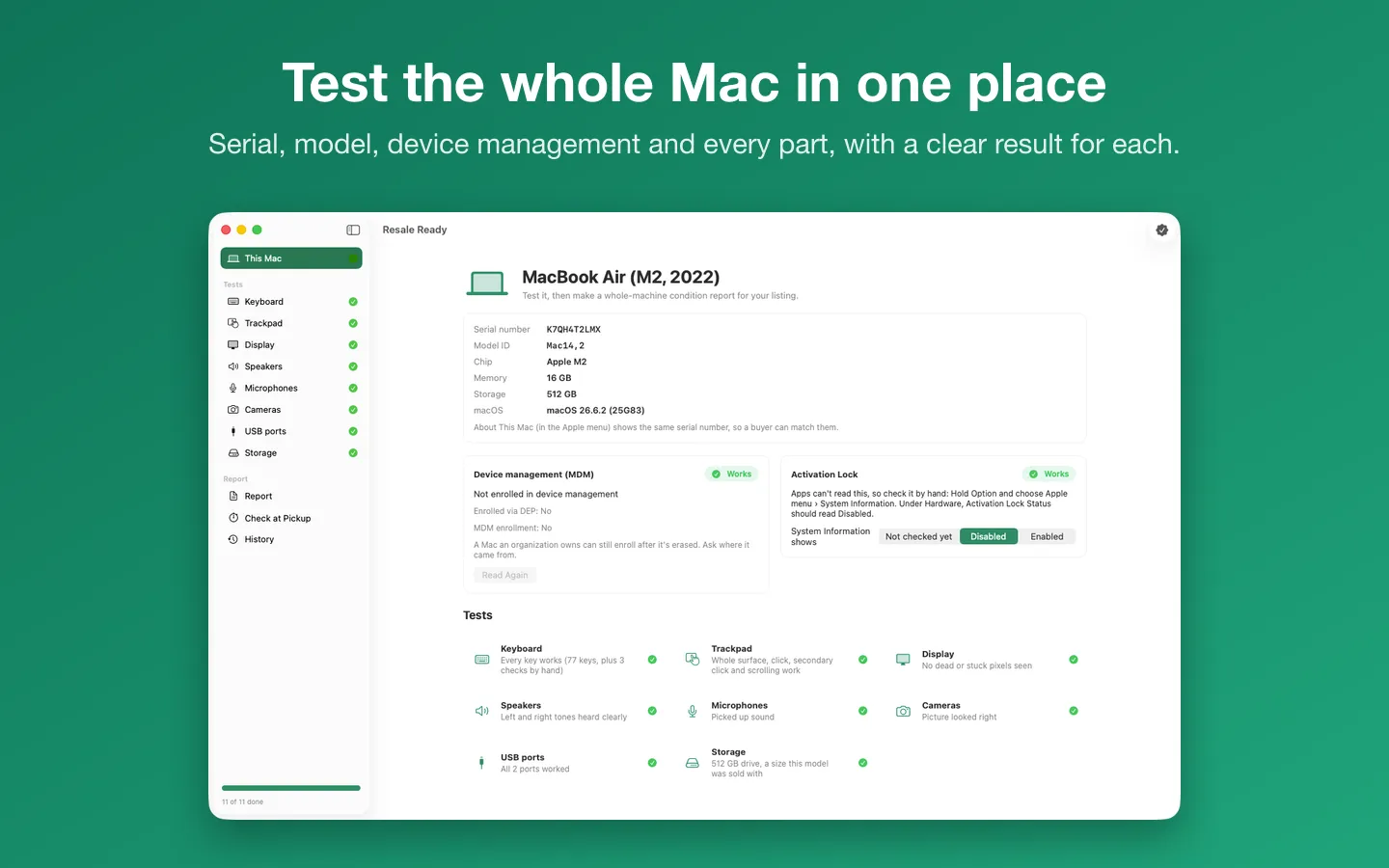
- Model, serial number, chip, memory and macOS, read from the Mac itself
- Device management (MDM) enrollment read automatically; Activation Lock as a guided check by hand
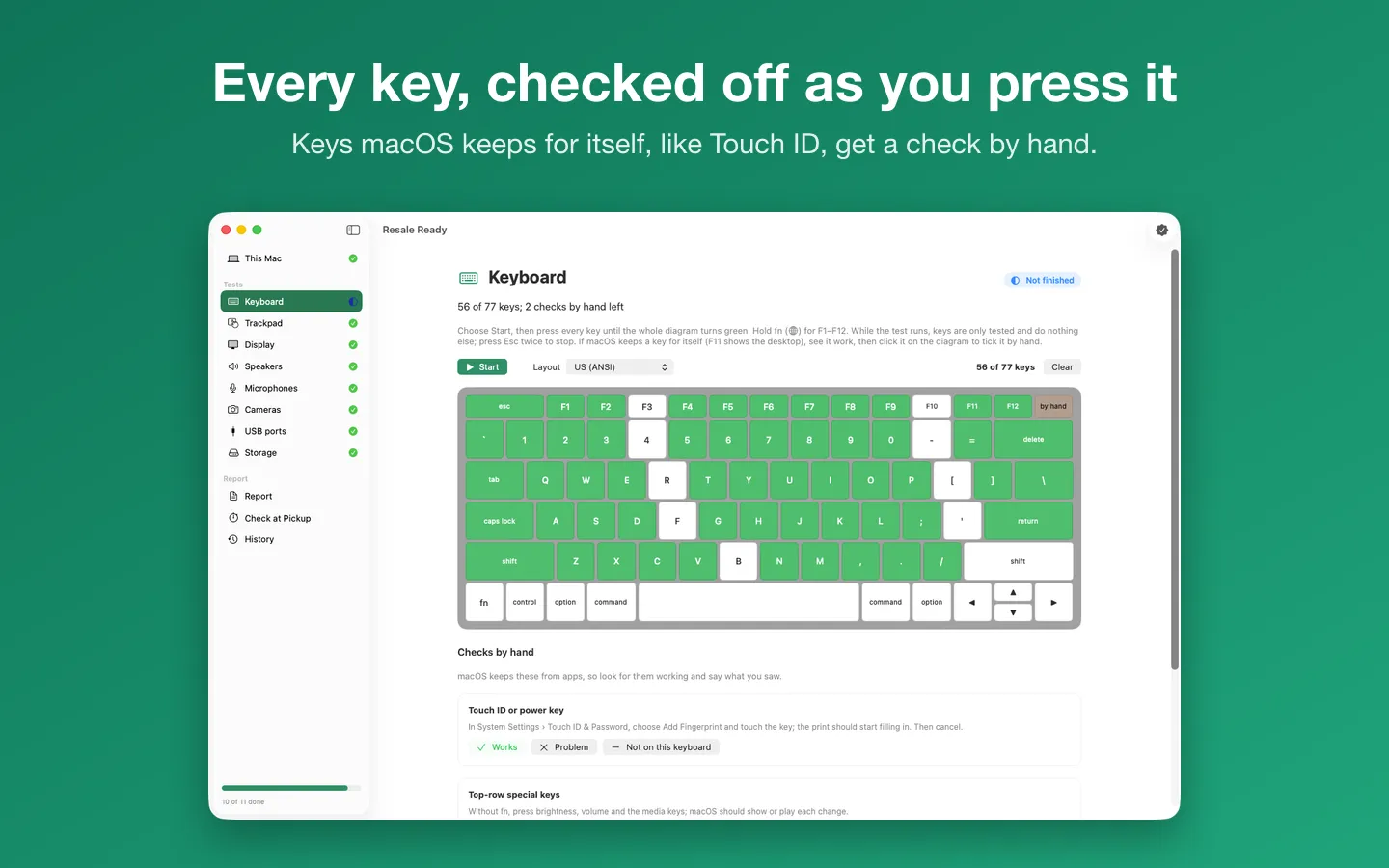
- Keyboard diagram that checks off every key as you press it
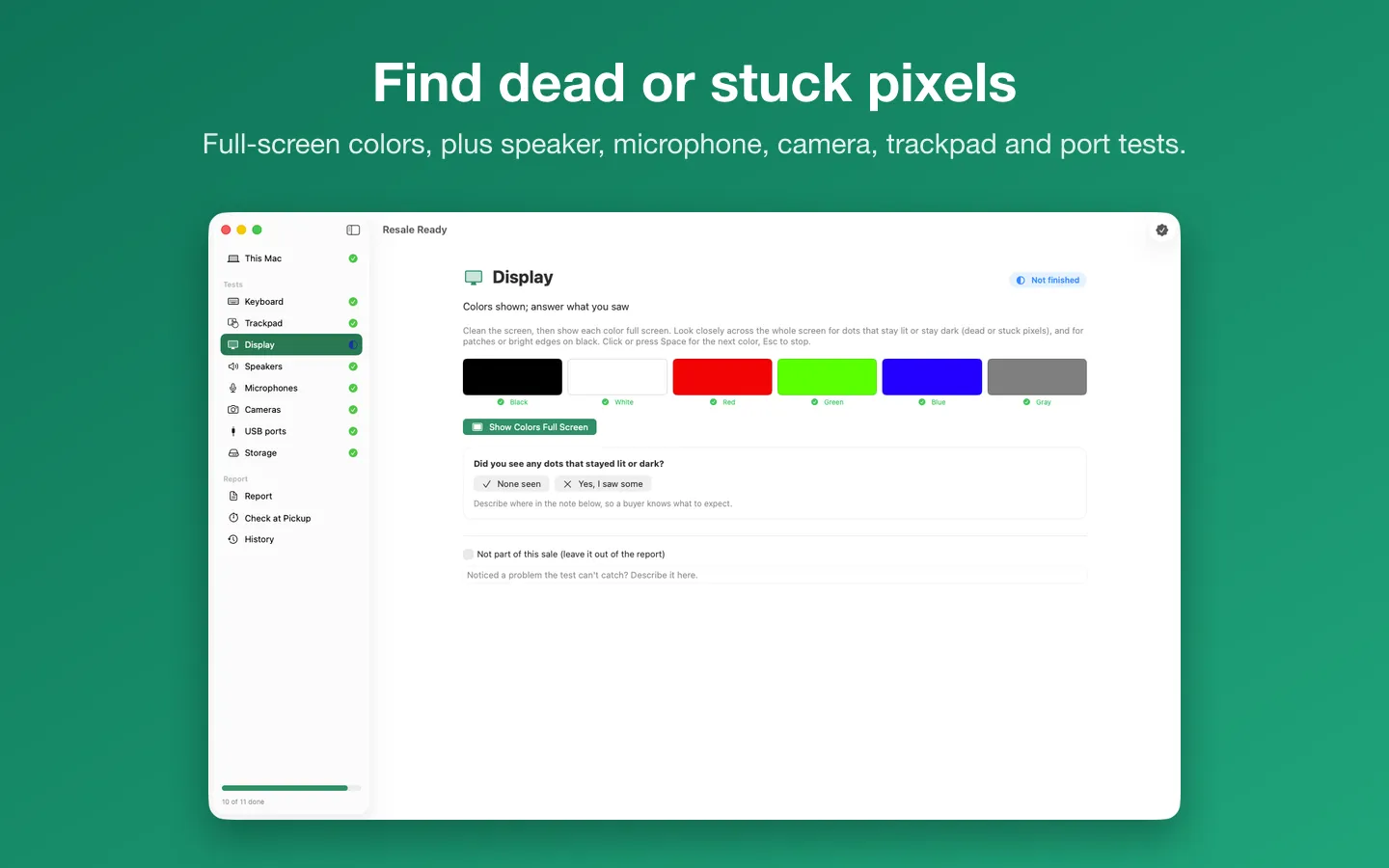
- Trackpad, full-screen display colors, left and right speakers, microphone levels and cameras
- USB ports one by one, and storage size compared with what Apple sold that model with
- Battery on MacBooks: charge cycle count, capacity compared with new, and macOS's battery condition
- A tone in each ear through the headphone jack, and the Ethernet port's link and speed on desktop Macs
- Intel Macs that run macOS 14 (2018 to 2020 models), including 1.5 TB drives and Fusion Drives
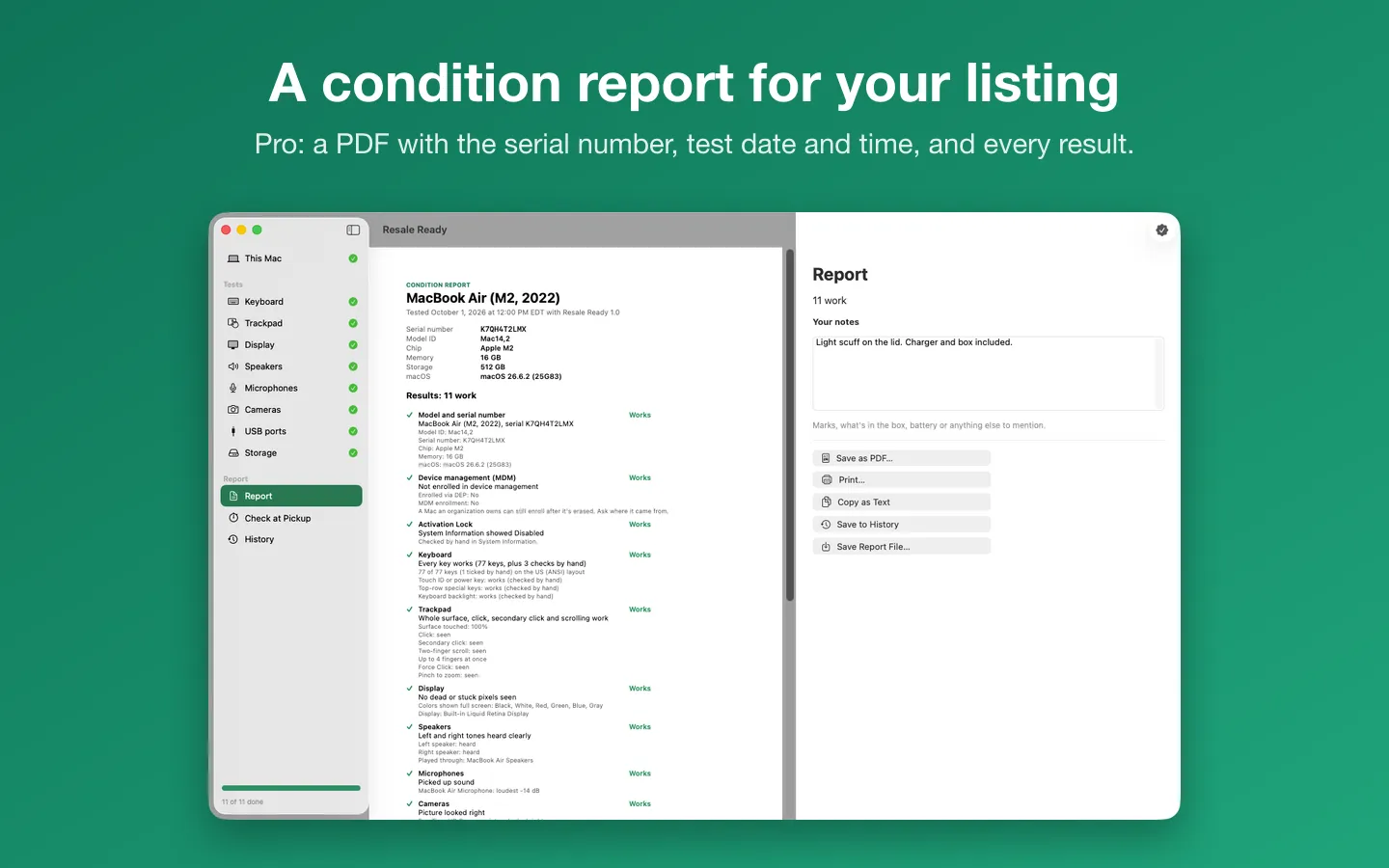
- The condition report as a PDF or printout, or copied as text for your listing
- Listing write-up: an honest description from the report, problems first; Polish Wording rewords it on the Mac with Apple Intelligence
- Erase Before Sale: Apple's steps before you hand a Mac over, ticked by you and listed in the report, with links to Apple's pages
- A history of your reports, including reports from your other Macs
- A two-minute check at pickup so the buyer can confirm the results
- Checks the Mac on the day you test; no drive health (SMART) test
Free vs Pro
| Feature | Free | Pro |
|---|---|---|
| What you can do | Every test, the results on screen, the report preview and the check at pickup | Everything free, plus the PDF and printed report, copy as text, history and reports from more than one Mac |
| Price | Free download | $4.99 one-time |
Questions
Why can’t Resale Ready check Activation Lock for me?
MacOS doesn’t let apps read it. Hold Option, choose Apple menu › System Information, and look under Hardware: Activation Lock Status should read Disabled. Then tell Resale Ready what it showed. If it says Enabled, the seller needs to turn off Find My and sign out of their Apple Account.
Some keys don’t light up.
MacOS keeps a few keys for itself: Touch ID or the power key, and the top row’s brightness, volume and media keys unless you hold fn (🌐). Hold fn for F1–F12. If a key still doesn’t reach the app (F11 shows the desktop, for example), check that it works, then click it on the diagram to tick it by hand. Touch ID, the special keys and the backlight have their own checks by hand.
How do I stop the keyboard test?
Press Esc twice in a row, or click Stop. While the test runs, keys are only tested, so shortcuts like ⌘Q don’t do anything.
The trackpad test doesn’t react.
Keep the pointer over the gray test area while you touch the trackpad. Touches count only there.
How does a buyer know the report is real?
They don’t have to take its word for it. Every report has the Mac’s serial number, model ID and the test date and time, and ends with a check at pickup: open Resale Ready on that Mac, choose Check at Pickup, compare the serial number (also shown in About This Mac) and rerun the quick tests. It takes under two minutes and is free.
What does Pro add?
The condition report as a PDF or printout, copying the results as text, a history of your reports, and reports from more than one Mac in one history. It’s a one-time purchase on Gumroad, with no subscription, and the license key works on up to 3 of your Macs. Every test is free.
From the Resale Ready help page.
How-to guide
How to check a used Mac before you buy it (or sell it)
The free and built-in ways first, where they stop, and how Resale Ready does it.
Setting it up
How to open a newly downloaded Mac app the first time
Step by step, with what to do if your Mac asks a question.
Requirements
- macOS
- macOS 14 Sonoma or later
- Processor
- Apple silicon and Intel
- Languages
- English
- Download
- 3.1 MB disk image
- Version
- 1.1.3
What's new
Version 1.1.3 ·
- New More Mac Apps… menu item lists our other Mac apps. The list is built into the app, so nothing is downloaded.
- Easier to read: test results (works, problem, check by hand, unfinished) use deeper shades in Light Mode, so they stand out clearly on the window (Dark Mode looks the same).
Version 1.1.2 ·
- Licence checks are stricter, so Pro stays tied to a real licence key. Nothing changes for buyers with a key.
Version 1.1.1 ·
- Fixes and small improvements.
From Resale Ready's release notes. Updates install from inside the app.
Privacy
Results stay on your Mac until you save or share a report; saved reports and your license key (in your Keychain) are kept on your Mac. The camera and microphone are used only during their test and never recorded. Polish Wording uses Apple's on-device model, so the write-up never leaves your Mac. The only network requests are the license check with Gumroad (your license key, when you enter it and about once a week) and checking for updates at fitztoppicks.com; neither sends anything about your Mac or your results.
Questions about your purchase or license key? See Help and FAQ, reply to your Gumroad receipt or contact us.