How to grade multiple-choice bubble sheets without a Scantron machine
UpdatedShort answer
Without a machine, the free ways are a hole-punched answer key laid over each sheet, or giving the test as an online quiz form that grades itself, if every student has a device. For a paper test and a whole class's stack, a copier that scans to PDF can do the reading instead: print answer sheets that grading software knows, scan the stack once, and check only the marks it isn't sure of.
The free ways
Free: a hole-punched answer key
- Fill in a blank answer sheet with the right answers.
- Punch or cut a hole through each right bubble, so the sheet becomes a template.
- Lay it on each student's sheet: a filled bubble shows through each hole that's right. Count the holes with no mark.
- Look at the sheet without the key too, for questions with two bubbles filled or none.
Free: an online quiz form, if students have devices
- In Google Forms, open Settings and turn on Make this a quiz, then set the answer key and points for each question.
- Share the link. Scores are worked out as answers come in, and the Responses tab shows how each question went.
- Microsoft Forms has quizzes that grade themselves too.
Where the free ways stop
- A punched key is slow for a class set, and miscounts are easy late at night.
- It gives a score, but no question-by-question view of what the class missed.
- Online forms need a device for every student, and they don't fit a test that has to be on paper.
How Bubble Batch does it
Bubble Batch is a Mac app we make: print bubble answer sheets and grade the whole class’s scan on your Mac.
- Make the test in Bubble Batch: the number of questions, the choices and the answer key (type it in order, like ABDCA BBCAD).
- Print its answer sheets at 100%, with each student's name and ID already filled in from a roster CSV if you like.
- Scan the whole stack to one PDF at the copier, at 200 to 300 dpi; pages can be in any order and even upside down. No scanner? Scan them with your iPhone through Continuity Camera.
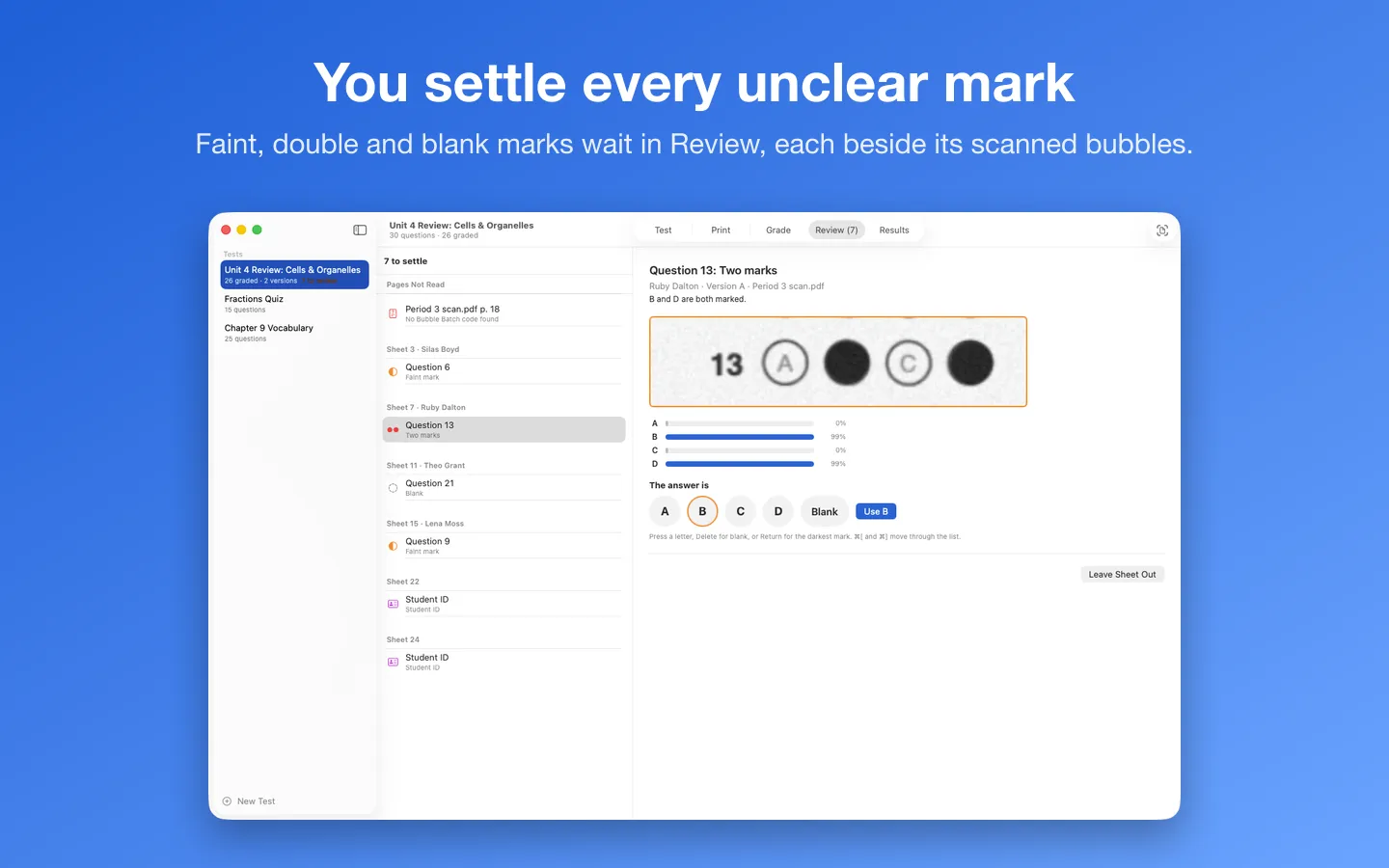
- Every page is graded on your Mac. Blank, faint or double marks and unclear IDs wait in Review beside their scanned bubbles; then you get the scores, mean, median and a histogram.
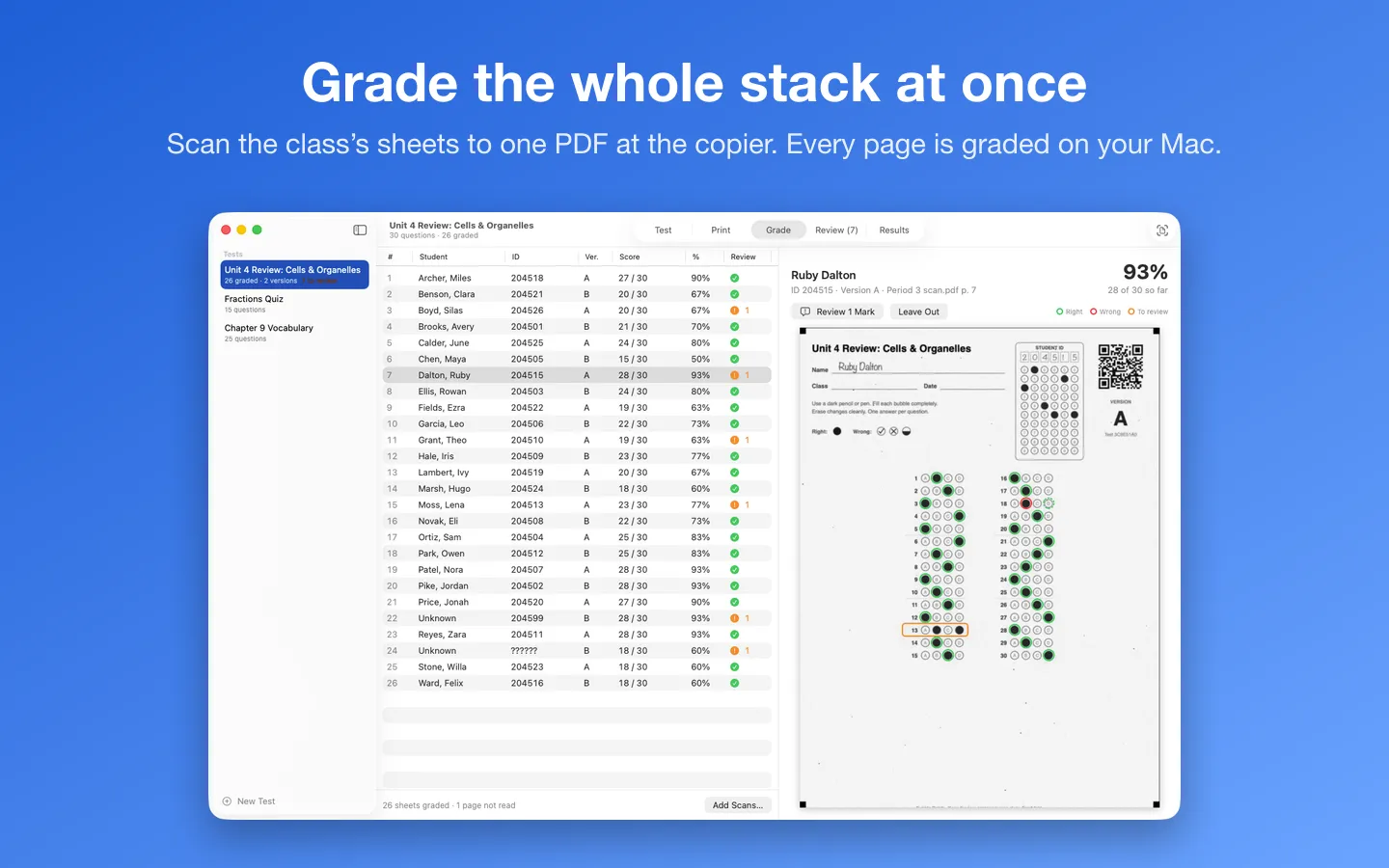
Free to use without a key: one test, its printed sheets, and grading, review and scores for up to 40 sheets. Help › Try the Sample Class grades a made-up class before you print anything.
$15.99 one-time for Pro, no subscription. Buy a license key to unlock Pro: unlimited tests and sheets, versions B to D, the item analysis on screen and as a PDF, and the gradebook CSV.
macOS 14 Sonoma or later. Apple silicon and Intel. A printer, and a copier or scanner that scans to PDF (or an iPhone with Continuity Camera).
Questions
Can Bubble Batch read Scantron forms?
No. It reads only the sheets it prints, so it knows exactly where every bubble is. Bubble Batch isn't made by or affiliated with Scantron; Scantron is a trademark of its owner.
Why does it ask me about some answers?
Bubble Batch never guesses. Blank answers, light marks, two marks on a question, poor erasures, check marks, unclear student IDs and missing second pages wait for you in Review, each shown beside its scanned bubbles.
Do the scans leave my Mac?
No. Scans, rosters and scores stay on your Mac and are never uploaded. The only network requests are the license check with Gumroad and checking for updates.
What can I do without buying it?
One test, its printed sheets, and grading, review and scores for up to 40 sheets. Pro adds unlimited tests and sheets, versions B to D, the item analysis and the gradebook CSV.