Sheetloom
What it does: Sheetloom lays out PDFs for printing in one window: saddle-stitch booklets with creep, 2 to 16 pages on a sheet, business cards, tickets, labels and stickers filled onto a sheet with bleed and crop marks, and A0 or copy-shop sewing patterns tiled onto Letter or A4 pages at exactly 100%, with a test square, labels, alignment marks, an assembly map and size layers. Check every sheet, then export a new PDF or print.
- Checkout by Gumroad
- Notarized by Apple
- No FitzTopPicks account needed
Free to use without a key: every layout, the preview, export and print, for jobs up to 8 sheets of paper, and Tile mode for single-page sewing patterns.
Buy a license key to unlock Pro: long booklets, big card runs, any number of sheets, and sewing patterns with any number of pages.
macOS 14 Sonoma or later · Version 1.0 · 3.3 MB disk image · Notarized by Apple
One-time $29.99 for the app with Pro: any number of sheets and patterns of any length. No subscription. One license key works on up to 3 of your Macs.
Download: The download (a signed, notarized .dmg) comes with your purchase in your Gumroad receipt, together with your license key. Updates install from inside the app.
Buy now opens Gumroad's checkout on this page; Gumroad is the seller and handles payment, sales tax and your receipt.
Screenshots
6 pictures: swipe or scroll sideways.
What you get
- Sheetloom for Mac: macOS 14 Sonoma or later
- The signed, notarized .dmg download and your license key, in your Gumroad receipt
- One license key for up to 3 of your Macs
- Updates that install from inside the app
- A one-time price: no subscription
Features
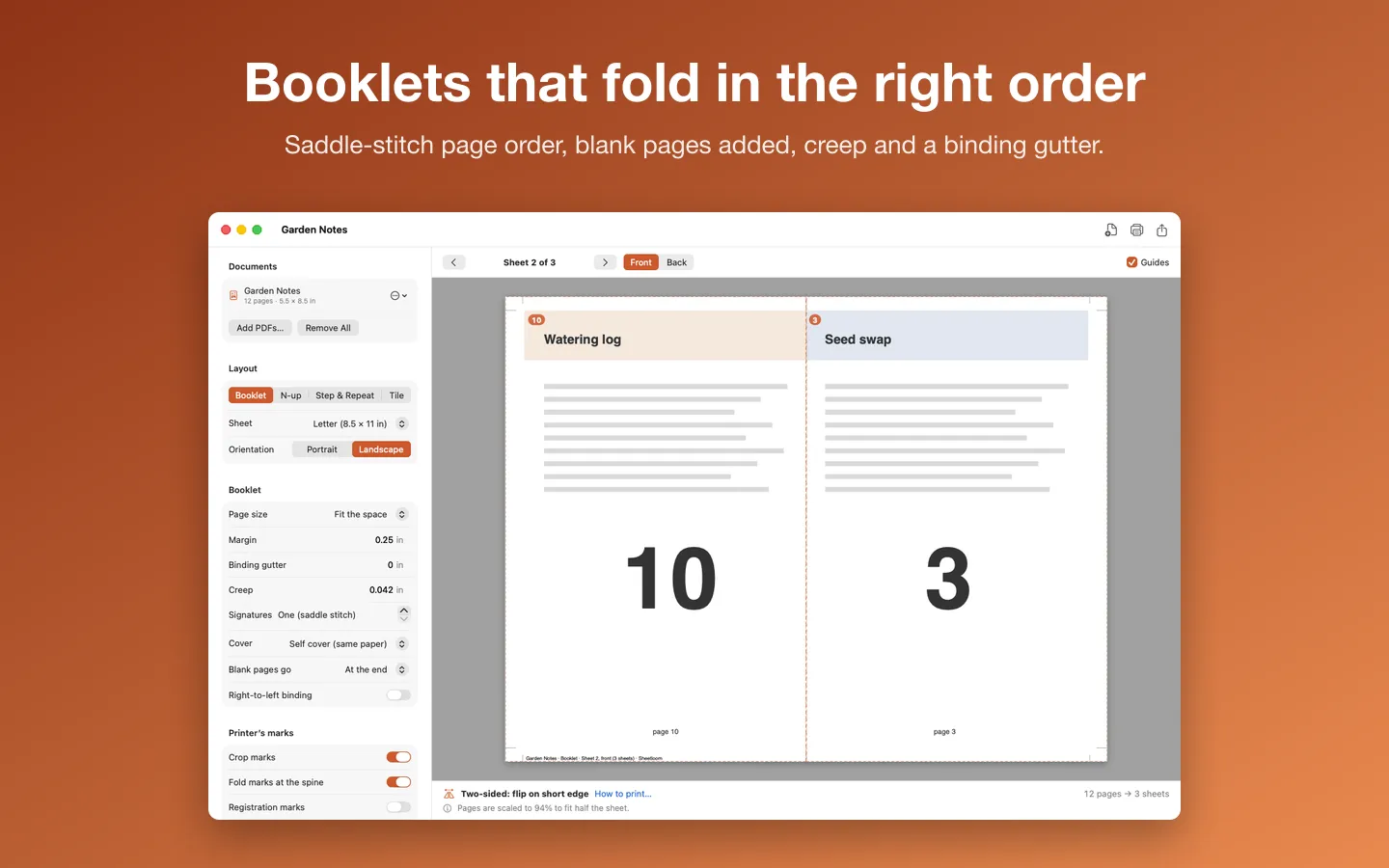
- Booklets in saddle-stitch order, with blank pages added, creep and a binding gutter
- Signatures for long booklets, a separate cover for card stock, and right-to-left binding
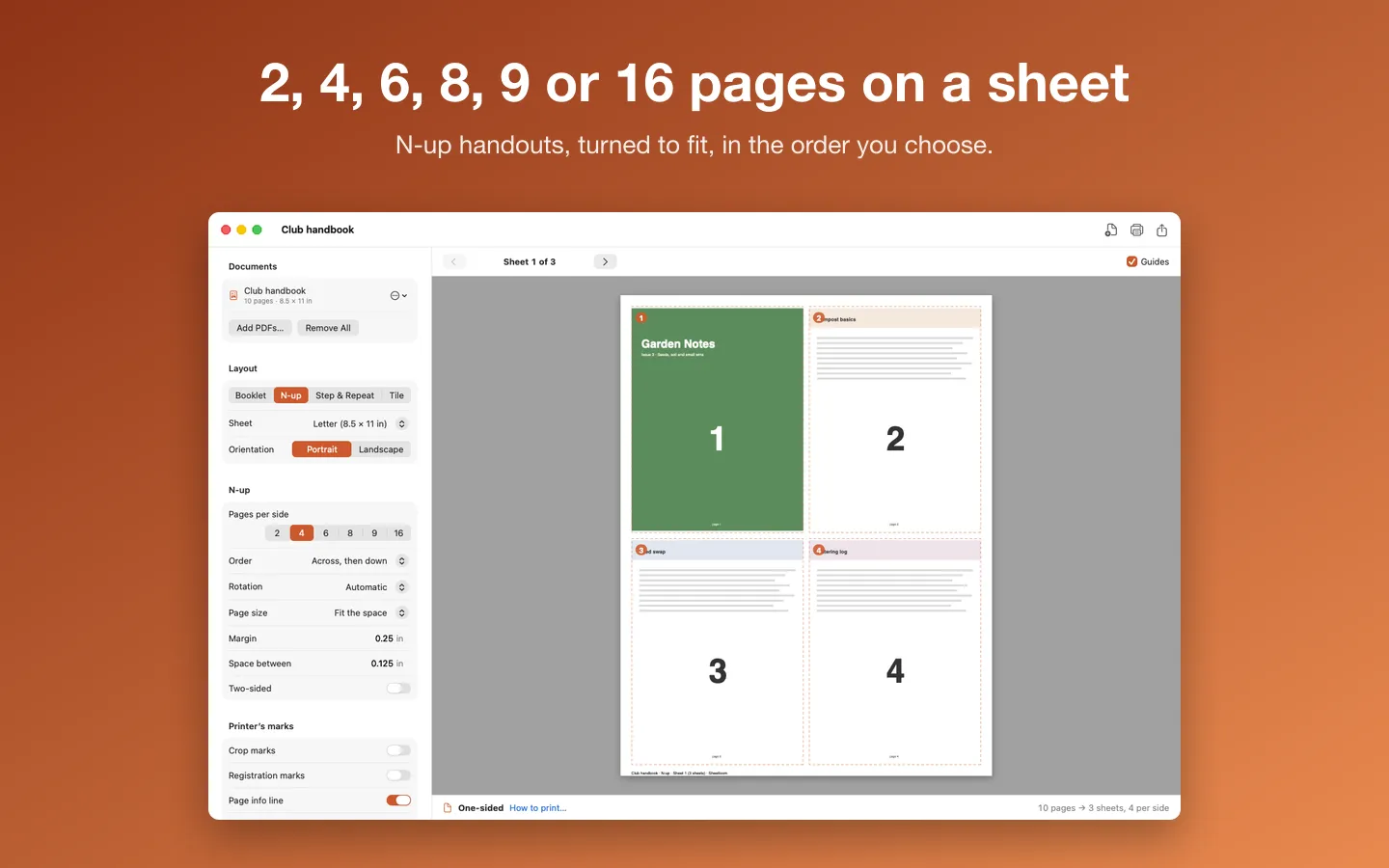
- N-up: 2, 4, 6, 8, 9 or 16 pages on a sheet, turned to fit, in the order you choose
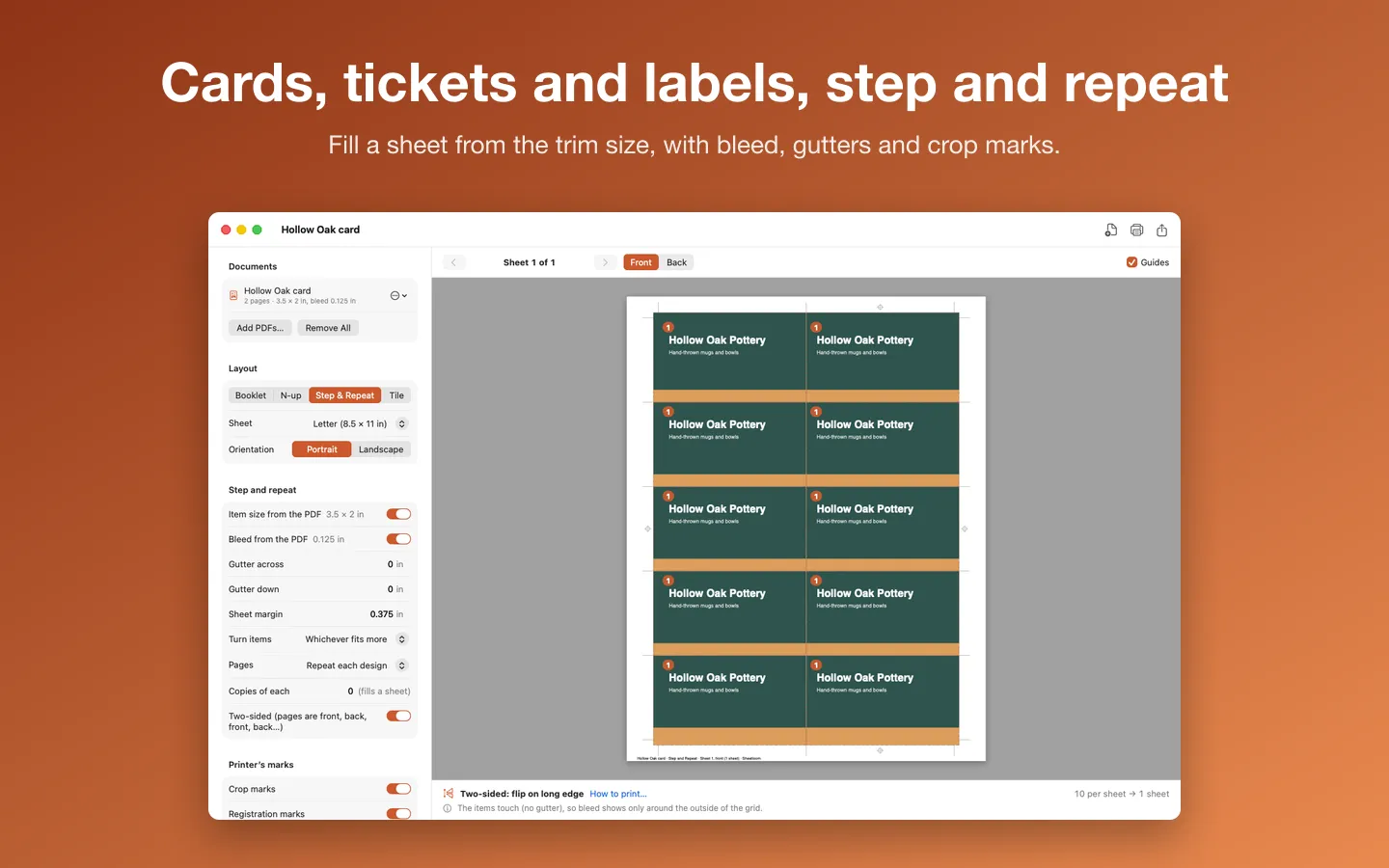
- Step and repeat: cards, tickets, labels and stickers from the item's trim size, with gutters and bleed; fronts and backs line up
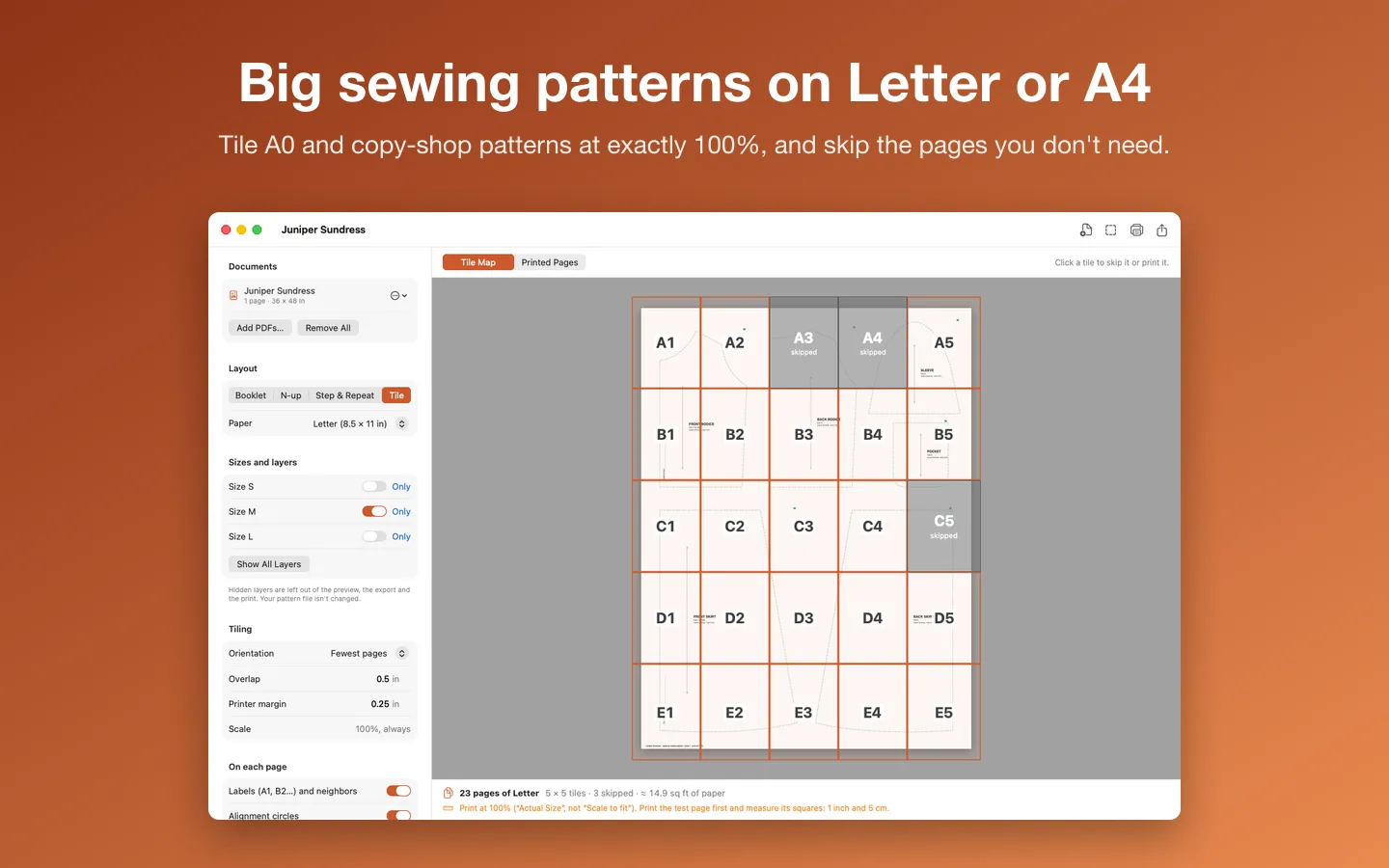
- Tile: A0 and copy-shop sewing patterns on Letter, A4 or Legal pages at exactly 100%
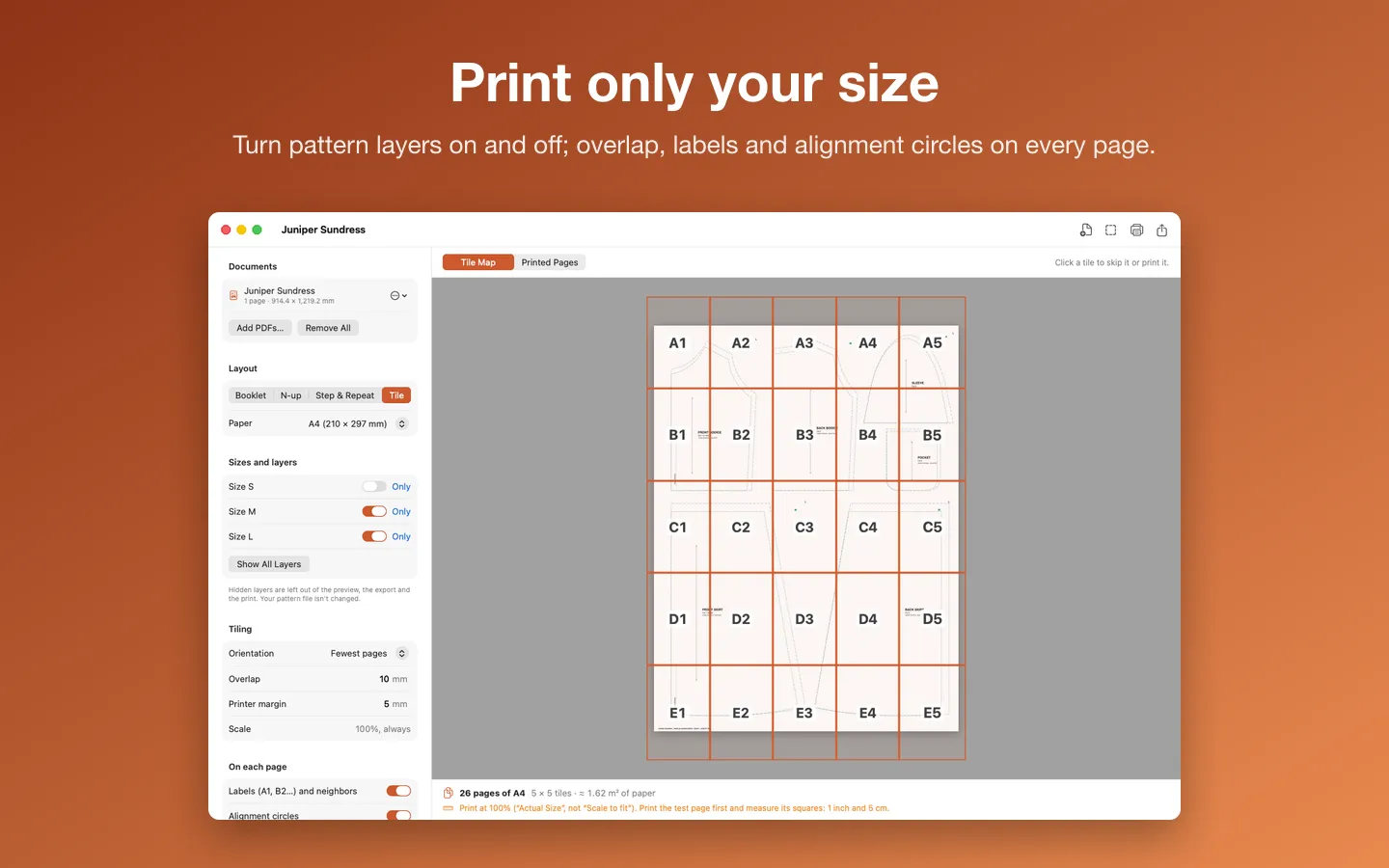
- Print only your size: turn pattern layers on and off; skip pages you don't need
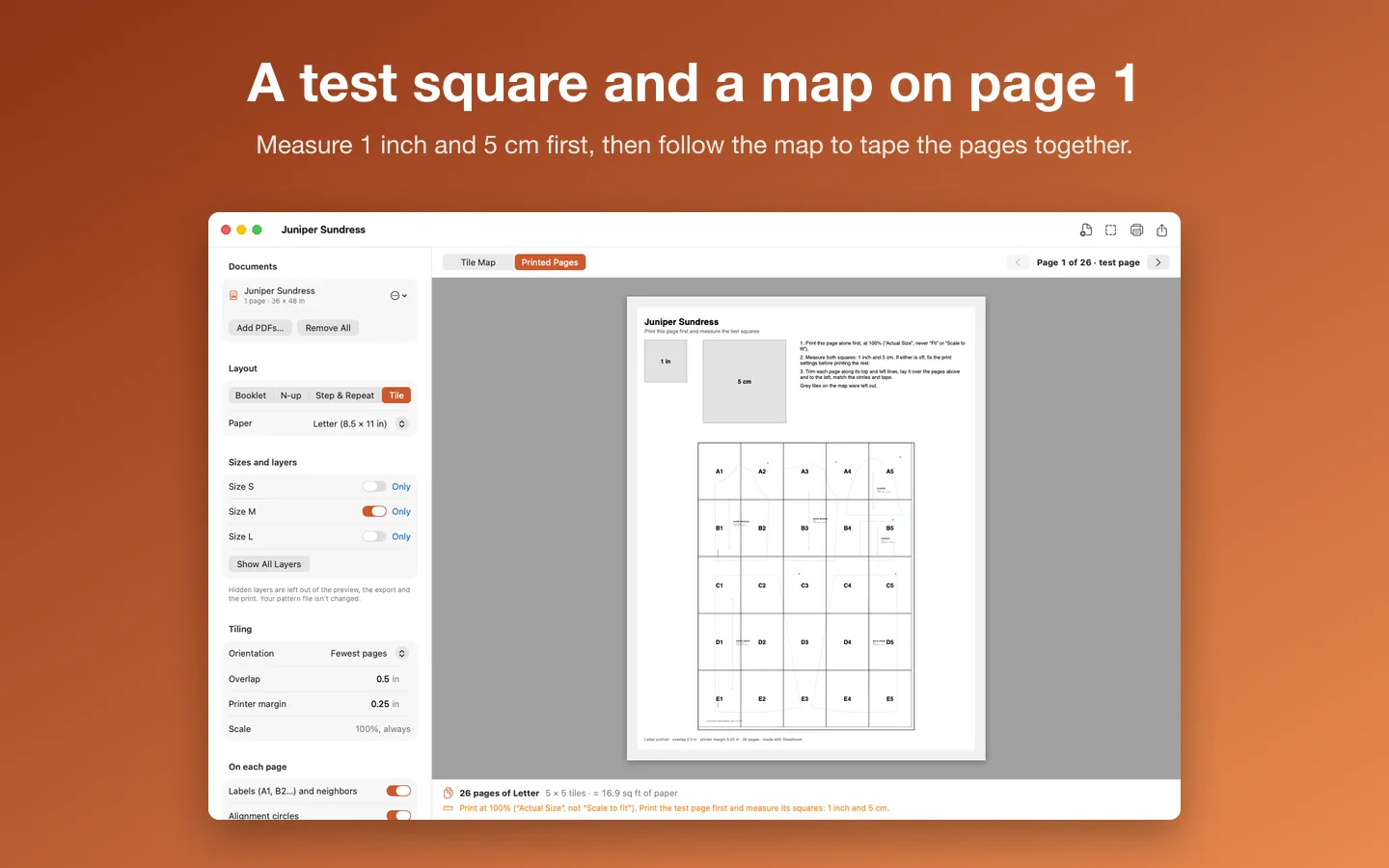
- Overlap, A1/B2 labels with neighbors, alignment circles and trim lines; a test page with 1 inch and 5 cm squares and an assembly map
- Crop marks, fold marks, registration marks and a page info line; trim and bleed read from the PDF
- A live preview of each sheet with plain instructions for two-sided printing, and a reminder to print patterns at 100%
- Export a new PDF that stays vector, or print directly; English and Spanish
Free vs Pro
| Feature | Free | Pro |
|---|---|---|
| What you can do | Every layout, the preview, export and print, for jobs up to 8 sheets of paper, and Tile mode for single-page sewing patterns | Everything free, plus long booklets, big card runs, any number of sheets, and sewing patterns with any number of pages |
| Price | Free download | $29.99 one-time |
Questions
How do I print a booklet?
Choose Booklet, check the preview, then print two-sided and flip on the short edge (Sheetloom says which edge for each layout). Stack the sheets with sheet 1 on the outside, fold them together and staple on the fold. No two-sided printer? Print the odd pages, turn the stack over, put it back and print the even pages.
What is creep?
When a thick booklet is folded, the inner sheets stick out a little past the outer ones. Creep moves the inner pages toward the spine by up to the amount you set, so the outside edges line up after trimming. Roughly the paper’s thickness times the number of sheets.
Where does the bleed come from?
From the PDF’s TrimBox and BleedBox when it has them; otherwise the page’s edge is the trim. In step and repeat you can type an item size and bleed instead, and the bleed is cut to half the gutter where items sit close together.
Is the output press-ready?
Sheetloom makes a regular PDF for office, home and copy-shop printers, with the source pages kept as vector. It doesn’t make PDF/X files or convert colors.
What’s free, and what does Pro add?
Everything works without a key for jobs up to 8 sheets of paper, and Tile works for single-page patterns. Pro removes both limits. It’s a one-time purchase on Gumroad, with no subscription.
Where do I enter my license key?
Choose Sheetloom › Settings…, open the License tab, paste the key from your Gumroad receipt and click Activate.
From the Sheetloom help page.
How-to guide
How to print an A0 sewing pattern at home on a Mac
The free and built-in ways first, where they stop, and how Sheetloom does it.
Requirements
- macOS
- macOS 14 Sonoma or later
- Processor
- Apple silicon and Intel
- Languages
- English, Spanish
- Download
- 3.3 MB disk image
- Version
- 1.0
Makes regular PDFs for office, home and copy-shop printers (not PDF/X). Patterns fit when printed at 100%: check the test square first.
What's new
Version 1.0 ·
- Booklets for saddle stitch: pages put in folding order, blank pages added to make a multiple of 4, creep, a binding gutter, signatures for long booklets, and a separate cover.
- N-up: 2, 4, 6, 8, 9 or 16 pages on a sheet, turned automatically to fit, in the order you choose.
- Step and repeat: business cards, tickets, labels and stickers filled onto a sheet with gutters and bleed, front and back lined up for two-sided printing.
- Tile: big sewing patterns (A0 and copy-shop PDFs) printed on Letter, A4, Legal, Tabloid or A3 pages at exactly 100%, with overlap, labels, alignment circles, trim lines and a test page with 1 inch and 5 cm squares and an assembly map.
- Print only your size: turn a pattern's size layers on and off, and skip pages you don't need (blank ones are skipped for you).
- Crop marks, fold marks, registration marks and a page info line; bleed taken from the PDF's TrimBox and BleedBox.
- A live preview of each sheet, front and back, with clear instructions for two-sided printing at home, and a reminder to print patterns at 100%.
- Export a new PDF that stays vector, or print directly. Free for jobs up to 8 sheets and for single-page patterns; one Pro key for everything.
- Used Tilestitch? File › Import Tilestitch Settings brings its overlap, margin, paper and units along.
- Help for every mode (with a section on sewing patterns), a Welcome screen, and Spanish.
From Sheetloom's release notes. Updates install from inside the app.
Privacy
Your PDFs and patterns never leave your Mac. Sheetloom works only with the files you open and save and never changes the originals. Your layout settings and your license key (in your Keychain) stay on your Mac. The only network requests are the license check with Gumroad (your license key, when you enter it and about once a week) and checking for updates at fitztoppicks.com; neither sends anything about your PDFs.
Questions about your purchase or license key? Reply to your Gumroad receipt or contact us.