Up & Atom
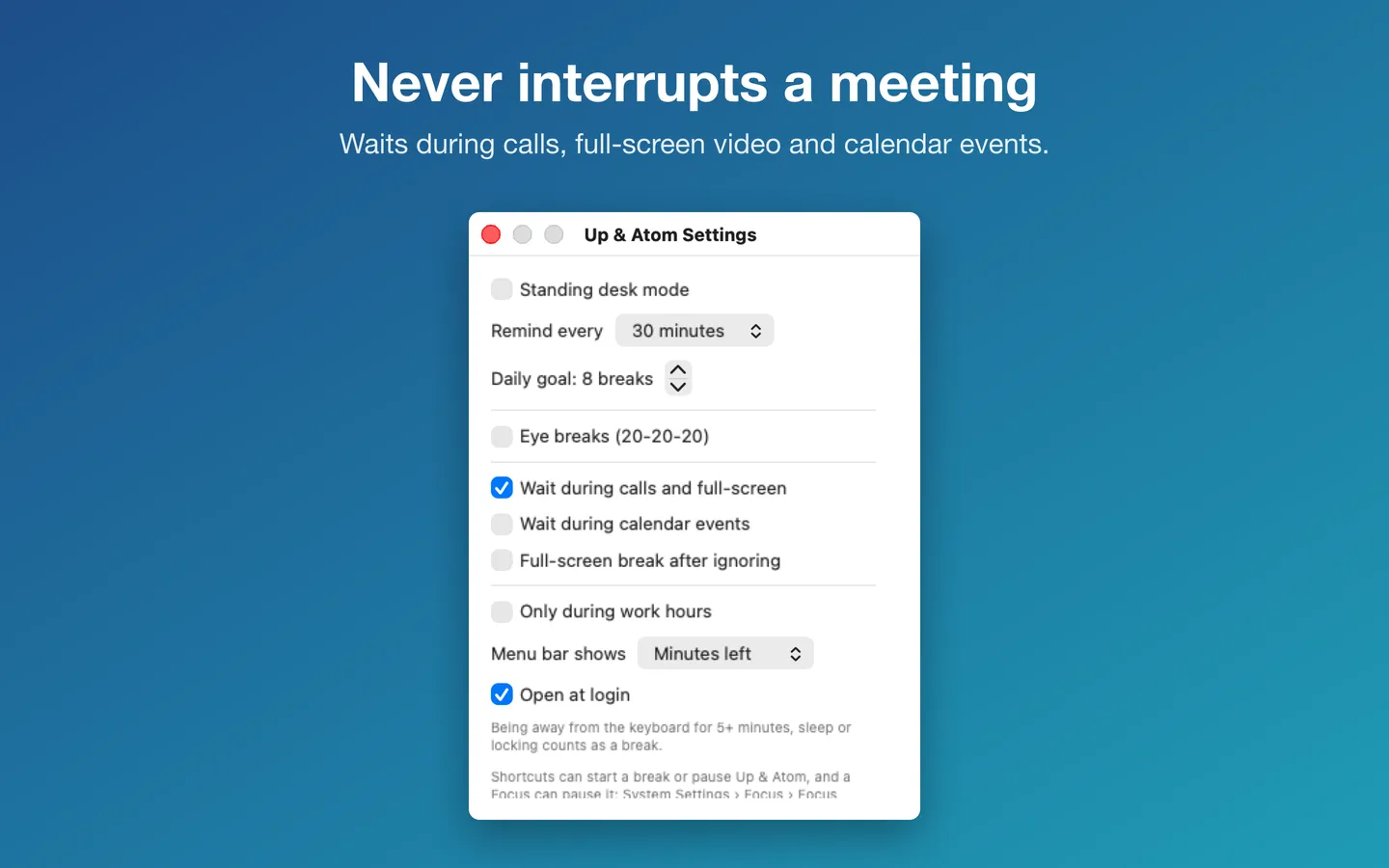
What it does: Gentle reminders to get up, guided one-minute breaks and a daily goal, from your menu bar. It waits while your camera or microphone is on, while you present, or during calendar events, so it never interrupts.
- Checkout by Gumroad
- Notarized by Apple
- No FitzTopPicks account needed
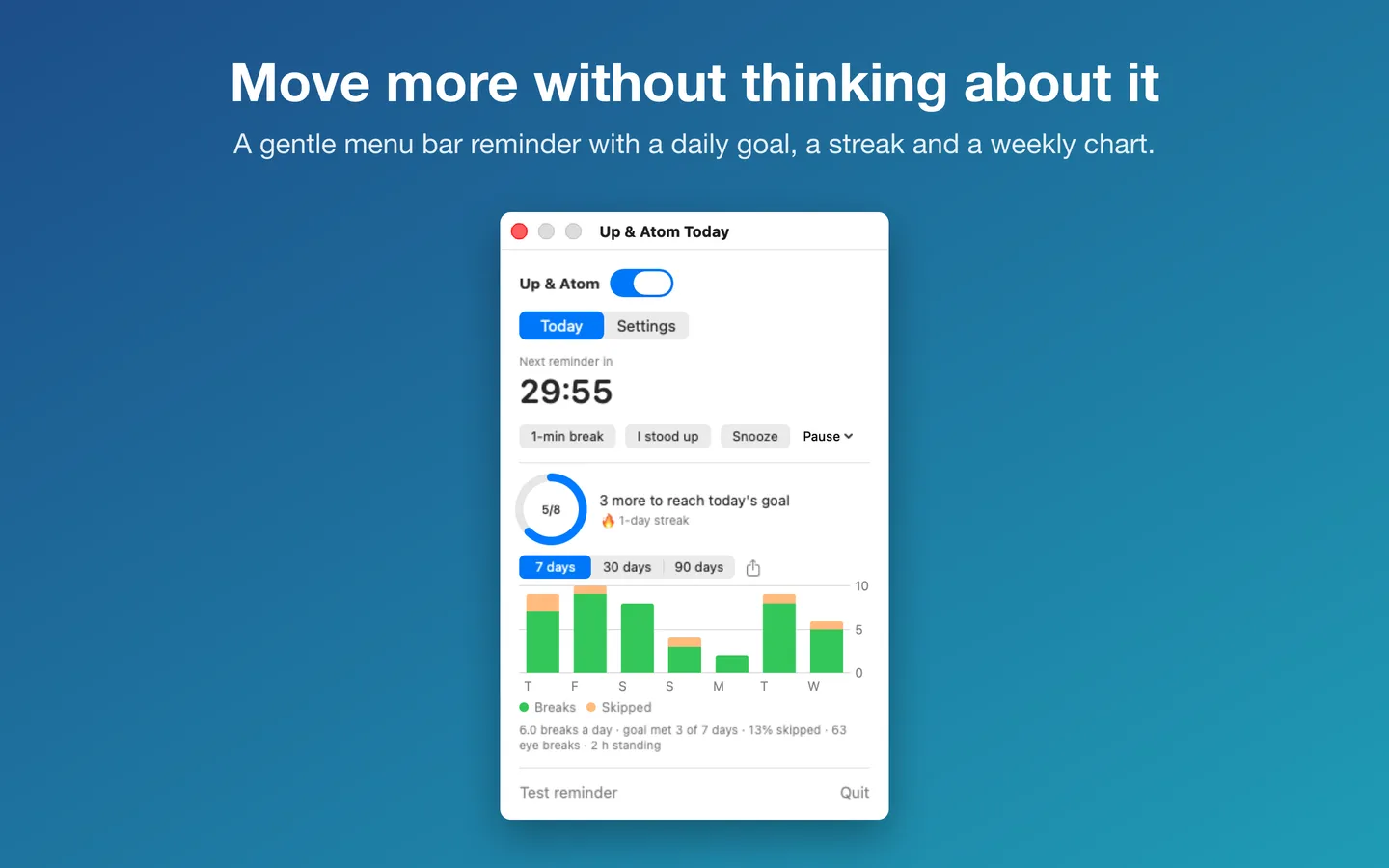
Free to use without a key, for good: reminders on your schedule, waiting during meetings, calls, full-screen video and calendar events, Snooze, pause, I stood up, today's goal and streak, this week's chart, Shortcuts and Focus filters.
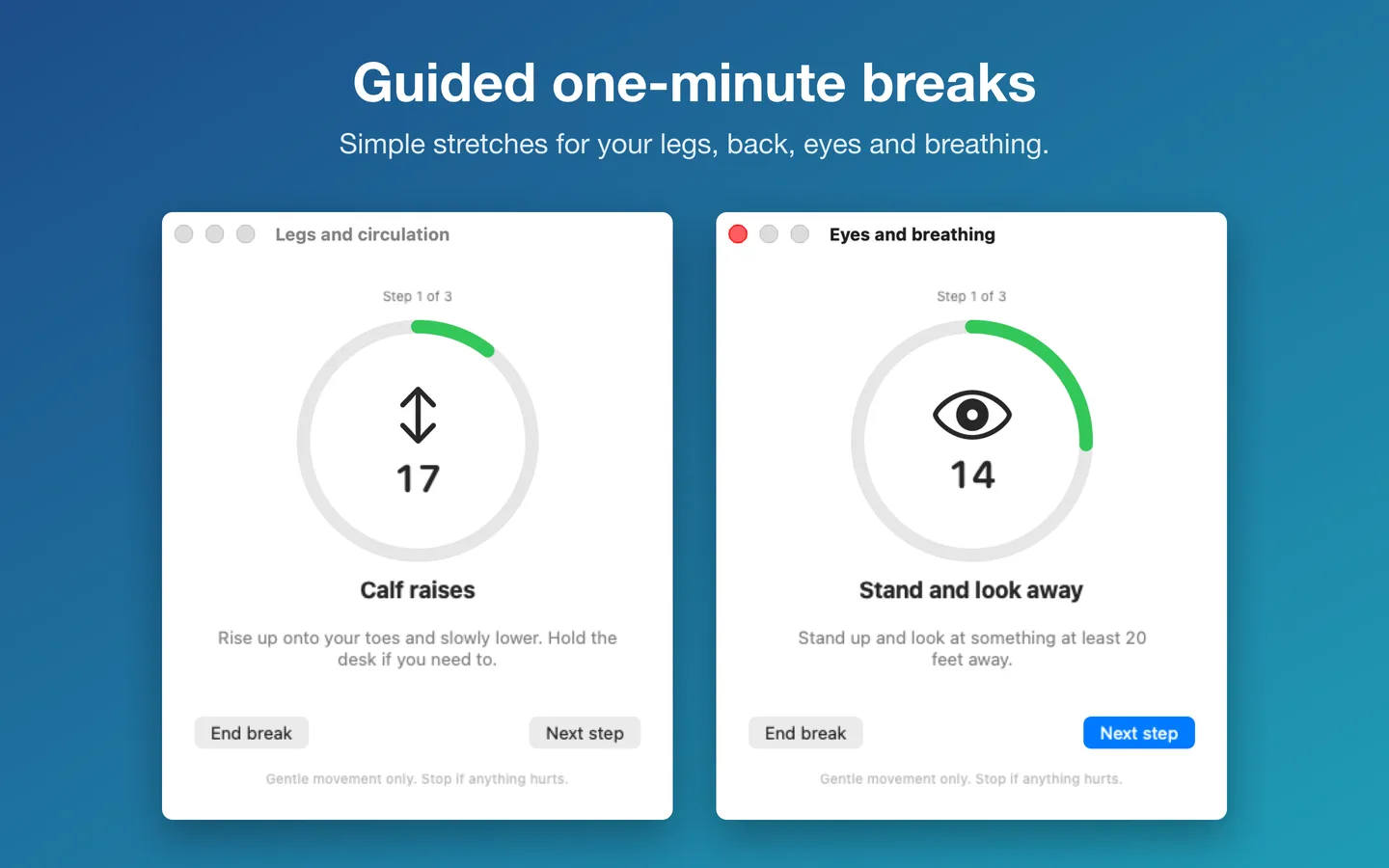
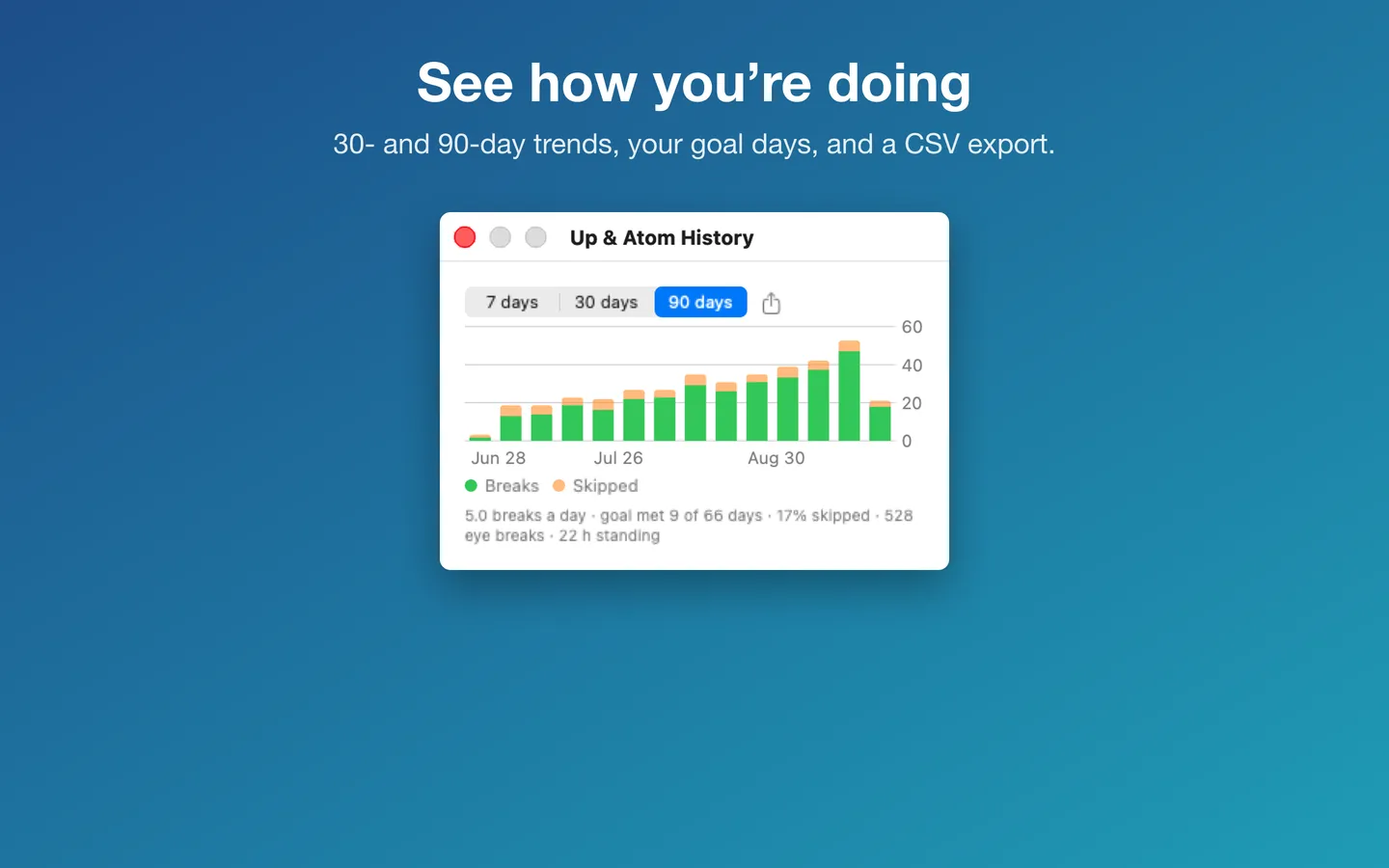
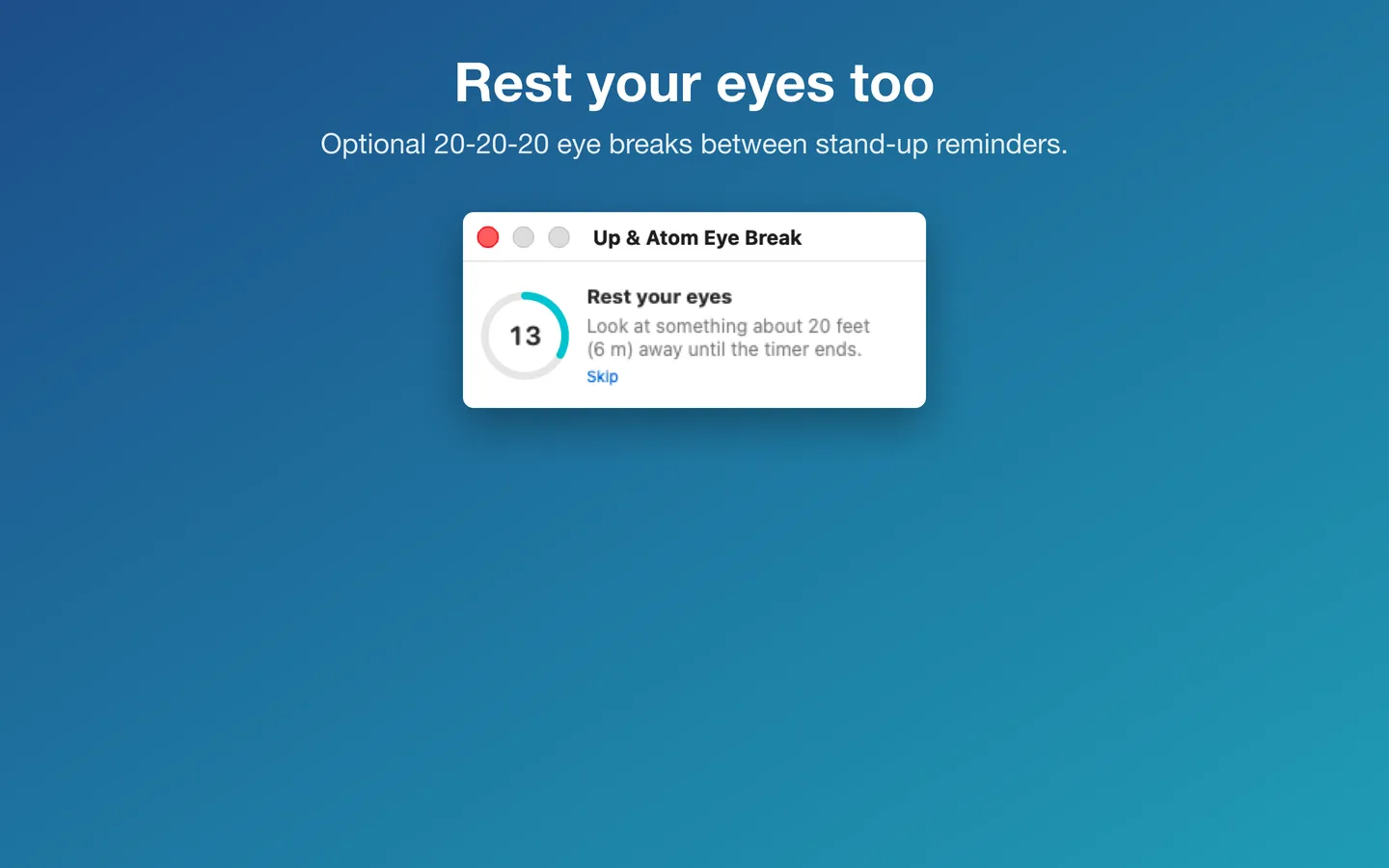
Buy a license key to unlock Up & Atom Pro: guided 1-minute breaks, 20-20-20 eye breaks, standing desk mode, the full-screen break after ignored reminders, 30- and 90-day history, CSV export and widgets.
macOS 14 Sonoma or later · Version 1.3.0 · 4.6 MB disk image · Notarized by Apple
One-time $3.99 for Up & Atom Pro. No subscription. One license key works on up to 3 of your Macs.
Download: The download (a signed, notarized .dmg) comes with your purchase in your Gumroad receipt, together with your license key. Updates install from inside the app.
Buy now opens Gumroad's checkout on this page; Gumroad is the seller and handles payment, sales tax and your receipt.
Screenshots
5 pictures: swipe or scroll sideways.
What you get
- Up & Atom for Mac: macOS 14 Sonoma or later
- The signed, notarized .dmg download and your license key, in your Gumroad receipt
- One license key for up to 3 of your Macs
- Updates that install from inside the app
- A one-time price: no subscription
Features
- Reminders every 20 to 90 minutes, with Start a 1-minute break, I stood up and Snooze
- Never interrupts meetings: waits during calls, presentations and (optionally) calendar events
- Pro: six guided 60-second break routines with a visual timer
- Daily goal, streak and this week's chart; Pro adds 30/90-day history and CSV export
- Shortcuts and Focus filters; Pro adds standing desk mode, eye breaks (20-20-20) and widgets
- English and Spanish
Free vs With a license key
| Feature | Free | With a license key |
|---|---|---|
| What you can do | Reminders on your schedule, waiting during meetings, calls, full-screen video and calendar events, Snooze, pause, I stood up, today's goal and streak, this week's chart, Shortcuts and Focus filters | Guided 1-minute breaks, 20-20-20 eye breaks, standing desk mode, the full-screen break after ignored reminders, 30- and 90-day history, CSV export and widgets |
| Price | Free download | $3.99 one-time |
Questions
How do I open Up & Atom?
Click the figure (or the ring or minutes left, depending on your menu bar style) in the menu bar at the top right of your screen. The panel has two tabs: Today and Settings. Up & Atom has no Dock icon.
Reminders don’t appear. What should I check?
Open System Settings › Notifications › Up & Atom and make sure notifications are allowed. If they’re off, Up & Atom shows a small floating panel instead. Also check that reminders are on in Settings and that you’re inside your working hours.
Why didn’t it remind me?
On purpose, Up & Atom waits while your camera or microphone is on, while something is full screen, during calendar events (if you turned that on), outside working hours and while paused. Time away from your Mac, sleeping or locking it counts as a break and restarts the countdown.
Can I run the first-time setup again?
Yes: Settings › Run first-time setup again.
How do I pause reminders?
In the Today tab, open Pause and choose 30 minutes, 1 hour, 2 hours, until tomorrow morning, or until you resume. The menu bar shows a pause icon, and reminders come back on their own.
Do I have to pay again on another Mac?
No. One license key works on up to 3 of your Macs. Download the app again from your Gumroad receipt or library and enter the same key.
From the Up & Atom help page.
How-to guide
How to get stand-up reminders on a Mac
The free and built-in ways first, where they stop, and how Up & Atom does it.
Setting it up
How to open a newly downloaded Mac app the first time
Step by step, with what to do if your Mac asks a question.
Requirements
- macOS
- macOS 14 Sonoma or later
- Processor
- Apple silicon and Intel
- Languages
- English, Spanish
- Download
- 4.6 MB disk image
- Version
- 1.3.0
What's new
Version 1.3.0 ·
- Reminders are now free for good, with no 7-day countdown: your schedule and work hours, waiting during meetings, calls, full-screen video and calendar events, snooze and pause, I stood up, today's goal and streak, this week's chart, Focus filters and Shortcuts.
- Up & Atom Pro adds guided 1-minute breaks, 20-20-20 eye breaks, standing desk mode, the full-screen break after ignored reminders, 30- and 90-day history, CSV export and widgets.
- If you already have a license key, nothing changes: everything stays unlocked.
Version 1.2.4 ·
- Easier to read: warning, success and error text now uses deeper shades in Light Mode, so it stands out clearly on the window (Dark Mode looks the same).
- The safety note on the break screen is darker and easier to read.
- In Spanish, the More Mac Apps list no longer shows two lines in English.
Version 1.2.3 ·
- Licence checks are stricter, so Pro stays tied to a real licence key. Nothing changes for buyers with a key.
From Up & Atom's release notes. Updates install from inside the app.
Privacy
Your settings, break history and your license key (in your Keychain) stay on your Mac; nothing is sent to us. Optional: if you turn on waiting during calendar events, macOS asks for Calendar access, and the app checks only whether an event is happening now. It never turns on your camera or microphone. The only network requests are the license check with Gumroad (your license key, when you enter it and about once a week), checking for updates at fitztoppicks.com and downloading the list of our other Mac apps from fitztoppicks.com when you open it (at most once a day; the same file for everyone); none sends anything about your breaks or calendars.
Questions about your purchase or license key? See Help and FAQ, reply to your Gumroad receipt or contact us.