How to get stand-up reminders on a Mac
UpdatedShort answer
macOS has no stand-up reminder of its own. For free, a one-line Terminal loop can show a notification every 50 minutes, and an Apple Watch's Stand reminder taps your wrist near the end of any hour you haven't stood. Neither knows when you're on a call or presenting, so a reminder can land in the middle of a meeting. Up & Atom reminds you from the menu bar and waits while your camera or microphone is on, while you present, and during calendar events if you want.
The free ways
Free: a repeating notification from Terminal
- Open Terminal (Applications › Utilities).
- Paste this line and press Return:
while true; do sleep 3000; osascript -e 'display notification "Time to stand up" with title "Stand up"'; done(3000 seconds is 50 minutes). - Leave that Terminal window open. The reminders stop when you close it or press Control-C in it.
- If no notification appears, look for Script Editor in System Settings › Notifications and allow its notifications.
Free: Stand reminders on an Apple Watch
- On the watch, open Settings › Activity and turn on Stand Reminders.
- The watch taps your wrist near the end of an hour in which you haven't stood and moved for a minute.
Where the free ways stop
- Neither one knows when you're on a video call or presenting, so the reminder can interrupt a meeting.
- The Terminal loop has no snooze, counts nothing and stops when Terminal closes.
- The watch reminder needs an Apple Watch on your wrist and only checks that you stood, with no guided break.
How Up & Atom does it
Up & Atom is a Mac app we make: stand-up reminders that never interrupt a meeting.
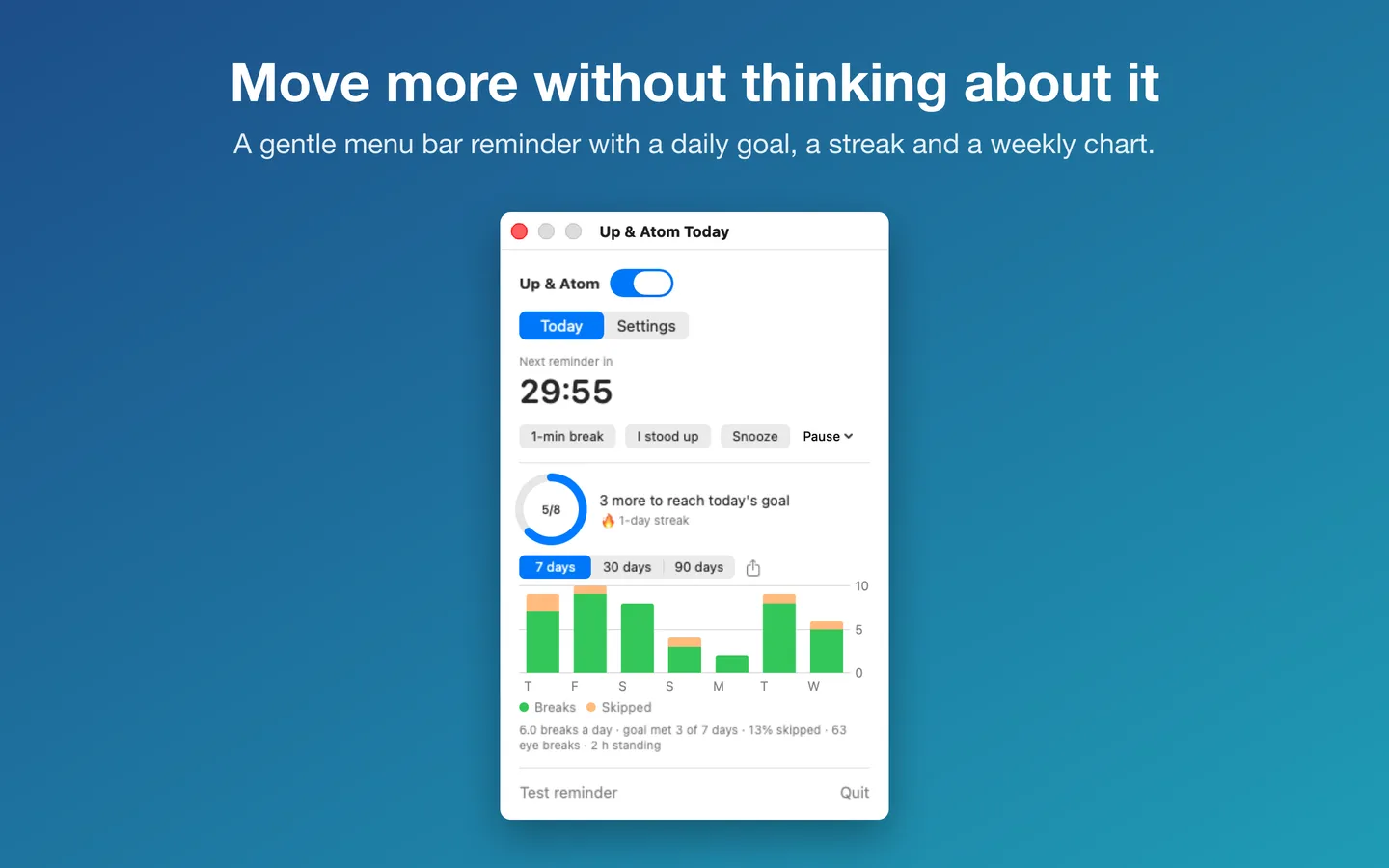
- Up & Atom sits in the menu bar and reminds you every 20 to 90 minutes, with Start a 1-minute break, I stood up and Snooze.
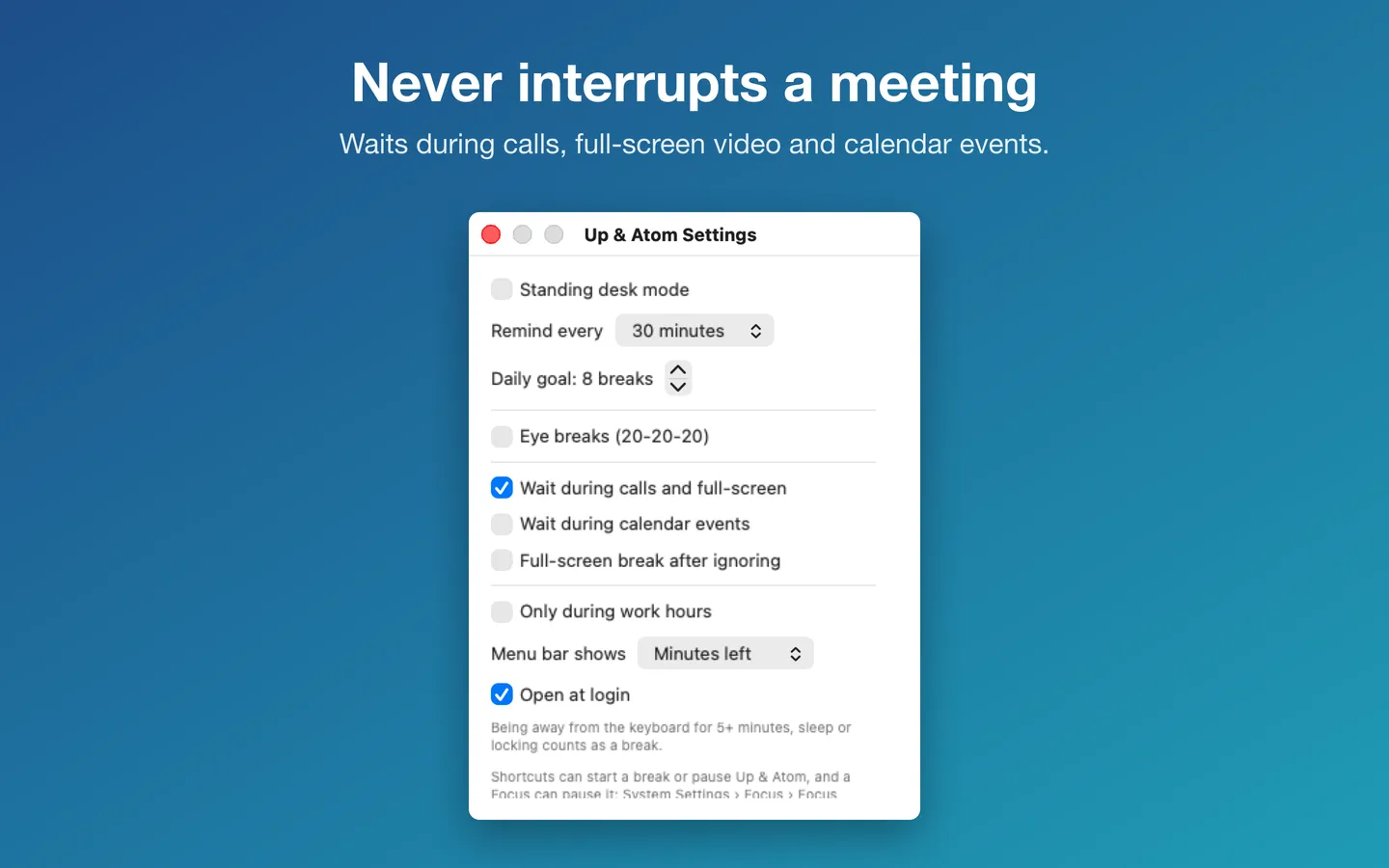
- It waits while your camera or microphone is on, while you present, and (if you turn it on) during calendar events, then reminds you afterwards.
- Six guided 60-second break routines with a visual timer, a daily goal and streak, and 7, 30 and 90-day history with CSV export.
- Standing desk mode, 20-20-20 eye breaks, widgets, Shortcuts and Focus filters.
Free for 7 days from the first time you open it, with everything included. After that, reminders stop until you add a license key.
$3.99 one-time for Pro, no subscription. Buy a license key to unlock Up & Atom for good.
macOS 14 Sonoma or later. Apple silicon and Intel.
Questions
Does Up & Atom turn on my camera?
No. It never turns on your camera or microphone. It waits while another app is using them, so it knows you're on a call. Calendar access is optional and asked for only if you turn on waiting during calendar events.
How do I stop the Terminal reminders?
Press Control-C in that Terminal window, or close the window. Nothing keeps running after that.
Can I try Up & Atom before buying?
Yes: it's free for 7 days from the first time you open it, with everything included. After that, reminders stop until you add a license key.