How to count words in Word, PowerPoint and PDF files on a Mac for a translation quote
UpdatedShort answer
For one Word file, Pages or Word shows the count. PowerPoint and PDF text has to be copied out and counted somewhere else. For a quote over many files you add the counts up yourself, or use a counting tool that reads every file type at once.
The free ways
Word files (.docx): Pages or Word
- Open the .docx in Pages (free on every Mac; it opens Word files).
- Click View in the toolbar (or use the View menu) and choose Show Word Count. The count appears at the bottom of the page; click it to switch between words, characters with and without spaces, and paragraphs.
- In Microsoft Word, Tools › Word Count shows the same numbers, with a checkbox to include text boxes, footnotes and endnotes.
PDFs: copy the text out with Preview
- Open the PDF in Preview and click in the text.
- Choose Edit › Select All, then Edit › Copy.
- Paste into a new Pages document and use View › Show Word Count.
- If no text gets selected, the PDF is a scan with no text layer, and it needs OCR (text recognition) before it can be counted.
PowerPoint (.pptx): the Outline view
- Open the deck in PowerPoint and choose View › Outline.
- Select the outline text, copy it into Pages and count it there.
- The outline only holds text in the slides' title and body placeholders. Count text boxes, tables, charts and speaker notes separately.
Free, for many Word files: Terminal
macOS has textutil built in, which turns .docx, .doc, .rtf, .odt and HTML files into plain text, and wc counts the words.
- Open Terminal, type
cd(with a space), drag the folder of files onto the window and press Return. - Paste the line below and press Return. It prints each file name and its word count.
for f in *.docx; do printf '%s\t' "$f"; textutil -convert txt -stdout "$f" | wc -w; donewc counts anything between spaces as a word, so numbers and symbols count too, and Chinese, Japanese or Korean text comes out far too low. textutil can also leave out text in headers, footers, footnotes or text boxes.
Where the free ways stop
- Every tool counts a little differently: Word, Pages and wc treat hyphenated words, numbers, web addresses and dashes differently. Tell the client which count you used.
- Text in headers and footers, footnotes, text boxes, comments, hidden text and speaker notes is easy to miss, and clients don't always want it counted.
- None of these find repeated sentences, which many translators price at a lower rate.
- Chinese, Japanese and Korean are usually quoted per character, which a word count doesn't give you.
- You still add up the files and work out the price yourself.
How Wordledger does it

Wordledger is a Mac app we make: word counts, weighted quotes, jobs and invoices for freelance translators.
- Drop the client's files or a whole folder: Word, PowerPoint, Excel, OpenDocument, PDF, HTML, RTF, text and subtitles.
- Choose what counts: headers and footers, footnotes, text boxes, slide notes, hidden text and comments, each on or off, or Word's own settings in one click.
- Read words, characters, CJK characters and repetitions per file and in total.
- Price it with your rate card and save a quote PDF or a CSV.
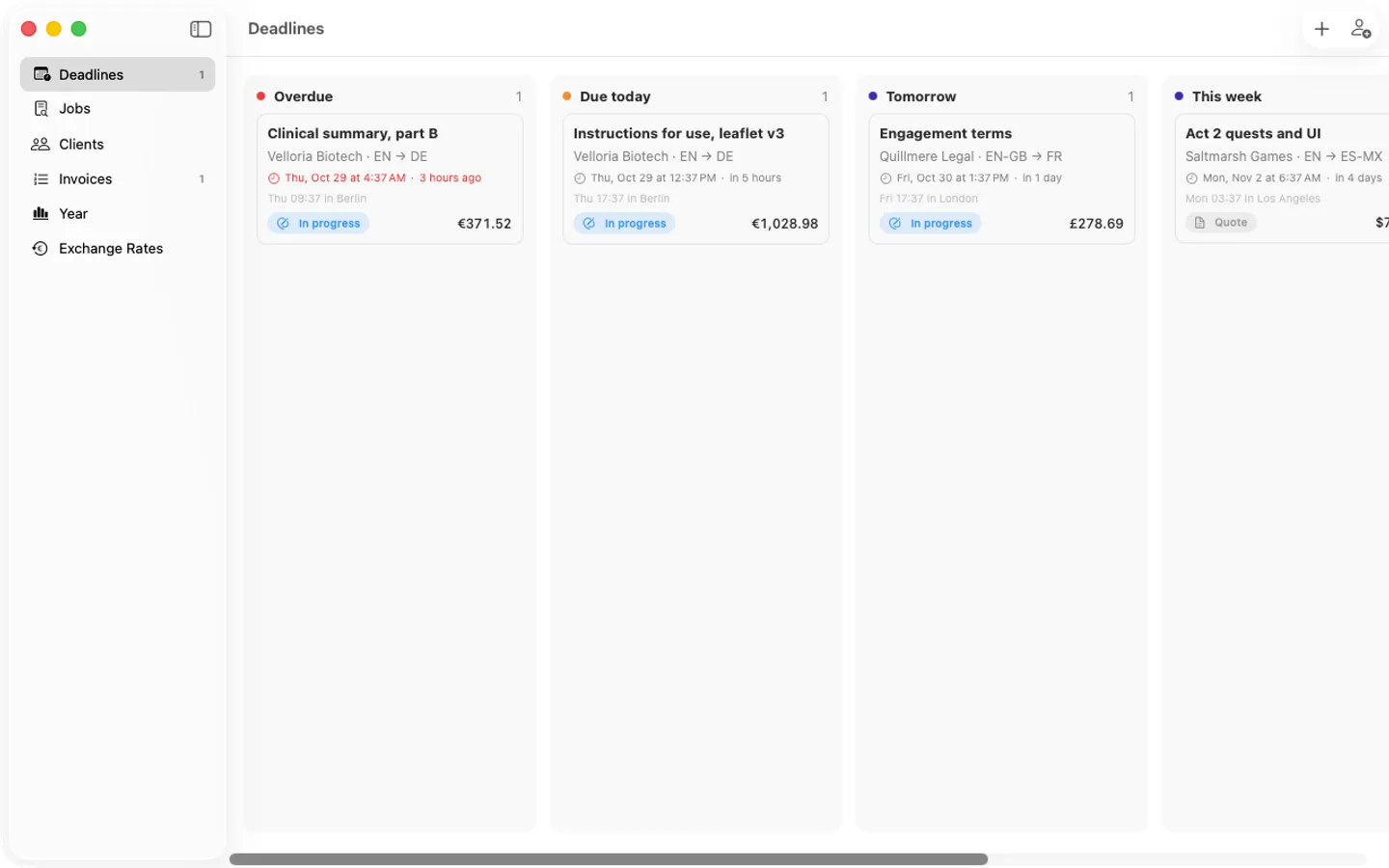
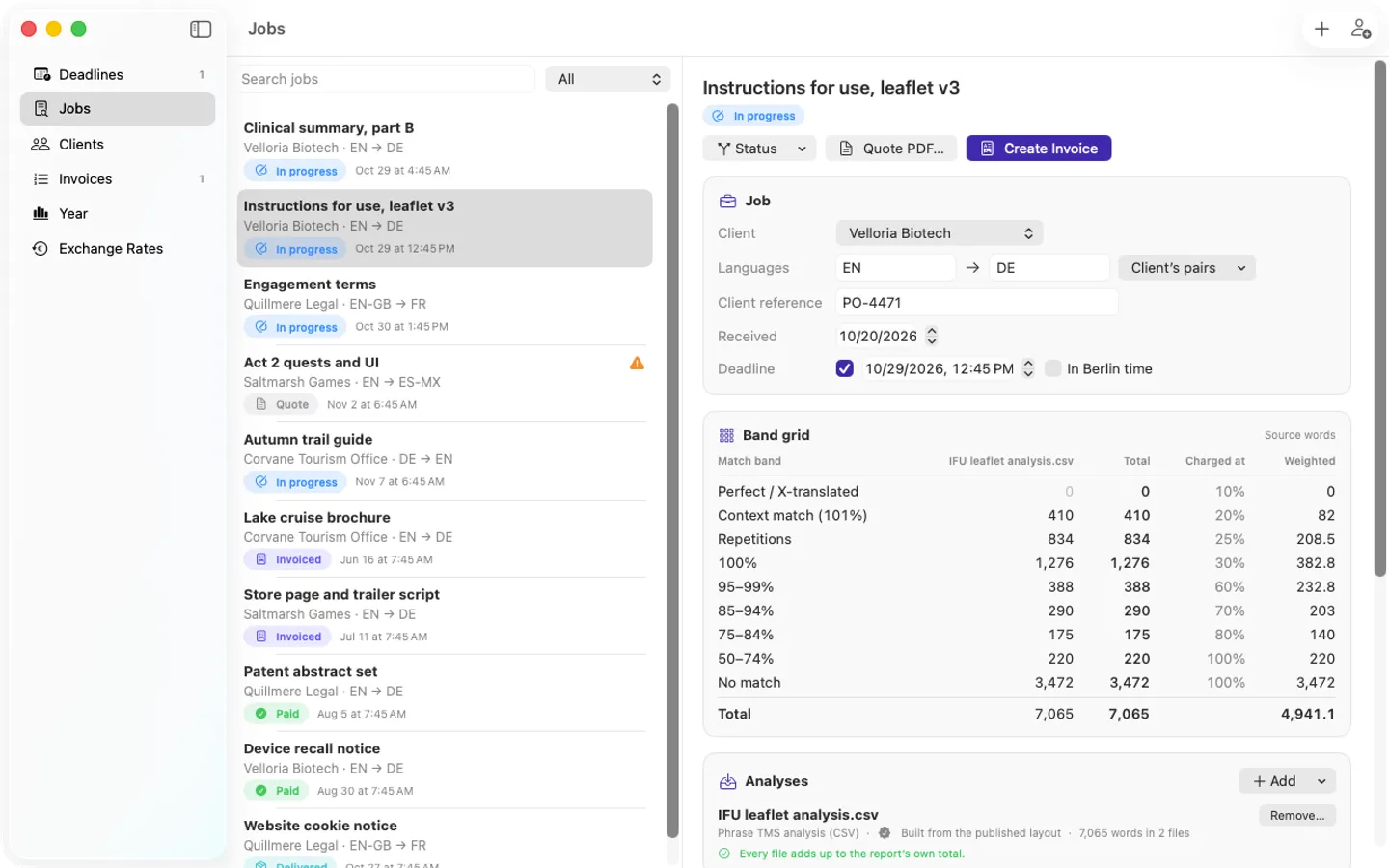
Free to use without a key: the whole flow (CAT import, counting files, weighted quotes, invoices, credit notes, ECB rates, yearly totals, backups) for up to 3 clients and 10 jobs, with no watermark; counting any number of files, and quick quotes for up to 3 files.
$49 one-time for Pro, no subscription. Buy a license key to unlock Pro: unlimited clients and jobs, quick quotes and count CSVs of any size, the accountant CSV for each year, every record as CSV, and backups to a second folder.
macOS 14 Sonoma or later. Apple silicon and Intel.
Questions
Why is my count different from the client's?
Tools disagree about hyphenated words and numbers, and about whether footnotes, text boxes, headers and notes count. Agree on the rules first (for example, "Word's count, footnotes included") and put them on the quote.
Can I count the words in a scanned PDF?
Not directly: a scan is a picture of text. It needs OCR first, and OCR mistakes change the count, so treat the result as an estimate and say so.
How are Chinese, Japanese and Korean counted?
Usually per character, because these languages don't put spaces between words. Ask the client or agency which they use.
Does Wordledger replace a CAT tool?
No. It counts and quotes. It has no translation memory or fuzzy-match analysis, and its counts aren't certified.