How to check a font's license and embedding permissions on a Mac
UpdatedShort answer
Font Book shows what each font says about itself: select it and click the Info button to see its copyright, designer, license and embedding setting. That's what the font file claims, not what you were granted. The license you got with the font (or a free license such as the SIL Open Font License) decides whether you can use it in something you sell. For a PDF, also check which fonts are inside it.
The free ways
Free: Font Book's Info
- Open Font Book (in Applications) and select a font.
- Click the Info button in the toolbar.
- Read Copyright, Trademark, Manufacturer, Designer and License. Many fonts include their license text or a link to it.
- Read Embedding. No embedding restrictions means the maker set no limits; Preview and print embedding and Editable embedding allow embedding with conditions; a Licensed (protected) font must not be embedded without the owner's permission.
Embedding settings are about putting the font inside documents such as PDFs and ebooks. They don't say whether you may sell what you make; the license does.
Free: see which fonts are inside a PDF
pdffonts, part of the free Poppler PDF tools, lists every font in a PDF. Install it with Homebrew.
- Install Homebrew from brew.sh if you don't have it yet, then install Poppler with
brew install poppler. - Run
pdffontswith your PDF's name (the line below). The emb column says whether each font is embedded, and sub whether only the characters used are. - Look up each font in Font Book and check its license.
brew install poppler
pdffonts my-printable.pdf
Embedded font names often start with six capital letters and a plus sign (ABCDEF+FontName). The prefix only marks a subset; the real name follows the plus sign.
Then check the license itself
- Find where each font came from: a receipt, the foundry's site or the download page, and keep the license file with your receipts.
- For open fonts the license usually comes in the download (OFL.txt for the SIL Open Font License) and is on the project page.
- For fonts that came with macOS, the macOS license lets you embed them in content only if the font's own embedding restrictions allow it (the Fonts section of the license, which points to Font Book's Info).
Where the free ways stop
- Font Book shows one font at a time, so auditing a few hundred installed fonts by hand takes an afternoon.
- A font's own fields can be empty, out of date or wrong. Many commercial fonts carry no license text, and some free downloads are repackaged without their license.
- Embedding settings don't answer whether you can sell a printable, an ebook or merchandise. The license does, and many foundries license desktop, web, app and ebook use separately.
- pdffonts gives you a font's name, not where you got it or what your license allows.
- Nothing keeps track of your receipts and license files.
How FontWarden does it
FontWarden is a Mac app we make: see what each font’s license data says before you sell with it.
- Every installed font and any font folder you add (TTF, OTF, TTC, DFONT, WOFF and WOFF2) is listed with its embedding permissions, copyright, maker, designer and license fields.
- Open licenses such as the SIL OFL, Apache and MIT are recognized, fonts that came with macOS are marked, and each font is Likely OK to embed, Restricted or Unknown, with the reasons. That much is free.
- Pro checks a PDF: every font in it, embedded or not, with the pages it's used on, matched to your installed fonts.
- Pro keeps license notes per font (license type, where you bought it, a link and the receipt file) and exports CSV or PDF audits.
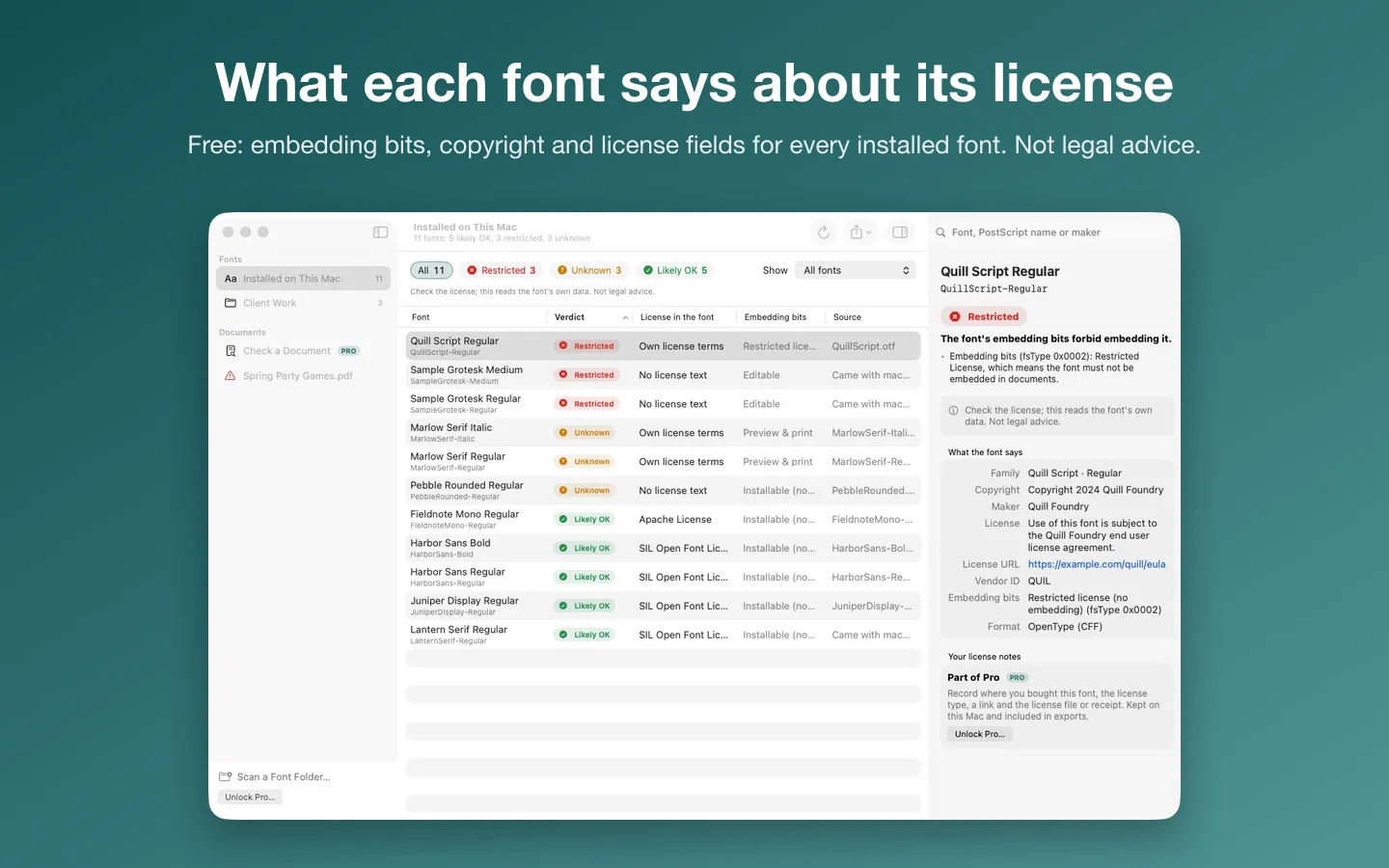
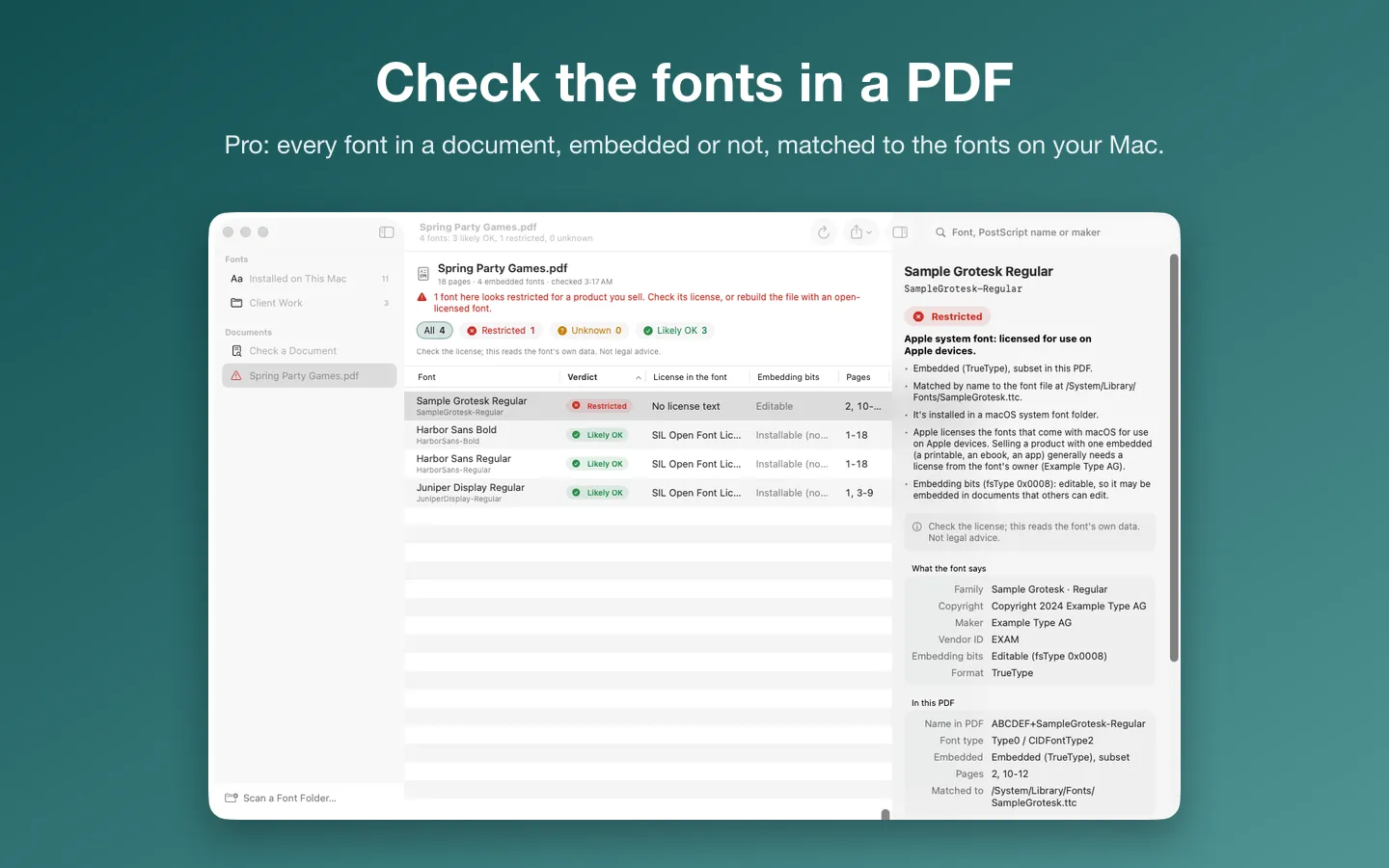
Free to use without a key: every installed font and any font folder you add, with its embedding permissions, license fields and a verdict with the reasons.
$24 one-time for Pro, no subscription. Buy a license key to unlock Pro: check the fonts in PDFs, keep license notes and receipts per font, and export CSV or PDF audits.
macOS 14 Sonoma or later. Apple silicon and Intel.
Questions
Can I use a free font commercially?
Often, but "free" can mean free for personal use only. Fonts under the SIL Open Font License can be used and embedded in commercial work, though the fonts themselves can't be sold on their own. Read the license that came with the download.
What does a restricted embedding setting mean?
The font's maker set a flag asking that the font not be embedded in documents without permission. Some apps then won't embed it when they make a PDF, and embedding it anyway needs the owner's permission.
Can I use a macOS font in something I sell?
The macOS license lets you use its fonts to display and print content on your Mac, and to embed them in content only as each font's embedding restrictions allow. When it matters, choose a font whose license clearly covers your use.
Is FontWarden's verdict legal advice?
No. It reports what each font's own data says and what you've recorded, and it never says "safe". The license you were granted decides.