How to find and fix errors in a GEDCOM family tree file
UpdatedShort answer
Work on a copy of the GEDCOM file and check it with a genealogy program. The free, open-source Gramps imports GEDCOM and has tools that flag unlikely dates and find possible duplicate people. Fix what they find, then export a new GEDCOM file. Your family-tree program or site may have its own problem report too.
The free ways
Free: Gramps
Gramps is a free, open-source genealogy program for Mac, Windows and Linux (gramps-project.org). It works on its own database, so you import the GEDCOM file into a new, empty family tree.
- Install Gramps from gramps-project.org, open it, and create and load a new, empty family tree in the Family Trees manager.
- Choose Family Trees › Import… and pick a copy of your GEDCOM file.
- Choose Tools › Utilities › Verify the Data. It lists unlikely facts, such as a death before a birth or a parent who was very young or old at a child's birth, using ages you can change.
- Choose Tools › Family Tree Processing › Find Possible Duplicate People, choose how strict the match should be, and go through each pair. Merge only the ones you're sure of.
- To merge two people or two places that are the same, select both in the People or Places view and choose Edit › Merge….
- When you're done, choose Family Trees › Export… and save a new GEDCOM file.
Tools › Family Tree Repair › Check and Repair Database fixes problems in the database's structure, such as broken links between records, not mistakes in names and dates.
Your family-tree program's own checks
- Most family-tree programs and sites have a problem report and a duplicate finder of their own. Search their Help for "duplicates" or "problems".
- Run them before you export, so the GEDCOM file starts as clean as it can.
Where the free ways stop
- Importing into Gramps and exporting again isn't a pure round trip: the file goes through Gramps' own database, so tags from other programs, how dates are written and the file's layout can change. Compare the result with the original before you replace anything.
- Verify the Data lists problems; you fix each one by hand in its editor.
- With the built-in tools, messy date formats ("12/03/1890", "abt. 1802") and place names spelled several ways are mostly fixed one record at a time.
- There's no list of every change you made, so later it's hard to check or undo them.
How TreeTidy does it
TreeTidy is a Mac app we make: find and fix the mistakes in your family tree file.
- Open a GEDCOM file (5.5.1 or 7.0) exported from any family-tree program. TreeTidy reads the file itself; nothing is imported into a database.
- It lists likely duplicate people and families, impossible dates (flagged, never changed), messy date formats, place names spelled several ways, missing details and broken or one-way links. The free version saves the full report as PDF or text.
- Pro applies the fixes you tick, each one previewed before and after and undoable. Merges keep every name, fact and source and are never ticked for you.
- The cleaned tree is saved as a new GEDCOM file with a change log. The original file is never changed.
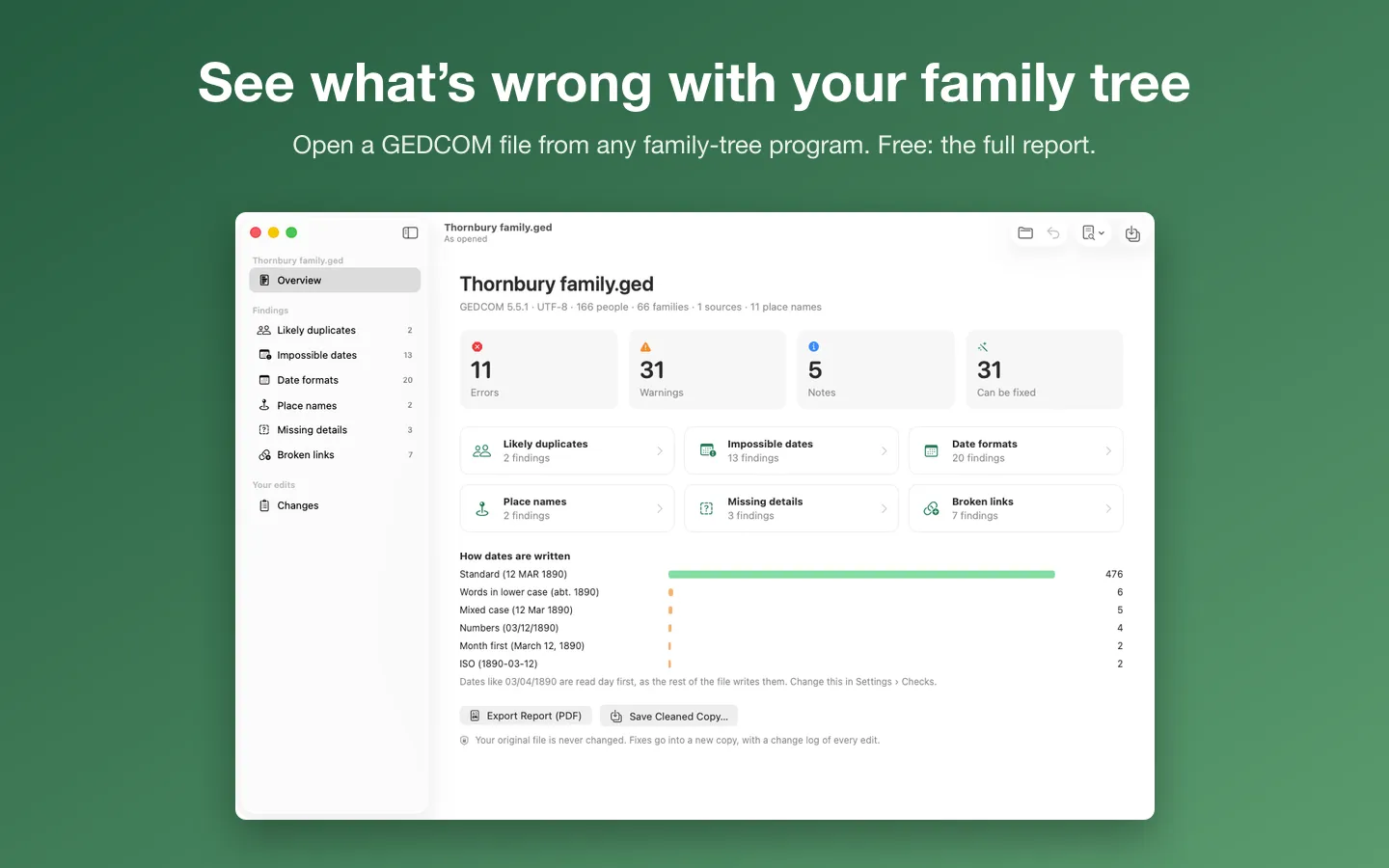
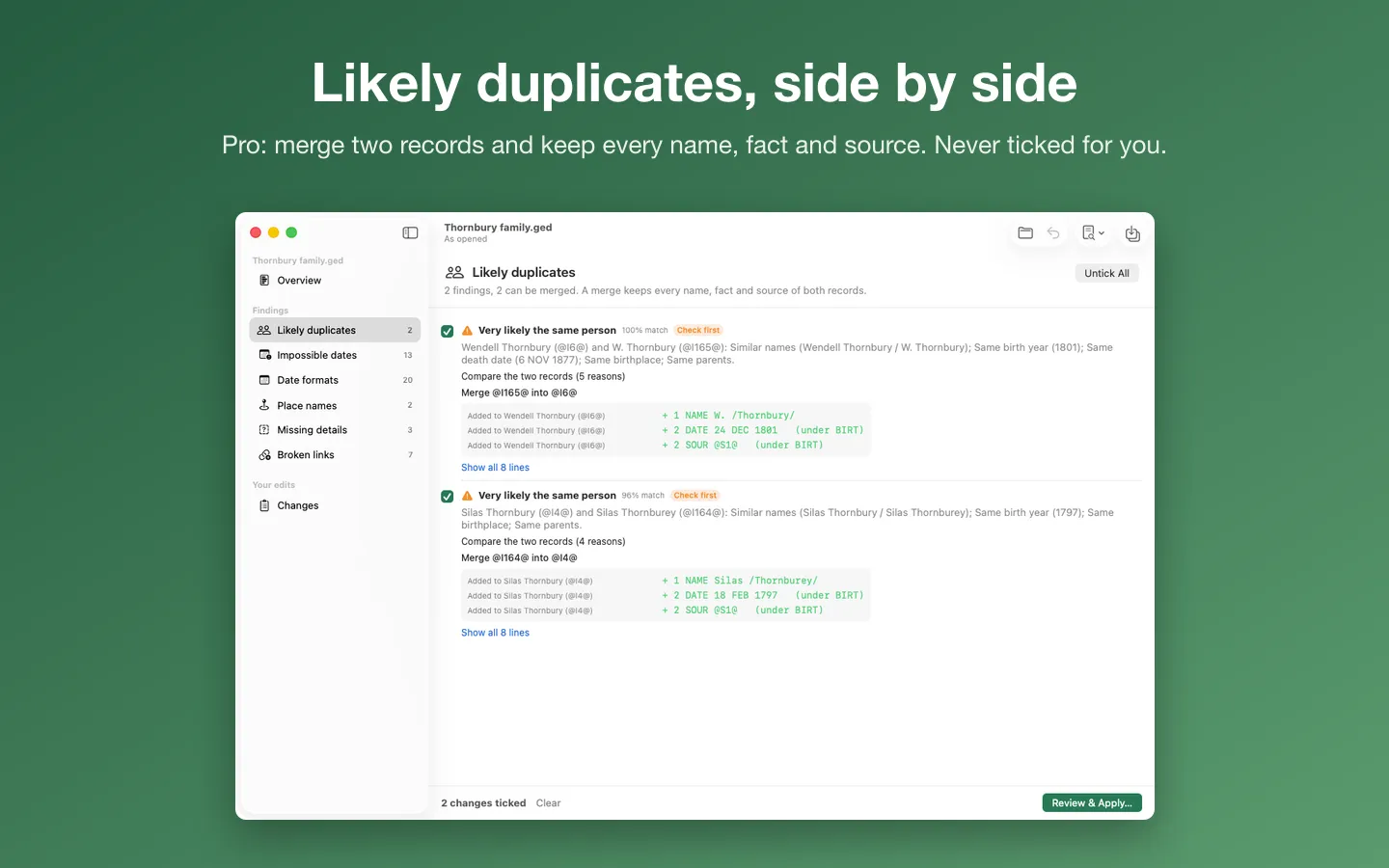
Free to use without a key: open your tree, scan it and get the full report as a PDF or text.
$24.99 one-time for Pro, no subscription. Buy a license key to unlock Pro: apply the fixes you tick, merge duplicates, and save a cleaned copy with a change log.
macOS 14 Sonoma or later. Apple silicon and Intel. Works with GEDCOM files exported from your family-tree program.
Questions
What is a GEDCOM file?
The common text format family-tree programs use to exchange trees (.ged). Most programs and sites can export one. GEDCOM 5.5.1 is the version most of them read, and 7.0 is the newer standard.
Will cleaning the file change my tree online?
No. A GEDCOM file is a copy. Changes only reach your online tree or program if you import the cleaned file there, which is best done into a new tree first so you can compare.
How do I know two people are really the same person?
Look for the same name (allowing for nicknames and spellings), birth date and place, and the same parents or spouse. If the evidence differs, keep both and add a note: merging two different people is harder to undo than leaving a duplicate.
Does TreeTidy upload my tree?
No. It works only with the files you pick, on your Mac, and never changes the original. Its only network requests are the license check and the update check.