How to test a game controller for stick drift on a Mac
UpdatedShort answer
Connect the controller, open a gamepad tester page in your browser and leave the sticks alone: each stick axis should rest at or very near 0 on its −1 to 1 scale. A value that wanders or sits clearly off center at rest is drift. Then move each stick around its edge and press every button and trigger. macOS's Game Controllers settings confirm the Mac sees the controller.
The free ways
Connect it and check System Settings
- Pair it over Bluetooth (put the controller in pairing mode and select it in System Settings › Bluetooth) or plug it in with a USB cable that carries data.
- Open System Settings › Game Controllers and click the controller's name. This is where macOS Ventura and later let you customize the buttons of supported controllers.
These settings are for remapping buttons; they don't measure drift.
Free: a gamepad tester in your browser
Web pages can read controllers through the standard Gamepad API, which Safari, Chrome and Firefox support. Search for "gamepad tester" and use a page you trust; nothing needs installing.
- Open the tester with the controller connected and press any button: browsers only show a controller to a page after you press a button or move a stick.
- Leave both sticks alone for a few seconds. Each axis should rest at or very near 0. A reading that keeps moving, or rests clearly away from 0, points to drift; the other stick gives you a baseline.
- Push each stick slowly around its edge. The trace should be an even circle or rounded square that reaches the edge all the way round.
- Press each button and both triggers. Trigger values should rise smoothly from 0 to 1, and a button that flickers on and off while you hold it may be chattering.
Some controllers apply a small dead zone of their own, which can hide very slight drift, so a reading of exactly 0 isn't proof that a stick is perfect.
Where the free ways stop
- A tester shows live numbers but keeps no record: no pass or fail, and nothing to compare before and after a stick swap.
- There are no guided tests for circularity, return to center, button chatter or wireless dropouts; you judge by eye.
- A web page only sees what the browser passes on. Adapters for older controllers, arcade sticks and flight sticks can show up with odd layouts or not at all.
- Nothing gives you a report or listing text for a refurbished controller you sell.
How Input Verdict does it
Input Verdict is a Mac app we make: test game controllers, then keep a before-and-after repair record.
- Plug in or pair the controller. The live view shows both sticks with a fading trace and the gate outline, the triggers, every button with a press count, the d-pad and the touchpad. The drift and circularity tests are free.
- Pro adds guided tests marked Pass, Warn or Fail: return to center, inner dead zone, trigger travel, every button with chatter detection, rumble, lights, motion, battery and a 5 to 15 minute wireless soak test.
- Pro saves a session per unit and stage ("Before stick swap") and compares before and after side by side.
- Pro prints a PDF repair report and writes listing text, and its raw HID view turns any two axes into a stick for N64 and GameCube adapters, arcade and flight sticks.
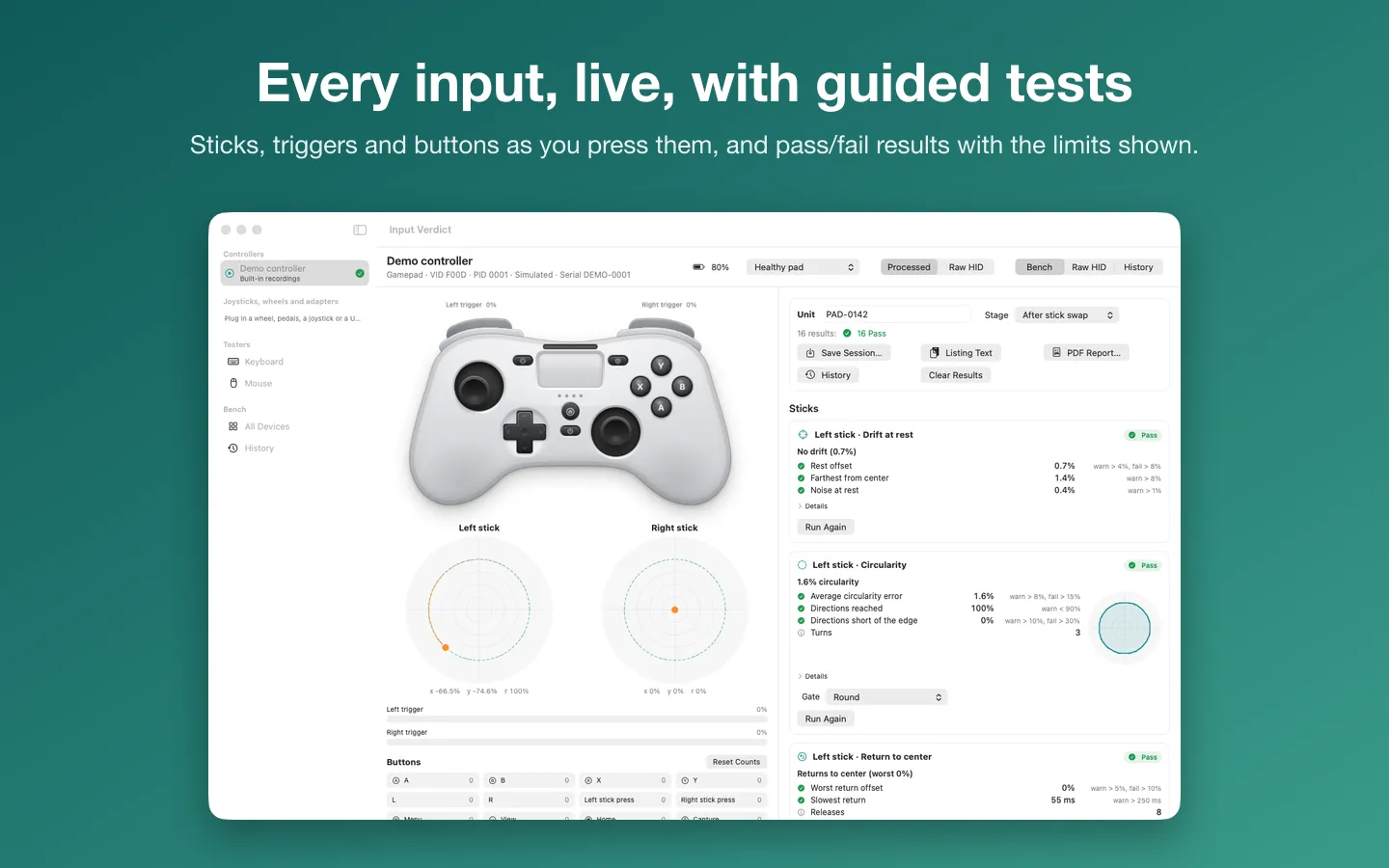
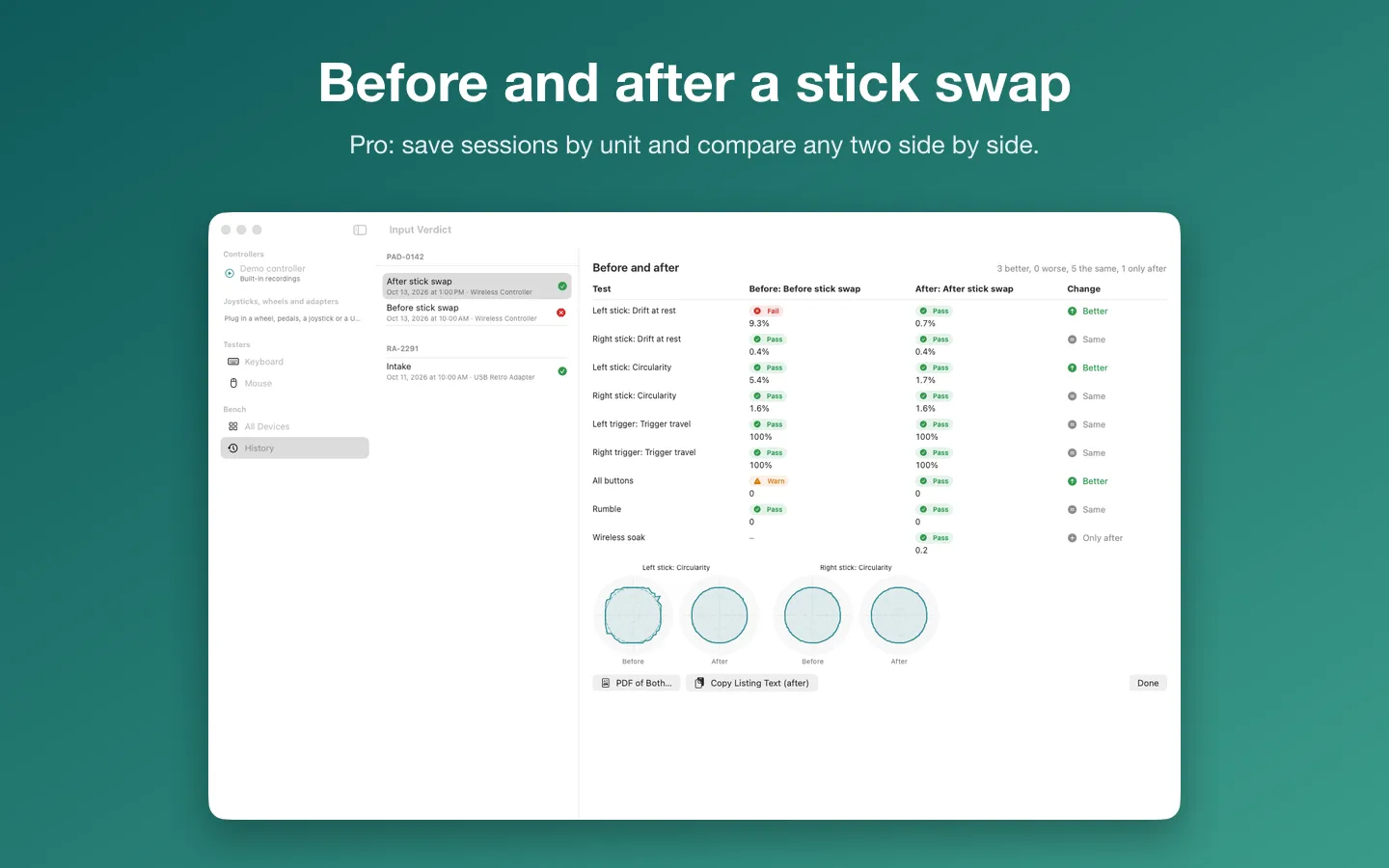
Free to use without a key: the live view of every connected controller and raw HID device, and the drift and circularity tests with results on screen.
$19.99 one-time for Pro, no subscription. Buy a license key to unlock Pro: every guided test including the wireless soak test, saved sessions by unit with before/after comparison, PDF reports, listing text, CSV and JSON export, the raw HID view, and the keyboard and mouse testers.
macOS 14 Sonoma or later. Apple silicon and Intel. Some controllers share only part of their raw data with macOS; Xbox controllers over USB work through the live view, not raw HID.
Questions
What causes stick drift?
Usually wear or dirt in the stick's position sensors, so the stick reports movement while it's at rest. Cleaning sometimes helps for a while; replacing the stick module is the lasting fix.
How much drift is too much?
There's no single standard. Compare the stick at rest with the other stick and with what games notice: if a character or the camera moves on its own, it's too much. Input Verdict's limits are editable and labeled as guidance, not manufacturer specs.
Does it work with Xbox and PlayStation controllers?
macOS supports many Xbox, PlayStation and other Bluetooth controllers. In Input Verdict, Xbox controllers over USB work through the live view rather than the raw HID view, and some controllers share only part of their raw data with macOS.
Do the keyboard and mouse testers need permissions?
No. Input Verdict never opens keyboards and mice as devices; its testers only see what's sent to its own window, so there are no permission prompts.