How to find leaked API keys in a git repo on a Mac
UpdatedShort answer
Search the files and the whole history, because a key deleted in a later commit is still in the earlier ones. git's own git log -S finds the commits that added or removed a string you know, and the free gitleaks scanner checks every commit against rules for hundreds of key formats. If you find a real key, rotate it first; cleaning the history comes after, if at all.
The free ways
Free: search with git itself
git comes with Apple's free Command Line Tools; macOS offers to install them the first time you type git in Terminal.
- In Terminal, go to the repository: type
cd(with a space), drag the folder onto the window and press Return. - Search the current files for a known key prefix with
git grep(the first line below;sk_live_is how Stripe live secret keys start). - Find every commit, on every branch, that added or removed that text with
git log -S(the second line).-pshows each change. - Search with a pattern instead of exact text with
git log -G(the third line looks for AWS access key IDs).
git grep -n 'sk_live_'
git log --all -p -S'sk_live_'
git log --all --oneline -G'AKIA[0-9A-Z]{16}'
This only finds what you already know to look for, and the output shows the secret in full, so don't paste it anywhere.
Free: gitleaks
gitleaks is a free, open-source secret scanner (MIT License) with rules for hundreds of key and token formats. Install it with Homebrew: brew install gitleaks.
- In the repository folder, scan the git history with the second line below.
--redacthides the secret values in the output. - Scan the files as they are now, outside git's history, with the third line.
- For each finding, note the file, the commit and the rule, then follow the steps in the next section.
brew install gitleaks
gitleaks git -v --redact .
gitleaks dir -v --redact .
gitleaks 8.19 renamed its commands: older guides use gitleaks detect and gitleaks protect, which still work but are deprecated.
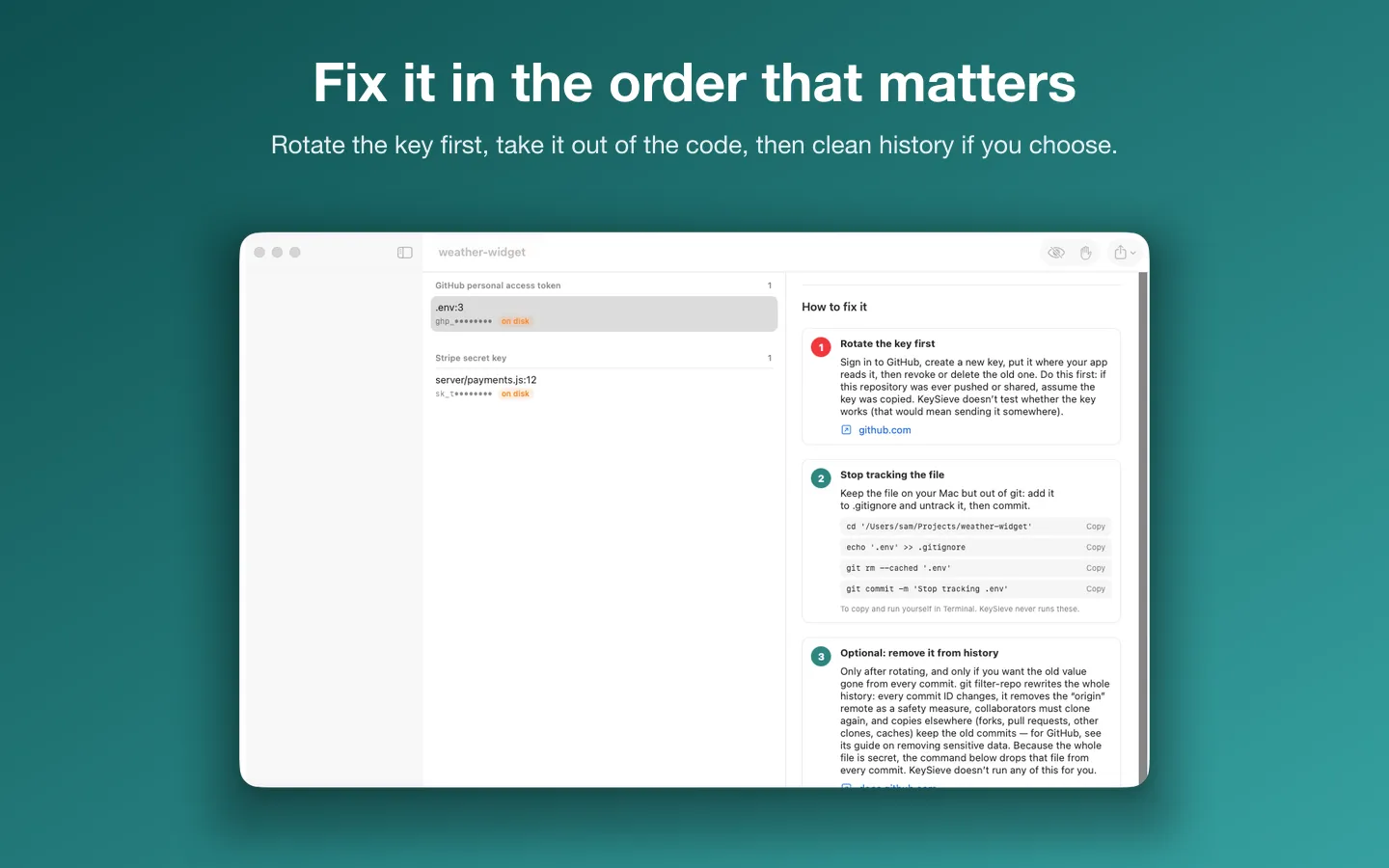
If you find a key: the order that matters
- Rotate it first: revoke the key in the service's dashboard and create a new one. Once it's revoked, the copy in your history is useless to anyone.
- Take it out of the code: load it from an environment variable or a file listed in .gitignore, and commit that change.
- Only then decide whether to rewrite history. GitHub's guide notes that rotating may be enough; rewriting changes every later commit and everyone has to re-clone. If you do it, use git filter-repo (
brew install git-filter-repo) with its--replace-textoption.
If the repository is public on GitHub, GitHub's secret scanning checks it for free and alerts you about many key types.
Where the free ways stop
git grepandgit log -Sonly find strings you already suspect, and they print the secret in full.- gitleaks gives developers a list. There are no fix steps, and you set up the ignore list and any pre-commit hook yourself.
- Scanners match patterns: they miss secrets in unusual formats and flag test values that look like keys, so every finding needs a look.
- Rewriting history is risky. A mistake can drop work, and copies in forks, clones and CI caches aren't cleaned.
- No tool can promise it found every secret.
How KeySieve does it

KeySieve is a Mac app we make: find leaked API keys in your code and git history, on your Mac.
- Add a project folder. KeySieve checks its files with gitleaks' 222 rules (MIT License), applied by its own scanner, and shows every finding masked to its first 4 characters.
- Each finding comes with fix steps in order: rotate the key, take it out of the code, then, if you choose, remove it from history with a git filter-repo command for you to copy. The free version covers one repository's files, with the ignore list.
- Pro scans every commit on every branch, in any number of repositories, and writes PDF and CSV reports with masked values only.
- Pro can add an opt-in pre-commit hook that never replaces a hook it didn't write. The ignore list goes in .gitleaksignore, which gitleaks reads too.
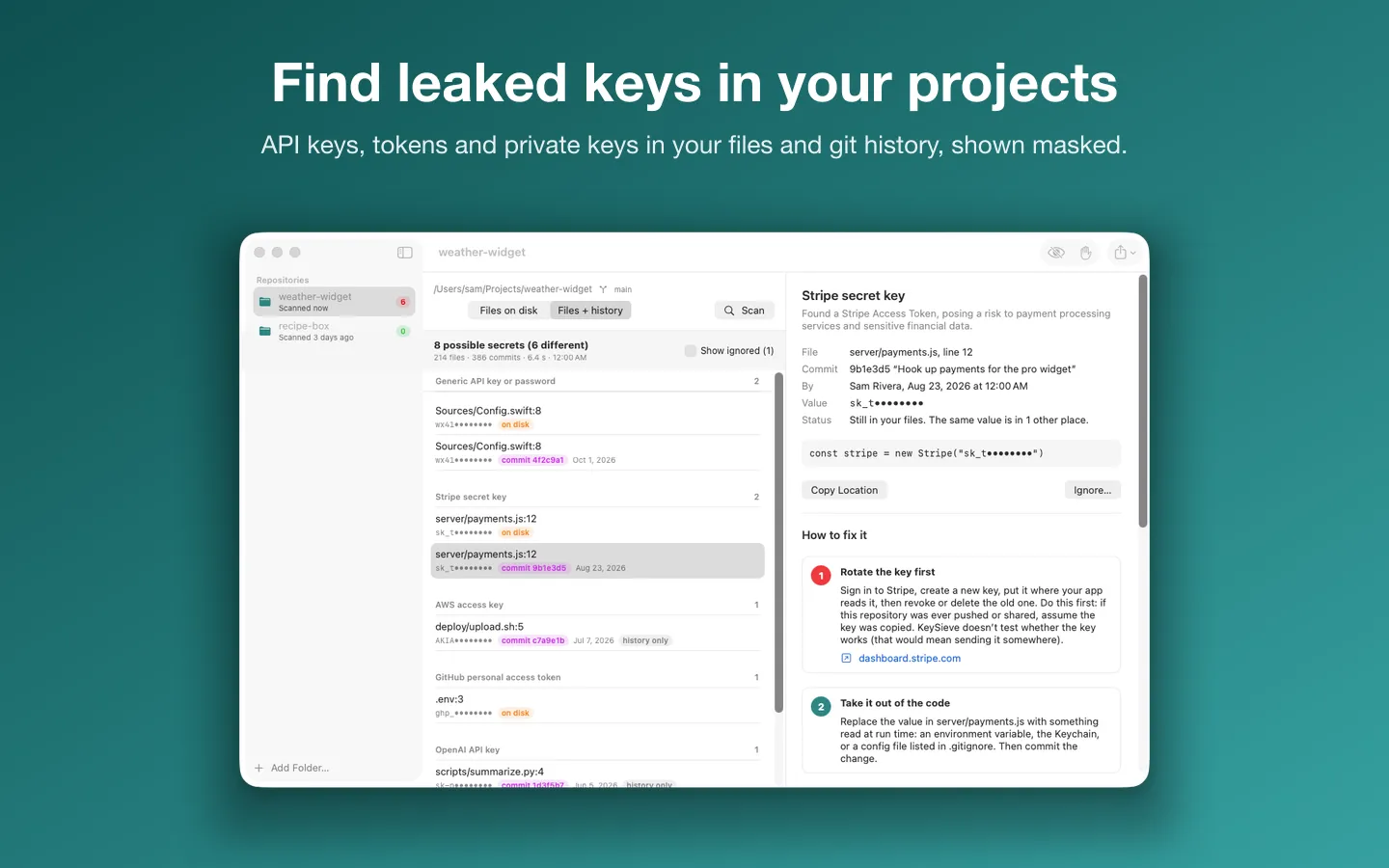
Free to use without a key: one repository or folder, the files on disk, every finding masked with its fix steps, and the ignore list.
$14.99 one-time for Pro, no subscription. Buy a license key to unlock Pro: every commit on every branch, any number of repositories, an opt-in pre-commit hook, and PDF and CSV reports with masked values.
macOS 14 Sonoma or later. Apple silicon and Intel. Needs git (Apple’s command line developer tools or Homebrew).
Questions
I deleted the key in a later commit. Is it gone?
No. Every earlier commit still has it, and anyone with a clone or access to the history can read it. Rotate the key: deleting it from the latest version doesn't make it safe.
Should I rewrite history to remove a key?
Rotate it first. After that, GitHub's own guide notes that rewriting may not be needed, because a revoked key is useless. Rewrite when the secret can't be rotated (a password used elsewhere, personal data) or your policy requires it, and plan it with everyone who has a clone.
Does KeySieve test whether a key still works?
No. Nothing is uploaded and no key is ever tested online. Treat every real-looking key as live and rotate it.
Can I scan a client's repository with it?
KeySieve runs entirely on your Mac, keeps findings in memory only and masks values everywhere. Follow your client's rules about where their code may be opened.