Plainwire
Free version Free to use without a key. What's free
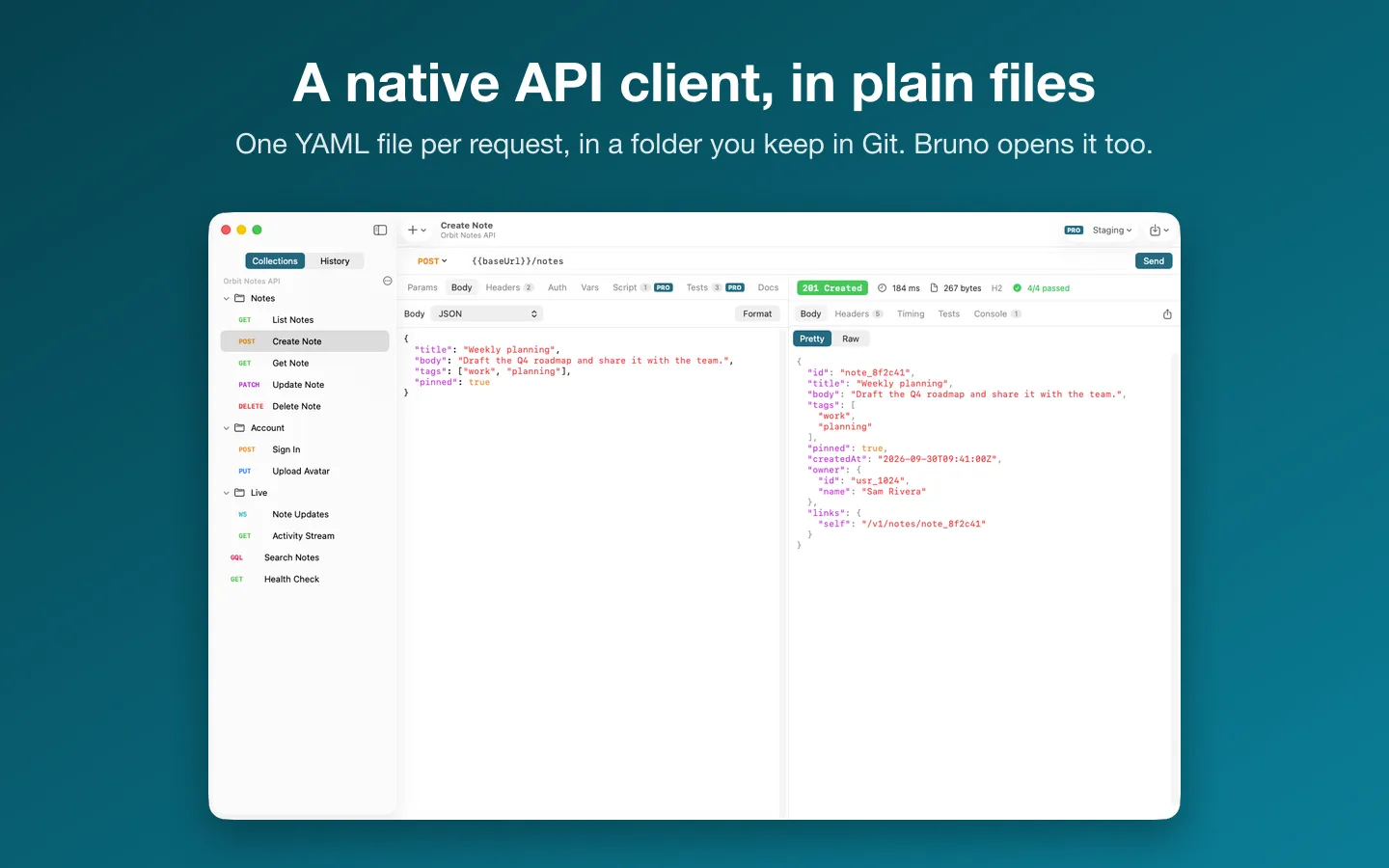
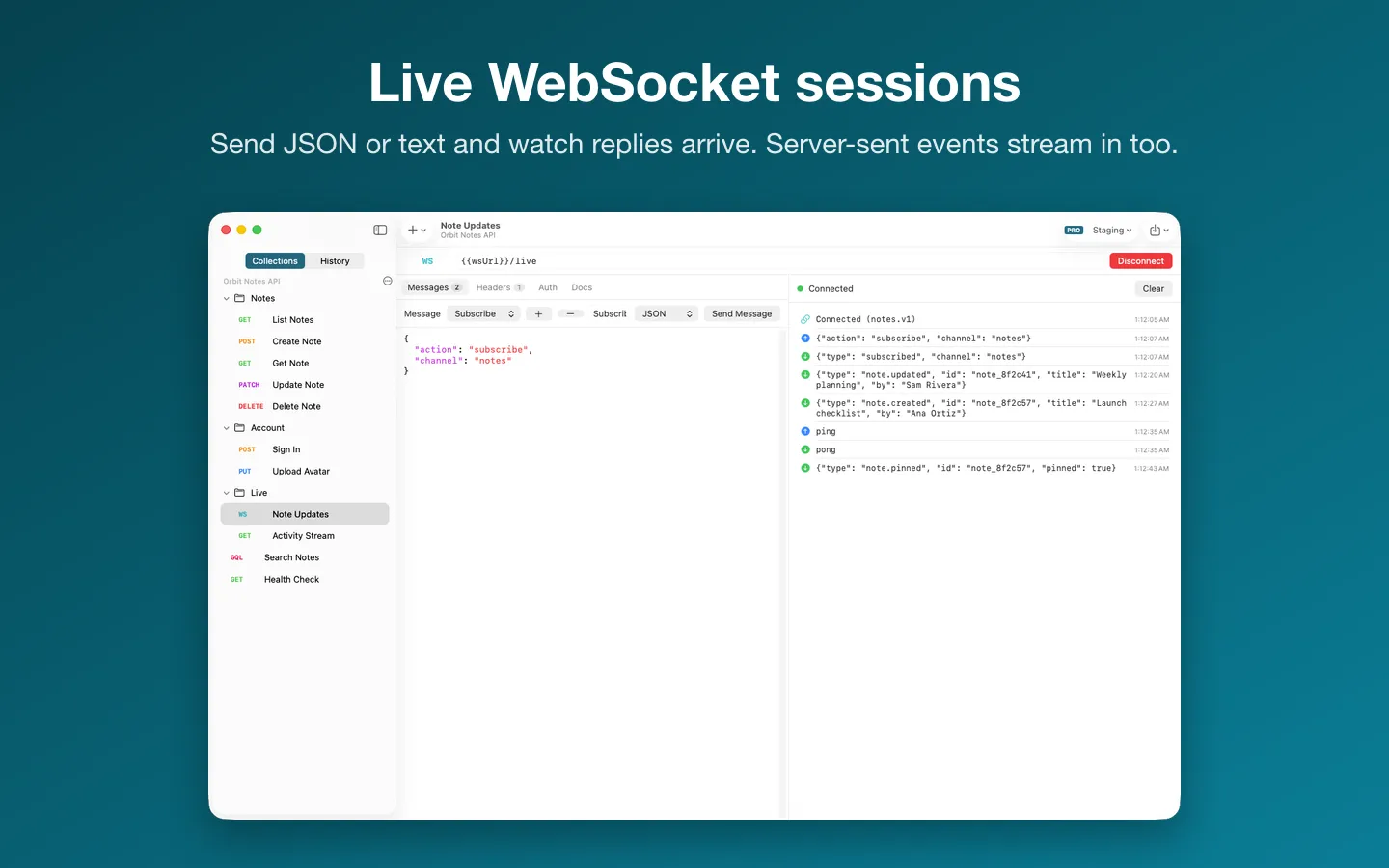
What it does: Send REST, GraphQL and WebSocket requests from plain YAML files in a folder you keep in Git, with passwords and tokens in your Keychain. Imports Postman, OpenAPI (including Paw's export) and cURL.
- Checkout by Gumroad
- Notarized by Apple
- No FitzTopPicks account needed
Free to use without a key: unlimited requests, history, one collection folder, environments with their plain (non-secret) values, every import and cURL export.
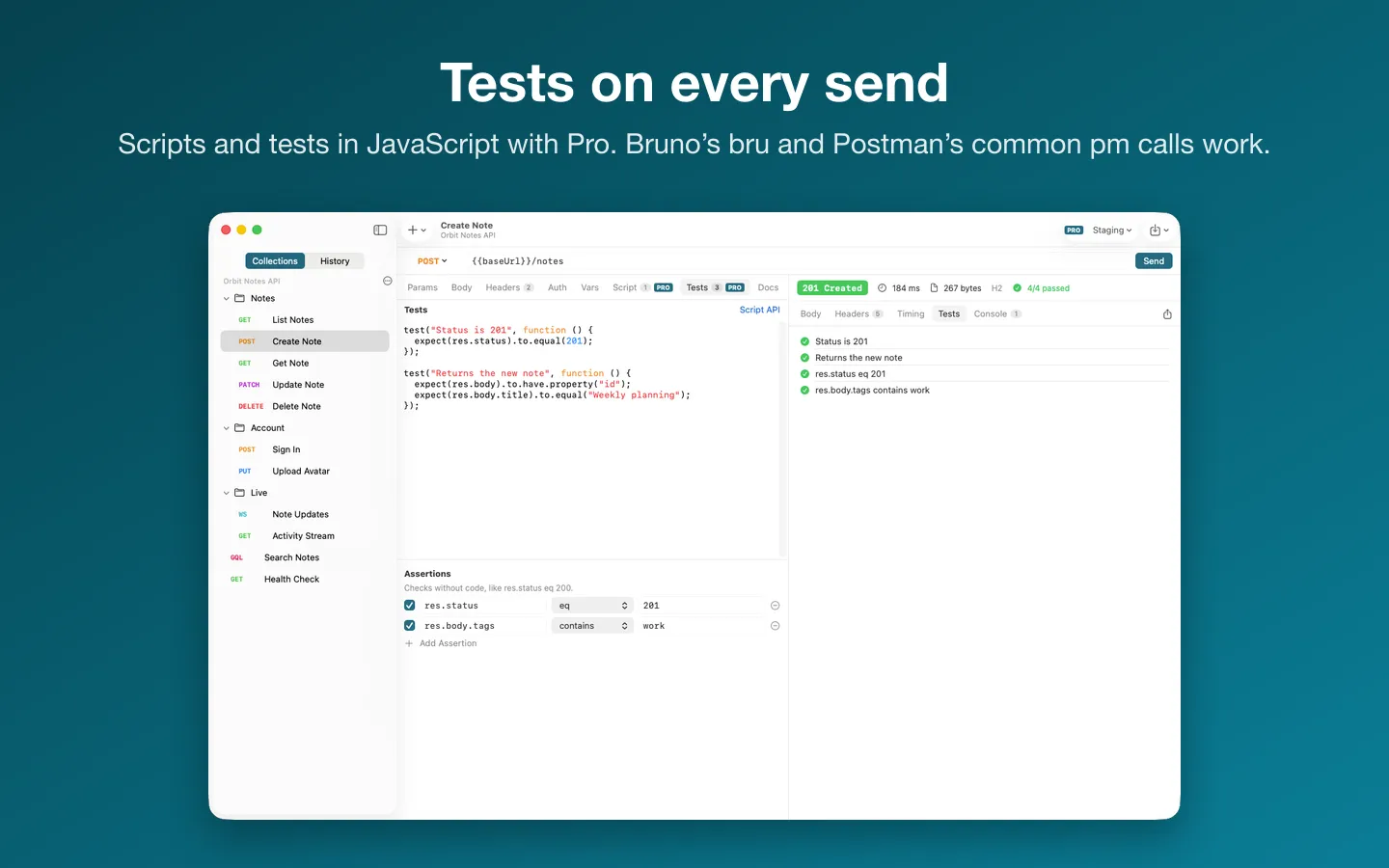
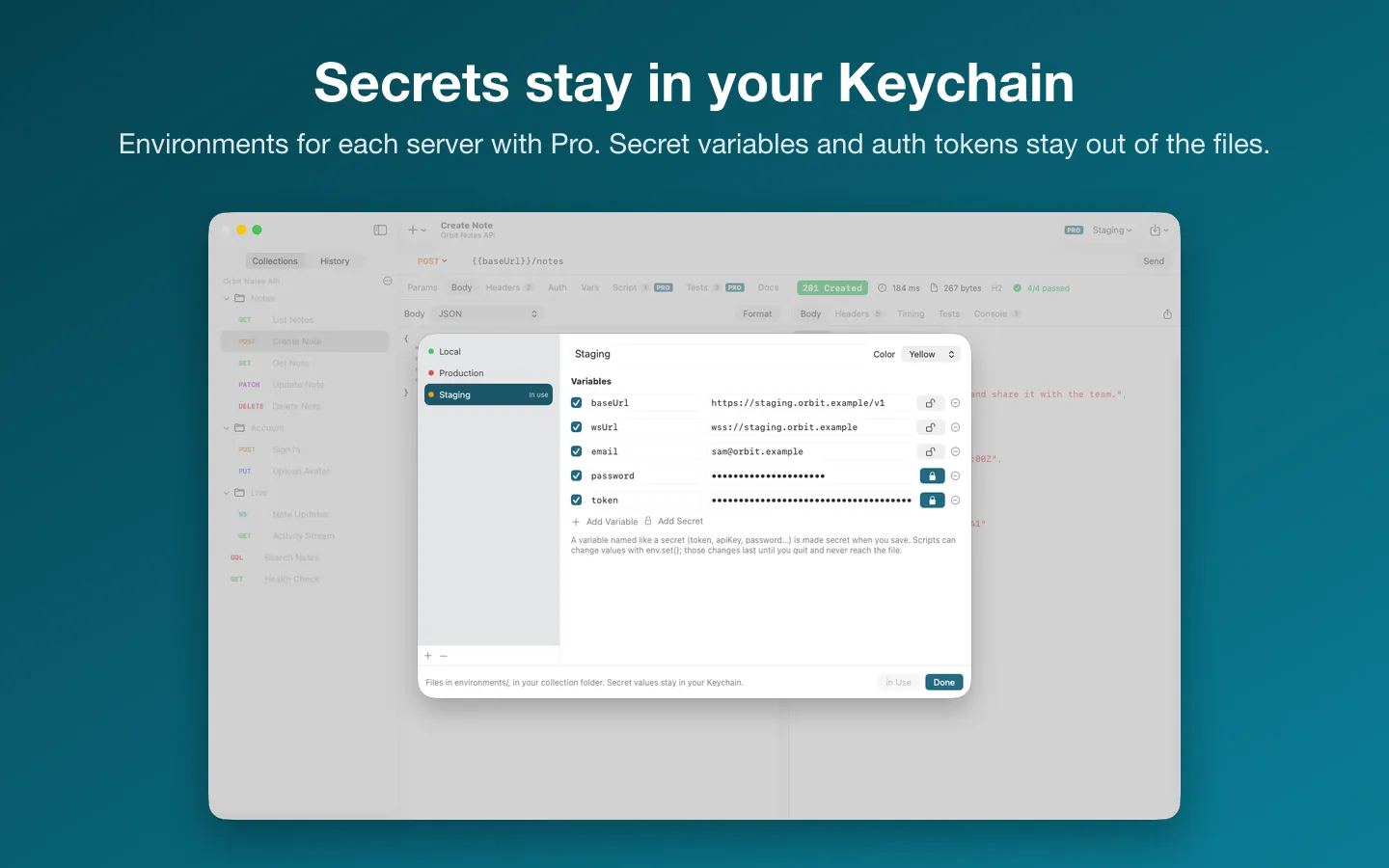
Buy a license key to unlock Pro: secret environment values kept in your Keychain, scripts and tests in JavaScript, and more than one collection folder open at a time.
macOS 14 Sonoma or later · Version 1.4.0 · 7.2 MB disk image · Notarized by Apple
One-time $9.99 for the app with Pro: secret environment values, scripts and tests, and more than one collection folder. No subscription, no account. One license key works on up to 3 of your Macs.
Download: The download (a signed, notarized .dmg) comes with your purchase in your Gumroad receipt, together with your license key. Updates install from inside the app.
Buy now opens Gumroad's checkout on this page; Gumroad is the seller and handles payment, sales tax and your receipt.
Screenshots
4 pictures: swipe or scroll sideways.
What you get
- Plainwire for Mac: macOS 14 Sonoma or later
- The signed, notarized .dmg download and your license key, in your Gumroad receipt
- One license key for up to 3 of your Macs
- Updates that install from inside the app
- A one-time price: no subscription
Features
- One YAML file per request in a folder you choose, in the OpenCollection format Bruno 3 uses
- Files you didn't change are written back byte for byte, so Git diffs show only your edits
- REST with every method, parameters, headers, and JSON, form, multipart, raw and file bodies
- Bearer, basic, API key and digest auth, set once for a collection or a folder
- GraphQL with variables, WebSockets, and server-sent events as they arrive
- MCP servers over Streamable HTTP, HTTP+SSE or a local command you confirm: see a server's tools, resources and prompts and call a tool from a form
- Passwords, tokens and API keys kept in your Mac's Keychain, not in the files
- Imports Postman collections and environments, Insomnia collections, OpenAPI 3.x, Swagger 2.0 and cURL; Help › Moving from Paw shows how
- Environments for each server; Pro adds their secret values in your Keychain, scripts and tests (Bruno's bru and Postman's common pm calls) and more collection folders
- Pro: Fetch All Pages follows next links, cursors or page numbers and saves every page as one JSON or CSV file
- Pro: Rate Limit Watch shows requests left and the reset countdown from the server's rate-limit headers
- Pro: Quick Load Burst sends a request 10 to 500 times and shows median and 95th percentile latency, status counts and errors
- Pro: client certificates (mutual TLS) from a .p12 or .pfx file, for the hosts you list, kept in your Keychain
- Pro: export a local MCP server as a .mcpb bundle that Claude installs with a double-click
- Copy as cURL keeps Keychain secrets as {{name}} placeholders, so a pasted command never carries one
Free vs Pro
| Feature | Free | Pro |
|---|---|---|
| What you can do | Unlimited requests, history, one collection folder, environments with their plain (non-secret) values, every import and cURL export | Everything free, plus secret environment values kept in your Keychain, scripts and tests in JavaScript, and more than one collection folder open at a time |
| Price | Free download | $9.99 one-time |
How it compares
| How it compares | Plainwire | Bruno | HTTPBot | Yaak |
|---|---|---|---|---|
| Price | $9.99 one-time | See its site | See its site | $399 one-time |
| How you pay | Free version, then one-time | Free version, paid upgrade | Free version, paid upgrade | Free version, one-time upgrade |
| One file per request in a folder you control (Git diffs) | Yes | Yes | No | Yes |
| Native Mac app (not Electron/web) | Yes | No | Yes | Partly |
| Imports Postman, OpenAPI, cURL | Yes | Yes | Yes | Yes |
| No account, no subscription | Yes | Partly | No | Partly |
Prices and features are from each app's own website or store listing on the date checked; "No" means we didn't find it listed there. Prices change, so check each site before you buy. Names belong to their owners.
Questions
Where are my collections kept?
In the folder you choose: opencollection.yml for the collection, a folder.yml in each folder, one.yml file per request, and environments in environments/. Put the folder in your project’s Git repository to share it.
Why does Plainwire ask me to pick a folder?
Plainwire runs in Apple’s App Sandbox, so it can open only the folders you choose. Choose File › New Collection… to make one, or File › Open Collection Folder… for one you have. Plainwire remembers the folders you open.
Does it work with Bruno?
Yes. Plainwire reads and writes OpenCollection YAML in the layout Bruno 3 uses, so Bruno and its command-line runner open the same folder. It also opens.bru collections, read only; File › Convert to OpenCollection YAML… writes an editable copy into a new folder.
How do I move from Paw (RapidAPI for Mac)?
In Paw, choose File › Export › All Requests › OpenAPI 3.0 Generator (install the OpenAPI 3.0 Generator extension from Paw’s extensions page if it isn’t listed) and save the file. In Plainwire, choose File › Import › OpenAPI or Swagger (and Paw)…. The Moving from Paw guide in Plainwire’s Help menu has every step, and what to check afterwards: Paw’s exporter labels query parameters as headers, and it doesn’t export passwords or tokens, so add those in Collection Settings › Secrets.
What’s free, and what does Pro add?
Free: unlimited requests, history (up to 2,000 requests), one collection folder, every import and cURL export. Pro adds environments, scripts and tests, and more than one collection folder at a time. It’s a one-time purchase on Gumroad, with no subscription, and the license key works on up to 3 of your Macs.
Where do I enter my license key?
Choose Request › Plainwire Pro… (or Plainwire › Settings › Enter License Key…), paste the key from your Gumroad receipt and click Activate.
From the Plainwire help page.
How-to guide
How to keep your API requests in Git as plain files on a Mac
The free and built-in ways first, where they stop, and how Plainwire does it.
Compared with other apps
A native Mac alternative to Postman that keeps API requests in plain files
What each one's own page says, with the date it was checked.
Setting it up
How to open a newly downloaded Mac app the first time
Step by step, with what to do if your Mac asks a question.
Requirements
- macOS
- macOS 14 Sonoma or later
- Processor
- Apple silicon and Intel
- Languages
- English
- Download
- 7.2 MB disk image
- Version
- 1.4.0
What's new
Version 1.4.0 ·
- Environments are now free: choose, create, edit and import them, and send with their plain values. Secret environment values kept in your Keychain are part of Pro; until then, a collection secret with the same name (Collection Settings › Secrets, free) fills in.
- Pro still adds secret environment values, more than one collection folder, scripts and tests, Fetch All Pages, Rate Limit Watch, Quick Load Burst, client certificates and .mcpb export. If you already have a license key, nothing changes.
Version 1.3.3 ·
- Easier to read: method badges (GET, POST and the rest), status codes, errors and warnings use shades that stand out clearly in Light Mode, and the response's status badge has stronger contrast with its white text.
- VoiceOver now announces the notices that slide in at the bottom of the window, says Passed or Failed for each test, reads whether a console line is an error or a warning, and skips the decorative lock icons.
- The welcome screen now says what's free: unlimited requests and history, with one collection folder open at a time.
- New More Mac Apps… menu item lists our other Mac apps. The list is built into the app, so nothing is downloaded.
Version 1.3.2 ·
- Licence checks are stricter, so Pro stays tied to a real licence key. Nothing changes for buyers with a key.
From Plainwire's release notes. Updates install from inside the app.
Privacy
Plainwire sends us nothing about your requests or collections. Requests go only to the servers you send them to, and it opens only the folders you choose; on macOS 15 and later, macOS asks once before it reaches devices on your local network. Your settings, request history, cookies, secrets and license key (in your Keychain) are kept on your Mac. Its own network requests are the license check (when you enter a key, then each time the app opens and about once a week: Gumroad gets your key, and our license page, licence.fitztoppicks.com, gets a fingerprint of the key, not the key itself, to see whether it was reset; both get the app’s product ID) and checking for updates at fitztoppicks.com.
Questions about your purchase or license key? See Help and FAQ, reply to your Gumroad receipt or contact us.