How to keep your API requests in Git as plain files on a Mac
UpdatedShort answer
Keep each request as a text file in the repository, so it's reviewed and versioned with the code: curl commands in a script, .http files that your editor runs, or a collection folder from a file-based API client. Keep passwords and tokens out of those files: use variables, and keep the values somewhere private, like your Mac's Keychain.
The free ways
Free: curl commands in a script
- Write each request as a curl command in a shell script in the repository (an example is below).
- Read tokens from environment variables; never type them into the file.
- Run the script in Terminal. curl comes with macOS.
#!/bin/sh
# requests/get-user.sh
curl -s https://api.example.com/users/42 \
  -H "Authorization: Bearer $API_TOKEN" \
  -H "Accept: application/json"
Free: .http files in your editor
- Save requests in a .http file: the method and address on one line, headers on the lines below, a blank line, then the body.
- Run them with the REST Client extension in Visual Studio Code, or with the HTTP Client in JetBrains IDEs; both read .http files.
- Use the editor's variables for the host and tokens, and keep their values out of Git.
Free: Bruno, an open-source file-based client
- Bruno (usebruno.com) is an open-source API client. Its site says collections are plain-text files in your repository, with no cloud sync, no account and no login (checked Oct 18, 2026).
- Make a collection in a folder inside your repository and commit its files like code.
Where the free ways stop
- curl scripts and .http files have no history, environments or tests beyond what you build yourself.
- When tokens sit in files or shell history, it's easy to commit one by accident.
- Editor extensions live inside the editor, not as a Mac app of their own.
How Plainwire does it

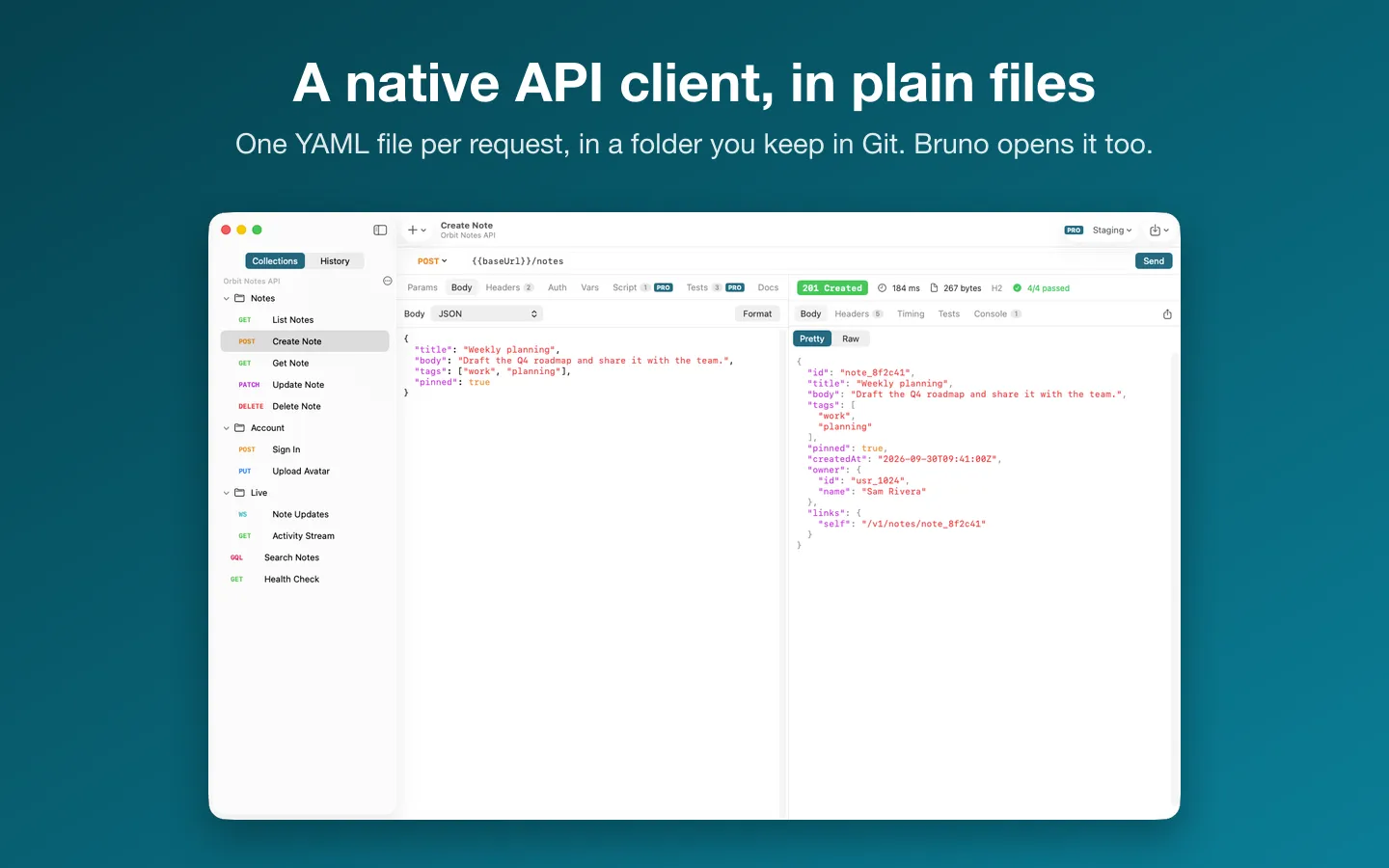
Plainwire is a Mac app we make: a native API client for your Mac that keeps requests in plain files.
- Choose File › New Collection… and pick a folder in your repository: each request is one .yml file, in the OpenCollection format Bruno 3 uses.
- Send REST, GraphQL and WebSocket requests. Files you didn't change are written back byte for byte, so Git diffs show only your edits.
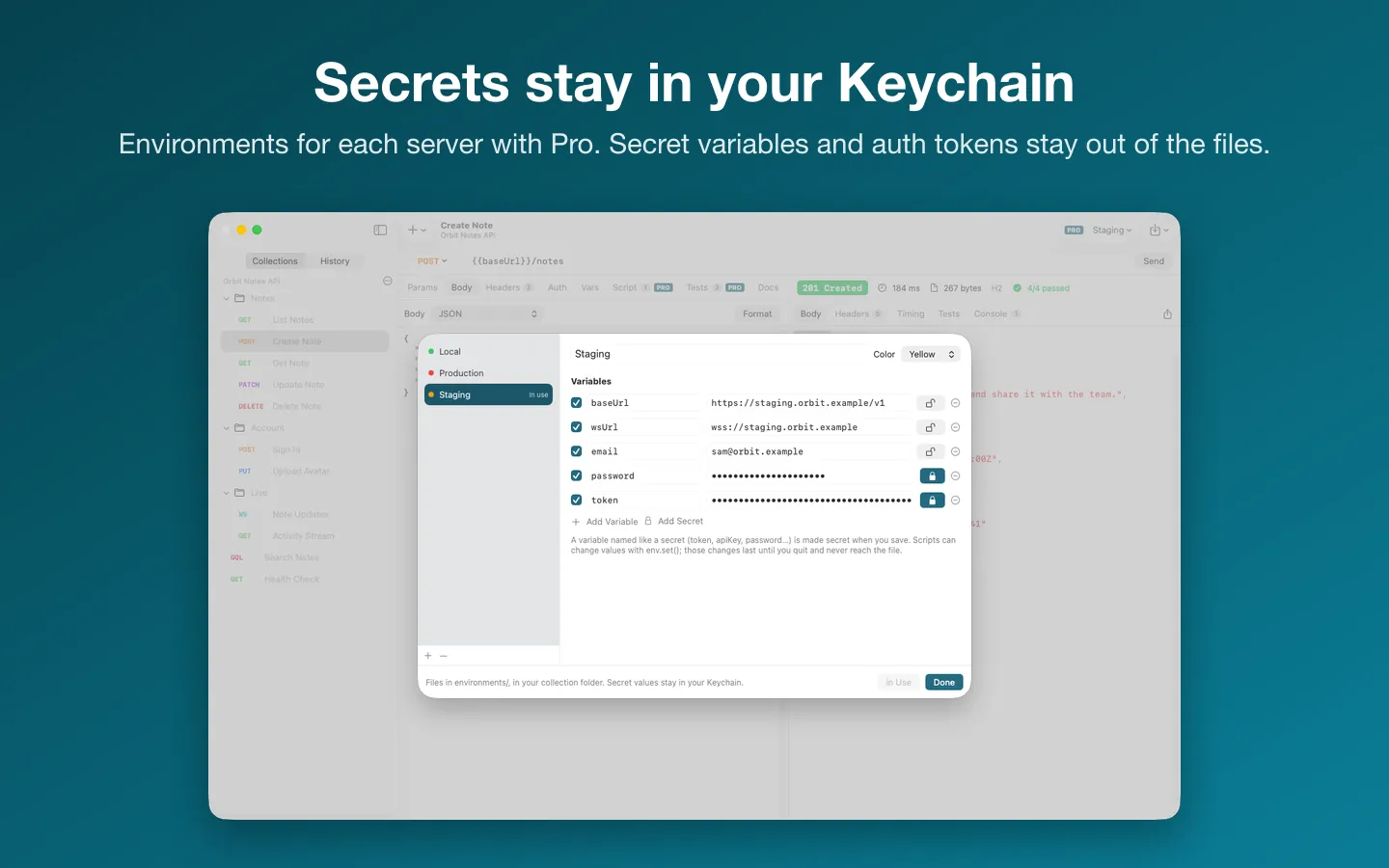
- Passwords, tokens and API keys go to your Mac's Keychain; the file gets a {{variable}} in their place.
- Import Postman collections and environments, OpenAPI and cURL; Request › Paste cURL as New Request (⇧⌘V) turns a copied command into a request.
Free to use without a key: unlimited requests, history, one collection folder, every import and cURL export.
$15.99 one-time for Pro, no subscription. Buy a license key to unlock Pro: environments with secret values in your Keychain, scripts and tests in JavaScript, and more than one collection folder open at a time.
macOS 14 Sonoma or later. Apple silicon and Intel.
Questions
Does Plainwire work with Bruno?
Yes. Plainwire reads and writes OpenCollection YAML in the layout Bruno 3 uses, so Bruno and its command-line runner open the same folder. It also opens .bru collections, read only.
Where do my passwords and tokens go?
To the Keychain on your Mac. The file gets a {{variable}} in their place, so each person who uses the collection adds their own values.
Can I bring my Postman collections?
Yes. Export the collection as Collection v2.1 and each environment as a file in Postman, then choose File › Import › Postman Collection… and Postman Environment… in Plainwire. Tokens and passwords go to your Keychain, not the files.
What can I do without buying it?
Unlimited requests, history, one collection folder, every import and cURL export. Pro adds environments, scripts and tests, and more than one collection folder open at a time.