A native Mac alternative to Postman that keeps API requests in plain files
UpdatedShort answer
Postman's desktop app can send requests without an account, but saving them to collections and using environments needs a Postman workspace and a sign-in, according to Postman's docs. Insomnia offers local, Git or cloud storage. Bruno keeps collections as plain-text files in your repository. Plainwire is a Mac-only app that keeps each request as a plain YAML file and its secrets in your Keychain. If the tool you have works for you, keep it.
How they compare
From each tool's own page, read on Oct 18, 2026. Things change: follow the link for the current details. Names are their owners' trademarks, used only to compare.
| Tool | What its own page says | Source |
|---|---|---|
| Postman | The desktop app's lightweight API Client builds and sends requests without signing in; that work and its history are stored locally and not synced. Saving to collections and using environments needs a workspace, which needs a Postman account. Native Git is listed among its products. | Its page |
| Insomnia | Store data locally, in a Git repository or in Kong's cloud, or mix them; it has an open-source and free tier. | Its page |
| Bruno | An open-source API client whose collections are plain-text files in your repository; no cloud sync, no account and no login. | Its page |
| Plainwire | A Mac app: one YAML file per request in a folder you choose, in the OpenCollection format Bruno 3 uses; passwords and tokens in your Mac's Keychain; imports Postman, OpenAPI and cURL. Unlimited requests are free; environments and scripts are Pro. | Our page |
The free ways
Free: Postman without an account
- Open the Postman desktop app and continue without signing in: Postman calls this the lightweight API Client.
- Build and send requests; your work and history stay on your computer and aren't synced, per Postman's docs.
- To save requests to collections or use environments, Postman asks you to sign in to a workspace.
Free: Bruno
- Download Bruno from usebruno.com; it's open source.
- Make a collection in a folder inside your repository and commit the files like code.
Where the free ways stop
- Postman without an account is for sending requests; collections and environments live in a signed-in workspace.
- With requests as plain files, keeping tokens out of Git is up to you unless the client stores them somewhere else.
- Plainwire is Mac only: a team on Windows or Linux needs Bruno or another client that reads the same OpenCollection files.
How Plainwire does it

Plainwire is a Mac app we make: a native API client for your Mac that keeps requests in plain files.
- Choose File › New Collection… and pick a folder in your repository: each request is one .yml file.
- Import a Postman Collection v2.1 export and its environments; tokens and passwords go to your Keychain, not the files.
- Send REST, GraphQL and WebSocket requests; files you didn't change are written back byte for byte, so Git diffs show only your edits.
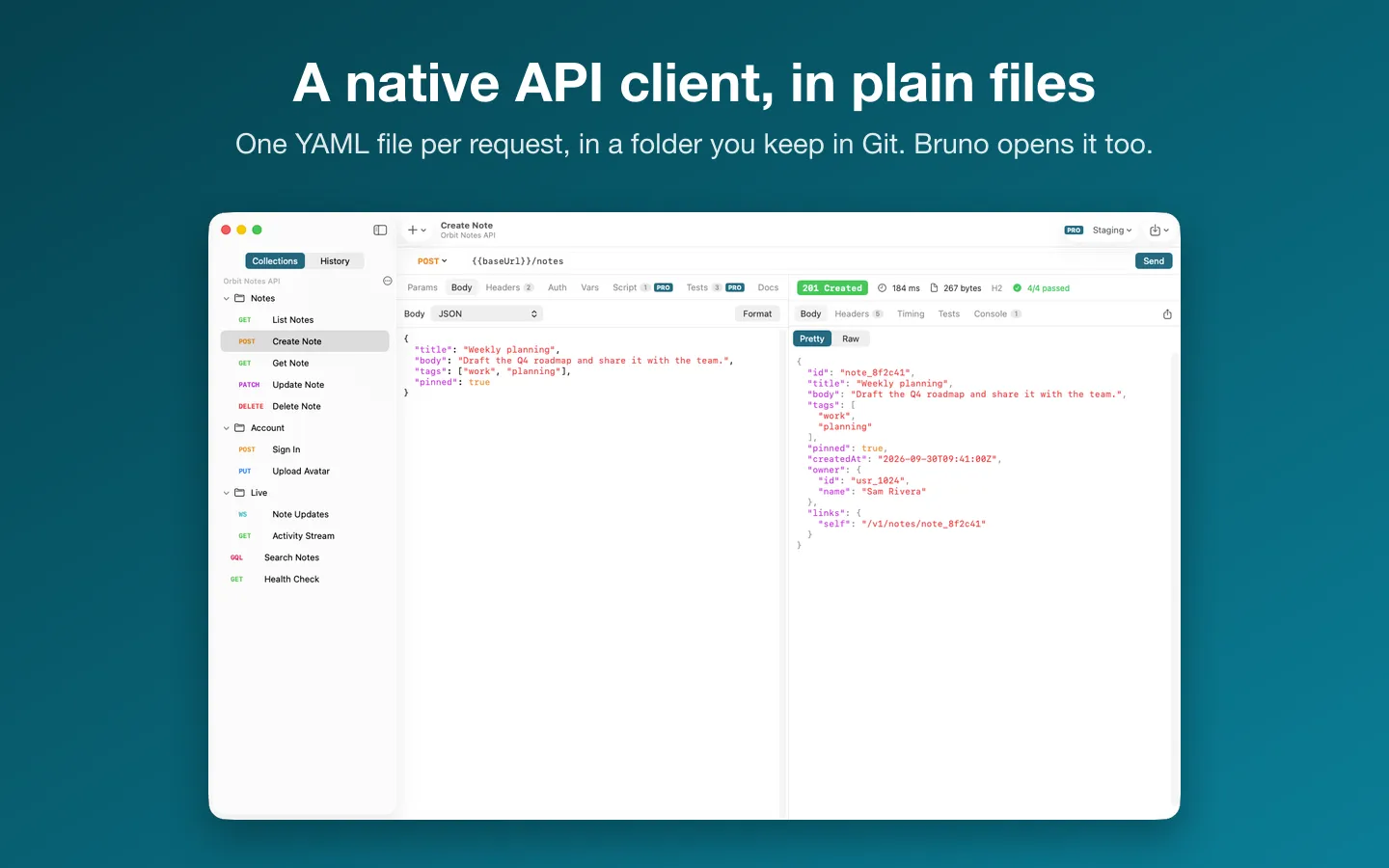
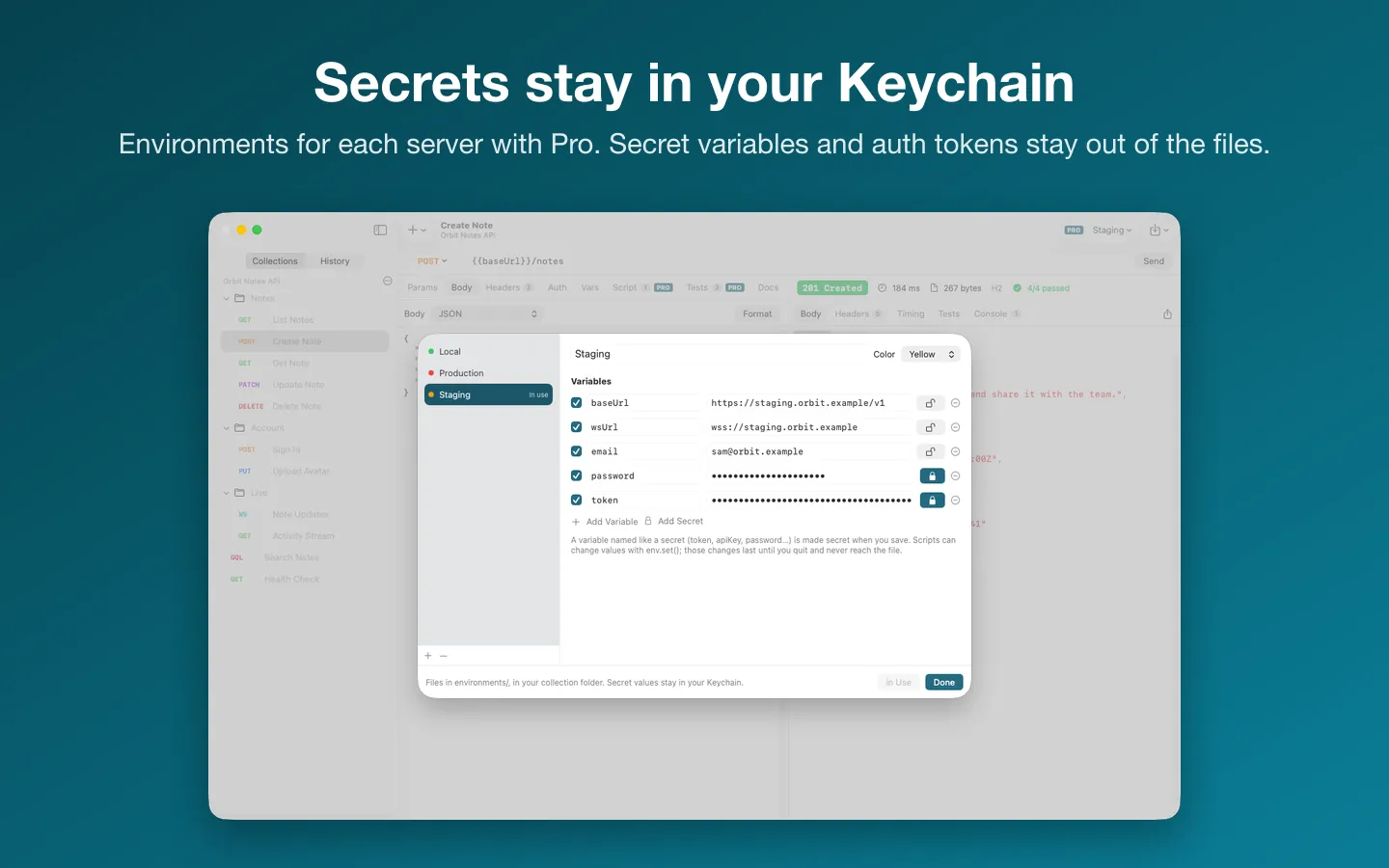
Free to use without a key: unlimited requests, history, one collection folder, every import and cURL export.
$15.99 one-time for Pro, no subscription. Buy a license key to unlock Pro: environments with secret values in your Keychain, scripts and tests in JavaScript, and more than one collection folder open at a time.
macOS 14 Sonoma or later. Apple silicon and Intel.
Questions
Which one should I use?
If your team already shares a Postman workspace, Postman fits that. If you want requests as files in Git, Bruno and Plainwire both do that; Plainwire is a Mac-only app and keeps secrets in the Keychain. If the tool you have works for you, keep it.
Can Plainwire open a Bruno collection?
Yes. Plainwire reads and writes OpenCollection YAML in the layout Bruno 3 uses, so both open the same folder. It also opens .bru collections, read only.
Is Plainwire made by Postman, Kong or Bruno?
No. Postman, Insomnia, Kong and Bruno are trademarks of their owners, named here only to compare. Each description above is from that tool's own page, checked on the date shown.