Keyboard shortcut cheat sheet apps for Mac compared: KeyClu, Kommand and Keyhabit
UpdatedShort answer
KeyClu and Keyhabit read the shortcuts from the app's own menus when you hold ⌘ (KeyClu: press ⌘ twice and hold), so they need the Accessibility permission. Kommand shows the shortcuts you save yourself when you press ⌥⌘K, so it needs no permission. Keyhabit's free part is the overlay; Pro adds nudges and practice. Built in, every app's menus and the Help menu's search show shortcuts one at a time. If the tool you have works for you, keep it.
How they compare
From each tool's own page, read on Oct 18, 2026. Things change: follow the link for the current details. Names are their owners' trademarks, used only to compare.
| Tool | What its own page says | Source |
|---|---|---|
| KeyClu | Free. Watches which app is in focus and shows its shortcuts when you press ⌘ twice and hold; hide known shortcuts, bookmark, export to Markdown. Needs Accessibility; macOS 11 or later. Its page notes it may miss shortcuts that aren't in the app's menus. | Its page |
| Kommand | Press ⌥⌘K for an overlay of the shortcuts you've saved for the current app; practice mode; no Accessibility permission; iCloud sync. Starts with 5 free apps, with a one-time purchase for unlimited apps. | Its page |
| CheatSheet (Media Atelier) | Its old page now redirects to another of its maker's apps, so we couldn't check its current state. | Its page |
| Keyhabit | Hold ⌘ (or ⌥ or ⌃) in any app for every shortcut in its menus, grouped by menu, with search: free. Pro adds click nudges, practice rounds, pins and notes, the Library and printable cheat sheets. Needs Accessibility. | Our page |
The free ways
Free: the menus and the Help menu
- Open a menu: each command's shortcut is at the right edge, such as ⇧⌘S.
- Press ⇧⌘/ to search the Help menu, type part of a command's name, and rest the pointer on a menu result to see where it is and its shortcut.
Where the free ways stop
- The menus show one menu at a time, and Help search finds commands by name, not by keys.
- Tools that read menus can't list shortcuts for apps that draw their own menus; tools where you type shortcuts in show only what you've added.
How Keyhabit does it
Keyhabit is a Mac app we make: hold ⌘ to see any app’s keyboard shortcuts, then learn them for good.
- Allow Accessibility once, then hold ⌘ in any app for about a second to see every shortcut in its menus.
- Search by name or by keys, such as “dup” or “⇧⌘S”.
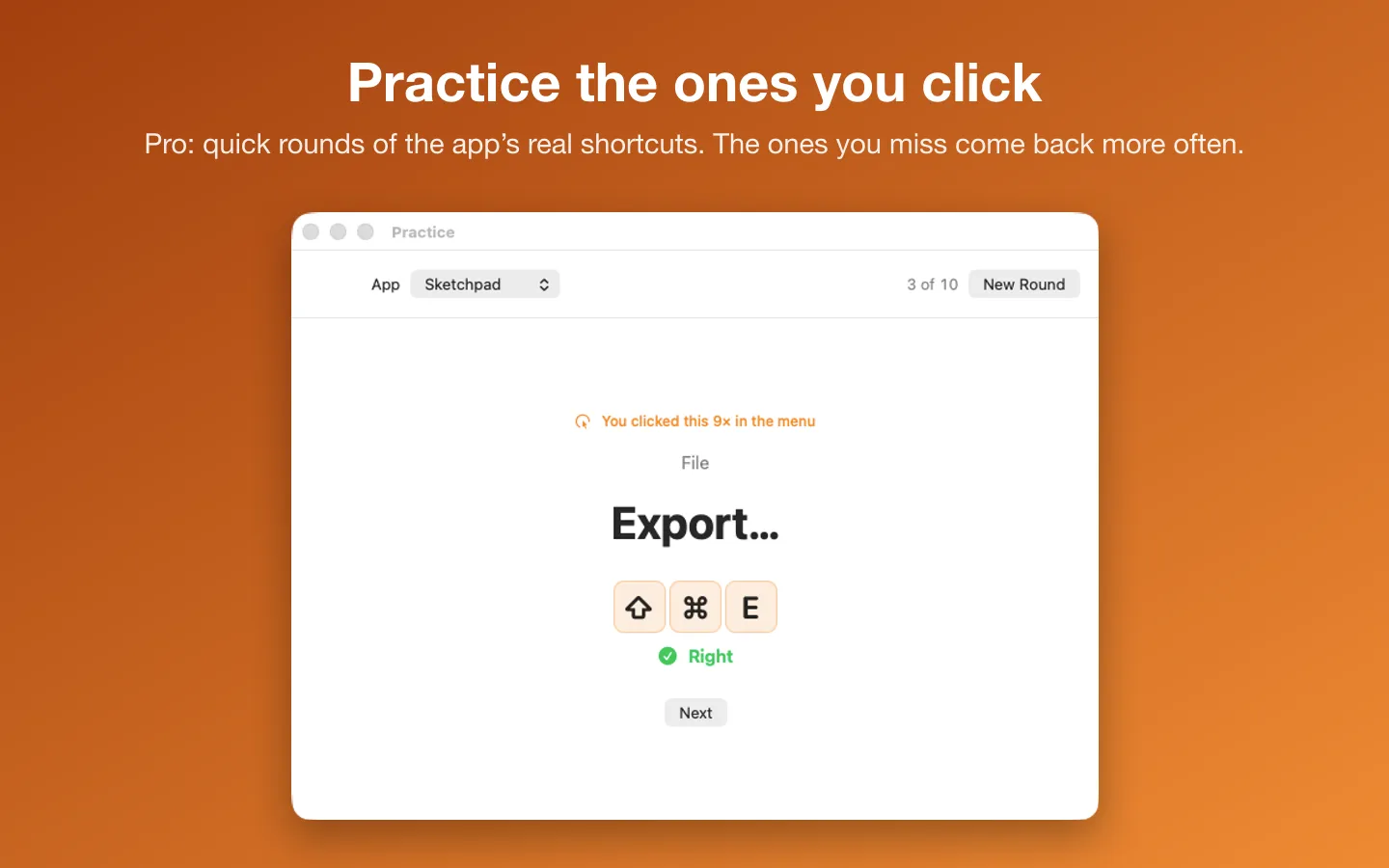
- With Pro, a nudge shows the shortcut when you click a menu command, and practice rounds drill the ones you keep clicking.
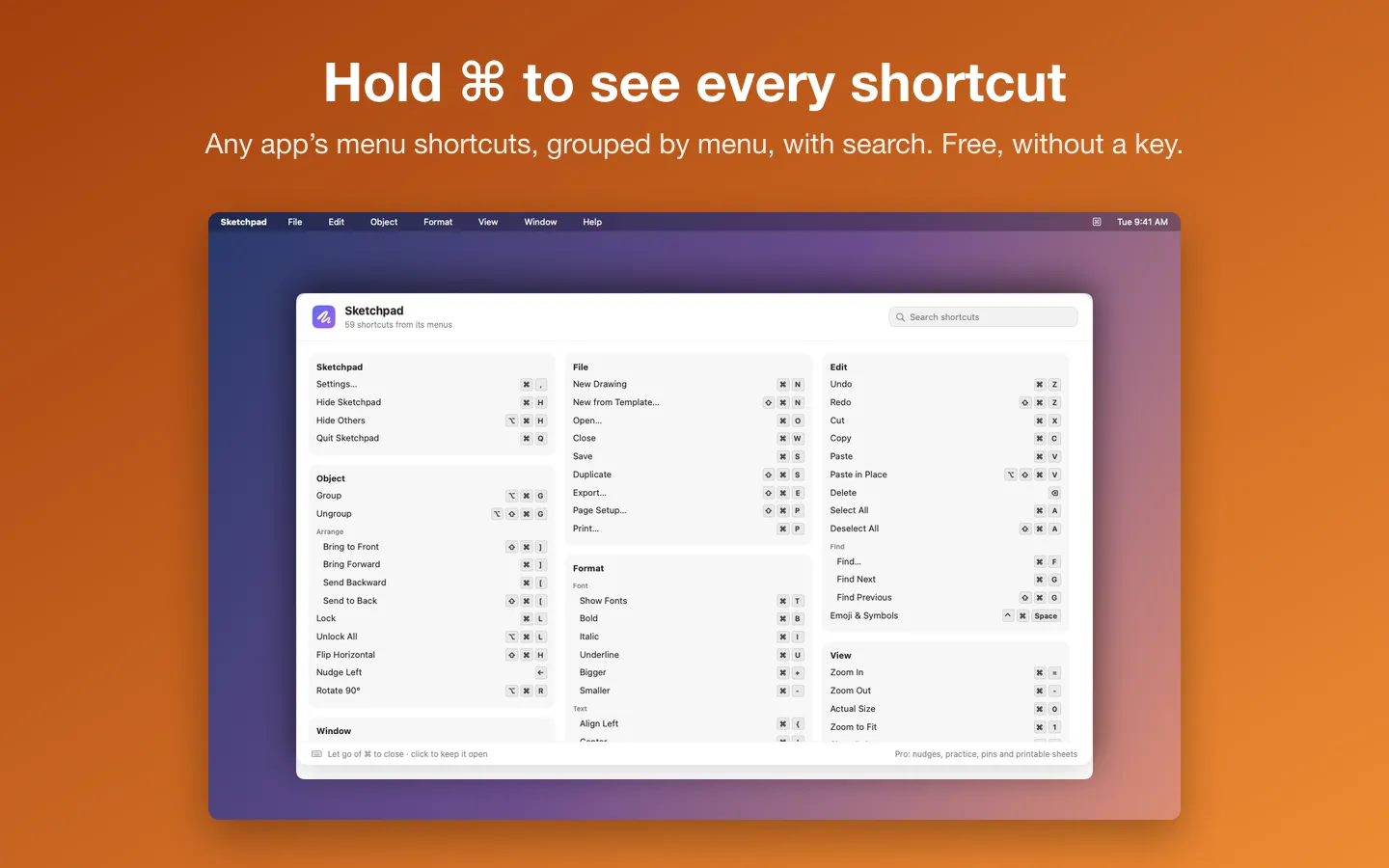
Free to use without a key: hold ⌘ (or ⌥ or ⌃) in any app for every shortcut in its menus, grouped by menu, with search.
$9.99 one-time for Pro, no subscription. Buy a license key to unlock Pro: click nudges, practice rounds, pins and notes, the Library, and cheat sheets as a PDF, a printout or Markdown.
macOS 14 Sonoma or later. Apple silicon and Intel. Needs the Accessibility permission (System Settings › Privacy & Security › Accessibility).
Questions
Which one should I use?
If you only want to look shortcuts up, KeyClu and Keyhabit's free overlay both read them from the app's menus. If you'd rather not grant Accessibility, Kommand shows the shortcuts you save yourself. If you want help remembering them, Keyhabit Pro and Kommand both have practice. If the tool you have works for you, keep it.
Why do some of these need Accessibility?
macOS lets one app read another app's menus only with the Accessibility permission. An app that shows shortcuts you type in yourself doesn't need it.
Is Keyhabit made by any of these?
No. KeyClu, Kommand and CheatSheet belong to their own makers and are named here only to compare. Each description above is from that app's own page, checked on the date shown.