How to make a large-print copy of a document
UpdatedShort answer
Open the document in Pages or Word, set a clear sans-serif font at 18 point or larger, add line spacing, make it one column, and save a copy as PDF. For a PDF, copy the text out into Pages first.
The free ways
Free: Pages (or Word)
- Open the document in Pages (it opens Word files too) and save a copy under a new name, so the original stays as it is.
- Choose Edit › Select All, then in the Format sidebar pick a clear sans-serif font and a size of 18 pt or more.
- Set the line spacing to about 1.5 and align the text left rather than justified.
- If the original has two columns, set Columns to 1 (Format sidebar › Layout).
- Fix what moved: pictures, tables and headings that ended up alone at the bottom of a page.
- Choose File › Export To › PDF, or print it.
Atkinson Hyperlegible, a typeface the Braille Institute made for readers with low vision, is free to download and install.
PDFs: copy the text out first
- Open the PDF in Preview and choose Edit › Select All, then Edit › Copy.
- In a new Pages document choose Edit › Paste and Match Style, then format it as above.
- Check the order: two-column PDFs can paste with the columns mixed, and page headers and page numbers can land in the middle of the text.
Reading on screen instead
- If the reader uses a Mac, System Settings › Accessibility › Zoom magnifies the screen.
- Hover Text (System Settings › Accessibility › Hover Text) shows a large copy of the text under the pointer while you hold Command.
- Preview and Pages also zoom with Command-plus.
Where the free ways stop
- Each document is a new job: fonts, sizes and spacing, then every picture and table that moved.
- Copying text out of a PDF loses headings and lists, and two-column layouts can come out in the wrong order.
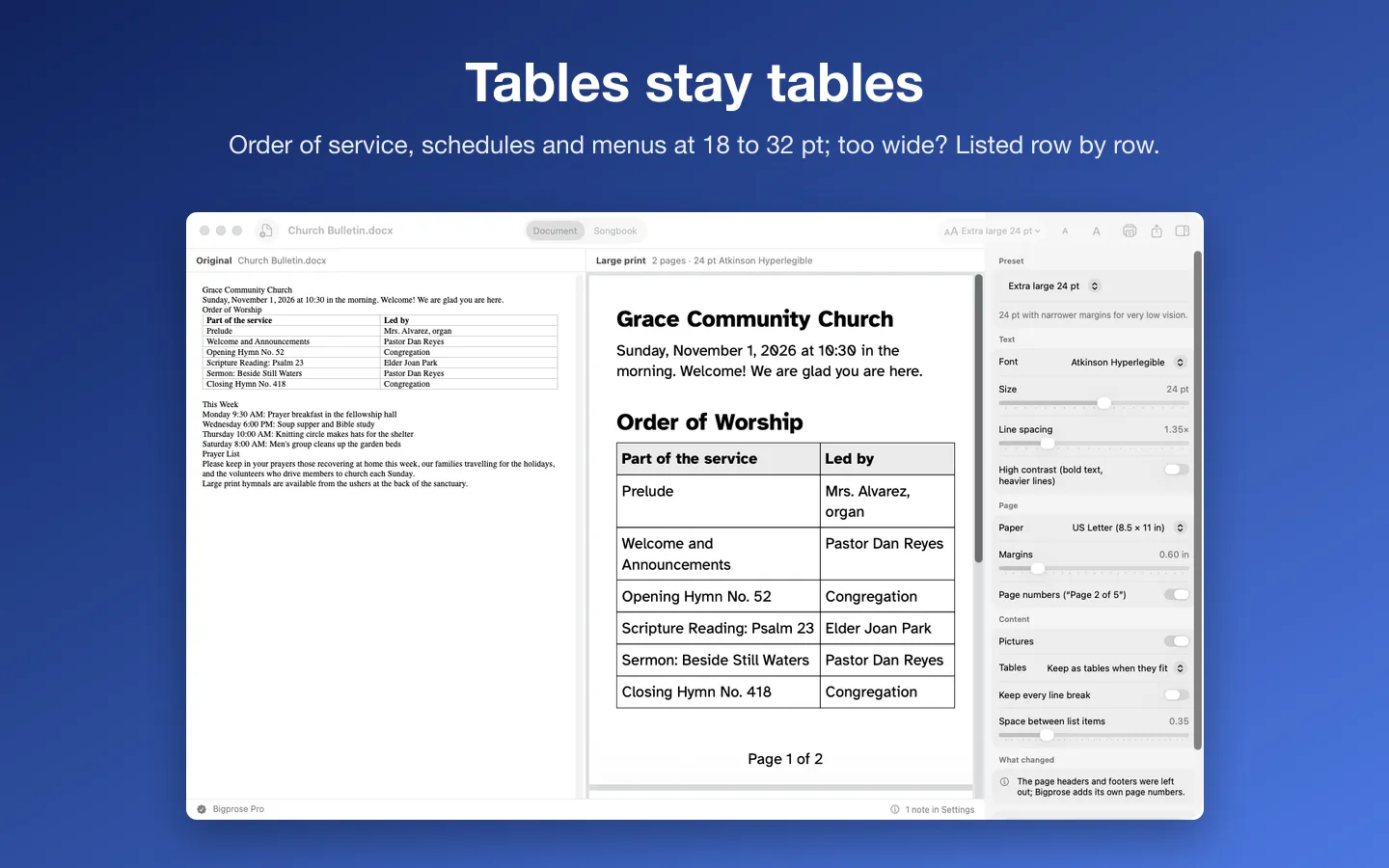
- Larger text makes wide tables run off the page.
- Scanned PDFs have no text to copy until they're OCR'd.
- Printing a page enlarged (a bigger Scale in the print dialog) makes the text larger but cuts off the edges unless you use bigger paper.
How Bigprose does it
Bigprose is a Mac app we make: clean large print: documents, songbooks and set lists.
- Drop in a Word file, RTF, text, Markdown or a PDF that's mostly text.
- Pick a preset (Large print 18 pt, Extra large 24 pt, Recipe card, Hymn sheet / lyrics) or choose the size, typeface, spacing and paper.
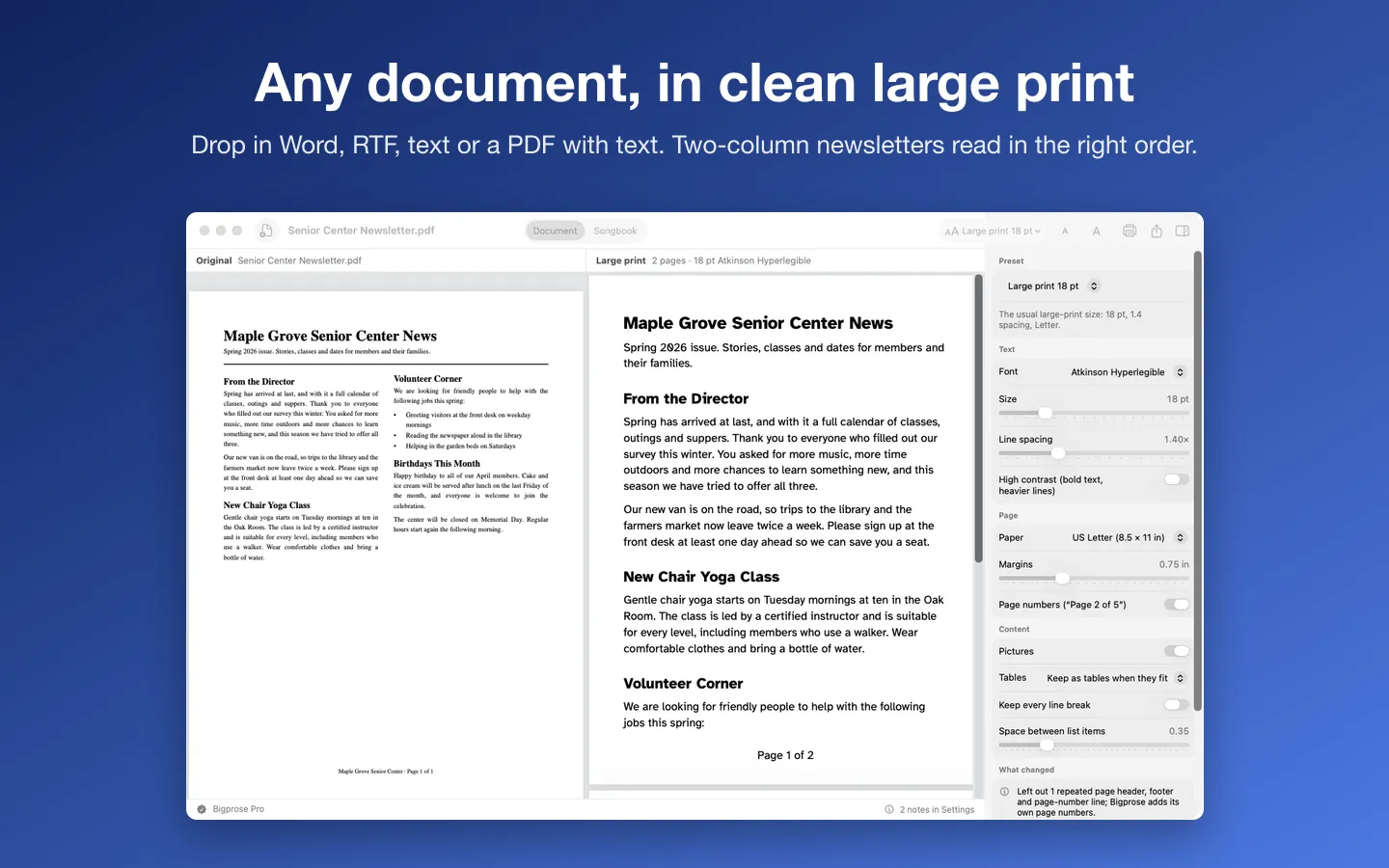
- Bigprose reflows it into one column, reads two-column pages left column first, leaves out repeated headers and old page numbers, and keeps headings, lists, tables and pictures.
- Check it next to the original, then save the PDF or print it.
Free to use without a key: everything works, for 2 large-print document copies (saved or printed) a day and songbooks and set lists of up to 5 songs.
$19.99 one-time for Pro, no subscription. Buy a license key to unlock Pro: no daily limit, and songbooks and set lists of any length.
macOS 14 Sonoma or later. Apple silicon and Intel. Word .docx, RTF, .txt, .md and PDFs with selectable text, and ChordPro (.cho, .chopro, .crd, .pro) and text song files; older .doc files and scans aren't supported. Bigprose makes easier-to-read copies; it doesn't certify accessibility compliance. Printing copyrighted songs for a group usually needs a license (for example CCLI).
Questions
What size counts as large print?
Guidelines differ, but 18 point is a common minimum, and many readers prefer 20 to 24. The right size is the one the reader finds comfortable, so ask them.
Which font is easiest to read?
A plain sans-serif with clear letter shapes, such as Atkinson Hyperlegible, Verdana or Arial. Avoid italics, all capitals and condensed fonts for body text.
Can I make a scanned page large print?
Not without OCR first, because a scan is a picture. Bigprose turns scanned PDFs away with a plain explanation rather than guess.
Does a large-print copy make a document accessible?
It makes the printed page easier for many people with low vision to read. It isn't the same as an accessible digital document (a tagged PDF that works with screen readers), and Bigprose doesn't certify accessibility compliance.