How to open a PST file on a Mac without Outlook
UpdatedShort answer
A .pst file is Outlook's mail archive, and macOS can't open it by itself: Mail, Preview and Quick Look don't read it. Without Outlook, the free route is to convert it to MBOX with the open-source readpst tool and import that into Apple Mail. Or open the archive directly in a PST viewer.
The free ways
Free: convert with readpst, then import into Apple Mail
readpst is part of libpst, a free open-source project. It isn't built in to macOS; the usual way to install it is Homebrew (brew.sh), and it runs in Terminal.
- Install Homebrew from brew.sh if you don't have it yet, then open Terminal.
- Install libpst with
brew install libpst. - Make an empty folder for the output and convert the archive into it (change the file names to your own; the commands are below).
- readpst writes the archive's folders (Inbox, Sent Items and so on) as MBOX mailboxes in that folder.
- In Mail, choose File › Import Mailboxes, pick Files in mbox format, and choose the output folder.
- The messages appear under On My Mac in Mail's sidebar, in a new Import folder.
brew install libpst
mkdir -p ~/Desktop/pst-out
readpst -o ~/Desktop/pst-out ~/Desktop/archive.pst
If you already have Outlook for Mac
- Outlook for Mac can import a .pst file: look for Import in the File or Tools menu (the place depends on your Outlook version) and choose the Outlook for Windows archive (.pst) option.
- This needs an Outlook license, and it copies the whole archive into your mailbox.
Where the free ways stop
- readpst needs Terminal and Homebrew, and it converts rather than opens: you end up with a second copy of every message in a new format.
- Importing into Mail copies everything into Mail's own storage, next to your current mail. A big archive takes a lot of time and disk space.
- Some archives don't convert cleanly: OST files from newer versions of Outlook, password-protected PSTs and damaged files can fail or lose messages. Compare the folder counts with what you expect.
- Mail is for messages: contacts, calendar items and tasks in the archive don't become contacts or events.
How Mailcellar does it
Mailcellar is a Mac app we make: open Outlook PST and OST, MBOX and EML mail archives on a Mac.
- Open the .pst, .ost, .mbox or .eml file, or drop it on the window. Nothing is converted or imported, and the archive itself is never changed.
- Browse the folder tree with counts and read messages as HTML, rich text or plain text. Remote images stay blocked until you click Load Images.
- Search senders, subjects, message text and attachment names across every folder, between dates.
- Export what you need as PDF, EML, MBOX or CSV, or save the attachments.
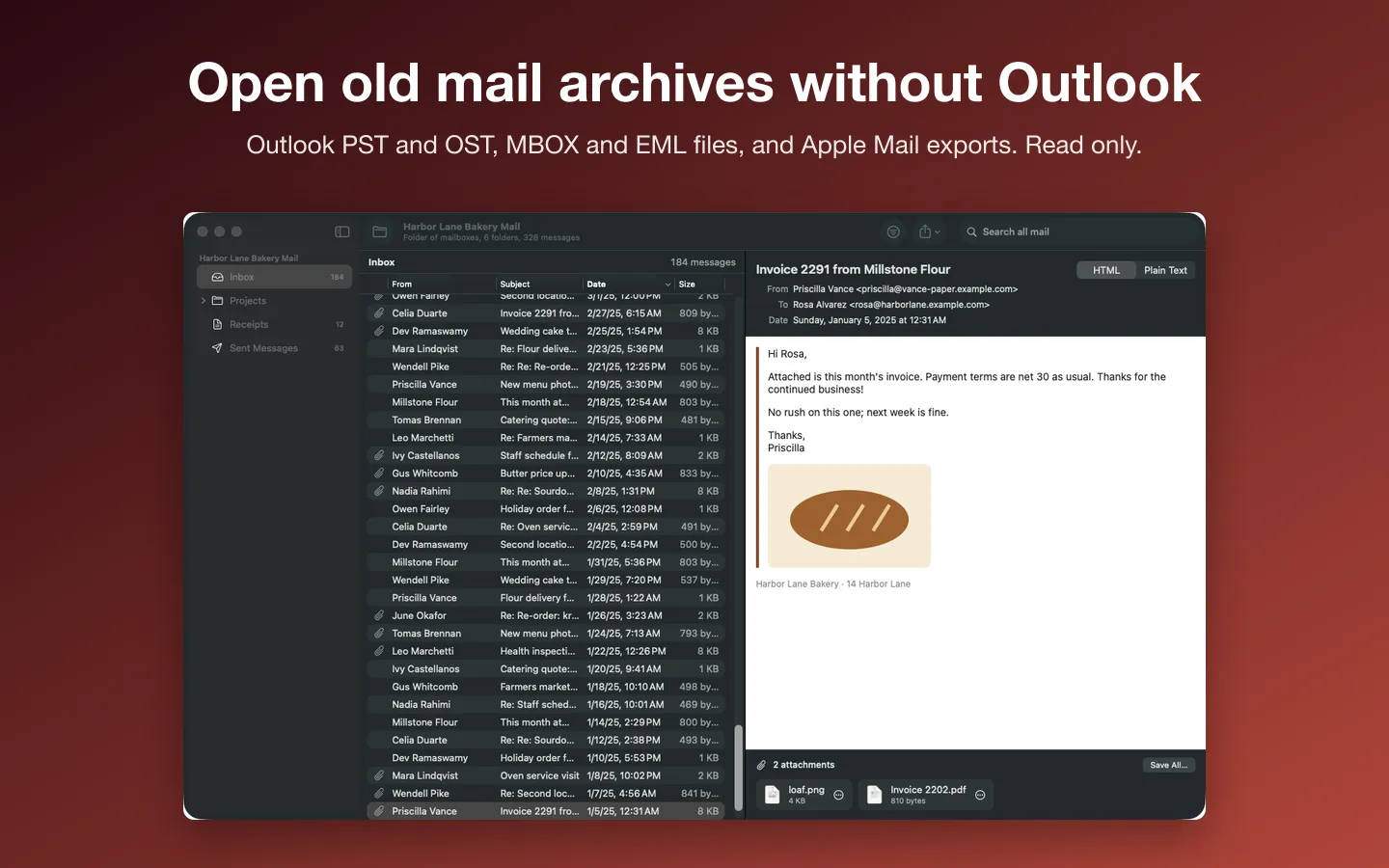
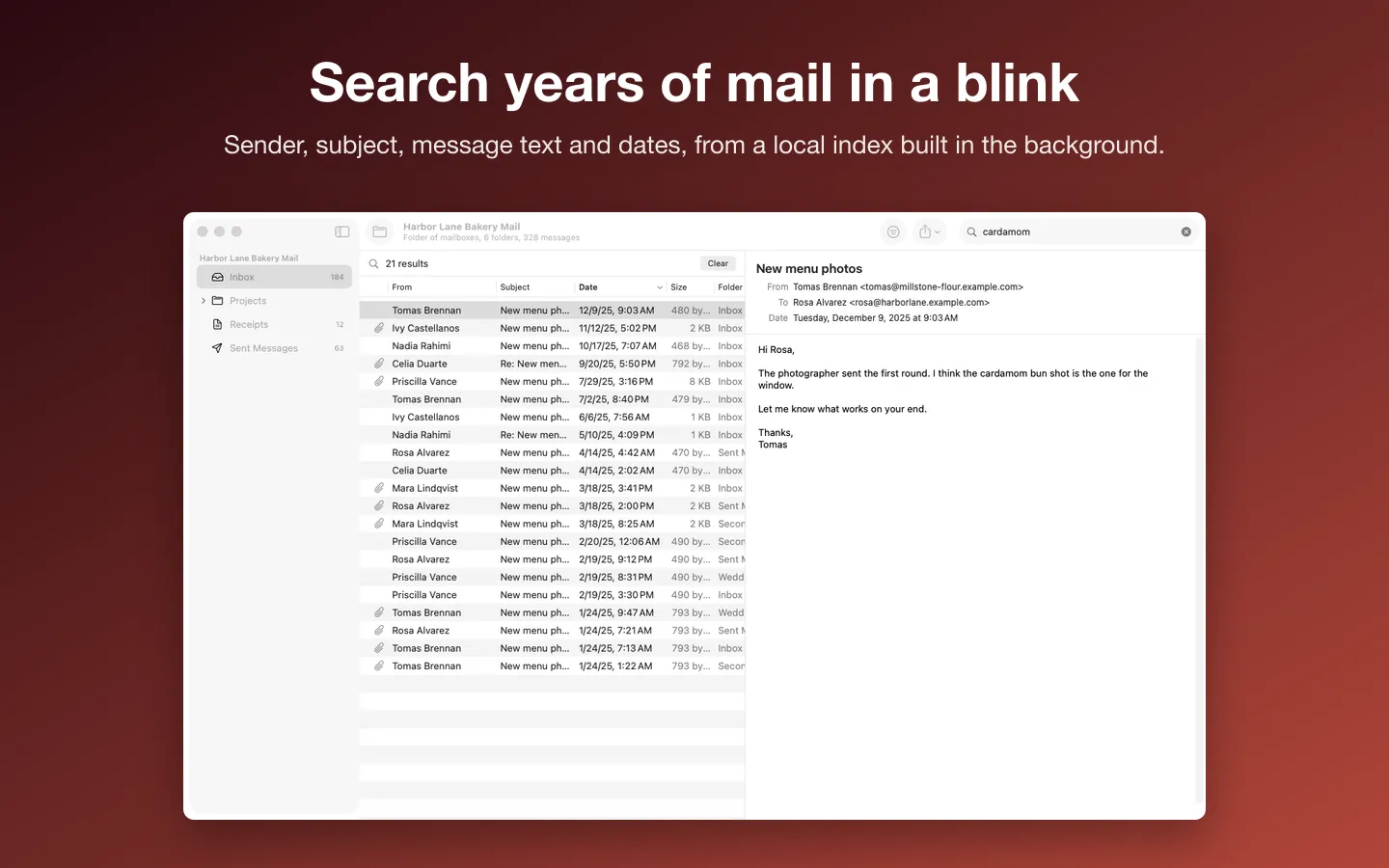
Free to use without a key: open, browse, read and search everything; exports and attachment saving 10 at a time.
$29 one-time for Pro, no subscription. Buy a license key to unlock Pro: export whole folders and search results, and save every attachment at once.
macOS 14 Sonoma or later. Apple silicon and Intel. Read only: no repair, no conversion to PST, no Exchange or IMAP. Includes libpff (LGPL-3.0-or-later); source at fitztoppicks.com/mac/mailcellar/source.
Questions
Can a Mac open a PST file without extra software?
No. macOS has no built-in support for Outlook's PST format: Mail, Preview and Quick Look can't read it. You need Outlook, a converter such as readpst, or a PST viewer.
What's the difference between a PST and an OST file?
A PST is an archive (or a POP mailbox) that Outlook keeps as a file. An OST is Outlook's offline copy of a mailbox that lives on a server, such as Exchange or Microsoft 365. If the account still exists, the server copy is usually the easier source; an OST file matters when the account is gone.
Is it safe to open an old mail archive?
Reading it doesn't change the file. Old mail can still hold links and attachments you shouldn't trust, so treat them like any email: don't open unexpected attachments, and leave remote images off.
Can I turn my Mac mail back into a PST?
Not with Mailcellar: it only reads archives, and exports EML, MBOX, PDF or CSV. Making a PST file needs Outlook.