How to check if an email is really from who it says on a Mac
UpdatedShort answer
Open the message's headers and find the Authentication-Results line your mail provider added. dkim=pass with a header.d domain that is the sender's own, together with dmarc=pass, means that domain really sent it and the signed parts weren't changed. A pass proves the domain, not the company: a scammer can pass every check for a look-alike domain they own, so read the domain letter by letter and check where replies go. Email Proof re-checks the DKIM signature itself on your Mac and explains the result in plain words.
The free ways
Free: read the headers in Mail
- Open the message in Mail and choose View › Message › All Headers (⇧⌘H).
- Find the Authentication-Results line, which your mail provider adds when the message arrives.
- Look for dkim=pass with header.d set to the sender's domain, spf=pass and dmarc=pass. A fail, or none, on a message that claims to be from your bank is a warning sign.
- Compare the domain in From and in Reply-To with the company's real one, letter by letter: a look-alike such as rnybank.com for mybank.com can pass every check for itself.
Free: Show original, in Gmail on the web
- Open the message, click the three-dot menu next to Reply and choose Show original.
- The top of the page lists SPF, DKIM and DMARC, each with PASS or FAIL and the domain it was checked for.
Where the free ways stop
- These lines are your provider's verdict when the message arrived; you can't re-check the signature yourself.
- They don't warn about look-alike domains, misleading display names or a domain registered last week.
- Raw headers are easy to misread: several signatures, forwarding (ARC) lines and DMARC alignment all look alike.
How Email Proof does it
Email Proof is a Mac app we make: check who really sent an email, right on your Mac.
- Drop in a message from Mail or a saved .eml file, or paste the source.
- Email Proof re-verifies the DKIM signatures itself, body included, against the keys the sender publishes, and checks SPF from the Received line, DMARC alignment and the ARC forwarding chain.
- It shows your mail server's own Authentication-Results side by side, and warns about a different Reply-To, misleading display names, punycode and brand-new domains.
- Free without a key: one message at a time, with the full verdict and every check, for good. Pro checks many at once, keeps a history and exports PDF or text reports.
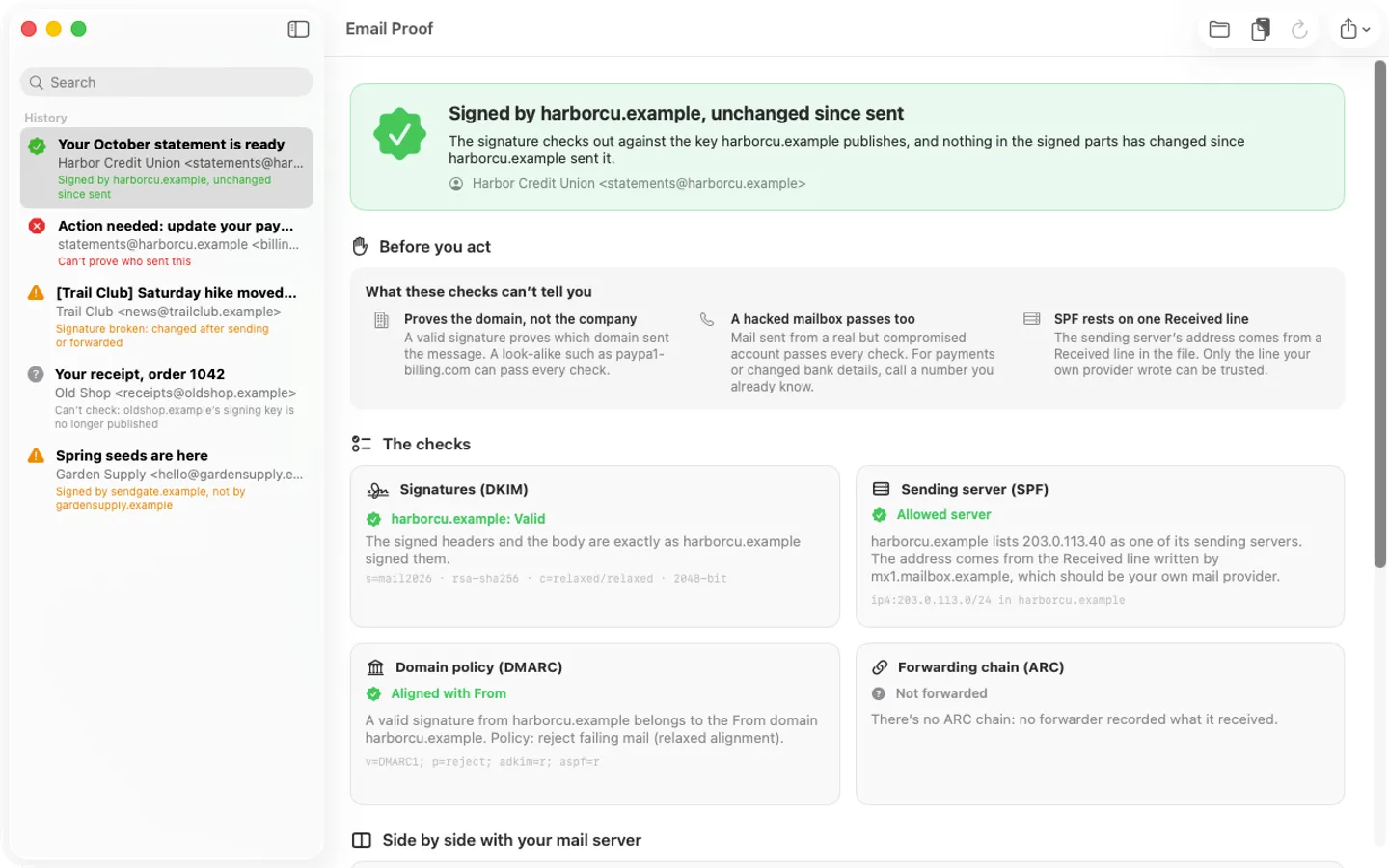
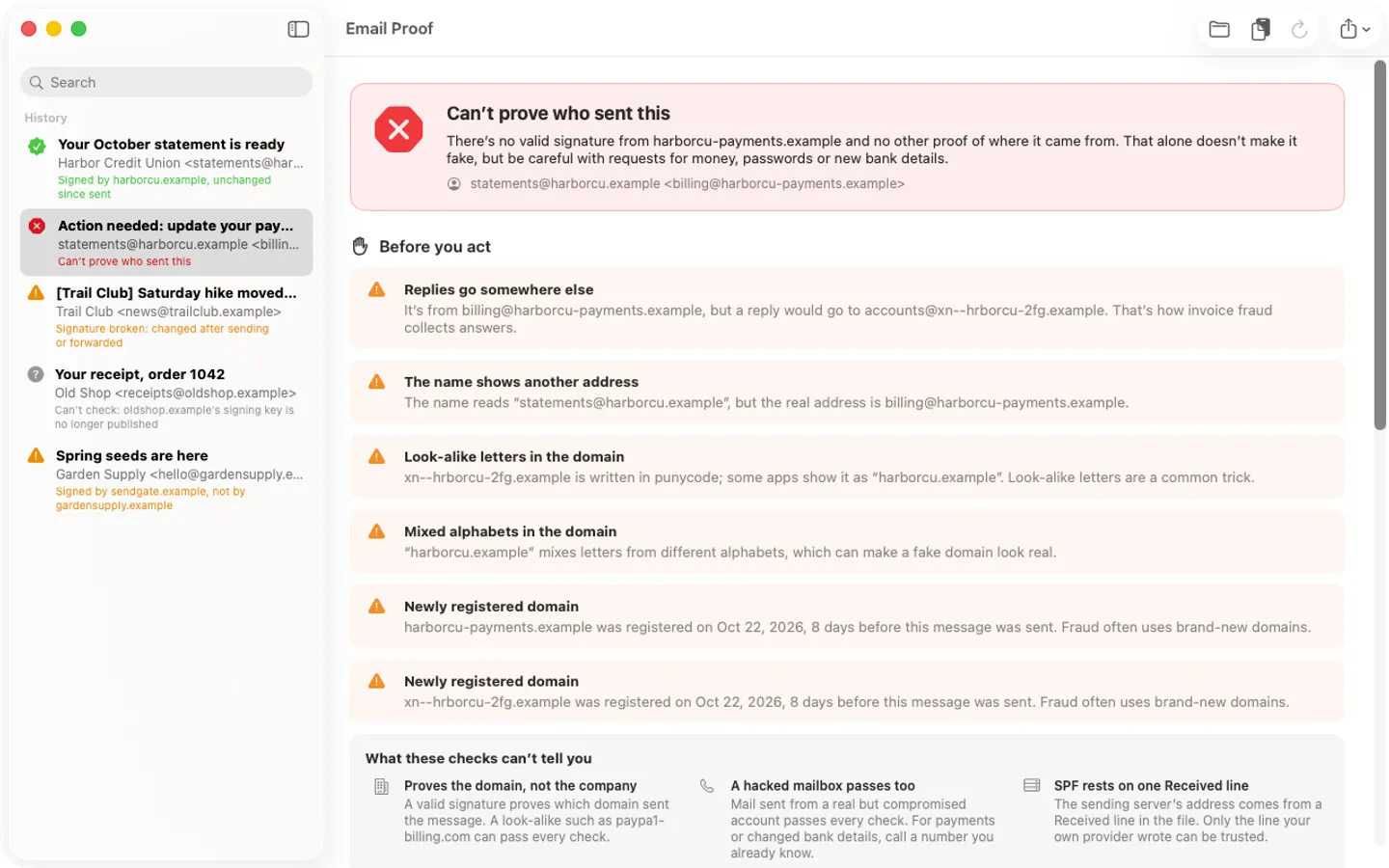
Free to use without a key: check one message at a time, with the full verdict, every check and the warning signs, for good.
$9.99 one-time for Pro, no subscription. Buy a license key to unlock Pro: check many messages at once, keep a history, and export reports as PDF or text.
macOS 14 Sonoma or later. Apple silicon and Intel.
Questions
Does dkim=pass mean the email is genuine?
It means the domain named in the signature sent it and the signed parts weren't changed on the way. Scammers can sign mail for domains they own, so also check that the domain really is the company's.
Where are the headers in Mail on a Mac?
Open the message and choose View › Message › All Headers (Shift-Command-H), or View › Message › Raw Source (Option-Command-U) for the whole message.
Does Email Proof upload my email?
No. It checks messages on your Mac; their text, addresses and attachments are never uploaded. It only looks up the public keys and policies of the domains named in the message, and the sender's domain age, which you can turn off.