How to compare two Excel files on a Mac
UpdatedShort answer
Excel for Mac has no compare tool: Spreadsheet Compare and the Inquire add-in are Windows-only. If the rows are in the same order in both files, put both sheets in one workbook and use a formula such as =IF(Sheet1!A1<>Sheet2!A1,"Changed","") on a third sheet. For CSV files, diff in Terminal lists the changed lines. When rows have been added, removed or moved, both of those line up wrong; Sheetdiff matches rows by a key column, such as an ID, and highlights every changed cell.
The free ways
Free: a formula on a third sheet
- Open both files and move or copy one sheet into the other's workbook (Control-click the sheet tab › Move or Copy), so they're Sheet1 and Sheet2.
- Add a third sheet and type
=IF(Sheet1!A1<>Sheet2!A1,"Changed","")in A1. - Fill the formula right and down over the same range as your data. Every cell that says Changed is different.
- To highlight the changes on Sheet1 instead, select its data and add a Conditional Formatting rule that uses the formula
=A1<>Sheet2!A1.
Free: diff, for CSV files
- Save both as CSV, and sort both by the same column first so the rows line up.
- In Terminal, type
diffand drag the old file, then the new one, into the window to add their paths. Press Return. - Lines starting with < are only in the first file and lines starting with > only in the second; a changed row shows as one of each.
Where the free ways stop
- Both compare by position: one inserted or deleted row shifts everything after it, so every row below shows as changed.
- Sorting helps, but neither can tell an added row from a changed one, or handle a key that appears twice.
- diff shows whole lines, not which cell changed, and a formatting change such as 1.5 versus 1.50 counts as a difference.
How Sheetdiff does it

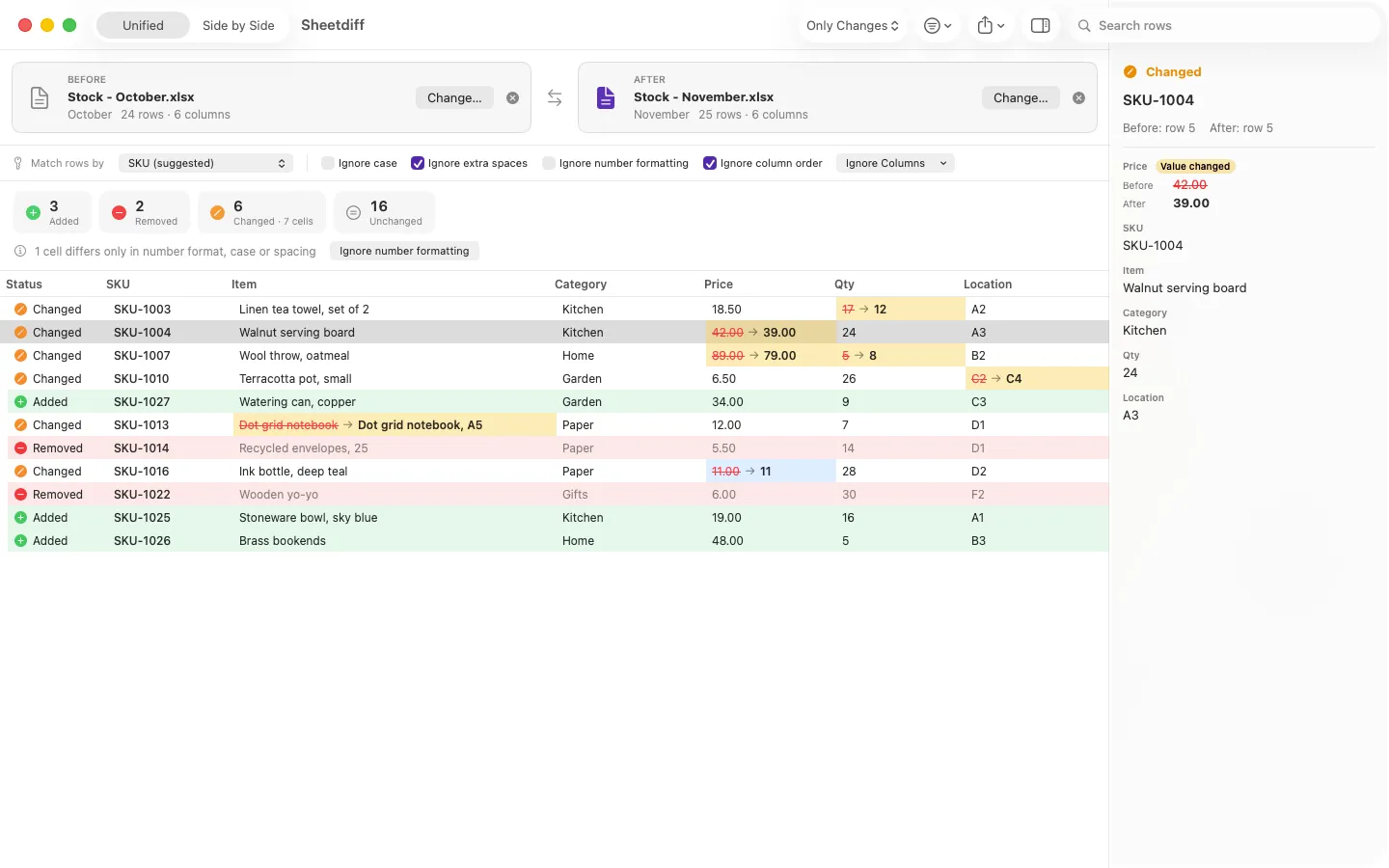
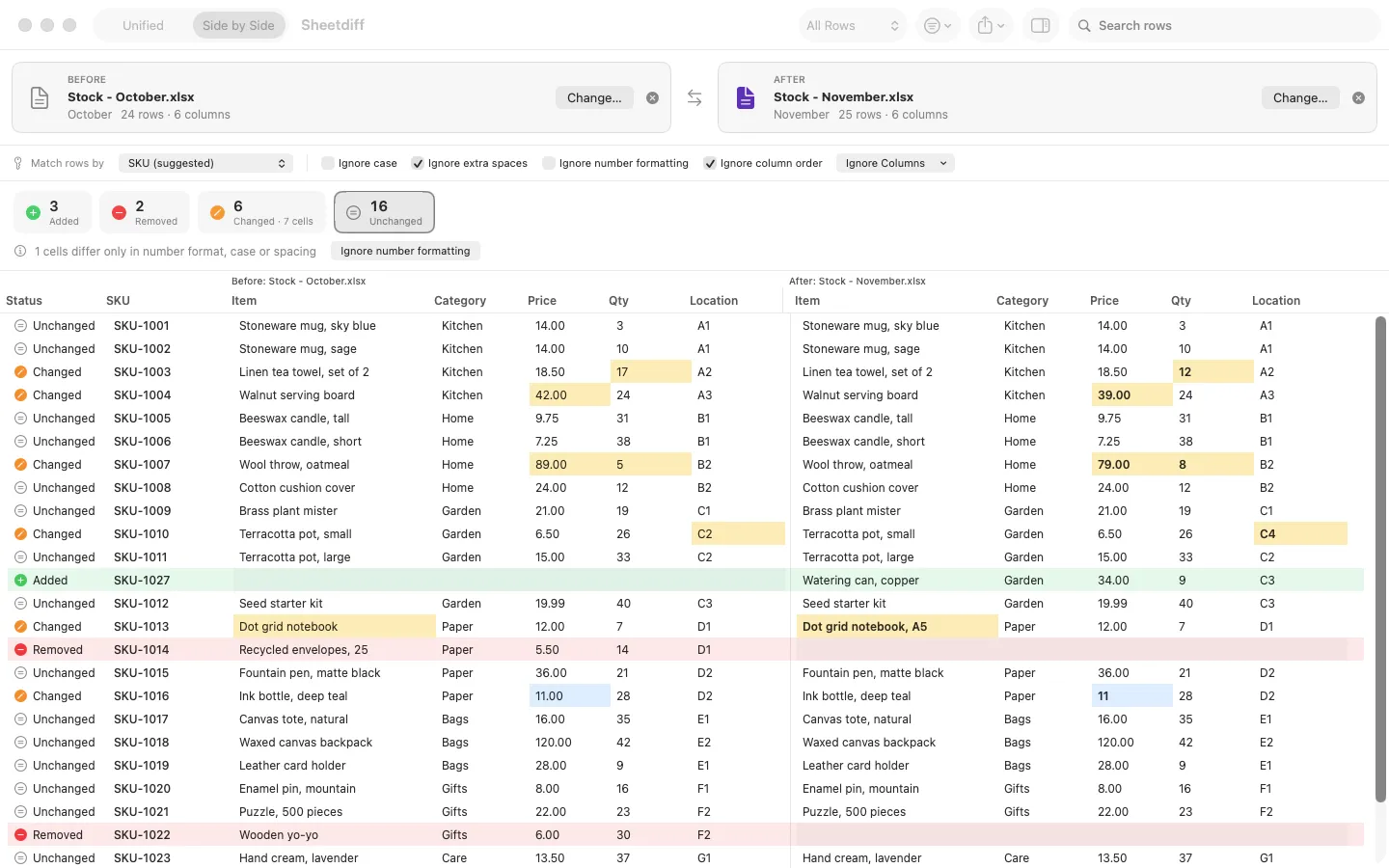
Sheetdiff is a Mac app we make: compare two Excel or CSV files by key column and see every changed row and cell.
- Open the two files (.xlsx, CSV or TSV). Sheetdiff suggests a key column, or you can match rows by order.
- It lists added, removed and changed rows with the changed cells highlighted, in a unified or side-by-side view, filtered by status, column or search.
- Ignore case, extra spaces, number formatting or column order; duplicate keys and format-only differences are reported.
- Without a key it compares files of any size, with full counts and the first 500 differences, for good. Pro lists every difference and makes Excel and HTML reports.
Free to use without a key: compare files of any size with full counts and the first 500 differences listed, for good. Everything is unlocked for the first 14 days.
$12.99 one-time for Pro, no subscription. Buy a license key to unlock every difference and the Excel and HTML reports.
macOS 14 Sonoma or later. Apple silicon and Intel.
Questions
Is there a Spreadsheet Compare for Mac?
No. Spreadsheet Compare and the Inquire add-in come only with Excel for Windows. On a Mac you need a formula, a text diff or a separate app.
Can I compare two sheets whose rows are in a different order?
Not with a cell-by-cell formula or diff, unless you sort both the same way first, and even then an added row throws them off. A key-column compare such as Sheetdiff matches each row by its ID wherever it is.
Are my spreadsheets uploaded?
The formula and diff work on your Mac, and so does Sheetdiff: it reads your spreadsheets on your Mac and never uploads them.