How to export iMessage conversations to PDF on a Mac
UpdatedShort answer
Open the conversation in Messages on your Mac, scroll up until the messages you need have loaded, then choose File › Print and pick Save as PDF from the PDF menu at the bottom. That works for a short thread. For a long conversation, a date range, or a PDF that labels who sent each message with dates and page numbers, Textfolio exports the conversation from your Mac's Messages history, with photos inline.
The free ways
Free: File › Print, then Save as PDF
- Open Messages on your Mac and select the conversation. Your iPhone's messages are there when Messages in iCloud is on for both.
- Scroll up until the oldest message you want has loaded.
- Choose File › Print (⌘P).
- Open the PDF menu at the bottom of the print window, choose Save as PDF and pick where to save it.
Free: screenshots, for a few messages
- Press ⇧⌘4 and drag over the messages you want.
- The screenshot lands on your Desktop. To combine several into one PDF, select them in Finder, Control-click and choose Quick Actions › Create PDF.
Where the free ways stop
- Printing a long conversation means scrolling until every message has loaded, and there's no date range.
- Write-ups of the printout report that it can leave out who sent each message, which matters in a group chat.
- There's no cover page, page numbering of your own, Bates-style numbers or CSV.
How Textfolio does it

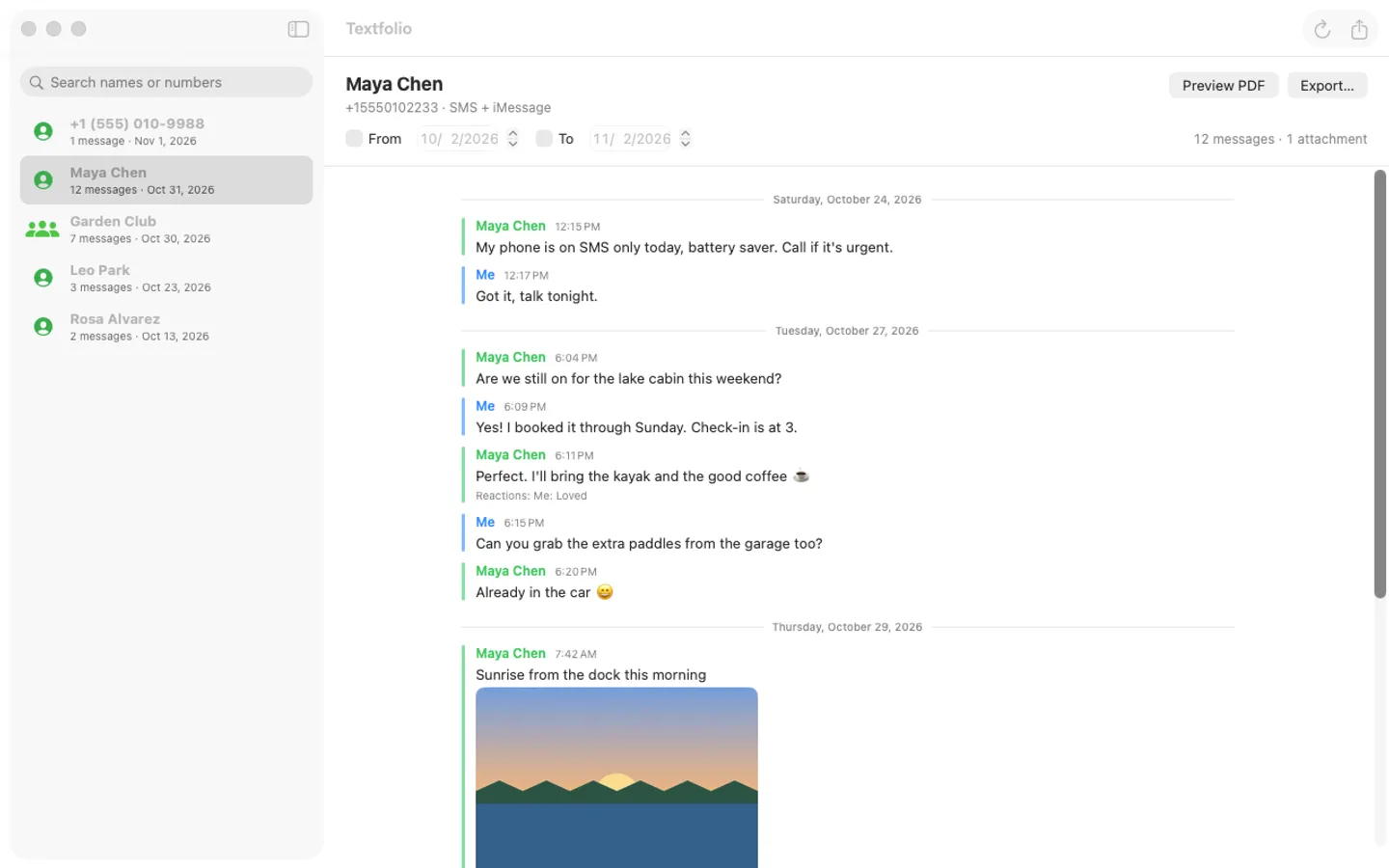
Textfolio is a Mac app we make: export Messages conversations to clean, dated PDFs.
- Pick a person or group, set a date range, preview, then export.
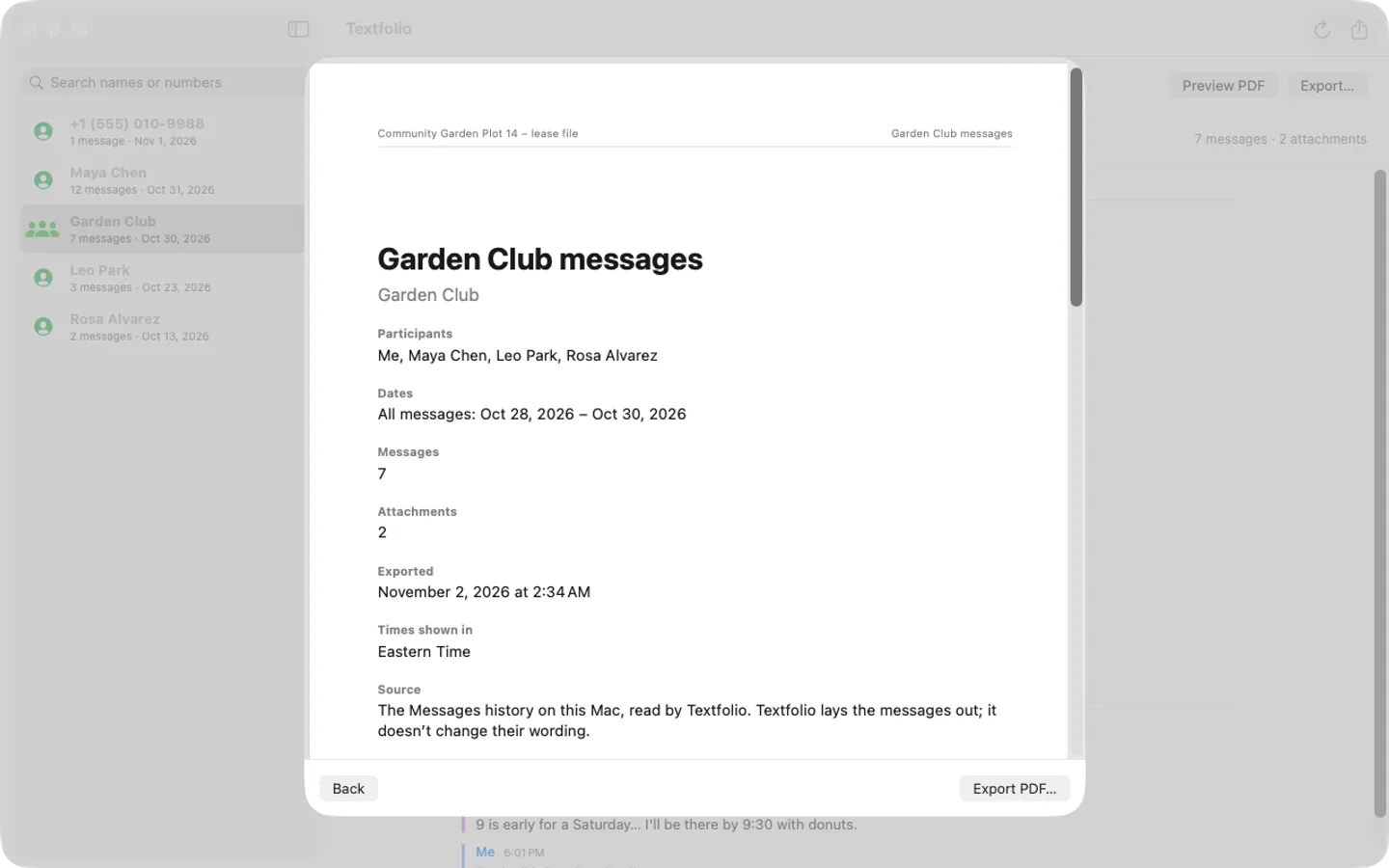
- The PDF has labeled senders and times, photos inline (iPhone HEIC photos become JPEG) and reactions as text under each message.
- Add a cover page, “Page n of N”, a header line and Bates-style page numbers, or export CSV for Numbers or Excel.
- A guided Full Disk Access step lets it read a copy of the Messages history; it never changes Messages and nothing is uploaded.
Free to use without a key: preview any conversation, and export PDFs of the first 50 messages with a watermark. Every feature is free for the first 14 days.
$9.99 one-time for Pro, no subscription. Buy a license key to unlock whole conversations without a watermark, and CSV export.
macOS 14 Sonoma or later. Apple silicon and Intel.
Questions
Can I print a whole text conversation from my Mac?
Yes, with File › Print in Messages, once you've scrolled back far enough for all of it to load. For long threads that's slow, which is the job Textfolio does: it reads the whole conversation from your Mac's Messages history.
Are my messages uploaded?
Not by Print or by Textfolio. Textfolio reads a copy of the Messages history on your Mac and deletes the copy when you quit; messages and contacts are never uploaded or sent anywhere.
What can I do with Textfolio for free?
Preview any conversation and export PDFs of the first 50 messages with a watermark, for good; every feature is free for the first 14 days. A license key unlocks whole conversations without a watermark, and CSV.