How to paste as plain text on a Mac
UpdatedShort answer
Press ⌥⇧⌘V (Option-Shift-Command-V), Paste and Match Style: the text takes on the formatting of the place you paste it. Some apps call it Paste as Plain Text or use another shortcut, so check the Edit menu. Where an app has neither, paste into a plain-text TextEdit document first, copy it again and paste. Pastewright adds one shortcut, ⌃⌥⌘V, that pastes what you copied as plain text, Markdown, pretty JSON or a table in any app, with a preview first.
The free ways
Free: Paste and Match Style
- Copy the text as usual (⌘C).
- Click where it should go and press ⌥⇧⌘V, or choose Edit › Paste and Match Style.
- If the Edit menu doesn't have it, look for Paste as Plain Text or Paste Without Formatting: some apps name it differently or use another shortcut.
Free: strip the formatting in TextEdit
- Open TextEdit and make a new document.
- Choose Format › Make Plain Text (⇧⌘T).
- Paste, then select all, copy again and paste where you need it.
Where the free ways stop
- Each app names the command differently, and some have no plain-text paste at all.
- It only removes formatting: it can't turn a web page into Markdown, tidy JSON, or make a table from spreadsheet cells.
- Copied links keep their tracking parameters.
How Pastewright does it
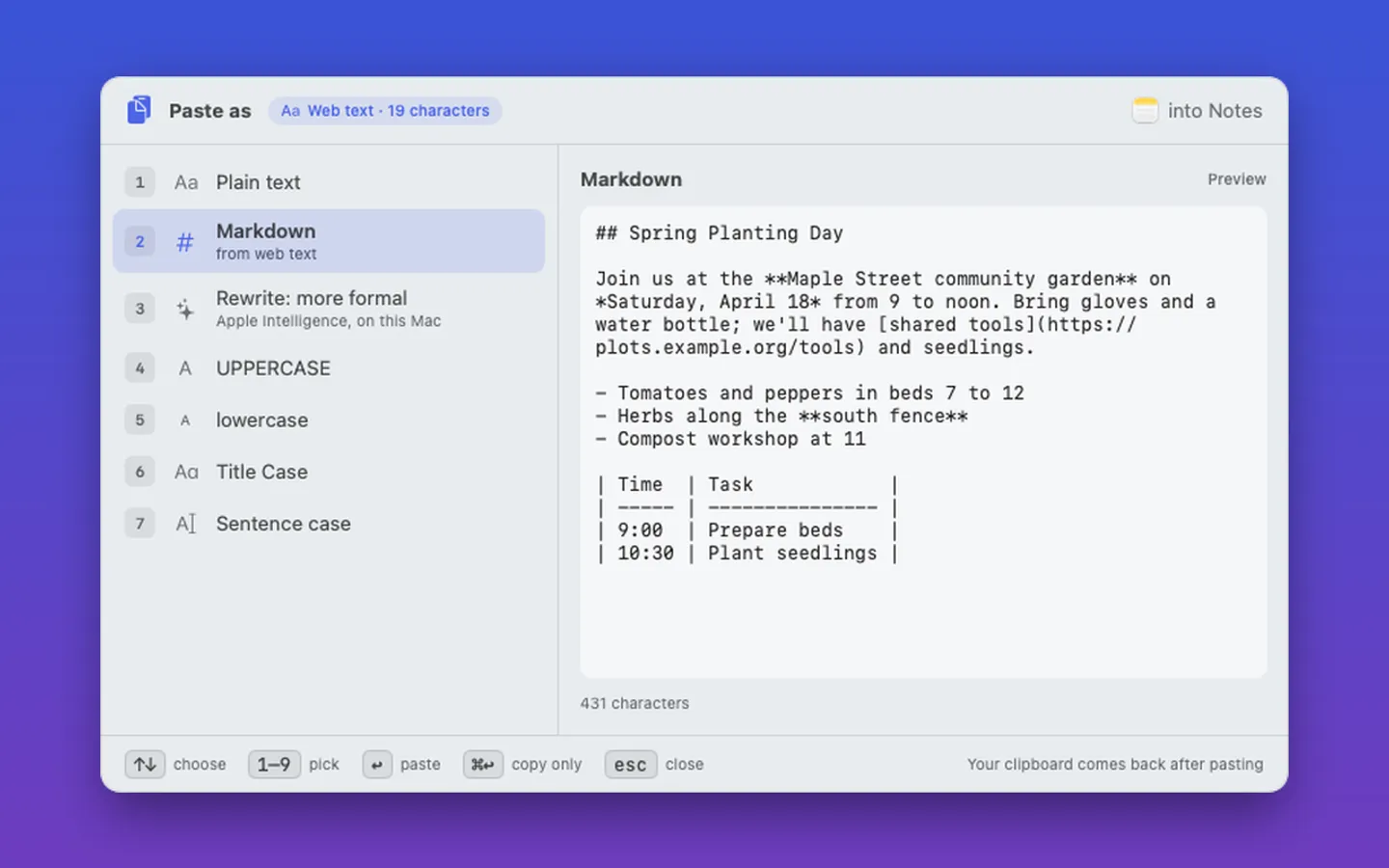
Pastewright is a Mac app we make: paste anything as the format you need.
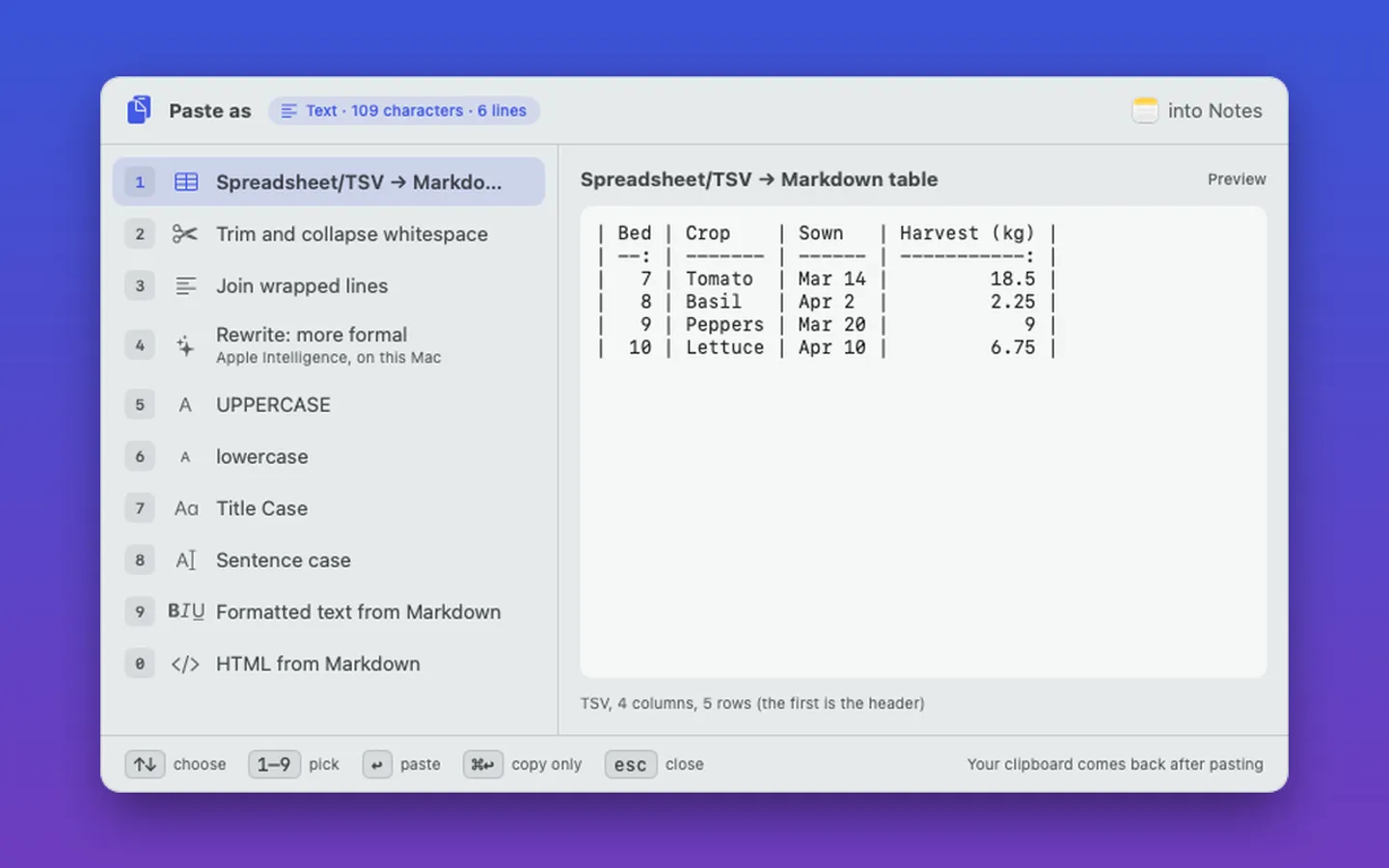
- Press ⌃⌥⌘V and a palette opens next to the pointer with a live preview.
- Paste web or rich text as plain text or Markdown, Markdown as formatted text or HTML, JSON pretty or minified (Check JSON gives the line and column of a mistake), and spreadsheet cells, CSV or TSV as a Markdown table.
- It strips tracking from copied links and pastes a copied image as a PNG or JPEG file, then puts your clipboard back.
- With Accessibility permission (optional) it pastes for you. Your clipboard never leaves your Mac.
Free for 7 days from the first time you open it.
$9.99 one-time for Pro, no subscription. Buy a license key to unlock Pastewright for good after the 7 days.
macOS 15 Sequoia or later. Apple silicon and Intel. Accessibility permission to paste for you (optional). Rewrite needs macOS 26 with Apple Intelligence.
Questions
What is the shortcut to paste without formatting on a Mac?
Option-Shift-Command-V (⌥⇧⌘V), Paste and Match Style, in most apps. A few use Shift-Command-V or another shortcut; the Edit menu shows the one for the app you're in.
Does Pastewright send my clipboard anywhere?
No. Everything happens on your Mac. The optional Rewrite uses Apple Intelligence on the device and needs macOS 26.
Which Macs does Pastewright work on?
macOS 15 Sequoia or later, on Apple silicon and Intel. It's free for 7 days from the first time you open it.