How to keep a network drive connected on a Mac after sleep
UpdatedShort answer
To reconnect a share each time you log in, connect to it once in Finder (Go › Connect to Server, ⌘K), save the password in your keychain, then add the mounted share to Open at Login in System Settings › General › Login Items. macOS doesn't reliably bring back a share that dropped while the Mac slept: you eject it and connect again with ⌘K. Remountwise checks your shares after wake, when the network changes and every few minutes, and remounts the frozen ones for you.
The free ways
Free: reconnect at login with Login Items
- In Finder choose Go › Connect to Server (⌘K), type the address, such as
smb://nas.local/Share, and click Connect. - Sign in and tick Remember this password in my keychain.
- Open System Settings › General › Login Items and click + under Open at Login.
- Choose the share under Locations in the sidebar and click Open. It now mounts each time you log in.
Free: reconnect after sleep by hand
- If the share is still in Finder's sidebar but its folders won't open, eject it there (Force Eject if Finder asks).
- Press ⌘K in Finder and pick the server from Recent Servers to connect again.
Where the free ways stop
- Login Items mounts the share only when you log in, not after sleep or a Wi-Fi change.
- A share that froze during sleep can look connected while its folders won't open, and Finder doesn't clear it for you.
- There's no rule for connecting only on your home Wi-Fi or over a VPN, and no reason given when it fails.
How Remountwise does it
Remountwise is a Mac app we make: keeps your network shares mounted after sleep and Wi-Fi changes.
- Remountwise reconnects your shares at login, after wake, when the network changes and every few minutes.
- A timed check finds dead connections; it force-unmounts and remounts them through macOS's own NetFS, with passwords kept in your Keychain.
- When it can't, it says why in plain words: server asleep, wrong password, not on your home Wi-Fi.
- Free without a key: one share kept connected, for good. Pro adds any number of shares, Wi-Fi and VPN rules, notifications and checks as often as every minute.
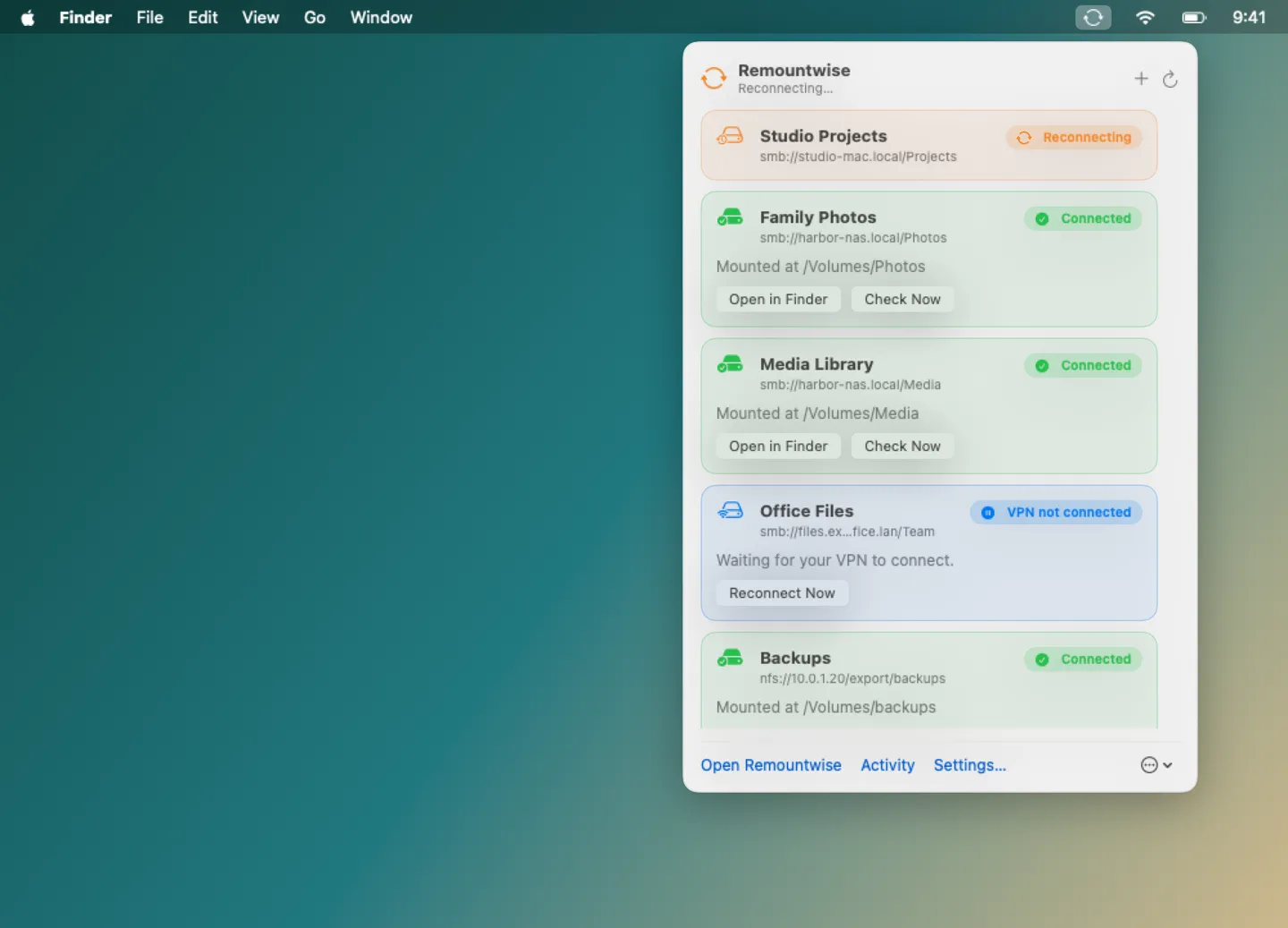
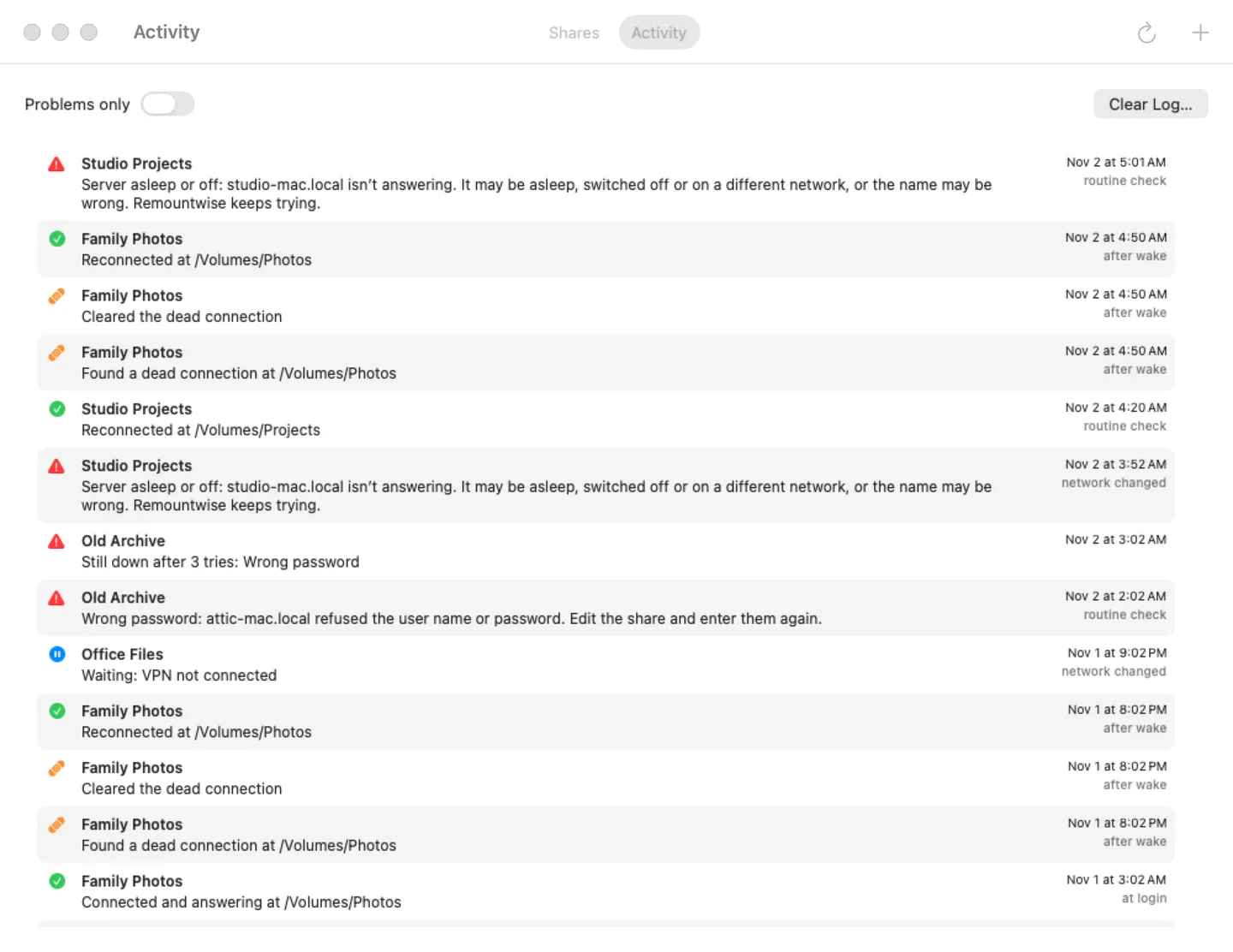
Free to use without a key: one share kept connected, with plain reasons and the activity log, for good. Every Pro feature is free for the first 14 days.
$7.99 one-time for Pro, no subscription. Buy a license key to unlock Pro: any number of shares, Wi-Fi and VPN rules, notifications, and checks as often as every minute.
macOS 14 Sonoma or later. Apple silicon and Intel. Verified with SMB shares on macOS 26.
Questions
Why does my network drive disconnect when my Mac sleeps?
The connection drops while the Mac sleeps, and the server can end the session. After wake, macOS doesn't always notice that the old connection is dead, so the share stays in Finder but won't open until it's ejected and connected again.
Which kinds of shares does Remountwise work with?
SMB, NFS and AFP, through macOS's own NetFS. It has been checked with SMB shares on macOS 26, and it needs macOS 14 Sonoma or later.
Where does Remountwise keep my password?
In your Keychain, the same place Finder keeps it when you tick Remember this password.