How to cut and paste files in Finder on a Mac
UpdatedShort answer
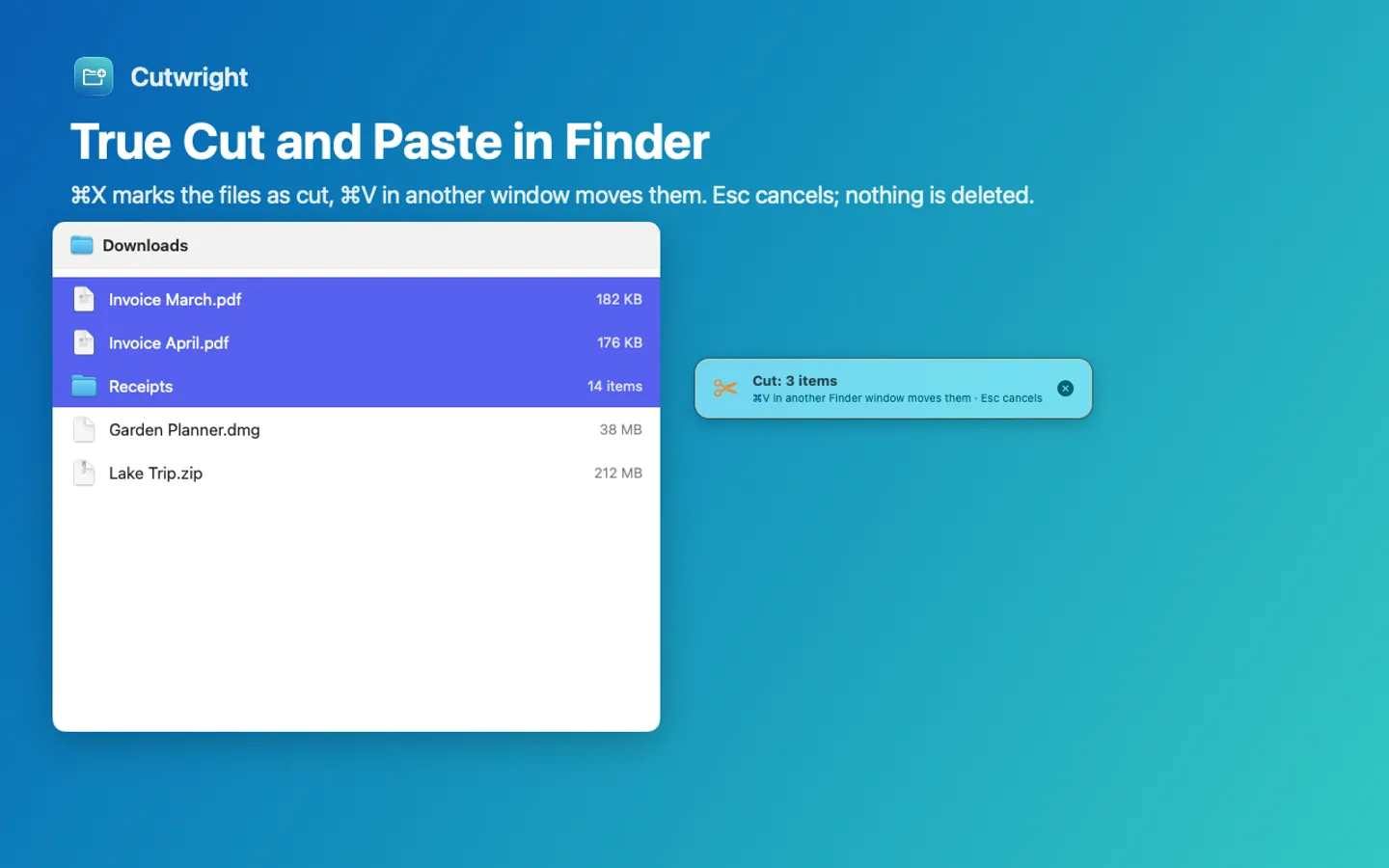
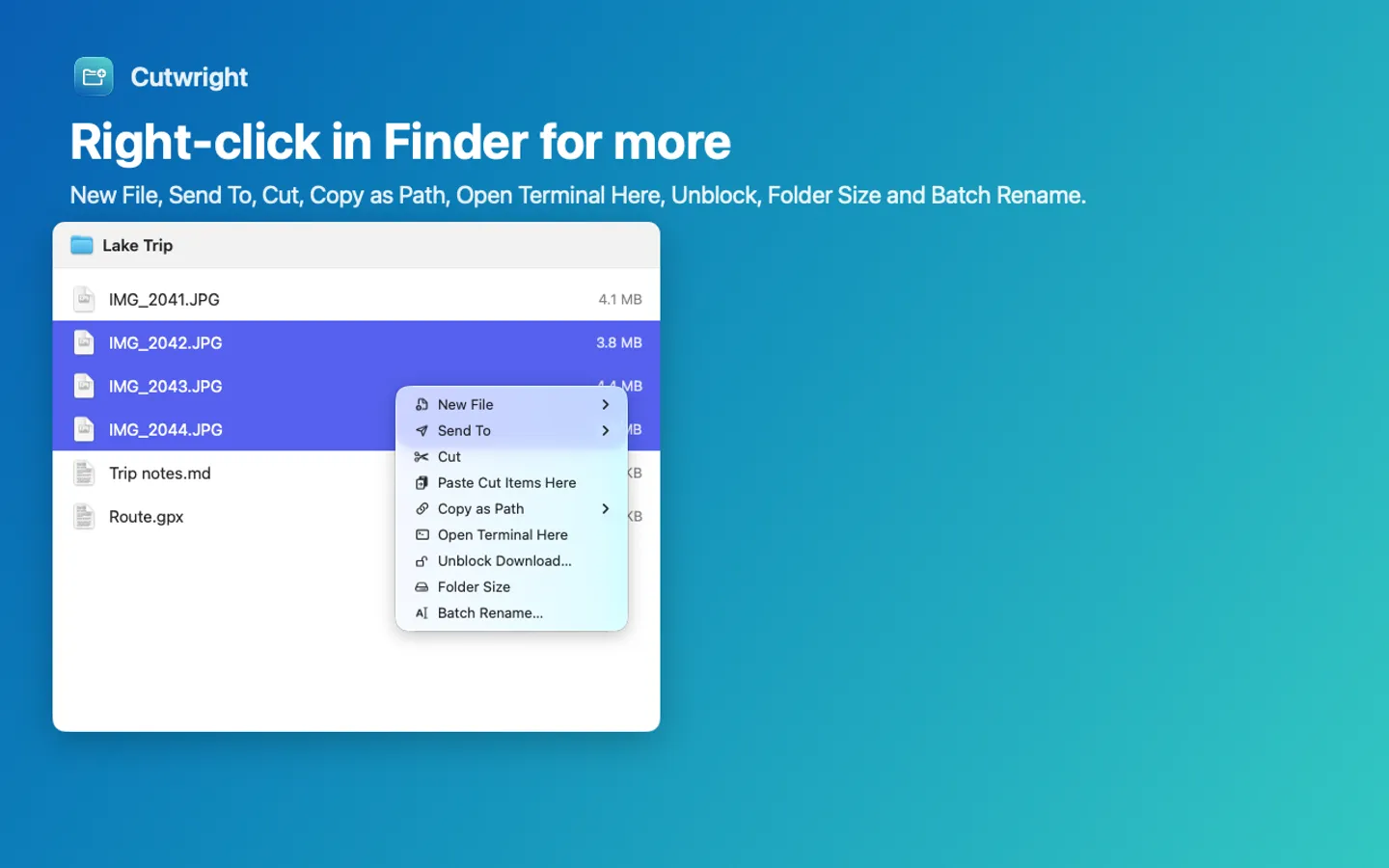
Finder has no Cut for files, but it can move them: select the files, press ⌘C, open the folder you want them in and press ⌥⌘V (Option-Command-V), which moves them instead of copying. ⌘Z right after puts them back. Dragging files to another folder on the same disk moves them too, and holding ⌘ while you drag to a different disk moves instead of copies. Cutwright adds a true ⌘X and ⌘V for files, plus New File, Send To and Copy as Path in the right-click menu.
The free ways
Free: Copy, then Move Item Here
- Select the files in Finder and press ⌘C (Edit › Copy).
- Open the folder you want them in.
- Press ⌥⌘V. In Finder's Edit menu, holding Option turns Paste Item into Move Item Here.
- The files leave the old folder. Press ⌘Z (Edit › Undo) to move them back.
Free: drag to move, and copy a file's path
- Drag files onto a folder on the same disk to move them. To move them to a different disk instead of copying, hold ⌘ while you drag.
- To copy a file's path, select it and press ⌥⌘C, or Control-click it, hold Option and choose Copy as Pathname.
Where the free ways stop
- ⌘X does nothing to files in Finder, so the Windows habit doesn't work.
- Finder has no New File command for making a blank text file or spreadsheet in a folder.
- There's no Send To menu, and no address bar: Go › Go to Folder (⇧⌘G) is the closest.
How Cutwright does it

Cutwright is a Mac app we make: true Cut and Paste, New File, Send To and Copy as Path in Finder.
- ⌘X marks files as cut and ⌘V in another Finder window moves them; Esc cancels. It uses Finder's own Move Item Here, so ⌘Z in Finder moves them back.
- New File in the right-click menu: text, Markdown, Word, Excel, PowerPoint, CSV, HTML, scripts or your own templates.
- Send To, Copy as Path (plain, ~, quoted for Terminal, file URL or name), Open Terminal Here, and ⌘L for an address bar with Tab completion.
- Undo History for every change it makes; it never deletes anything.
Free for 7 days from the first time you open it: every feature, nothing held back.
$9.99 one-time for Pro, no subscription. Buy a license key to unlock the Finder menu, Cut and Paste and ⌘L after the trial. Finder itself is never blocked, and Undo History can always take back a change Cutwright made.
macOS 15 Sequoia or later. Apple silicon and Intel. Accessibility permission and the Finder extension switched on (the app explains both and opens the right place).
Questions
Why doesn't ⌘X work on files in Finder?
Finder uses Cut only for text, such as a name you're editing. For files it has Copy and then Move Item Here (Option-Command-V), which does the same job.
Can I undo a move in Finder?
Yes. Press ⌘Z (Edit › Undo) right after the move and the files go back to where they were, with or without Cutwright.
What does Cutwright need to work?
macOS 15 Sequoia or later, Accessibility permission and its Finder extension switched on. The app explains both and opens the right place in System Settings.