How to keep a grant deadline calendar (free spreadsheet and calendar file)
UpdatedShort answer
Keep one row per grant with every date that can be missed: the letter of inquiry, the application, the decision, and the reports due after you win. The workbook below does that and turns dates in the next 30 days orange. Put the same dates in your calendar as all-day events with an alert, and start each report’s draft about ten days early. It’s a plain spreadsheet: it knows nothing about any funder, so check every date with them.
Free downloads
- Grant deadline calendar (Excel workbook) 5 KB. A blank sheet to fill in, a made-up example and a page on how to use it.
- The blank template (CSV) 1 KB. The header row only, in the columns Fundsheet imports.
- The made-up example (CSV) 1 KB. Four made-up grants and three made-up funders, to see how the columns are used or to try the import.
- The made-up example as a calendar file (.ics) 4 KB. Seven all-day events made from that example by Fundsheet’s own export. Import it into a new, empty calendar so you can delete it in one go.
No sign-up. Use them for your own organization; please don’t resell them.
The free ways
Free: the spreadsheet
- Open the workbook and go to the sheet called My grants. Type one row per grant; leave any column empty.
- Use Stage for where it is: Prospect, Letter of Inquiry, Drafting, Submitted, Awarded, Declined or Withdrawn.
- When a grant is awarded, fill in Award start, Award end and Next report due the same day. Report dates are the ones people forget.
- Sort by Application due to see what’s next. Dates in the next 30 days turn orange on their own.
- Go through it together once a month, and before every board meeting.
Free: your own calendar
- In Calendar, choose File › New Calendar and call it Grants, so the whole set can be shared, hidden or deleted.
- Add each date as an all-day event with an alert a week before.
- Add a second event for each report about ten days before it’s due: start the draft.
- To try it with the made-up example, choose File › Import in Calendar, pick the .ics file, and choose that calendar. In Google Calendar on the web it’s Settings › Import & export.
Where the free ways stop
- A spreadsheet doesn’t remind anyone, and a calendar doesn’t show amounts, stages or who is responsible.
- The two drift apart: a date moved in one has to be moved in the other by hand.
- One row holds only the next report. A three-year award with quarterly reports has twelve.
- Neither one knows a funder’s rules. Dates come from the award letter and the funder, and they change.
How Fundsheet does it
Fundsheet is a Mac app we make: grants and the board for small nonprofits, kept on your Mac.
- Save the sheet as CSV and choose File › Import Spreadsheet in Fundsheet. It matches the columns from the header row; funders are matched by name or added, and importing the same sheet twice adds nothing.
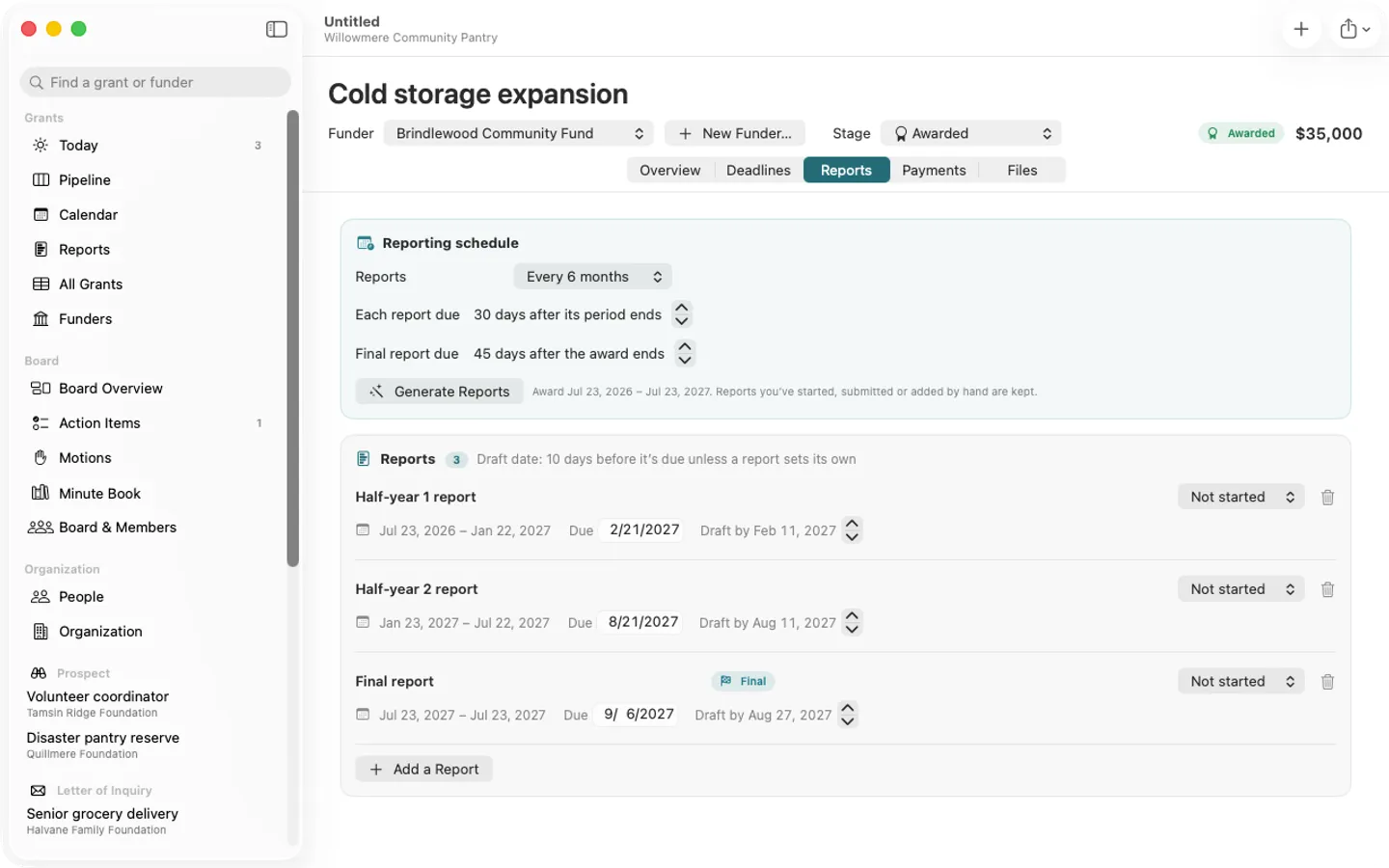
- For an award, choose how often it reports (yearly, half-yearly, quarterly or monthly, plus the final report). Fundsheet makes the reports from the award dates, each with a draft date ten days earlier unless you change it.
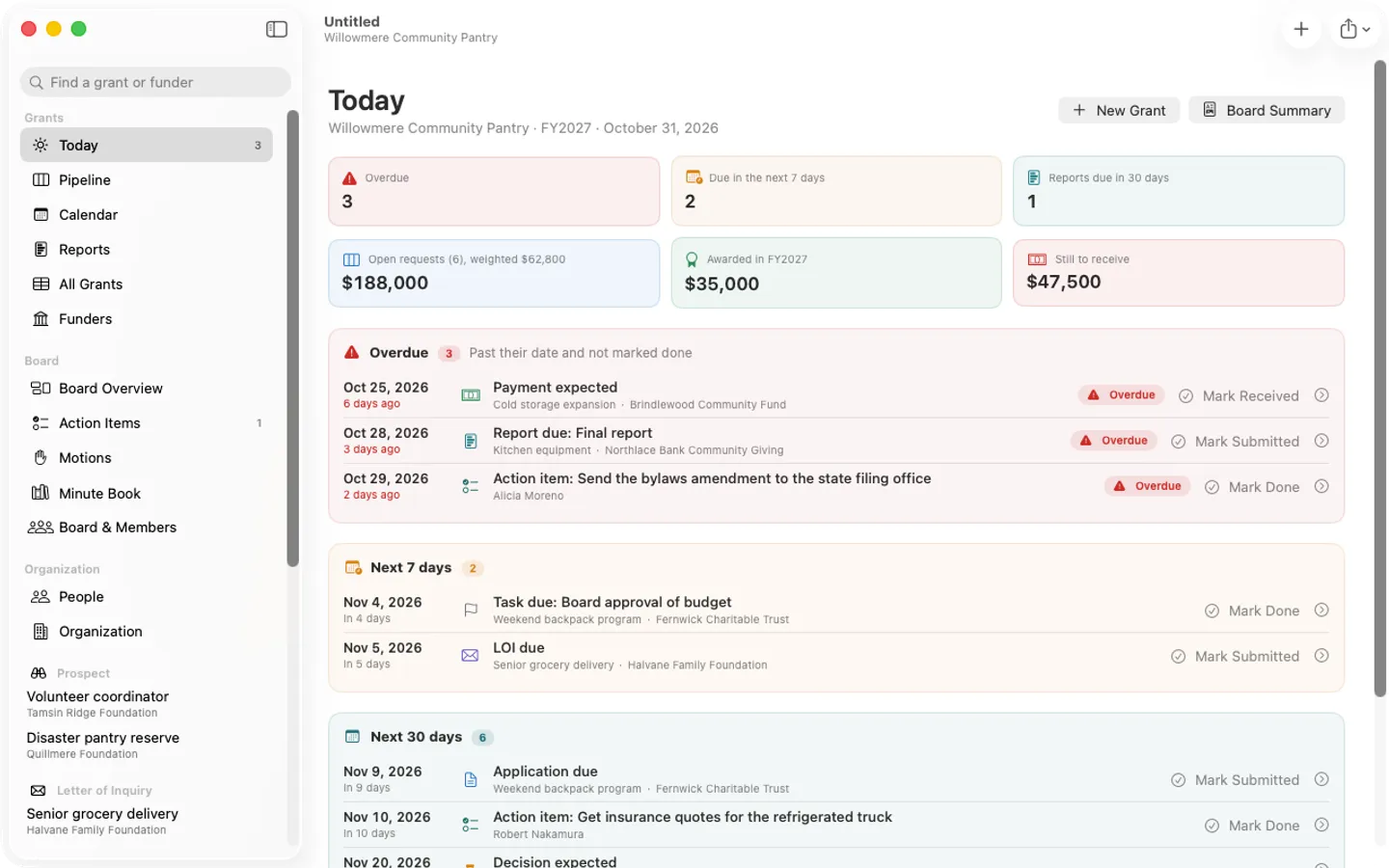
- Today lists what’s overdue and what’s due in the next 7 and 30 days. Share › Calendar File makes an .ics of your real dates, and importing a newer one updates the same events.
- Free: up to 5 grants and 3 board meetings per file, with CSV import, calendar files and reminders. Pro takes off the limits.
Free to use without a key: everything, up to 5 grants and 3 board meetings per file, with a small “Made with Fundsheet” line on PDFs, for good.
$29 one-time for Pro, no subscription. Buy a license key to unlock Pro: unlimited grants and board meetings, the year’s Minute Book PDF and search, PDFs without the footer and your logo on grant PDFs. Studio adds the Portfolio window and a status report PDF per client.
macOS 14 Sonoma or later. Apple silicon and Intel.
Questions
Are the grants in the example real?
No. Every grant, funder, amount and date in the example files is made up, and each row says so. No real foundation is named.
Does it find grants for me?
No. Neither the spreadsheet nor Fundsheet has a list of funders. They keep track of the ones you already know about.
Can I use it in Google Sheets or Numbers?
It’s a plain .xlsx workbook, which both of them open, with a list for Stage and one color rule. If either doesn’t carry over, the dates and columns still work.
When should I start a grant report?
There’s no rule; it depends on who has to give you numbers. Fundsheet starts with ten days before the due date and lets you change it for all reports or for one.