How to open .cwk files (ClarisWorks) on a Mac today
UpdatedShort answer
A .cwk file is a ClarisWorks or AppleWorks document, and current Pages, Numbers and Preview don’t open it. The free way is LibreOffice: open the file there and save it as a Word or spreadsheet file. Text documents and spreadsheets come across best; drawings and page layouts often don’t. If you have a whole folder, or the files are still inside an old disk image, Vintage Disk Reader previews them for free and converts them together with Pro. Both use the same open-source converter, so if LibreOffice opens your one file well, you don’t need anything else.
The free ways
Free: LibreOffice
LibreOffice’s help lists ClarisWorks/AppleWorks text documents (.cwk), spreadsheets and drawings among the files it opens.
- Work on a copy of the file and keep the original.
- Download LibreOffice from libreoffice.org and open it.
- Choose File › Open and pick the copy. If it’s greyed out because it has no extension, add .cwk to the copy’s name.
- Look it over: check the tables, the header and footer and any pictures against what you remember.
- Choose File › Save As and pick Word (.docx) for a document or Excel (.xlsx) for a spreadsheet.
Free: an old Mac that still has AppleWorks
- Open the file there, choose Save As, and pick RTF for text or a plain text format for a spreadsheet or database.
- Copy the new files to your current Mac. This suits mixed pages that combine text, drawings and tables.
Where the free ways stop
- Drawings are the weak spot. libmwaw, the converter LibreOffice uses, calls its graphics conversion new and says some need a lot of improvement.
- Databases come across as spreadsheets: the rows are there, the form layouts and reports aren’t.
- A spreadsheet’s charts and frames are rebuilt only in a basic way, and some formulas have no modern equivalent.
- Very old files copied through Windows or email can lose their resource fork or file type, which makes them harder to recognize.
How Vintage Disk Reader does it
Vintage Disk Reader is a Mac app we make: open old Mac floppy, hard disk and CD images, and convert the classic files inside.
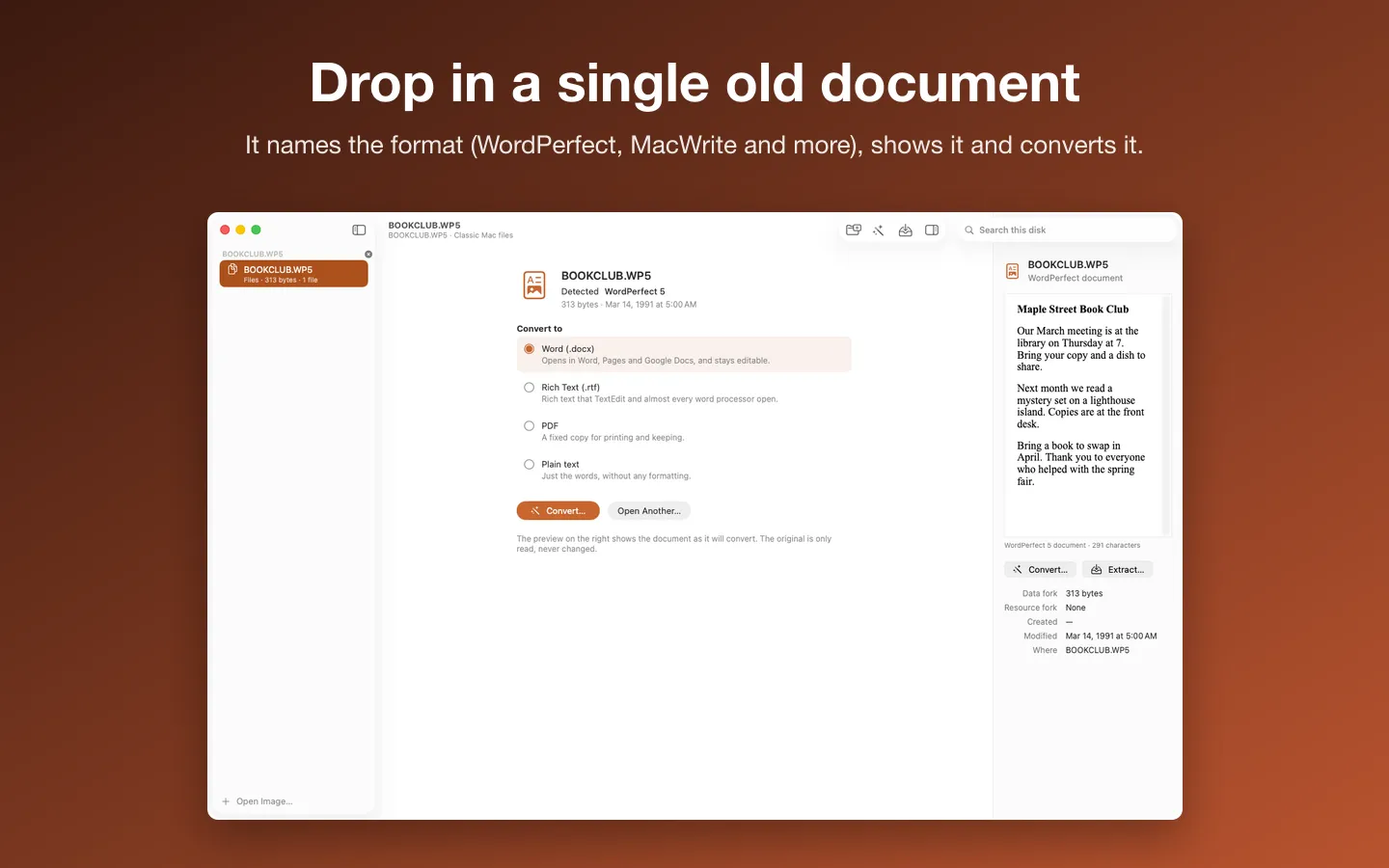
- Drop one document on the window. It shows the format it found, such as ClarisWorks, and a preview. Previewing is free and needs no key.
- Or open an old disk image and browse it: documents and pictures preview in place, with their dates and type and creator codes.
- With Pro, convert to Word, RTF, PDF or plain text. Spreadsheets and databases become CSV.
- With Pro, Whole Archive Mode converts a folder of disk images at once and writes an index of every file.
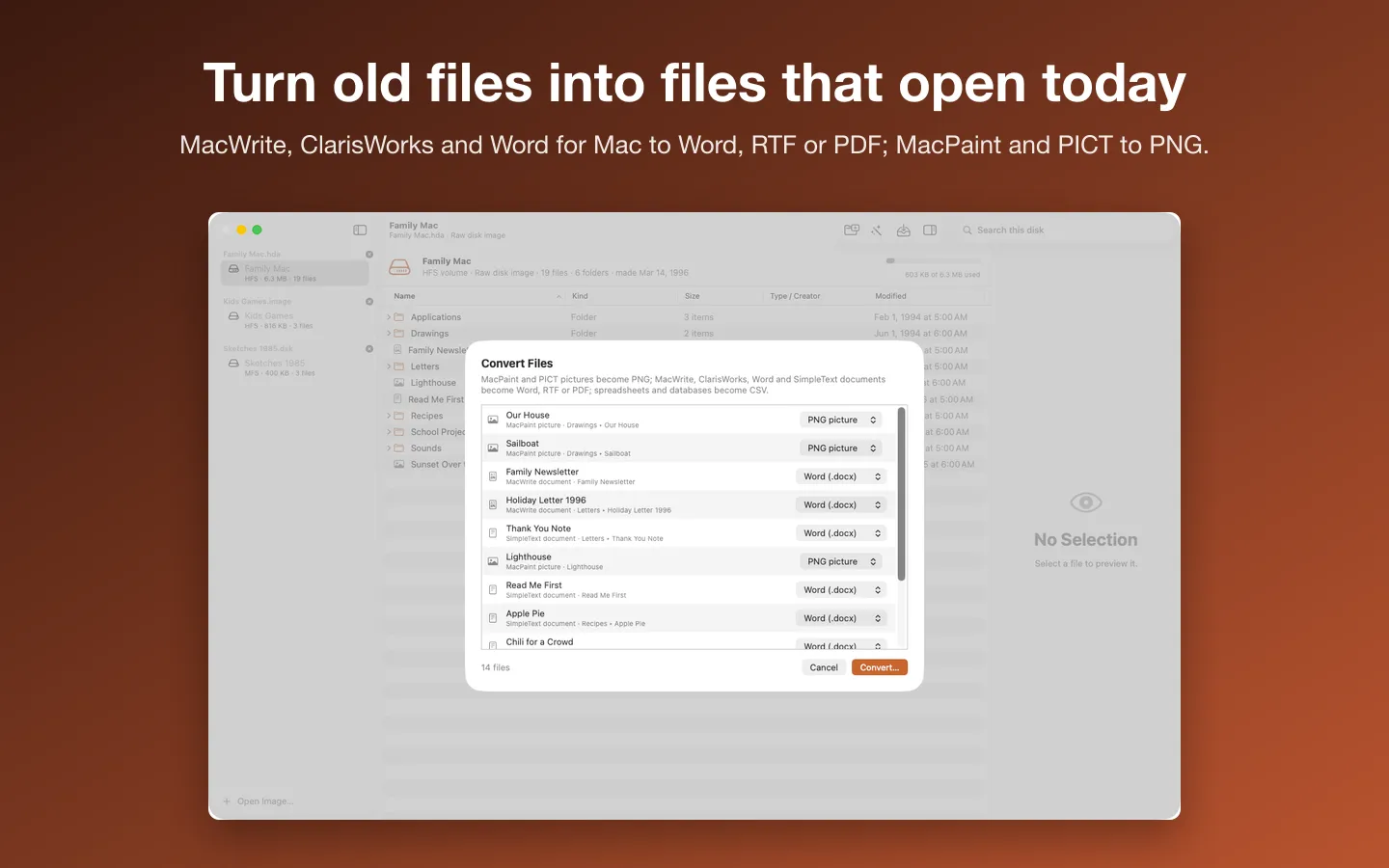
Free to use without a key: open any image, browse and search every folder, and preview every picture, document and sound.
$9.99 one-time for Pro, no subscription. Buy a license key to unlock Pro: extract files with their resource forks and convert them, one at a time, a whole disk, or a whole folder of disk images with Whole Archive Mode, and save sounds as WAV.
macOS 14 Sonoma or later. Apple silicon and Intel. Reads image files, not physical disks (Help shows how to image a floppy or CD); no HFS+, DiskCopy 6 or StuffIt yet. Includes libmwaw, libwpd and librevenge, unmodified, under the Mozilla Public License 2.0: source at sourceforge.net/projects/libmwaw and sourceforge.net/projects/libwpd (exact files: dev-www.libreoffice.org/src/libmwaw-0.3.22.tar.xz, libwpd-0.10.3.tar.xz, librevenge-0.0.5.tar.bz2); notices in the app under Acknowledgements and in the download.
Questions
Can Pages open a .cwk file?
Not today’s Pages. Open the file in LibreOffice and save it as .docx, which Pages does open.
Is Vintage Disk Reader better than LibreOffice at this?
For one text document, LibreOffice is enough: both use the same open-source converter, libmwaw. The app helps when you have many files, when they’re still inside old disk images, or when you want to preview first.
What about MacWrite, Word for Mac and WordPerfect?
Vintage Disk Reader opens those too: MacWrite, MacWrite II and Pro, WriteNow, Word for Mac and about 40 more word processors, and WordPerfect from DOS, Windows and the Mac.
My files are on a CD that won’t mount. What now?
Copy the disc to an image file first. Our guide to old Mac discs that fail with error 49153, linked under See also, has the steps.
See also
How to open an old Mac CD or floppy that won’t mount (error 49153)