How to get a kids’ art book printed from a PDF
UpdatedShort answer
Pick the printer first, then make the book to its numbers. You need a service that takes a PDF of the pages: a print-on-demand site, a photo book site with a PDF upload, an online print shop, or a copy shop. Set the book to a trim size it sells, with 0.125 inch of bleed past the edge, one page per PDF page, and a page count it can bind. For one copy to see first, print it at home or have a copy shop staple it.
Four ways to get it printed
At home or at a copy shop, stapled
The quickest way to see the book on paper, and fine as a gift for a short book. No bleed is needed: the pages keep a white edge.
- Make a version without bleed on letter paper (in Drawerbook: Export, then Home-print PDF).
- Print it at 100% (“Actual size”), not “Fit to page”, so a faint cut line stays the right size.
- Staple along one side, or hand the PDF to a copy shop and ask for stapled or coil binding.
Print-on-demand with a PDF upload (Lulu, for example)
Numbers from Lulu’s Book Creation Guide and its PDF requirements page, read on Nov 22, 2026.
- Choose a size it prints. Lulu’s list has 8.5 × 11 (page file with bleed 8.75 × 11.25) and 11 × 8.5 landscape (11.25 × 8.75), which are two of Drawerbook’s sizes; its squares are 7.5 and 8.5 inches, so Drawerbook’s 8, 10 and 12 inch squares don’t fit there.
- Use 0.125 inch of bleed on every side and keep faces, names and captions at least 0.5 inch inside the edge.
- Keep single pages: Lulu doesn’t accept two-page spreads. The first page prints on the right.
- Match the binding’s page count: paperback 32 to 800, hardcover casewrap 24 to 800, saddle stitch (stapled) 4 to 48, coil 2 to 470. Lulu suggests a count that divides by 4.
- Make the cover in its Cover Tool or from its template, after the page count is final, because the spine width depends on it.
- Order one copy and look it over before ordering more.
A photo book site with a PDF upload (Blurb, for example)
From Blurb’s PDF to Book and photo book pages, read on Nov 22, 2026. Many photo book sites only take pictures placed in their own editor, so look for a PDF upload before you start.
- Get the exact page file size from the site’s own specification for the book you picked, and compare it with your PDF. Blurb’s photo books come in sizes such as 10 × 8, 8 × 10 and 12 × 12 inches, and the page sizes aren’t always the trim plus the same bleed on every side.
- Use an even number of pages; Blurb’s photo books start at 20 pages.
- Start with a single page on the right and end with a single page on the left. Make the cover last, as its own one-page file.
- Check the upload’s preview page by page, then order one.
An online print shop (Mixam, for example)
From Mixam’s bleed guide and photo book page, read on Nov 22, 2026. Print shops suit several copies of the same book.
- Its photo book page listed 10 × 10 and 12 × 12 inches among the sizes, which match two of Drawerbook’s squares; check that the binding you want comes in that size.
- Use 0.125 inch of bleed outside the trim line and keep text at least 0.25 inch inside it.
- Hardcover covers are different: Mixam asks for 0.8 inch of bleed on all four edges of the cover, so make the cover from its instructions, not from the book’s first page.
- Ask for a proof if it offers one.
What to check before you order
- Sizes, page counts and bleed change. These were read on Nov 22, 2026; the printer’s current page wins.
- If the size isn’t one the printer sells, change the book’s size. Letting the printer scale the PDF can cut off the bleed.
- Cost depends on size, pages, paper and shipping. Each site has its own calculator; compare the total with shipping.
- Order-by dates for a holiday are each printer’s own. Read the date on its site before you order, and leave time for a reprint.
How Drawerbook does it
Drawerbook is a Mac app we make: turn kids' drawings into a print-ready art book.
- Choose the book size, then a printing preset. The presets are typical values, not any service’s: photo book (0.125 inch bleed, 0.375 safe margin, at least 20 pages), lay-flat and softcover (0.5 safe margin), stapled booklet (multiples of 4, 8 to 64 pages), home, or Custom.
- For a printer with other numbers choose Custom and type them, for example 0.125 bleed, 0.5 safe margin, multiples of 4 and at least 32 pages for a paperback. Drawerbook adds blank pages before the back page to reach the count.
- If the printer wants the cover separately, switch off “Cover is page 1 of the book file” and export Cover only for the front. Spine and back are made in the printer’s cover tool.
- Export the print-ready PDF. Every page is trim plus bleed (8.75 × 11.25 for letter) with the trim and bleed boxes set, as single pages, and pictures go in at up to 360 dpi. The 300 dpi check names any drawing that’s too small for its page.
- Drawerbook makes the PDF; it doesn’t print, ship or take a commission from any printer.
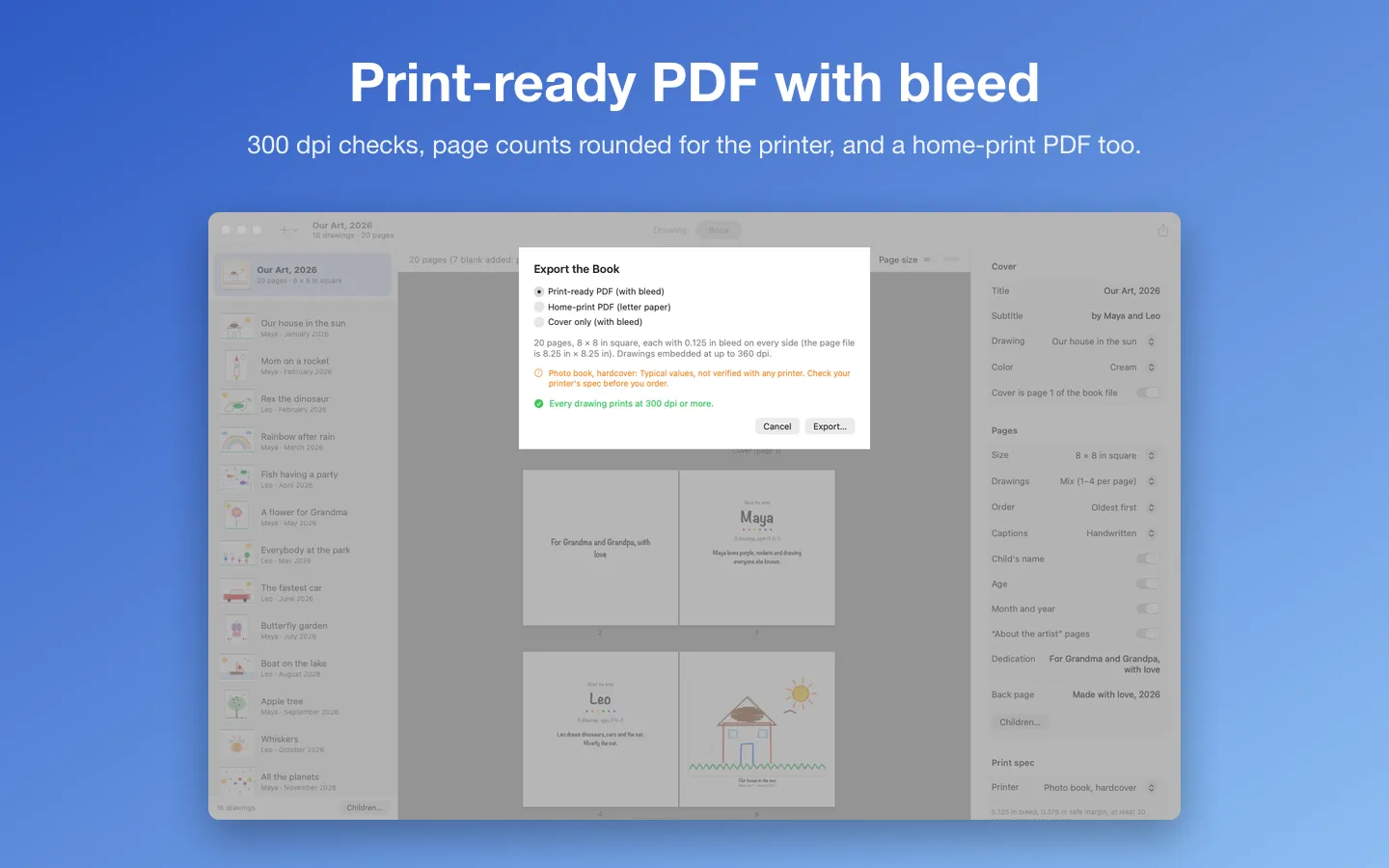
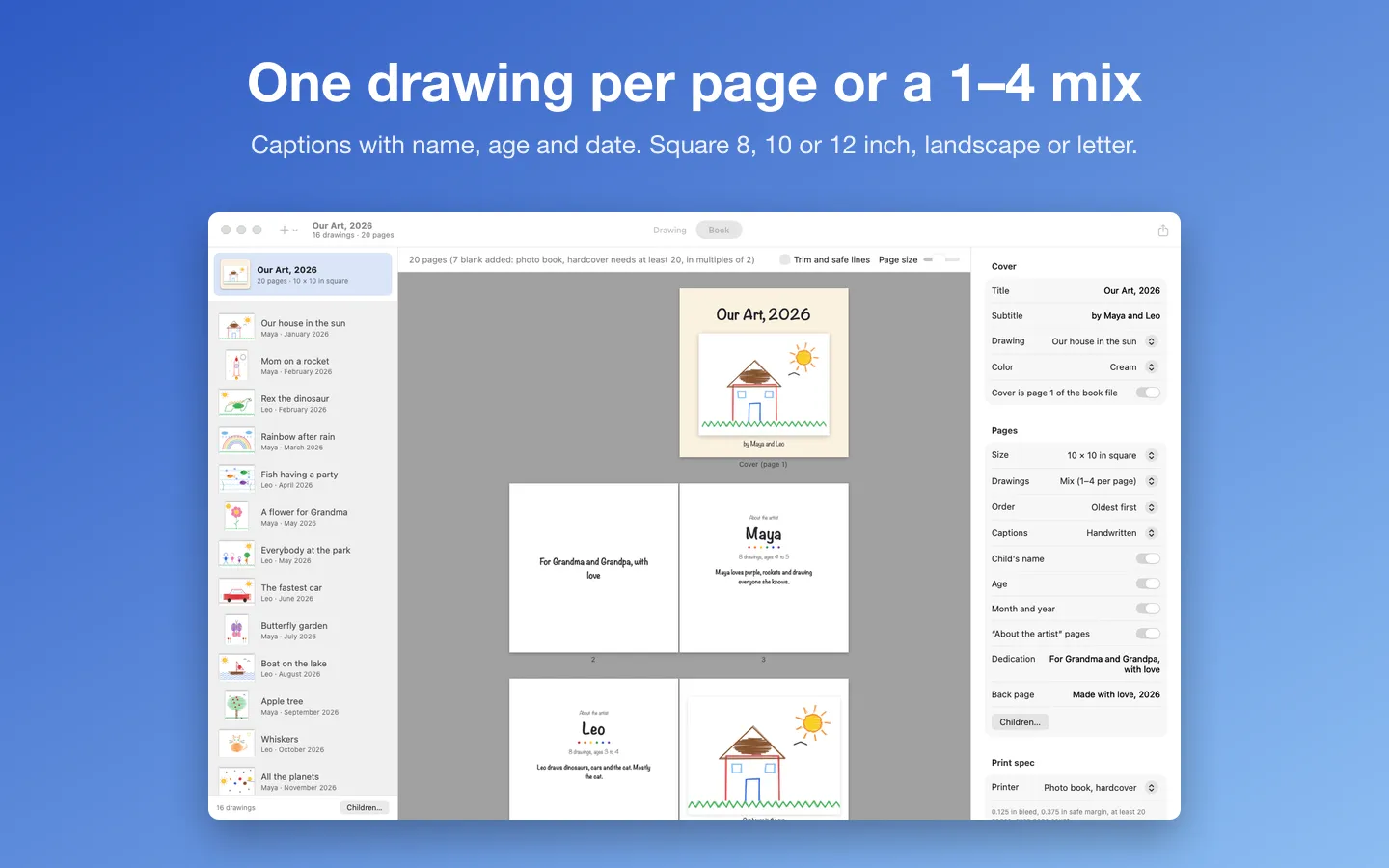
Free to use without a key: every feature, for books and calendars with up to 12 pictures, with a small "Made with Drawerbook" line on the back page.
$14.99 one-time for Pro, no subscription. Buy a license key to unlock Pro: any number of drawings, and no line on the back page.
macOS 14 Sonoma or later. Apple silicon and Intel. Makes the PDF; it doesn't print or ship books.
Questions
What is bleed?
Extra picture past the edge of the page. Printers trim every page a little off, so color that should reach the edge has to run past it, usually by 0.125 inch on each side. A 8.5 × 11 page becomes a 8.75 × 11.25 file.
Which of these printers is right for one copy?
A print-on-demand or photo book site prints single copies. A print shop suits several copies of the same book. For a first look, print at home.
Should I make two-page spreads?
No. Export single pages. The printer puts them side by side; Lulu’s requirements say it doesn’t accept two-page spreads.
Are these links paid?
No. We have no arrangement with any printer named here, and the links are plain links.