How to export a GEDCOM file from Ancestry, FamilySearch, RootsMagic, MyHeritage or Family Tree Maker
UpdatedShort answer
Look for Export and GEDCOM in the program’s File menu, or in the tree’s settings on a website. Ancestry: Trees › your tree › Tree Settings › Export tree. MyHeritage: Family tree › Manage Trees › Export to GEDCOM. RootsMagic: Files page › Export Data › GEDCOM File. Family Tree Maker: File › Export, then a GEDCOM output format. For a FamilySearch Family Tree, RootsMagic documents a route: import the tree with its FamilySearch Central, then export from RootsMagic. An export is a copy; your tree isn’t changed.
Export steps, program by program
Each row comes from that company’s own help page, read November 23, 2026. Menus change, so the linked page wins.
| Your tree is in | Export it like this | Good to know | Its help page |
|---|---|---|---|
| Ancestry | Trees tab › pick the tree › More (three dots) › Tree Settings › Export tree › Export, then Download Your GEDCOM File | Only the tree’s owner can export it, and no membership is needed. The file comes inside a zip. Photos aren’t in it; a file made after November 2022 records where they are on Ancestry | Uploading and downloading trees |
| FamilySearch Family Tree | In RootsMagic: Settings page › General › Enable FamilySearch Support, sign in, then Publish › FamilySearch Central › Import. Then export from RootsMagic (next row) | RootsMagic suggests importing into a new, empty database first. FamilySearch’s own help pages couldn’t be read when we checked, so its website’s options aren’t listed here | RootsMagic: FamilySearch Central |
| RootsMagic | Files page › Export Data › GEDCOM File, choose the folder and a name, then who and what to include, and OK | Extra details adds RootsMagic’s own tags. Its privacy options can hide living people’s names and facts. Media links name the files; the pictures aren’t in the GEDCOM | Exporting data |
| MyHeritage (website) | On your family site: Family tree › Manage Trees › Export to GEDCOM beside the tree, choose whether to include photos, then Begin the export | The file holds links to the photos, not the photos. A tree made in Family Tree Builder is exported from that program (next row) | Export a GEDCOM file of your family tree |
| MyHeritage Family Tree Builder | File › Export GEDCOM › Save as, pick the place and name, then Next, author details if you like, and Next | It offers to copy your photos into a subfolder. With more than one language in the project, you pick one for the export | Export a GEDCOM file from Family Tree Builder |
| Family Tree Maker | File › Export › Entire file › a GEDCOM option under Output format, then Export or OK, and Save | Privatize living people keeps surnames and relationships only. Private facts and notes stay out unless you tick them. Media is linked, not included: copy the tree’s Media folder with the file | Exporting and importing GEDCOM files |
The newest Family Tree Maker export article on MacKiev’s support site is for FTM 2017 for Windows; its older Mac article shows the same File › Export window. Another program? Look for Export or GEDCOM in its File menu or its help.
Free: after the export
Free: export, then look before you use it
- Export with the steps in the table. Put the date in the file’s name, such as
Thornbury tree 2026-11-23.ged, so you know which copy is which. - If it came as a zip (Ancestry’s does), double-click the zip in Finder to get the .ged file.
- Keep that first export as it is, and work on a copy.
- Check the people count in the program you open it in against your tree. If it’s lower, look at the export’s options for who to include.
Free: bring a cleaned file back
- On Ancestry, uploading a GEDCOM makes a new tree; Ancestry’s help page above has the steps. In a desktop program, import into a new, empty file.
- Compare a few families with your old tree, side by side, before you switch to the new one.
What a GEDCOM export leaves out
- Photos and documents: Ancestry, MyHeritage, RootsMagic and Family Tree Maker put links in the file, not the pictures themselves.
- Program-specific details: RootsMagic’s help says the program that reads the file may treat its own facts, shared facts, formatting and attachments differently.
- Privacy options change the file: with living people privatized, Family Tree Maker exports their surnames and relationships but not their first names or facts.
- An export is a snapshot. Changes to the file don’t reach your online tree unless you upload or import it again.
How TreeTidy does it

TreeTidy is a Mac app we make: find and fix the mistakes in your family tree file.
- Choose File › Open Family-Tree File… in TreeTidy, or drop the .ged file on its window. It reads GEDCOM 5.5.1 and 7.0 in UTF-8, UTF-16, ANSEL and older character sets, and keeps every tag it doesn’t know.
- The scan and the full report are free: likely duplicate people, impossible dates, messy date formats, place names spelled several ways, missing details and broken links. Save the report as a PDF or text.
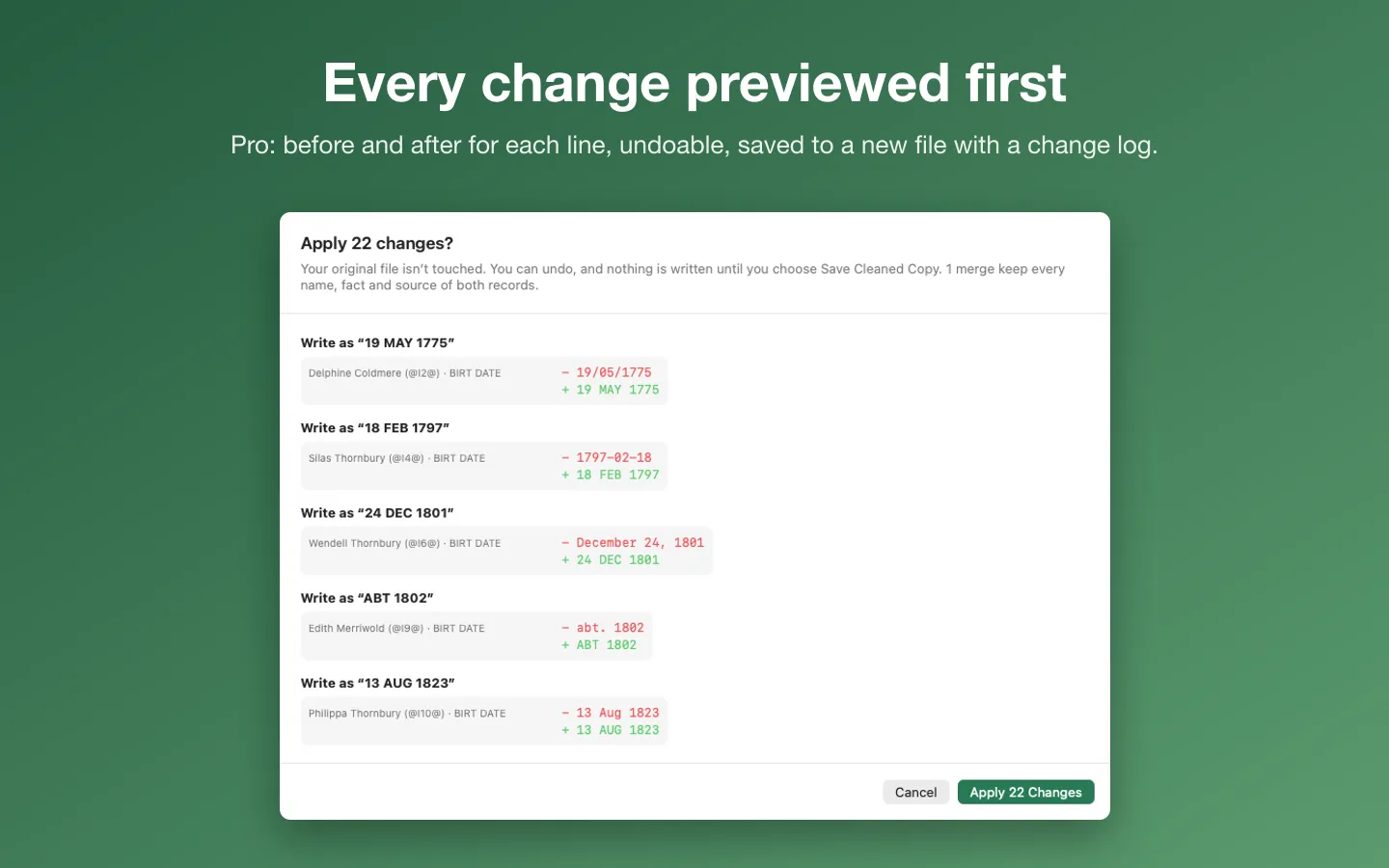
- Pro applies the fixes you tick, each shown before and after and undoable, and saves a new file, “<name> (tidied).ged”, with a change log. Your export is never changed.
- Lines you didn’t fix are written back exactly as they were, so each program’s own tags survive. Then import the tidied copy into a new, empty tree.
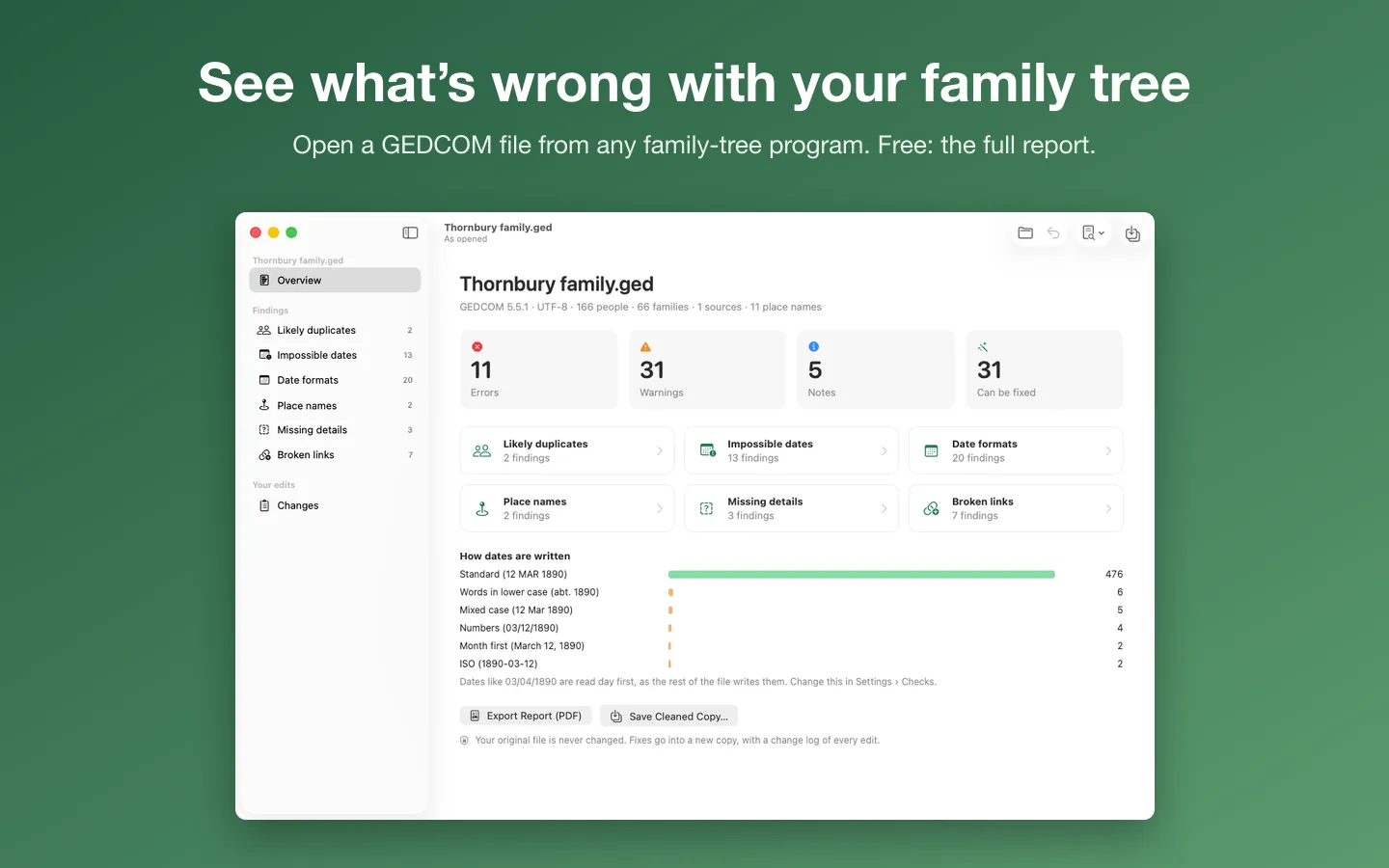
Free to use without a key: open your tree, scan it and get the full report as a PDF or text.
$19.99 one-time for Pro, no subscription. Buy a license key to unlock Pro: apply the fixes you tick, merge duplicates, and save a cleaned copy with a change log.
macOS 14 Sonoma or later. Apple silicon and Intel. Works with GEDCOM files exported from your family-tree program.
Questions
Can I download a GEDCOM file straight from FamilySearch?
We couldn’t confirm it: FamilySearch’s help pages couldn’t be read when we checked on November 23, 2026, so this page doesn’t say. The route we could check in a program’s own help is RootsMagic’s FamilySearch Central import, then a GEDCOM export from RootsMagic.
Ancestry gave me a .zip file. Is that right?
Yes. Ancestry’s help says the GEDCOM file comes inside a zip file. Double-click it in Finder and use the .ged file inside.
Which program’s file does TreeTidy read?
Any GEDCOM 5.5.1 or 7.0 file. We test it with five made-up files that imitate the style of Ancestry, RootsMagic, MyHeritage, Family Tree Maker and GEDCOM 7.0; the programs didn’t make them and real exports vary, so try yours. Opening it and the report are free.
Does exporting change my tree?
No. Each of these makes a separate file. Your tree only changes if you upload or import a file into it.
See also
Sources
- Ancestry: uploading and downloading trees read
- RootsMagic 12 help: FamilySearch read
- RootsMagic 12 help: FamilySearch Central read
- RootsMagic 12 help: exporting data read
- MyHeritage: download (export) a GEDCOM file of your family tree read
- MyHeritage: export a GEDCOM file from Family Tree Builder read
- MacKiev: exporting and importing GEDCOM files in FTM 2017 for Windows read
- MacKiev: exporting a file in Family Tree Maker for Mac read